
Seagate BarraCuda 8TB
4.7Editor score
Affordable high capacity option
Sustained 190MB/s transfer
Proven desktop reliability
Building a high performance storage array requires drives that can handle simultaneous read write operations efficiently. RAID 0 setups split data across multiple disks to boost speed but demand reliable hardware to prevent data loss during intensive tasks.
We evaluated ten top tier hard drives focusing on transfer speeds cache sizes and reliability ratings. Our analysis considers workload ratings and compatibility with common RAID controllers to ensure your storage solution meets professional gaming or workstation demands.
Each pick highlights specific strengths for RAID environments ranging from enterprise NAS optimized units to general purpose desktop drives. Prices and availability fluctuate so check current listings before purchasing to ensure you get the best value for your specific configuration needs.
4.7Editor score

4.0Editor score

4.6Editor score
As an Amazon Associate we earn from qualifying purchases.
This side by side comparison highlights key specifications across all ten selected drives to help you visualize performance differences and capacity options for your RAID 0 build.






The Seagate IronWolf Pro 16TB stands out as a top choice for those needing massive storage in a single drive. It holds a 4.0 rating and features enterprise grade specs designed for continuous operation in demanding environments.
We may earn a commission when you buy through this link, at no additional cost to you.
Its key strength lies in the AgileArray technology which includes dual plane balancing and time limited error recovery. These features ensure consistent performance when the drive is part of a striped array where speed is critical.
Trade-offs include a higher cost compared to standard desktop drives and specific setup requirements for NAS environments. However these are acceptable given the reliability and massive capacity provided for professional workflows.
This drive is ideal for users building high end workstations or NAS systems requiring large single drive volumes. The combination of capacity and enterprise features makes it a smart investment for serious storage needs.
Built with a 2.5 million hour MTBF rating this drive ensures uptime for critical applications requiring constant access to data.
AgileArray technology balances performance across multiple bays ensuring consistent speeds even when managing heavy data workloads.
We may earn a commission when you buy through this link, at no additional cost to you.
The Seagate BarraCuda 8TB is a strong contender for those looking to save money without sacrificing too much performance. With a 4.7 rating it offers proven reliability for general desktop and storage applications.
We may earn a commission when you buy through this link, at no additional cost to you.
It delivers a sustained transfer rate of 190MB/s which is competitive for a standard SATA drive. This speed is adequate for many RAID 0 configurations where the combined throughput of multiple drives boosts performance.
While it lacks the specialized features of NAS drives the cost savings are significant. Users should be aware that continuous high load might generate more heat than enterprise class units.
This drive is perfect for budget conscious gamers or enthusiasts setting up a new array. It balances price and capacity well making it an accessible entry point for high speed storage.
At a lower price point this drive offers eight terabytes of space making it one of the most affordable options for large capacity storage.
Built for varied applications from music to video editing it handles standard workloads with ease and confidence.
We may earn a commission when you buy through this link, at no additional cost to you.
The Western Digital Ultrastar DC HC580 offers the largest capacity on this list at 24TB making it ideal for data intensive tasks. It holds a 4.6 rating and is engineered for heavy duty hyperscale environments.
We may earn a commission when you buy through this link, at no additional cost to you.
Its 512MB cache and 7200 RPM speed ensure predictable performance under demanding server workloads. This makes it exceptionally fast for large file transfers which is beneficial in a striped RAID 0 setup.
The main drawback is the high cost and the renewed status which implies it is pre-owned or refurbished. Users must weigh the capacity benefit against potential warranty limitations compared to new units.
Buyers looking for maximum density in a single drive should consider this model. It is best suited for advanced users who need every gigabyte and understand enterprise drive characteristics.
Engineered for massive scale out environments it handles the rigorous demands of big data applications efficiently.
Uses conventional magnetic recording for consistent performance across various workloads without the throttling seen in SMR.
We may earn a commission when you buy through this link, at no additional cost to you.
The Seagate IronWolf Pro 4TB brings enterprise grade features to a smaller form factor. With a 4.5 rating it is designed specifically for multi user NAS environments that need consistent speed.
We may earn a commission when you buy through this link, at no additional cost to you.
A standout feature is the inclusion of three years of Rescue Data Recovery Services which adds significant peace of mind. The drive also supports speeds up to 214MB/s ensuring fast file sharing.
The main trade off is the lower cache size compared to larger pro models. This may limit burst performance in some scenarios but is acceptable for general storage tasks.
This drive is a smart choice for users building a modest NAS system or small array. It balances professional features with manageable costs for smaller storage setups.
The included recovery service protects against data loss events offering a safety net that many standard drives lack.
Engineered to reduce vibration and noise it operates quietly which is beneficial for home or office environments.
We may earn a commission when you buy through this link, at no additional cost to you.
The WD Red Plus 12TB offers a solid middle ground for capacity and performance. With a 3.9 rating it is built to withstand 24×7 workloads in small to medium business environments.
We may earn a commission when you buy through this link, at no additional cost to you.
It features a 512MB cache which helps manage data bursts efficiently. The NASware firmware ensures compatibility with a wide range of NAS enclosures preventing common connectivity issues.
While user feedback is mixed regarding long term reliability in some setups it remains a popular choice for its balance of specs. The workload rate supports significant data transfer needs annually.
This drive is suitable for users needing more space than standard desktop drives offer. It is a practical choice for expanding a NAS array without switching to enterprise grade costs.
Specifically tested for NAS systems it ensures optimum performance in environments requiring constant uptime and reliability.
Supports up to 180TB per year workload rate making it capable of handling heavy data transfer requirements daily.
We may earn a commission when you buy through this link, at no additional cost to you.
The WD Red Pro 16TB is built for high intensity 24×7 multi user NAS environments. It carries a 3.9 rating and is rated for an immense workload of 550TB per year.
We may earn a commission when you buy through this link, at no additional cost to you.
With unlimited bay support it scales well for large storage arrays. The 512MB cache ensures data flows smoothly to the CPU which is vital for maintaining speed in RAID 0 configurations.
The main drawback is the higher cost and mixed long term reliability reports from some users. However for professional setups the performance specs justify the investment for many.
This drive is a great fit for power users needing to expand a large NAS system. Its robust specs make it ready to handle heavy data throughput without bottlenecks.
Designed to support unlimited bays allows for massive storage expansions without needing different drive models.
Rated for 550TB annual workload it is built to endure continuous heavy writing and reading tasks year round.
We may earn a commission when you buy through this link, at no additional cost to you.
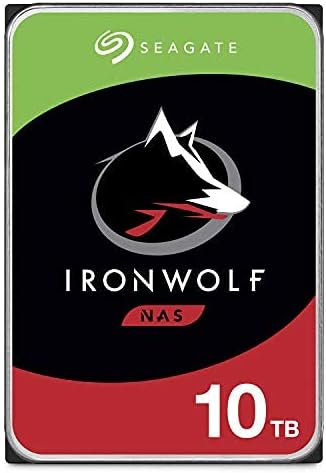
The Seagate IronWolf 10TB holds an excellent 4.7 rating and is optimized for multi user NAS workloads. It combines capacity with reliability features ideal for consistent storage needs.
We may earn a commission when you buy through this link, at no additional cost to you.
Its AgileArray technology includes dual plane balancing and RV sensors to handle multi drive environments well. Sustained transfer speeds up to 210MB/s ensure efficient data movement during RAID operations.
Trade-offs are minimal as it includes a three year data recovery service for peace of mind. The capacity might not suffice for massive archives but fits many home server scenarios.
This drive is perfect for users building a reliable home lab or NAS. It balances performance features with a manageable price for most enthusiasts.
Integrated management tools help prevent issues before they occur ensuring peak system health and stability.
Built for multi user workloads it manages concurrent access requests effectively without lagging.
We may earn a commission when you buy through this link, at no additional cost to you.
The Seagate IronWolf 10TB V0004 is designed to deliver consistent performance with minimal wear and tear. With a 4.0 rating it offers solid reliability for multi user NAS environments.
We may earn a commission when you buy through this link, at no additional cost to you.
Its integrated health management system allows users to monitor drive status and prevent failures early. The low noise and vibration design make it suitable for environments where quiet operation is valued.
While it lacks the included recovery service of the Pro model it remains a robust choice. The 256MB cache provides adequate buffering for standard NAS tasks.
This drive is recommended for users prioritizing durability and low maintenance. It serves well as a standard workhorse in a RAID configuration.
Built for long term reliability it minimizes lags and downtime ensuring data is always accessible.
Use integrated health management to monitor drive status and stay proactive about maintenance needs.
We may earn a commission when you buy through this link, at no additional cost to you.
The Seagate IronWolf 10TB V0008 delivers high reliability with a 4.6 rating for multi user NAS needs. It uses CMR technology to ensure consistent performance without SMR limitations.
We may earn a commission when you buy through this link, at no additional cost to you.
Designed for up to eight bay environments it handles vibration effectively with built in sensors. The health management system keeps users informed about drive status for better planning.
Trade-offs are minimal as it covers most standard use cases effectively. The capacity fits well with most budget NAS builds without overspending.
This drive is a safe choice for general NAS users. It offers a good balance of performance and durability for typical storage arrays.
CMR technology delivers consistent performance without the write penalties often seen in shingled recording drives.
Rotational vibration sensors ensure stable operation in multi drive enclosures reducing errors and noise.
We may earn a commission when you buy through this link, at no additional cost to you.
The WD Red Plus 14TB prioritizes quiet operation with a 5400 RPM class design. It holds a 4.5 rating and offers a huge capacity for those needing space over raw speed.
We may earn a commission when you buy through this link, at no additional cost to you.
With a 512MB cache it manages data efficiently despite the lower spindle speed. This makes it suitable for storage arrays where noise levels are a concern in living spaces.
The trade-off is lower throughput compared to 7200 RPM models which may limit RAID 0 gains. However for cold storage or media libraries it excels.
This drive is best for users prioritizing silence and capacity. It fits well in home setups where noise reduction is a priority.
The 5400 RPM class design ensures minimal noise making it ideal for home environments.
Offers high storage capacity without the bulk of multiple smaller drives saving physical space.
We may earn a commission when you buy through this link, at no additional cost to you.
Selecting the right hard drive for a RAID 0 setup requires balancing speed capacity and reliability to match your specific performance needs and budget constraints.
Determine the total storage space you need for your data. RAID 0 does not provide redundancy so a single drive failure can lose all data meaning you should factor in backup solutions when choosing capacity.
Choose a drive with enough space to grow your array without replacing it soon but stay within your budget limits.
Look for drives with high sustained transfer rates and large cache sizes to minimize bottlenecks. A larger cache helps manage data bursts improving overall throughput in a striped configuration.
Prioritize 7200 RPM drives for better performance in RAID 0 over slower models that may limit your array speed.
Select drives with a high Mean Time Between Failures rating to ensure consistent operation. For continuous workloads like gaming or video editing seek enterprise class ratings or NAS optimized models.
Higher reliability ratings reduce the chance of data loss in an unprotected RAID 0 configuration.
Decide if you need a NAS specific drive or a standard desktop model. NAS drives offer better firmware for multi drive environments but cost more than desktop alternatives.
For simple setups desktop drives may suffice but NAS drives deliver better long term stability.
Ensure the drive has sufficient onboard memory to buffer data. A larger cache reduces latency when writing small files frequently in your array.
Aim for at least 128MB cache but prefer 256MB or more for better performance.
Check the warranty length and availability of recovery services. Long warranties indicate confidence in the drive quality and help with replacement if it fails early.
Prioritize models offering longer protection periods and recovery options for critical data.
Confirm that the physical size of the drive fits your enclosure. Most RAID setups use standard 3.5 inch desktop sized drives but compact cases may require smaller alternatives.
Ensure the drive dimensions match your case specifications to avoid installation issues.
Consider noise levels if the array is in a living space. Drives with vibration sensors reduce noise and heat which improves stability in multi drive setups.
Look for models with vibration resistance for better longevity and comfort.
Start by initializing the drives and configuring them in RAID 0 using your motherboard or controller software. Ensure all drives are of similar capacity and speed to maximize performance.
Use your storage setup primarily for non critical data or speed sensitive tasks. Since there is no redundancy always keep important files backed up on a separate drive or cloud service.
Monitor drive health regularly using manufacturer tools to catch early signs of failure. Keep the system cool and dust free to extend the lifespan of your hardware.
RAID 0 splits data across multiple drives to increase read and write speeds. This setup is ideal for tasks requiring high throughput like video editing but offers no data redundancy.
While standard desktop drives work well NAS or enterprise drives offer better reliability for constant use. Choosing models with high cache and similar specs helps balance performance across the array.
At least 128MB cache is recommended but 256MB or higher provides better buffering for large files. Larger cache reduces latency and improves sustained transfer rates during heavy loads.
Mixing drives is possible but not recommended as different speeds may bottleneck the entire array. For best performance use identical capacity and model drives to ensure balanced operation.
RAID 0 offers no protection against drive failure meaning any loss is total. Always maintain separate backups on another drive or in the cloud to protect important files.
If one drive fails all data in the array is lost. Because data is striped there is no parity to reconstruct files so recovery is impossible without a separate backup.
The Seagate IronWolf Pro 16TB and WD Red Pro 16TB stand out as top picks for high capacity performance. They offer the reliability needed for intensive tasks in a striped configuration.
Prioritize drives with large cache sizes and similar specs to ensure your array runs smoothly. Matching drive models prevents bottlenecks that could limit your overall throughput.
Always check current listings and pricing before buying to ensure you get the best value. Availability varies so verify stock levels for your preferred model before finalizing your order.