
Amazon Fire HD 10 tablet
4.5Editor score
10.1 inch Full HD display
Thirteen hour battery life
Alexa voice control integration
Choosing a tablet for seniors requires careful consideration of screen size, interface simplicity, and connectivity options. Modern devices now offer specialized features designed to reduce friction and enhance usability for older adults seeking digital independence.
We evaluated ten top-rated tablets based on user feedback, technical specifications, and ease of navigation. Our analysis focuses on devices that prioritize clarity, durability, and seamless communication with family members through video calls and photo sharing.
Each selection below highlights unique strengths tailored to different needs and budgets. Please note that pricing and availability may change frequently, so verify current offers before making a final purchase decision for your loved one.
4.5Editor score

4.2Editor score
4.7Editor score
As an Amazon Associate we earn from qualifying purchases.
The following table provides a side-by-side overview of all ten selected tablets, comparing key specifications like screen size, storage capacity, and operating system to help you make an informed choice.




The GrandPad is a secure all-in-one tablet and phone designed specifically for older adults who need simplicity and safety. With its large icons and private network, it offers a user-friendly way to connect with family while avoiding the risks of open internet browsing.
We may earn a commission when you buy through this link, at no additional cost to you.
Its standout quality is the fraud prevention system that blocks spam and scams automatically. The curated apps include music, games, and photo sharing, ensuring that seniors can enjoy digital activities without confusion. The complimentary companion apps allow family members to share memories easily.
However, this device requires a plan and is not compatible with other wireless carriers, which limits flexibility. The monthly costs add up over time, but the included safety features and customer care often justify the expense for families prioritizing peace of mind.
Seniors who value security and easy communication should buy this tablet. It is ideal for those who want a dedicated device for staying in touch without the complexity of general-purpose tablets or smartphones.
GrandPad network blocks spam and scams to protect users from online fraud effectively.
Companion apps for Android and iOS let family share photos and videos securely.
We may earn a commission when you buy through this link, at no additional cost to you.
The Pix Star Touch tablet is designed with a simple user interface that makes email, internet, and photo navigation easier for beginners. Each application highlights the most important buttons to reduce confusion and improve the overall user experience for seniors.
We may earn a commission when you buy through this link, at no additional cost to you.
Its clever zoom feature allows users to enlarge or reduce the interface as needed, which is helpful for those with vision challenges. The ability to install multiple applications via the Google Play Store adds versatility while keeping the core system straightforward.
Despite these benefits, the device has a lower user rating, which suggests potential issues with performance or reliability. Users might find the interface less polished compared to major brands, and the feature set could feel limited for tech-savvy seniors.
This tablet is suitable for those who need a basic, no-frills device for staying in touch with family. It works well for sending photos and making video calls without requiring complex setup or technical knowledge.
Simple interface highlights important buttons so beginners can navigate applications easily.
Clever zoom feature lets users adjust interface size to fit their visual needs.
We may earn a commission when you buy through this link, at no additional cost to you.
The Amazon Fire HD 10 offers a vibrant Full HD screen and fast performance ideal for reading, gaming, and streaming. Its lightweight design and long battery life make it perfect for seniors who want to enjoy entertainment without frequent charging.
We may earn a commission when you buy through this link, at no additional cost to you.
Key strengths include the immersive display that brings color to shows and games, along with 13 hours of battery power for extended use. Alexa integration allows hands-free control for recipes, jokes, or smart home commands, simplifying daily tasks significantly.
However, users might miss certain Google apps since it runs Amazon's ecosystem, and there is no built-in cellular option for connectivity on the go. The storage is expandable with a micro-SD card, which mitigates space concerns for media files.
This tablet is a top choice for seniors looking for a reliable, affordable device for home use. It balances performance and simplicity well, making it easy to stay entertained and connected with family through video calls.
The Full HD display brings brilliant color to shows and games for a better viewing experience.
Alexa lets you ask for recipes or news without touching the screen for convenience.
We may earn a commission when you buy through this link, at no additional cost to you.
The Samsung Galaxy Tab A11+ provides optimal performance for day-to-day activities with an upgraded chipset that keeps tasks responsive. Its bright 11-inch screen and quad speakers make streaming movies and playing games a cinematic experience for users.
We may earn a commission when you buy through this link, at no additional cost to you.
Key features include fast charging technology and a long-lasting battery that supports browsing and play for hours. The 5 MP front camera ensures sharp, clear video calls, allowing seniors to see every smile and expression during family interactions.
Trade-offs involve its weight and size, which might be less portable than smaller models, and the price is higher than budget options. However, the storage and memory capacity handle large files seamlessly, making it versatile for various needs.
Families needing a tablet for multimedia and communication will find this device excellent. The combination of screen size and audio quality makes it suitable for seniors who enjoy watching content and staying connected face-to-face.
The 11-inch screen delivers natural fluid motion for a more engaging viewing experience.
Quad speakers powered by Dolby Atmos create a cinema-like audio environment.
We may earn a commission when you buy through this link, at no additional cost to you.
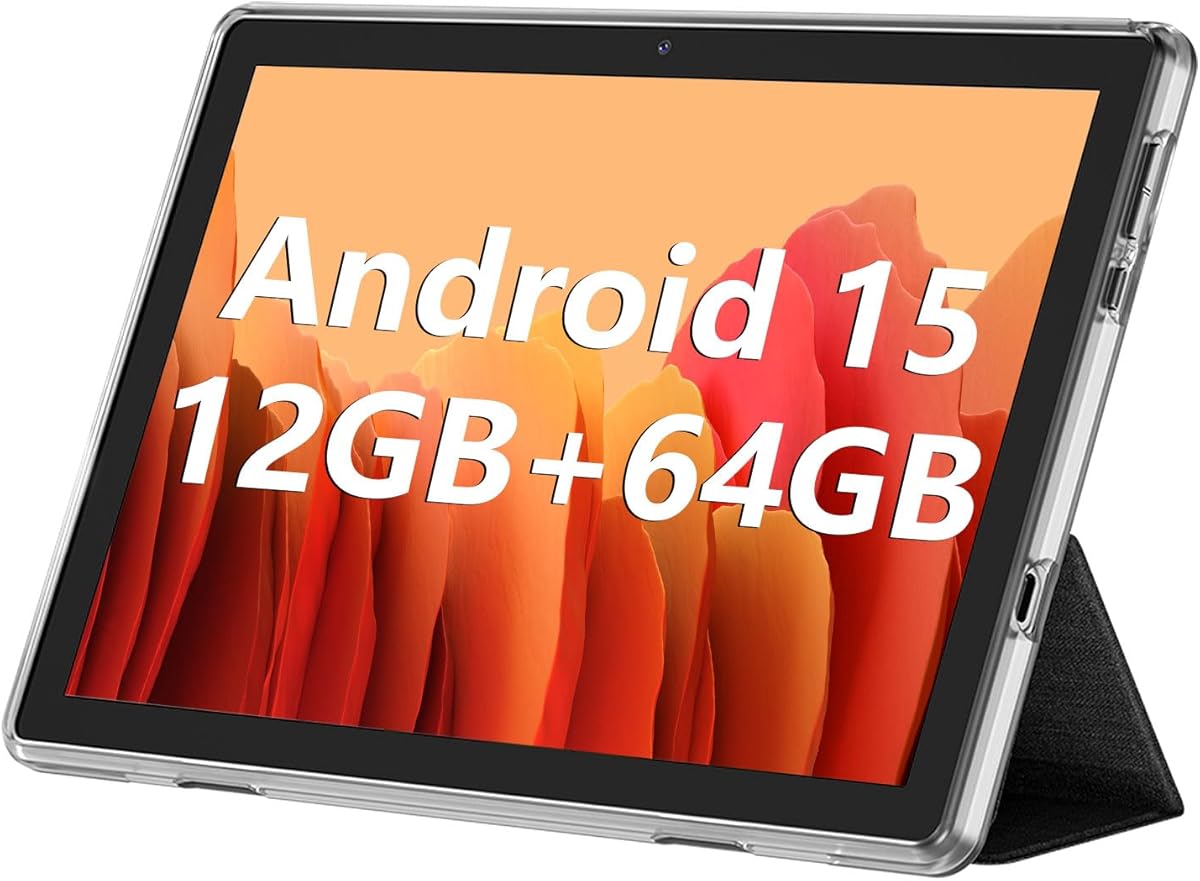
This Android 15 tablet features a 10.1-inch IPS screen and a quad-core processor that enables seamless video playback and multitasking. Ample storage capacity can be expanded up to 1TB via SD card, allowing users to store photos and videos without worry.
We may earn a commission when you buy through this link, at no additional cost to you.
Key strengths lie in its high RAM configuration and dual cameras, which offer a delightful experience for watching movies or making video calls. The built-in 6000mAh battery provides up to 8 hours of uninterrupted playback for daily usage.
However, it is from a less known brand, which might lead to concerns about long-term software updates and support consistency. The resolution is standard HD, which is good but not as sharp as premium options available in the market.
It is suitable for users who want strong hardware specifications at a lower price point. This tablet works well for media consumption and basic productivity tasks without breaking the bank.
Sixty four gigabytes of internal storage expandable to one terabyte for large files.
Built-in battery delivers hours of video playback for extended use without charging.
We may earn a commission when you buy through this link, at no additional cost to you.
The Fire HD 8 offers an 8-inch HD display for seamless streaming and gaming with a thin, light design that is easy to carry. With up to 13 hours of reading and browsing, it supports uninterrupted entertainment at home or on the go.
We may earn a commission when you buy through this link, at no additional cost to you.
Its fast and responsive performance comes from increased RAM and a hexa-core processor that handles daily tasks well. Ask Alexa to make video calls to friends and family or download apps like Zoom to stay connected effortlessly.
Trade-offs include the smaller screen which may be harder for some to read compared to larger models, and the lack of Google Play support. However, the vibrant display and long battery life make it ideal for travel or casual use.
This tablet is perfect for seniors who need something lightweight for everyday tasks. It balances portability and performance, allowing users to stay connected and entertained without carrying a heavy device.
Thin light design and eighteen hour battery life support seamless use on the go.
Alexa helps make video calls to friends and family using simple voice commands.
We may earn a commission when you buy through this link, at no additional cost to you.
The Lenovo Tab One is compact and efficient with a modern design that is tailor-made to fit in your hand. Weighing less than a pound, it is easy to tuck in a purse or backpack for on-the-go entertainment and reading.
We may earn a commission when you buy through this link, at no additional cost to you.
Its all-day battery life and up to 12.5 hours of unplugged YouTube streaming provide non-stop fun without constant recharging. The HD display has high brightness and dual Dolby Atmos speakers that deliver immersive sound depth for movies.
The included folio case shields the tablet from accidental damage and has a built-in stand for hands-free viewing. While the refresh rate ensures fluid gaming, it may not match higher-end models for intensive tasks.
Seniors looking for a small, durable device should buy this tablet. It is ideal for those who prefer a manageable size that is easy to hold for long periods without hand fatigue.
Lightweight and comes with a case so it is easy to take anywhere safely.
Vibrant visuals and immersive sound make streaming movies a pleasure on this device.
We may earn a commission when you buy through this link, at no additional cost to you.
Powered by the newest Android 16 operating system, this tablet features a high-speed Octa-Core Processor and an intuitive interface for a smoother user experience. Apps can be easily managed across multiple screens offering a professional-grade experience for work or play.
We may earn a commission when you buy through this link, at no additional cost to you.
It includes a 11-inch Incell display with reading mode and eye protection settings to reduce strain during extended use. The 7000mAh battery offers impressive standby time and fast charging, ensuring you stay connected without battery anxiety.
Trade-offs include the brand being less recognized, which might affect support expectations, and the resolution is standard HD rather than premium. However, the dual SIM and Wi-Fi capabilities provide greater connectivity convenience than traditional tablets.
This device is great for seniors who want modern features and ample storage. It is perfect for those who value long battery life and a versatile connection system for staying in touch.
Latest UI interface offers enhanced privacy and data control for everyday use.
Seven thousand mAh battery allows up to forty eight hours of standby time.
We may earn a commission when you buy through this link, at no additional cost to you.
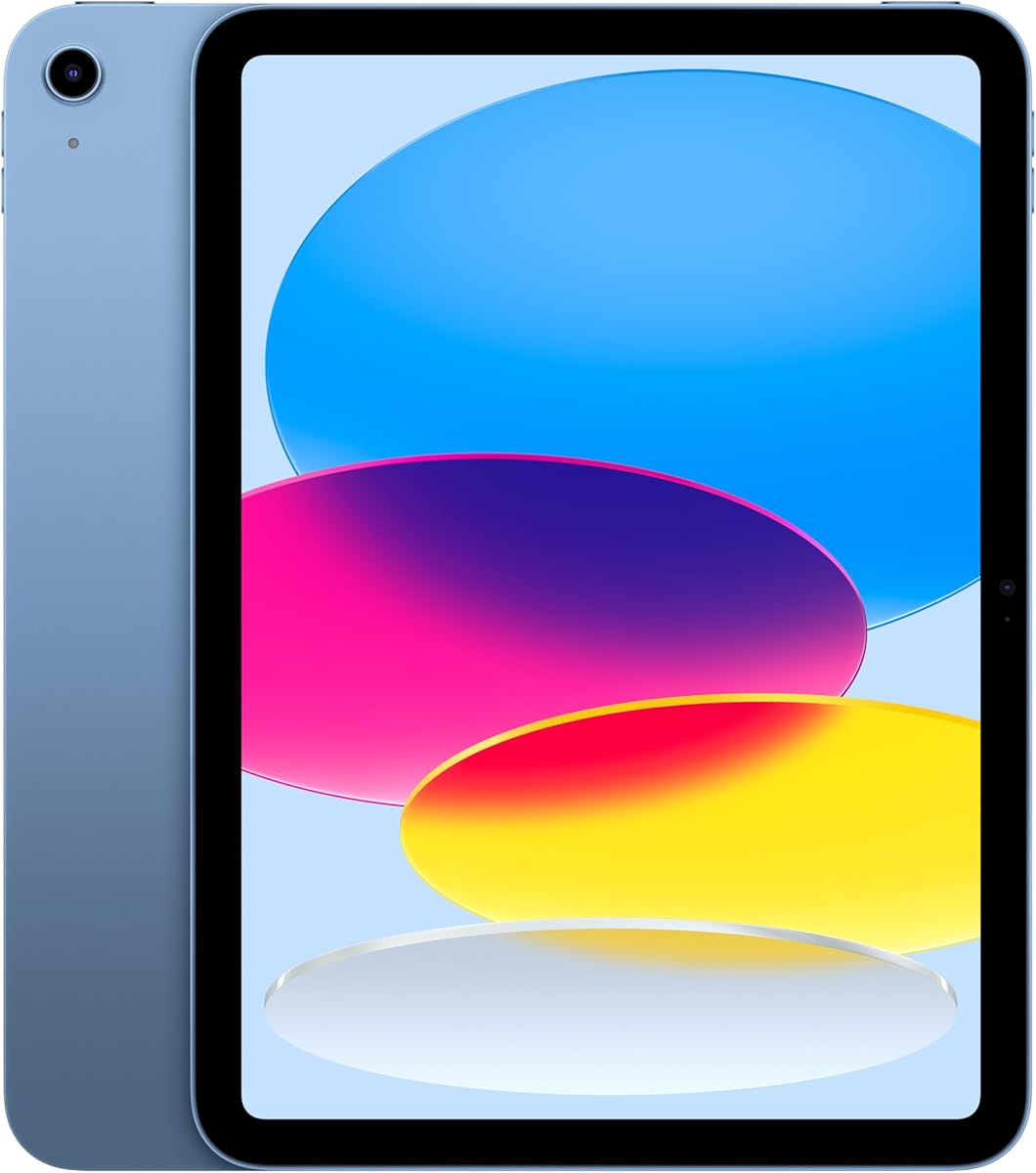
The 11-inch iPad delivers a powerful way to create and stay connected with the superfast A16 chip and a stunning Liquid Retina display. True Tone adjusts the display to the color temperature of the room to make viewing comfortable in any light.
We may earn a commission when you buy through this link, at no additional cost to you.
Key strengths include the 12MP Center Stage front camera perfect for video calls and the seamless integration of iPadOS with over a million apps available. Fast Wi-Fi 6 and all-day battery life ensure you can stream and work uninterrupted.
While it is one of the more expensive options, the build quality and longevity are unmatched. Touch ID allows secure unlocking and payments with a simple touch, and the Apple Pencil transforms the device into a note-taking tool.
This tablet is ideal for seniors who want the best in performance and durability. It serves well as a versatile device for entertainment, communication, and productivity with a polished, reliable experience.
Center Stage camera keeps you centered during calls for a natural face-to-face experience.
Built-in Touch ID unlocks the device and authorizes payments securely with one touch.
We may earn a commission when you buy through this link, at no additional cost to you.
This WiFi-only model offers an 8.7-inch screen with a 90Hz refresh rate for fluid motion that makes navigation and media consumption smooth. It runs Android 15 and One UI 7, with updates coming to keep the software current and secure.
We may earn a commission when you buy through this link, at no additional cost to you.
Key features include a lightweight design that fits easily in hands, and 4GB of memory to handle day-to-day tasks. The MicroSD card slot allows for expanded memory so you can store more photos and videos without space limits.
Trade-offs involve the international version status which may affect warranty and country selection setup, and lack of cellular capability. However, for home use or Wi-Fi reliant environments, it remains a solid, budget-friendly option.
It is suitable for seniors who want a reliable Samsung device at a lower cost. The compact size and refresh rate make it comfortable for reading and browsing online comfortably.
Ninety hertz refresh rate delivers natural fluid motion for easier scrolling and navigation.
MicroSD card slot supports up to two terabytes of expanded memory for files.
We may earn a commission when you buy through this link, at no additional cost to you.
Selecting the right tablet involves weighing several key factors that impact usability and satisfaction for older adults.
Screen size is critical for seniors as larger displays make text and icons easier to read. A 10-inch screen is generally recommended for a balance between portability and readability, while HD resolution ensures clarity.
Look for devices with adjustable font sizes and bright displays to reduce eye strain during reading sessions.
An intuitive interface reduces confusion by limiting clutter and highlighting essential apps. Devices like GrandPad or Pix Star offer simplified UIs specifically designed for beginners to navigate easily.
Ensure the tablet supports easy gestures like zooming and has clear home buttons to minimize accidental clicks.
Decide between Wi-Fi only and cellular models based on the senior's lifestyle. Wi-Fi models work well at home, while cellular options provide flexibility for users who move frequently or need internet access on the go.
Check that the device supports stable connections to enable smooth video calls with family members without interruption.
A long battery life ensures the device remains usable throughout the day without constant charging. Look for tablets offering at least 8 to 10 hours of continuous usage to support daily reading or streaming.
Fast charging capabilities are also beneficial so the tablet can be quickly topped up if it runs low during use.
Storage determines how many photos, videos, and apps can be kept on the device. Seniors who enjoy storing memories should aim for at least 64GB or choose models with expandable storage via SD cards.
Higher storage prevents the need to delete files frequently, which can be a technical hurdle for less experienced users.
Reliable customer support is crucial when setup issues arise or when assistance is needed with apps. Brands with US-based teams or dedicated senior support can provide faster and more helpful solutions.
Select devices that come with warranties or easy return policies to protect your investment in case of defects.
Prices vary significantly from budget-friendly Fire tablets to premium Apple iPads. Determine how much you are willing to spend upfront and consider ongoing subscription costs like those required by specialized senior tablets.
Value often comes from features that reduce frustration, so investing a bit more for ease of use can be worthwhile in the long run.
Clear front and back cameras are essential for video calls and taking photos of family or pets. A front camera with autofocus ensures that users appear sharp during video chats with loved ones.
High resolution back cameras allow for detailed photo capture which enhances sharing memories with relatives via email or apps.
Start by setting up the tablet with a simple profile and turning on accessibility features like larger text and voice assist. This initial step ensures that the device is ready for immediate use without requiring technical adjustments.
Regularly update the software to maintain security and access new features. Most modern tablets handle updates automatically, but keep the device plugged in during these processes to avoid interruption.
Clean the screen with a soft microfiber cloth to prevent scratches and maintain visibility. Store the tablet in a protective case when not in use to safeguard it against drops and bumps during daily activities.
GrandPad is often considered the easiest because it offers a locked interface with large icons and a secure network. It removes the complexity of app stores and internet settings, focusing purely on communication and entertainment.
Yes, most of these tablets support video calling through apps like Zoom or FaceTime. Dedicated models like GrandPad and Apple iPad have built-in tools to make this process seamless for seniors.
Some specialized tablets like GrandPad require monthly plans for access to services. Standard tablets like Fire or iPad generally do not have monthly fees unless you opt for cellular data or subscriptions.
A battery life of at least 10 hours is ideal for seniors so they do not need to charge the device frequently. Models like Fire HD offer up to 13 hours for extended use without interruption.
Many Android and some Fire tablets support expandable storage via micro-SD cards. This allows you to store more photos and videos without needing to delete existing content on the device.
Yes, many tablets have features like zooming, high contrast modes, and screen readers. The Pix Star and iPad offer robust accessibility settings to assist seniors with vision challenges.
This guide has explored ten top tablets that cater to seniors with varying needs and preferences. From the secure GrandPad to the versatile iPad, each option offers distinct benefits for staying connected and entertained.
When choosing, prioritize ease of use, display quality, and battery life to ensure a positive experience. Selecting a device that matches the senior's comfort level with technology will encourage regular use and enjoyment.
Remember that prices and availability may shift, so check current offers before purchasing. Taking the time to compare these options will help you find the perfect tool to keep your loved ones connected and happy.