
Dell Wired Mouse MS116
4.6Editor score
Plug and play setup
Compact lightweight design
Reliable wired connection
Discover the top external mouse for Dell laptop options compared by experts to enhance your productivity and comfort with reliable wireless and wired solutions.
Finding the right external mouse for Dell laptop users is essential for improving daily workflow and reducing hand strain during long computing sessions. A quality peripheral offers precision tracking and ergonomic design that complements your existing setup seamlessly.
We compared ten highly rated devices based on connectivity, battery life, and ergonomic features. This guide covers wired and wireless options suitable for various needs and preferences among Dell users seeking reliable performance.
Each pick highlights key specifications and user benefits to help you choose confidently. Note that availability and terms may change frequently so always verify details before finalizing your purchase decision today.
4.6Editor score

4.9Editor score

4.6Editor score
This side by side comparison highlights the key differences across all ten selected models to help you identify the best fit for your specific workflow needs.






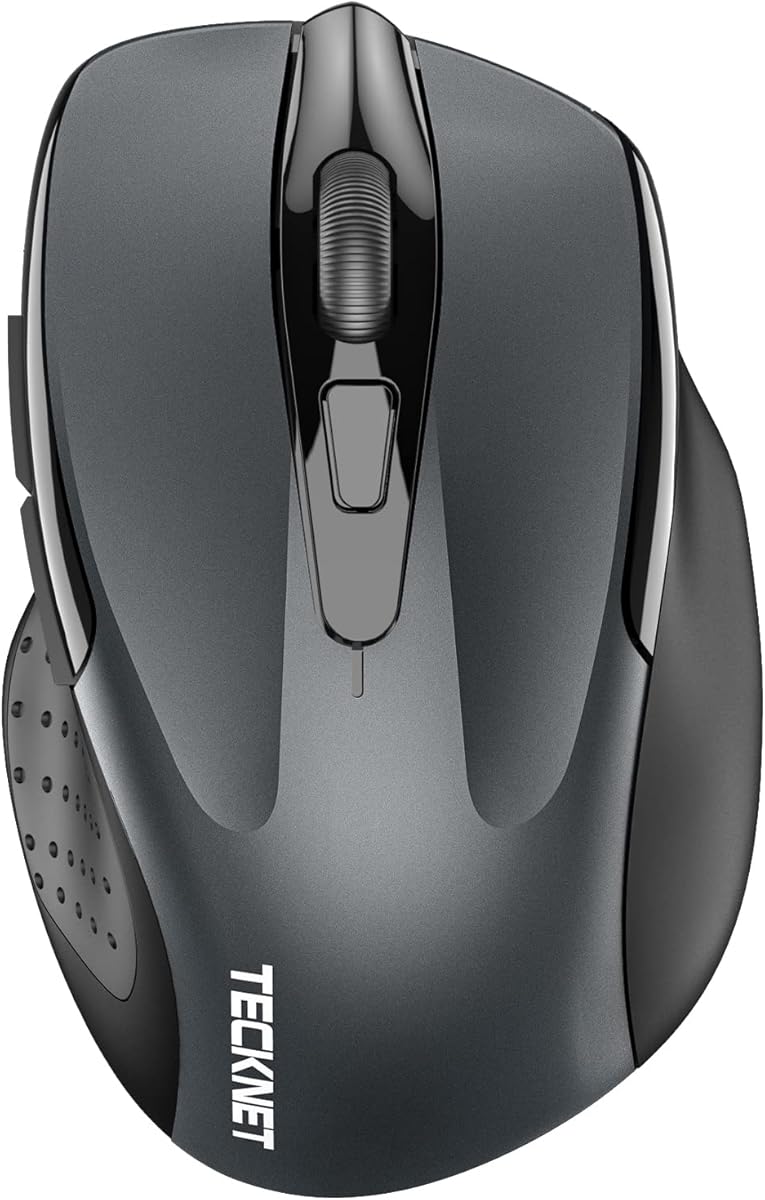
This device stands out as the premier choice for Dell users due to its robust connectivity options and impressive longevity. It holds a top rating from users who value reliability and seamless integration with their existing Dell ecosystem.
We may earn a commission when you buy through this link, at no additional cost to you.
The dual mode connectivity allows you to switch between Bluetooth 5.0 and 2.4GHz wireless effortlessly. You can pair instantly using Microsoft Swift Pair which simplifies setup significantly for Windows users looking for efficiency.
While it offers a long battery life of up to 36 months it still relies on AA batteries which some might prefer to avoid. Additionally the size might feel substantial for those with smaller hands or very compact workspaces.
If you prioritize long term reliability and want a mouse that integrates well with Dell management software this is the ideal recommendation. It provides the balance of performance and convenience needed for daily professional tasks.
You can connect via Bluetooth or 2.4GHz wireless to adapt to different computing environments easily.
Enjoy up to 36 months of use on a single battery set reducing the need for frequent replacements.
We may earn a commission when you buy through this link, at no additional cost to you.
This model is designed to handle both productivity and gaming tasks with high precision. It features a 4000 DPI sensor that ensures smooth tracking across various surfaces making it versatile for intense workloads.
We may earn a commission when you buy through this link, at no additional cost to you.
The dual mode connectivity ensures you can connect to almost any PC whether using Windows Mac or Linux. The Dell Peripheral Manager software allows you to customize buttons to suit your specific workflow needs efficiently.
Although it is branded for gaming the features are highly useful for power users who need extra shortcuts. However the bulkier design might not appeal to those who prefer a minimalist or ultra lightweight peripheral solution.
Buyers seeking a high performance device that can switch between professional and entertainment tasks should consider this option. It delivers on speed and customization while maintaining Dell standard reliability for daily use.
The 4000 DPI sensor provides accurate cursor control for detailed design work or gaming sessions.
Seven buttons can be managed via software to streamline navigation and application access.
We may earn a commission when you buy through this link, at no additional cost to you.
For users who want a straightforward solution without extra costs this wired mouse is an excellent entry point. It maintains a consistent connection without the worry of battery depletion or signal interference during use.
We may earn a commission when you buy through this link, at no additional cost to you.
The plug and play nature means you can simply insert the USB connector and start working immediately. It is ideal for office environments where reliability is prioritized over advanced features or wireless freedom.
The main limitation is the physical cable which can restrict movement compared to wireless options. Additionally it lacks customizable buttons or adjustable DPI settings making it less suitable for specialized power user workflows.
If budget is a primary concern and you do not need wireless connectivity this is the most practical choice. It offers essential functionality at an accessible price point that fits any basic computer setup easily.
Enjoy stable cursor control without the risk of wireless signal drops or battery issues.
No driver installation is needed to get started with this reliable Dell peripheral.
We may earn a commission when you buy through this link, at no additional cost to you.
This device combines functionality with a stylish appearance that appeals to users looking for a modern look. The black and gold finish adds a touch of elegance to your workspace while providing solid wireless performance.
We may earn a commission when you buy through this link, at no additional cost to you.
The intelligent sleep mode helps extend battery life by entering standby when not in use for five minutes. You get a reliable connection with anti interference capabilities ensuring smooth tracking on most standard surfaces.
While it offers a slim profile it may not provide the same ergonomic support as larger contoured models. Users with larger hands might find it less comfortable for extended sessions compared to more substantial options.
Ideal for users who value aesthetics and portability this mouse works well for travel and casual use. It provides a quiet clicking experience which is perfect for shared offices or libraries.
The unique color scheme stands out while maintaining a professional appearance on your desk.
Smart sleep features ensure you get the most out of every battery charge.
We may earn a commission when you buy through this link, at no additional cost to you.
Designed with comfort in mind this mouse features a contoured shape that supports the hand during long sessions. The soft rubber grips and broad palm area help reduce strain when working on complex projects.
We may earn a commission when you buy through this link, at no additional cost to you.
The side to side scrolling plus zoom functionality adds versatility for navigating large spreadsheets or maps. You can also program buttons to switch applications or go full screen enhancing your overall productivity significantly.
It uses the Unifying receiver which allows multiple devices to share a single USB port on your laptop. While highly comfortable it is optimized for right handers which may limit its suitability for left handed users.
If ergonomics are a priority for your daily workflow this model is a strong contender. It balances comfort with functional features that make navigating content faster and more efficient.
The contoured design and soft grips provide comfort to reduce hand fatigue over time.
Horizontal scroll capability simplifies viewing wide documents or image galleries effortlessly.
We may earn a commission when you buy through this link, at no additional cost to you.
This compact mouse is ideal for users who need a reliable travel companion that fits in any bag. Its ambidextrous design ensures comfort for both left and right handed users making it versatile for any situation.
We may earn a commission when you buy through this link, at no additional cost to you.
The nano receiver is small enough to stay in your laptop port so you do not lose it easily. You get up to a year of battery life thanks to smart sleep mode which conserves power when idle.
It is designed for small to medium hands which might not suit those with larger palms requiring more support. While functional it lacks advanced buttons or DPI settings focusing instead on essential productivity tasks.
If you need a simple reliable mouse for a laptop on the go this is a top choice. It combines portability with enough comfort for daily navigation and basic office work.
The shape works well for both left and right handed users without feeling restrictive.
Plastic parts include certified post consumer recycled plastic contributing to eco friendly design.
We may earn a commission when you buy through this link, at no additional cost to you.
This model offers a fun color choice with its mint green finish that adds personality to your setup. It is designed specifically for small to medium hands ensuring a comfortable fit for many users.
We may earn a commission when you buy through this link, at no additional cost to you.
The soft click buttons ensure you do not disturb others when working in shared spaces. With three adjustable DPI levels you can switch between different sensitivity needs quickly for various tasks.
The compact size makes it easy to slip into a bag for travel but might feel cramped for extended use. It relies on a standard AA battery which provides up to 15 months of life.
If you want a colorful quiet and portable option this mouse delivers great value. It is perfect for students or travelers who need a lightweight reliable tool for everyday computing.
Soft clicks minimize noise making it ideal for libraries or quiet office environments.
Choose from three DPI levels to match your tracking precision requirements easily.
We may earn a commission when you buy through this link, at no additional cost to you.
The SilentTouch technology reduces clicking sounds by over 90 percent creating a much quieter environment. This makes it an excellent choice for shared workspaces where noise can be a distraction for others.
We may earn a commission when you buy through this link, at no additional cost to you.
It features contoured grips that provide comfort for right handed users throughout the day. You can expect up to 18 months of battery life with a standard AA battery included in the package.
While it offers high performance it is not suitable for left handed users due to its right handed shape. It also lacks advanced scroll features focusing instead on silent and smooth cursor control.
If you need a reliable quiet mouse for an office or home environment this is highly recommended. It balances comfort with acoustic efficiency to help you focus on your work without noise.
SilentTouch reduces click noise significantly to maintain a peaceful workspace.
Long battery life ensures you can work for extended periods without interruption.
We may earn a commission when you buy through this link, at no additional cost to you.
This model allows you to connect two devices at once using Bluetooth or USB A for seamless switching. You can tailor sensitivity with six DPI levels ensuring precise control for detailed work or browsing.
We may earn a commission when you buy through this link, at no additional cost to you.
The silent design ensures whisper quiet clicks ideal for libraries or offices where noise is a concern. However side buttons and the scroll wheel remain audible which might be noticeable to some sensitive users.
It relies on two AAA batteries for power which provides a long lifespan thanks to sleep technology. It is designed for small to medium hands which may not be comfortable for those with larger palms.
If you need to switch between a laptop and tablet regularly this mouse offers great flexibility. It provides a versatile wireless experience with robust connectivity options for modern workflows.
Connect to two devices and switch between them easily with a simple button slide.
Six DPI levels allow you to match sensitivity to any specific task requirement.
We may earn a commission when you buy through this link, at no additional cost to you.
This rechargeable model eliminates the need for disposable batteries making it an eco friendly choice. You get up to 3 months of use from a full charge which takes only 1.5 to 2 hours.
We may earn a commission when you buy through this link, at no additional cost to you.
It supports both Bluetooth 5.0 and USB A connections allowing you to switch between devices easily. The silent operation ensures quiet clicks perfect for environments where noise is a concern for others.
When the battery is low the connection may become unstable so you should recharge promptly to avoid interruptions. It is designed for small to medium hands which may feel tight for larger users.
If you want a modern rechargeable device with excellent connectivity this is a strong option. It offers a convenient wireless experience with reduced environmental impact compared to standard battery models.
A single full charge provides months of use reducing the need for disposable batteries.
Connect via Bluetooth or USB A to work seamlessly across multiple devices.
We may earn a commission when you buy through this link, at no additional cost to you.
Selecting the right external mouse involves evaluating several critical factors to ensure compatibility and performance.
Wireless mice offer freedom of movement while wired models provide stable connections without batteries. Consider whether you need the portability of Bluetooth or the reliability of a USB cable.
Choose the connectivity type that best suits your workspace layout and device capabilities.
Battery powered models may last months on a single set of cells while rechargeable ones reduce waste. Look for features like auto sleep to extend usage time between charges or replacements.
Prioritize battery efficiency to minimize interruptions and maintenance during long work sessions.
Comfort is vital for long term health so look for contoured shapes that support your hand. The size should match your hand dimensions to prevent strain or fatigue over hours of use.
Invest in a design that promotes good posture and reduces wrist strain for daily productivity.
DPI determines cursor speed and precision so adjustable settings allow for customization based on tasks. Higher DPI is useful for large screens while lower DPI offers better control for detailed work.
Ensure the mouse offers adjustable DPI to adapt to different software and screen requirements.
Additional buttons can be programmed to launch applications or control navigation enhancing efficiency. Basic models may have standard buttons while advanced ones offer extensive customization options.
Decide if you need extra shortcuts to streamline your workflow or if standard features suffice.
Dell specific mice often come with proprietary software for management and settings customization. This integration can optimize performance across Dell peripherals for a unified workspace experience.
Check for software support to unlock all features and maintain seamless ecosystem compatibility.
A durable build ensures the device withstands daily wear and tear without failing prematurely. Look for high quality materials and sturdy hinges or scroll wheels for longevity.
Choose a well built product to ensure it remains reliable over many months of heavy use.
Prices vary significantly so balance your needs with what you can afford for a peripheral. Entry level models offer basic reliability while premium options add advanced comfort and features.
Set a realistic budget to find the best value that meets your specific performance requirements.
To set up your wireless mouse insert the USB receiver into a free port or connect via Bluetooth through settings.
Keep the sensor clean by wiping it with a soft cloth regularly to ensure smooth tracking on surfaces.
Store wireless mice in a dry place away from direct sunlight to maintain battery life and material integrity.
Most modern USB compatible laptops support standard wired or wireless mice. Check your specific OS to ensure compatibility with the required drivers.
Wireless mice provide greater freedom of movement without the constraint of cables. This reduces clutter on your desk and allows for cleaner workspace setups.
Battery life varies by model but many offer months of use on a single charge or battery set. Look for models with auto sleep features to maximize efficiency.
Many modern optical sensors work on glass but not all models do. Look for specifications that explicitly mention glass surface support if needed.
Most basic mice are plug and play but advanced features may require specific software. Check the product page for driver requirements before purchase.
Bluetooth saves a USB port but may use more power. USB receivers offer stable connections with lower latency depending on the device.
We have reviewed top options that offer a range of features from wireless convenience to ergonomic comfort. Each model provides distinct benefits suitable for various user preferences and workflows.
Prioritize factors like battery life and ergonomics to ensure you pick a device that supports your health and efficiency. Consider how each feature aligns with your daily needs and workspace.
Always verify current details before buying as terms and availability may change frequently. This guide offers a starting point to help you make a confident choice today.