
TP-Link Archer A8
4.5Editor score
Wave 2 MU-MIMO
OneMesh compatible
Easy Tether App setup
This guide compares ten top AC1900 wireless routers for speed, coverage, and security to help you choose the right model for your home network.
Finding a reliable router is essential for modern connectivity. AC1900 routers offer dual-band speeds ideal for streaming and gaming without lag. They balance performance and cost effectively.
We evaluated ten leading models based on speed, coverage, and security features. Each product was analyzed for its real-world performance and unique capabilities. This list highlights the strongest options available today.
Each pick shows key strengths and ideal use cases for different households. Prices fluctuate often so check current listings before buying. Our goal is to help you decide confidently.
4.5Editor score

4.5Editor score

4.3Editor score
The table below compares key specifications across all ten routers. This helps you quickly identify which model fits your specific needs for speed, port count, and additional features like USB or security.




The ASUS RT-AC68U stands out as a powerhouse router offering top-tier features. It combines AC1900 speeds with a dual-core CPU for efficient performance. This model supports extensive wired connections with five Gigabit LAN ports.
We may earn a commission when you buy through this link, at no additional cost to you.
Its AiProtection Pro powered by Trend Micro provides multi-stage network security. The dual-core CPU ensures smooth multitasking between Wi-Fi and USB data. You get reliable speeds across both bands for various devices.
While highly capable, it carries a higher price tag than budget options. The setup is thorough but might take more time than simpler interfaces. Some users may find the advanced settings overwhelming initially.
This router is ideal for power users needing security and wired capacity. If you value robust features over minimal cost, it is a top choice. It remains a strong contender for demanding home networks.
AiProtection Pro blocks malicious sites and prevents infected devices from causing harm. Two-way IPS ensures all traffic is monitored for safety.
Five Gigabit LAN ports allow you to connect multiple devices without adapters. USB 3.0 speeds enable rapid file sharing and storage access.
We may earn a commission when you buy through this link, at no additional cost to you.
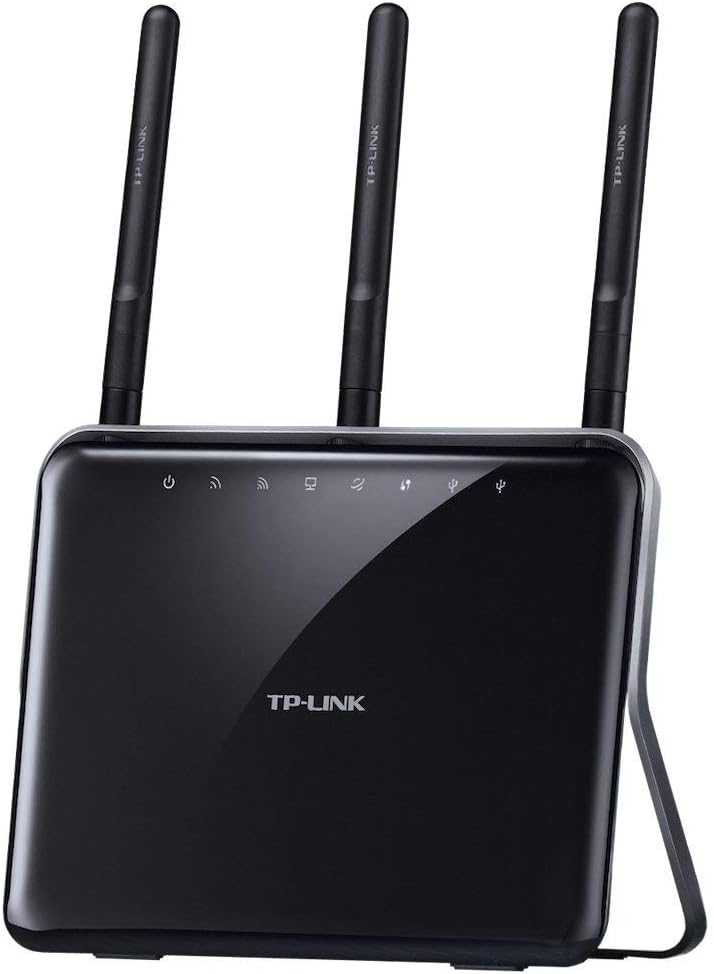
The TP-Link Archer A8 offers exceptional value for those seeking solid performance. It supports Wave 2 MU-MIMO for efficient simultaneous data streams. This router is compatible with OneMesh extender for wider coverage.
We may earn a commission when you buy through this link, at no additional cost to you.
Beamforming technology concentrates signal strength towards connected devices for better range. The Tether App makes setup quick and firmware updates easy. Parental controls help manage children's online time effectively.
Lacking a USB port limits file sharing options compared to other models. The design is functional but not premium compared to high-end brands. It focuses on core speed and connectivity rather than extras.
This unit is perfect for budget-conscious buyers needing reliable speeds. If you do not need USB storage sharing it fits well. It balances cost and performance exceptionally for most homes.
Wave 2 MU-MIMO allows multiple devices to receive data simultaneously. This reduces wait times for streaming and gaming.
The Tether App provides a user-friendly interface for control. Updates and settings adjustments can be done on mobile devices.
We may earn a commission when you buy through this link, at no additional cost to you.
The NETGEAR Nighthawk R7000 is a premium router with impressive coverage. It covers up to 1800 square feet reliably for large homes. Two USB ports allow storage and printer sharing easily.
We may earn a commission when you buy through this link, at no additional cost to you.
Netgear Armor powered by BitDefender offers robust protection for all devices. Dynamic QoS ensures smooth streaming by prioritizing traffic types. Parental controls help manage family internet usage effectively.
The price is higher than budget models which may deter some buyers. Advanced features often need time to configure correctly initially. You pay extra for the added security and capacity.
Ideal for households needing wide coverage and strong security. If you want USB storage access it stands out. It remains a top choice for demanding users.
Three amplified antennas with Beamforming+ ensure stable connections across large spaces. This reduces dead zones in your home.
USB ports let you connect external drives for personal cloud storage. Access files from anywhere with proper setup.
We may earn a commission when you buy through this link, at no additional cost to you.
The R6900P offers reliable performance similar to the R7000 at a lower cost. It provides 1800 sq ft coverage ideal for medium sized homes. A USB 3.0 port allows quick connection to external drives.
We may earn a commission when you buy through this link, at no additional cost to you.
Smart Parental Controls promote healthy habits with scheduling and filtering. Netgear Armor offers automatic security protection for your family. The processor ensures smooth handling of simultaneous connections.
Unlike the R7000 it has only one USB port for storage. The security features require a subscription after the trial ends. Some users may miss the second USB port.
This router is great for those needing strong performance without premium cost. It fits well in homes requiring basic storage sharing. Choose this for balanced speed and security.
Parental controls help manage device access times and content. Schedule internet availability to foster healthy habits.
USB 3.0 port speeds up file sharing compared to older standards. Connect printers or drives for easy access.
We may earn a commission when you buy through this link, at no additional cost to you.
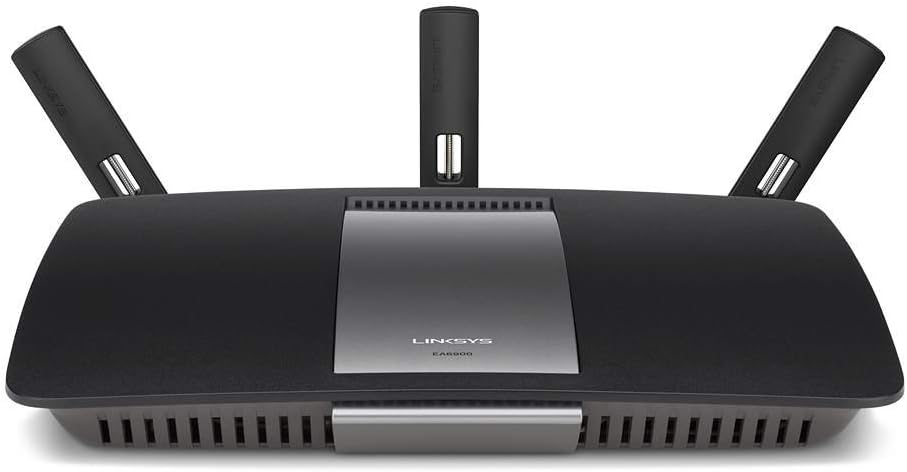
The Linksys EA6900 focuses on ease of use via its Smart Wi-Fi App. You can control the network from anywhere with this tool. It includes both USB 3.0 and 2.0 ports for versatility.
We may earn a commission when you buy through this link, at no additional cost to you.
Beamforming technology tracks tablets and phones for a stable connection. The dual-core CPU ensures fast processing for data. DLNA certification makes media management simpler.
The app setup requires an account which might be inconvenient for some. The physical size is larger than modern slim designs. It is a strong performer despite these minor issues.
This model suits users prioritizing remote control features. If you want flexible management it is a strong candidate. It offers good speed and app utility.
The Smart Wi-Fi App allows full control from mobile devices. Adjust settings without needing a computer.
DLNA certification ensures smooth streaming to smart TVs. Enjoy media files stored on connected USB drives.
We may earn a commission when you buy through this link, at no additional cost to you.
The Archer C80 provides a budget-friendly entry into AC1900 networking. Its renewed status makes it an affordable choice. OneMesh support allows expansion without buying a whole new system.
We may earn a commission when you buy through this link, at no additional cost to you.
Three by three MU-MIMO allows simultaneous communication with multiple devices. This reduces congestion when many devices connect. Four fixed antennas ensure wide coverage directions.
Buying renewed means checking return policies carefully for quality. Warranty terms are often shorter than standard new products. It remains a functional option for casual users.
Ideal for those seeking solid speed at a lower price. If you need to expand coverage OneMesh helps. It is a reliable pick for general use.
OneMesh lets you add extenders seamlessly. Create a unified network without complex setup.
WPA3 encryption protects your data from unauthorized access. Keep your network safe with modern protocols.
We may earn a commission when you buy through this link, at no additional cost to you.
The Archer C1900 is designed to deliver strong signal over distance. High-powered amplifiers ensure coverage in larger spaces. It supports simultaneous dual band networks for balanced traffic.
We may earn a commission when you buy through this link, at no additional cost to you.
Its processor handles wired and wireless connections smoothly. Four Gigabit ports provide fast wired access. This model is marketed as ideal for gaming needs.
High power amplifiers may use more electricity than standard units. Lack of USB ports limits file sharing options. It focuses on core wireless performance instead.
Perfect for gaming enthusiasts needing stable long-range connection. If signal strength is priority it fits well. Choose this for dedicated performance.
900mW amplifiers increase coverage radius significantly. This helps reach distant rooms easily.
Low latency design ensures smooth gameplay. Dedicated bandwidth for gaming reduces lag.
We may earn a commission when you buy through this link, at no additional cost to you.
The RT-AC68P focuses on wired connectivity with five ports. It includes dual USB ports including fast 3.0 support. AiRadar technology enhances signal strength for range.
We may earn a commission when you buy through this link, at no additional cost to you.
AiCloud allows remote data access and sharing. The ASUSWRT interface offers robust networking control. Setup is generally quick for most users.
As an older model it lacks some newer smart conveniences. Novice users might find settings overwhelming initially. It excels in raw connectivity options.
Great for offices needing multiple wired connections. If you need USB access it fits. It remains reliable for stable networking.
Five Gigabit ports allow multiple wired devices. Ideal for desktops and smart TVs.
AiCloud provides private server access. Sync and share data remotely.
We may earn a commission when you buy through this link, at no additional cost to you.
The RT-AC67P is designed for quick installation in minutes. It offers up to 3000 sq ft coverage for larger homes. Parental controls allow easy management of kids usage.
We may earn a commission when you buy through this link, at no additional cost to you.
MU-MIMO allows multiple devices to connect at full speed. VPN support ensures secure browsing for sensitive data. The interface prioritizes simplicity and clear navigation.
Manual browser access is needed for initial setup. Some advanced features are limited compared to premium models. It balances ease and power effectively.
Perfect for those wanting easy setup and wide coverage. Choose this if simplicity is a top priority. It offers solid stability for families.
Three simple steps guide you through internet access. No complex configuration is required initially.
Parental controls filter websites and set time limits. Keep children safe online easily.
We may earn a commission when you buy through this link, at no additional cost to you.
The RT-AC1900P offers free lifetime security which saves money. It supports AiMesh for creating whole-home Wi-Fi networks. Five Gigabit ports provide excellent wired connection options.
We may earn a commission when you buy through this link, at no additional cost to you.
Designed for gaming and streaming with optimized bandwidth. AiRadar eliminates dead spots for better range. It matches performance of the RT-AC68U model.
AiMesh compatibility means buying compatible routers for mesh. Initial setup may require account registration. It remains a strong option for families.
Ideal for those needing long-term security protection. If you want flexibility AiMesh helps. Choose this for lasting protection.
Free lifetime internet security blocks threats automatically. Protects smart devices without extra fees.
AiMesh lets you connect multiple routers seamlessly. Expand coverage with existing compatible units.
We may earn a commission when you buy through this link, at no additional cost to you.
Selecting the right router involves evaluating several technical factors to ensure optimal performance for your specific needs.
Consider the square footage of your home when choosing a router. Larger homes need models with multiple antennas and beamforming technology to cover all rooms effectively.
Check the manufacturer listed range to match your property size. Models covering over 1800 sq ft are ideal for larger spaces.
AC1900 routers offer combined speeds up to 1900 Mbps across dual bands. This ensures smooth streaming and gaming without buffering even with multiple devices.
Look for dual-band capabilities to split traffic between 2.4GHz and 5GHz bands. Higher speed bands reduce congestion during peak usage times.
Modern homes connect dozens of devices including phones and smart home gadgets. Ensure the router supports MU-MIMO to handle multiple connections simultaneously.
Check recommendations for device count such as up to 30 devices. High capacity routers prevent slowdowns when many devices connect.
Wired connections are faster and more stable than wireless for consoles and PCs. Count the Gigabit LAN ports to ensure enough wired connections are available.
USB ports allow storage or printer sharing over the network. Check for USB 3.0 support for faster data transfers.
Security is vital to protect family data from threats. Models with built-in protection like AiProtection or Armor block malware automatically.
Check if parental controls are included to manage access times. Strong encryption standards like WPA3 are essential for safety.
Easy setup saves time for non technical users. Look for mobile apps or web interfaces that guide you through configuration.
Remote management features allow you to control the network anywhere. A simple interface reduces frustration during initial installation.
If your home is large consider mesh compatibility. Models supporting OneMesh or AiMesh allow adding extenders seamlessly.
This prevents dead zones in larger properties without complex configurations. Check if the system works with existing extenders.
Prices vary from affordable to premium models with advanced features. Balance cost with needed features like USB or security subscriptions.
Budget models offer core performance without extra perks. Decide which features are essential for your specific usage.
Place your router in a central elevated location for best signal distribution. Avoid placing it near thick walls or large metal appliances that block signals.
Regularly update firmware through the manufacturer app or web interface to patch security vulnerabilities. This ensures your network stays protected from new threats.
Periodically reboot the router to clear cached data and reset connections. This simple step maintains performance stability over long periods.
The 2.4GHz band offers better range but slower speeds suitable for basic browsing. The 5GHz band provides faster speeds with less interference ideal for streaming and gaming.
Yes AC1900 routers support common smart home protocols like Zigbee or Zwave depending on the model. Most connect via standard Wi-Fi ensuring compatibility with bulbs and plugs.
Most AC1900 routers work with any ISP like Comcast or AT&T using a separate modem. Ensure your modem is compatible with the router's WAN port.
Place the router centrally and use beamforming technology for better direction. Adding a mesh extender compatible with your router can cover dead zones.
Many models include parental controls allowing time limits and content filtering. Some advanced features may require a subscription for full functionality.
MU-MIMO allows the router to communicate with multiple devices simultaneously. This reduces lag and improves performance when many devices connect.
Quality AC1900 routers typically last three to five years with proper care. Regular updates and cooling help extend their operational lifespan.
USB ports allow storage drives or printers to be shared across the network. This creates a personal cloud for file access without extra servers.
We covered ten top AC1900 routers suitable for different home needs and budgets. From budget options to premium models there is a fit for every user.
Prioritize coverage and security features based on your household size and usage. Models like the ASUS RT-AC68U and TP-Link Archer A8 offer strong performance.
Prices fluctuate often so check current listings before finalizing your purchase. Ensure compatibility with your existing modem and extenders for best results.