
SunFounder AI Fusion Lab Kit
4.6Editor score
Multi LLM support
Pan Tilt HAT
Guided video courses
Explore the top AI Raspberry Pi kits for 2026. We compare hardware, sensors, and learning resources to help you build smart projects easily.
AI Raspberry Pi kits transform single-board computers into powerful tools for learning artificial intelligence. These bundles include sensors and software to simplify complex projects for beginners.
We evaluated ten kits based on hardware quality, sensor variety, and educational content. Our analysis focuses on real-world usability and compatibility with the latest Pi models.
Each pick highlights specific strengths like voice integration or vision tracking. Note that prices fluctuate regularly, so check current listings before purchasing your preferred kit.
4.6Editor score

5.0Editor score

4.5Editor score
This side-by-side comparison highlights key hardware and software differences across the leading AI Raspberry Pi kits available today.
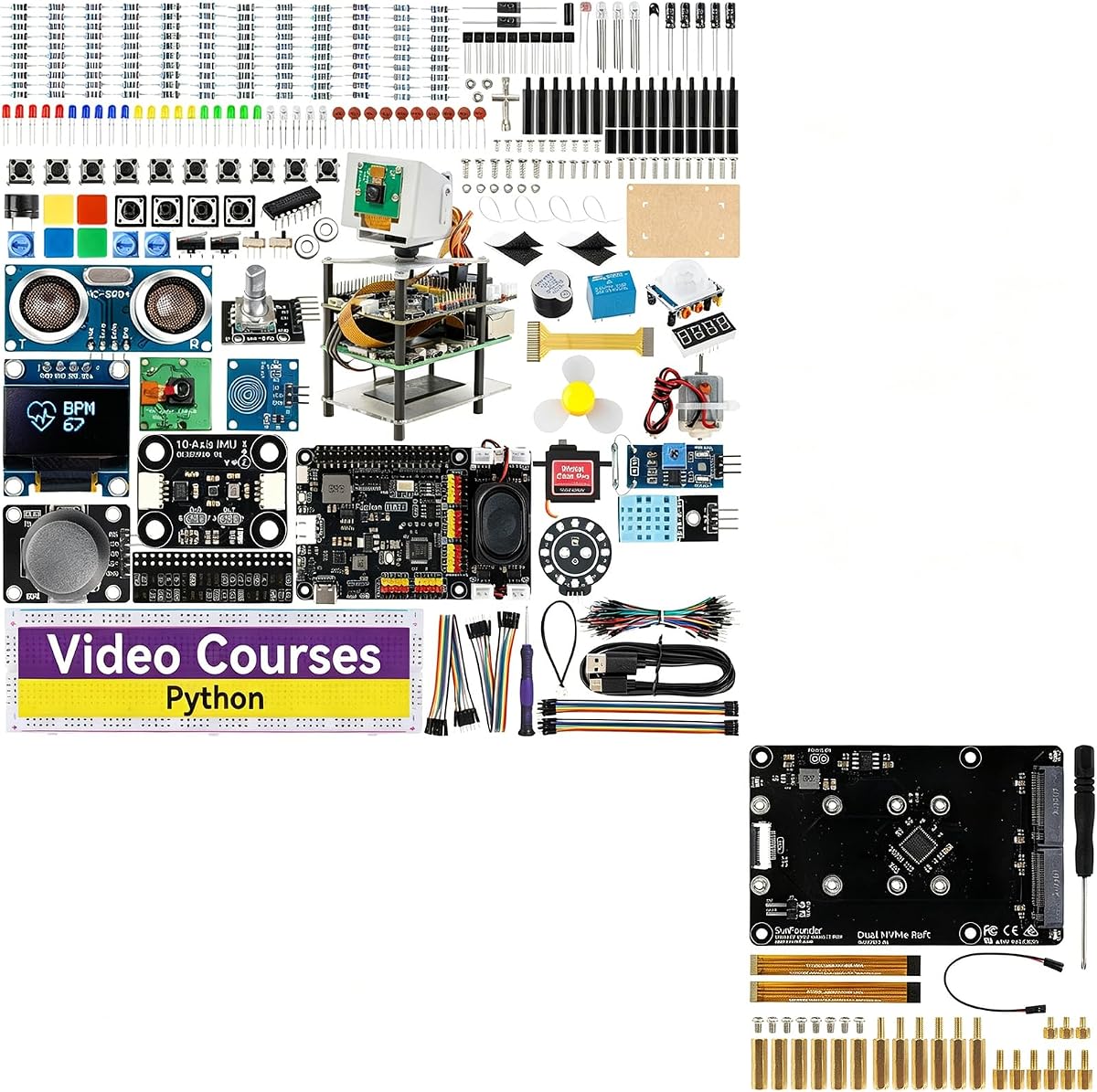


The SunFounder AI Fusion Lab Kit offers a comprehensive entry point into AI development on Raspberry Pi platforms. It stands out for its multi LLM integration and guided learning path.
We may earn a commission when you buy through this link, at no additional cost to you.
Users get access to ChatGPT and Gemini models alongside OpenCV tools. The Pan-Tilt HAT enables dynamic object tracking. Video lessons by Paul McWhorter simplify complex programming concepts.
The main trade off is that the Raspberry Pi board is sold separately. However the provided components like the Fusion HAT+ make hardware setup straightforward for beginners.
This kit is ideal for students or hobbyists wanting to learn voice and vision AI without buying extra sensors. We recommend it for structured learning.
Support for models like Gemini and Grok allows diverse AI experiments from chat to image analysis.
OpenCV and MediaPipe capabilities let users detect objects and colors with high accuracy using standard camera modules.
We may earn a commission when you buy through this link, at no additional cost to you.
The Vilros Raspberry Pi 5 AI Kit delivers a complete high performance setup for serious AI development. It includes the necessary accelerator and cooling for stable computing.
We may earn a commission when you buy through this link, at no additional cost to you.
With the Hailo 8L accelerator users gain 26 TOPS of performance. The kit comes preloaded with OS and includes essential cables and storage. It integrates directly with camera software.
While more expensive than basic kits the convenience of having everything pretested and ready is significant. The active cooler ensures the Pi 5 does not throttle.
This kit is best for developers or students who need raw speed for neural networks without managing separate parts. We highly recommend it for efficiency.
The Hailo accelerator handles object detection and segmentation tasks faster than standard CPU processing.
Preloaded OS and included cables mean you can start coding within minutes of unboxing.
We may earn a commission when you buy through this link, at no additional cost to you.
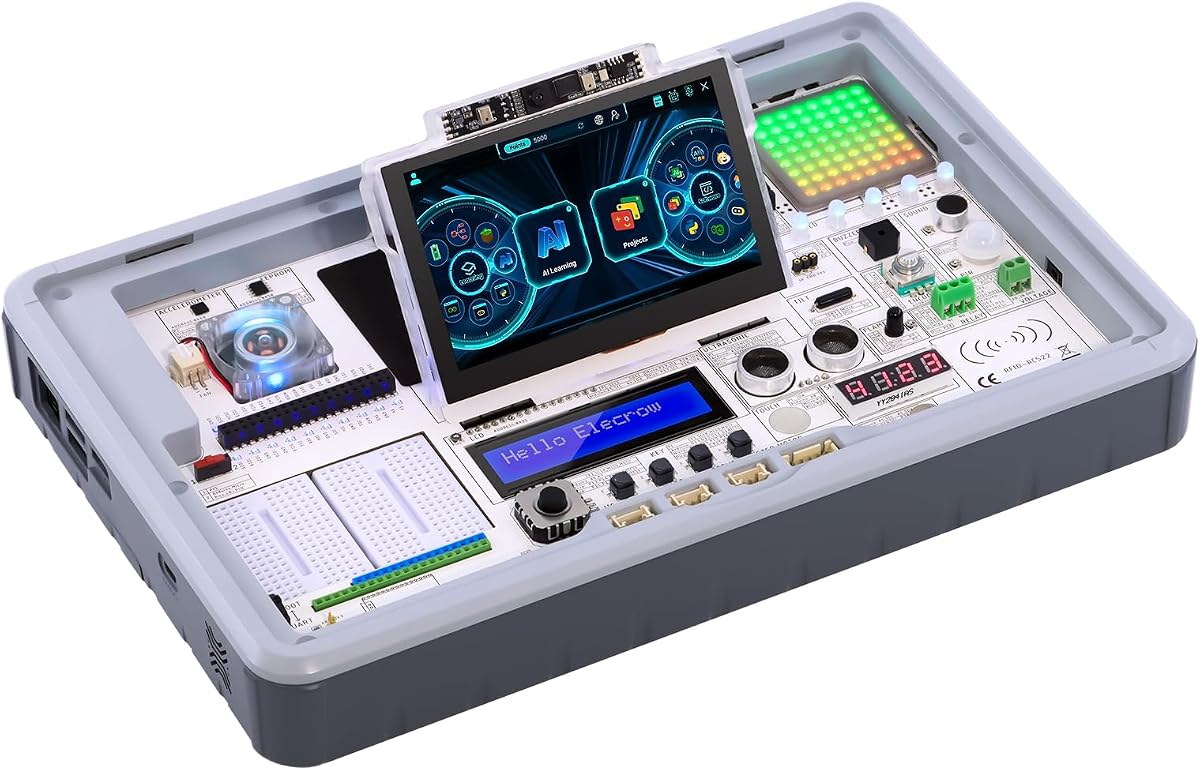
The ELECROW CrowPi 3 is a sophisticated all in one development station designed for deep AI and STEM learning. It features a built in touchscreen and extensive sensor array.
We may earn a commission when you buy through this link, at no additional cost to you.
Users can access 200 structured lessons covering AI interaction and Python. The 41 onboard sensors allow for complex projects without external wiring. Touchscreen interaction simplifies testing.
The main consideration is that the board is not included in the base unit. This makes it a higher upfront investment but offers long term educational value.
We recommend this kit for educators or advanced hobbyists needing a versatile platform. It is perfect for teaching and prototyping complex AI models.
The 41 onboard modules let you test environmental and motion data immediately without soldering.
A capacitive touchscreen provides immediate visual feedback for your AI programs and data visualization.
We may earn a commission when you buy through this link, at no additional cost to you.
This bundle adds powerful storage capabilities to the standard Fusion Lab Kit. It supports two NVMe drives and RAID configurations for reliable data handling.
We may earn a commission when you buy through this link, at no additional cost to you.
The Dual NVMe Raft enables fast read speeds ideal for large models. Combined with voice AI tools it makes a robust system for media or server projects.
The storage hardware adds complexity to setup but provides significant performance gains. It is best suited for users who need more than standard SD card speed.
We suggest this for NAS builders or developers needing fast storage. It complements the base kit well for intensive data tasks.
NVMe drives provide much higher throughput than SD cards for loading models quickly.
Support for RAID 0 and 1 allows you to choose between speed or data redundancy.
We may earn a commission when you buy through this link, at no additional cost to you.
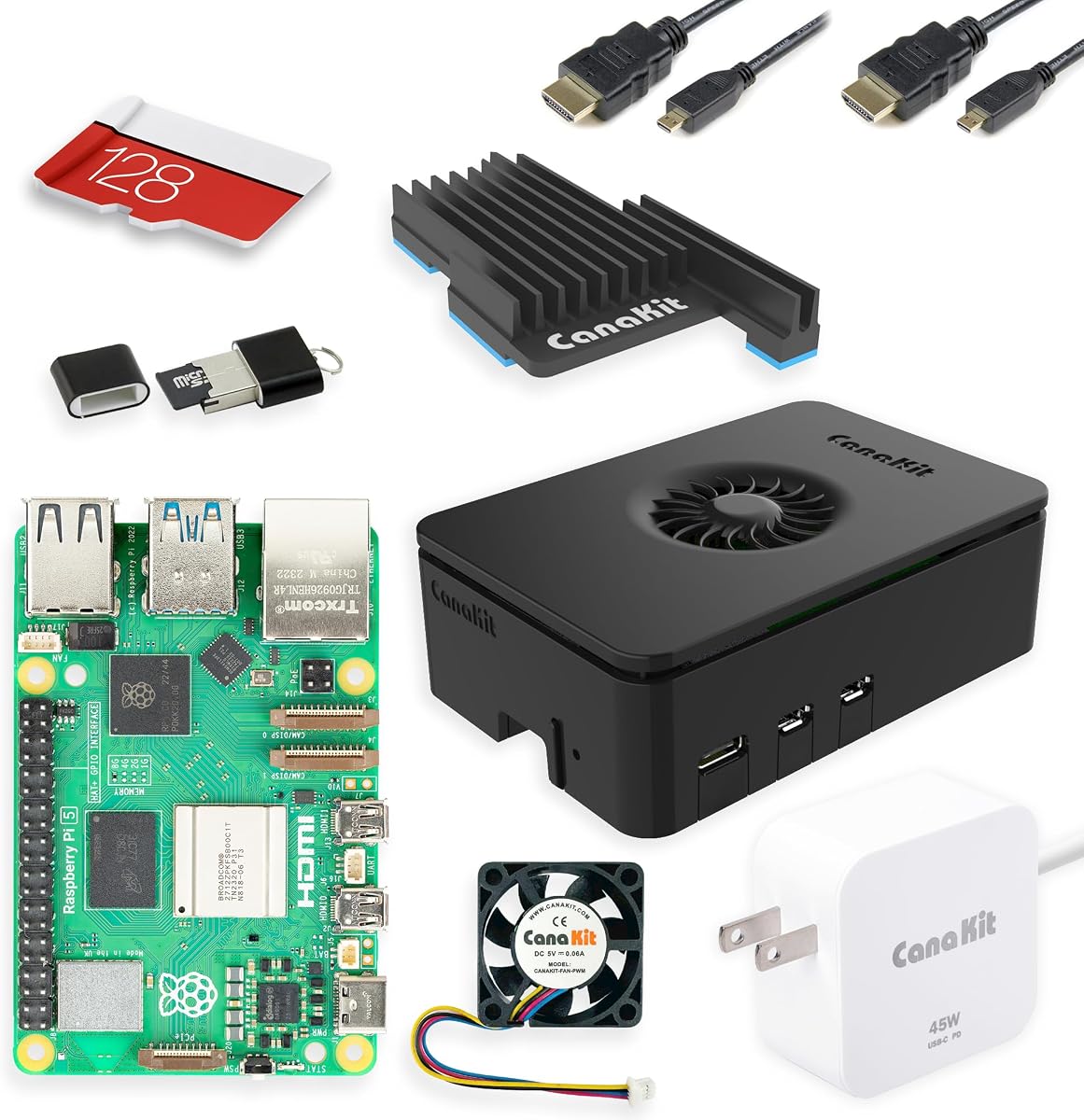
The CanaKit Starter Kit PRO is a solid foundation for AI projects on the Pi 5. It provides the essential hardware needed to run intensive software smoothly.
We may earn a commission when you buy through this link, at no additional cost to you.
With 8GB RAM and an active cooling case it handles multitasking well. The preloaded SD card and 45W power supply ensure stable power for add ons.
It lacks specific AI sensors or accelerators out of the box. You will need to buy additional hardware for vision or voice tasks.
This kit is best for those who want a powerful base and plan to add custom components. It is reliable for long term development.
The 8GB RAM model handles modern AI libraries without memory bottlenecks.
Low noise bearings and active fans keep the system cool during long computations.
We may earn a commission when you buy through this link, at no additional cost to you.
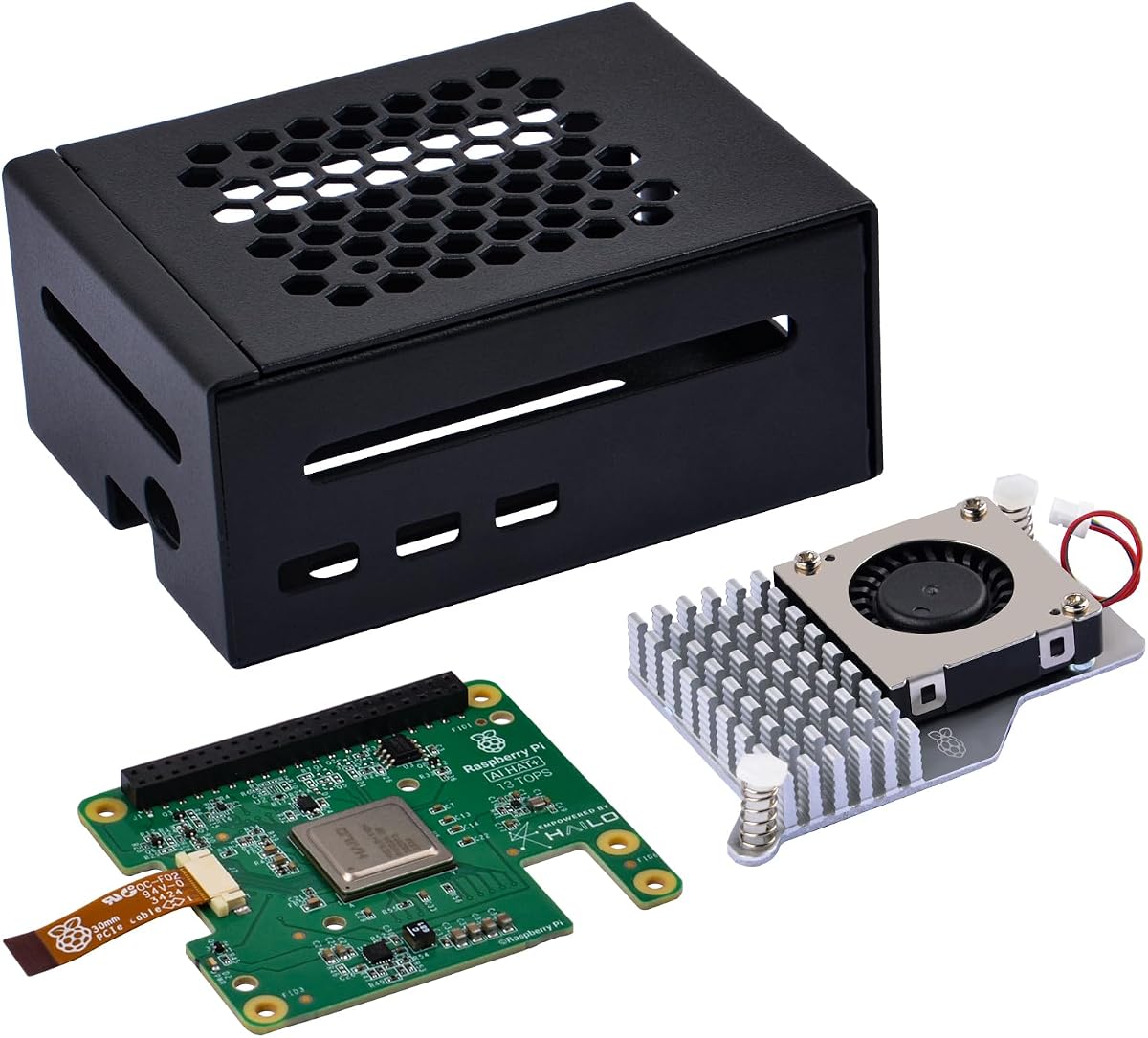
The GeeekPi AI HAT+ kit provides a dedicated neural network accelerator for the Pi 5. It turns the board into a powerful AI machine efficiently.
We may earn a commission when you buy through this link, at no additional cost to you.
The metal case protects internal components while the active cooler maintains optimal temps. The NPU automatically integrates with OS camera apps for quick setup.
It focuses strictly on acceleration without extra sensors. You may need to buy cameras or lights separately for full functionality.
We recommend this for users needing a simple upgrade path to faster processing. It is efficient for object detection tasks.
The on board NPU handles segmentation and estimation without taxing the main CPU.
Active cooling ensures the processor does not slow down during extended usage.
We may earn a commission when you buy through this link, at no additional cost to you.
This essentials kit provides the official hardware required to run AI software on the Pi 5. It is trusted by makers for its reliability.
We may earn a commission when you buy through this link, at no additional cost to you.
The active cooling case and 27W supply ensure steady performance. Preloading the OS saves time on setup. It is great for Docker and server projects.
It does not include specific AI sensors like cameras or motors. Additional purchases are needed for robotics or vision.
This is a reliable choice for students needing a robust base. We suggest buying extra sensors later.
All components are officially optimized for the Raspberry Pi 5 board.
High RAM and good power support running Docker containers for local AI.
We may earn a commission when you buy through this link, at no additional cost to you.
This kit allows you to build a fully interactive robot powered by AI. It includes motors and voice tools for engaging projects.
We may earn a commission when you buy through this link, at no additional cost to you.
ChatGPT integration makes conversations with the robot possible. App control and FPV allow real time monitoring. It is fun for testing motion logic.
The Pi Zero 2 W may be less powerful for heavy models. You might need to offload complex tasks to a cloud service.
We recommend this for robotics fans wanting an integrated experience. It is perfect for learning control systems.
Integrated microphone and speaker enable natural language commands for movement.
FPV camera streaming lets you see what the robot sees while controlling it.
We may earn a commission when you buy through this link, at no additional cost to you.
The CrowPi 3 focuses on education with a comprehensive suite of sensors and lessons. It is designed to make learning coding easy.
We may earn a commission when you buy through this link, at no additional cost to you.
Students can use the touchscreen to interact with code immediately. The 41 sensors allow for various experiments from light to motion detection.
It requires a separate Pi 5 to function which increases total cost. However the learning materials are valuable for beginners.
We suggest this for teachers or self learners. It covers many topics in one package.
Over 200 guided lessons cover Python basics to advanced AI concepts.
Sensors are prewired to simplify testing and prototyping.
We may earn a commission when you buy through this link, at no additional cost to you.
This top tier bundle includes the high end Pi 5 board for maximum performance. It provides a ready to use environment for AI experimentation.
We may earn a commission when you buy through this link, at no additional cost to you.
16GB RAM handles large models locally. The touchscreen and sensors allow for intuitive interaction. It supports rapid prototyping for complex applications.
The price is high compared to standard kits. However you get the most powerful hardware and education in one box.
We recommend this for professional developers and advanced students. It is ideal for serious projects.
The 16GB board eliminates memory constraints during complex training.
Integrated sensors and display allow for quick testing of new ideas.
We may earn a commission when you buy through this link, at no additional cost to you.
Selecting the right kit requires understanding your goals and the hardware capabilities needed for your projects.
The Raspberry Pi 5 offers significantly more power than previous models. It handles AI tasks like object detection better than the Pi 4. Look for kits that support the 5 or include accelerators.
Choose Pi 5 for serious AI work and older models for basic learning.
AI models often require substantial RAM to run smoothly. Kits with 8GB or more RAM allow for larger models without slowdowns. Lower memory might limit what you can test.
Opt for 8GB or 16GB RAM to handle modern language models effectively.
Sensors determine the types of projects you can build. Cameras are vital for vision tasks while microphones enable voice control. Check if sensors are included or sold separately.
Prioritize kits that include necessary sensors to avoid extra purchases later.
Learning materials like video courses and sample code are crucial for beginners. Some kits offer structured lessons while others rely on documentation. Good resources speed up learning.
Select kits with comprehensive guides to reduce frustration during setup.
AI workloads generate heat. Active cooling fans prevent overheating and performance throttling. Ensure the kit includes a reliable cooling system for your chosen board.
Always choose kits with active cooling for sustained high performance.
Stable power is essential for running additional devices. Use kits with proper wattage power supplies to avoid crashes. USB C options are common for newer boards.
Ensure the power supply matches the requirements of your board and sensors.
Future proofing matters for long term projects. Look for HAT slots or storage expansion capabilities. This allows you to add tools later without buying a new kit.
Choose kits with modular designs for easier upgrades.
Responsive support can save time when troubleshooting. Check if the manufacturer offers warranties or community forums. Reliable service adds peace of mind for expensive kits.
Prioritize brands with a history of good customer service and documentation.
Set up your kit on a flat surface with good airflow. Connect all sensors securely to the GPIO pins. Install the operating system using the provided SD card if needed.
Power on the device and follow the included video or text guides. Run basic test scripts to ensure every component works correctly before starting complex projects.
Keep your kit clean and free of dust. Avoid spilling liquids near the electronics. Regularly update your software to access the latest features and security patches.
The SunFounder AI Fusion Lab Kit is excellent for beginners due to its structured video lessons and ready to use sensors. It balances cost with powerful AI capabilities like vision tracking. This kit helps new users learn quickly without overwhelming technical details.
Most kits listed require a separate board unless specified. Always check the product description to see if the board is included. Buying it separately ensures compatibility but adds to the total cost.
The Vilros and SunFounder kits offer high compatibility with Pi camera modules. They support OpenCV and MediaPipe well. For the best performance ensure you get the right camera version for your board.
Yes but performance varies by memory. The 16GB version of CrowPi 3 handles larger models better than 8GB. For heavy usage cloud APIs might be faster than local processing.
Most premium kits include active coolers to manage heat during AI tasks. If you are building a heavy model ensure the fan can handle the load. Overheating can reduce performance over time.
Python is the primary language for these kits. It is widely used in AI and supported by all tools. Some kits offer basic JavaScript support but Python is recommended for best results.
No prior experience is needed for kits like the SunFounder Fusion Kit. They include beginner lessons that teach coding alongside hardware. Prior knowledge helps but is not mandatory.
Yes all kits have standard GPIO pins for adding more sensors. You can expand the project capabilities by connecting lights or motors. Just ensure the power supply can handle extra devices.
Our top picks offer strong starting points for AI development. The SunFounder Fusion Kit and Vilros AI Kit stand out for their comprehensive features and ease of use.
When choosing prioritize your specific goals like vision or voice. Consider memory needs and whether the board is included in the package.
Prices and stock change frequently so verify current availability. Check reviews and specs one last time before buying to ensure the kit fits your needs.