
Wolvio Heated Mouse Mat
4.2Editor score
Enclosed cocoon design
3 temperature levels
Auto shut-off timers
This guide compares the top hand warmer mouse pads for 2026, evaluating heating modes, safety features, portability, and comfort to help you choose the right
Cold hands can severely impact your productivity and comfort during long work or gaming sessions. A hand warmer mouse pad solves this by providing targeted heat directly to your hands while you use your mouse. These devices range from simple USB heated mats to advanced ceramic heating enclosures that wrap around your hands for maximum warmth.
We have carefully analyzed ten leading products available in the market today. Our comparison focuses on heating technology, safety certifications, temperature control options, and overall design usability. Each product was evaluated based on its ability to maintain consistent warmth without compromising safety or desk space.
Each pick in this guide highlights specific strengths such as portability, energy efficiency, or premium build quality. Note that product availability and pricing may change over time. Check the current listings for the most up to date information before making your final purchase decision for your workspace.
4.2Editor score
4.5Editor score

4.5Editor score
The following table provides a side-by-side comparison of all ten products reviewed in this guide. We highlight key specifications and features to help you quickly identify which model best fits your specific needs and workspace requirements.


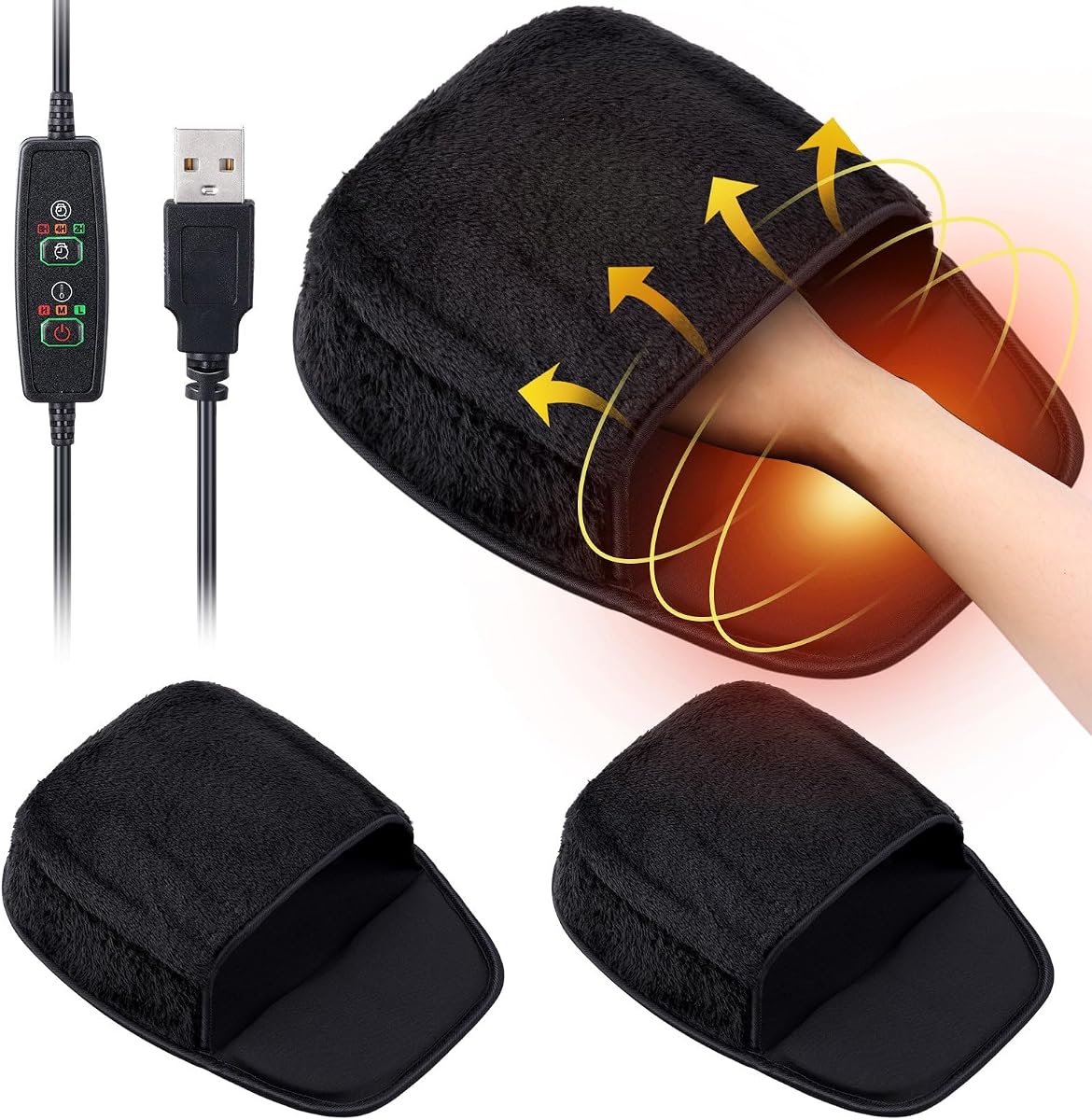

The Wolvio heated mouse mat stands out as a premium solution for cold hands. It features an enclosed cocoon design that wraps your entire hand in warmth. This approach offers superior comfort compared to flat mats that only warm the wrist or palm.
We may earn a commission when you buy through this link, at no additional cost to you.
Its PTC heating element distributes heat evenly and safely across the neoprene shell. You can choose from three temperature levels and auto shut-off timers ranging from two to eight hours. The built-in ergonomic wrist rest further enhances comfort during long sessions.
While the design is excellent, it may feel tight for users with very large hands. Additionally, it relies on USB power which limits placement options unless you have a nearby port or power bank. These trade-offs are acceptable given the superior warmth delivery.
This product is ideal for remote workers or gamers who prioritize maximum hand warmth. If you need a reliable and comfortable solution that keeps your hands toasty while working, this is a top recommendation.
The enclosed cocoon design ensures your fingers, knuckles, and palm all stay warm simultaneously.
UKCA and CE certified with multiple auto shut-off timers for worry-free use during long work sessions.
We may earn a commission when you buy through this link, at no additional cost to you.
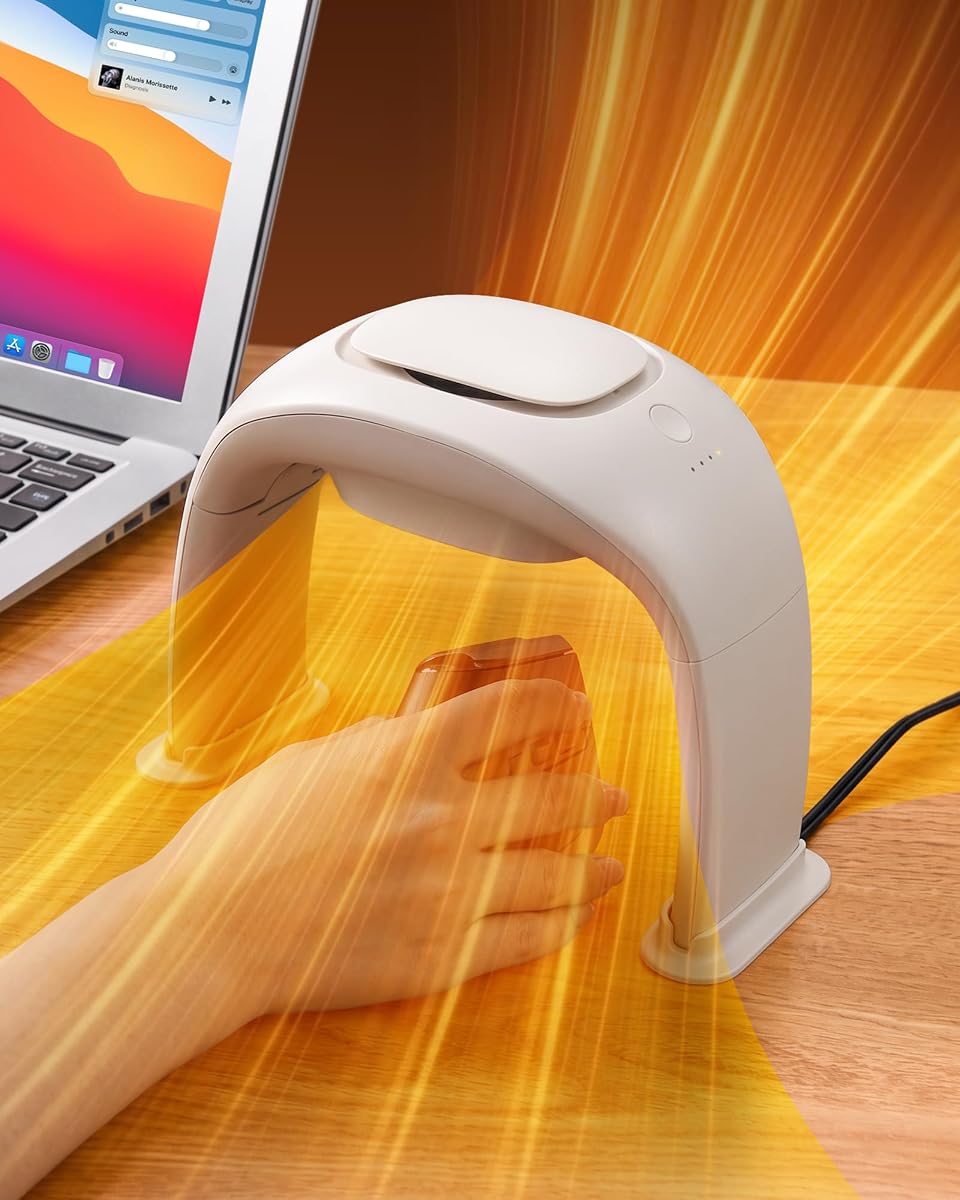
This desk hand warmer offers exceptional performance with its ceramic heating technology. It delivers consistent warmth across a wide area while remaining nearly silent during operation. The design allows full freedom of mouse movement without restriction.
We may earn a commission when you buy through this link, at no additional cost to you.
With three adjustable heating modes and a smart energy-saving chip, it maintains constant temperature efficiently. Safety features like over-temperature protection and tipping auto shut-off provide peace of mind. The foldable design makes storage convenient when not in use.
The main limitation is its reliance on a wall outlet rather than USB power. This may limit flexibility depending on your desk setup. However, the superior heating performance and quiet operation often outweigh this minor inconvenience.
Choose this model if you want powerful and quiet warmth for your workspace. It is particularly well-suited for office environments where noise levels matter and consistent heating is key.
Advanced PTC ceramic technology ensures fast warming and wide heat distribution across your hands.
Built-in protections including tip-over shut-off and over-temperature safeguards keep use safe.
We may earn a commission when you buy through this link, at no additional cost to you.
This heated desk pad provides a budget-friendly way to warm your entire workspace. Its large size covers both mouse and keyboard areas ensuring comprehensive warmth. The PU leather surface adds a touch of elegance and durability to your setup.
We may earn a commission when you buy through this link, at no additional cost to you.
You can select from three heat settings to suit different temperature needs throughout the day. An automatic shut-off feature activates after four hours for safety. When turned off, it functions as a standard desk pad for writing or gaming.
The design does not enclose your hands like other options which may feel less targeted. Also note it is designed for US outlets only limiting international use. Despite these points the value proposition remains strong for most users.
Perfect for those seeking an affordable whole-desk warming solution. If you want to keep your hands keyboard and arms warm without breaking the bank this pad is an excellent choice.
At 31.5 inches wide it comfortably accommodates both your mouse and keyboard for full desk warmth.
Use as a heated mat in winter or a smooth desk pad year-round when heating is off.
We may earn a commission when you buy through this link, at no additional cost to you.
This foldable electric hand heater offers practical warmth for desk users. It uses MCH and PTC ceramic technology to maintain consistent temperatures efficiently. The foldable structure makes it easy to store when not needed.
We may earn a commission when you buy through this link, at no additional cost to you.
Three temperature options allow customization for different comfort levels. Safety features include tip-over and overheat protection ensuring secure usage. The noise level remains very low so it does not disturb your work or gaming.
The design is functional but lacks premium finishes found in other models. Power is limited to standard outlets which may restrict placement options on smaller desks. Still it delivers reliable warmth for the price.
A solid choice for those needing a portable and safe heating solution. If storage space is limited and you need effective hand warmth this model is worth considering.
The compact foldable design allows easy storage in drawers or bags for on-the-go use.
Tip-over and overheat protections ensure safe operation even if knocked or heated beyond limits.
We may earn a commission when you buy through this link, at no additional cost to you.
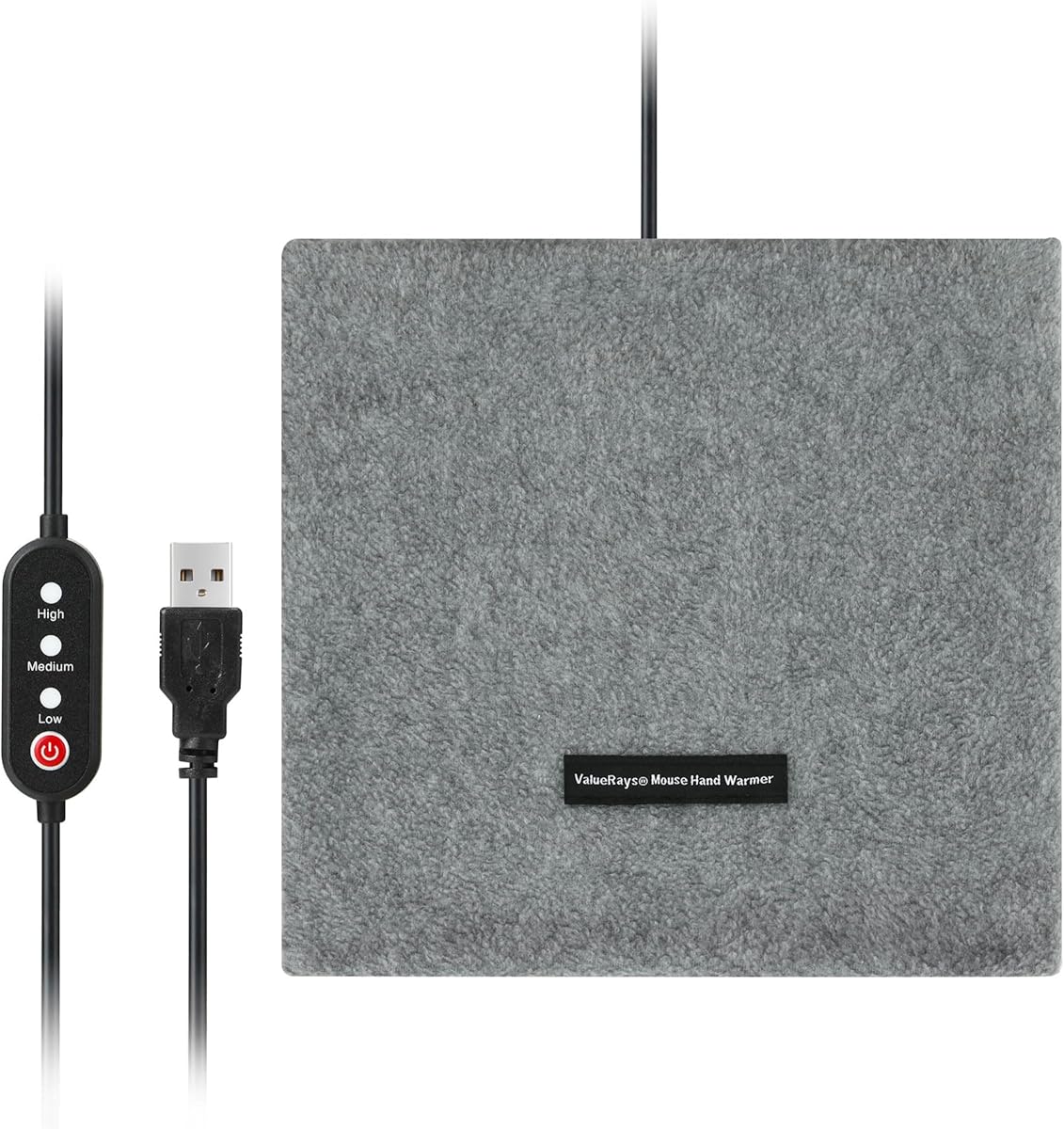
This offering includes two heated mouse pads providing excellent value for multi-user setups. The USB connection allows easy plug and play functionality without complex setup. The plush material adds comfort under your hand during long sessions.
We may earn a commission when you buy through this link, at no additional cost to you.
Each pad measures 11 by 9 inches giving ample space for mouse movement. The heating element is separate allowing you to use the pad with or without heat. This flexibility makes it suitable for different seasons and preferences.
Some users report durability concerns with the heating element over time. The heating is basic without temperature controls which may limit precision. However the dual pack format offsets these limitations for many buyers.
Ideal for households or offices needing multiple units at once. If you want a simple and affordable warmth option for several desks this pack meets that need well.
Get two pads for the price of one ideal for sharing between home and office spaces.
USB powered with no drivers needed making setup instant and hassle-free for all users.
We may earn a commission when you buy through this link, at no additional cost to you.
These plush mouse pads offer soft comfort alongside basic warming capabilities. Each package includes two units suitable for multiple locations. The detachable heating pad makes cleaning easier compared to fixed elements.
We may earn a commission when you buy through this link, at no additional cost to you.
The thick plush surface feels pleasant and skin friendly during use. The large internal space allows free mouse movement without restriction. Safety reminders advise unplugging after use to extend service life.
Users should be aware of potential burn risks with extended continuous use. The heating element durability may be limited over time requiring replacement. These points are noted in product instructions for safe operation.
A good option for those prioritizing softness and dual units. If comfort and giftability matter this pack provides warmth with a gentle touch.
Thick plush material provides a soft touch that feels comfortable against your skin all day.
The detachable heating pad allows easy washing and maintenance of the mouse pad itself.
We may earn a commission when you buy through this link, at no additional cost to you.
This model delivers powerful 100W heating for consistent warmth. Foldable legs make it portable and easy to store after use. The energy saving chip helps maintain temperature efficiently without excessive power consumption.
We may earn a commission when you buy through this link, at no additional cost to you.
Three temperature settings cover a wide range of comfort needs from gentle to toasty warmth. The unit operates at just 20dB making it nearly silent. It also comes with a 12-month warranty for added confidence.
The white color may show dirt more easily than darker options. Like similar units it requires a wall outlet limiting USB-only desks. These factors are minor compared to the heating strength.
Best for users wanting strong heating performance and portability. If you need reliable warmth for office travel or dorm use this unit offers robust features.
100W output ensures fast and consistent warming even in colder environments.
Foldable legs and lightweight build make it easy to transport for travel or remote work.
We may earn a commission when you buy through this link, at no additional cost to you.
This infrared hand warmer offers straightforward functionality for desk users. It relies on a manual control switch for operation without complex settings. USB power allows flexible connection options to your computer or power bank.
We may earn a commission when you buy through this link, at no additional cost to you.
The design focuses on essential warming features without extra bells. Users appreciate the simplicity for quick heat needs. Infrared technology provides direct warmth to the hand surface effectively.
Few details are provided regarding temperature range or safety features. This simplicity may not suit those needing precise control or advanced protections. It serves best for basic warming tasks.
Choose this if you want minimal setup and USB convenience. For basic hand warmth needs without extra features this model fits the bill.
Infrared heating technology delivers direct warmth to your hands efficiently during use.
USB powered with manual switch for instant use without software or complex controls.
We may earn a commission when you buy through this link, at no additional cost to you.
This unit offers three temperature modes with auto off timers to manage heat safely. A built-in wrist cushion helps reduce strain during extended computer use. The non slip base keeps the pad stable during operation.
We may earn a commission when you buy through this link, at no additional cost to you.
The portable lightweight design makes it easy to move between desks or take along. USB power ensures simple connection without wall outlet dependency. It aims to transform cold desk time into a cozy experience.
Some users report variability in performance consistency. The cushion may wear over time with heavy use. These points should be considered when evaluating long-term value.
Adequate for those needing basic temp control and wrist support. If you prioritize auto timers and portability this model offers those features.
2 4 or 8 hour auto off timers let you set warmth without worry about overheating.
Built-in cushion fits your wrist naturally reducing strain during long work or gaming.
We may earn a commission when you buy through this link, at no additional cost to you.
This multi-function desk pad combines warmth with durable PU leather construction. It offers three temperature settings with an auto-off function for safe operation. The large size covers your desk extensively protecting it from scratches.
We may earn a commission when you buy through this link, at no additional cost to you.
The non-slip bottom ensures the mat stays secure even during active use. Its elegant design adds style while keeping your workspace clean. You can use it as a desk pad mouse pad or even a foot warmer.
Lack of user ratings makes it harder to gauge real-world reliability. Limited detailed specifications in product data leave some questions about heating capacity. It remains a viable choice based on features.
Good for those wanting versatile desk protection with heat. If you need a large pad that serves multiple functions this model is worth exploring.
At 31.5 inches wide it covers most of your desk protecting surfaces while warming hands.
Use as mouse pad keyboard pad or even under-desk warmer for maximum versatility.
We may earn a commission when you buy through this link, at no additional cost to you.
Choosing the right hand warmer mouse pad involves considering heating technology, power source, safety, and design. This guide outlines the key factors to evaluate before purchasing.
Products use PTC ceramic or infrared heating to provide warmth. PTC ceramic offers fast and even heat distribution with built-in temperature control. Infrared provides direct warmth but may lack variable settings. Look for certifications like UL or CE to ensure quality heating elements.
Prioritize PTC or MCH technology for consistent and safe heat over infrared for basic warming.
USB powered units allow plug and play connection to computers or power banks. Wall outlet models provide higher power but limit placement. Check your desk setup to decide if USB flexibility or outlet power matters more.
Select USB for portability and wall plugs for maximum heating power.
Multiple temperature settings let you adjust warmth to your preference. Three levels offer flexibility for different seasons and needs. Look for models with adjustable timers to prevent overheating and save energy.
Opt for at least three heat levels and auto shut-off timers for comfort and safety.
Safety is critical when using heating devices near electronics. Tip-over protection cuts power if the unit falls. Over-temperature protection prevents overheating. Auto shut-off timers ensure the unit turns off if forgotten.
Always choose products with tip-over and overheat protection along with auto shut-off functions.
Foldable designs make storage easy for users with limited space. Enclosed designs warm your whole hand but may not fit larger hands. Consider your desk size and how much space the unit will occupy.
Choose foldable or compact designs if storage space is a priority in your workspace.
The top surface affects comfort and mouse performance. Plush materials feel soft but may interfere with mouse tracking. PU leather offers durability and smooth glide. Non-slip bottoms keep the pad stable.
Prefer smooth materials like PU leather for better mouse control and easy cleaning.
Detachable heating elements allow easy cleaning of the mat. Neoprene or PU materials resist wear and odors better than cloth. Check warranty terms to ensure long-term support for any defects.
Look for removable heating pads and wipeable surfaces to maintain hygiene and longevity.
Reading verified reviews helps gauge real-world performance and reliability. Pay attention to comments on heating consistency and comfort. Products with higher ratings generally offer better quality and satisfaction.
Trust products with 4 or higher ratings and detailed feedback from multiple users.
Place the hand warmer on a flat stable surface near your keyboard and mouse. Ensure it is not covered or blocked by other objects. Connect the power source securely to start the heating process.
Allow a few minutes for the unit to reach the desired temperature. Adjust the settings to your comfort level before beginning work or gaming sessions. Avoid touching hot surfaces directly during operation.
When not in use disconnect the power to conserve energy and extend product life. Clean the surface regularly with a damp cloth avoiding water on heating elements. Store folded in a dry place if it features a collapsible design.
Yes most hand warmer mouse pads work seamlessly with wireless mice. The heating element does not interfere with wireless signals. Ensure the surface is smooth enough for your mouse sensor to track properly.
Most units heat up within a few minutes after plugging in. PTC ceramic models reach target temperatures quickly due to efficient element design. Check product specs for exact warm-up times for specific models.
Many models include auto shut-off timers for safety during long periods. However it is best to turn them off when not in use. Never leave heating devices unattended without proper safety features.
Yes these pads work on most flat surfaces including wood glass or metal. The non-slip bottom helps keep them stable. Ensure the surface is clean and dry for optimal performance.
Most accept USB power from computers or power banks. Some wall outlet models require 110V outlets. Always verify the voltage and plug type before purchasing to ensure compatibility.
Yes hand warmers help maintain circulation for users with Raynaud's or poor circulation. They provide consistent warmth which can prevent discomfort. Consult a doctor for medical advice regarding circulation issues.
Remove the heating element if detachable and wipe the surface with a damp cloth. Let it dry completely before reattaching the heater. Avoid submerging any part of the device in water.
Most units operate at low wattages from 5W to 100W. USB models use minimal power compared to full heaters. Energy-saving chips in some models help reduce consumption during constant use.
This guide reviewed ten distinct hand warmer mouse pads ranging from simple USB mats to premium ceramic heaters. The top picks excel in performance comfort and safety for different user needs.
Prioritize heating technology and safety features when making your decision. Consider your power source availability and how much desk space you have available.
Always check current product listings for the latest specifications and availability before purchasing. Prices and features may change so verify details directly on the retailer site.