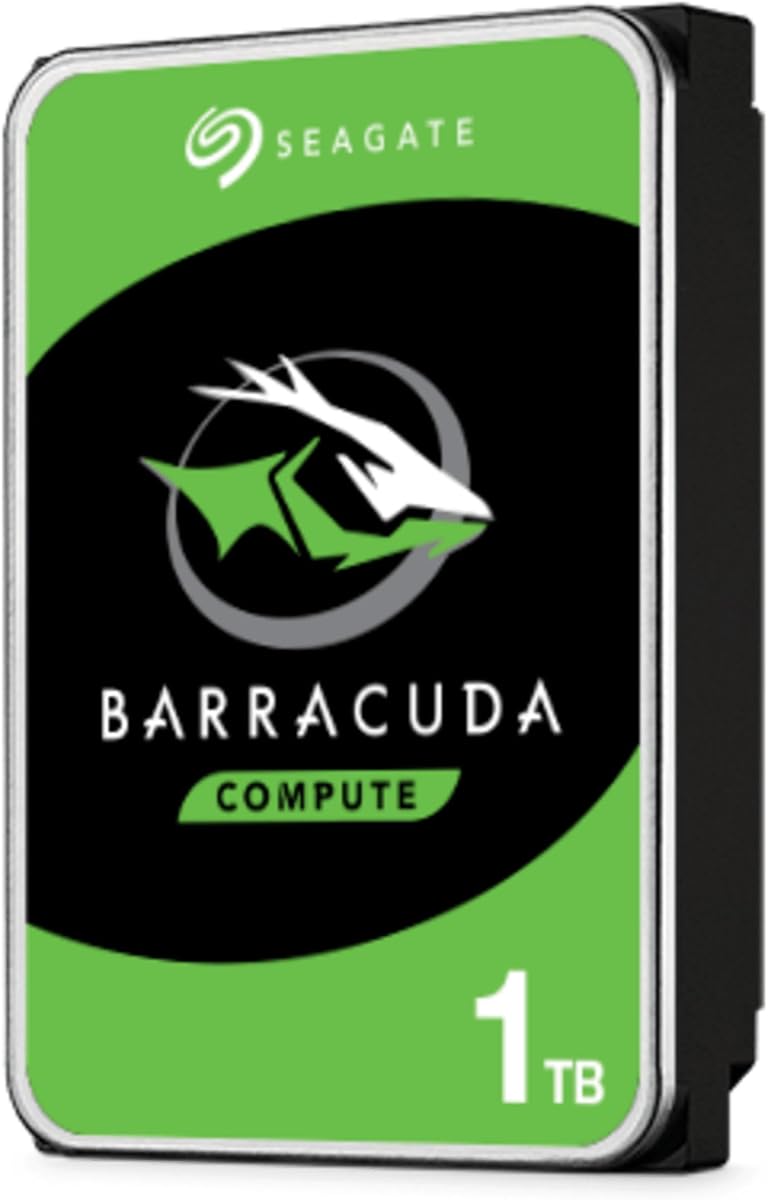
Seagate BarraCuda 1TB
4.6Editor score
7200 RPM speed
64MB cache
SATA 6Gb/s interface
Finding the right storage solution for your desktop computer can be challenging with so many options available today. A 7200 Rpm HDD Hard Drive offers a reliable balance of speed and capacity for various computing needs including gaming and professional work.
We have analyzed ten top rated models based on performance metrics cache sizes and overall reliability standards. Our comparison focuses on drives that deliver consistent speed and durability for everyday users and power users alike.
Each selection highlights specific strengths such as cache capacity or warranty coverage to guide your decision. Keep in mind that pricing and availability fluctuate so verify current details before finalizing your purchase.
4.6Editor score

4.7Editor score

4.2Editor score
As an Amazon Associate we earn from qualifying purchases.
The following table provides a side by side comparison of all ten selected hard drives focusing on their core specifications and use cases.



This 1TB internal hard drive from Seagate is a top contender for users seeking dependable storage without breaking the bank. It holds a strong rating from users who appreciate its consistent performance in daily computing tasks.
We may earn a commission when you buy through this link, at no additional cost to you.
The 7200 RPM speed ensures that boot times and application loading are reasonably fast for a mechanical drive. Users often highlight its suitability for gaming and media storage where large files are common.
While it lacks the high cache of premium models it handles typical desktop workloads efficiently. The friction less packaging makes setup straightforward for most builders.
For anyone looking to upgrade a desktop PC with affordable reliable storage this drive is a solid choice. It balances capacity and speed well for non professional use.
This drive excels in general office tasks and media consumption providing stable performance for most home users.
Compatibility with standard SATA ports ensures easy installation in almost any desktop chassis.
We may earn a commission when you buy through this link, at no additional cost to you.
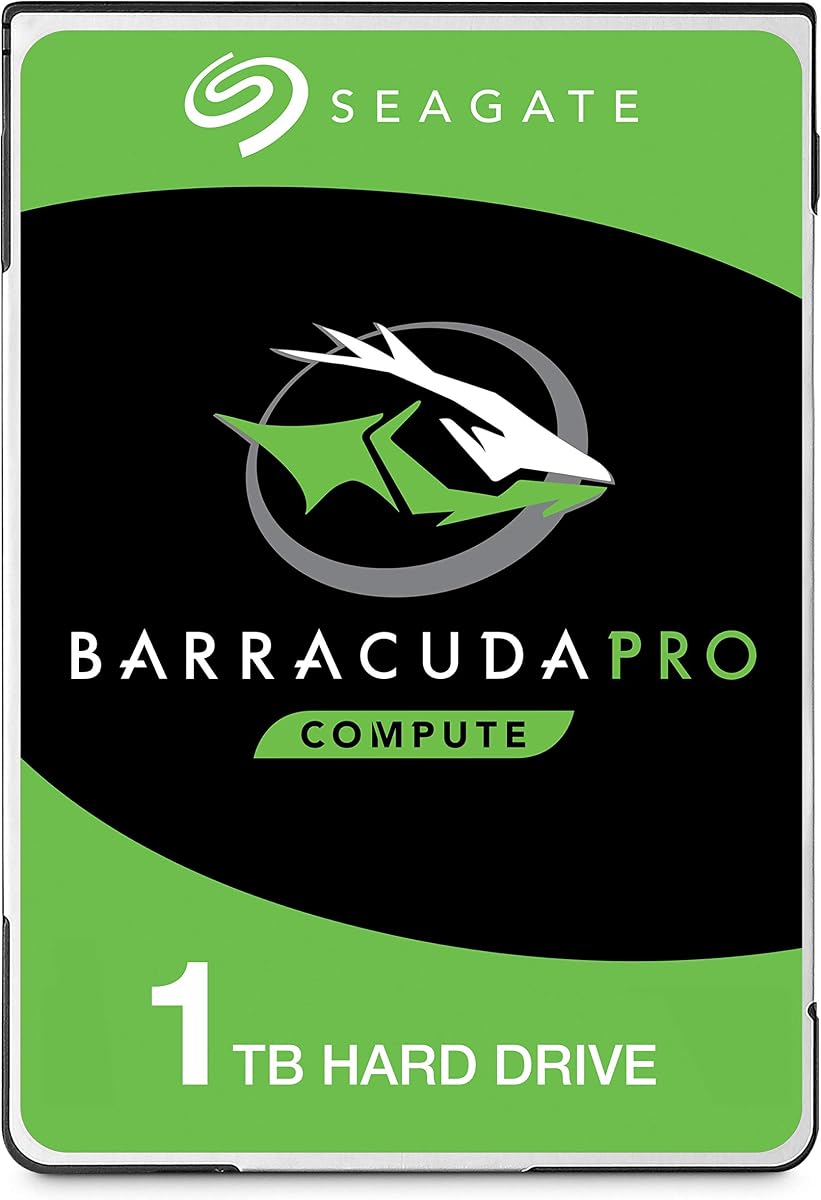
The Pro variant of the BarraCuda line brings enhanced performance features to a smaller form factor suitable for laptops. Its higher cache capacity helps manage data bursts more effectively than standard models.
We may earn a commission when you buy through this link, at no additional cost to you.
Users who need a mix of speed and portability will find this drive appealing. The inclusion of data recovery services adds a layer of security for important documents and media.
While slightly more expensive it offers value for those needing reliability in a mobile environment. The 2.5 inch size is standard for many laptop upgrades.
This model is recommended for users who want better performance in a compact package. It is a robust choice for portable computing needs.
The larger cache optimizes read and write operations making it faster than typical laptop drives.
Included data recovery services provide peace of mind for users storing critical information.
We may earn a commission when you buy through this link, at no additional cost to you.
Western Digital targets gamers and creatives with this Black series drive offering tailored performance for demanding applications. The StableTrac technology ensures reliability even under heavy use conditions.
We may earn a commission when you buy through this link, at no additional cost to you.
Gaming users often cite reduced load times and smooth asset streaming as key benefits. The dedicated gaming optimization makes it a favorite for desktop builds.
While it commands a higher price the long warranty and performance justify the investment for power users. It is built to last and maintain speed over time.
This drive is perfect for anyone prioritizing speed and reliability in a gaming rig. It stands out as a premium option for enthusiast setups.
Designed specifically to handle the high read speeds required for modern games.
StableTrac technology mounts the disk to reduce vibration and improve longevity.
We may earn a commission when you buy through this link, at no additional cost to you.
This specific model is highly rated by users who need substantial storage for files and media. Its reliability has been confirmed across a wide range of desktop environments.
We may earn a commission when you buy through this link, at no additional cost to you.
The 2TB capacity provides ample space for growing collections of photos and videos. It performs consistently well when used as a secondary drive for storage.
Users appreciate the straightforward functionality and lack of unnecessary bloat. It is a workhorse drive that gets the job done reliably.
For those needing simple and effective mass storage this drive is an excellent option. It offers a great balance of capacity and dependability.
Suitable for a wide variety of applications from media libraries to data backups.
Consistently high ratings reflect its durability and lack of issues over time.
We may earn a commission when you buy through this link, at no additional cost to you.
This drive is built for datacenter environments but offers robust performance for home users needing high endurance. It includes features like RAFF to handle vibration in multi drive setups.
We may earn a commission when you buy through this link, at no additional cost to you.
Users looking for reliability in a home server or NAS will find this model appealing. The cost efficiency per gigabyte is a strong selling point.
While it is louder than desktop drives the performance and durability are worth it for storage servers. It is engineered to run continuously without issue.
For users who need a drive that can handle constant uptime this is a great choice. It provides the stability required for network storage.
Optimized to run 24 hours a day 7 days a week without failure.
RAFF technology minimizes performance hits caused by other drive vibrations.
We may earn a commission when you buy through this link, at no additional cost to you.
The XT variant of the BarraCuda line was designed to deliver top end desktop performance. It uses advanced caching to optimize throughput for large file transfers.
We may earn a commission when you buy through this link, at no additional cost to you.
Users with heavy media editing needs will appreciate the sustained transfer speeds. It handles complex workflows better than standard desktop drives.
Although it is an older model it still holds up well against modern competitors. The build quality remains high ensuring longevity.
This drive is recommended for workstations that handle large datasets regularly. It offers a balance of speed and capacity for power users.
Cache optimization reduces bottlenecks during high volume data transfers.
Built to complement high capacity with extreme performance speeds.
We may earn a commission when you buy through this link, at no additional cost to you.
This model represents the most affordable entry point into reliable mechanical storage. It meets the needs of budget conscious users without sacrificing core performance.
We may earn a commission when you buy through this link, at no additional cost to you.
Users looking for a simple upgrade to their system will find this drive sufficient. It handles basic file storage and media playback without issues.
While it lacks advanced features it delivers the essential speed and capacity needed. The 1TB size is a sweet spot for many entry level users.
For anyone building a PC on a tight budget this drive is a smart pick. It provides excellent value for everyday computing tasks.
Designed to provide essential storage performance at a low cost point.
Frustration free packaging ensures you can install it quickly and easily.
We may earn a commission when you buy through this link, at no additional cost to you.
This smaller capacity drive is designed for users who need basic storage functionality. It is an excellent choice for system drives or secondary backup in small systems.
We may earn a commission when you buy through this link, at no additional cost to you.
The IntelliSeek technology helps manage noise and power consumption effectively. Users value its quiet operation during normal desktop use.
While 500GB is limited by modern standards it is sufficient for specific use cases. It remains a popular choice for budget builds.
For those needing a cost effective drive for light tasks this is a solid option. It provides reliable performance for simple storage needs.
IntelliSeek calculates optimum speeds to lower power and noise.
NoTouch Ramp Load Technology protects data and reduces noise.
We may earn a commission when you buy through this link, at no additional cost to you.
This drive stands out with a massive 256MB cache that significantly boosts performance. It is a premium choice for users wanting speed without moving to SSDs.
We may earn a commission when you buy through this link, at no additional cost to you.
Users benefit from free software to migrate data from old drives easily. The 2TB capacity covers most modern storage needs for desktop users.
The high cache helps with multitasking and large file operations. It is a top tier option in the consumer segment.
For anyone seeking a balance of speed and storage this drive is a winner. It delivers high performance for everyday and professional tasks.
The larger cache optimizes read and write operations significantly.
Free DiscWizard software makes moving data a seamless process.
We may earn a commission when you buy through this link, at no additional cost to you.
This 6TB drive offers immense storage capacity for users with large media libraries. It is built for enterprise environments but works well for home servers.
We may earn a commission when you buy through this link, at no additional cost to you.
Hot plug support allows for easy maintenance without shutting down the system. The high transfer rate ensures quick access to large data sets.
Users who need to store thousands of videos or photos will find this essential. It is a robust solution for massive data requirements.
For those needing extreme capacity in a single drive this is a great option. It provides professional grade storage for personal use.
6TB space can hold thousands of hours of video content.
Hot plug support and high reliability features for serious use.
We may earn a commission when you buy through this link, at no additional cost to you.
Selecting the right hard drive requires understanding key factors that impact performance and longevity.
Capacity determines how much data you can store. For general use 1TB is often sufficient but video editing may require 2TB or more.
Choose a capacity that fits your current needs and allows for future growth.
Cache acts as a buffer for data transfers. Larger caches improve performance when dealing with multiple files.
Look for at least 64MB cache for standard use and higher for performance models.
7200 RPM is the standard for high performance desktop drives. It offers a good balance of speed and power efficiency.
Ensure the drive maintains this speed for optimal file access times.
SATA 6Gb/s is the current standard interface. It ensures maximum data transfer speeds.
Confirm your motherboard supports SATA 6Gb/s for best results.
A longer warranty indicates manufacturer confidence. Standard warranties are often 2 to 5 years.
Check warranty terms to ensure coverage for your specific use case.
3.5 inch drives are standard for desktops while 2.5 inch fits laptops. Measure your drive bay before buying.
Select the correct size to ensure physical compatibility with your case.
Higher RPM drives can be louder. If noise is a concern look for models with vibration reduction.
Check reviews for noise reports if you need a quiet environment.
Reliability depends on build quality and usage. Enterprise drives offer longer life but may be noisier.
Choose based on whether you need daily endurance or occasional use.
Ensure the drive is properly mounted in your PC case to prevent vibration. Use all four screw holes for stability.
Update your system drivers and firmware to ensure optimal performance and compatibility with your OS.
Regularly back up important data to an external source to prevent loss in case of hardware failure.
Yes they are still valuable for bulk storage where cost per gigabyte matters. They offer good speed for files that do not need SSD access.
3.5 inch drives are for desktops while 2.5 inch is for laptops. Check your case size before purchasing.
A larger cache improves performance by reducing wait times when loading data from the platter.
Most drives last 3 to 5 years with regular use. Proper cooling helps extend their lifespan significantly.
Some drives are NAS rated. Check the specs for 24×7 use before installing in a network drive.
Most drives come preformatted but you may need to format them to match your OS file system.
We hope this guide helped you identify the right storage solution for your needs. Each model offers unique strengths depending on your specific workload.
Prioritize cache size and capacity based on whether you need speed or space. Reliability is key for any long term storage investment.
Remember to verify current availability and specifications before purchasing. Prices and stock levels can change frequently.