
4u Server Chassis,Rack Mount ATX Pc case
4.0Editor score
Universal 19 inch rack mount
7 PCI expansion slots
Key lock security design
This guide compares the top 4U Server Chassis Cabinet Case options for rack mount needs, focusing on cooling, expansion, and storage capacity.
Choosing the right 4U Server Chassis Cabinet Case is critical for building reliable home labs or professional data centers. These cases offer ample space for motherboards, storage drives, and cooling systems while fitting standard 19 inch racks. A good case ensures proper airflow, security, and expansion potential for your growing infrastructure needs.
We evaluated ten leading models based on build quality, fan configurations, motherboard compatibility, and drive bay counts. Each product was assessed for its ability to support E-ATX boards, liquid cooling, and hot-swap drives. Our comparison highlights the best options for budget builders, enthusiasts, and enterprise users seeking durability and performance.
Each pick below details specific strengths, pros, and cons to help you match a chassis to your workload. Whether you need massive storage or advanced cooling, these cases cover diverse requirements. Please note that availability and pricing change frequently, so verify details before purchasing to ensure you get the right unit.
4.0Editor score

4.2Editor score

4.3Editor score
The following table provides a side-by-side comparison of all ten reviewed 4U server chassis models. It highlights key specifications like drive bay counts, fan setups, motherboard support, and unique features to help you quickly identify the right fit for your project.




The Rosewill RSV-L4500U stands out as a top contender for anyone needing massive storage in a 4U form factor. With a rating of 4.2 stars, it is praised for its spacious chassis that holds up to fifteen 3.5 inch hard drives. This makes it ideal for media servers, NAS builds, or data centers where capacity is king.
We may earn a commission when you buy through this link, at no additional cost to you.
Its cooling system is equally impressive, featuring eight pre-installed fans including three 120mm PWM fans at the front. This ensures excellent airflow to prevent overheating even when the chassis is fully loaded with drives. The E-ATX compatibility means you can use high-performance motherboards with additional PCIe slots for networking or GPU expansion.
While the build quality is robust, the weight of the unit can be challenging when mounting it in a rack. Additionally, running all eight fans at high speeds may generate noticeable noise in a home office environment. However, these trade-offs are acceptable given the exceptional cooling performance and drive density it provides.
We recommend this case for users who prioritize storage density and thermal management above all else. It is perfect for building a reliable home server or small business data node. If you need room for fifteen drives and a large motherboard, the Rosewill RSV-L4500U is a strong choice to consider.
The fifteen internal 3.5 inch HDD bays allow for extensive storage expansion without needing external enclosures.
Eight fans including PWM options provide precise temperature control to protect sensitive server components from heat.
We may earn a commission when you buy through this link, at no additional cost to you.
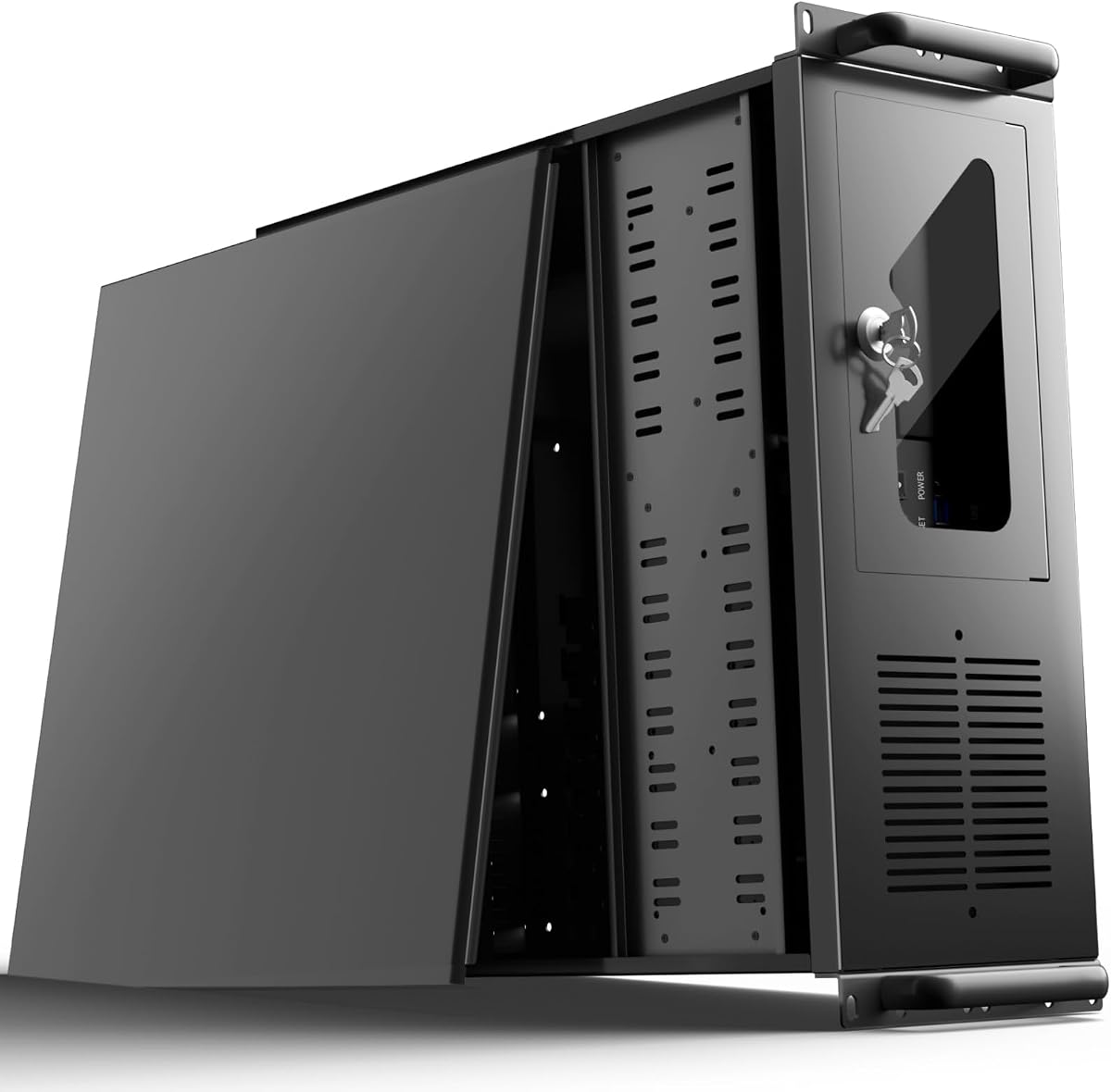
This 4U server cabinet case offers a practical entry point for users looking to build a rackmount server without breaking the bank. With a solid 4.0 rating, it provides the essential features needed for a basic server setup. Its combined internal architecture supports up to seven PCI slots for adding network cards or storage controllers.
We may earn a commission when you buy through this link, at no additional cost to you.
The lockable design adds a layer of security that is often missing in budget cases, helping prevent unauthorized access or theft. A foam filter on the front door minimizes dust inflow which helps extend the service life of internal components. The unit is universally mountable in any standard front mount server rack or cabinet.
However, the single included fan might not be sufficient for high-load scenarios, so you may need to buy additional fans. The drive bay count is also lower than other options, limiting your storage expansion potential. These limitations make it best suited for light workloads or budget-conscious builders.
Ideal for students or hobbyists setting up their first home lab, this case delivers reliability at a low cost. If you need a secure and compatible chassis for ATX boards and do not need dozens of drive bays, this is a smart buy.
A built-in key lock helps prevent tampering and protects your valuable internal hardware from unauthorized access.
The front door foam filter effectively reduces dust accumulation inside the chassis to keep components running cleaner.
We may earn a commission when you buy through this link, at no additional cost to you.
The SilverStone RM44 is designed for users who need high performance and advanced cooling options in a rackmount form factor. Boasting a 4.3 rating, it stands out for its ability to support up to 360mm liquid cooling radiators. This capability makes it perfect for workstation servers or high-performance computing tasks where air cooling falls short.
We may earn a commission when you buy through this link, at no additional cost to you.
Its compatibility extends to SSI-EEB and Extended ATX motherboards, offering significant flexibility for component choices. The inclusion of sliding rail mounting holes simplifies installation into a standard rack. Additionally, the modern USB Type-C interface ensures you can connect to peripherals efficiently without needing adapters.
While it is a premium option, the price reflects its specialized features. You will need to purchase the liquid cooling radiator separately as it is not included. The higher cost might not be justified for simple file storage, but it is excellent for performance-oriented builds.
Choose this chassis if you require top-tier cooling and motherboard compatibility for a demanding workload. It bridges the gap between consumer PCs and enterprise servers effectively. For those building a render farm or virtualization host, the RM44 provides the thermal headroom you need.
The chassis accommodates large radiators allowing for silent and efficient liquid cooling solutions in dense environments.
USB Type-C support ensures forward compatibility with modern peripherals and data transfer requirements.
We may earn a commission when you buy through this link, at no additional cost to you.
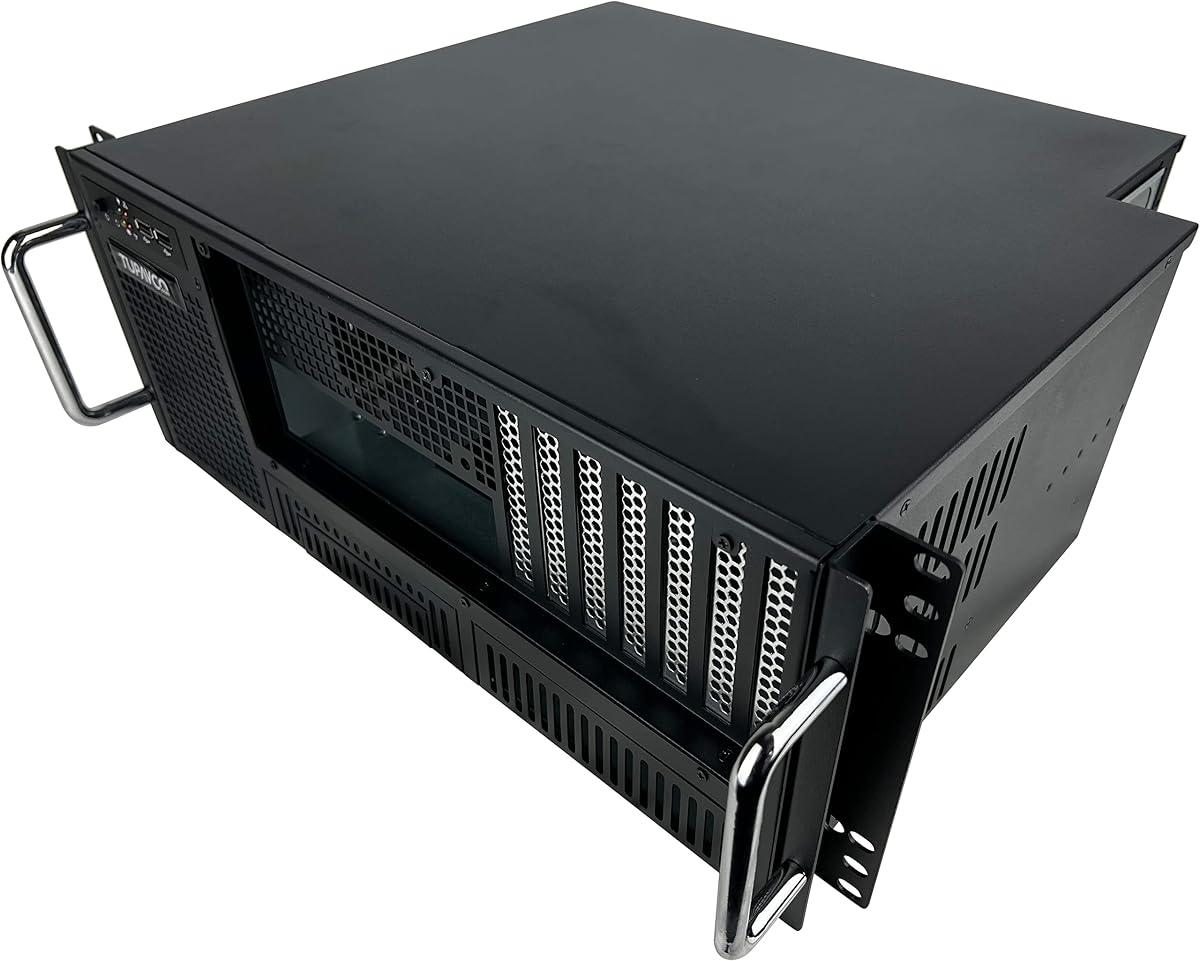
The Tupavco TP1842 offers a practical solution for users who need easy access to expansion cards and I/O ports from the front. With a rating of 3.9, it is recognized for its rugged build using Heavy-Duty SGCC Steel and aluminum handles. The front accessible design simplifies maintenance when the case is already mounted in a rack.
We may earn a commission when you buy through this link, at no additional cost to you.
It supports all types of ATX motherboards and PS-2 power supplies including mini-redundant units. The enclosure includes seven drive bays comprising two 5.25 inch and six 3.5 inch slots for mixed media storage. It comes with one 120mm fan and two 80mm fans to ensure basic airflow.
The mixed drive bay types limit pure hard drive density compared to cases with only 3.5 inch slots. While it is sturdy, the lower rating suggests some users may have had issues with fit or finish. However, the no-assembly feature is a significant plus for quick deployment.
This case is best for office environments where front panel access is frequent and quick deployment is needed. If you need a mix of optical drives and hard drives in a durable shell, the Tupavco TP1842 is worth considering for its convenience.
Expansion slot card ports and I/O components are accessible from the front without removing the chassis from the rack.
Constructed with 1.0mm steel and aluminum handles to withstand industrial use and ensure longevity.
We may earn a commission when you buy through this link, at no additional cost to you.
The Silverstone RM4A is a mid-range option that focuses on cooling and motherboard compatibility for advanced users. With a rating of 3.6, it supports SSI-EEB boards and up to 360mm liquid cooling radiators. This makes it a solid choice for users planning to run powerful workloads that generate significant heat.
We may earn a commission when you buy through this link, at no additional cost to you.
It features eight PCI expansion slots allowing for substantial hardware expansion. Hard drives can be mounted on the expansion card retainer providing flexible storage options without standard bays. The chassis includes a USB Type-C interface for modern connectivity needs.
However, the lack of dedicated drive bays means you must rely on adapters or card mounting which can be complex. Additionally, sliding rails are not included which might add to the overall cost of setting up in a rack. These trade-offs should be considered before purchase.
For users who prioritize liquid cooling support and motherboard form factors over drive density, the RM4A is a good fit. It works well for compute nodes where storage is external or handled by specialized cards. Verify your cooling solution compatibility before building.
The chassis is engineered to handle large radiators helping to reduce thermal throttling in high-performance setups.
Hard drives can be mounted on the expansion card retainer for customizable storage configurations.
We may earn a commission when you buy through this link, at no additional cost to you.
The RackChoice 4U chassis is designed with thermal management in mind, supporting liquid cooling AIO coolers up to 360mm. With a rating of 4.0, it is suitable for users needing high airflow and cooling efficiency. The dimensions are standard at 438mm wide and 465mm deep fitting most rack setups.
We may earn a commission when you buy through this link, at no additional cost to you.
It supports EATX, ATX, MicroATX, and Mini-ITX motherboards providing broad hardware compatibility. There are 8 slots for PCI PCIE full height expansion cards allowing for significant system customization. However, it only offers 2 internal 3.5 drive bays limiting direct storage options.
The lack of support for sliding rails means you might need to use a rack shelf instead which could affect stability. This limitation makes it less ideal for heavy storage arrays. If you rely on external storage or fewer drives this is less of an issue.
This case is best for compute-heavy applications like virtualization or rendering where cooling is more critical than storage density. If you need a compact liquid cooling server chassis without massive internal storage, the RackChoice 4U delivers value.
Supports up to 360mm radiators to maintain optimal temperatures for overclocked or high-performance processors.
Eight full height slots allow for multiple GPUs or network cards in a single chassis.
We may earn a commission when you buy through this link, at no additional cost to you.
The UTLGAMENG 4U server case is engineered for expandability with twelve dedicated hard drive bays for massive storage. With a 4.0 rating, it is a strong choice for home servers needing to house games media files or critical data. It fits standard ATX power supplies and supports ATX Micro-ATX and Mini-ITX motherboards.
We may earn a commission when you buy through this link, at no additional cost to you.
It features seven PCI slots for integrating graphics cards or network adapters. The front panel includes two USB 3.0 ports for rapid data transfer and LED indicators for system status. A robust key-lock mechanism provides reliable protection against unauthorized access to internal components.
While storage is excellent the GPU length is limited to 230mm unless drive bays are removed. This might restrict using larger graphics cards without modification. The fan configuration is basic so additional fans might be needed for optimal cooling under load.
This chassis is perfect for home labs or small office setups prioritizing storage and security. If you need a versatile server chassis with easy storage expansion and security features the UTLGAMENG 4U is a solid contender.
Twelve dedicated hard drive bays provide exceptional scalability for growing storage needs without external drives.
The key-lock mechanism protects internal components from tampering or theft in shared or accessible environments.
We may earn a commission when you buy through this link, at no additional cost to you.
This enterprise-grade chassis is built for maximum storage density with twenty-four hot-swappable SATA or SAS drive bays. With a rating of 4.2, it is ideal for data centers or large NAS builds needing reliability and quick drive swaps. It features six internal SFF-8087 Mini SAS backplanes for efficient drive connections.
We may earn a commission when you buy through this link, at no additional cost to you.
The cooling system includes three 120mm middle fans and two 80mm rear fans ensuring stable operation under heavy loads. The 4U rack mount design fits standard server racks and supports massive data storage. This level of capacity is unmatched in consumer cases.
The price point is higher reflecting the professional nature of the unit. You will need SAS controllers to fully utilize the backplanes which adds to the complexity and cost. However for high-volume storage this is an acceptable trade-off.
Choose this case if you are building a high-capacity storage server or data node. It offers unmatched flexibility for drive management and enterprise-level reliability. For businesses or enthusiasts needing twenty-four drives this is a top tier solution.
Hot-swappable bays allow you to replace drives without powering down the system for minimal downtime.
Six Mini SAS backplanes support high-speed drive connections for enterprise storage arrays.
We may earn a commission when you buy through this link, at no additional cost to you.
The 4U Industrial Computer Case combines professional rack compatibility with superior thermal management. With a rating of 4.3, it is engineered to accommodate a 360mm AIO liquid cooling radiator. This design ensures optimal operating temperatures under intensive workloads like video rendering or virtualization.
We may earn a commission when you buy through this link, at no additional cost to you.
Extensive mesh ventilation on the front panel promotes optimal airflow throughout the chassis. It includes front-mounted USB 3.0 ports for quick data transfer and peripheral connections. The reset and power buttons are easily accessible for efficient operation.
The liquid cooling radiator is not included so you must budget for a high-quality AIO cooler separately. Drive bay details are not specified which might limit storage flexibility compared to other models. However the thermal design is clearly the priority.
Ideal for workstations or high-performance compute servers this case keeps temperatures low and stability high. If thermal performance is your main concern and you want a standard rack chassis this is a great option.
Extensive mesh ventilation works with liquid cooling to maintain ideal temperatures for demanding tasks.
Front USB ports and buttons allow for quick access without removing the case from the rack.
We may earn a commission when you buy through this link, at no additional cost to you.
The Rackowl Server Case stands out with the highest user rating of 4.6 among the options reviewed. It offers a spacious design perfect for SMB and home server users looking to build a home studio or small data center. The chassis supports EEB CEB and ATX motherboards for broad compatibility.
We may earn a commission when you buy through this link, at no additional cost to you.
It features eight HDD bays and three 5.25 device slots providing flexibility for drives and optical media. Seven computer case fans ensure excellent airflow to keep performance quiet and cool. A front panel lock with dust filter adds security and cleanliness to the internal environment.
The USB ports are 2.0 which limits transfer speeds compared to 3.0 models. Also the mixed drive bay types mean fewer slots for 3.5 drives. However the high rating suggests users are satisfied with the overall balance of features.
For those seeking a reliable all-in-one solution for mixed storage and motherboard needs this case is a top choice. It offers security and cooling at a competitive price. If you want a quiet and clean environment for your server the Rackowl is highly recommended.
Seven fans ensure excellent airflow and quiet performance for sensitive data and media servers.
A built-in dust filter and front lock protect components from debris and unauthorized access.
We may earn a commission when you buy through this link, at no additional cost to you.
Choosing the right 4U server chassis requires careful consideration of your hardware needs and environment. The following factors will help you select a unit that balances performance, storage, and security effectively.
Ensure the case supports your motherboard form factor such as ATX E-ATX or SSI-EEB. Larger boards need more clearance and expansion slots which affects your ability to add GPUs or network cards later. Always check the max dimensions listed before purchasing to avoid fit issues.
Determine how many hard drives you need and whether you need hot-swap bays for enterprise use. Some cases offer only 3.5 inch slots while others support 5.25 inch for optical drives or mixed media. High-density storage needs require specialized backplanes or ample internal space.
Adequate cooling is vital to prevent overheating in a confined 4U space. Look for models with multiple fans or support for liquid cooling radiators. PWM fans allow better control over noise and temperature while high airflow ensures components stay safe under load.
Verify that the case uses standard 19 inch rack mounting ears and supports your specific rack depth. Some models include sliding rails while others require shelves which affects installation ease and cable management. Ensure the depth allows enough room for rear cable connections.
For shared or public environments security is essential to protect valuable data. Look for key locks on front panels or side doors to prevent unauthorized access. Dust filters also help maintain internal cleanliness and prolong the service life of your hardware.
Check that the case supports standard ATX power supplies or mini-redundant units if needed. Some server cases have unique power requirements so verify the form factor and wattage before buying. Proper PSU support ensures stable power delivery to your components.
Count the available PCI and PCIe slots to ensure you can add necessary expansion cards. You may need additional network adapters or sound cards depending on your server purpose. Full-height slots offer more flexibility for professional hardware.
Consider the USB ports reset buttons and drive indicators available on the front. Quick access to data transfer points and status LEDs simplifies management and monitoring. A convenient layout saves time during routine maintenance and troubleshooting tasks.
Install the chassis into a 19 inch rack using the provided rails or shelves. Ensure it is securely tightened to prevent movement or vibration during operation. Proper mounting improves airflow and protects the internal components from physical damage.
Connect all necessary power and data cables carefully before closing any access panels. Verify that USB ports and front indicators are accessible for regular use. Keep the front panel clean and free of obstructions to maintain optimal airflow.
Regularly check the dust filters and clean them every few months to prevent overheating. Monitor fan speeds and replace any non-functioning units promptly to ensure stable operation. A well-maintained case prolongs the life of your server components.
The main difference lies in the physical size of the drives they support. 3.5 bays house standard hard drives used for storage in servers. 5.25 bays are designed for optical drives or larger components. Choosing the right mix depends on whether you prioritize storage capacity or media access.
Many modern 4U server chassis support up to 360mm radiators for advanced cooling. Check the manufacturer specifications to confirm which radiator sizes are allowed. Proper mounting ensures the radiator fits securely and aligns with the intake or exhaust vents.
Check the max motherboard dimensions and compatible form factors listed for the case. E-ATX and Extended ATX boards are larger so verify clearance for both size and PCIe slots. Measuring your motherboard before purchase prevents costly mistakes and returns.
Some models come with pre-installed fans while others require you to purchase them separately. Count the available fan bays and check if cooling solutions are included. Having enough fans ensures adequate airflow and helps prevent thermal throttling.
Hot-swappable bays allow you to replace hard drives without powering down the server. This feature is crucial for enterprise environments requiring zero downtime. Ensure your case supports hot-swap and includes the necessary backplanes or carriers.
A front lock protects internal components from unauthorized access or tampering. It is especially useful in shared offices or data centers where security is vital. Many cases offer key locks as a standard feature for physical security.
A 4U case offers more space for cooling, expansion slots, and drive bays. While a 3U case is smaller, it may limit motherboard size or fan count. For home users needing flexibility, a 4U case is generally recommended.
It is best to clean dust filters every three to six months depending on your environment. Dust buildup can block airflow and cause components to overheat. Regular maintenance ensures optimal performance and extends the life of your hardware.
We have reviewed ten top 4U Server Chassis Cabinet Case options ranging from budget-friendly to premium models. The Rosewill 4U stands out for storage density while the SilverStone RM44 offers superior cooling capabilities. For budget builders, the 4u Server Chassis Rack Mount provides essential features at a low price.
Prioritize your specific needs when selecting a case. If you require massive storage go for models with 15 drive bays like the Rosewill. If thermal performance is key choose a case with liquid cooling support. Ensure motherboard compatibility to avoid fit issues later.
Prices and availability for these units change frequently so verify the current details on Amazon before buying. Checking real-time availability helps you avoid delays and secure the best deal. Investing in a reliable chassis ensures your server runs smoothly for years to come.