
UGREEN NAS DXP4800 Pro
4.4Editor score
Intel Core i3-1315U
144TB Total Capacity
Dual M.2 PCIe 4.0
Discover the top 4 Bay NAS options for home and business. Compare performance, storage, and features to find the perfect network attached storage solution.
Choosing the right 4 Bay NAS can transform how you manage data across your home or office. These devices offer centralized storage, robust security, and seamless access to files from any device connected to your network.
We have carefully evaluated ten leading models based on performance, ease of use, and feature sets. Our analysis focuses on real-world capabilities like media transcoding, backup options, and overall reliability for various user needs.
Each pick highlights specific strengths to help you match a device to your workflow. Note that pricing and availability can fluctuate, so verify current details before making your final purchase decision.
4.4Editor score

4.6Editor score
4.4Editor score
This comparison table summarizes the key specifications and capabilities of every model reviewed to help you quickly identify the best fit for your specific storage and computing requirements.





The Yxk Zero1 Pro is an excellent entry point for anyone wanting to dip their toes into network attached storage without breaking the bank. It holds a solid 4.4-star rating and delivers impressive performance for home use.
We may earn a commission when you buy through this link, at no additional cost to you.
Powered by an Intel N100 processor and 8GB of RAM, this device handles everyday file sharing and media streaming smoothly. The dual 2.5GbE ports ensure that even multiple users can access files without significant lag.
While the operating system is simpler than enterprise solutions, it covers all the essentials like photo albums and cloud sync. The aluminum housing helps keep temperatures down during heavy loads.
Ideal for families and students, this NAS provides a private cloud solution at a competitive price. We recommend it for those who prioritize cost and basic functionality over advanced customization.
The inclusion of a 4K HDMI port allows direct connection to a TV for media playback without needing a separate computer.
With support for up to 144TB raw storage using four SATA drives and two M.2 NVMe slots, this device grows with your data needs.
We may earn a commission when you buy through this link, at no additional cost to you.
The Asustor Drivestor 4 Gen 2 is designed for users seeking a reliable and efficient budget NAS. With a 4.0-star rating, it focuses on core storage tasks like backups and media serving.
We may earn a commission when you buy through this link, at no additional cost to you.
Equipped with a Realtek quad-core processor and 1GB of RAM, it manages daily storage needs well. The 2.5GbE port ensures faster file transfers compared to standard gigabit connections.
A standout feature is its support for Btrfs snapshots, which helps protect data against ransomware and accidental deletion. This adds a layer of security often missing in lower-end models.
Best suited for small offices or home users with moderate storage demands. It is a strong choice if you want reliable protection and media capabilities at a very affordable price point.
The Btrfs file system allows for instant data restoration to previous points in time, significantly reducing recovery time after an incident.
Stream 4K content directly to your TV or mobile devices using built-in support for smooth playback across various media formats.
We may earn a commission when you buy through this link, at no additional cost to you.
The TERRAMASTER F4-425 stands out as a balanced option for home multimedia and data storage. It achieves a 4.0-star rating by combining solid hardware with user-friendly features.
We may earn a commission when you buy through this link, at no additional cost to you.
Its Intel x86 quad-core processor and 4GB of RAM make it capable of handling 4K transcoding and multitasking. The 2.5GbE port ensures fast file transfers even when multiple users are connected.
Designed for quiet environments, this NAS operates at just 21dB(A). The tool-free Push-Lock design simplifies drive installation significantly for non-technical users.
We recommend this model for home users who need a media server and secure backup in a silent device. It is a practical choice for those needing performance without excessive noise.
Operating at only 21dB(A), this device is quiet enough to be placed in a bedroom or living room without disrupting daily activities.
The TNAS Mobile app allows you to initialize and manage your NAS directly from your smartphone without needing a PC for setup.
We may earn a commission when you buy through this link, at no additional cost to you.
The UGREEN NAS DH4300 Plus is tailored for beginners and remote workers who need a reliable private cloud solution. It holds a 4.2-star rating due to its ease of use and robust features.
We may earn a commission when you buy through this link, at no additional cost to you.
With a high-performance processor and 8GB of RAM, this device handles multiple apps smoothly. It supports Docker, allowing users to run custom apps like Plex or download managers.
The AI-powered photo album automatically organizes images by faces and scenes, saving time on manual sorting. You can also remove duplicates automatically to reclaim storage space.
Ideal for families wanting to escape subscription fees while keeping data local. This NAS offers a secure and cost-effective way to manage media and documents for home use.
The semantic search and duplicate removal features help maintain a clean and organized photo library without manual intervention from the user.
Unlike public clouds, this device stores data locally, giving you full control and ownership over your files and personal information.
We may earn a commission when you buy through this link, at no additional cost to you.
The Synology DS423 is a trusted choice for secure file sharing and comprehensive backup. With a 4.4-star rating, it excels in data protection and ease of management for families and small businesses.
We may earn a commission when you buy through this link, at no additional cost to you.
Its snapshot technology and ransomware-resistant backups protect against accidental deletion and malware attacks. These features provide peace of mind for storing critical family or business data.
The surveillance support is extensive, allowing up to 30 IP cameras to be monitored through a centralized interface. This makes it a great hub for home security systems.
We recommend this device for users prioritizing data safety and reliable software support. It is a solid investment for those who need robust protection for their digital assets.
Immutable snapshots ensure that even if files are encrypted by malware, you can restore them to a clean state instantly.
Centralized video monitoring archiving and analysis tools allow you to manage a large number of cameras efficiently from one platform.
We may earn a commission when you buy through this link, at no additional cost to you.
The UGREEN NAS DXP4800 GT is our top pick for creators and tech enthusiasts who demand speed and flexibility. It holds a 4.6-star rating for its ability to handle complex workflows effortlessly.
We may earn a commission when you buy through this link, at no additional cost to you.
Powered by an AMD Ryzen Embedded processor and supporting up to 64GB of RAM, it runs virtual machines and Docker containers smoothly. The dual 10GbE ports enable blazing-fast data transfers.
Its UGOS Pro system simplifies management while offering a robust app ecosystem. Built-in surveillance features and local privacy controls make it a complete solution for demanding users.
We highly recommend this model for office teams and heavy media users. It bridges the gap between home NAS and professional-grade storage performance effectively.
Dual 10GbE ports provide up to 2.5GB/s theoretical throughput, ideal for 4K editing and rapid backups over the network.
The built-in surveillance center supports ONVIF/RTSP cameras with live multi-view and event detection directly through the NAS.
We may earn a commission when you buy through this link, at no additional cost to you.
The Synology DS425+ delivers exceptional performance as a private cloud and media server. With a 4.6-star rating, it is built for high productivity and secure data sharing across offices.
We may earn a commission when you buy through this link, at no additional cost to you.
It supports file speeds up to 278 MB/s and can handle concurrent access from over 10 users. This makes it ideal for collaborative environments where multiple people need quick file access.
The surveillance support covers up to 30 IP cameras with robust detection tools. Additionally, its 3-year warranty ensures long-term reliability for business-critical environments.
Best for small businesses needing enterprise-grade reliability. While it comes at a premium price, the performance and support make it a worthwhile investment for professional users.
With the ability to support over 10 simultaneous users, this NAS ensures smooth collaboration without bottlenecks in busy workgroups.
Granular access controls and audit logs provide enterprise-level security to protect sensitive company documents and client files.
We may earn a commission when you buy through this link, at no additional cost to you.
The UGREEN DXP4800 Plus offers a perfect balance of power and usability for families and small teams. It holds a 4.6-star rating for its seamless performance across various devices.
We may earn a commission when you buy through this link, at no additional cost to you.
It supports massive storage up to 144TB and features a high-performance processor for smooth collaboration. The AI-powered photo album helps organize millions of photos automatically with face recognition.
Security is a priority with advanced encryption and flexible permission management. This ensures your files remain private even when shared with collaborators within your team.
Ideal for households growing digital lives. This NAS provides centralized storage and backup with the ease of use needed for everyday family media management.
Facial and object recognition technology automatically organizes your photo library, making it easy to find specific memories instantly.
Compatible with Western Digital, Seagate, and Toshiba drives, this NAS ensures you have flexibility when choosing storage hardware.
We may earn a commission when you buy through this link, at no additional cost to you.
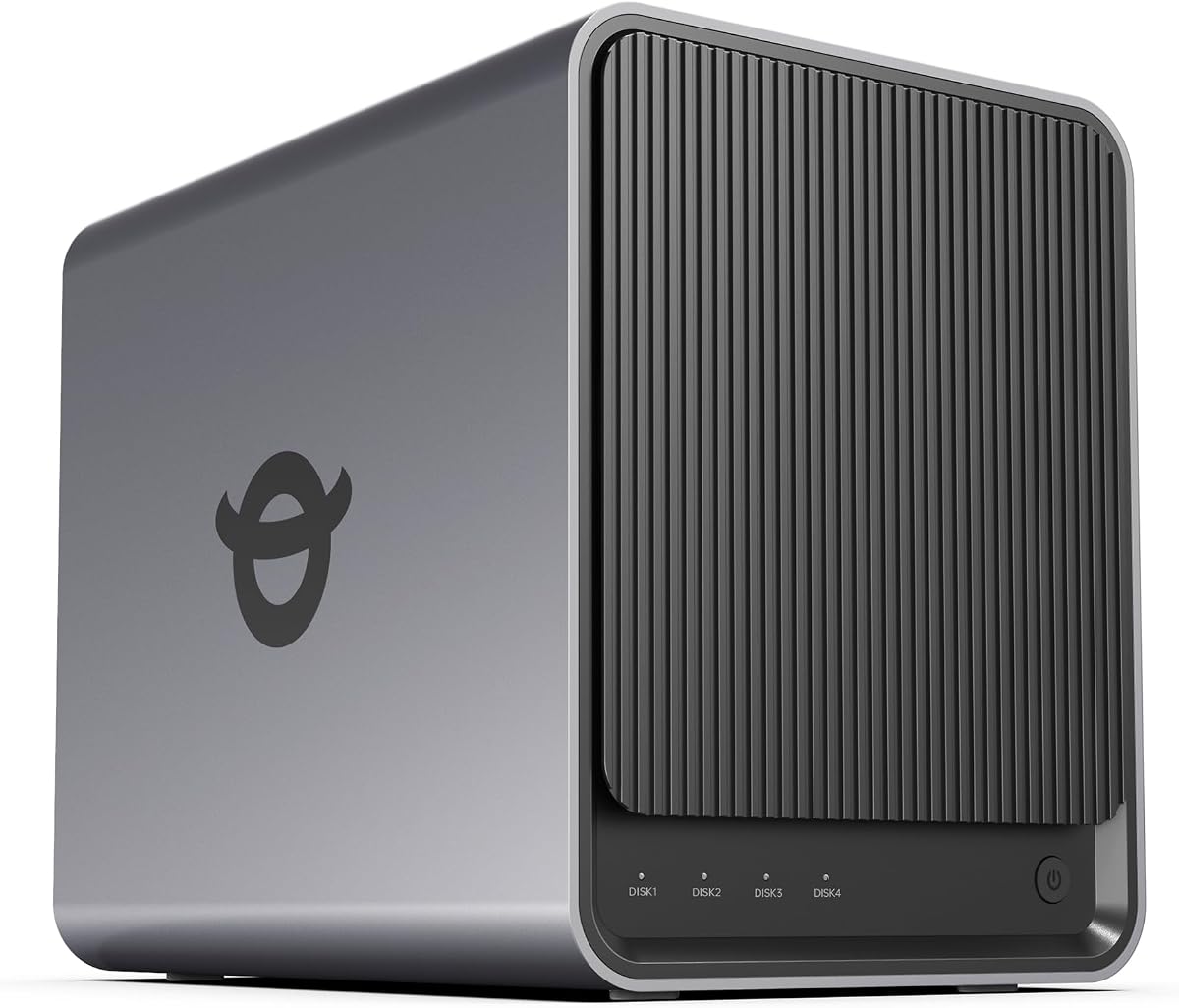
The UGREEN NAS DXP4800 Pro is the ultimate powerhouse for IT professionals and developers. With a 4.4-star rating, it delivers workstation-class performance in a compact 4-bay form factor.
We may earn a commission when you buy through this link, at no additional cost to you.
Featuring an Intel Core i3-1315U processor and support for up to 96GB of DDR5 RAM, it handles virtual machines and Docker containers effortlessly. The 10GbE plus 2.5GbE ports ensure blazing-fast transfers.
Enterprise-grade security features like Data Vault and granular permissions protect sensitive files effectively. It is designed to scale with growing teams and complex workflows seamlessly.
We recommend this model for power users who need maximum performance. If you are running heavy development or video editing tasks, this is the definitive solution for your home lab.
With up to 96GB of DDR5 RAM and Intel Core processing power, this device runs demanding applications like virtual machines with ease.
Data Vault and granular permissions ensure that sensitive files are encrypted and accessible only to authorized users.
We may earn a commission when you buy through this link, at no additional cost to you.
The Synology DS925+ is a stable workhorse for file management and media tasks. With a 4.2-star rating, it offers a balanced mix of performance and reliability for everyday use.
We may earn a commission when you buy through this link, at no additional cost to you.
It supports sequential read/write throughput up to 522 MB/s thanks to dual 2.5GbE ports. This ensures that file transfers and media streaming remain smooth and uninterrupted.
Built-in tools for file management and virtualization make it versatile for various needs. The 3-year limited hardware warranty provides added peace of mind for long-term operation.
Ideal for general home office use where stability is key. This model offers a dependable platform for sharing files and running basic server applications efficiently.
Dual 2.5GbE ports provide increased redundancy and faster transfer speeds compared to standard gigabit networks.
Leverage built-in file and photo management, data protection, virtualization, and surveillance solutions without extra software.
We may earn a commission when you buy through this link, at no additional cost to you.
Selecting the right 4 Bay NAS requires evaluating hardware specs, software features, and scalability to meet your storage and computing needs effectively.
The processor is the brain of your NAS and dictates its ability to handle transcoding, virtual machines, and multitasking. Look for Intel N-series or Core processors for general tasks and AMD Ryzen or high-end Intel for heavy workloads.
Prioritize higher clock speeds and core counts if you plan to run Docker containers or edit media directly on the device.
RAM affects how many applications and users your NAS can support simultaneously. While 4GB is sufficient for basic file storage, 8GB or more is recommended for media servers and virtualization.
Choose a model with expandable RAM slots if you anticipate growing needs. This ensures future-proofing without having to replace the entire unit.
Network ports determine how fast data moves between your NAS and other devices. Traditional Gigabit ports are being replaced by 2.5GbE and 10GbE options for faster transfers.
Select a NAS with at least 2.5GbE ports if you handle large video files or multiple concurrent users to avoid network bottlenecks.
Most 4-bay models support up to 32TB drives, but checking the exact maximum capacity is crucial. Also look for M.2 slots that can be used as cache for speed or extra storage.
Ensure the unit supports your preferred RAID configuration for redundancy. Some models offer proprietary RAID solutions that are easier to manage than standard options.
The software interface is how you interact with your NAS daily. Some brands like Synology offer polished interfaces while others provide more flexibility but require setup.
Verify if the system supports essential apps like Photo albums, Plex, and Docker. A strong ecosystem simplifies managing media and backups.
Security is vital for protecting sensitive data against malware and unauthorized access. Look for features like snapshots, encryption, and two-factor authentication.
Enterprise-grade models often include ransomware-resistant backups that lock data points in time. This adds a critical layer of protection for critical files.
Many users want to use their NAS for security camera storage too. Check the maximum number of cameras supported and whether licenses are required.
A built-in surveillance center with AI detection features saves money on dedicated NVRs. Ensure the device has enough processing power to handle video streams smoothly.
NAS prices vary significantly based on performance and brand reputation. Budget models are great for simple storage while premium units offer workstation-level power.
Consider the long-term value of software support and warranty. A slightly higher upfront cost often pays off in reliability and updates over time.
Start by installing your hard drives into the drive bays carefully to ensure a solid connection. Secure the trays with screws if needed to minimize vibration noise during operation.
Install the official NAS software from your manufacturer on your computer or mobile device. Follow the guided setup wizard to initialize the drives and create your user accounts securely.
Regularly update your NAS operating system and backup your data to multiple locations. This practice protects against hardware failure and security vulnerabilities that may arise over time.
Most 4 Bay NAS units are sold as diskless devices meaning you need to purchase compatible hard drives separately. This allows you to choose the exact capacity and type of drive that fits your budget and needs.
Yes most modern 4 Bay NAS devices support remote access via mobile apps or web interfaces. You can configure secure connections to access files from anywhere without exposing your home network directly.
A NAS stores data locally on your own hardware giving you full control and privacy. Cloud services store data on third-party servers and often require monthly subscription fees for storage space.
A standard router works for basic file sharing but a Gigabit or 2.5GbE router is better for faster speeds. Higher-end NAS models may require a router that supports link aggregation for peak performance.
With proper maintenance a 4 Bay NAS can last between five to ten years. Regular updates and keeping the device in a cool environment help extend its lifespan and prevent overheating issues.
Yes many models support Plex and other media server applications. Look for units with hardware transcoding capabilities to ensure smooth 4K playback across multiple devices simultaneously.
The UGREEN NAS DXP4800 GT and DXP4800 Pro stand out as top performers for power users needing speed and flexibility. For budget-conscious buyers the Yxk Zero1 Pro offers an affordable entry point into private cloud storage.
Consider your primary use case when selecting a model. If you need robust backup and surveillance options Synology provides reliable software while UGREEN delivers strong hardware performance for the price.
Always verify current pricing and availability before purchasing as these can change rapidly. Investing in a quality 4 Bay NAS ensures your data is secure and accessible for years to come.