
HP 14 inch Laptop
4.5Editor score
Intel N150 Processor
4GB DDR5 RAM
128GB SSD Storage
Discover the top laptops for Zoom calls comparing performance, cameras, and connectivity for remote work success in October 2026.
Finding the right laptop for Zoom calls is essential for remote workers and students who need reliable video quality. A good device ensures clear audio and sharp visuals during every meeting.
We compared ten top models based on camera specs, microphone quality, and processing power to find the best options. This guide covers a range of budgets and needs for every user.
Each pick highlights key features that matter most for video conferencing. Please note that prices and availability change frequently so check current listings before buying.
4.5Editor score

5.0Editor score

5.0Editor score
This table provides a side-by-side comparison of all ten products to help you decide quickly based on key specifications and ratings.





This HP laptop offers a solid foundation for Zoom calls with its efficient Intel N150 processor and ample cloud storage. It earns a strong 4.5 star rating from users who appreciate its balance of performance and cost.
We may earn a commission when you buy through this link, at no additional cost to you.
The 14 inch display provides clear visuals with anti-glare coating which helps reduce eye strain during long meetings. Its lightweight design makes it easy to move between rooms or take to different locations.
While the 4GB RAM may limit heavy multitasking it handles standard video conferencing well. The included 1TB cloud storage offsets the small local SSD so you can keep files accessible.
Ideal for students or entry level workers this model delivers reliability without breaking the bank. We recommend it for those who need a dependable machine for daily virtual meetings.
The Intel N150 CPU ensures smooth video streaming without lag even when running background apps.
Weighing just 3.24 lbs this laptop is easy to carry for remote work from various locations.
We may earn a commission when you buy through this link, at no additional cost to you.
A ring light is a game changer for Zoom calls as it ensures you are seen clearly regardless of room lighting. This Cyezcor kit is highly rated at 4.3 stars for its simplicity and effectiveness.
We may earn a commission when you buy through this link, at no additional cost to you.
The clip on design attaches securely to your monitor or laptop screen without needing extra desk space. You can adjust the color temperature and brightness to match your environment perfectly.
While it is a simple device it solves a major issue for video calls which is poor lighting. The USB power means you do not need to find a separate outlet.
We suggest adding this to your laptop setup if you frequently work in dimly lit rooms. It significantly enhances your professional appearance during meetings.
The ring design provides even illumination across your face avoiding harsh shadows.
Works well for various video scenarios including streaming and online classes.
We may earn a commission when you buy through this link, at no additional cost to you.
This HP model stands out for its True Vision 720p camera which delivers crisp video for calls. Users rate it a perfect 5.0 stars especially praising the audio and video enhancements.
We may earn a commission when you buy through this link, at no additional cost to you.
The dual array microphones with temporal noise reduction ensure your voice is clear even in noisy environments. This feature is crucial for professional meetings where background noise can be distracting.
The thin and portable design makes it easy to use anywhere and the battery lasts long for travel. It includes a dedicated Copilot key for quick access to productivity tools.
We recommend this for users who prioritize communication quality above raw processing power. It is an excellent choice for remote workers who join many calls daily.
The camera and mic upgrades make a noticeable difference in meeting clarity.
Includes Microsoft 365 and a Copilot key for streamlined workflow.
We may earn a commission when you buy through this link, at no additional cost to you.
The NIMO laptop is built for power users who run many applications during Zoom calls. It achieves a 5.0 rating thanks to its 16GB RAM and fast NVMe SSD which prevent lag.
We may earn a commission when you buy through this link, at no additional cost to you.
You can have dozens of browser tabs open while on a call without performance drops. The 15.6 inch screen gives you more room to view documents alongside your video feed.
It includes security features like a fingerprint sensor and hardware encryption for protecting sensitive data. The battery life supports all day usage and it charges quickly with USB PD.
We suggest this for professionals who need robust performance and screen real estate. It is a premium option that handles complex workflows with ease.
16GB RAM allows you to run heavy apps alongside video conferencing software.
Backed by a 2-year warranty and US based customer support.
We may earn a commission when you buy through this link, at no additional cost to you.
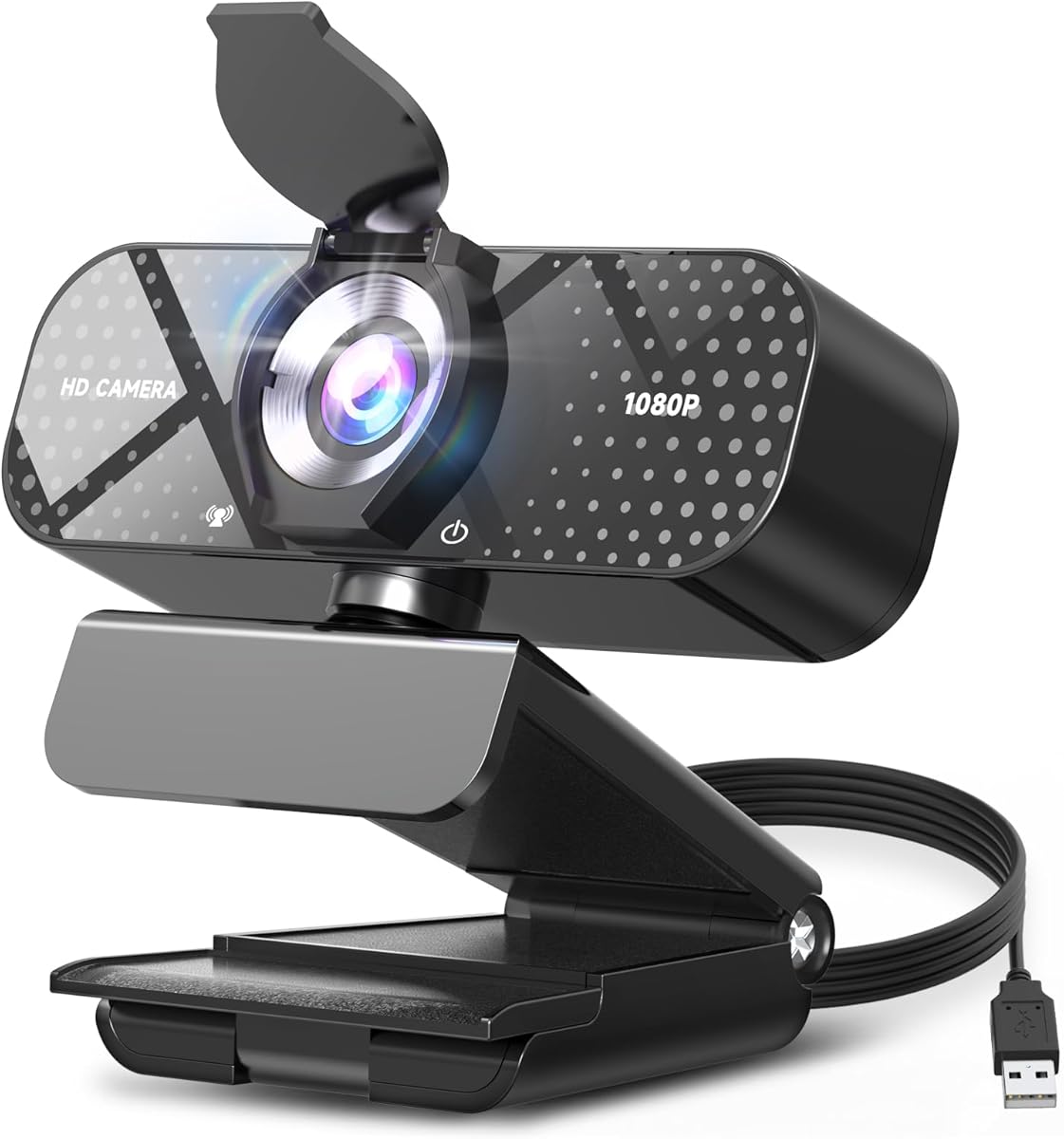
If your laptop camera is outdated this external webcam provides a significant upgrade in video quality. With a 4.6 star rating it is a popular choice for clearer Zoom meetings.
We may earn a commission when you buy through this link, at no additional cost to you.
The automatic light correction technology adjusts your image to look good even in dim rooms. This ensures you are always visible without needing a separate ring light.
It includes a privacy cover to protect your privacy when the camera is not in use. The wide angle lens captures more detail and the noise canceling mic improves audio.
We recommend this for anyone wanting a quick visual upgrade without changing their main computer. It is a simple plug and play solution that works on many devices.
Auto brightness adjusts to your room so you look professional at all times.
The physical cover adds a layer of security when not streaming.
We may earn a commission when you buy through this link, at no additional cost to you.
This desk light offers a sturdy alternative to clip on lights with a solid metal base. It has a 4.4 rating for its high quality color rendering and consistent brightness.
We may earn a commission when you buy through this link, at no additional cost to you.
The edge lit technology provides even soft light that reduces glare and eye strain during calls. You can adjust the height to suit your desk setup perfectly.
With 10 brightness levels it allows precise control over how your face appears on camera. It also serves as a reading lamp making it a versatile desk item.
We recommend this for users who have a fixed workspace and prefer a stable light source. It enhances video quality without the risk of falling over.
The soft light design reduces strain during long working sessions.
High CRI ensures your skin looks natural on video.
We may earn a commission when you buy through this link, at no additional cost to you.
For budget conscious buyers this ring light provides excellent value for improving video call quality. It holds a 4.4 rating for its effective illumination and easy clip on setup.
We may earn a commission when you buy through this link, at no additional cost to you.
The circular design creates a natural soft light on your face which looks flattering on camera. It supports multiple color modes so you can match your environment.
It is lightweight and does not require much desk space making it ideal for small setups. The 10 dimming levels give you good control over output.
We suggest this for students or entry level remote workers who want better lighting cheaply. It is a simple upgrade that improves your presence significantly.
One of the most affordable ways to boost your video quality.
The 6 inch design fits easily on most laptop screens.
We may earn a commission when you buy through this link, at no additional cost to you.
This laptop combines business features with a stylish look for professional use in Zoom calls. It has a 4.1 rating and includes a year of Office 365 which is great for collaboration.
We may earn a commission when you buy through this link, at no additional cost to you.
The 14 inch display provides enough space to see documents while on a call. It includes a variety of ports which helps when connecting peripherals like projectors.
The included earphones ensure private audio which is useful in shared workspaces. The color finish makes it stand out from standard silver laptops.
We recommend this for small business owners or students who need software bundles. It is a practical machine for daily video conferencing tasks.
Office 365 is included so you can create docs during calls.
The included earphones help keep conversations private.
We may earn a commission when you buy through this link, at no additional cost to you.
This laptop focuses on cloud integration with 1TB of storage which keeps your files accessible. It has a 3.3 rating but offers a unique feature set for modern users.
We may earn a commission when you buy through this link, at no additional cost to you.
The Copilot key allows quick access to AI tools which can summarize meeting notes instantly. It is very light making it easy to carry for mobile meetings.
The battery life supports long days of video conferencing without needing a charger. It includes a dedicated AI key for streamlined productivity.
We suggest this for users who rely heavily on cloud storage and AI features. It is a good fit for those who need a portable and connected device.
1TB storage ensures you have room for all your files.
Copilot key speeds up workflow during busy days.
We may earn a commission when you buy through this link, at no additional cost to you.
This lighting kit uses two bars to provide even brighter illumination than single ring lights. It has a 4.2 rating for its versatility and remote control convenience.
We may earn a commission when you buy through this link, at no additional cost to you.
You can adjust the angle and brightness remotely to find the perfect lighting. The dual design ensures your whole face is lit evenly from multiple directions.
It comes with stands and clips so you can set it up on a desk or screen. The remote control adds a professional touch to your lighting setup.
We recommend this for streamers or professionals who want a high end lighting effect. It provides a polished look that enhances video presence.
Two bars mean less shadow and better face lighting.
Adjust settings without touching your device during calls.
We may earn a commission when you buy through this link, at no additional cost to you.
Selecting the right laptop requires understanding key factors like camera quality audio performance and battery life for seamless calls.
A good camera ensures you are visible clearly during video meetings. Look for at least 720p HD resolution but 1080p is better for professional settings. Some laptops include auto light correction to improve your appearance in low light.
Prioritize models with HD cameras to ensure high quality video output.
Clear audio is as important as video for effective communication. Choose laptops with dual array microphones and noise reduction technology. This helps filter out background sounds so your voice is heard clearly.
Ensure the microphone system reduces noise for clean audio.
Video conferencing requires processing power to run smoothly. A modern quad-core processor helps manage video streams without lag. It also handles other apps you may have open during a call.
Pick a processor that supports smooth multitasking.
RAM affects how many apps you can run at once. 8GB or more is ideal for heavy users but 4GB may suffice for basic Zoom use. Storage ensures you have space for recorded meetings.
Aim for 8GB RAM and at least 256GB storage.
Long battery life is crucial for mobile work. Look for a laptop that lasts at least 8 hours on a charge. This ensures you do not lose power during important meetings.
Choose a laptop with all-day battery reliability.
If you move between locations a lightweight laptop is essential. Models under 4 lbs are easy to carry and reduce strain. Thin designs also fit easily into bags.
Select a light and thin design for mobility.
A clear display helps you see others clearly during calls. Anti-glare coatings reduce reflections which improves visibility. Larger screens offer more space to view content.
Get a clear anti-glare display for comfort.
Ports are needed to connect external devices like monitors. Ensure you have USB ports and HDMI for sharing. Strong Wi-Fi support is also key for stable internet.
Check for sufficient ports and Wi-Fi strength.
Ensure your laptop is updated with the latest drivers to maintain optimal performance. This keeps your video and audio running smoothly during every call.
Clean the camera lens regularly to remove dust and fingerprints. Use a microfiber cloth to avoid scratching the lens for clear images.
Manage your power settings to maximize battery life during meetings. Use power saving modes if you are away from a power source for long periods.
The most important features are a high quality camera and microphone. You also need a fast processor and enough RAM to run Zoom without lag. Battery life is key for mobile users.
4GB RAM is sufficient for basic Zoom use if you close other apps. However 8GB is recommended for better performance if you run multiple tabs. More RAM helps prevent slowdowns.
You can use an external webcam or lighting kit. Improve your lighting by facing a light source. Keep the camera lens clean to avoid blurry images.
1080p is better for high clarity but 720p is often adequate. For professional meetings 1080p ensures others see you clearly. Budget models may use 720p cameras.
Ideally your battery should last at least 8 hours of use. This covers a full workday without needing a charger. Check reviews for real world battery performance.
Most modern laptops have decent built-in microphones. However external mics can improve audio in noisy environments. A headset is a cost effective upgrade.
14 inches offers a good balance of portability and size. 15.6 inches provides more room to view documents. Choose based on your need to carry the laptop.
Keep vents clear and use on a hard surface. Avoid using the laptop on your lap for long periods. Ensure room ventilation helps reduce heat buildup.
We have reviewed ten top laptops and accessories to help you make the right choice. The HP Everyday Slim and NIMO models stand out for their specific strengths.
Prioritize the features that matter most for your daily needs. Whether it is battery life or camera quality focus on what improves your workflow.
Always check current pricing and availability before buying. Deals change often so compare options to find the best value.