
EPOMAKER Ajazz AK820 Pro
4.7Editor score
Affordable price point
75 percent compact layout
TFT interactive display
Compare the top 10 best Epomaker Keyboards of 2026 for gaming and typing. This guide reviews features, sound, build quality, and value across all popular
Epomaker Keyboards offer a unique blend of style, performance, and affordability that appeals to both casual users and enthusiasts. Each model brings distinct features like custom screens, rotary knobs, and wireless connectivity to enhance your workflow or gaming setup.
We have carefully evaluated ten top models based on build quality, typing sound, wireless performance, and customization options. This list covers full-size, 96 percent, and 75 percent layouts to ensure you find the right fit for your desk.
Each pick highlights specific strengths such as battery life, switch types, and software capabilities. Prices fluctuate frequently, so check current listings before buying to ensure you get the best deal on these versatile mechanical keyboards.
4.7Editor score
4.7Editor score
4.5Editor score
The following table provides a quick side-by-side look at the key specifications of each model to help you compare features like layout, battery, and connectivity at a glance.


The EPOMAKER TH108 PRO stands out as a top choice for users wanting a full-size keyboard with premium features. It holds a high rating for its solid build and advanced connectivity options like tri-mode wireless.
We may earn a commission when you buy through this link, at no additional cost to you.
Its standout feature is the smart screen and rotary knob, which allow you to check battery status or play GIFs directly from the board. The 10000mAh battery ensures weeks of use on a single charge, even with RGB on.
While the keyboard is heavy at over 1.1kg, this adds stability during intense typing or gaming. The trade-off is desk space, but the acoustic bliss from the 5-layer gasket mount justifies the bulk for many users.
If you need a reliable full-size keyboard that combines workflow efficiency with gaming performance, this is the model to choose. It handles multitasking well across multiple devices without lag or connectivity drops.
The smart screen provides real-time info like time and battery while allowing personalized GIFs and images for a unique visual experience.
Five layers of sound-dampening material create a soft, creamy sound profile that reduces typing fatigue during long work sessions.
We may earn a commission when you buy through this link, at no additional cost to you.
The F75 MAX offers a perfect balance of size and functionality for those who need more room for mouse movement. Its 75 percent layout keeps arrow keys and function rows while freeing up desk space.
We may earn a commission when you buy through this link, at no additional cost to you.
This model features a customizable TFT screen and volume knob that enhance daily workflow. The Gasket-Mount structure provides a flexible typing feel, supported by a 2-stage adjustable kickstand for comfort.
The lack of a number pad might be a downside for data entry tasks, but for gaming and general use, the space savings are worth it. The sound tuning delivers a satisfying creamy melody.
Choose this keyboard if you want a stylish compact board with modern features like a screen and hot-swap capability. It suits gamers and office workers alike looking for efficiency and flair.
Supports multiple devices via Bluetooth, 2.4G wireless, and cable, ensuring seamless transitions between PC and mobile devices.
South-facing LEDs provide bright RGB effects that can be adjusted via software or screen to match your personal style.
We may earn a commission when you buy through this link, at no additional cost to you.
The Galaxy100 QMK is a premium option for users who want deep customization through QMK and VIA software. This allows for complex macros and layer editing that goes beyond standard drivers.
We may earn a commission when you buy through this link, at no additional cost to you.
Its solid aluminum shell gives it a heavy, premium feel that enhances typing stability. The 1000 layout includes a numpad and metal knob, making it ideal for productivity tasks alongside gaming.
The pre-lubed linear switches offer a smooth experience right out of the box. While the price is higher than other models, the build quality and software flexibility justify the investment for enthusiasts.
This keyboard is best suited for professionals and tinkerers who value durability and extensive customization. It provides a sleek, modern look that elevates any desk setup.
Endless possibilities for remapping keys and editing macros without needing constant software updates or internet connections.
Multiple internal padding layers ensure a pure thocky sound while reducing hand fatigue for comfortable long-term use.
We may earn a commission when you buy through this link, at no additional cost to you.
The V2 PRO iteration refines the original TH108 PRO with even better stability and performance. Its weight anchors it firmly to the desk during intense gaming sessions, preventing unwanted movement.
We may earn a commission when you buy through this link, at no additional cost to you.
The screen and knob function effectively for adjusting settings or checking stats without leaving your game. It supports multiple devices seamlessly, making it a great choice for hybrid work and play setups.
While the heavy build might not be portable, it ensures a rock-solid typing experience. The factory-lubed switches provide consistent feedback that gamers appreciate for precise inputs.
If you prioritize stability and performance over portability, this model delivers exceptional value. It is a reliable tool for competitive gaming and productive office work.
Features like low latency and high polling rates ensure your inputs are registered instantly for fast-paced action games.
Multiple layers of foam and silicone cushion your fingers, reducing fatigue during marathon coding or writing sessions.
We may earn a commission when you buy through this link, at no additional cost to you.
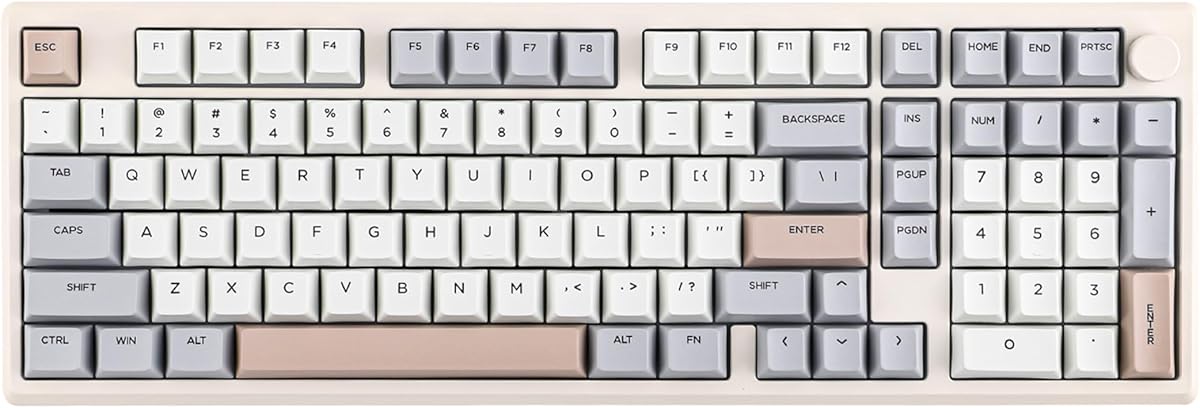
The TH99 PRO manages to include a full numpad in a compact 96 percent layout. This design choice saves desk space without sacrificing functionality, making it great for spreadsheets and data entry.
We may earn a commission when you buy through this link, at no additional cost to you.
It features a precision-engineered volume knob and a glass screen for status updates. The 10000mAh battery supports long periods of use without needing frequent recharging.
The slightly dense key layout might take some adjustment if you are used to standard spreads. However, the build quality and acoustic performance ensure it remains a comfortable tool for daily tasks.
This keyboard is perfect for professionals who need number pad functionality in a smaller footprint. It combines utility with modern features like a screen and wireless connectivity.
The 1800 layout keeps all essential keys while shrinking the overall footprint to fit smaller desks or multi-monitor setups.
Extended battery life ensures you can use the keyboard wirelessly for weeks, even with RGB lighting active during gaming.
We may earn a commission when you buy through this link, at no additional cost to you.
The TH108 offers a straightforward full-size experience without the premium cost of screens or knobs. It focuses on core performance features like a high-capacity battery and hot-swappable switches.
We may earn a commission when you buy through this link, at no additional cost to you.
Its acoustic design delivers a creamy sound that rivals more expensive models. The 5-layer gasket mount reduces noise and provides a soft typing feel that is easy on the fingers.
Missing the screen and knob means less customization flair, but the core typing experience remains top-tier. This makes it a practical choice for users who prioritize function over flash.
Choose this model if you want a reliable full-size keyboard at a reasonable price. It is a solid foundation for building a custom setup or for general office use.
Swap out switches easily to change the sound or feel without soldering, allowing for endless customization options.
Bright RGB backlighting allows you to personalize your lighting effects to match your desk aesthetic or mood.
We may earn a commission when you buy through this link, at no additional cost to you.
The G84 HE uses Hall Effect switches for incredible speed and precision. It is designed specifically for competitive gamers who need every millisecond to count in fast-paced titles.
We may earn a commission when you buy through this link, at no additional cost to you.
Features like adjustable actuation and SOCD logic give you control over how keys register. The 8K polling rate ensures minimal latency, making movement and inputs feel instantaneous.
While it sacrifices some keys for the compact layout, the gaming benefits are substantial. The sound dampening is surprisingly good, adding a nice tactile feel to the technical performance.
This keyboard is an excellent choice for serious gamers looking to gain an edge. Its advanced features make it a powerful tool for mastering competitive games.
Switches are so sensitive they can detect tiny finger movements, allowing for precise control in high-speed scenarios.
Tri-mode connectivity allows you to game without cables while maintaining stable performance across multiple devices.
We may earn a commission when you buy through this link, at no additional cost to you.
The TH99 brings the useful 96 percent layout to a more accessible price point. It includes all the essential keys for work and gaming while keeping the footprint compact.
We may earn a commission when you buy through this link, at no additional cost to you.
South-facing LEDs ensure bright RGB lighting without interference from tall keycaps. The gasket mount structure provides a soft typing feel that is comfortable for daily use.
Lacking a screen or knob means fewer flash features, but the core performance is reliable. It is a solid choice for budget-conscious users who need a functional mechanical keyboard.
Consider this model if you want a versatile layout at a great value. It offers a smooth entry into mechanical keyboard usage without compromising on essential quality.
The 8000mAh battery ensures long wireless sessions, even with RGB lighting on, reducing the need for frequent charging.
A kickstand and Cherry profile keycaps work together to reduce wrist strain and finger fatigue during extended typing.
We may earn a commission when you buy through this link, at no additional cost to you.
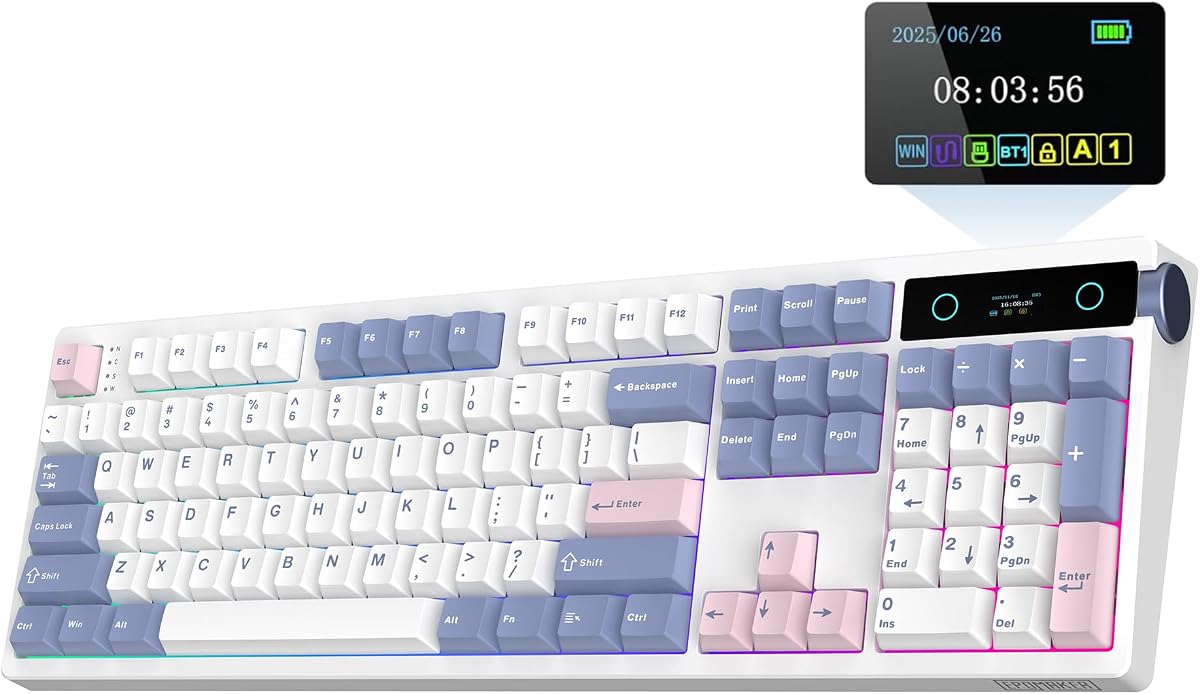
The Ajazz AK820 Pro delivers features found in expensive models at a budget price. Its 75 percent layout makes it highly portable while retaining arrow keys and function rows for usability.
We may earn a commission when you buy through this link, at no additional cost to you.
A TFT screen and knob allow for customization and status updates, similar to higher-end keyboards. The gasket mount provides a satisfying typing sound that feels premium despite the low cost.
The smaller battery means more frequent charging, but it remains sufficient for daily use. This makes it an ideal choice for travelers or those with limited desk space.
If you are looking for value without sacrificing modern features, this is a top pick. It proves that affordable keyboards can still offer a high-quality, customized experience.
Full compatibility with both operating systems ensures seamless switching and use regardless of your computing preference.
Over 1.6 million color options allow for deep personalization of your lighting to match your style or mood.
We may earn a commission when you buy through this link, at no additional cost to you.
The F99 is a practical choice for those needing a compact keyboard with a numpad at a low cost. Its layout saves space without losing essential keys for work or gaming.
We may earn a commission when you buy through this link, at no additional cost to you.
Pre-lubed switches provide a smooth typing experience out of the box. The hot-swappable PCB allows for future customization if you decide to upgrade your switches later.
While it lacks a screen or advanced features, it focuses on solid build quality and reliability. It is a great option for entry-level users or as a secondary keyboard.
Choose this model for everyday use where budget is a primary concern. It offers a durable and functional mechanical keyboard experience at an attractive price point.
Textured nameplates and high-quality PBT keycaps ensure the keyboard resists wear and shine over long-term daily use.
Five layers of padding reduce noise and shock, providing a quiet and pleasant typing experience for shared spaces.
We may earn a commission when you buy through this link, at no additional cost to you.
Selecting the right mechanical keyboard involves balancing layout, features, and budget to meet your specific needs.
Layouts range from full-size to 96 percent and 75 percent. Choose based on your desk space and need for a numpad.
Compact layouts free up space for mouse movement, which is crucial for gaming, while full-size offers full functionality.
Switches like tactile linear or clicky change the feel and sound. Factory-lubed linear switches are smooth and quiet for general use.
Select a switch type that matches your preference for feedback and noise levels in your environment.
Tri-mode wireless (Bluetooth 2.4GHz and cable) offers flexibility to switch between devices easily. Check battery life ratings for long-term wireless use.
Ensure the keyboard supports your specific operating systems and device types for seamless integration.
Battery sizes vary from 4000mAh to 10000mAh. Larger batteries support RGB use for weeks without charging, which is vital for wireless setups.
Prioritize models with higher mAh if you plan to use the board away from a power source frequently.
Gasket mounts and layered padding provide a quieter, softer typing sound. Look for terms like gasket-mounted and acoustic design in specs.
This feature significantly reduces typing fatigue and noise, making it ideal for long work sessions.
Features like hot-swap PCBs allow you to change switches without soldering. Some models include screens or knobs for added utility.
Decide if these premium features are worth the extra cost for your specific workflow or aesthetic preferences.
Materials like aluminum shells add weight and stability, while ABS or PBT keycaps affect durability. Check weight specs for stability.
Heavier boards generally stay put better on the desk during intense typing or gaming sessions.
Software allows for key mapping, macros, and RGB adjustments. QMK or VIA support offers deeper customization for power users.
Ensure the software is compatible with your system and provides the level of control you need.
Start by connecting via the preferred wireless mode and pairing it with your device. Use the FN key combinations to switch between Bluetooth and 2.4G modes seamlessly.
Install the manufacturer software to customize key mappings, RGB lighting, and macros. This step ensures the keyboard is tailored to your workflow and preferences.
Clean the keycaps regularly with compressed air and a soft cloth to maintain hygiene and performance. Avoid liquids to protect internal electronics and switch components.
Yes, most Epomaker models are fully compatible with both Windows and Mac. They often include dedicated Mac modifier keys on the keycaps and software that works across both operating systems.
Most of the top models support hot-swappable switches, allowing you to change mechanical switches without soldering. Always check the specific product details for 3-pin or 5-pin compatibility.
Battery life varies by model and usage, generally ranging from 160 to 200 hours with RGB off. Models with 10000mAh batteries offer significantly longer wireless sessions.
Many of the higher-end models come with factory pre-lubed switches. This ensures a smoother feel and cleaner sound out of the box without additional manual effort.
Some models support consoles via wired USB or specific wireless modes. Always verify the connection compatibility details before purchasing for console gaming setups.
You can pair up to five devices depending on the model. Use the Fn key combinations to switch between paired Bluetooth devices or use the receiver for 2.4GHz connections.
Some packages include a switch puller tool. For keycap pullers, it is often safer to purchase a standard tool separately to avoid scratching the keycaps during removal.
Whether you need a full-size powerhouse or a compact travel-friendly board, Epomaker offers a variety of excellent options. The TH108 PRO stands out for battery and features, while the Ajazz models offer great value.
Prioritize layout and sound preference when making your final choice. The gasket mounts and factory-lubed switches provide a consistent premium experience across most of these models.
Keep in mind that prices can change frequently based on sales and availability. Always double-check current listings to ensure you are getting the best deal on your chosen model.