
HP OmniBook 3 16 inch
4.5Editor score
2K Touchscreen Display
AMD Ryzen 3 Processor
Excellent Battery Life
Finding the right laptop for Enscape requires balancing graphics performance with portability. Architects need machines that handle real-time rendering without lag. This guide reviews ten top contenders.
We compared processors, memory, and display quality to ensure smooth visualization. Each model was analyzed for its ability to run demanding 3D software efficiently. Our team focused on value and performance.
Each pick highlights key strengths for professional workflows. Prices fluctuate often so check current listings before buying. We aim to help you invest wisely in your next workstation machine.
4.5Editor score

4.3Editor score

4.5Editor score
As an Amazon Associate we earn from qualifying purchases.
This table provides a side-by-side overview of the ten selected laptops. It highlights key specifications to help you quickly identify the right fit for your rendering needs.


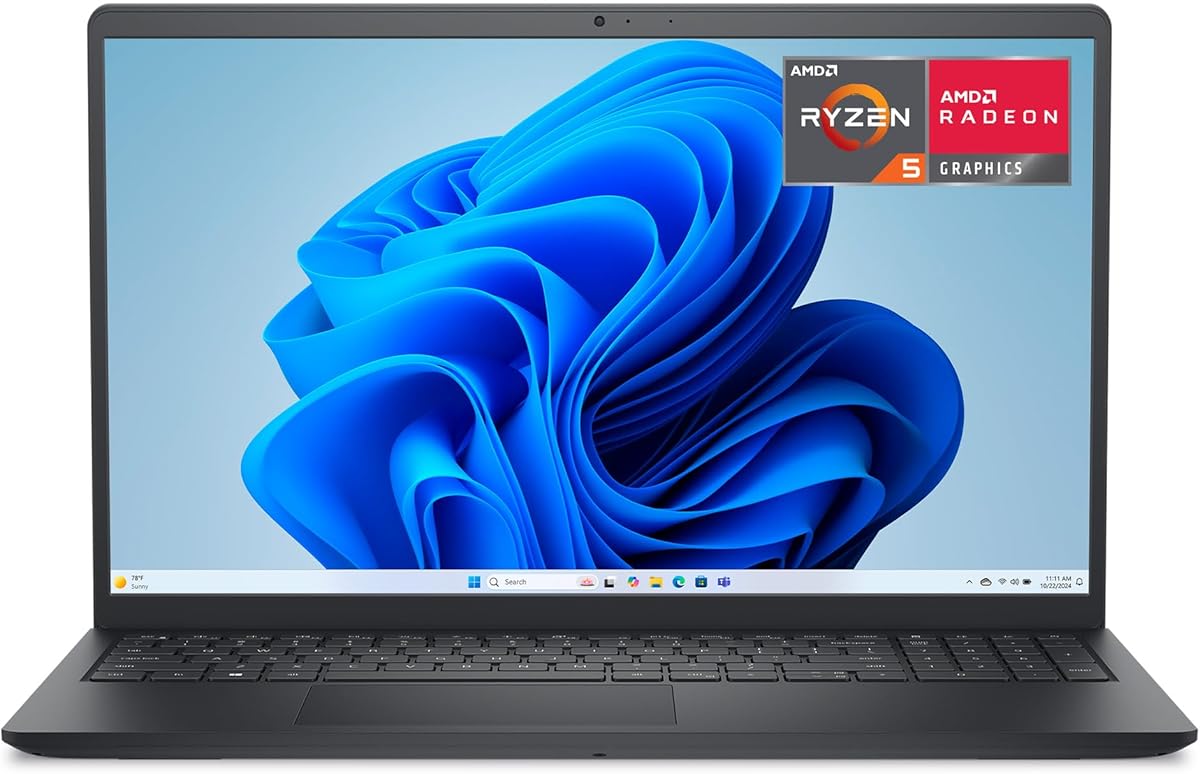


This HP laptop offers a robust foundation for entry-level rendering tasks. With a 4.5 rating it balances performance and cost effectively. The large screen helps visualize designs clearly during long sessions.
We may earn a commission when you buy through this link, at no additional cost to you.
The AMD Ryzen 5 processor handles everyday workflow smoothly. Sixteen gigabytes of RAM ensure you can switch between applications without slowdowns. The anti-glare display reduces eye strain during extended work.
While not a dedicated workstation it serves students well. The included Office 365 adds productivity value. Keep in mind that complex scenes may tax the integrated graphics.
Ideal for students starting with Enscape. It provides enough power for learning without breaking the bank. We recommend it for budget-conscious professionals needing a reliable daily driver.
The 17.3 inch FHD screen offers ample workspace for tool palettes and render views.
HP Fast Charge ensures you get back to work quickly when power runs low.
We may earn a commission when you buy through this link, at no additional cost to you.
This light gaming laptop brings significant processing power to the table. Its 4.6 rating reflects strong multitasking capabilities. It is suitable for moderate rendering workloads on the go.
We may earn a commission when you buy through this link, at no additional cost to you.
The Ryzen 7 chip delivers speed up to 4.3GHz. Combined with 16GB RAM it manages multiple browser tabs and design software well. The NVMe SSD ensures quick boot times.
Portability is a key feature here. You can carry it easily between meetings. However, sustained high loads might generate heat. Cooling vents should be kept clear for best results.
Best for freelancers needing mobility. It strikes a balance between performance and weight. Consider upgrading cooling if you plan heavy usage sessions regularly.
HDMI and USB-C ports allow easy connection to external monitors for dual-screen workflows.
The NVMe SSD significantly reduces project load times compared to traditional hard drives.
We may earn a commission when you buy through this link, at no additional cost to you.
The Lenovo V15 Gen 4 stands out for its professional grade specs. It earns our Editor's Choice for reliability. The Core i5 processor handles business apps and light rendering efficiently.
We may earn a commission when you buy through this link, at no additional cost to you.
Windows 11 Pro offers enhanced security and remote access tools. The numeric keypad is vital for data entry. Its build feels durable for daily travel and office use.
While it lacks a dedicated GPU the integrated Intel UHD is decent for previews. For heavy real-time rendering you might need external options. Overall it is a solid business machine.
Recommended for corporate users needing stability. It supports a professional environment with robust features. Ideal for teams prioritizing security and manageability over raw graphics power.
Windows 11 Pro enables BitLocker encryption and better domain management for corporate settings.
The RJ45 port ensures stable connections in offices without strong Wi-Fi coverage.
We may earn a commission when you buy through this link, at no additional cost to you.
This device uses a Snapdragon processor for efficiency. It offers a 2K OLED screen with vivid colors. Perfect for viewing high-resolution architectural visuals with precision.
We may earn a commission when you buy through this link, at no additional cost to you.
Battery life is impressive lasting through long workdays. The AI Copilot features help organize tasks quickly. It is designed for modern productivity workflows and seamless connectivity.
However, software compatibility for x86 applications may vary. Some older rendering plugins might not run natively. Check software requirements before purchasing to ensure full support.
Best for users prioritizing portability and display quality. It is great for presentations and reviews. Consider it if you work primarily in supported cloud applications.
The OLED panel provides true blacks and high contrast for detailed model viewing.
Built-in AI tools assist with summarizing meetings and organizing files automatically.
We may earn a commission when you buy through this link, at no additional cost to you.
This model is designed for data-heavy tasks. With 32GB RAM it handles large project files easily. The storage bundle ensures you have space for all assets.
We may earn a commission when you buy through this link, at no additional cost to you.
The included portable SSD allows secure backup on the go. It is ideal for storing completed renders and client files. The large screen helps with side-by-side comparisons.
Weight might be an issue for frequent travel. It is more suited for a semi-stationary setup. Thermal management remains good due to the chassis size.
Perfect for users managing extensive libraries. It removes bottlenecks related to memory and storage. Choose this if capacity is your primary concern.
32GB RAM allows you to run Enscape alongside heavy design software without lag.
The extra SSD provides immediate expansion for large project directories.
We may earn a commission when you buy through this link, at no additional cost to you.
This 16-inch model offers a premium visual experience. The 2K touchscreen delivers sharp details for design work. It supports touch input for intuitive model manipulation.
We may earn a commission when you buy through this link, at no additional cost to you.
Battery life is exceptional lasting over 14 hours. Fast charging gets you back up quickly. The design is sleek and professional for client meetings.
Note that 8GB RAM may be tight for heavy multitasking. You might need to manage open apps carefully. However the screen quality outweighs this for many users.
Ideal for professionals valuing display quality. It is perfect for reviewing final renders. Choose this if visual fidelity and portability are your top priorities.
Direct touch input makes navigating complex 3D environments easier.
Mica Silver finish adds a professional touch suitable for executive settings.
We may earn a commission when you buy through this link, at no additional cost to you.
Dell offers reliable support with this model. It features an ergonomic design to reduce wrist strain. It is suitable for standard office tasks and basic visualization.
We may earn a commission when you buy through this link, at no additional cost to you.
The Ryzen 5 ensures efficient power use. It manages typical software loads well without overheating. One-year onsite service provides peace of mind for businesses.
However display brightness is average for outdoor use. It works best in controlled indoor environments. Upgrading RAM early might help future performance needs.
Best for those needing support assurance. It is a safe choice for general business work. Consider it if after-sales service is critical.
One-year onsite service means Dell comes to your location for hardware fixes.
Lifted hinges provide a better typing angle for long writing sessions.
We may earn a commission when you buy through this link, at no additional cost to you.
This compact laptop is ideal for basic browsing and documents. It is very affordable and includes a year of Office. It fits easily into small bags.
We may earn a commission when you buy through this link, at no additional cost to you.
The Intel N150 handles simple tasks well. However it struggles with complex 3D software. It is better for clients needing to view finished files.
Storage is tight for large project libraries. You will likely need external drives. It is a good secondary device for travel.
Recommended for budget buyers needing basic computing. Use it for emails and simple presentations. It is not suitable for heavy rendering workloads.
Small size makes it ideal for slipping into a briefcase easily.
Included subscription adds value for document management needs.
We may earn a commission when you buy through this link, at no additional cost to you.
The Dell 16 features a wide 16:10 display. This gives more vertical space for toolbars and code. It is excellent for managing complex design layouts.
We may earn a commission when you buy through this link, at no additional cost to you.
Core 7 150U delivers strong performance. It handles multitasking without breaking a sweat. The FHD+ screen ensures text is sharp and readable.
Blue light reduction helps during long hours. Adaptive thermals adjust power to keep it cool. It is a reliable machine for daily tasks.
Great for professionals needing screen real estate. It is suitable for coding and design review. Choose this if you prefer taller screens for productivity.
The 16:10 screen offers more vertical space for tool palettes.
ComfortView Plus reduces harmful blue light for better sleep.
We may earn a commission when you buy through this link, at no additional cost to you.
This 17-inch model provides a spacious workspace. The 2K resolution ensures crisp details. It is perfect for detailed architectural reviews.
We may earn a commission when you buy through this link, at no additional cost to you.
Battery life lasts long enough for travel. Fast charge helps get back to work quickly. It connects well via Wi-Fi 6.
Carrying it around is less convenient. It is better suited for a desk. Still the screen quality makes up for size.
Ideal for users needing big screens. It is great for home office setups. Choose this if screen size matters most.
The 17-inch panel gives room for side-by-side comparisons.
Wi-Fi 6 ensures stable streaming for video calls.
We may earn a commission when you buy through this link, at no additional cost to you.
Selecting the right hardware is critical for smooth rendering. We break down the most important factors to consider.
The CPU drives general calculations and UI response. Look for multi-core processors like Ryzen 5 or Core i5. They handle scene changes better than lower-tier chips.
Prioritize models with at least 6 cores for better multitasking.
RAM keeps multiple applications open without slowdowns. Aim for 16GB to ensure Enscape runs smoothly alongside browsers.
Eight GB might work but limits flexibility for large projects.
Enscape benefits from dedicated GPUs. While integrated graphics work for light use, NVIDIA RTX cards are ideal for real-time rendering.
Check GPU compatibility before buying for best results.
Color accuracy is vital for architectural visualization. Look for displays with high sRGB coverage and good brightness.
1080p is standard but 2K or 4K offers more clarity.
NVMe SSDs reduce project load times significantly. They ensure your OS and software boot instantly.
Avoid traditional hard drives for main system storage.
If you travel, consider weight and battery life. Lighter models help but may sacrifice performance.
Balance size with the processing power you need.
Long battery life helps during client meetings. Look for models claiming 10 hours or more.
Fast charging is a valuable bonus feature.
You need HDMI or USB-C for external monitors. These are essential for larger design layouts.
Ensure enough USB ports for peripherals.
Keep your laptop cool during rendering. Ensure airflow is not blocked by soft surfaces. Heat can reduce performance over time.
Regularly update your graphics drivers. This ensures compatibility with the latest software features.
Back up your project files often. External drives prevent data loss from hardware failures.
A dedicated GPU is recommended for optimal performance, especially for large 3D scenes. Integrated graphics may work for simple projects but can slow down real-time rendering significantly.
Sixteen GB of RAM is the sweet spot for most users. It allows you to run Enscape alongside other design software without frequent crashes or slowdowns.
Yes, AMD processors are compatible with Enscape. Ensure you have a strong CPU and compatible graphics driver for the best experience.
At least 1080p is recommended for clarity. Higher resolutions like 2K help in seeing fine details in architectural models without pixelation.
For basic use, it might suffice. However, project files and textures grow quickly. Consider models with 512GB or more to avoid running out of space.
Screen size does not affect rendering speed but larger screens help with workflow. A larger panel allows more space for toolbars and previews.
We reviewed ten options ranging from budget to premium. The HP OmniBook 3 16 inch and HP 17 inch stand out for value.
Prioritize RAM and storage if you handle large datasets. For travel, focus on battery life and weight.
Prices change frequently so verify current listings before purchase. This guide helps narrow your search to reliable choices.