
HUION Note Digital Notebook with Real-Time and Offline Sync Battery-Free Pen
4.2Editor score
Real-time and offline sync
Battery-free pen technology
Audio recording integration
Electronic sketch pads have revolutionized how creators capture ideas. These devices blend tactile drawing with digital convenience. A good pad offers pressure sensitivity, a responsive screen, and reliable connectivity for seamless workflows.
We compared ten leading models based on performance, portability, and user feedback. Our analysis covers standalone tablets, LCD doodle boards, and professional graphics tablets. Each entry highlights unique strengths to match diverse creative needs and budgets.
Every pick includes key specs, pros, cons, and detailed usage insights. Prices fluctuate often, so verify current deals before buying. This guide ensures you select a device that aligns with your artistic goals and daily habits.
4.2Editor score

4.4Editor score

4.4Editor score
As an Amazon Associate we earn from qualifying purchases.
This side-by-side comparison evaluates all ten products on core specs like screen size, pressure sensitivity, and connectivity options. Review each row to understand how features align with your specific drawing or note-taking requirements before making a decision.




The XPPen Magic Note Pad stands out as a top contender for serious digital artists and note-takers alike. With a 4.4 rating from users, it delivers a realistic sketching experience through its AG nano-etching technology that mimics traditional paper friction.
We may earn a commission when you buy through this link, at no additional cost to you.
Key strengths include the 16K pressure sensitivity levels which allow for precise shading and line weight control. The device features three distinct color modes: Nature for annotation, Light Color for sketching, and Black and White for focused reading. Its Android 14 system means you can download apps from Google Play directly without needing a computer.
Honest trade-offs involve the higher price compared to basic LCD boards. Additionally, initial setup requires connecting to power and updating apps. However, these are acceptable given the standalone functionality and high-quality display that rivals more expensive professional monitors.
This pad is ideal for students, professionals, and hobbyists who need a versatile all-in-one creative tool. If you want seamless note-taking combined with serious drawing capabilities in a portable form factor, this model earns a strong recommendation.
The X-Paper display with AG nano-etching creates true texture and friction for natural pencil strokes.
Switch between nature, light color, and black and white modes to match your specific creative or reading needs.
We may earn a commission when you buy through this link, at no additional cost to you.
The HUION Note Digital Notebook offers an affordable entry into the world of electronic sketch pads. Rated 4.2 by users, it combines traditional paper aesthetics with digital storage capabilities through its innovative app-based system.
We may earn a commission when you buy through this link, at no additional cost to you.
Its standout feature is the ability to capture vector lines from a physical A5 notepad and sync them to mobile devices via Bluetooth 5.0. The battery-free pen ensures you never run out of power during meetings or classes. Additionally, it records audio synced to handwriting so you can relive the context of your notes later.
Trade-offs include reliance on the mobile app for full functionality and a fixed A5 size limit. These constraints are acceptable for budget-conscious users who want digital backups without buying a full touchscreen tablet.
Choose this if you prefer writing on real paper but need cloud storage and sharing options. It works well for students, professionals in meetings, or anyone needing a cost-effective solution for organized note-taking.
Write on regular paper while the pen captures vector lines synced to your device via the free app.
Record audio that syncs with notes allowing you to playback handwriting process and ensure nothing gets lost.
We may earn a commission when you buy through this link, at no additional cost to you.
The XP-PEN Artist12 is a professional-grade pen display designed for digital drawing and animation work. With a 4.4 rating, it delivers stunning visual clarity through its 11.6 inch FHD IPS screen with a 72% NTSC color gamut.
We may earn a commission when you buy through this link, at no additional cost to you.
Key strengths include the 8192 pressure sensitivity levels and a battery-free stylus with a digital eraser. It works across Windows Mac Linux and major creative software like Photoshop and Clip Studio. The device also supports remote work and education by functioning as an extended display.
Honest trade-offs are that it requires a computer connection and power adapter making it less portable than standalone tablets. However, this setup provides the performance needed for complex projects and professional workflows.
Select this model if you need a high-quality display for detailed digital art on your existing computer. It suits professional designers, illustrators, and students who want industry-standard performance at an accessible price.
The FHD IPS display presents vivid images and extreme detail for stunning artwork representation.
Compatible with multiple operating systems and software packages for seamless integration into any creative environment.
We may earn a commission when you buy through this link, at no additional cost to you.
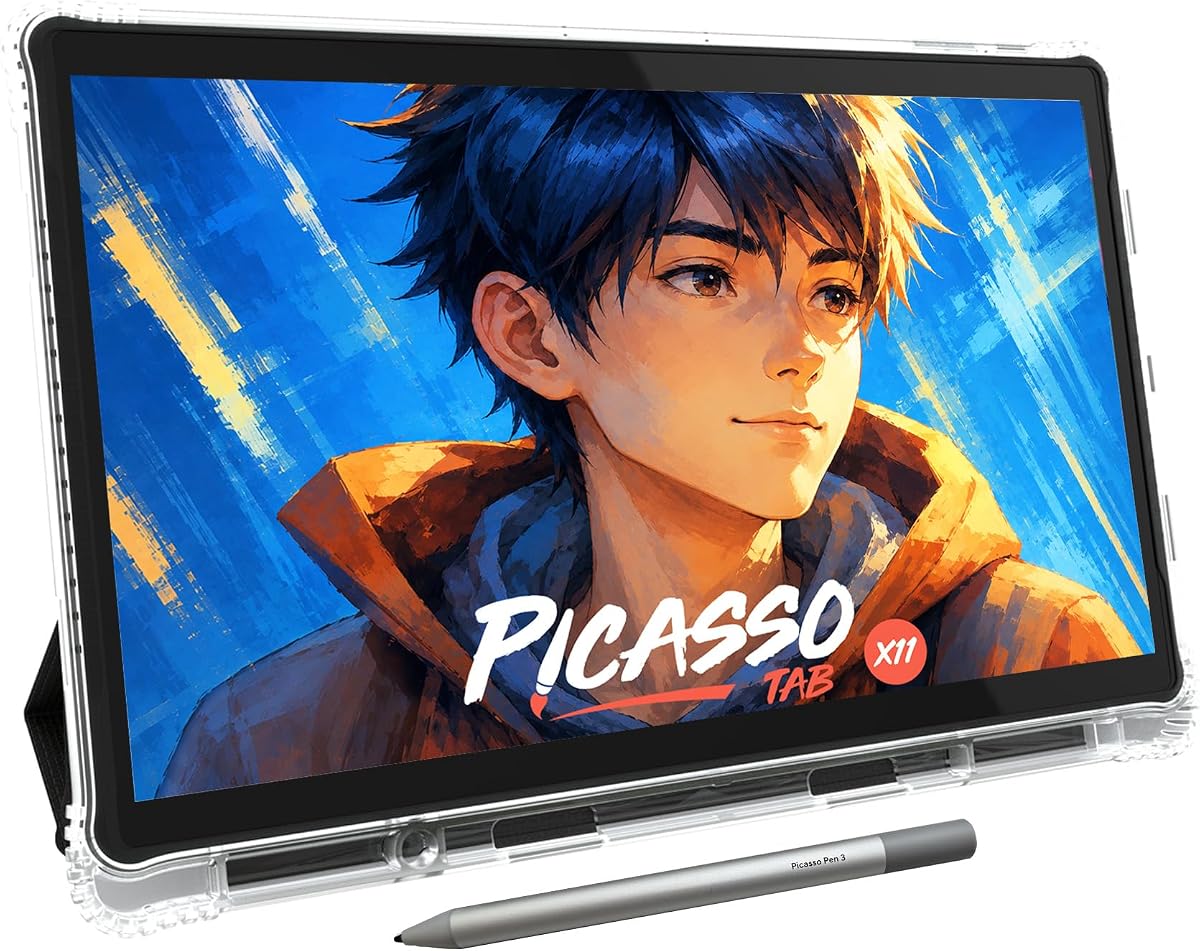
The PicassoTab X11 targets beginners and families with a standalone drawing tablet that needs no computer. With a 4.2 rating, it offers an immersive experience with a fully laminated paper-like display and 4096 pressure-sensitive stylus.
We may earn a commission when you buy through this link, at no additional cost to you.
Key strengths include lifetime VIP tutorials via Artixo which provide guided lessons for beginners. It runs on a fast octa-core processor with expandable storage and comes preloaded with five creative apps for sketching and animation.
Trade-offs involve a learning curve for those unfamiliar with Android systems and limited professional features. These are acceptable given the focus on education and user-friendly design.
This is perfect for young artists or adults exploring digital art for the first time. Its educational focus and standalone convenience make it an excellent choice for self-paced learning.
Artixo Lifetime VIP upgrade gives step-by-step lessons and beginner-friendly exercises to improve skills quickly.
Draw and design anywhere without needing a computer as it runs entirely on its own internal system.
We may earn a commission when you buy through this link, at no additional cost to you.
The Kayoubi LCD Writing Tablet offers a large canvas for young artists with its 14.5 inch screen. With a 4.6 rating, it provides a mess-free alternative to paper allowing kids to draw erase and repeat endlessly.
We may earn a commission when you buy through this link, at no additional cost to you.
Key strengths include the massive space for imagination and eye-friendly display with zero blue light. The one-click erase and lock feature prevent accidental deletions while saving masterpieces for sharing.
Trade-offs are that it is not designed for professional use and lacks advanced drawing features. However, its simplicity makes it perfect for toddlers and young children.
Choose this for a fun educational gift for ages three to eight. Its large size and safety features make it ideal for on-the-go entertainment and creative play.
The reusable doodle pad provides a cleaner paperless way to draw and erase without cleanup needed.
Designed for little eyes with zero harsh blue light or glare to avoid screen time guilt.
We may earn a commission when you buy through this link, at no additional cost to you.
The Bravokids 10 Inch LCD Writing Tablet is a lightweight portable toy for young children. With a 4.6 rating, it allows for rewriting over 100000 times saving paper and reducing environmental impact.
We may earn a commission when you buy through this link, at no additional cost to you.
Key strengths include its lightweight 150 gram weight making it easy to carry in school bags. The fixed battery door and round corners ensure safety while the colorful screen protects young eyes from glare.
Trade-offs involve basic functionality that may limit older children. But its portability and ease of use make it excellent for travel.
Pick this for quiet entertainment on trips or as a fun gift. It keeps kids engaged in learning without noise or mess in cars and restaurants.
Save thousands of paper and ink with one drawing board that can be rewritten over 100000 times.
Weighs only 150 grams and fits easily in handbags travel bags making it perfect for outings.
We may earn a commission when you buy through this link, at no additional cost to you.
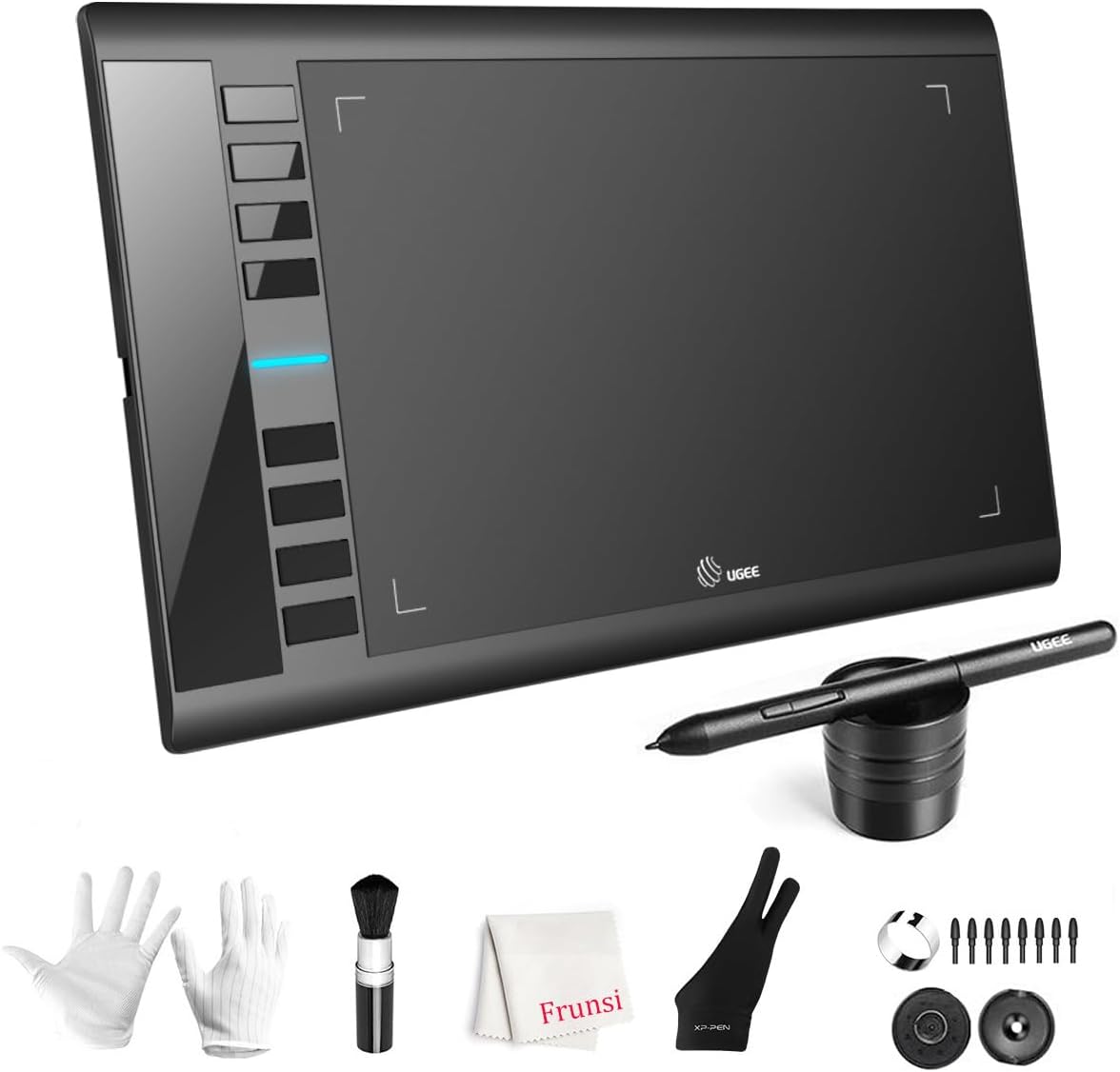
The UGEE M708 offers a large active drawing space for digital artwork creation. With a 4.4 rating, it features 10×6 inch area and 16384 pressure sensitivity levels for precise line control.
We may earn a commission when you buy through this link, at no additional cost to you.
Key strengths include eight customizable express keys for shortcuts like zoom and undo. It works well with Windows Mac Android Chrome OS and Linux supporting major software like Photoshop and SAI.
Trade-offs are needing a computer and a setup learning curve. These are acceptable for hobbyists wanting professional tools without high costs.
Ideal for beginners transitioning from traditional to digital art. Its affordable price and robust features make it a great stepping stone for new designers.
Features a 10 x 6 inch large active drawing space with papery texture surface for smooth drawing.
Eight customizable express keys on the side improve productivity by providing quick access to common commands.
We may earn a commission when you buy through this link, at no additional cost to you.
The Mafiti LCD Writing Tablet is a compact tool for office notes or kids play. With a 4.2 rating, it offers an 8.5 inch writing area that updates easily with a plastic stylus.
We may earn a commission when you buy through this link, at no additional cost to you.
Key strengths include a replaceable coin-cell battery and a built-in kick-stand for displaying messages. Its ultra-lightweight design makes it easy to carry anywhere.
Trade-offs are the small screen and focus on writing rather than detailed drawing. But its simplicity suits quick tasks.
Use this for quick memos or as a gift. Its portability and ease of use make it handy for daily reminders.
Use as a portable memo pad for home office notes with a stylus that can double as a stand.
Writing and erasing over 100000 times is possible with replaceable CR2016 battery when needed.
We may earn a commission when you buy through this link, at no additional cost to you.
The TEKFUN LCD Writing Tablet is a reliable travel toy for young children. With a 4.5 rating, it offers ten inches of colorful space for drawing and writing.
We may earn a commission when you buy through this link, at no additional cost to you.
Key strengths include waterproof and anti-fall design ensuring durability on trips. The one-second erase and lock key prevent accidental clearing while saving masterpieces.
Trade-offs are basic tech and limited to younger users. But its portability suits travel needs.
Ideal for keeping kids quiet on long drives. Its durability and ease of use make it a top pick for road trips.
Made of high-quality plastic with waterproof anti-fall features to withstand drops and liquid spills.
Achieve time and energy saving by clearing screen content in one second with the erase button.
We may earn a commission when you buy through this link, at no additional cost to you.
The Wacom Intuos Small delivers industry-leading tablet performance for digital creativity. With a 4.6 rating, it features Wacom's EMR battery-free technology that feels like pen on paper.
We may earn a commission when you buy through this link, at no additional cost to you.
Key strengths include exclusive access to creative software and online training with purchase. Its pen to paper feeling makes it preferred by graphic designers for precision and control.
Trade-offs are small size and wired connection limiting portability. However, these trade-offs are accepted for professional reliability.
Select this if you are a professional seeking precision. It suits designers and illustrators who trust established tools for complex creative work.
Enjoy superior control and precision with Wacom's EMR battery free technology that feels like pen on paper.
Register your Intuos tablet and gain access to some of the best creative software and online training.
We may earn a commission when you buy through this link, at no additional cost to you.
Choosing the right electronic sketch pad depends on your specific needs, budget, and skill level. This section outlines key factors to consider before purchasing.
Screen size affects comfort and portability. Larger screens like 11 inches suit detailed drawing while smaller ones help portability. Display types range from LCD doodle boards to full-color IPS panels.
Pressure sensitivity determines how well lines vary with pen force. Higher levels like 16K allow smoother shading and line control. Lower sensitivity is adequate for basic writing or simple doodles.
Standalone tablets work independently with built-in OS and apps. Connected tablets require a PC or Mac for full functionality. Consider whether you want portability or professional performance.
Check if preloaded software meets your needs. Some models offer Android apps while others use PC suites. Ensure compatibility with tools like Photoshop or drawing apps you already use.
Battery-free pens eliminate charging needs and improve convenience. Check device battery life for portability. Some models require power adapters while others offer long battery runs.
Build quality impacts durability especially for travel. Lightweight designs under 500g are easier to carry. Look for features like kick-stands or durable casing for extra protection.
Prices vary widely from affordable boards to premium displays. Consider warranty terms for peace of mind. Balance features against budget to find the best value for your needs.
Start by fully charging the device and installing any required apps. Follow the quick start guide to pair Bluetooth or USB connections correctly with your device.
Use the stylus with light pressure for delicate lines and firm pressure for bold strokes. Avoid touching the screen with nails or hard objects to prevent scratches or damage to the surface.
Clean the screen with a soft microfiber cloth when dusty. Store the device in a protective case and avoid extreme temperatures to extend its lifespan and performance.
Yes, many electronic sketch pads designed for professionals with high pressure sensitivity and color accuracy. Models like the XPPen and XP-PEN offer features that support detailed digital illustration and design work.
Not all models require a computer. Standalone tablets run their own operating system and apps. However, traditional graphics tablets like Wacom usually need a PC or Mac to function fully.
With proper care, most pads last several years. LCD doodle boards have long lifespans due to simple design, while advanced tablets depend on battery health and screen durability over time.
Most devices are optimized for their included stylus to ensure full feature support. Third-party pens may work for basic writing but often lack pressure sensitivity and tilt support.
Yes, LCD doodle boards are excellent for kids because they are mess-free and durable. They encourage creativity without paper waste and are safe for young children to use.
Use a soft microfiber cloth to wipe away dust and smudges gently. Avoid chemical cleaners that might damage coatings, and never use abrasive materials on the display.
We've reviewed the top ten electronic sketch pads ranging from beginner-friendly LCD boards to professional-grade displays. Each offers unique benefits tailored to different creative needs and budgets.
Prioritize pressure sensitivity and screen type based on your primary use. For learning, standalone models provide flexibility. For professional work, consider pen displays that integrate with desktop software.
Prices change frequently so check current deals before purchasing. Select the device that best matches your workflow to ensure satisfaction with your digital art journey.