
HP DesignJet T210
4.4Editor score
24-inch wide media support
95% less ink for maintenance
HP Click software included
Finding the right large format plotter printer is essential for architects, engineers, and designers who need precise technical drawings. These machines handle wide media rolls and sheets to produce crisp lines and detailed maps efficiently.
We analyzed ten leading models based on media handling, connectivity options, software integration, and overall print quality. Our comparison focuses on real-world performance for CAD files, posters, and professional large format outputs.
Each pick below showcases specific strengths like speed, warranty support, or cost-effective ink usage. Remember that pricing and availability can change, so verify current details before making your final purchasing decision today.
4.4Editor score

4.1Editor score
5.0Editor score
As an Amazon Associate we earn from qualifying purchases.
The following table provides a side-by-side overview of the ten selected large format plotter printers, highlighting key specifications and capabilities for informed decision-making.





The HP DesignJet T650 stands out as a top contender for professionals needing reliable 36-inch large format printing. With a rating of 4.1 stars, it delivers precise technical drawings and maps efficiently.
We may earn a commission when you buy through this link, at no additional cost to you.
Its key strengths include automatic media switching and fast print speeds of up to 82 A1 prints per hour. The included 2-year onsite warranty ensures minimal downtime for critical projects.
Trade-offs involve the higher price point compared to entry-level models. However, the durability and support make it a worthwhile investment for busy architecture or engineering offices.
This printer is ideal for teams requiring consistent output quality and robust support. We recommend it for any professional environment prioritizing reliability and speed.
The T650 ensures accurate lines and crisp text, vital for architectural blueprints and engineering schematics.
HP Click software allows seamless file handling directly from CAD applications, streamlining the print process.
We may earn a commission when you buy through this link, at no additional cost to you.
The HP DesignJet T210 offers an accessible entry point into large format printing with solid performance. Its 4.4 rating reflects user satisfaction with its ease of use and cost efficiency.
We may earn a commission when you buy through this link, at no additional cost to you.
Key strengths include the use of 95% less ink for maintenance compared to competitors. The automatic cutter and HP Click software simplify daily printing tasks significantly.
Users might find the 24-inch limit restrictive for wider maps. For most small studios, this size is sufficient and saves valuable floor space.
Buy this if you need reliable CAD prints without breaking the budget. It is perfect for students or small design firms needing quality on a budget.
Reduced ink usage lowers operational costs, making it ideal for frequent daily printing needs.
Drag and drop printing supports various file types, simplifying the workflow for non-technical users.
We may earn a commission when you buy through this link, at no additional cost to you.
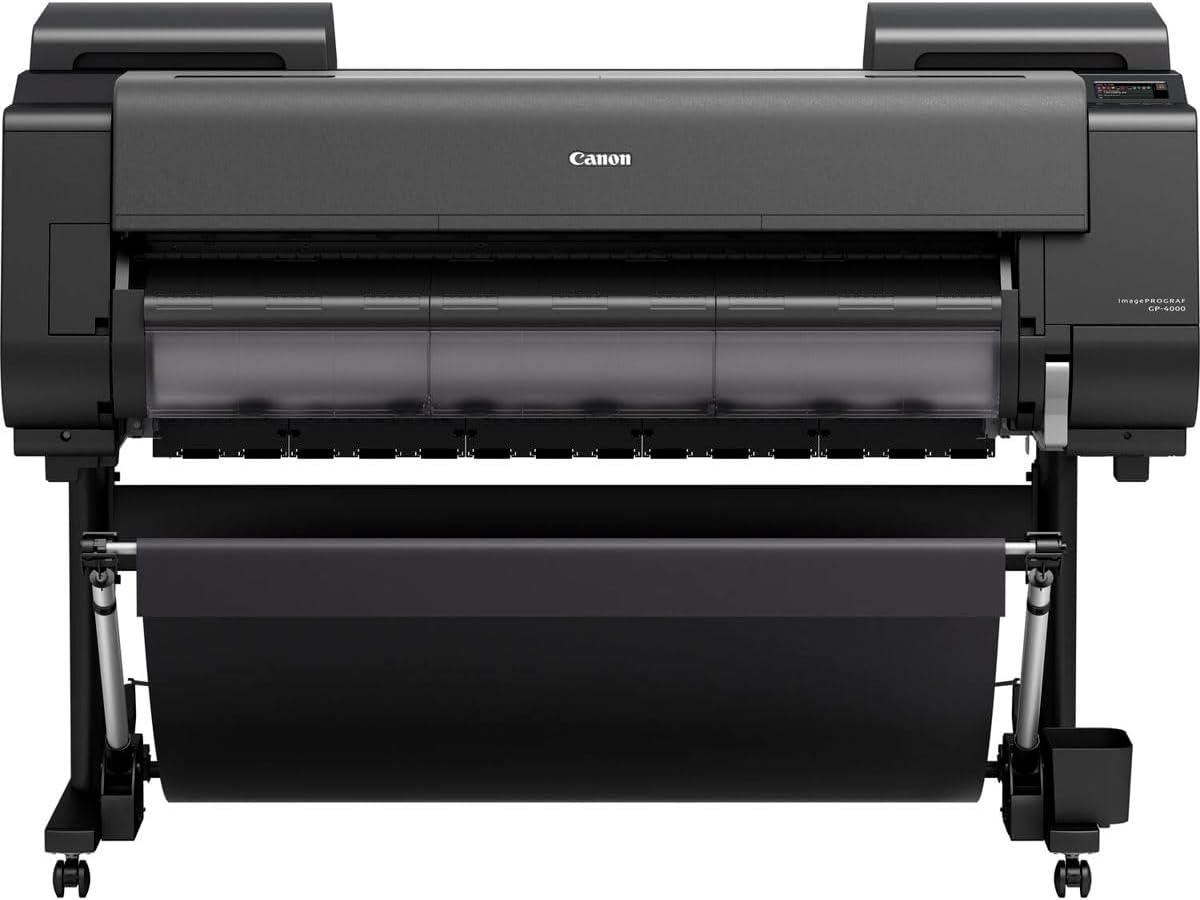
The Canon imagePROGRAF GP-4000 represents the pinnacle of large format quality with a perfect 5.0 rating. This model targets professionals demanding the highest possible output standards.
We may earn a commission when you buy through this link, at no additional cost to you.
Its strengths lie in precise color reproduction and robust build quality suitable for heavy daily use. The Platinum Reseller support ensures specialized assistance when needed.
The main trade-off is the significant financial investment required. Maintenance and ink costs are higher, but the quality justifies it for high-end presentations.
Invest in this if your projects require gallery-quality prints. It is best suited for large firms or specialized presentation studios.
Advanced ink systems ensure vibrant, true-to-life colors for client presentations and marketing materials.
Designed for continuous operation, this printer minimizes downtime during critical project deadlines.
We may earn a commission when you buy through this link, at no additional cost to you.
The HP DesignJet T630 provides a complete solution for 36-inch printing with included accessories. Its rating of 4.0 suggests solid performance for standard architectural tasks.
We may earn a commission when you buy through this link, at no additional cost to you.
Key strengths include the automatic sheet feeder and media bin which reduce manual handling. The included stand makes it ready for immediate use upon unboxing.
Compared to the T650, it lacks some advanced memory features. However, the bundle makes it a convenient choice for new setups.
Select this if you want an all-in-one package. It is great for offices needing a full 36-inch setup without separate purchases.
Inclusive accessories mean less hassle setting up the printer for immediate professional printing tasks.
Support for both roll and sheet media increases versatility for different project types and sizes.
We may earn a commission when you buy through this link, at no additional cost to you.
The HP DesignJet T210 Pack combines a reliable printer with extended protection. A 4.5 rating highlights its value for users prioritizing long-term reliability.
We may earn a commission when you buy through this link, at no additional cost to you.
Key strengths include the 2-year Care Pack which provides onsite support for peace of mind. The base performance remains consistent with the standard model.
The main trade-off is the cost of the care pack upgrade. For businesses where downtime costs more than the upgrade, this is a smart investment.
Choose this if you want security for your budget model. It is ideal for remote offices needing guaranteed support access.
The Care Pack ensures technical help is available quickly, reducing potential project delays.
Despite being a budget model, it maintains high efficiency with fast speeds and low maintenance costs.
We may earn a commission when you buy through this link, at no additional cost to you.
The Canon imagePROGRAF TC-21M offers versatile functionality with scanning and copying in one unit. Its 4.4 rating indicates satisfaction with its multi-tasking capabilities.
We may earn a commission when you buy through this link, at no additional cost to you.
Key strengths include the 2.7-inch touchscreen and USB flash drive port for quick printing without a PC. Auto sheet feeder supports up to 100 sheets efficiently.
The multifunction nature may introduce slight complexity compared to dedicated plotters. However, it saves space by combining devices.
Pick this if you need to copy blueprints directly. It suits small shops wanting printing and scanning in a single footprint.
Printing and scanning in one machine reduces clutter and simplifies workflow for small teams.
USB printing allows quick job submission from portable drives without needing network connection.
We may earn a commission when you buy through this link, at no additional cost to you.
The HP DesignJet T830 is designed for studio use with scanning and printing in a compact form. Its 4.0 rating reflects reliability for communication needs.
We may earn a commission when you buy through this link, at no additional cost to you.
Key strengths include direct printing from mobile devices and a strong HP Smart app. Wireless scanning helps share project reviews quickly among partners.
The dynamic security feature restricts third-party cartridges which can increase long-term costs. This is a trade-off for security in corporate settings.
Buy this for compact studio needs. It is best for architects who need to print and scan without a large footprint.
A smaller design fits into crowded studio spaces without sacrificing large format capabilities.
Robust wireless options allow flexible printing from anywhere in the workspace or remotely.
We may earn a commission when you buy through this link, at no additional cost to you.
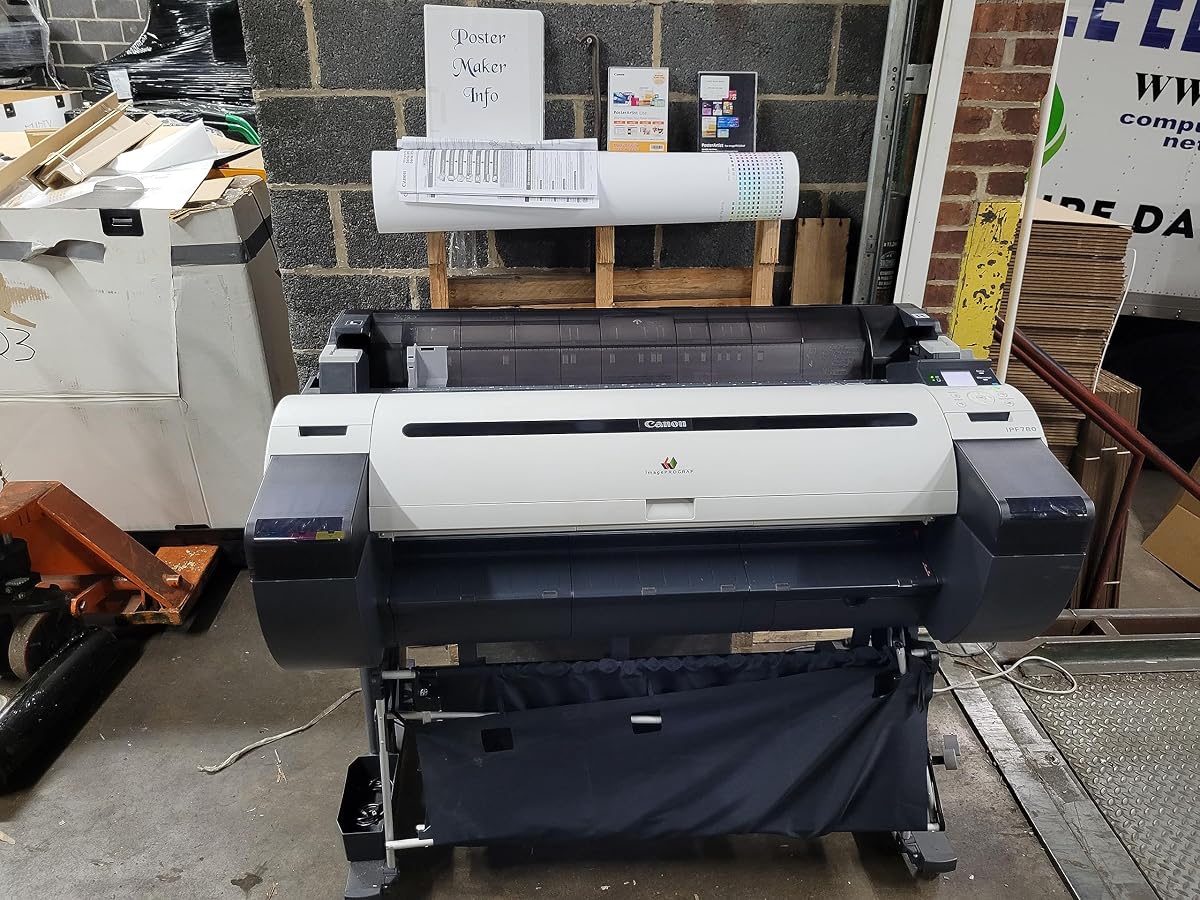
The Canon imagePROGRAF iPF780 delivers reliable 36-inch printing for professional environments. A 4.6 rating indicates strong user trust in its consistency.
We may earn a commission when you buy through this link, at no additional cost to you.
Key strengths include consistent output quality and support from a Platinum Reseller. It handles large media rolls effectively for architectural needs.
Older models may lack some modern connectivity features. However, for raw print quality it remains a solid contender in the market.
Select this if you want a wide format printer with support. It is best for established firms needing proven reliability.
Years of performance make this a reliable choice for teams needing predictable results.
Reseller backing ensures parts and assistance are accessible when technical help is needed.
We may earn a commission when you buy through this link, at no additional cost to you.
The Canon imagePROGRAF iPF785 focuses on high-quality color output for presentations. Its 4.1 rating reflects satisfaction with color accuracy.
We may earn a commission when you buy through this link, at no additional cost to you.
Key strengths include precise color management and strong Reseller support. It is ideal for marketing materials or presentation boards.
Calibration requires some time to maintain peak performance. This effort is worth it for clients who demand visual excellence.
Choose this if color is your priority. It suits designers needing vibrant, accurate prints for client reviews.
The printer ensures colors match design files exactly, crucial for branding and presentations.
Built for consistent use, it withstands daily demands in professional design environments.
We may earn a commission when you buy through this link, at no additional cost to you.
The Canon imagePROGRAF TM-305 is designed for technical precision with a 5-color system. A 4.3 rating suggests strong performance for specialized drafting.
We may earn a commission when you buy through this link, at no additional cost to you.
Key strengths include the wide media support and accurate line rendering. It handles complex CAD files with high fidelity.
The lack of a scanner may require separate equipment. However, for dedicated printing needs it is a powerful tool.
Buy this for dedicated plotting tasks. It fits firms needing pure print performance without multifunction distractions.
Technical features ensure that every line and detail is reproduced exactly as intended.
Support from a Platinum Reseller adds confidence in the product and its long-term performance.
We may earn a commission when you buy through this link, at no additional cost to you.
Selecting the right large format plotter requires balancing technical needs with budget and workflow. This guide breaks down key factors to consider before purchasing.
Most large format printers come in 24-inch or 36-inch models. Choose based on your largest standard output size. While 24-inch covers most architectural sheets, 36-inch offers better flexibility for maps.
Ensure the printer supports the roll widths you plan to use regularly.
Ink cartridges account for significant long-term expenses. Look for models with high efficiency like the HP T210. Consider cost per print when comparing brands.
High efficiency models reduce waste and save money over time.
Modern workflows require flexible connection methods. Look for Ethernet, Wi-Fi, and USB options. Wireless printing allows for easier integration with mobile devices.
Ensure compatibility with your office network and existing software.
Print speed varies significantly between models. Faster speeds mean more output per hour. Check A1/D sizes speeds to estimate daily capacity.
Select speed that matches your average project volume.
Supporting software like HP Click simplifies file handling. Ensure driver compatibility with your CAD software. Auto-nesting helps save paper.
Check that the software is regularly updated for new file types.
A good warranty protects your investment. Look for onsite support options to minimize downtime. Service contracts are often available for larger models.
Prioritize models with strong support networks in your area.
Large format printers require significant floor space. Measure your room dimensions before buying. Compact models exist for small studios.
Account for media storage space alongside the printer.
Some models include scanning and copying. This can reduce the need for separate devices. Evaluate if scanning is necessary for your workflow.
Multifunction units offer convenience for smaller teams.
Always load media carefully to avoid jams. Ensure the roll is aligned correctly in the feed tray to prevent curling.
Run regular cleaning cycles to keep print heads clear. Use approved cleaning solutions to avoid damaging components.
Store unused ink cartridges in a cool, dry place. Keep the printer covered when not in use to reduce dust accumulation.
Plotters traditionally use pens to draw lines. Large format printers use inkjets for both lines and shading. Most modern plotters are now inkjet based.
Yes, most plotters support HP-GL/2 formats. Drivers often integrate directly with AutoCAD software. Just install the printer driver correctly.
Maintenance depends on usage. Daily use requires weekly checks. Check nozzles monthly to ensure consistent quality.
Most support bond, vellum, and synthetic materials. Check the manufacturer list for specific weights. Do not use glossy media unless supported.
Buying pays off after high volume. Shops charge per square foot. For frequent prints, ownership reduces long term costs.
Choose based on your standard sheet sizes. 24-inch is enough for most architectural prints. 36-inch is better for detailed maps.
The HP DesignJet T650 leads for overall performance and support. The T210 offers the best value for smaller budgets and needs.
Prioritize media width and ink efficiency to match your workflow. Support packages are crucial for business continuity.
Prices change frequently so verify current listings before buying. Check current availability and warranty details before finalizing your order.