
HP 14 inch Laptop 2027 Edition
4.5Editor score
Anti glare coating display
Lightweight 3.24 lb chassis
128GB SSD and cloud storage
Finding a laptop with an anti glare screen is essential for anyone who spends long hours working under bright lights or near windows. These displays reduce harmful reflections, making text sharper and reducing eye strain during extended use. Whether you are a student, professional, or casual user, the right screen can transform your computing experience significantly.
We evaluated ten leading models based on display technology, processor speed, memory capacity, and overall build quality. Each product was selected for its ability to deliver clear visuals while maintaining portability and efficiency. Our analysis focuses on real-world usability, ensuring that every recommendation meets diverse needs without compromising on essential features for daily tasks.
Each pick below highlights specific strengths, from budget-friendly options to premium business machines. You will find detailed insights into what makes each model stand out in terms of screen clarity and performance. Please note that prices fluctuate frequently, so verifying current costs before purchasing is always advisable for the best value.
4.5Editor score
4.1Editor score

4.4Editor score
As an Amazon Associate we earn from qualifying purchases.
This side-by-side comparison highlights the key specifications of all ten models to help you quickly identify the best fit for your specific requirements and budget constraints.




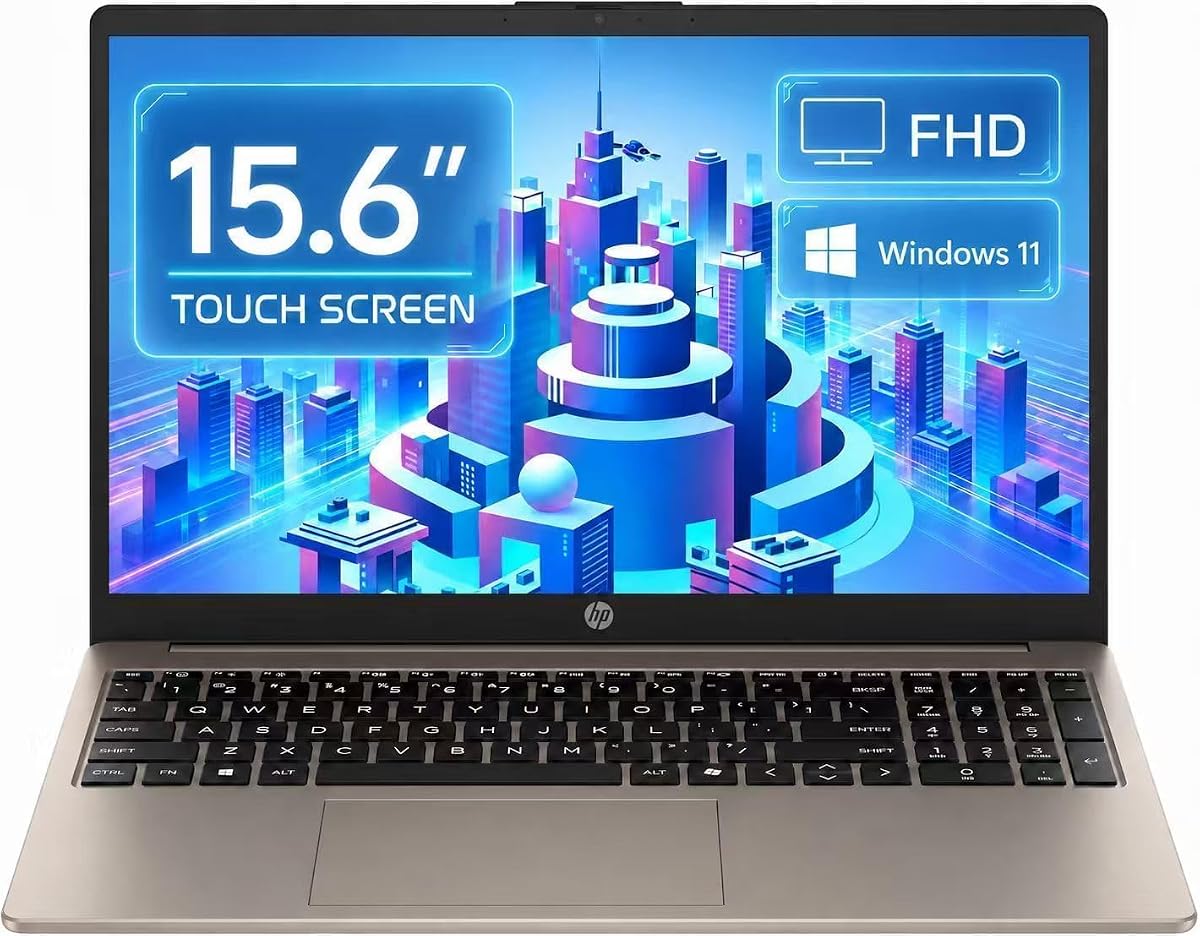
The HP Pavilion 15.6 Inch FHD IPS Touchscreen Anti-Glare Laptop stands out as a top choice for users needing a versatile display with clear visuals. Rated 4.1 stars, it combines a responsive touchscreen with an anti glare coating that minimizes reflections effectively. This balance makes it suitable for office work and media consumption alike.
We may earn a commission when you buy through this link, at no additional cost to you.
Key strengths include the generous 16GB RAM and 1TB SSD, ensuring smooth multitasking and fast boot times. The Intel Processor reaching up to 3.8GHz handles everyday tasks with ease. Additionally, the 11-hour battery life supports long workdays without constant recharging, while the privacy shutter adds a layer of security for video calls.
Honest trade-offs include the weight, which may be cumbersome for frequent travelers. Thermal performance can dip under sustained heavy loads, causing slight throttling. However, for general productivity and entertainment, these drawbacks are minimal compared to the value offered by the hardware specifications.
This laptop is ideal for students and professionals seeking a reliable machine with a large anti glare screen. It balances performance, screen clarity, and usability well. For those prioritizing a responsive touch interface and sufficient storage, this model comes highly recommended as a solid all-rounder.
The IPS panel with anti glare coating ensures wide viewing angles and reduced eye strain even in bright environments.
16GB of RAM allows seamless switching between applications without lag during daily workflows.
We may earn a commission when you buy through this link, at no additional cost to you.
The HP 14 inch Laptop 2027 Edition offers an exceptional entry-level option for those needing a basic anti glare screen experience. With a 4.5 rating, it proves that budget models can still deliver clear visuals and reliable performance for essential tasks like browsing and document editing.
We may earn a commission when you buy through this link, at no additional cost to you.
Its standout features include the lightweight 3.24 lb chassis and the anti glare coating that keeps viewing comfortable in various lighting. The Intel N150 CPU provides enough power for standard use, while the 1TB cloud storage compensates for the limited local SSD space.
The main drawbacks are the 4GB RAM and 128GB SSD, which may require reliance on cloud services for larger files. Heavy applications might struggle with this memory configuration. Nevertheless, for light users and students, these limitations are often acceptable given the low cost.
Ideal for budget-conscious buyers or secondary device needs, this laptop delivers value through portability and screen quality. If you prioritize mobility and basic functionality over raw power, it is a smart choice for everyday computing without breaking the bank.
Weighing just 3.24 lb, this laptop fits easily in bags for travel or daily commutes.
The anti glare coating reduces reflections, making the display easier on the eyes during long sessions.
We may earn a commission when you buy through this link, at no additional cost to you.
This HP model represents a premium tier of laptop with anti glare screen technology, featuring a 13th Gen Intel Core i7 processor for superior speed. Rated 4.4 stars, it delivers high-performance computing paired with a crisp 15.6 inch anti glare display for sharp visuals.
We may earn a commission when you buy through this link, at no additional cost to you.
The combination of 16GB RAM and 1TB SSD ensures ample resources for demanding workflows. Intel Iris Xe graphics enhance multimedia quality, making it suitable for light content creation. Fast charge technology adds convenience, reducing downtime when power is low.
Trade-offs include the higher price tag compared to mid-range options. Battery life can fluctuate depending on usage intensity. However, for users needing top-tier performance and display quality, these factors are justified by the hardware capabilities provided.
Best suited for professionals or enthusiasts who require power and clarity, this laptop offers a premium experience. Its anti glare screen and robust internals make it a strong candidate for those willing to invest in a high-end portable device.
The 13th Gen Intel Core i7 provides excellent efficiency and speed for multitasking and productivity.
Full HD anti glare display ensures sharp details and reduced reflections for comfortable viewing.
We may earn a commission when you buy through this link, at no additional cost to you.
This HP laptop features a bright 300 nits IPS touchscreen with anti glare properties, ideal for users needing clear visuals in various lighting. Although rating data is unavailable, the inclusion of AI noise reduction and Copilot suggests strong modern utility features.
We may earn a commission when you buy through this link, at no additional cost to you.
Key strengths include the AMD Ryzen 5 7520U processor for balanced performance and the 256GB SSD for quick access to files. The privacy shutter on the webcam adds security, while the included laptop cooler helps manage heat during use.
Trade-offs involve the limited storage capacity and lack of a dedicated GPU for gaming. For general productivity, however, the AI features and touch interface compensate well. It is a practical choice for collaboration-focused tasks.
Best for students and remote workers who prioritize video call quality and screen clarity, this model offers valuable tools. The anti glare display ensures comfortable viewing during long work sessions, making it a solid choice for professional environments.
300 nits brightness paired with anti glare coating ensures visibility even in bright rooms.
AI noise reduction filters background noise for clearer communication during video calls.
We may earn a commission when you buy through this link, at no additional cost to you.
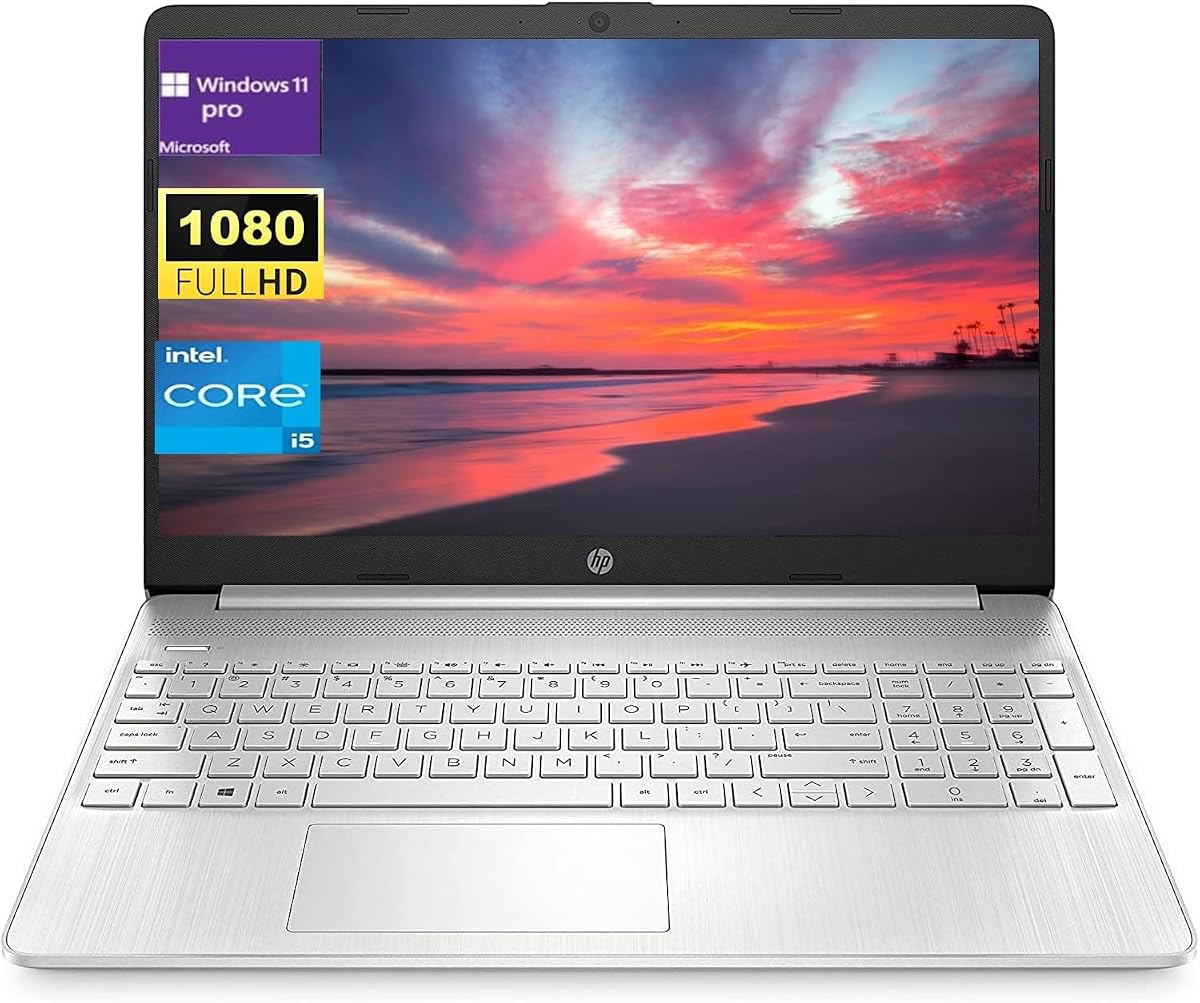
This HP model provides a solid mid-range option with Windows 11 Pro, ideal for business needs. The anti glare screen ensures comfortable viewing, while the Intel Core i5 processor delivers consistent performance for daily tasks.
We may earn a commission when you buy through this link, at no additional cost to you.
Key specs include 8GB RAM and a 512GB SSD, balancing speed and storage. The SD card reader offers versatile connectivity, and the Wi-Fi 802.11ac supports reliable networking. These features make it well-suited for corporate environments.
Trade-offs include the older generation CPU and limited RAM, which may slow heavy multitasking. However, for standard office work, these are acceptable limitations. The professional OS and display quality add significant value.
Best for professionals needing a reliable workhorse with security features, this laptop offers good value. The anti glare screen and Windows 11 Pro make it a practical choice for business users.
Windows 11 Pro provides enhanced security and management tools for business use.
FHD anti glare display offers clear visuals and reduces eye strain.
We may earn a commission when you buy through this link, at no additional cost to you.
This renewed Dell Latitude 5420 provides a cost-effective solution with robust specs. The 16GB DDR4 RAM and anti glare touchscreen make it suitable for demanding professional tasks, while the business-grade build ensures durability.
We may earn a commission when you buy through this link, at no additional cost to you.
Its strengths include the quad-core processor for efficient performance and the Windows 11 Pro OS. The renewed status lowers the price point without sacrificing core functionality. It is an excellent choice for budget-conscious businesses.
Trade-offs involve potential cosmetic imperfections due to being renewed. Storage is limited to 256GB SSD, which may need expansion. For most office tasks, however, this is a reliable and affordable option.
Best for organizations seeking enterprise-level features at lower costs, this laptop delivers value. The anti glare screen and strong RAM make it a practical pick for daily professional use.
Renewed units retain business-grade durability for rigorous daily use.
Certified renewed status offers premium specs at a reduced price point.
We may earn a commission when you buy through this link, at no additional cost to you.
The Dell 15.6 Laptop serves as a practical entry-level machine for basic needs. Rated 4.3 stars, it features a reliable Intel Core 3 processor and Dell ComfortView software to reduce eye strain during use.
We may earn a commission when you buy through this link, at no additional cost to you.
Key features include the ergonomic hinge design for comfortable typing and efficient battery life. Windows 11 Home ensures a modern interface. While basic, it handles daily tasks like browsing and word processing well.
Trade-offs include the standard display and limited memory for heavy apps. However, for budget-conscious buyers needing a simple, reliable machine, it is a great choice. The ComfortView technology adds a layer of eye protection.
Best for casual users or home use, this laptop offers essential features without unnecessary bloat. Its anti glare display helps reduce reflections, making it a comfortable option for everyday computing.
Dell ComfortView reduces harmful blue light emissions to protect eyes during extended use.
Intel Core 3 processor handles daily tasks efficiently with low power consumption.
We may earn a commission when you buy through this link, at no additional cost to you.
Rated 4.6 stars, this Lenovo Business laptop offers durable design with MIL-STD-810H testing. The anti glare display ensures clear visuals in bright settings, while DDR5 RAM provides efficient multitasking for basic tasks.
We may earn a commission when you buy through this link, at no additional cost to you.
Key specs include the Intel N150 processor and a compact, lightweight design. It includes 1 year of Microsoft 365 for productivity. The anti glare coating significantly reduces eye strain during long sessions.
Trade-offs involve limited storage space and modest processing speed for heavy apps. However, for students and home users needing reliability, these limitations are acceptable. The durability features add significant value.
Best for users needing a rugged, affordable machine, this laptop delivers consistent performance. The anti glare screen makes it comfortable for daily use in various environments.
MIL-STD-810H tested chassis ensures durability in challenging conditions.
Anti glare coating reduces reflections for comfortable long-term viewing.
We may earn a commission when you buy through this link, at no additional cost to you.
This HP model offers a massive 17.3 inch anti glare display with 300 nits brightness, ideal for multitasking. Rated 4.5 stars, it features a powerful AMD Ryzen 5 7430U processor for smooth performance.
We may earn a commission when you buy through this link, at no additional cost to you.
Key strengths include 16GB RAM and 1TB storage, providing ample resources for demanding workflows. The Copilot key allows quick access to AI features. The anti glare coating ensures clear viewing even in bright rooms.
Trade-offs include the weight and bulkiness, making it less portable. For stationary use, however, the screen real estate is invaluable. It is perfect for users needing a desktop replacement.
Best for home offices or entertainment setups, this laptop delivers a premium viewing experience. The anti glare screen and robust hardware make it a top choice for productivity.
17.3 inch display provides ample space for multiple windows and media.
300 nits anti glare coating ensures visibility in bright environments.
We may earn a commission when you buy through this link, at no additional cost to you.
Rated 4.5 stars, this HP laptop features a spacious 17.3 inch anti glare display ideal for home and office use. The AMD Ryzen 5 7430U processor delivers solid performance for multitasking and content consumption.
We may earn a commission when you buy through this link, at no additional cost to you.
Key specs include 16GB RAM and 512GB SSD for balanced speed and storage. USB-C connectivity and Wi-Fi 6 ensure modern support. The anti glare screen enhances comfort for long hours of work.
Trade-offs include the size and weight, which limit portability. However, for stationary setups, the value is excellent. The hardware configuration supports most productivity needs effectively.
Best for users seeking a large, clear screen at a reasonable price, this model offers strong value. It is an ideal choice for home offices or study areas.
Ryzen 5 processor handles daily multitasking and streaming with ease.
Anti glare display reduces eye strain during extended work sessions.
We may earn a commission when you buy through this link, at no additional cost to you.
Selecting a laptop with an anti glare screen requires evaluating display tech, performance specs, and portability.
When choosing a laptop with an anti glare screen, prioritize IPS panels for wider viewing angles and better color accuracy. Anti glare coatings reduce reflections significantly compared to glossy screens, making them ideal for bright environments. Look for brightness levels of at least 250 nits to ensure visibility in well-lit rooms.
Choose IPS with anti glare for reduced reflections and better color consistency.
The processor determines how smoothly your laptop handles tasks. Modern Intel Core i3, i5, or AMD Ryzen 5 processors offer a balance of power and battery life. For heavy multitasking, consider i7 or Ryzen 7 options. Ensure the CPU supports integrated graphics for media playback without extra hardware.
Select a processor that matches your workload to avoid slowdowns and battery drain.
RAM and SSD size are critical for responsiveness. Aim for at least 8GB RAM for smooth multitasking, with 16GB being ideal for power users. Solid State Drives (SSDs) offer faster boot times than traditional hard drives. Storage size should be at least 256GB, with cloud options supplementing local space if needed.
Prioritize at least 8GB RAM and 256GB SSD for a fluid user experience.
Consider weight and dimensions if you plan to carry your laptop daily. Models under 4 pounds are easier to transport. Look for durable materials like aluminum or reinforced plastic. Business-grade laptops often offer better build quality and longer lifespans than budget consumer devices.
Choose a lightweight, durable build if you travel frequently or work remotely.
Long battery life is essential for productivity away from outlets. Aim for at least 8 to 10 hours of usage per charge. Fast charging capabilities reduce downtime, allowing partial charges in under an hour. Efficient processors contribute to longer battery performance under typical use.
Look for 8+ hour battery life and fast charging to stay productive on the go.
Ensure the laptop has enough ports for your peripherals. USB-C and USB-A ports are essential for modern devices. HDMI allows external monitor connections for expanded workspace. Wi-Fi 6 support improves network speeds and stability. Check for SD card readers if you work with media files.
Verify you have enough ports including USB-C, HDMI, and Wi-Fi 6 for connectivity.
Webcam privacy shutters protect against unwanted surveillance. Fingerprint readers and secure PIN options add layers of security. TPM chips are crucial for enterprise-level encryption. If you work with sensitive data, prioritize laptops with these built-in security measures.
Opt for privacy shutters and secure login methods to safeguard your data and privacy.
Windows 11 Pro offers advanced features for business users, while Home suits general needs. Some models include a Microsoft 365 subscription, which adds value for productivity. Check for compatibility with specific software you rely on for work or school.
Choose an OS that supports your workflow and includes relevant software subscriptions.
To maintain the clarity of your anti glare screen, use a microfiber cloth to wipe away dust and smudges. Avoid using paper towels or harsh chemicals, as these can scratch or degrade the coating. Clean the screen gently when it is powered off to prevent static damage.
Position your laptop away from direct sunlight or strong overhead lighting to minimize glare. Adjusting screen brightness to match ambient light conditions can reduce eye strain. Utilize built-in features like blue light filters for extended use.
Ensure proper ventilation by using your laptop on a flat, hard surface. Avoid blocking air vents to prevent overheating. For optimal performance, keep the device updated with the latest system patches and driver installations to maintain screen and processor efficiency.
An anti glare screen reduces reflections from lights and windows, making it easier to see content clearly. This feature significantly lowers eye strain during long work sessions and enhances visibility in bright environments.
Not necessarily, but most modern anti glare displays use IPS technology for better viewing angles. Cheaper models may use TN panels, which can suffer from color shifts when viewed from the side.
Yes, you can apply a matte screen protector over a glossy display to reduce glare. However, this may slightly reduce color vibrancy and touch sensitivity if applicable. Professional installation is recommended for best results.
Windows 11 Home is sufficient for most standard office tasks and general productivity. However, Windows 11 Pro offers advanced security and management features that benefit enterprise users handling sensitive data.
For basic browsing and document editing, 8GB of RAM is generally sufficient. For heavier multitasking like video editing or running multiple virtual machines, 16GB or more is recommended to avoid slowdowns.
Solid State Drives (SSDs) are significantly faster than traditional hard drives, offering quicker boot times and file access. They also have no moving parts, making them more durable and energy-efficient for portable laptops.
In summary, the HP Pavilion 15.6 Inch FHD IPS Touchscreen Anti-Glare Laptop leads as our top pick due to its balance of performance and display quality. The HP 14 inch Laptop 2027 Edition offers great value for budget shoppers seeking an anti glare screen.
When choosing, prioritize the factors that matter most to your workflow. If you need a large display for productivity, models like the HP 17.3 FHD IPS LED Anti-Glare Laptop provide ample screen real estate with comfort.
Always verify current pricing and availability before finalizing your purchase. Technology prices fluctuate frequently, and ensuring you get the latest deals can save significant money on your new anti glare laptop.