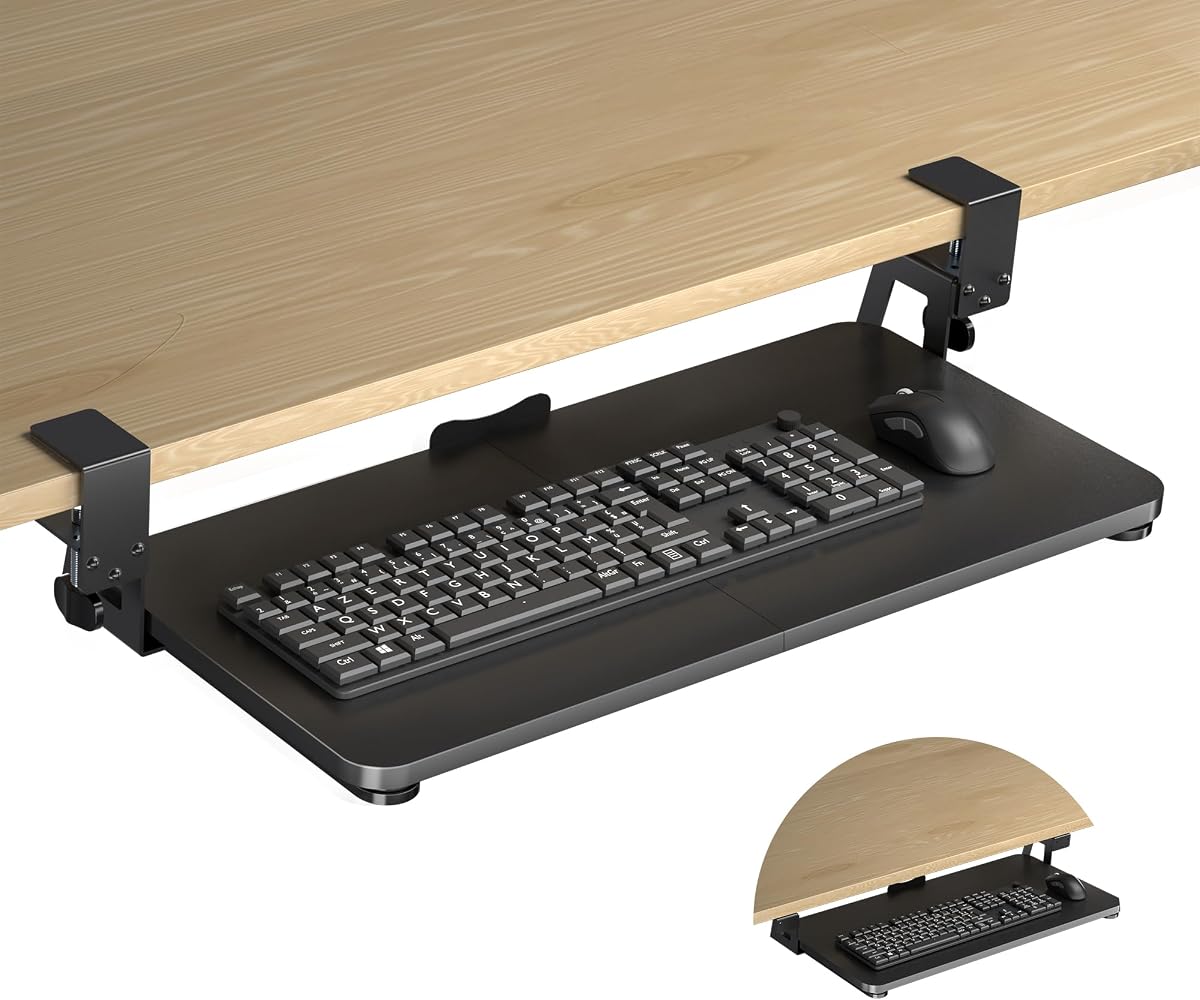
XINLEI Keyboard Tray Under Desk
4.4Editor score
Affordable price point
C-clamp and screw mount
Smooth metal rail glide
Finding the right keyboard tray for your standing desk is crucial for maintaining ergonomic health throughout the workday. A good tray allows you to adjust typing height and angle, reducing strain on wrists and shoulders while freeing up valuable desk space for other essentials.
We compared ten highly rated under-desk trays based on compatibility with standing desks, adjustability ranges, build quality, and user feedback. Our analysis focuses on models that offer smooth sliding mechanisms, sturdy clamping systems, and ample surface area for keyboards and mice.
Each pick below highlights specific strengths like budget-friendly pricing, premium features, or unique dual-use capabilities. Please note that product availability and pricing can change frequently, so always verify details on the retailer site before making your final purchase decision today.
4.4Editor score

4.4Editor score

4.3Editor score
As an Amazon Associate we earn from qualifying purchases.
The following comparison table details the key specifications of each top-rated keyboard tray. Use this side-by-side view to quickly identify which model fits your desk thickness, width requirements, and ergonomic needs.
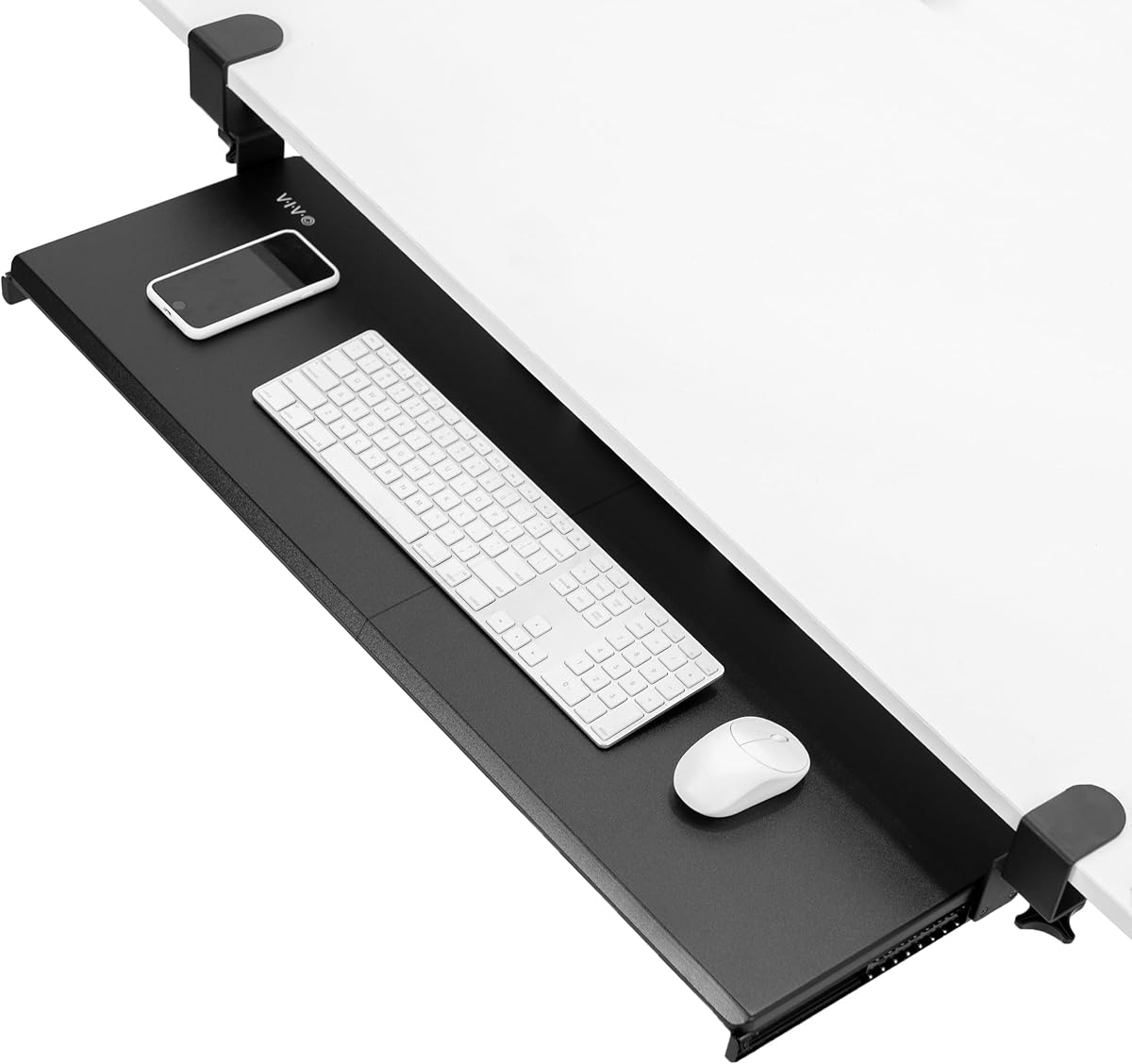


The Mount-It! Standing Keyboard Tray stands out as the top choice for users needing seamless transitions between sitting and standing. With a rating of 4.4 stars, it offers an impressive height range starting as low as 1.7 inches.
We may earn a commission when you buy through this link, at no additional cost to you.
Its scissor-lift mechanism ensures smooth adjustment across the full 15.6 inch range, allowing you to lock in a comfortable position without drifting. The wide, sturdy base with rubber feet keeps everything steady even during vigorous typing.
While the price is higher than basic models, the lifetime warranty and US-based support justify the investment. It arrives ready to use, eliminating the frustration of complex assembly often found with clamp-on competitors.
Ideal for home office workers and IT managers, this tray eliminates the need for a full desk conversion. Prioritize this model if ergonomic flexibility and long-term durability are your main purchasing criteria.
The low 1.7 inch starting height addresses a common issue where standard trays force awkward arm angles when sitting.
A lifetime warranty and dedicated US support team provide peace of mind that few other brands offer in this category.
We may earn a commission when you buy through this link, at no additional cost to you.
The XINLEI Keyboard Tray offers exceptional value, delivering robust features at a competitive price point. With a solid 4.4 rating, users appreciate its ability to free up desk space while maintaining stability during use.
We may earn a commission when you buy through this link, at no additional cost to you.
It features high-quality metal sliding rails for a silent pull-out experience, and the back baffle prevents your keyboard from sliding off. The dual mounting options allow you to choose between standard clamps or screw mounts depending on your needs.
Keep in mind the maximum desk thickness limitation of 1.63 inches for clamps. However, for most standard desks, this unit provides a secure and ergonomic typing surface without breaking the bank.
This tray is perfect for budget-conscious buyers who still want reliable performance. Choose this option if you need a simple, effective solution that maximizes desk real estate without compromising on build quality.
The screw mounting option provides a neater look and extra security for thicker desktops where clamps might struggle.
Sliding the tray fully under the desk clears surface area for monitors and documents, making it ideal for smaller workstations.
We may earn a commission when you buy through this link, at no additional cost to you.
The HUANUO Under Desk Keyboard Tray is designed specifically to overcome installation hurdles found in modern standing desks. With a 4.3 rating, it excels at fitting both flat bottoms and cross beams up to 2 inches in height.
We may earn a commission when you buy through this link, at no additional cost to you.
Its advanced metal roller track system ensures smooth sliding tested for 20,000 cycles, promising long-term reliability. The tray offers 6.3 inches of height adjustment and includes a wrist rest for enhanced comfort during long sessions.
While the price reflects these premium features, the ease of installation is a major plus. You simply hold the top plate and hang the tray, avoiding the need to wrestle with heavy hardware during setup.
Choose this model if your desk has a cross beam or if you need significant height adjustment for standing use. It is an excellent choice for ergonomic setups that demand flexibility without structural modification.
Special brackets allow installation on electric standing desks where standard clamps fail, saving time and frustration.
Combined with swivel and tilt functions, this tray lets you find the perfect typing angle for any posture.
We may earn a commission when you buy through this link, at no additional cost to you.
The VIVO Black Extra Large Clamp-on offers generous surface area for users with larger keyboards or multiple peripherals. With a 4.4 rating, it is praised for its sturdy construction and easy installation process.
We may earn a commission when you buy through this link, at no additional cost to you.
The 34-inch width provides ample room for a full-size keyboard, mouse, and other accessories. The C-clamps are solid and adjustable, securing the tray tightly to desks up to 1.25 inches thick without damage.
Users note that it slides out smoothly to relieve wrist stress. However, ensure your desk has enough width for the 39.4-inch total length before purchasing to avoid fit issues.
This tray is ideal for those needing more room than standard models offer. Prioritize this if you have a standard flat desk and want a reliable, spacious typing surface that fits comfortably under your monitor.
The extra width accommodates split keyboards or additional tools, making it great for power users.
All hardware and instructions are provided, making the setup straightforward even for those with limited DIY experience.
We may earn a commission when you buy through this link, at no additional cost to you.
The VIVO Black Clamp-on 23 to 30 distinguishes itself with an adjustable width design. With a 4.3 rating, users value its ability to fit various desk depths and its included wrist and mouse accessories.
We may earn a commission when you buy through this link, at no additional cost to you.
The tray adjusts from 23 to 30 inches in width, offering flexibility for different user setups. It includes a wrist pad and mouse rest, providing immediate ergonomic benefits without extra purchases.
Installation is easy thanks to sturdy C-clamps that hold tight. However, the height adjustment is limited to 2.4 inches, which may not suit those who stand frequently.
This is a great choice for seated typists needing a flexible fit. If you want a solution that adapts to your desk and comes with built-in comfort pads, this tray is a solid option.
Adjustable width allows you to optimize desk space usage based on your specific keyboard layout.
The included pads save money and ensure you have proper wrist support right out of the box.
We may earn a commission when you buy through this link, at no additional cost to you.
The BONTEC Under Desk Keyboard Tray is designed for damage-free installation with no-drill clamps. With a 4.4 rating, it is popular for its sturdy platform and ease of use for home office setups.
We may earn a commission when you buy through this link, at no additional cost to you.
Its C-clamps secure to desks up to 1.97 inches thick and feature protective pads to prevent scratches. The pull-out design allows you to slide the keyboard away when not in use to maximize desk space.
Ensure your desk has a flat, unobstructed underside before ordering. This model is not compatible with crossbars or curved edges, so verification is crucial to avoid return hassles.
Select this if you want a simple, secure attachment that preserves your desk surface. It is an excellent fit for renters or those who dislike drilling holes into their workspace furniture.
Protective pads on the clamps ensure your desk surface remains pristine while maintaining a firm grip.
The pull-out functionality clears space for other tools when typing is not needed during the work day.
We may earn a commission when you buy through this link, at no additional cost to you.
The VIVO Black Under Desk 25 x 10 provides a compact solution for standard workstations. With a 4.2 rating, it delivers essential ergonomic features like 5 inches of height adjustment and side-to-side rotation.
We may earn a commission when you buy through this link, at no additional cost to you.
The rubber padding supports comfortable typing angles, reducing wrist strain effectively. It is lightweight at 10 pounds, making it easy to reposition if needed. Note that crossbar desks may require a separate adapter for track mounting.
While the width is smaller than other models, it fits well in tight spaces. Always check your desk thickness to ensure compatibility, as this model has a minimum requirement for secure mounting.
This tray is best for users needing basic ergonomic relief without a massive footprint. Choose this if you have limited under-desk space but still want height and angle adjustments for comfort.
Five inches of height adjustment offers decent flexibility for seated users needing to lower their typing angle.
Full side-to-side rotation allows you to shift the keyboard out of the way quickly without moving the mouse.
We may earn a commission when you buy through this link, at no additional cost to you.
The HUANUO Under Desk Keyboard Tray features a 360-degree adjustable mouse platform that enhances workstation flexibility. With a 4.3 rating, it is highly rated for its smooth rotation and tilt options.
We may earn a commission when you buy through this link, at no additional cost to you.
It offers 6.3 inches of height adjustment for sit-to-stand setups and tilts up to 22 degrees for optimal wrist posture. The 180-degree swivel lets you move the keyboard completely out of the way when not in use.
Ensure there is no crossbar under your desk or sufficient clearance for rotation. The included wrist rest adds comfort, and the installation kit includes all necessary hardware for a quick setup.
Choose this tray if you want dynamic movement capabilities. It is ideal for those who frequently switch between tasks or need to rotate the keyboard for better viewing angles.
Swivel functionality allows you to align your typing angle perfectly with your chair without moving your legs.
The included wrist rest is integrated into the design, ensuring you have proper support immediately.
We may earn a commission when you buy through this link, at no additional cost to you.
The Klearlook Upgraded Keyboard Tray offers a unique dual-use design suitable for both above and under desk positioning. With a 4.2 rating, it includes organizer features like a drawer and phone slot to keep workspaces tidy.
We may earn a commission when you buy through this link, at no additional cost to you.
Its 360-degree horizontal rotation and 180-degree tilt capability provide extensive ergonomic customization. The integrated headphone hanger and phone slot make it an all-in-one solution for gaming or office tasks.
This model is pricier than simple trays but justifies the cost with its organizational tools. The durable construction ensures a stable platform, minimizing wobble even with heavy use.
Select this if you want more than just a keyboard tray. It is perfect for gamers or users who value integrated desk organization alongside ergonomic typing support.
The drawer and phone slot keep essential items close by, reducing clutter on your main desktop surface.
Above desk use allows for a more prominent typing position, while under desk saves space when needed.
We may earn a commission when you buy through this link, at no additional cost to you.
The Mount-It! Keyboard Tray Under Desk offers an extra-wide 30-inch surface and a higher clamp thickness limit of 1.77 inches. With a 3.9 rating, it is a functional option for specific desk types.
We may earn a commission when you buy through this link, at no additional cost to you.
The premium steel gliding rails ensure a wobble-free pull-out action. It is backed by a lifetime warranty, which is rare in this category. The C-clamp system secures without drilling, protecting your desk from damage.
While the rating is slightly lower, the extra width and support stand out. Ensure your desk has enough under-desk clearance for the 36-inch total width including clamps.
This model is best for users with thicker desks needing a wide typing area. Choose it if you need maximum width and a solid warranty backing for your workspace setup.
A lifetime warranty provides long-term protection against defects, ensuring value over years of daily use.
Steel rails prevent wobbling during typing, keeping your keyboard stable even with aggressive keystrokes.
We may earn a commission when you buy through this link, at no additional cost to you.
Selecting the right keyboard tray involves understanding your desk structure and ergonomic requirements. This guide covers key factors to help you make an informed decision.
Measure your desk edge thickness to ensure your chosen clamp will fit securely. Most trays support 1.25 to 1.77 inches, and exceeding this limit can lead to instability.
Always verify the maximum clamp thickness before purchasing to avoid installation issues and returns.
Check the total width needed including the clamp length. Some trays require up to 40 inches of space under the desk to install properly.
Confirm your desk width matches the required space to ensure a smooth fit without interference.
Look for models with 5 inches or more of height adjustment if you switch between sitting and standing often.
More adjustment range allows for better ergonomic alignment with your arm height.
Steel frames and metal rails generally last longer than plastic parts. Metal rails ensure smooth sliding without noise.
Durable materials prevent wobble and sagging over years of use.
Swivel functions let you rotate the keyboard out of the way, while tilt adjusts wrist angles. These features add versatility to your workspace.
Prioritize these if you need frequent repositioning or specific wrist comfort.
Clamp-on trays are easy to install but require flat desks. Screw-in options may be more secure for thicker desks.
Choose based on whether you prefer reversible installation or maximum stability.
Standard trays hold up to 11 lbs, which covers keyboards and mice. Ensure the limit matches your equipment weight.
Check specifications if you use large mechanical keyboards or heavy peripherals.
Lifetime warranties are available on some premium models. Check if US-based support is offered for easy resolution.
A strong warranty can protect your investment against manufacturing defects or wear over time.
Install the tray on a flat, level surface using the provided hardware. Ensure clamps are tightened securely to prevent wobbling during typing.
Adjust the height so your elbows are at a 90-degree angle while typing. This position reduces strain on wrists and shoulders.
Clean the surface with a soft cloth to remove dust and debris. Avoid using harsh chemicals that could damage the finish.
Most clamps require a solid wood or composite edge to grip securely. Glass desks usually need specialized adapters, which are often sold separately. Check if the manufacturer offers glass-specific mounting kits before buying.
Not all standing desks have flat undersides suitable for clamps. Some have crossbars or curved edges that prevent standard installation. Verify the underside of your desk against product compatibility notes.
Standard trays are around 25 to 30 inches wide. Extra-wide models may reach 34 inches for large setups. Ensure your desk has enough clearance for the total width including clamps.
Most come with clear instructions and tools, making them beginner-friendly. The process typically takes 15 to 30 minutes. Follow the manual step-by-step to avoid assembly errors.
Yes, lowering the typing surface allows for a neutral wrist position. This reduces strain compared to typing on a high desktop. Proper height adjustment is key to ergonomic benefits.
No, most clamps include protective pads to prevent scratches. Installation is reversible, meaning no permanent marks are left behind if removed properly.
Most models support up to 11 pounds, which is sufficient for standard keyboards and mice. Check limits if you have heavy ergonomic peripherals.
Yes, laptops up to 15.6 inches fit on standard trays. Ensure there is enough depth for your specific device. Some trays offer mouse space alongside the laptop.
The top picks like Mount-It! and HUANUO offer excellent balance between ergonomics and build quality. Choose based on your specific desk type and height needs.
Prioritize models with smooth rails and adjustable heights for long-term comfort. A well-chosen tray can significantly improve your daily work experience.
Always check current prices and compatibility details before buying. Availability may vary, so verify your desk measurements to ensure a perfect fit.