
Frameo Digital Picture Frame 10.1
4.6Editor score
Affordable price point
Non-WiFi upload support
Clear HD touch display
Finding the right digital picture frame for grandparents means looking for simple setup, clear screens, and secure sharing options that bridge the distance between families.
We compared ten leading models based on display quality, memory capacity, connectivity options, and user feedback to help you choose the perfect device for your loved ones.
Each pick highlights key strengths and trade-offs so you can find the best fit for your budget and needs, though prices may change over time.
4.6Editor score
4.7Editor score

4.7Editor score
As an Amazon Associate we earn from qualifying purchases.
This side-by-side comparison outlines the key specifications and features of each frame to help you decide which one matches your family needs best.


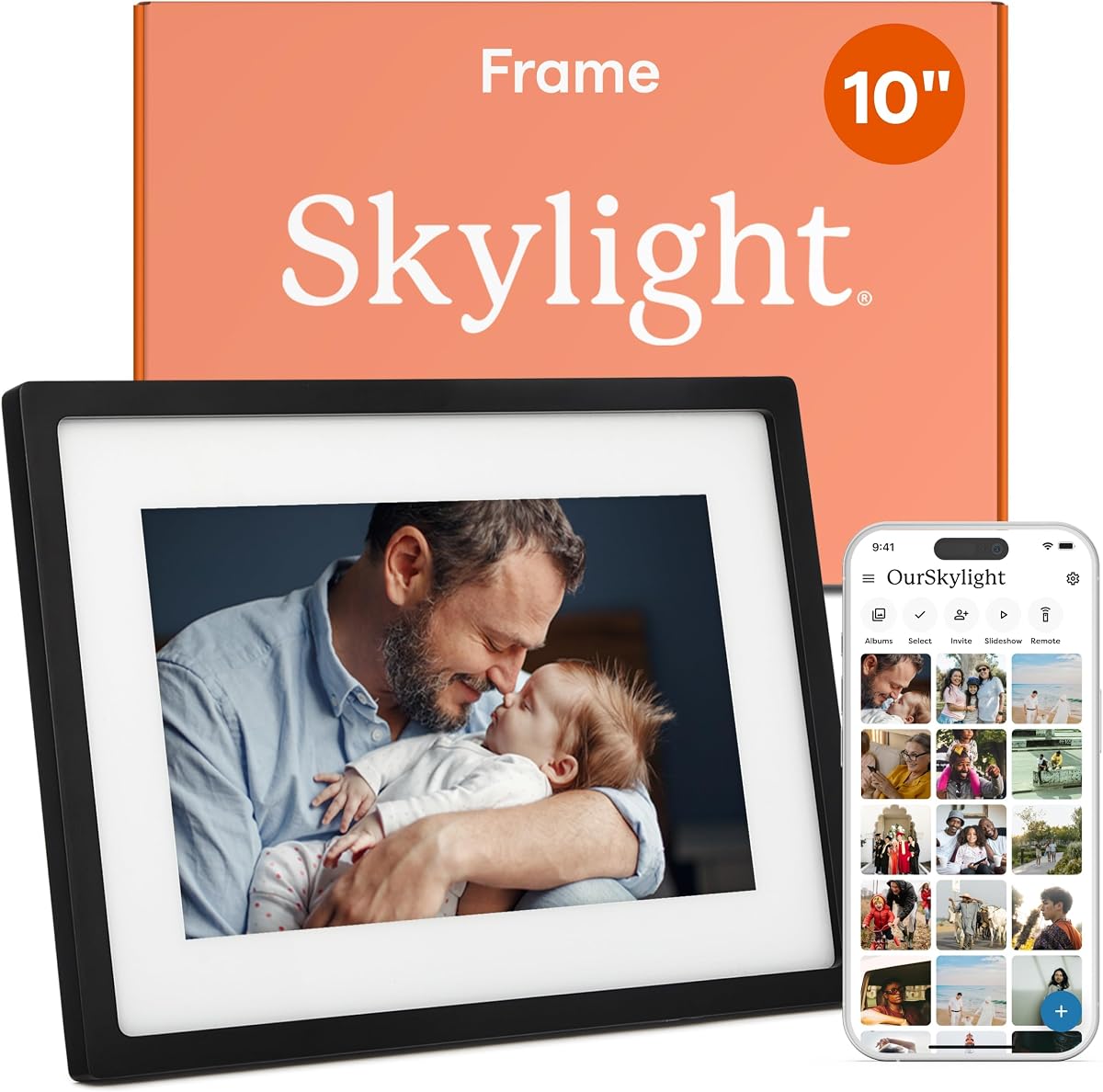
The Skylight Digital Picture Frame stands out for its unique email-based sharing system that simplifies sending photos to grandparents without needing apps or social media.
We may earn a commission when you buy through this link, at no additional cost to you.
Its 10-inch Full HD display offers clear and vibrant visuals while cloud storage eliminates the need for memory cards or complex file management.
Though it requires Wi-Fi for uploads and lacks offline upload modes, these trade-offs are acceptable for users who prioritize simplicity and ease of use.
This frame is ideal for families who want a plug-and-play solution where grandparents simply view photos sent to their dedicated email address.
Photos are sent to a unique email address making it easy for anyone to share memories without installing apps or learning new software.
The Full HD touch screen ensures every photo is shown in vibrant color with clear details that are easy to appreciate from any angle.
We may earn a commission when you buy through this link, at no additional cost to you.
This Frameo model offers excellent value with a competitive price while still providing essential features like WiFi sharing and offline USB transfer options.
We may earn a commission when you buy through this link, at no additional cost to you.
The 10.1 inch HD touchscreen displays images clearly and the magnetic stand makes switching between portrait and landscape modes effortless.
Users should note that the USB-C cable is sold separately and SD cards must be formatted to FAT32 which may require initial setup steps.
It is perfect for budget conscious buyers who want a reliable frame without sacrificing core functionality or sharing capabilities.
Photos can be transferred via USB or SD card without needing internet which is helpful for users who find WiFi setup challenging.
The magnetic support stand allows quick adjustment between orientation modes giving flexibility for wall mounting or tabletop display.
We may earn a commission when you buy through this link, at no additional cost to you.
The Aura Digital HD Picture Frame is a top choice for those seeking a premium experience with unlimited free storage and high quality display technology.
We may earn a commission when you buy through this link, at no additional cost to you.
Its automatic brightness sensor adjusts to room lighting while gift ready packaging makes it perfect for holidays or special occasions.
The higher price reflects these advanced features and build quality but users must rely on the app for photo uploads which may not suit everyone.
This model is best for users who want a polished device that blends seamlessly into home decor without ongoing subscription fees.
Unlike many competitors Aura does not charge subscription fees allowing you to add unlimited photos and videos without worry.
Every frame arrives in premium packaging with the option to preload photos and messages making it a ready to enjoy gift.
We may earn a commission when you buy through this link, at no additional cost to you.
This 15.6 inch Frameo model delivers a large immersive viewing experience ideal for sharing detailed photos and short videos with clear sound.
We may earn a commission when you buy through this link, at no additional cost to you.
Its 64GB storage can hold around 100,000 photos while the Full HD IPS display ensures vibrant colors and wide viewing angles.
The device only supports 2.4GHz WiFi and the Type-C port can be damaged if plugged in at incorrect angles which requires careful handling.
It is a great choice for those who want a bigger screen to display family memories prominently in a living room or office.
With 64GB internal memory and SD card expansion you can store vast photo libraries without needing cloud services.
Short videos can be shared via the app or imported via USB with sound to make memories more vivid and engaging.
We may earn a commission when you buy through this link, at no additional cost to you.
This Frameo variant adds a fun reaction feature allowing recipients to send emojis back to senders fostering a two way communication loop.
We may earn a commission when you buy through this link, at no additional cost to you.
The 15.6 inch FHD touchscreen provides vivid details and the Fill Frame mode lets users adjust photo layouts to fit perfectly.
Sleep mode helps conserve energy and photos can be transferred offline via SD card though video via app is limited to 15 seconds.
It suits families who want interactive sharing options combined with a large display and energy saving features for daily use.
Recipients can react to photos with fun emojis in real time adding a personal touch to the digital photo experience.
The expansive 15.6 inch display makes photos easy to see from across the room enhancing visibility for older eyes.
We may earn a commission when you buy through this link, at no additional cost to you.
The AEEZO frame uses a gravity sensor to automatically rotate photos based on orientation ensuring images are always displayed correctly.
We may earn a commission when you buy through this link, at no additional cost to you.
A light sensor adjusts screen brightness to ambient conditions while a built-in clock and weather display adds practical utility.
Photos must be imported to internal storage before playing from SD cards which is a minor limitation compared to direct playback options.
This device is well suited for users who want automatic adjustments and a clean user interface for daily viewing.
A built-in gravity sensor adjusts photo orientation based on how the frame is placed keeping images upright and clear.
Light sensors automatically adjust brightness to match the room ensuring comfortable viewing at any time of day.
We may earn a commission when you buy through this link, at no additional cost to you.
This Akimart frame stands out with its integrated calendar sync that displays daily schedules alongside photos for better organization.
We may earn a commission when you buy through this link, at no additional cost to you.
Collage mode allows up to six photos to be shown at once while recipients can react with emojis to engage with senders.
The Frameo app ensures secure sharing and auto rotate keeps images upright though video sharing is limited to short clips.
It is a strong option for busy families who want a device that combines memories with practical daily planning features.
Integrated calendar syncs with common providers to display daily schedules alongside photos helping users stay organized.
Flexible collage mode displays multiple photos at once in vibrant layouts to show more moments on the screen.
We may earn a commission when you buy through this link, at no additional cost to you.
The Flyruit Frameo model includes a special greeting feature for birthdays and holidays making it a thoughtful gift for loved ones.
We may earn a commission when you buy through this link, at no additional cost to you.
Its large 15.6 inch Full HD display brings photos to life with crisp details while secure app sharing keeps privacy intact.
Non-WiFi transfer via SD card or USB-C allows easy setup without internet though USB cables may be purchased separately.
This frame is ideal for users who value special occasion features and want a visually impressive device for home display.
Send themed pictures or greetings on special days adding a personal layer of care to the shared photo experience.
The expansive screen ensures every detail is visible making it perfect for displaying cherished family moments clearly.
We may earn a commission when you buy through this link, at no additional cost to you.
This listing currently lacks complete product details so you should check the current Amazon page for accurate specs and availability.
We may earn a commission when you buy through this link, at no additional cost to you.
When considering this model look for display size memory capacity and sharing options that match your specific family needs.
Since data is incomplete we cannot recommend it without verification but it may become a viable option if updated soon.
It is best to focus on models with full documentation to ensure you get a reliable frame for your grandparents.
Check the latest product details and reviews on Amazon to ensure this frame meets your expectations before purchase.
Compare its specs with other models in this guide to ensure it offers the best value for your needs.
We may earn a commission when you buy through this link, at no additional cost to you.
Like the previous item this model lacks complete data so please verify details on the Amazon page before considering it.
We may earn a commission when you buy through this link, at no additional cost to you.
Prioritize frames with clear specifications such as screen resolution storage size and ease of use for older adults.
Incomplete listings may be temporary or mislabeled so rely on fully documented products to avoid buyer confusion.
For the best experience choose a model with proven features and support to keep your grandparents connected easily.
Review the latest product details on Amazon to confirm specifications and availability before making a purchase decision.
Focus on frames with clear documentation to ensure reliability and avoid issues with undefined features or support.
We may earn a commission when you buy through this link, at no additional cost to you.
Selecting the ideal digital picture frame for grandparents requires balancing usability with features that enhance connectivity and enjoyment.
Choose a screen size large enough for your grandparents to see details clearly from their usual viewing distance such as living rooms or kitchens.
Higher resolution like Full HD ensures images appear vibrant and sharp making memories look their best on the digital canvas.
Look for models with simple setup processes such as plug-and-play options or dedicated email sharing that reduce technical barriers.
User-friendly interfaces with touch controls or physical buttons make it easier for seniors to navigate and enjoy the device.
Decide whether WiFi sharing or offline methods like USB or SD card best fit your family needs and tech comfort levels.
Secure apps like Frameo provide privacy while ensuring that photos sent are only viewable by invited family members.
Ensure the frame has enough internal memory or cloud storage to hold years of photos without needing constant deletion.
External storage options like SD card slots add flexibility for large libraries and backup without relying on internet.
Frames with sleep mode or auto off features help save energy and reduce wear on the device during unused hours.
Adjustable brightness controls allow the screen to match ambient light reducing eye strain and preserving battery life.
Extra tools like calendar sync, weather displays, or greeting cards add practical value that extends beyond simple photo viewing.
Reaction emojis and two way sharing features can make the experience more interactive and engaging for all family members.
Check for sturdy frames and reliable port designs that can withstand daily handling without breaking or malfunctioning easily.
Manufacturers with good warranty and support ensure you get help if issues arise over the life of the product.
Set a realistic budget that balances cost with essential features so you do not overspend on unneeded extras.
Consider long term costs such as subscription fees to ensure the frame remains affordable and free for years to come.
Begin by plugging the frame into power and connecting it to a stable 2.4GHz WiFi network using the provided app instructions.
Download the matching app on your phone and invite family members to share photos ensuring everyone knows how to upload securely.
Place the frame on a level surface or mount it on a wall away from direct sunlight to protect the screen and extend its lifespan.
Most modern frames are designed with simple interfaces and intuitive apps that make it easy for seniors to view photos. Features like auto rotate and one-click sharing further reduce complexity. If your grandparents are not tech-savvy look for models with physical buttons or email-based sharing to simplify the experience.
Many frames support offline modes where photos can be uploaded via USB or SD card without needing an internet connection. This is helpful for users who find WiFi setup difficult. However real-time sharing usually requires a stable network connection to function properly.
A 32GB frame can store roughly 50,000 photos which is plenty for most families. If you plan to share many videos or want longer term storage look for models with 64GB or more or choose cloud-based options.
Yes most digital frames support short video clips with audio that play automatically during the slideshow. Some apps limit video length to 15 seconds to keep loading fast and storage efficient.
A 10 to 15 inch screen is ideal for most home settings as it balances visibility with space. Larger screens help older eyes see details better but ensure the frame fits well on your intended surface.
Many top models like Aura and Skylight offer unlimited free storage without subscription fees. Always check the product details to avoid hidden costs since some brands may require paid plans for full cloud access.
Avoid placing objects on the screen and clean it gently with a soft cloth. Keep it out of high traffic areas where accidental bumps could occur.
You can set up the frame with email sharing or a dedicated app so others send photos to the device automatically. You act as the bridge while they simply enjoy the results on their screen.
We reviewed ten top models highlighting the Skylight for email simplicity the Frameo 10.1 for budget value and Aura for premium storage.
When choosing prioritize ease of use display quality and sharing options that match your grandparents comfort with technology.
Remember to check current prices and availability before buying since costs can change and features may vary by region.