
SSK Portable SSD 1TB
4.5Editor score
1050MB/s read speed
Lightweight 36g design
USB-C and USB-A cables
This guide compares the top external SSDs for MacBook Neo focusing on speed compatibility durability and value to help you choose the right storage solution
Choosing the right external SSD for MacBook Neo is crucial for professionals and creators who need reliable high speed storage on the go. These drives offer fast data transfer rates robust build quality and seamless compatibility with modern USB C ports found on Apple devices.
We have evaluated ten leading models based on real world performance metrics durability features and overall value. Our analysis considers read and write speeds thermal management resistance ratings and encryption capabilities to ensure you get a drive that meets your specific needs.
Each pick in this list highlights key strengths and potential trade offs so you can make an informed decision quickly. Prices and availability can change frequently so be sure to check the current listings before making your final purchase decision today.
4.5Editor score

4.6Editor score

4.6Editor score
The following table provides a side by side comparison of all ten external SSDs reviewed in this guide allowing you to quickly assess their specifications and key features at a glance.






The Samsung T9 Portable SSD stands out as the top choice for MacBook Neo users who demand maximum speed and reliability. With a rating of 4.6 stars it delivers sustained read and write speeds of up to 2000MB/s making it ideal for heavy workloads.
We may earn a commission when you buy through this link, at no additional cost to you.
Its Dynamic Thermal Guard ensures the drive stays cool even during extended file transfers or video editing sessions. The Magician Software provides easy firmware updates and drive health monitoring which adds significant value for professional users.
While it is pricier than some competitors the performance gains justify the cost for those working with large files. The need for a specific cable for optimal speeds is a minor inconvenience compared to the overall efficiency.
For creators and professionals who need fast reliable storage on the go this drive is the best investment. It balances speed durability and software support better than any other model on this list.
The T9 supports USB 3.2 Gen 2×2 allowing it to reach speeds double that of standard USB 3.2 Gen 2 drives for faster file transfers.
Dynamic Thermal Guard technology actively manages heat to prevent throttling ensuring consistent performance during long tasks.
We may earn a commission when you buy through this link, at no additional cost to you.
The SSK Portable SSD offers an impressive balance of performance and affordability making it the best budget option for MacBook Neo users. With a 4.5 star rating it provides speeds up to 1050MB/s which is sufficient for most daily tasks.
We may earn a commission when you buy through this link, at no additional cost to you.
Weighing just 36.6 grams it is incredibly portable and easy to carry in a pocket or small bag. The aluminum alloy case helps dissipate heat effectively ensuring the drive stays cool during use.
Although it may not have advanced software features its SLC caching ensures consistent write speeds within the cache capacity. This makes it a reliable choice for transferring photos videos and documents without breaking the bank.
If you need a dependable drive without spending a lot this model is an excellent choice. It delivers the core benefits of an external SSD with a focus on portability and value.
At just 36.6 grams this drive is one of the lightest options available perfect for travelers and minimalists.
Includes both USB-C and USB-A cables ensuring compatibility with a wide range of devices and older systems.
We may earn a commission when you buy through this link, at no additional cost to you.
The Sandisk 2TB Extreme Portable SSD is the premium choice for users who prioritize durability and security alongside performance. With a 4.6 star rating it offers up to 1050MB/s read speeds and robust protection against water and dust.
We may earn a commission when you buy through this link, at no additional cost to you.
Its IP65 rating and 3 meter drop protection make it ideal for harsh environments or travel where the drive might face rough handling. The included password protection with 256 bit AES hardware encryption keeps your data secure from unauthorized access.
While it is more expensive than other models the 2TB capacity and rugged build justify the investment for professionals who need reliable storage. The SanDisk Memory Zone app helps manage files and free up space automatically.
For those who need a tough secure drive with large capacity this model is the best option. It combines high performance with features that protect your data in any situation.
IP65 water and dust resistance plus 3 meter drop protection ensure the drive survives challenging conditions and accidental drops.
Built in 256 bit AES encryption keeps your private files secure without requiring additional software installation.
We may earn a commission when you buy through this link, at no additional cost to you.
The Lexar ES3 1TB Portable SSD is designed for users who value slim form factors and portability. With a 4.4 star rating it delivers speeds up to 1050MB/s and fits easily into any pocket or bag.
We may earn a commission when you buy through this link, at no additional cost to you.
Measuring just 10.5mm thick and weighing 42 grams this drive is among the thinnest options available. It comes with a Type-C cable for plug and play convenience and supports a wide range of devices including laptops and cameras.
DataShield encryption software protects your files from unauthorized access adding a layer of security without extra hardware. While it lacks some of the rugged features of other models its thin design makes it perfect for everyday carry.
If you need a sleek drive that is easy to carry this model is a great choice. It offers solid performance and essential security features in a compact package.
At only 10.5mm thick this drive is smaller than a card making it easy to slip into a pocket or thin case.
Includes Lexar DataShield software with 256 bit AES encryption to protect your files from unauthorized access.
We may earn a commission when you buy through this link, at no additional cost to you.
The SAMSUNG T7 Portable SSD 1TB is a versatile option that delivers solid performance across a wide range of use cases. With a 4.7 star rating it offers speeds up to 1050MB/s and is built to withstand everyday wear and tear.
We may earn a commission when you buy through this link, at no additional cost to you.
Its solid aluminum unibody construction provides excellent heat dissipation and durability ensuring the drive remains cool during extended use. It supports 4K 60fps video recording directly from cameras or mobile devices making it suitable for creators.
While it does not have the latest USB 3.2 Gen 2×2 speeds it is reliable enough for most tasks including gaming and content creation. The shock resistance up to 6 feet ensures your data is safe even if the drive is dropped.
For users who need a reliable versatile drive without the latest specs this model is a great choice. It balances performance durability and value effectively for students and professionals alike.
Solid aluminum unibody construction and shock resistance up to 6 feet protect the drive from drops and daily use.
Supports 4K 60fps video recording directly onto the drive making it ideal for camera users and content creators.
We may earn a commission when you buy through this link, at no additional cost to you.
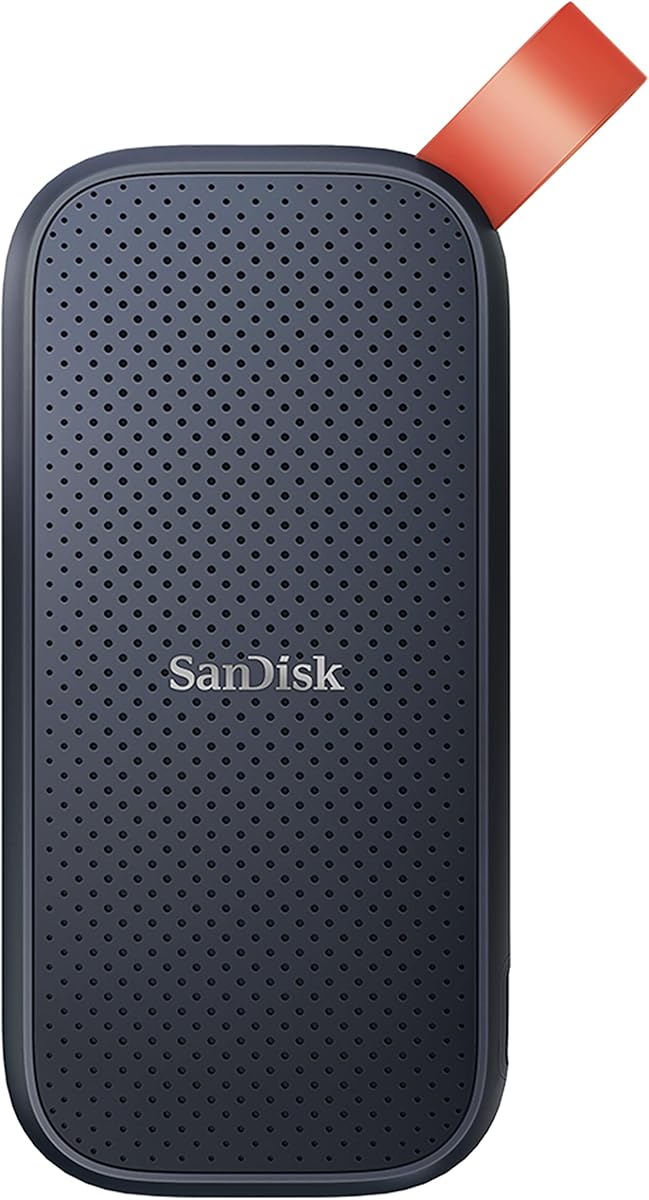
The Sandisk 1TB Portable SSD is a legacy model that offers reliable performance at an affordable price point. With a 4.5 star rating it provides speeds up to 800MB/s which is sufficient for general storage and backup tasks.
We may earn a commission when you buy through this link, at no additional cost to you.
Its durable design includes up to 2 meter drop protection and a tough rubber hook for securing it to a belt loop or backpack. This makes it a practical choice for users who need simple storage without advanced features.
Although it is older than other models on this list it still delivers solid performance for everyday use. The Sandisk Memory Zone app helps manage files and free up space automatically adding convenience for all users.
If you need a budget friendly drive from a trusted brand this model is a solid option. It offers the essential benefits of an external SSD without the latest high speed specifications.
The tough rubber hook allows you to secure the drive to a belt loop or backpack for extra peace of mind on the go.
SanDisk Memory Zone app helps manage files and automatically free up space for easy maintenance and organization.
We may earn a commission when you buy through this link, at no additional cost to you.
The Lexar 2TB ES3 External SSD provides ample storage for users who need to keep large files organized and accessible. With a 4.5 star rating it delivers speeds up to 1050MB/s and includes built-in graphite sheets for heat dissipation.
We may earn a commission when you buy through this link, at no additional cost to you.
The drive is drop-resistant up to 2 meters ensuring durability for everyday and office use. Its 2-in-1 USB-C and USB-A cable makes it easy to connect with PCs Macs tablets and smartphones without adapters.
While it does not offer the latest speeds it provides sufficient performance for most storage needs. The large capacity makes it ideal for backing up media libraries or working on extensive projects without running out of space.
For those who need more storage without compromising on reliability this model is a great choice. It balances capacity durability and ease of use effectively for professionals and students.
2TB capacity offers plenty of space for large media files extensive projects and backups without running out of room.
Double layer graphite sheets conduct heat efficiently keeping the drive cool during fast transfers and heavy use.
We may earn a commission when you buy through this link, at no additional cost to you.
The Lexar D70E 1TB Dual Drive stands out with its unique cable-free design featuring dual USB-C and USB-A connectors for direct seamless backups. With a 4.7 star rating it offers speeds up to 2000MB/s read and 1800MB/s write.
We may earn a commission when you buy through this link, at no additional cost to you.
This design eliminates the need for carrying extra cables making it extremely convenient for users who want simplicity and efficiency. The metal housing and integrated lanyard loop provide added protection and portability for everyday carry.
While it may not fit every port configuration its dual connectors cover most modern devices. The Lexar App allows for automatic backups of photos and videos ensuring your data is always safe and accessible.
If you need a drive that is easy to use without cable clutter this model is a great option. It combines speed convenience and security in a compact package suitable for professionals on the go.
Dual USB-C and USB-A connectors eliminate the need for cables making backups seamless across Mac PC and mobile devices.
Lexar App allows for automatic backups of photos and videos ensuring your data is safe without manual intervention.
We may earn a commission when you buy through this link, at no additional cost to you.
The Sandisk 1TB Extreme PRO Portable SSD is an older model that still delivers impressive speed and durability for demanding users. With a 4.5 star rating it offers read speeds up to 2000MB/s and features a forged aluminum chassis.
We may earn a commission when you buy through this link, at no additional cost to you.
This chassis acts as a heatsink to deliver higher sustained speeds in a portable drive tough enough for any adventure. It includes IP65 water and dust resistance and password protection with 256 bit AES hardware encryption for security.
While it is an older model its performance remains competitive with newer drives making it a good value if available. The SanDisk Memory Zone app helps manage files and free up space automatically for easy maintenance.
If you need fast rugged storage without the latest features this model is a strong contender. It balances speed durability and security in a package that has stood the test of time.
Forged aluminum chassis acts as a heatsink to deliver higher sustained speeds and withstand any adventure or drop.
Included password protection with 256 bit AES hardware encryption keeps private content secure from unauthorized access.
We may earn a commission when you buy through this link, at no additional cost to you.
The Western Digital 1TB My Passport SSD is a reliable cross-platform option that works seamlessly with Mac and PC systems. With a 4.5 star rating it offers speeds up to 1050MB/s and features password protection with hardware encryption.
We may earn a commission when you buy through this link, at no additional cost to you.
Its sturdy build and resistance to shock vibration and drops up to 6.5 feet ensure durability for travel and daily use. Cross compatibility with USB 3.2 Gen-2 and USB-C allows for fast data transfer between different devices.
While it does not include a cable in the box its performance and security features make it a practical choice for most users. The hardware encryption keeps your data secure without requiring additional software installation or setup.
If you need a drive that works across multiple platforms with strong security this model is a solid option. It provides reliable performance and essential features for users who value simplicity and protection.
Cross compatible with USB 3.2 Gen-2 and USB-C allowing seamless use with Mac PC and older systems without issues.
Password enabled 256 bit AES hardware encryption keeps your data secure from unauthorized access without extra software.
We may earn a commission when you buy through this link, at no additional cost to you.
Choosing the right external SSD for MacBook Neo requires understanding your specific needs regarding speed capacity durability and budget.
When selecting an external SSD for MacBook Neo consider the read and write speeds required for your workflow. High speed drives with USB 3.2 Gen 2 or Gen 2×2 support ensure fast file transfers which is crucial for video editing or large data sets.
Look for drives offering at least 1000MB/s read speeds to avoid bottlenecks and maintain efficient productivity when working on the go.
Determine how much storage you need based on the size of your projects and files. Options range from 1TB to 2TB or more allowing you to store extensive media libraries or backup entire system images.
Choose a capacity that gives you enough room to work comfortably without running out of space or needing multiple drives.
If you plan to carry your drive frequently look for models with robust protection against drops and environmental factors. IP ratings and drop protection specs indicate how well the drive can withstand accidental falls or exposure to water and dust.
A rugged drive ensures your data remains safe even if the drive is subjected to rough handling or challenging conditions.
For sensitive data prioritize external SSDs that offer hardware encryption or password protection. These features ensure that your files are secure from unauthorized access even if the drive is lost or stolen.
Software tools that manage encryption and backups add an extra layer of convenience and security for your important files.
Ensure the external SSD is compatible with your MacBook Neo and any other devices you use. USB-C connectivity is standard for modern Apple devices but having USB-A support allows for flexibility with older systems.
Check that the drive supports the operating systems you use such as macOS and Windows for seamless file sharing.
Consider the weight and size of the drive especially if you travel often. Lightweight and compact models make it easy to carry your storage in a pocket or small bag without adding bulk to your setup.
A slim profile and light weight enhance convenience for users who need to move their data between locations frequently.
Many external SSDs come with software tools for file management backups and firmware updates. These apps can automate tasks and keep your drive running at peak performance over time.
Choose a drive with intuitive software that helps you manage your files efficiently without requiring technical expertise.
Set a budget that balances cost with the features you need. While higher end models offer advanced capabilities budget options can still provide sufficient performance for everyday storage and backup tasks.
Invest in a drive that offers the best value for your specific use case without overspending on unnecessary features.
Connect your external SSD to your MacBook Neo using the appropriate USB-C cable ensuring the connection is secure before transferring files. Always eject the drive safely through the operating system to prevent data corruption or loss.
Keep the drive in a protective case when not in use to shield it from physical damage dust and scratches. Avoid exposing it to extreme temperatures or direct sunlight which can affect performance and longevity.
Regularly update the firmware using the manufacturer's software to ensure optimal performance and security. Monitor the drive's health and free up space periodically to maintain fast transfer speeds and reliable operation.
The Samsung T9 Portable SSD offers the fastest speeds with up to 2000MB/s read speeds making it ideal for high performance tasks. It uses USB 3.2 Gen 2×2 technology to deliver sustained performance even during large file transfers.
Yes external SSDs are significantly faster more durable and more energy efficient than traditional hard drives. They offer quicker file access and are better suited for the portable and high performance needs of MacBook Neo users.
If the drive is used exclusively with macOS formatting it to APFS or HFS+ is recommended for optimal performance. For cross-platform use exFAT is a good choice as it is compatible with both macOS and Windows.
Use external SSDs with built-in hardware encryption or password protection to secure your files. Additionally regularly back up important data to multiple locations to prevent loss in case of drive failure.
Yes many external SSDs with USB-C support work with iPhone 15 Pro models for direct file capture and backup. Ensure the drive has the appropriate cable and supports the required file system for iOS compatibility.
For most users 1TB to 2TB provides enough space for photos videos and projects. Choose a capacity that accommodates your current files and leaves room for future growth without needing multiple drives.
The Samsung T9 SSK Portable SSD and Sandisk 2TB Extreme are the top picks for speed budget and durability respectively. Each offers distinct advantages depending on your specific workflow and storage needs.
Prioritize speed and durability if you work with large files or travel frequently. Otherwise budget models provide sufficient performance for everyday tasks without compromising on reliability.
Remember to check current prices and availability before purchasing to ensure you get the best value for your money. The market changes quickly so staying informed helps you make the right choice for your needs.