
Light Gaming Laptop, ΑΜD Ryzen 7 5700U(Up to 4.3GHz), 16GB RAM 512GB SSD
4.6Editor score
AMD Ryzen 7 5700U Processor
16GB DDR4 RAM
512GB NVMe SSD
Finding the right laptop for emulators requires balancing raw processing power with thermal efficiency. Emulators demand significant CPU cycles and GPU resources to mimic console hardware accurately. A suitable machine ensures smooth gameplay without frame drops or input lag during extended sessions.
We evaluated ten diverse laptops ranging from budget-friendly options to high-performance gaming rigs. Our comparison focuses on processor architecture, memory speed, storage throughput, and display quality. Each device was assessed for its ability to handle demanding emulation tasks effectively.
Every pick highlights specific strengths like core count, DDR5 support, or advanced cooling systems. Prices fluctuate frequently so always verify current listings before purchasing. These selections represent the best value and performance available for emulator enthusiasts in November 2026.
4.6Editor score

5.0Editor score

4.4Editor score
As an Amazon Associate we earn from qualifying purchases.
This side-by-side comparison highlights key specifications across all ten selected laptops. We focus on processor type, memory capacity, storage speed, and graphics capabilities to help you identify the optimal choice for your emulation needs.




This NIMO laptop stands out as the top choice for emulator enthusiasts requiring high performance. With a perfect 5.0 rating it delivers exceptional speed for complex emulation tasks. The powerful hardware configuration ensures smooth operation across a wide range of console simulations.
We may earn a commission when you buy through this link, at no additional cost to you.
The AMD Ryzen 7 8745HS processor provides up to 4.9GHz speed for demanding workloads. Paired with 64GB of DDR5 RAM multitasking remains fluid even with multiple emulators open. The Radeon 780M graphics handle rendering efficiently while the 2TB SSD offers ample space for game libraries.
While the device runs warmer under heavy load the cooling system manages heat effectively. The higher price reflects the premium components but the value proposition is strong for serious users. This model balances power and portability better than most competitors in its class.
Buyers seeking maximum performance for emulation will find this laptop ideal. It supports intensive AI tasks and video editing alongside gaming needs. The 2-year warranty adds peace of mind for long-term usage scenarios.
The 8-core CPU ensures rapid response times for latency-sensitive emulators.
64GB RAM and 2TB SSD eliminate bottlenecks during extended play sessions.
We may earn a commission when you buy through this link, at no additional cost to you.
The ASUS ROG Strix G16 offers a premium experience for those who prioritize graphics performance. Its dedicated NVIDIA RTX 5060 GPU handles high-end emulation with ease. The 165Hz display ensures smooth visuals during fast-paced gaming sessions.
We may earn a commission when you buy through this link, at no additional cost to you.
Featuring the Intel Core i7 14650HX processor this laptop delivers robust multi-core performance. The ROG Intelligent Cooling system maintains stable temperatures even during intense use. Wi-Fi 7 support provides low-latency connections for online emulation features.
Despite its premium features the 16GB RAM limit may restrict some heavy multitasking scenarios. The weight is also higher than ultrabooks which affects portability. However the visual fidelity and performance justify these trade-offs for desktop replacement users.
This device is best suited for users wanting top-tier graphics capabilities. It excels in emulation that benefits from dedicated GPU acceleration. The advanced cooling ensures longevity and consistent performance over time.
RTX 5060 enables superior rendering for complex console emulation tasks.
165Hz screen reduces motion blur for clearer fast-moving game scenes.
We may earn a commission when you buy through this link, at no additional cost to you.
This KAIGERR laptop delivers excellent value for budget-conscious emulator users. With a 4.6 rating it balances performance and cost effectively. The Ryzen 7 5700U provides enough power for most common emulation needs without breaking the bank.
We may earn a commission when you buy through this link, at no additional cost to you.
The 8-core processor ensures smooth multitasking while 16GB of RAM supports multiple applications. Fast NVMe SSD storage reduces boot times and improves game loading speeds. The integrated Radeon graphics handle lighter emulation titles well.
DDR4 memory is slightly older than DDR5 but remains sufficient for current tasks. Integrated graphics mean demanding titles may require settings adjustments. However for the price the performance is remarkably strong for daily use cases.
Students or casual gamers looking for affordability will appreciate this choice. It handles retro and mid-range console emulation without issues. The compact design makes it easy to carry between classes or work.
Affordable price delivers solid emulation capabilities for budget users.
Ryzen 7 5700U offers strong multi-core power for smooth operations.
We may earn a commission when you buy through this link, at no additional cost to you.
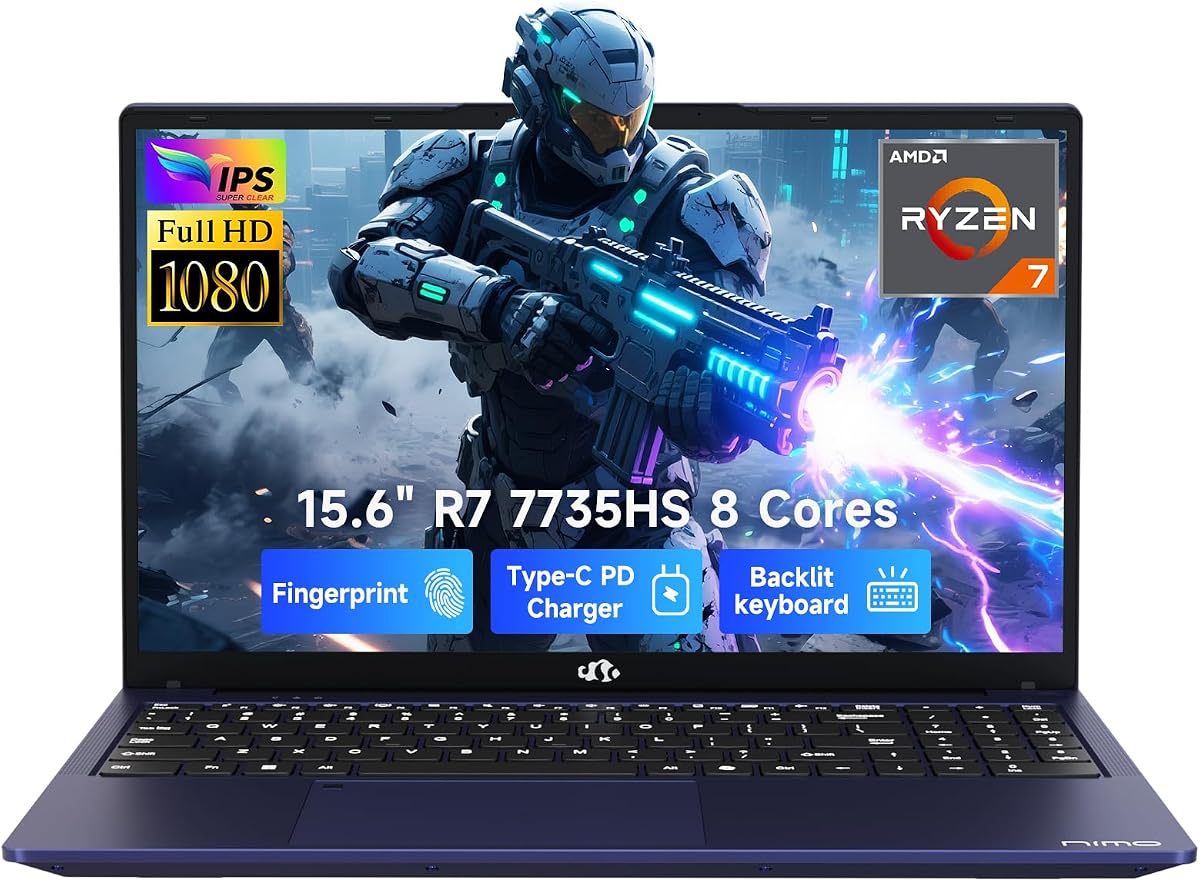
The NIMO Light Gaming Laptop offers a balanced mix of speed and portability. Its Ryzen 7 7735HS processor delivers impressive single-core performance vital for emulation. The Radeon 680M graphics provide better visual fidelity than many integrated solutions.
We may earn a commission when you buy through this link, at no additional cost to you.
With DDR5 support this device handles high-bandwidth tasks efficiently. The 100W PD fast charging keeps users powered during travel without bulky adapters. The 15.6-inch display offers comfortable viewing for long gaming sessions.
Battery life may require frequent charging during intensive emulation work. Default configurations may vary so check RAM details before buying. These minor drawbacks do not significantly impact overall usability for most users.
Ideal for mobile professionals needing both work and gaming capability. The lightweight design fits easily into backpacks for on-the-go use. Performance remains consistent across various emulation scenarios.
100W PD charging minimizes downtime during travel or work breaks.
RDNA 2 architecture enhances visual output for compatible emulation tasks.
We may earn a commission when you buy through this link, at no additional cost to you.
This NIMO model emphasizes memory and storage speed for smooth operations. With 32GB of DDR5 RAM multitasking becomes effortless during emulation sessions. The 1TB PCIe 4.0 SSD ensures rapid data access for large game files.
We may earn a commission when you buy through this link, at no additional cost to you.
The backlit keyboard improves usability in low-light conditions for evening gaming. Fingerprint recognition adds convenient security for personal data protection. US-based support provides reliable assistance for any setup or troubleshooting needs.
Display refresh rate remains standard which limits smoothness in fast games. Cooling fans may produce noise under heavy load but performance remains stable. These trade-offs are acceptable given the strong internal specifications.
Users prioritizing memory capacity will find this configuration advantageous. It handles multiple applications without slowdowns effectively. The combination of speed and security makes it a reliable daily driver.
32GB DDR5 ensures fluid operation with multiple emulation instances.
Fingerprint login secures devices quickly during shared use scenarios.
We may earn a commission when you buy through this link, at no additional cost to you.
The 17.3-inch display offers an immersive experience for gaming and emulation. This size provides ample workspace for side-by-side application windows. The Ryzen 5 6600H delivers solid performance for everyday emulation tasks.
We may earn a commission when you buy through this link, at no additional cost to you.
32GB of DDR5 RAM ensures the system remains responsive under load. The 1TB SSD provides plenty of space for storing multiple emulator projects. Physical webcam shutter adds privacy for sensitive online sessions.
Portability suffers due to increased size and weight. The CPU has fewer cores compared to newer Ryzen 7 models. However the screen real estate benefits those who prioritize visual immersion.
Home users or those using a docking station will appreciate the size. It serves well as a stationary gaming setup. The memory and storage options support flexible future upgrades.
17.3-inch screen enhances detail for high-resolution emulation games.
Large display simplifies multitasking between emulators and documentation.
We may earn a commission when you buy through this link, at no additional cost to you.
This KAIGERR laptop provides efficient performance for entry-level emulation needs. The Ryzen 7430U processor handles standard gaming tasks without struggle. A 16GB RAM configuration ensures smooth multitasking for daily work and play.
We may earn a commission when you buy through this link, at no additional cost to you.
NVMe SSD storage guarantees rapid system boot and quick application loading. WiFi 6 improves network stability for downloading game assets. The thin-bezel design maximizes screen space within a portable frame.
Advanced emulation may exceed the CPU capabilities requiring lowered settings. Battery life remains moderate compared to newer models. For light users however the value proposition is quite strong.
Students or casual users needing a reliable daily driver will benefit. It handles common emulation setups without issues. The lightweight design makes commuting or travel effortless.
Processor optimizes power for balanced performance and battery longevity.
WiFi 6 ensures stable connections for online emulation features.
We may earn a commission when you buy through this link, at no additional cost to you.
This model emphasizes office compatibility with Windows 11 Pro and included software. The Intel Core i7 ensures smooth operation for multitasking environments. Ideal for users who need work tools alongside light gaming capabilities.
We may earn a commission when you buy through this link, at no additional cost to you.
16GB of RAM supports open documents and emulator windows simultaneously. The 512GB SSD provides sufficient storage for essential files and games. Backlit keyboard facilitates typing in low-light conditions effectively.
GPU performance is not designed for heavy emulation or AAA gaming. Upgradeability is restricted compared to custom laptops. However for basic needs the system proves reliable and stable.
Professionals who occasionally play retro games will find this convenient. The warranty ensures support for potential hardware issues. It serves as a versatile daily machine for various tasks.
Pre-installed Office suite streamlines productivity work immediately.
2-year warranty offers peace of mind for professional usage.
We may earn a commission when you buy through this link, at no additional cost to you.
The HP OmniBook 3 offers a large screen experience at a low price. The AMD Ryzen 3 processor handles basic emulation tasks competently. LPDDR5 memory provides decent bandwidth for general usage needs.
We may earn a commission when you buy through this link, at no additional cost to you.
Fast charging capability restores power quickly for busy users. The Copilot key enables quick access to AI tools for productivity. Noise reduction audio improves clarity during video calls.
8GB RAM may struggle with multiple heavy emulation applications. The processor is not designed for high-demand console simulations. These limits make it best suited for casual users only.
Ideal for basic tasks or light emulation without complex settings. The screen size enhances viewing for media consumption. It serves well as a secondary or entry-level device.
HP Fast Charge reduces downtime during travel or work breaks.
17.3-inch panel offers great viewing for general media needs.
We may earn a commission when you buy through this link, at no additional cost to you.
This KAIGERR model provides essential features for budget emulation users. The webcam cover slide enhances privacy for remote sessions. WiFi 6 ensures stable internet for downloading necessary game files.
We may earn a commission when you buy through this link, at no additional cost to you.
16GB of DDR4 RAM supports basic multitasking effectively. The 512GB SSD offers quick access to system files and games. USB 3.2 ports support fast data transfers for peripherals.
Battery life limits usage away from power outlets significantly. CPU capabilities restrict heavy emulation tasks to lower settings. However for the price it delivers reliable basic performance.
Budget users needing a compact option will find it suitable. Privacy features make it safe for public spaces. It handles entry-level emulation needs without major issues.
Webcam slide provides physical security during sensitive video calls.
WiFi 6 ensures consistent network speeds for online features.
We may earn a commission when you buy through this link, at no additional cost to you.
Selecting the right laptop for emulation requires balancing processing power thermal efficiency and cost. Understanding key components helps you choose a device that handles your preferred console simulations smoothly.
Emulators depend heavily on single-core speed and multi-core counts for accurate timing. High clock speeds ensure smooth gameplay without latency during complex simulation cycles. Look for modern Ryzen or Core processors to handle demanding emulation scenarios effectively.
Prioritize CPUs with high clock speeds and at least 6 cores for best results.
RAM determines how many applications can run simultaneously without slowdowns. Emulators consume significant memory when running alongside browsers or streaming software. Aim for 16GB minimum to avoid bottlenecks during intense usage sessions.
16GB is the standard baseline for smooth multitasking with emulators.
Integrated graphics work for basic emulation but dedicated GPUs handle advanced rendering. Integrated GPUs save power while dedicated cards improve visual fidelity in high-end emulators. Choose based on whether you prioritize battery life or visual quality.
Integrated GPUs suffice for retro consoles; dedicated GPUs aid modern systems.
NVMe SSDs provide rapid boot times and quick access to game libraries. Emulators load assets constantly so fast storage reduces delays during gameplay. Avoid mechanical hard drives which introduce noticeable lag when accessing assets.
NVMe SSDs ensure fast loading times for all game assets.
Emulation generates heat that can throttle performance without proper cooling. Devices with advanced cooling systems maintain consistent speeds under load. Look for models with vapor chambers or efficient fan designs.
Strong cooling systems prevent performance drops during long sessions.
High-resolution screens enhance the visual fidelity of emulation games. Refresh rates above 60Hz improve smoothness in fast-paced titles. IPS panels offer better viewing angles and color accuracy for detailed games.
IPS panels with high refresh rates provide the best viewing experience.
USB ports are essential for connecting controllers and peripherals reliably. Wi-Fi 6 ensures stable network connections for downloading assets. Multiple USB-C and USB-A ports simplify peripheral setup without adapters.
Multiple USB ports and modern Wi-Fi support enhance peripheral connectivity.
Lightweight designs aid users who travel or switch workspaces frequently. Battery life matters for using emulators away from power outlets. Balance screen size and weight based on whether the device stays home or travels.
Balance weight and battery life based on your usage location needs.
Install emulation software on your main drive to ensure fast access speeds. Configure emulator settings to match your hardware capabilities for optimal performance. Regularly update firmware to maintain compatibility with new game assets.
Clean vents regularly using compressed air to prevent dust buildup. Monitor temperatures using system tools to avoid overheating. Ensure the laptop sits on a flat surface to allow proper airflow during sessions.
Backup game libraries to external drives to prevent data loss. Manage storage by removing unused titles regularly. Use power settings that balance performance and battery life for daily use.
While many modern laptops can run basic emulators high-end console simulation requires specific CPU and GPU power. Look for models with strong single-core performance and at least 16GB of RAM for smooth operation. Integrated graphics work for retro systems but dedicated GPUs aid modern titles.
DDR5 memory offers faster data transfer rates which can reduce load times in complex emulators. However core CPU performance remains the most critical factor for accurate timing. Prioritize memory capacity before speed for best results.
Dedicated GPUs improve performance for high-end emulation but integrated options work for most retro systems. Modern consoles demand more graphical power so dedicated cards are preferred for those specific cases. Choose based on the target console you wish to emulate.
Fast SSDs reduce loading times for game assets significantly compared to traditional hard drives. Emulators constantly access files so NVMe drives ensure smoother transitions. Mechanical drives can cause noticeable stuttering during gameplay.
Battery life depends on whether you play emulators away from power outlets. High-performance models often sacrifice battery for speed. For mobile usage consider efficiency-focused models or bring a portable charger.
Modern Ryzen or Core processors with high clock speeds perform best for emulation tasks. Single-core speed is vital for timing accuracy. Look for chips with at least 6 cores to handle background tasks.
Most models allow RAM upgrades though some ultrabooks have soldered memory. Check specific product details for upgrade slots before purchasing. Upgradable models provide better long-term value for evolving needs.
Ensure vents remain clear of dust and use cooling pads if needed. Monitor software helps track temperatures and throttle performance safely. Proper airflow and regular maintenance prevent thermal throttling.
The NIMO 15.6" Gaming Laptop leads as the top overall choice for its powerful Ryzen 7 CPU and massive DDR5 memory. Budget users will appreciate the value of the KAIGERR Light Gaming Laptop with strong multi-core performance.
Prioritize CPU speed and memory capacity to ensure smooth emulation across various console generations. High refresh displays and fast storage enhance the overall experience for serious gamers.
Prices fluctuate frequently so always check current listings for the best deals. Verify that your chosen model supports the specific emulation software you plan to use.