
ACEMAX 4K@60Hz Offline Media Player
3.5Editor score
Built-in HDD enclosure included
Auto play and loop modes
Affordable price point
Explore the top External Hard Drive Media Player models for 2026. Our guide compares playback quality, storage compatibility, and digital signage features to
Finding the right External Hard Drive Media Player can transform your viewing experience. These devices allow you to play high-resolution video and audio files directly from USB storage without needing a computer. They are ideal for home entertainment, digital signage, and professional presentations.
We evaluated ten top-rated models based on video resolution support, codec compatibility, and ease of use. Our analysis focuses on devices that handle external hard drives smoothly and offer reliable playback for various file types. Each entry includes detailed specifications to help you make an informed decision.
This list covers a range of options from compact portable players to units with built-in hard drive enclosures. Prices and availability may change over time, so check the current listings before purchasing. We have organized the picks to highlight value and performance for different needs.
3.5Editor score

4.1Editor score

5.0Editor score
This comparison table provides a side-by-side look at the key specifications for each model. We include resolution support, storage limits, and unique features to help you identify the right device for your setup.



The Micca 4K Ultra-HD player is a versatile choice for anyone needing to play media from USB drives. It holds a 4.1 rating and offers smooth 4K output for modern displays while maintaining backward compatibility with older screens. Its intuitive interface makes it easy for non-technical users to manage files.
We may earn a commission when you buy through this link, at no additional cost to you.
This device shines in its ability to handle diverse file systems like FAT, exFAT, and NTFS without issues. You can connect USB hard drives up to 8TB, allowing ample storage for your entire media library. The inclusion of composite AV output ensures you can use it with almost any television model.
While the device handles 4K content effectively, it is limited to 30fps which may not suit high-action sports content. However, for most movies and music, the quality remains sharp and the audio stays clear. The looping and resume features are particularly useful for commercial displays.
We recommend this player for home entertainment users who want a reliable way to access local media without streaming. It is also an excellent choice for digital signage where continuous looping is required. The simplicity of setup makes it a great starting point for media players.
This player turns any standard TV into a smart hub by allowing direct access to USB media. You do not need a computer to browse folders or play content on your living room screen.
The automatic playback and rotation features are tailored for professional use. Restaurant menus or museum displays can run smoothly with minimal manual intervention.
We may earn a commission when you buy through this link, at no additional cost to you.
This mini HDMI media player is designed for users who prioritize portability. It earns a 4.1 rating and fits easily in a pocket making it perfect for travel. The aluminum alloy construction ensures durability when carrying it between different locations.
We may earn a commission when you buy through this link, at no additional cost to you.
The device supports a wide range of video codecs including AVI MKV and MOV. It handles 1080p content at 60Hz which provides smooth playback for most standard definition needs. The included composite AV cable allows you to use it with older analog televisions.
While it lacks 4K capabilities the playback performance is solid for 1080p media. You can connect USB drives and SD cards up to 128GB which covers most personal use cases. The remote control helps navigate menus easily without needing a keyboard.
This player is ideal for travelers or those with smaller screens who do not need Ultra HD resolution. It is also useful for office presentations where compact equipment is preferred. The multiple format support ensures you can play files without converting them first.
Its small form factor means it takes up very little space in your luggage. You can set it up quickly on hotel TVs or projectors while on the go.
The ability to delete and copy files directly on the USB drive simplifies office workflows. You can manage presentations without needing to connect to a laptop.
We may earn a commission when you buy through this link, at no additional cost to you.
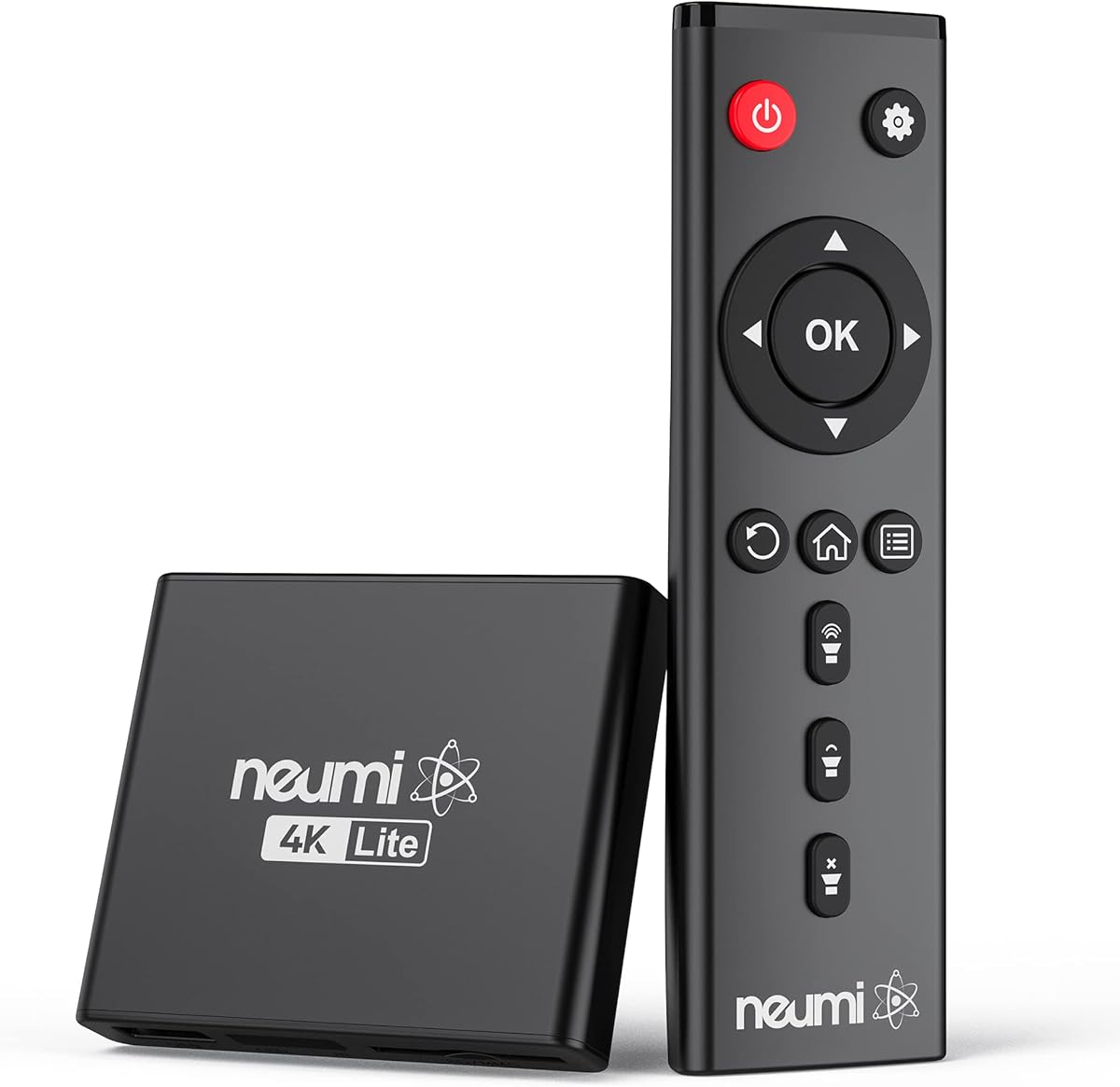
The NEUMI Atom 4K Lite stands out with its unique trigger sensor input feature. It holds a strong 4.3 rating and allows you to start playback based on motion or push-button inputs. This makes it highly suitable for interactive exhibits or specialized applications.
We may earn a commission when you buy through this link, at no additional cost to you.
Video quality is impressive with support for 4K resolution at 60Hz. You can feed digital surround sound to home theater receivers for an immersive experience. The device reads USB drives up to 8TB which is ample for storing large libraries of high-definition content.
The trigger function is a trade-off because it requires purchasing sensors separately. However for the value it brings to creative projects is significant. The auto playback and resume features ensure that content runs smoothly even after interruptions.
We recommend this player for art galleries or museums that want automated interactive displays. It is also great for home theater setups where you want to trigger specific clips. The compact size ensures it blends in with your existing AV equipment.
Use this player to create on-demand video experiences. A simple button press or motion detection can start a video clip instantly.
The surround sound output makes it a solid addition to any audio system. You get cinema-like audio quality without needing extra streaming hardware.
We may earn a commission when you buy through this link, at no additional cost to you.
The ACEMAX player is a budget-friendly option that includes a built-in 2.5-inch SATA enclosure. It allows you to install a hard drive internally and play media directly without external cables. While it has a 3.5 rating it offers significant value for the price.
We may earn a commission when you buy through this link, at no additional cost to you.
It supports 4K playback at 60Hz which is rare in this price range. The metal housing helps dissipate heat during extended use ensuring stable performance. You can use it for retail displays or home entertainment without needing Wi-Fi or apps.
The line of sight requirement for the remote can be inconvenient if the player is hidden. However the auto play and loop features work perfectly for signage. The offline focus means you do not rely on internet connectivity for your content.
This unit is best for commercial displays or users who need a simple offline solution. It is also useful for those who want to reuse an existing hard drive. The included remote makes navigation straightforward for daily use.
Install a drive directly into the unit to reduce cable clutter. This creates a clean setup for monitors or projectors.
The aluminum enclosure is designed to keep the device cool. This is important for units that run continuously throughout the day.
We may earn a commission when you buy through this link, at no additional cost to you.
This player is designed to deliver high-quality audio alongside 4K video. It has a 4.0 rating and supports up to 7.1 surround sound through HDMI and optical outputs. This makes it a great choice for home theater systems that prioritize sound quality.
We may earn a commission when you buy through this link, at no additional cost to you.
You can connect two USB devices at once though it reads one at a time. The ability to read PPT documents allows for simple office presentations. You can also attach a keyboard and mouse to control the interface more effectively.
While the refresh rate is limited to 30fps the audio capabilities make up for it. The optical output allows you to connect to dedicated soundbars or receivers easily. It is a robust device for users who need both video and audio control.
We recommend this model for entertainment setups where sound is a priority. It is also suitable for office environments that need to show presentations without a computer. The extra USB port adds flexibility for your peripherals.
Use the optical output to send lossless audio to your amplifier. This ensures you get the best sound quality from your files.
The PPT reading feature means you can show slides directly from a drive. Connect a mouse to navigate through your slides with ease.
We may earn a commission when you buy through this link, at no additional cost to you.
This HDMI media player stands out for its extensive connectivity options. It holds a 4.2 rating and supports HDMI VGA and optical outputs. This versatility allows you to connect to almost any display device including older projectors and modern 4K TVs.
We may earn a commission when you buy through this link, at no additional cost to you.
It supports H.265 decoding which ensures efficient playback of high-resolution files. You can load media from USB drives up to 8TB or SD cards up to 128GB. The device also supports direct playback of files from Blu-ray discs.
The addition of VGA output makes it useful for connecting to computer monitors. You can display content on screens that do not have HDMI inputs. The optical audio port allows for separate high-quality audio routing.
We suggest this model for users who need flexibility in how they connect their display. It is ideal for conference rooms or setups where monitors are used alongside TVs. The multiple ports ensure you always have a way to connect.
Use the VGA port to connect to older projectors or monitors. This expands the types of screens you can use with the device.
The player can handle ISO files from Blu-ray discs. This is useful if you have a digital archive of movie discs.
We may earn a commission when you buy through this link, at no additional cost to you.
While not a media player itself this WD Elements drive is an essential companion. It has a 4.7 rating and offers reliable storage for your media files. The USB 3.2 Gen 1 interface ensures fast data transfer speeds when loading content.
We may earn a commission when you buy through this link, at no additional cost to you.
The compact design makes it easy to carry in a laptop bag or backpack. You can store up to 6TB of data which is enough for thousands of movies. It is plug and play ready for both Windows and Mac systems.
It is important to note this is a storage device not a player. However its reliability makes it the ideal partner for the players listed above. You can keep your entire library on one drive and connect it to any compatible player.
We recommend this drive for users who need to store large amounts of media. It works seamlessly with the media players on this list for playback. The high rating ensures you can trust it with your important files.
The USB 3.2 speed means you can load movies quickly. This reduces wait time when setting up your entertainment system.
The drive works with both Windows and Mac out of the box. This flexibility is useful if you switch between different computers.
We may earn a commission when you buy through this link, at no additional cost to you.
This premium player boasts a perfect 5.0 rating for its reliability and performance. It supports 4K content at 60Hz for ultra-smooth visuals. The inclusion of a Type-C cable adds modern connectivity options for users with newer devices.
We may earn a commission when you buy through this link, at no additional cost to you.
It includes a built-in enclosure for 2.5-inch SATA drives which keeps your setup clean. The ability to read Mac-formatted drives makes it versatile for diverse file systems. You can manage files via a laptop using the included cable.
The price is higher than budget models but the features justify the cost. Auto loop and shuffle modes give you control over how content plays. It is built for those who want a premium experience without compromise.
We recommend this model for home theater enthusiasts who need top-tier performance. It is also excellent for professionals who use both Mac and Windows systems. The perfect rating suggests a high level of customer satisfaction.
Reads Mac-formatted drives without needing reformatting. This saves time if you are working in an Apple ecosystem.
The Type-C cable supports fast data transfer. You can update your drive contents quickly using a modern laptop.
We may earn a commission when you buy through this link, at no additional cost to you.
This unit combines a media player and hard drive enclosure into one compact device. It holds a 3.8 rating and supports 4K content at 60Hz. The shuffle mode for music adds convenience for audio-only playback sessions.
We may earn a commission when you buy through this link, at no additional cost to you.
The Type-C connection allows you to modify data on your laptop easily. You can store large files on an internal drive and play them back immediately. The device is ideal for home theaters and offices alike.
Note that the remote does not include batteries which is a small inconvenience. The warranty is one year which provides some peace of mind. It is a solid choice if you want to save space on your shelf.
We recommend this for users who want a simple and self-contained solution. It is also good for digital signage in small retail spaces. The compact size ensures it fits discreetly behind displays.
The shuffle mode allows you to play songs randomly. This is perfect for background music at work or home.
Use the Type-C cable to manage files from a laptop. This simplifies the process of organizing your media library.
We may earn a commission when you buy through this link, at no additional cost to you.
This player is built with commercial digital signage in mind. It has a 3.0 rating but offers features like configurable video rotation and auto resume. These tools help you manage content in retail or lobby environments efficiently.
We may earn a commission when you buy through this link, at no additional cost to you.
You can set the video to rotate 90 180 or 270 degrees. This is useful if you are using a vertical screen or need to fit specific layouts. The compact design allows you to install it in tight spaces.
The built-in enclosure means you do not need an external drive. However the rating suggests potential issues with compatibility. It is a specialized tool rather than a general home entertainment device.
We recommend this model for businesses that need simple looped displays. It is suitable for menu boards or welcome screens. The resume feature ensures your content picks up where it left off after a power cycle.
Rotate video to match vertical monitors. This is a rare feature that helps with creative signage setups.
The resume function ensures playback continues after interruptions. This is critical for unattended displays in public spaces.
We may earn a commission when you buy through this link, at no additional cost to you.
Choosing the right media player depends on your specific needs for resolution storage and connectivity. This guide breaks down the key factors to consider before you buy.
Look for players that support at least 4K resolution to future-proof your setup. Higher refresh rates like 60Hz provide smoother motion for fast-paced content compared to 30Hz.
Prioritize 4K 60Hz support for the best visual experience on modern TVs.
Ensure the player supports H.265 and HEVC codecs which are common for modern high-definition files. Support for MKV MP4 and AVI containers ensures broad file compatibility.
Check codec lists to confirm your files will play without conversion.
Verify the maximum drive size the player can handle. Some models support drives up to 8TB which is essential for large video libraries.
Choose a model that supports your current and future storage needs.
Consider if you need HDMI VGA or AV outputs based on your display type. Optical audio outputs are useful for connecting to sound systems.
Match the ports to your TV and audio equipment.
For commercial use look for auto loop resume and rotation features. These allow the device to run content without constant monitoring.
Select signage-specific features for professional displays.
Ensure the device supports FAT32 exFAT and NTFS file systems. This allows you to use drives formatted for Windows Mac or Linux easily.
Verify file system support to avoid reformatting drives.
A reliable remote makes navigation much easier. Check if it works without line of sight or if infrared is required.
Test remote functionality for ease of daily use.
Aluminum enclosures help dissipate heat during long playback sessions. Metal builds are generally more durable than plastic ones.
Choose metal housing for better heat management.
Connect the player to your TV using an HDMI cable for the best video quality. Ensure you have a power source close to the setup.
Format your external hard drive to a supported file system like exFAT. Connect the drive to the USB port on the player.
Use the remote to navigate the menu and select your media files. Allow the device to cool if running for extended periods.
You can play 4K files from any drive that the player supports. Ensure the file system is compatible and the file itself uses a supported codec like H.265. Most players listed support drives up to 8TB.
No internet connection is required for these players. They are designed to play files stored locally on your USB drives or SD cards without streaming.
This usually happens if the file codec is not supported. Check if the player supports your specific video file type like MKV or AVI and ensure the file is not corrupted.
Some models have dual USB ports but often only read one at a time. Check the specs to see if your specific model supports simultaneous connections.
Most players support FAT32 exFAT and NTFS. This covers most Windows and Mac formatted drives so you can use them without reformatting.
Many models include an AV cable in the box so you can use older TVs. Check the product details to confirm if one is included before purchasing.
Only some models offer video rotation features. This is useful for digital signage on vertical monitors but not all players have this capability.
Yes most players support external subtitle files like SRT and SSA. You can load these from the same USB drive as your video files.
We have reviewed ten top options ranging from budget-friendly models to premium units. The Micca 4K and NEUMI Atom stand out for home use while the ACEMAX offers value for commercial needs.
Prioritize 4K support and storage limits when making your choice. Ensure the device supports your file systems to avoid compatibility issues.
Remember that prices and availability can change. Check current listings on Amazon to find the best deal for your specific needs.