
SSK Portable SSD 1TB External Solid State Hard Drive
4.5Editor score
Affordable price point
Fast 1050MB/s read speeds
SLC caching for consistent performance
Find the best External SSD for Linux with our expert guide comparing speed, compatibility, durability, and value across top 2026 models.
Selecting an External SSD for Linux requires careful consideration of file system compatibility and transfer speeds. Linux users often need reliable storage that supports ext4 or other native formats without losing data during mounting.
We compared ten top-rated drives based on their USB standards, durability ratings, and real-world performance metrics. Our analysis focuses on devices that maintain stability under heavy workloads and offer secure encryption features for sensitive projects.
Each pick highlights specific strengths like thermal management, portability, or raw throughput for different Linux distributions. Please note that prices and availability change frequently so verify current deals before making your final purchase decision.
4.5Editor score

4.7Editor score

4.6Editor score
This side-by-side comparison evaluates all ten selected drives on critical specs like interface type, rated speeds, and physical durability to help you find the perfect Linux-compatible storage solution.





The Samsung T7 Portable SSD stands out as a top choice for Linux users needing fast reliable portable storage with its NVMe technology delivering up to 1050MB/s speeds.
We may earn a commission when you buy through this link, at no additional cost to you.
Its compact design and USB 3.2 Gen 2 interface ensure smooth file transfers and broad compatibility with various Linux distributions without requiring special drivers or complex mounting steps.
While the aluminum body can get warm during sustained writes the device maintains consistent speeds and includes robust shock protection for safe transport in daily travel or fieldwork environments.
Buyers seeking a balanced mix of speed portability and reliability will find the T7 an excellent investment for backing up projects storing large media files or extending system storage capacity.
Linux systems recognize the T7 instantly via USB 3.2 Gen 2 interfaces ensuring plug-and-play functionality without extra configuration or driver installation.
The solid aluminum unibody construction provides significant shock resistance making the drive reliable for travel and handling in busy professional or creative work environments.
We may earn a commission when you buy through this link, at no additional cost to you.
The Sandisk Extreme Portable SSD offers exceptional durability with IP65 water and dust resistance making it ideal for Linux users working in harsh outdoor environments or demanding field conditions.
We may earn a commission when you buy through this link, at no additional cost to you.
Its 2TB capacity provides ample space for extensive data sets and large project files while maintaining NVMe speeds of up to 1050MB/s for efficient file management and backup tasks.
Although slightly bulkier than other options the included carabiner loop helps secure the drive to bags or belts and the password protection features add essential security for sensitive Linux system data.
Users prioritizing physical robustness and large storage capacity should choose this drive as it combines reliable performance with rugged protection that stands up to tough use cases.
With IP65 water and dust resistance plus 3-meter drop protection this drive ensures data safety even when used in unpredictable outdoor or industrial settings.
Built-in hardware encryption and the Memory Zone app help Linux users manage files securely and automatically free up space without third-party utilities.
We may earn a commission when you buy through this link, at no additional cost to you.
The Samsung T9 Portable SSD delivers unprecedented speed for Linux workstations with sustained read and write speeds up to 2000MB/s making it perfect for demanding creative and technical workflows.
We may earn a commission when you buy through this link, at no additional cost to you.
Its Dynamic Thermal Guard keeps the drive cool even during heavy use ensuring sustained performance without throttling which is vital for long Linux rendering or compilation tasks.
While the full speed requires USB 3.2 Gen 2×2 ports the drive is backward compatible and the Magician software provides ongoing firmware updates and health monitoring for consistent reliability over time.
Professionals needing top-tier performance and thermal stability will appreciate the T9 as a premium option that pushes the boundaries of what portable storage can achieve on modern Linux systems.
With speeds reaching 2000MB/s the T9 cuts transfer times significantly improving productivity for large file sets and continuous data processing tasks on Linux.
Advanced thermal solutions prevent overheating during extended use ensuring the drive performs reliably under heavy loads without speed drops due to heat.
We may earn a commission when you buy through this link, at no additional cost to you.
The SSK Portable SSD offers exceptional value for Linux users on a budget with read speeds up to 1050MB/s and features like SLC caching to maintain consistent performance during transfers.
We may earn a commission when you buy through this link, at no additional cost to you.
Weighing just 36.6 grams it is incredibly light and portable making it ideal for carrying in pockets or small bags while still delivering reliable storage for essential files and backups.
Although it lacks some premium features the included USB-C and USB-A cables ensure wide compatibility and the drive supports S.M.A.R.T. health diagnostics for proactive maintenance and reliability checks.
Those needing fast affordable portable storage without sacrificing core performance will find the SSK SSD an excellent entry-level option that meets most Linux usage scenarios effectively.
This drive provides top-tier speeds at a lower price point making high-performance portable storage accessible to students and casual Linux users with tighter budgets.
Its tiny form factor and minimal weight make it easy to carry everywhere ensuring you always have fast access to your files while traveling.
We may earn a commission when you buy through this link, at no additional cost to you.
The Lexar ES3 1TB Portable SSD stands out for its slim 10.5mm profile which fits easily into tight pockets or laptop sleeves making it a great choice for mobile Linux users.
We may earn a commission when you buy through this link, at no additional cost to you.
Supporting USB 3.2 Gen 2 it delivers transfer speeds up to 1050MB/s ensuring quick access to files while DataShield software adds a layer of hardware encryption for data protection.
While the build materials are standard for this class the drive is designed for portability with a light weight that reduces strain during travel and fits into small bags effortlessly.
Users who prioritize compactness and basic encryption features will appreciate the ES3 as a sleek solution that balances size speed and security for everyday portable storage needs.
At only 10.5mm thick this drive is one of the slimmest on the market making it perfect for users who need storage that travels easily.
Included DataShield software provides 256-bit AES encryption ensuring your private files remain secure when connected to various Linux systems.
We may earn a commission when you buy through this link, at no additional cost to you.
The Samsung T7 Shield builds on the standard T7 design with added ruggedness offering IP65 water and dust resistance plus drop protection up to 9.8 feet for extreme reliability.
We may earn a commission when you buy through this link, at no additional cost to you.
With a 2TB capacity it handles large project files and extensive media libraries while maintaining the fast USB 3.2 Gen 2 speeds required for efficient Linux system backups and transfers.
Samsung Magician software provides tools to monitor drive health and customize LED indicators which helps users stay informed about the device status and optimize performance settings easily.
Those needing high capacity with tough physical protection for outdoor or industrial use will find the T7 Shield a dependable choice that combines storage size with durability features.
Designed to withstand harsh conditions the T7 Shield ensures data safety with water and dust resistance plus shock protection that exceeds standard portable drives.
Magician software offers monitoring and updates for Linux users ensuring the drive runs optimally with firmware that addresses security and performance issues.
We may earn a commission when you buy through this link, at no additional cost to you.
The Western Digital My Passport SSD delivers robust security and performance with password enabled 256-bit AES hardware encryption that is particularly useful for Linux users handling sensitive data.
We may earn a commission when you buy through this link, at no additional cost to you.
Its NVMe technology provides blazing fast speeds up to 1050MB/s ensuring that large files transfer quickly while the sturdy design withstands drops up to 6.5 feet for reliable daily use.
Although it does not include extensive software the drive supports USB 3.2 Gen 2 and USB-C interfaces for compatibility with a wide range of systems including older and newer Linux setups.
Users prioritizing security features alongside solid performance should consider this drive as it offers essential protection and speed for critical files without requiring complex configuration.
Password protection with 256-bit AES encryption keeps private data secure from unauthorized access making this drive ideal for confidential Linux workflows.
Shock and vibration resistance ensure that the drive survives accidental drops and rough handling which is common in mobile or field-based computing scenarios.
We may earn a commission when you buy through this link, at no additional cost to you.
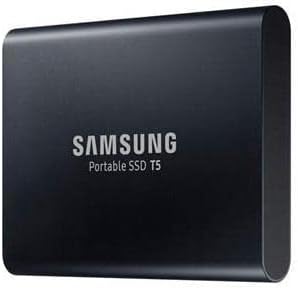
The Samsung T5 Portable SSD is a proven reliable option with a top rating and durable metal design that offers ample 2TB storage for extensive Linux file systems and backups.
We may earn a commission when you buy through this link, at no additional cost to you.
With read speeds up to 540MB/s it provides solid performance for general storage tasks and connects via USB 3.1 which ensures compatibility with older ports and systems without issues.
Included USB-C to C and USB-C to A cables make it versatile for connecting to various devices while optional password protection adds an extra layer of security for sensitive data.
Users who prioritize reliability and broad compatibility over the latest speeds will appreciate the T5 as a trusted workhorse that has stood the test of time in many setups.
The high user rating and durable metal build reflect the drive's long-term reliability for consistent storage needs across different Linux environments.
Support for USB 3.1 and included cables ensure this drive works well with both modern and legacy systems without requiring additional adapters.
We may earn a commission when you buy through this link, at no additional cost to you.
The Samsung T7 500GB Portable SSD offers a compact solution for users who need fast storage without requiring large capacities making it ideal for students or professionals with specific project needs.
We may earn a commission when you buy through this link, at no additional cost to you.
With read speeds up to 1050MB/s and Dynamic Thermal Guard technology it ensures reliable performance during intensive tasks while keeping the drive cool and safe from overheating.
Password protection enhances security for personal data and regular firmware updates via Portable SSD Software maintain the drives optimal performance and compatibility with evolving Linux distributions.
Those needing a smaller and portable storage option will find this drive perfect for carrying essential files or using as a quick boot or workspace drive on Linux systems.
The 500GB capacity is ideal for carrying essential project files or tools without the bulk of larger drives ensuring easy portability for students.
Dynamic Thermal Guard automatically slows transfers if needed to prevent overheating ensuring safe reliable operation during extended usage periods.
We may earn a commission when you buy through this link, at no additional cost to you.
The Samsung T5 500GB Portable SSD is a dependable entry-level choice with a top user rating and compact metal design that offers solid performance for basic Linux storage and backup needs.
We may earn a commission when you buy through this link, at no additional cost to you.
With read speeds up to 540MB/s it handles typical file transfers efficiently and comes with included USB-C cables ensuring compatibility with a wide range of devices and systems.
AES 256-bit encryption keeps personal data secure and the 3-year limited warranty provides peace of mind for buyers investing in portable storage for daily use or travel.
Those seeking an affordable reliable drive with proven durability will appreciate this model as it balances performance and cost effectively for general storage tasks.
Samsung's reputation for reliability ensures that this drive delivers consistent performance and durability for everyday storage tasks on Linux.
A 3-year limited warranty supports long-term use and buyer confidence when investing in portable storage for important projects.
We may earn a commission when you buy through this link, at no additional cost to you.
Selecting the right drive depends on compatibility durability and performance metrics that align with your specific Linux usage scenarios.
Linux systems often use ext4 or Btrfs so ensure the drive is formatted correctly or supports cross-platform file systems like exFAT if you share with other OS users.
Check that the drive mounts automatically or supports udev rules for easy integration with your desktop environment.
Look for USB 3.2 Gen 2 or newer standards to ensure maximum throughput for large files which speeds up backup and project workflows significantly.
Verify that your Linux machine has the appropriate ports to avoid bottlenecking performance with older USB versions.
For mobile use choose drives with IP ratings or shock resistance to protect against drops and exposure to water dust or extreme temperatures.
Consider ruggedized models if you plan to use the drive outdoors in harsh environments where standard drives might fail.
Password protection and hardware encryption are essential for keeping sensitive data secure especially if you lose the drive or use it on public computers.
Ensure the encryption software or drivers are compatible with your Linux distribution and user permissions to avoid lockouts.
Estimate your storage needs based on typical file sizes and how many projects you run simultaneously to avoid needing frequent backups or drive swapping.
Larger capacities often offer better price per gigabyte so consider future needs when selecting a drive size.
Drives that generate too much heat may throttle performance during long transfers so look for models with thermal guards or aluminum bodies for dissipation.
Check thermal performance reviews to ensure the drive stays cool under sustained loads typical of Linux development or media tasks.
Reputable brands often offer better firmware support and warranties which can be crucial for resolving issues or getting driver updates for Linux compatibility.
Review warranty terms to ensure they cover accidental damage or drive failures that might occur during regular use.
Some drives come with management tools that help monitor health or manage encryption so check if these tools have Linux versions or work via web interfaces.
Compatibility with open-source tools is a plus for users who prefer command-line utilities over proprietary software.
Connect the drive via USB and use the lsblk command to identify the device name before mounting it with proper permissions and file system checks.
Eject the drive safely using the umount command or GUI eject option to prevent data corruption before unplugging it from your computer.
Store the drive in a cool dry place when not in use and avoid exposing it to extreme temperatures or physical shocks to maintain longevity.
Yes most modern external SSDs work with any Linux distribution via USB interfaces. Ensure the drive is formatted with a file system supported by your system like ext4 or exFAT.
No most external SSDs are plug-and-play on Linux using standard USB and storage drivers included in the kernel. No manual driver installation is required for basic functionality.
Use tools like GParted or the mkfs command to format the drive. For native Linux performance choose ext4; for cross-platform compatibility choose exFAT.
Yes external SSDs provide significantly faster read and write speeds than HDDs which improves overall system responsiveness and file transfer efficiency on Linux.
Many modern SSDs support hardware encryption via Linux tools. Use commands like cryptsetup or vendor-specific utilities to enable password protection on compatible drives.
External SSDs typically last several years depending on write cycles. Linux usage is gentle as long as you avoid excessive constant writes and follow proper power management.
Our top picks include the Samsung T7 for overall performance the Sandisk Extreme for ruggedness and the Samsung T9 for premium speed in demanding Linux workflows.
Prioritize factors like file system compatibility and thermal management based on your specific usage whether it is casual backup or intensive development tasks.
Verify current prices and availability before buying since deals change often and selecting the right capacity now can save money in the long run.