
Vaydeer Vertical Laptop Stand Holder Organizer
4.6Editor score
3 in 1 design
Adjustable width slots
Lightweight ABS material
A laptop rack for desk is essential for modern professionals who demand ergonomic comfort and efficient workspace organization. These devices elevate your screen to eye level, reducing neck strain while freeing up valuable surface area for your workflow. Choosing the right one ensures your hardware remains secure and cool during extended use.
We evaluated ten top-rated models based on build quality, stability, and compatibility with various device sizes. Our comparison focuses on real-world usability, from under-desk mounts to vertical organizers. Each product was assessed for its ability to streamline your desk setup effectively.
Each pick highlights specific strengths like adjustable widths, material durability, or unique storage features. We provide detailed insights to help you match a solution to your specific needs. Keep in mind that prices and availability can fluctuate over time.
4.6Editor score

4.8Editor score

4.6Editor score
As an Amazon Associate we earn from qualifying purchases.
Here is a side-by-side look at every model we reviewed to help you identify the best fit.





This stand earns our top pick for users who juggle multiple devices daily. With a 4.8 rating, it proves reliable for MacBooks and Windows laptops alike. Its dual vertical design clears desk space while keeping screens at an ergonomic height.
We may earn a commission when you buy through this link, at no additional cost to you.
The anodized aluminum construction feels premium and matches Mac hardware aesthetically. Adjustable slots accommodate laptops between 0.55 and 1.65 inches thick. Non-slip silicone pads on the base and inside the slots ensure your devices stay put during typing.
While stable, it requires a wider desk footprint than single stands. Dust may show on the silver finish more easily than black options. These are minor trade-offs for the convenience of dual storage in a sleek package.
Buy this if you need to store two laptops vertically without sacrificing style or stability. It suits home offices where space optimization is key. Check current availability to ensure you get the exact silver version shown.
Supports simultaneous vertical storage for two devices like MacBooks and Surface laptops. This doubles your vertical storage capacity compared to single stands.
Sandblasted and CNC-machined aluminum ensures durability and a scratch-resistant finish. The texture matches Apple products for a cohesive look.
We may earn a commission when you buy through this link, at no additional cost to you.
The NODOCA stand offers a unique side-storage approach ideal for crowded desks. It holds two laptops vertically while adding a hook for headphones. With a 4.6 rating, users appreciate its space-saving design and sturdy construction.
We may earn a commission when you buy through this link, at no additional cost to you.
Made from high-strength carbon steel, it provides absolute durability. The adjustable width fits laptops ranging from Air to larger gaming models. A protective silicone pad on the bottom guards against scratches during placement.
Note that it requires a desk depth greater than 5cm and thickness under 6cm for proper mounting. This limits use to specific desk types. Ensure your workspace meets these requirements before purchasing.
Choose this if you want to free up main desk space for work items. The hook adds convenience for audio gear. Verify desk dimensions carefully to avoid installation issues.
Clamps to the side of the desk to save valuable top surface area. Ideal for tidier workspaces with limited room.
Includes a 4.5 inch hook for headphones, controllers, or bags. Adds utility beyond just laptop storage.
We may earn a commission when you buy through this link, at no additional cost to you.
This under-desk mount hides storage beneath your workspace, keeping the top clear. It supports heavy items like power cords and mixers without drilling. A 4.5 rating reflects its sturdy build and versatile organization capabilities.
We may earn a commission when you buy through this link, at no additional cost to you.
The tray measures 16.7 by 10.1 inches, offering ample room for devices and peripherals. Anti-scratch pads protect both the desk and your items. Three cable openings help route charging lines neatly.
It is not suitable for tables with crossbars or edges narrower than 20 inches. Measure your desk carefully to ensure a proper fit. This constraint limits its universal application across all desks.
Opt for this if you have a clean desk and need hidden storage. It improves work efficiency by organizing bulky items out of sight. Check table edge width before ordering.
Keeps laptops and accessories covertly under the desk. Prevents clutter on the working surface.
Clips onto the desktop edge without screws. Easy to install and remove as needed.
We may earn a commission when you buy through this link, at no additional cost to you.
This riser focuses on ergonomic comfort by allowing height and angle adjustments. It supports up to 17.6 lbs and features ventilation to keep devices cool. With a 4.6 rating, it is favored for health-focused setups.
We may earn a commission when you buy through this link, at no additional cost to you.
Rubber mats and anti-skid pads secure the laptop in place. Smooth edges prevent hand injuries during adjustments. The open design ensures maximum airflow, reducing fan noise and heat.
It does not offer vertical storage, so it uses some desktop space. The metal finish might scratch over time with heavy use. These issues are manageable given the ergonomic benefits.
Buy this if you suffer from neck pain and need adjustable screen positioning. Ideal for home and office use. Its foldable design adds value for travelers.
Customizes height and angle to reduce neck fatigue and back pain. Improves posture during long work sessions.
Multiple holes provide airflow to prevent overheating. Keeps your laptop running efficiently.
We may earn a commission when you buy through this link, at no additional cost to you.
This stand introduces a 360-degree rotating base for flexible screen positioning. Made from one-piece fiber metal, it balances durability and portability. A 4.6 rating highlights its flexibility and solid construction.
We may earn a commission when you buy through this link, at no additional cost to you.
You can adjust the height to eye level to reduce strain. Non-slip silicone protects devices from sliding during rotation. It fits laptops from 10 to 16 inches securely.
The rotating base adds height which may require space clearance. It may not fit very small desks well. This trade-off is worth it for the movement options.
Choose this if you need to share screens with others or shift positions often. The rotation feature adds significant utility. Ensure your desk has enough clearance for the base.
Allows laptop to rotate freely for easy collaboration. Flexible viewing angles for any user.
Upgraded one-piece material provides better stability than alloy. Durable for long-term use.
We may earn a commission when you buy through this link, at no additional cost to you.
The BESIGN LS03 is a classic stand with detachable parts for easy storage. It lifts laptops 6 inches to improve posture and offers excellent airflow. A 4.8 rating confirms its reliability and stability.
We may earn a commission when you buy through this link, at no additional cost to you.
Made of premium aluminum, it supports up to 8.8 lbs without wobbling. Rubber pads ensure devices stay secure and protected. The open design maximizes cooling during operation.
It lacks adjustability in height or angle. The fixed elevation may not suit everyone. However, it remains a solid choice for basic ergonomic needs.
Buy this if you need a simple, sturdy lift without complex adjustments. The detachable design is great for travel. Check dimensions to ensure it fits your laptop properly.
Can be taken apart and assembled in 3 steps. Easy to store when not in use.
Open structure prevents overheating efficiently. Keeps devices cool during heavy tasks.
We may earn a commission when you buy through this link, at no additional cost to you.
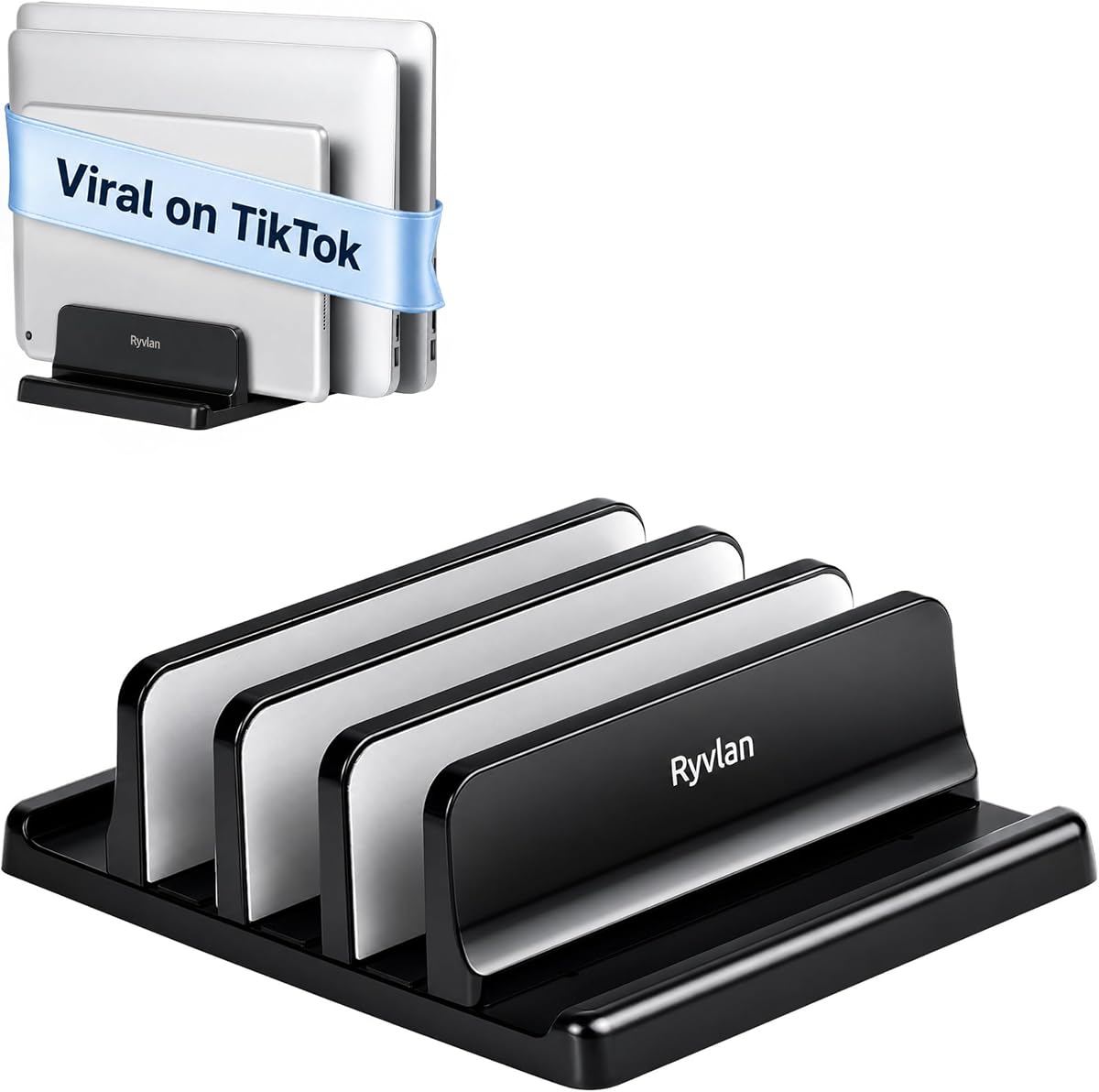
This stand holds three laptops or tablets vertically to clear the entire desk. With adjustable slots and padding, it suits mixed device setups. A 4.6 rating reflects user satisfaction with its capacity.
We may earn a commission when you buy through this link, at no additional cost to you.
The ABS plastic construction includes silicone padding on all six walls. This prevents scratches and keeps the stand from sliding. The footprint is roughly 7.3 by 5.9 inches.
Adjusting width takes about a minute with the included wrench. Plastic may feel less premium than metal. However, it is effective for organizing multiple devices.
Buy this if you manage multiple devices like tablets and laptops simultaneously. The shared footprint saves space effectively. Ensure your devices fit within the adjustable ranges.
Holds up to 3 laptops plus 2 tablets. Single footprint organizes whole desk.
Slots adjust from 0.47 to 1.2 inch wide. Fits both thin and thick machines.
We may earn a commission when you buy through this link, at no additional cost to you.
This vertical stand offers excellent value with a 3-in-1 design. It holds a laptop and phone or iPad in the same unit. A 4.6 rating shows strong stability for its price point.
We may earn a commission when you buy through this link, at no additional cost to you.
The ABS plastic is polished for a smooth feel. Adjustable slots use an Allen wrench for precision fits up to 17.3 inches. Soft silicone mats protect devices from scratches.
Plastic is lighter than metal and may feel less durable. However, it remains stable enough for daily use. It is ideal for basic vertical storage needs.
Buy this if you want simple vertical storage without spending much. The polished look adds style. Ensure your laptop width falls within the adjustable range.
Cradles laptop and phone vertically. Saves space and keeps items neat.
Adjusts to 0.55 to 1.69 inch thickness. Fits various laptop types securely.
We may earn a commission when you buy through this link, at no additional cost to you.
Elestoria offers a premium aluminum organizer that holds up to four laptops and one tablet. With a 4.6 rating, it delivers security for clamshell setups and gaming machines. The design is modern and multifunctional.
We may earn a commission when you buy through this link, at no additional cost to you.
Adjustable width brackets fit laptops from 12 to 38 mm thick. Tool-free screws allow quick changes. Polished edges and silicone padding protect devices from scratches and tipping.
It is heavier and taller than budget options. The price is higher but justified by the material. Consider your desk height for the vertical stack.
Buy this if you need secure storage for many heavy laptops. The aluminum finish adds durability. Ensure your setup matches the vertical height dimensions.
Solid aluminum alloy ensures durability and stability. Reclaims 80% of desk space.
Holds 4 laptops and 1 tablet. Adjustable width secures different thicknesses.
We may earn a commission when you buy through this link, at no additional cost to you.
This stand lifts monitors and laptops up to 5.5 inches. It supports up to 44 lbs with a large metal shelf. A 4.7 rating shows it is reliable for heavy devices.
We may earn a commission when you buy through this link, at no additional cost to you.
The platform includes vented holes for airflow. Storage space underneath helps reduce clutter. Rubber pads prevent slipping or damage to the desk surface.
It is wider than typical laptop stands. Not vertical storage limits device orientation. However, it works well for dual monitor setups.
Buy this if you need a sturdy platform for monitors and laptops. The storage space adds utility. Ensure your desk can handle the shelf size.
Raises devices 3.9, 4.7, or 5.5 inches. Creates a comfortable viewing position.
Open space stores keyboards and accessories. Reduces desktop clutter effectively.
We may earn a commission when you buy through this link, at no additional cost to you.
Selecting the right rack requires considering your specific workspace constraints and device types.
Ensure the rack supports your laptop's dimensions and weight. Check adjustable widths or slot depths to prevent wobbling.
Verify compatibility with your specific model like MacBook Pro or Surface before buying.
Look for aluminum or steel construction for long-term stability. Plastic options are lighter but may scratch easier.
Metal builds generally offer better weight capacity and a professional look.
Decide if you need single or multi-device storage. Single stands save more desk surface than triple slots.
Vertical organizers clear more space but require specific dimensions for stability.
Choose between desk top or under-desk mounting. Under-desk saves space but requires edge clearance.
Desk top stands are easier to install but take up surface area.
Adjustable height and angle improve ergonomics. Fixed stands might not suit all posture needs.
Rotating bases add flexibility for collaboration scenarios.
Integrated holes or clips keep wires organized. Messy cables can reduce efficiency.
Check for openings that fit your specific connector sizes.
Foldable designs are ideal for travelers. Non-folding units are more stable but heavy.
Consider if you need to move the rack between home and office.
Non-slip pads prevent devices from sliding off. Edges should be smooth to avoid cuts.
Protective mats inside slots prevent scratches on device finishes.
Place the rack on a flat stable surface. Ensure it is not near the edge of your desk to prevent falling.
Clean the mats regularly with a damp cloth. Dust accumulation can reduce grip over time.
Avoid overloading vertical stands beyond their limits. Check specifications to ensure your devices fit safely.
Yes, many racks accommodate up to 17.3 inches. However check weight limits before purchasing. Heavy gaming laptops may require reinforced metal stands.
Use a soft damp cloth to wipe the pads dry. Avoid harsh chemicals that degrade silicone. This preserves the non-slip properties effectively.
Most stands support tablets in addition to laptops. Vertical slots often fit iPads securely. Always check width limits for tablet safety.
Yes, models listed often include MacBook Pro. The metal texture matches well too. Ensure the thickness matches your laptop's specs.
Check if the rack is level on your desk. Adjust width slots to fit your device snugly. Non-slip pads must be clean for grip.
No drill clips make it easy. Just hang from the frame edge. Ensure your desk width meets the requirements first.
Yes open designs allow airflow around the device. This prevents overheating during heavy tasks. Ventilation is key for performance.
Yes vertical docks support clamshell mode safely. It prevents overheating when external monitors are used. Just ensure good airflow underneath.
Our top pick OMOTON stands out for dual vertical storage. It balances premium aluminum build with ergonomic benefits.
Prioritize compatibility and adjustability to protect your investment. The right rack saves space and improves comfort significantly.
Remember to verify current prices and availability before buying. Specifications may change over time so check details carefully.