
Thames & Kosmos My Robotic Pet: Coding Chameleon STEM Building & Experiment Kit
4.1Editor score
Color-sensing robotic reptile
No screens or devices needed
Three unique play modes included
Discover the top coding toys for kids in October 2026. We compare screen-free and app-based robots to help you choose the best educational STEM gift.
Coding toys transform playtime into powerful learning experiences. They teach logic, sequencing, and problem-solving through hands-on interaction. These tools spark curiosity and prepare young minds for a tech-focused future.
Our team analyzed features, age ranges, and educational value. We compared screen-free options with app-driven robots. Each pick balances fun with real programming concepts. This guide highlights the strongest tools for learners.
Each selection showcases unique strengths and ideal use cases. We include detailed specs and real-world performance notes. Prices fluctuate often, so verify current costs before buying. Use this list to find the perfect match for your child.
4.1Editor score

4.5Editor score

4.6Editor score
This side-by-side comparison highlights key differences across all ten picks. We evaluate age suitability, coding method, and included accessories to help you decide quickly.





The Thames & Kosmos My Robotic Pet offers an engaging screen-free coding experience for kids aged eight and up. With a solid 4.1 rating, this robotic chameleon teaches programming basics through physical action cards and sensory feedback. It stands out as a budget-friendly way to introduce robotics concepts.
We may earn a commission when you buy through this link, at no additional cost to you.
This kit lets kids construct a realistic robotic reptile that responds to gestures and changes colors. The included color and infrared sensors allow for unplugged programming lessons without needing tablets or phones. Three play modes keep the experience fresh, from coding movements to wild camouflage behavior.
While the assembly takes time and adult guidance, it adds value by teaching mechanical principles. The manual encourages exploration of robotic components and nature-inspired design. Some users note that keeping track of small parts can be challenging during play.
Ideal for young engineers who enjoy hands-on building, this toy balances cost and educational value effectively. It fosters critical thinking while delivering fun. For families seeking an affordable screen-free option, this chameleon kit delivers strong results.
Physical action cards replace digital interfaces, teaching logic without screen time.
Color and infrared sensors react to environment, bringing the robot to life.
We may earn a commission when you buy through this link, at no additional cost to you.
Makeblock mBot serves as an excellent entry-level coding robot for children ages eight to twelve. Rated 4.6 stars, it blends electronics, mechanics, and programming in a fun format. The kit supports progression from Scratch to Arduino, making it grow with the learner.
We may earn a commission when you buy through this link, at no additional cost to you.
Kids can build the robot in about fifteen minutes using clear instructions. The multi-function capabilities include line-following and obstacle avoidance, encouraging experimentation. Compatible with LEGO parts and add-on packs, it supports creative expansion and customization.
Users note that batteries are not included, requiring extra purchases before use. The remote control needs a specific CR2025 battery. Despite this, the learning resources and apps make it a compelling gift for budding programmers.
This robot fits classrooms and home studios well. It teaches step-by-step programming while encouraging independent projects. For families seeking a versatile, expandable robotics kit, mBot offers strong educational value and fun.
Starts with simple blocks, then advances to Arduino for deeper coding skills.
Open-source system connects with 100+ modules for endless customization possibilities.
We may earn a commission when you buy through this link, at no additional cost to you.
Sphero Mini packs a lot of fun into a ball-sized robot. Rated 4.6, it teaches coding via a free app while offering gameplay options. Its compact design makes it ideal for small spaces or on-the-go learning sessions.
We may earn a commission when you buy through this link, at no additional cost to you.
The free Sphero Edu app supports drawing, drag-and-drop blocks, or JavaScript. Drive modes let beginners interact through tilting or joystick controls. The included cones and pins enable obstacle course creation right out of the box.
Battery life caps at around one hour, which may require recharging between sessions. Since it relies on a smartphone, screen time is unavoidable. Still, the blend of gaming and coding keeps engagement high.
Perfect for tech-savvy kids who enjoy interactive play, Sphero Mini bridges fun and learning. It inspires creativity through applied science. For families seeking a portable coding tool, this little robot delivers big results.
Switch between drawing paths, block coding, and JavaScript for progressive challenges.
Arcade-style games teach movement logic while keeping play exciting and rewarding.
We may earn a commission when you buy through this link, at no additional cost to you.
The Learning Resources Code & Go Robot Mouse is designed for young coders aged four and up. Rated 4.5, it introduces programming basics through hands-on sequencing and problem-solving. Its screen-free design makes it safe and accessible for early learners.
We may earn a commission when you buy through this link, at no additional cost to you.
The set includes a robot mouse, maze grids, walls, tunnels, and coding cards. Kids press buttons to program sequences that guide the mouse through obstacles. This trial-and-error process builds confidence and critical thinking skills naturally.
While the setup is simple, the mouse requires three AAA batteries not included in the box. Small maze pieces may need supervision for very young children. Overall, the activity set remains a top choice for home or classroom use.
Teachers and parents value this toy for fostering early STEM habits. It teaches directionality, planning, and logic without screens. For families seeking a foundational coding tool, this robot mouse is a reliable and engaging pick.
Teaches sequencing and directional understanding through tactile button programming.
Grids and walls allow custom layouts, encouraging creative problem-solving.
We may earn a commission when you buy through this link, at no additional cost to you.
TEACH TECH Mech-5 is a unique mechanical coding robot for kids ages ten and up. With a 4.5 rating, it emphasizes building and coding through a mission-based approach. The kit requires assembly, teaching real engineering principles alongside programming basics.
We may earn a commission when you buy through this link, at no additional cost to you.
The robot throws, lifts, kicks, and draws using a coding wheel and snap-on buttons. This tactile system simplifies coding logic into physical actions. Step-by-step instructions guide users through hours of hands-on construction and testing.
While the build time is significant, it adds educational value by reinforcing patience and precision. The robot is not pre-assembled, so it requires focus. This suits families wanting an in-depth STEM project rather than quick play.
Mech-5 inspires future engineers by blending mechanics with coding. It teaches planning, testing, and problem-solving. For older kids ready for deeper challenges, this kit offers a rewarding and educational building experience.
Assemble gears and joints to understand how physical parts move and code.
Snap-on buttons on a wheel simplify sequence programming for beginners.
We may earn a commission when you buy through this link, at no additional cost to you.
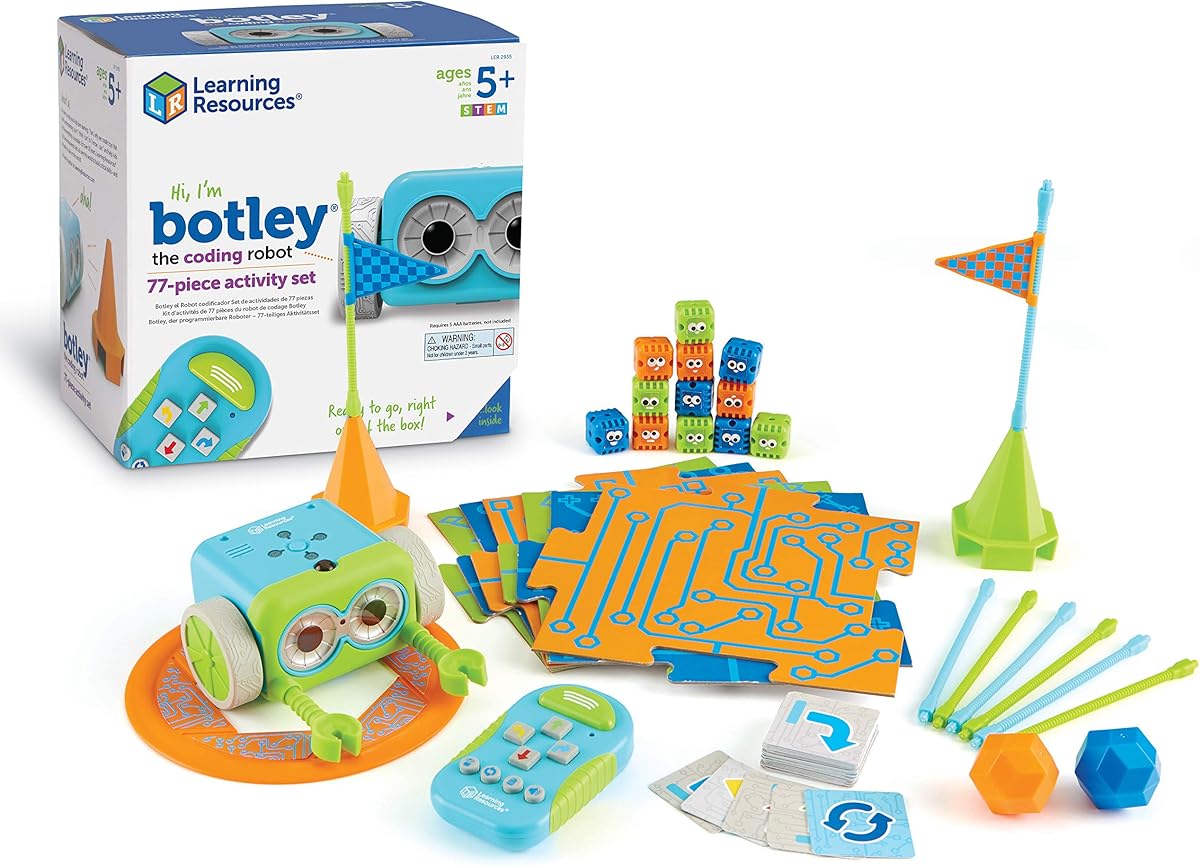
Learning Resources Botley brings screen-free coding to kids aged five and up. Rated 4.6, it teaches critical thinking and problem-solving through a programmable robot. The remote programmer sends commands, making setup and play simple and quick.
We may earn a commission when you buy through this link, at no additional cost to you.
The 77-piece set includes coding cards, obstacle pieces, and detachable arms. Botley detects objects, follows black lines, and loops commands. This complexity supports advancing skills while remaining intuitive for young learners.
Setup requires a Phillips screwdriver and AAA batteries, which are not included. However, the ready-to-code design ensures quick access to learning. The hidden features add an element of discovery and replay value.
Botley is perfect for classrooms and homes prioritizing screen-free STEM. It encourages creativity through open-ended challenges. For families seeking a versatile and reliable coding robot, this set delivers strong educational value and fun.
Botley avoids obstacles automatically, teaching conditional programming concepts.
Unlock secret modes by entering specific code combinations for extra play.
We may earn a commission when you buy through this link, at no additional cost to you.
Ozobot Evo serves grades K through 12 with both screen-free and online coding options. Rated 4.6, it uses color markers for intuitive coding and supports Blockly for advanced learners. The kit grows with the child, offering five skill levels.
We may earn a commission when you buy through this link, at no additional cost to you.
The Evo Entry Kit includes markers and a durable robot. It offers access to over 700 free lessons covering STEAM and core subjects. This makes it a long-term educational investment for home or classroom use.
The higher price reflects its durability and comprehensive resources. While markers are essential for color coding, the app support extends usability. It is ideal for educators or parents investing in structured learning paths.
Evo balances simplicity and depth well, ensuring continuous engagement. It supports creativity through art and coding. For families or teachers seeking a scalable coding tool, this robot offers extensive educational benefits.
Draw colored paths with markers to direct robot movement without devices.
Access 700 free lessons to guide structured learning and exploration.
We may earn a commission when you buy through this link, at no additional cost to you.
Learning Resources Botley 2.0 builds on the original with advanced features. Rated 4.5, it introduces object-sensing reactions and multi-step coding paths. The kit supports deeper programming logic, ideal for learners outgrowing basic sequencing.
We may earn a commission when you buy through this link, at no additional cost to you.
The 78-piece set includes stackable obstacles and coding cards. Lights, sounds, and playful music enhance engagement. Secret code combinations provide open-ended creativity, encouraging kids to invent fresh adventures.
Users note the need for batteries and the higher price point. Yet, the added features justify the upgrade for older kids. It strengthens planning and strategy skills through complex challenges.
Botley 2.0 fits classrooms and homes aiming for advanced STEM play. It balances fun with logic development. For families seeking a step-up from beginner robots, this set delivers engaging and educational results.
Detects obstacles and adjusts paths, teaching conditional programming and logic.
Enter specific combos to unlock hidden modes and surprise play features.
We may earn a commission when you buy through this link, at no additional cost to you.
Wonder Workshop Dash offers a premium, app-connected coding experience for kids six and up. Rated 4.6, it sings, dances, and navigates obstacles. With no assembly, it provides immediate STEM value right out of the box.
We may earn a commission when you buy through this link, at no additional cost to you.
The robot supports five apps including Blockly and Wonder. It teaches sequencing, loops, and variables through challenges. Its use in over 40,000 schools proves its reliability and educational impact.
Though pricier than other kits, its battery life and school adoption justify the cost. It requires devices for app features, which may increase screen time. Still, the interactive play keeps engagement high.
Dash suits families seeking a polished, classroom-proven tool. It blends coding with fun interactions. For those willing to invest in quality and support, Dash delivers long-term educational value and play.
Listen and react to voice commands, enabling interactive and dynamic play.
Up to five hours of active play ensures long sessions without recharge.
We may earn a commission when you buy through this link, at no additional cost to you.
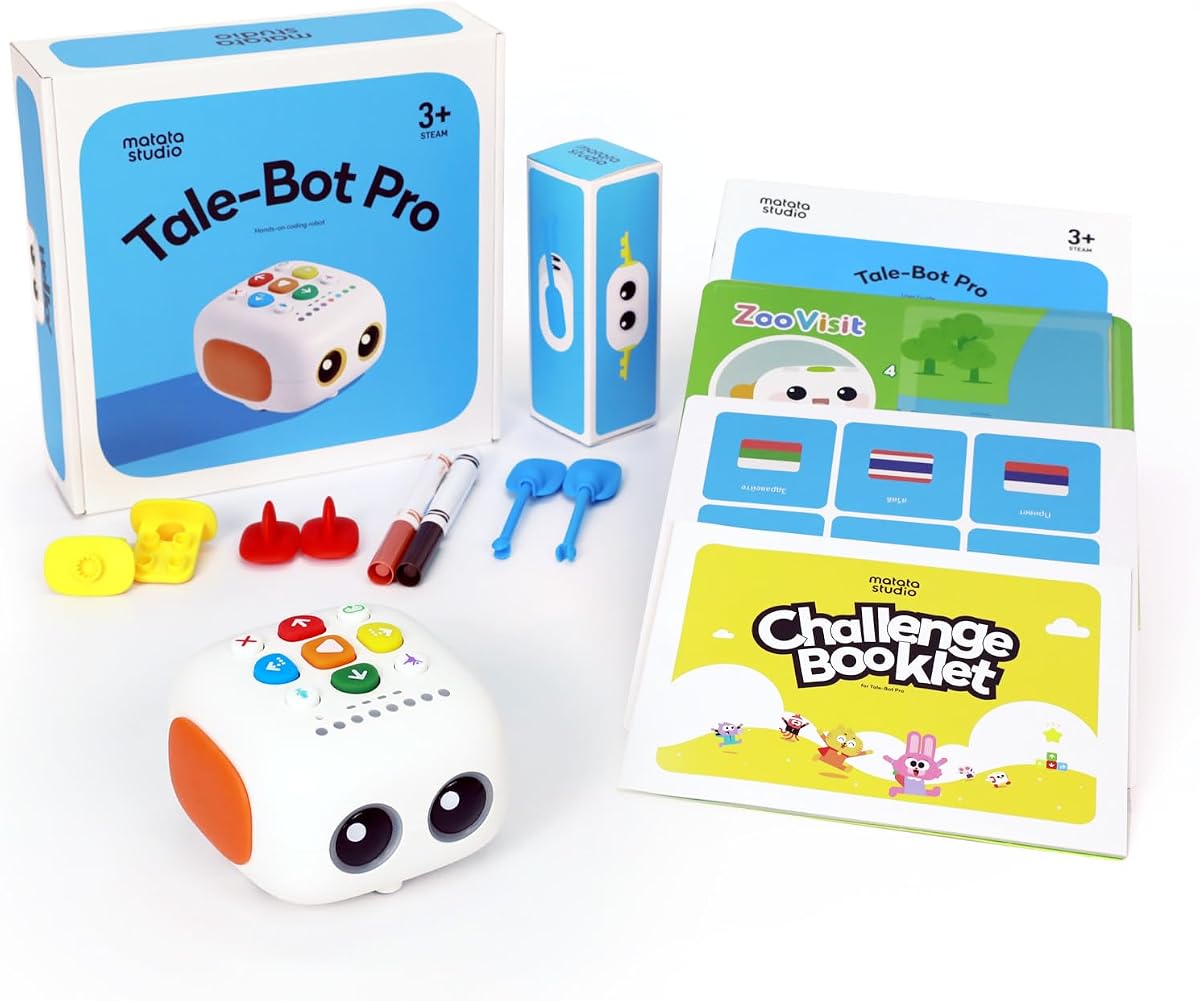
TaleBot Pro targets children aged three to five with an interactive screen-free robot. Rated 4.7, it teaches coding basics through storytelling and voice feedback. The robot walks, draws, and dances, making early learning engaging and creative.
We may earn a commission when you buy through this link, at no additional cost to you.
The kit includes a double-sided map, challenge booklet, and washable markers. Kids record voice commands and tales, blending coding with language skills. Compatibility with Lego blocks expands building possibilities and creativity.
While activity boxes are recommended for deeper learning, the base kit offers solid value. The multilingual support helps diverse families. It remains a strong choice for fostering early STEM and communication habits.
Ideal for preschool classrooms or home education, TaleBot Pro builds foundational logic. It encourages imagination and problem-solving. For families with young kids, this robot delivers accessible and fun STEM learning.
Record tales that the robot acts out, merging coding with language development.
Supports ten languages for broader accessibility across diverse learners.
We may earn a commission when you buy through this link, at no additional cost to you.
Choosing the right coding toy depends on age, interests, and learning goals. This guide breaks down key factors to help you make an informed decision.
Select toys matching your child's developmental stage. Toddlers benefit from simple buttons and sounds, while older kids enjoy complex coding and assembly.
Always check minimum age labels to ensure safety and usability for your learner.
Screen-free toys teach logic without devices, ideal for reducing screen time. App-based robots offer richer features like advanced coding languages and interactive games.
Balance your child's needs: use screen-free for early basics and apps for depth.
Some robots use physical cards or buttons for sequencing, while others use drag-and-drop blocks. Choose methods that match your child's comfort with technology.
Progressive options that grow with skill levels offer better long-term value.
Look for sets with grids, walls, and coding cards to maximize play. Building kits teach engineering skills, while pre-assembled units save time.
Check for extra accessories like markers, cones, or Lego compatibility for creativity.
Sturdy robots withstand classroom or active home use. Check battery life to ensure long sessions without interruptions or frequent recharging needs.
Consider whether rechargeable or replaceable batteries suit your routine and budget.
Many kits include free lessons, guides, or apps. These resources help structure learning and explain concepts clearly.
Check if the brand provides ongoing support or curriculum for extended use.
Prices range from budget-friendly to premium. Compare features and longevity before deciding. Higher cost does not always mean better fit for your needs.
Consider what you get beyond the robot itself, like apps, lessons, and extras.
Toys allowing customization foster creativity. Look for robots compatible with blocks, add-ons, or modular parts.
Open-ended designs keep kids engaged longer by encouraging invention and storytelling.
Start by reading the manual and testing basic functions. Ensure batteries are installed correctly before attempting complex sequences or features.
Store accessories like cards, walls, and tools in labeled containers. This prevents loss and keeps setups organized for future play sessions.
Charge rechargeable robots fully before first use. Clean surfaces with dry cloths to avoid damage. Avoid exposing electronics to moisture or extreme temperatures.
Most coding toys start at age three to five with simple buttons. For deeper coding logic, ages eight and up are ideal. Choose based on developmental readiness and interest levels.
Screen-free toys reduce device use and teach foundational logic. App-based robots offer more features and advanced coding. The best choice depends on your child's age and screen time goals.
Many screen-free robots work offline. App-based models need internet for updates but often allow offline coding sessions. Check product details to confirm connectivity needs before purchase.
Yes, coding toys teach math, science, and problem-solving skills used in school. They also improve sequencing and logic, supporting subjects like writing and engineering.
Many coding toys are classroom-ready with durable designs and lesson plans. Schools use them for STEM centers, group work, and curriculum-aligned coding lessons for students.
Battery life ranges from one to five hours depending on the robot. Some use disposable batteries, while others recharge. Always check battery requirements before use to plan accordingly.
Many kits offer expandable modules or progressive coding levels. Look for options with app updates, add-on packs, or advanced programming modes for long-term educational growth.
This guide highlighted ten standout coding toys for every age and budget. From screen-free mice to app-connected robots, each pick teaches essential logic and STEM skills.
Prioritize safety, durability, and learning goals when choosing. Match the robot's complexity to your child's interest to keep them engaged.
Prices and availability change frequently. Check current costs and stock levels before buying to ensure the best value and timely delivery.