
Logitech G305 Lightspeed Wireless Gaming Mouse – Black
4.6Editor score
Ultra-fast LIGHTSPEED wireless technology
Incredible 250 hours battery life
Compact design with nano receiver storage
This comprehensive guide compares the top ten lightweight mice for gaming and productivity, analyzing sensor performance, battery life, ergonomics, and build
Finding the right lightweight mouse can transform your computing experience by reducing fatigue and improving precision during long sessions. Whether you are a competitive gamer seeking speed or a professional needing comfort, a well-designed lightweight mouse offers significant advantages over heavier traditional models.
We evaluated ten top-rated options based on sensor accuracy, wireless latency, battery efficiency, and overall build quality. Our analysis focuses on real-world performance metrics and user feedback to ensure each recommendation delivers genuine value across different use cases and hand sizes.
Each pick highlights specific strengths such as ultra-low weight, customizable features, or ergonomic design tailored to your needs. Keep in mind that prices and availability fluctuate frequently, so verify current details before making your final purchase decision to ensure you get the best deal available.
4.6Editor score

4.5Editor score

4.6Editor score
This side-by-side comparison examines all ten selected mice to highlight key differences in sensor technology, weight distribution, connectivity options, and unique features that define their performance in gaming and productivity environments.





The Logitech G305 Lightspeed stands out as the top pick for budget-conscious gamers seeking high performance without breaking the bank. With a solid 4.6 rating from users, this wireless gaming mouse delivers incredible precision thanks to its next-generation optical HERO sensor which supports up to 12000 DPI sensitivity.
We may earn a commission when you buy through this link, at no additional cost to you.
Its ultra-fast LIGHTSPEED wireless technology ensures a lag-free experience with a 1ms report rate that rivals wired connections. The design weighs only 3.4 ounces providing high maneuverability while the efficient battery usage allows up to 250 hours of continuous gameplay on a single AA battery. You can even extend this to nine months using Endurance mode via the software.
While it lacks the rechargeable convenience of premium models the G305 makes up for it with robust performance and reliability. The compact form factor includes built-in nano receiver storage making it ideal for travel. Users often note that the lightweight construction helps reduce wrist strain during extended sessions without compromising on build quality.
This mouse is perfect for gamers who want tournament-grade performance at an entry-level price point. It suits both desktop and laptop setups well and works seamlessly with gaming laptops for portable play. If you prioritize speed and efficiency over fancy features the G305 remains the best lightweight mouse for the money.
The next-generation optical HERO sensor delivers incredible accuracy and power efficiency outperforming previous generations with 400 IPS precision.
Efficient design allows up to 250 hours of continuous gameplay on one battery or nine months with Endurance mode enabled.
We may earn a commission when you buy through this link, at no additional cost to you.
The white variant of the Logitech G305 Lightspeed offers the same exceptional performance as its black counterpart but with a sleek clean aesthetic. Rated 4.6 by users it features a next-gen 12000 DPI HERO optical sensor that ensures unrivaled gaming performance and accuracy across various surfaces and lighting conditions.
We may earn a commission when you buy through this link, at no additional cost to you.
Its advanced LIGHTSPEED wireless technology provides a super-fast 1ms response time that feels faster than many wired alternatives. The lightweight mechanical design combined with a classic shape ensures maximum maneuverability and comfort during long gaming sessions. The ultra-long battery life gives you up to 250 hours of continuous gaming on a single AA battery.
Users appreciate the compact and portable design which includes convenient built-in storage for the included USB wireless receiver. This makes it easy to keep the receiver safe and travel-ready. The white finish adds a modern touch to your setup while maintaining the robust durability expected from Logitech gaming peripherals.
Ideal for gamers who prefer a lighter color scheme this mouse delivers consistent results without extra cost. It supports both desktop and laptop setups effectively and is compatible with Logitech G HUB software for customization. If you want a stylish lightweight mouse that performs flawlessly the white G305 is an excellent choice.
The classic shape and white finish provide a modern look while maintaining the lightweight mechanical design for maximum maneuverability.
Advanced LIGHTSPEED wireless technology ensures super-fast 1ms response time and faster than wired performance in competitive scenarios.
We may earn a commission when you buy through this link, at no additional cost to you.
The Logitech G PRO X Superlight 2 has earned Editor's Choice status for its championship winning wireless performance and refined engineering. With a 4.5 rating it represents a significant upgrade offering 8 kHz polling USB-C charging and a 95-hour battery life all while weighing just 60 grams for true lightweight agility.
We may earn a commission when you buy through this link, at no additional cost to you.
Its HERO 2 optical sensor is the most advanced in gaming with tracking over 888 IPS and up to 44000 DPI. The precise sensor calibration features zero smoothing acceleration or filtering to ensure raw data accuracy. Zero-additive PTFE mouse feet allow the mouse to glide smoothly with a seamless connection to your game environment.
LIGHTFORCE hybrid switches deliver pro-level precision and reliability with tactile click feedback that satisfies competitive players. The design was created in collaboration with world leading esports pros ensuring it meets high standards for speed and control. This makes it a favorite among tournament players who need every advantage possible.
If you demand the highest accuracy and speed this mouse justifies its premium price with tangible performance benefits. It works perfectly for both PC gaming and professional esports setups. The combination of lightweight build advanced sensor and responsive switches makes it a top contender for anyone serious about gaming excellence.
The HERO 2 optical sensor tracks over 888 IPS with up to 44000 DPI and zero smoothing for precise raw data delivery.
LIGHTFORCE hybrid switches deliver pro-level precision and reliability with tactile click feedback for competitive gaming accuracy.
We may earn a commission when you buy through this link, at no additional cost to you.
The Logitech G PRO X2 SUPERSTRIKE sets a new standard for premium wireless gaming mice with industry-leading speed and haptic innovation. Rated 4.6 it offers fully customizable clicks that are 30ms faster for peak performance. The Haptic Inductive Trigger System provides real-time feedback creating an unmatched immersive experience tailored to any game scenario.
We may earn a commission when you buy through this link, at no additional cost to you.
Precision is ensured by the HERO 2 sensor delivering tracking over 888 IPS and up to 44000 DPI to match champion-level accuracy. Play longer with 60-90 hours of battery life while enjoying lag-free 8 kHz polling for uninterrupted focus during intense matches. The ultra-durable construction features a 0.7 mm thin-wall case and extra-large gliding UHMWPE feet for effortless movement.
Deep customization allows 10-level actuation points and 5-level rapid trigger reset to fine-tune clicks to your exact preference. POWERPLAY 2 compatibility enables endless wireless play with no charging interruptions if you have the mat. Advanced features require Logitech G HUB Software for full control over settings and performance metrics.
This mouse is designed for professional athletes and enthusiasts who want the absolute fastest and most responsive tool available. It supports both PC and Mac systems and is ready for competitive play out of the box. If you seek elite performance and deep customization the SUPERSTRIKE delivers the best premium experience on the market.
The Haptic Inductive Trigger System gives real-time feedback for an unmatched immersive experience in any game scenario.
Deep customization includes 10-level actuation points and 5-level rapid trigger reset for peak performance control.
We may earn a commission when you buy through this link, at no additional cost to you.
The Redragon M612 offers an affordable entry into lightweight gaming mice with powerful features like 8000 DPI adjustability and 11 programmable buttons. Rated 4.6 by users it brings impressive functionality to budget builds. The pentakill feature provides five redefinable DPI levels plus additional software options to switch between different game needs quickly.
We may earn a commission when you buy through this link, at no additional cost to you.
Its ergonomic design focuses on comfort with a skin-friendly frosted coating that offers a fingerprint-free tactility ideal for long sessions. The left side has rubber texture to strengthen friction for easier control during intense gameplay. Dynamic RGB backlit modes add a hyped vibe to your gaming space and can sync with other accessories.
The rapid fire plus two side macro buttons enhance your tactical setup for better gaming and working experience. The streamlined claw-grip design ensures less fatigue even after hours of use. While it is wired the lack of wireless latency is balanced by the low cost and solid mechanical response for typical gaming tasks.
This mouse is perfect for gamers on a tight budget who still want high DPI and customization without spending much. It suits desktop setups well and the RGB lighting helps decorate your station. If you prefer wired simplicity with great ergonomics the M612 is a strong lightweight option worth considering.
Solid frame with streamlined claw-grip design offers comfortable experience with less fatigue even after hours of use.
Five decent backlit modes with dynamic RGB vibe make your gaming space look better with compatible Redragon accessories.
We may earn a commission when you buy through this link, at no additional cost to you.
The Logitech G502 Hero brings versatility with adjustable weights and a powerful HERO sensor for precise tracking up to 25600 DPI. Rated 4.6 it offers fully customizable control over gameplay with 11 programmable buttons and a dual mode hyper-fast scroll wheel. This makes it a favorite for those who want control and adaptability in one mouse.
We may earn a commission when you buy through this link, at no additional cost to you.
Adjustable weights let you match your playing style by arranging up to five 3.6 g weights for a personalized weight and balance configuration. The mechanical switch button tensioning system uses metal pivot hinges for a crisp clean click feel with rapid feedback. LIGHTSYNC technology provides customizable RGB lighting that can synchronize with your gaming visuals.
The next gen sensor detects movements at the sub-micron level allowing it to track less than one millionth of a meter with pinpoint accuracy. While it is heavier than other lightweight options the adjustable system allows you to tailor the feel to your preference. This balance makes it unique in the market for ergonomic customization.
Ideal for gamers who value precise control and button variety this mouse offers solid performance for both work and play. The durable wired construction ensures reliability without wireless lag concerns. If you want a mouse you can tweak to your exact hand feel the G502 Hero stands out as a top lightweight choice.
Arrange up to five 3.6 g weights to match your playing style for a personalized weight and balance configuration.
Metal spring tensioning and pivot hinges built into buttons provide crisp clean click feel with rapid click feedback.
We may earn a commission when you buy through this link, at no additional cost to you.
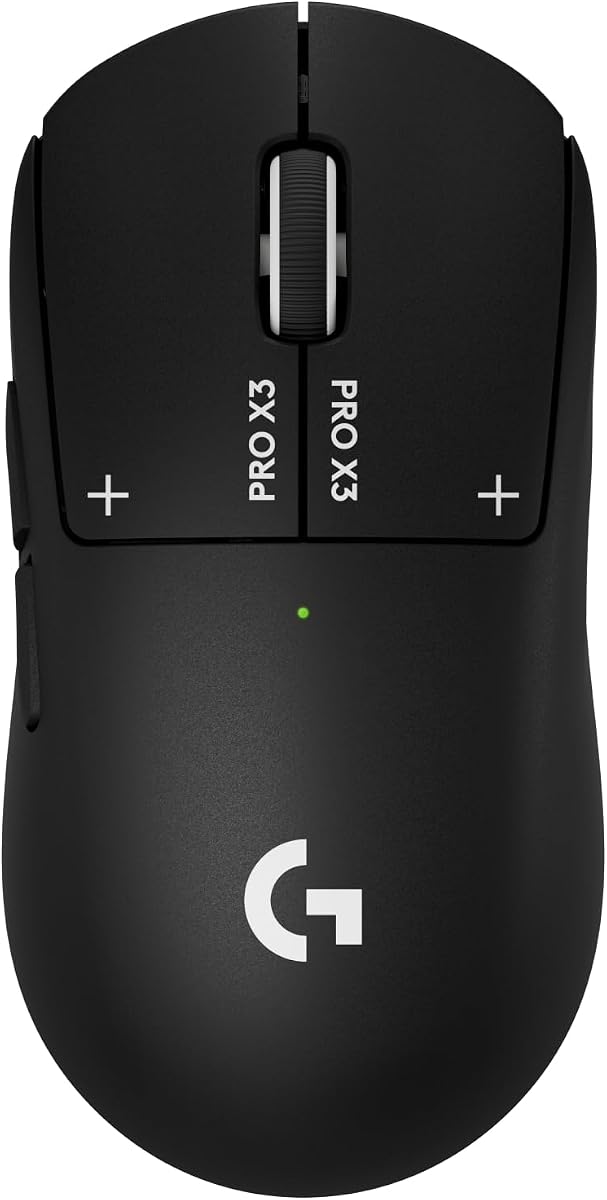
The Logitech G PRO X3 SUPERSTRIKE pushes wireless innovation with true click innovation using a Haptic Inductive Trigger system replacing standard switches. Rated 4.3 it delivers the fastest and most customizable click for competitive play. The HERO 2 sensor tracks over 930 IPS and up to 48000 DPI for exact precision needed in high-stakes matches.
We may earn a commission when you buy through this link, at no additional cost to you.
Enjoy zero lag with LIGHTSPEED wireless technology operating at up to 8 kHz polling for tournament-grade connections. Play continuously for up to 135 hours on a single charge with easy repowering via USB-C or POWERPLAY sync. Built with a 0.7 mm thin-wall case and extra-large UHMWPE feet this durable lightweight mouse ensures smooth movement.
Users appreciate the electromagnetic field trigger system which allows 10 actuation and 5 reset points for programmable clicks. The lightweight build reduces fatigue during marathon sessions while the advanced features require G HUB Software for full setup. This mouse is designed for esports athletes who need the latest tech advantage.
If you need the most advanced wireless features and long battery life this model is a strong contender. It offers a high level of customization for click feel and performance. While expensive it provides premium durability and responsiveness that professional players demand for winning matches.
Haptic Inductive Trigger system replaces standard switches with electromagnetic field delivering 10 actuation and 5 reset points.
Enjoy up to 135 hours battery life on single charge with 0.7 mm thin-wall case for smooth marathon session movement.
We may earn a commission when you buy through this link, at no additional cost to you.
The Logitech M185 is a compact ambidextrous wireless mouse designed for productivity and portability. Rated 4.4 it feels great in either right or left hand and is superior to a touchpad for efficient work. It features a line-by-line scroll wheel and up to 1 year of battery life thanks to a smart sleep mode function.
We may earn a commission when you buy through this link, at no additional cost to you.
Universal compatibility means it works with Windows PC Mac or laptop without setup hassles. Just plug in the tiny nano USB receiver and start working in seconds with a reliable connection up to 33 feet. The compact size and smooth cursor control make it suitable for small to medium hands and busy desktops.
Users like the durable and reliable build made with certified post-consumer recycled plastic. It offers better productivity than touchpads with 50% more efficiency for laptop users. The design provides more comfort and control with a contoured shape that supports everyday tasks without fatigue.
Ideal for office work or travel this mouse is simple and effective for general computing. It includes an AA battery and offers a 3-year limited hardware warranty for reliability. If you need a lightweight wireless mouse for basic tasks the M185 is a dependable and comfortable choice.
Contoured shape feels great in either right or left hand offering more comfort and control than touchpads.
Up to 1 year battery life thanks to smart sleep mode with included AA battery for reliable daily use.
We may earn a commission when you buy through this link, at no additional cost to you.
The Logitech M330 Silent Plus features SilentTouch Technology that reduces over 90 percent of clicking sounds for a quiet workspace. Rated 4.5 it is designed for long-lasting comfort with contoured plastic grips for right-handed users. It offers a 18-month battery life and power saving auto-sleep mode so you can focus without battery changes.
We may earn a commission when you buy through this link, at no additional cost to you.
Advanced optical tracking provides high-performance precision and smart cursor control on most surfaces with a range up to 33 feet. Plug and Play simplicity comes with a USB-A receiver compatible with Windows macOS ChromeOS and Linux systems. The quiet clicks help maintain a quieter working environment in shared spaces.
Users appreciate the ergonomic design built for functionality and comfort during extended work sessions. The long battery life with included AA battery ensures you don't have to stop for replacements often. Its compact size and smooth control help you work faster and reduce distraction from click noise.
Perfect for office or home use where silence matters this mouse balances performance with discretion. It is ideal for writers or professionals who type and click extensively. If you want to minimize noise while maintaining productivity the M330 Silent Plus is a reliable lightweight option.
SilentTouch Technology reduces over 90 percent of clicking sounds ensuring top performance in quieter working environments.
18-month battery life with power saving auto-sleep mode allows focus on work without battery changing hassle.
We may earn a commission when you buy through this link, at no additional cost to you.
The Logitech MX Master 4 offers precision you can feel with the Haptic Sense Panel customizable feedback on specific actions and shortcuts. Rated 4.2 it features an Actions Ring dynamic overlay adapting to each app for quick access to filters and adjustments. Scroll 1000 lines per second and stop on a pixel with the MagSpeed scroll wheel.
We may earn a commission when you buy through this link, at no additional cost to you.
Enjoy stronger connectivity with a USB-C dongle advanced radio chip or Bluetooth for versatility. The ergonomic design keeps you in flow with a natural tilt and intuitive buttons to reduce hand stress. Quiet Clicks reduce noise by 90 percent for soft satisfaction perfect for focused workflows without distractions.
Users appreciate the durable build with recycled plastic and cobalt in the battery to support a positive future. It offers enhanced productivity with app-specific settings and smooth navigation for creative or office work. The MagSpeed wheel provides fastest quietest and most precise scrolling experience on any surface.
Ideal for professionals needing precision and comfort this mouse is designed for long daily use. It supports both Bluetooth and USB-C connectivity for flexible setups. If you value ergonomic design and advanced workflow features the MX Master 4 delivers a premium lightweight experience.
Customizable haptic feedback on specific actions and shortcuts enhancing productivity on this wireless Bluetooth mouse.
Scroll 1000 lines per second with MagSpeed scroll wheel providing fastest quietest and most precise scrolling.
We may earn a commission when you buy through this link, at no additional cost to you.
Selecting the right lightweight mouse involves considering several key factors that directly impact your performance and comfort.
High-quality sensors like HERO ensure accurate tracking without smoothing or acceleration which is critical for precision tasks. Look for DPI options that suit your screen resolution and movement style to maintain control.
Always check for sensor specifications like IPS speed and DPI range to guarantee reliable performance in both gaming and productivity.
Wireless mice offer freedom of movement but require stable connections and battery management. Wired models provide consistent zero-latency performance without charging needs but limit range.
Choose wireless if mobility is key and wired if you prioritize uninterrupted performance during intense sessions.
Lightweight designs reduce hand fatigue but ensure materials are durable enough for long-term use. Thin-wall cases help reduce mass without compromising structural integrity.
Verify the weight in grams to match your preference for agility versus stability during use.
Long-lasting batteries mean fewer interruptions during work or gaming. Rechargeable options offer convenience but add cost while AA batteries allow quick swaps.
Check estimated battery life under continuous use to ensure it fits your daily routine.
Comfortable shapes and grip textures help prevent strain over time. Right-handed or ambidextrous designs should match your natural hand posture.
Select a mouse that supports your grip style to maintain control without discomfort.
Multiple buttons allow macros and shortcuts that boost workflow efficiency. Software support enables custom bindings for specific applications.
Ensure the mouse has enough buttons for your specific needs and offers intuitive software tools.
Quality materials like PTFE feet and metal switches ensure the mouse lasts through regular use. Thin cases must resist wear and tear during travel.
Look for warranties and build specs to confirm longevity before purchasing.
Universal OS support ensures you can use the mouse across different systems without issues. Receiver types matter for ports availability on your devices.
Verify compatibility with your Windows macOS or Linux setup before buying to avoid driver problems.
Start by installing the official software if available to customize DPI and button settings to your workflow. Adjust the sensor sensitivity to match your screen resolution and preferred movement speed.
Keep the mouse surface and feet clean by wiping gently with a soft cloth to maintain smooth gliding. For wireless models ensure batteries are replaced or recharged regularly to avoid disconnections during use.
Store the mouse in a protective case when traveling to prevent damage to the feet and buttons. Avoid exposing the device to extreme temperatures or moisture to extend its operational lifespan.
Lightweight mice reduce wrist strain and allow faster movements which improves reaction times and accuracy. The lower mass means less inertia so you can change direction quickly without fatigue over long sessions.
Modern wireless technology like LIGHTSPEED offers 1ms response times that match wired performance. High polling rates of 8kHz ensure zero lag during competitive play making them equally reliable.
Enable power saving modes like Endurance to extend run time. Turn off lights when not needed and recharge or replace batteries before full depletion to prevent sudden loss of connection.
Higher DPI settings allow faster cursor movement while maintaining precision. Match DPI to your screen size and use in-game settings to balance sensitivity with accuracy for your play style.
Yes many lightweight mice offer silent clicks and ergonomic comfort suitable for productivity. Models like M330 provide quiet operation and long battery life ideal for daily tasks.
Modern lightweight builds use durable materials like thin-wall cases and reinforced switches. Proper care and avoiding physical damage can ensure similar lifespans to traditional mice.
Fingertip and claw grips benefit most from lighter mice due to improved control. Palm grips also work well if the mouse has a supportive shape to reduce fatigue.
Use a microfiber cloth lightly dampened with water to wipe PTFE feet. Avoid harsh chemicals that can damage the glide and keep surfaces dry before reuse.
The top picks highlight exceptional value and performance from the G305 Budget option to the Pro X2 premium choices. Each model offers distinct strengths tailored to different user needs and budgets.
Prioritize sensor accuracy and battery life when deciding to ensure smooth operation over time. Comfort and grip design also play vital roles in long-term satisfaction.
Always check current prices and availability before purchasing to confirm the best deal available. Availability may vary by region and stock so act quickly on your preferred choice.