
Razer Basilisk V3 Pro 35K Wireless Gaming Mouse
4.4Editor score
35K Optical Sensor Gen-2
HyperScroll Tilt Wheel
140 Hour Battery Life
This guide compares the top high DPI mice for 4K gaming precision, evaluating sensors, polling rates, and ergonomics to help you choose the right gaming mouse.
Selecting the right high DPI mouse for 4K gaming precision is crucial for competitive performance. These devices offer advanced sensors capable of tracking movement at thousands of dots per inch, ensuring pixel-perfect accuracy on large displays. Gamers need reliable hardware to translate quick hand movements into precise in-game actions without lag or jitter.
Our team evaluated ten leading models based on sensor technology, wireless connectivity, build quality, and customization options. We analyzed specifications like polling rates, DPI adjustments, and battery life to determine which mice deliver the best experience for high-resolution setups. Each product was reviewed against strict criteria to ensure accuracy and relevance for serious players.
This roundup highlights the strengths and weaknesses of each mouse to help you make an informed decision. Whether you prioritize lightweight design or extensive programmable buttons, our detailed reviews cover what matters most for 4K gaming. Keep in mind that prices and availability may change, so check current listings before purchasing your next gaming peripheral.
4.4Editor score
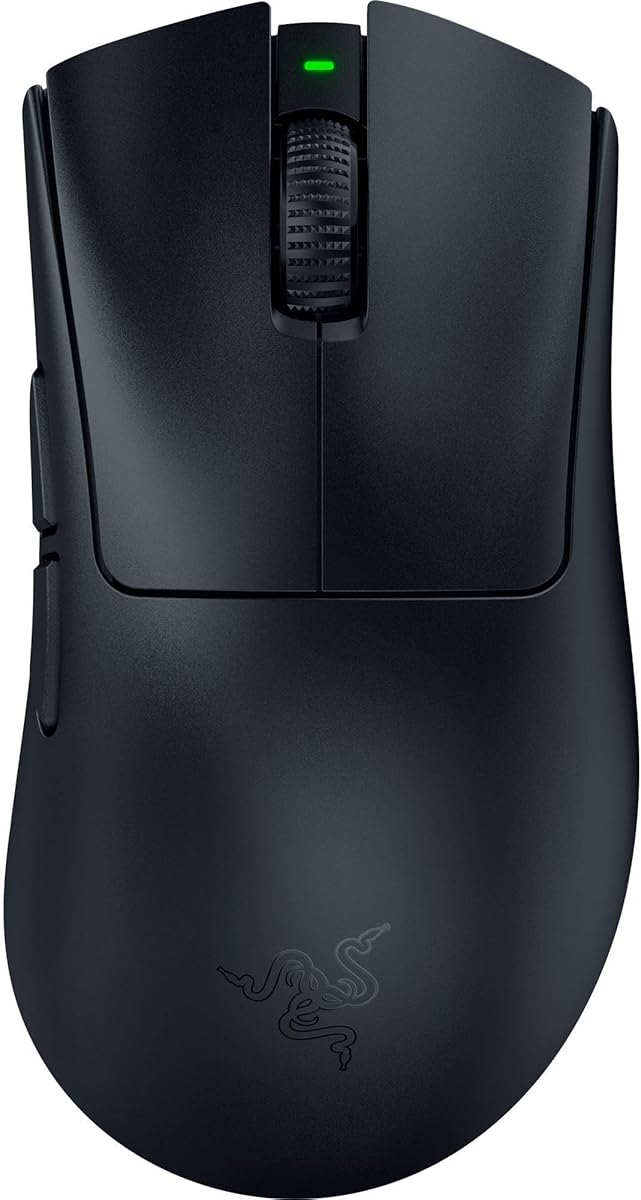
4.4Editor score

4.6Editor score
This side-by-side comparison summarizes the key specifications and features of each mouse to help you quickly identify the model that fits your gaming needs and budget constraints.
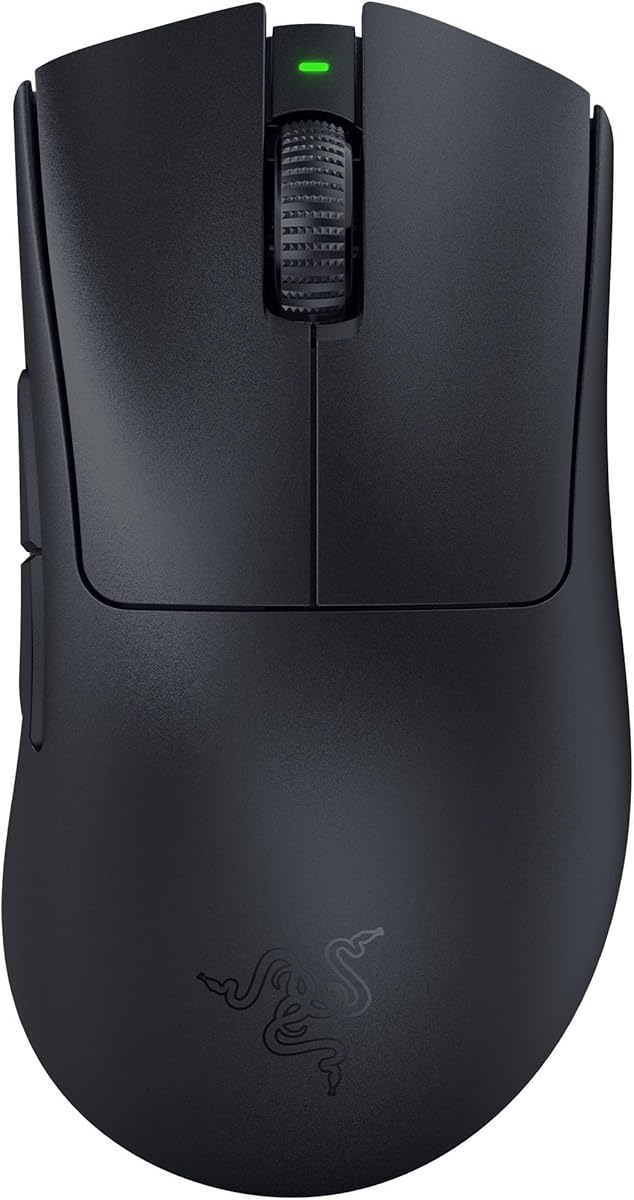




The Razer DeathAdder V4 Pro stands out as a top choice for gamers seeking precision on 4K monitors. With a 45K DPI Focus Pro Optical Sensor Gen-2, it offers reliable tracking across various surfaces including glass. Its rating reflects strong performance in competitive scenarios where accuracy is paramount.
We may earn a commission when you buy through this link, at no additional cost to you.
Key strengths include its ultra-light 56g design which reduces fatigue during marathon sessions. The 8K polling rate ensures minimal input lag, making fast reactions smoother. Optical switches provide crisp clicks with zero debounce delay, enhancing the tactile experience significantly for tactical games.
Trade-offs involve the higher cost compared to standard mice and the fixed ergonomic shape which may not suit all hand sizes. However, the build quality and performance features justify the investment for serious players who prioritize responsiveness and accuracy over budget constraints.
This mouse is ideal for FPS enthusiasts and competitive gamers who need pixel-perfect tracking on high-resolution screens. If you value a lightweight feel and advanced sensor technology, the V4 Pro is a highly recommended upgrade for your gaming setup.
The Focus Pro 45K sensor ensures reliable tracking with 99.8% accuracy, crucial for maintaining aim on large 4K screens.
With up to 150 hours of battery life at 1000 Hz, you can game for days without needing to recharge.
We may earn a commission when you buy through this link, at no additional cost to you.
The Razer Basilisk V3 Pro 35K is designed for gamers who want maximum control over their peripherals. Featuring 35K Optical Sensor Gen-2 technology, it delivers best-in-class tracking performance. The product is highly rated for its ability to adapt to different play styles through extensive customization.
We may earn a commission when you buy through this link, at no additional cost to you.
Its standout feature is the HyperScroll Tilt Wheel which offers tactile or free-spin modes. This adds functionality beyond typical scrolling. The 13 customizable controls allow complex macros to be mapped easily. Optical switches ensure durability with a 90-million click lifecycle.
Some users might find the weight slightly higher than competitive ultralight options. The software complexity requires time to master but provides deep control. These trade-offs are acceptable for users who need versatile inputs for MMOs or strategy games.
Buy this mouse if you require a feature-rich device with robust wireless performance. It suits gamers who prioritize customization and long battery life over extreme lightness. The premium build quality makes it a solid investment for dedicated setups.
Auto-switch between tactile and free-spin scrolling based on speed for seamless navigation in content and games.
Improved switch design minimizes double-clicking issues ensuring reliable performance over years of heavy use.
We may earn a commission when you buy through this link, at no additional cost to you.
The Logitech G502 Hero remains a staple in the gaming world due to its exceptional value. It features a next-generation HERO sensor that tracks up to 25600 DPI with zero smoothing. This high rating is well deserved for its consistent accuracy and build quality.
We may earn a commission when you buy through this link, at no additional cost to you.
Pros include a dual-mode hyper-fast scroll wheel that allows quick navigation through code or documents. The adjustable weights let you tailor the balance to your preference. Mechanical switch button tensioning ensures a crisp click feel every time.
The main drawbacks are the lack of wireless connectivity and a heavier design that may not suit fast-paced FPS games. However, the reliability and feature set make it a top contender for budget-conscious gamers who do not mind cables.
Choose this mouse if you need a reliable workhorse for both gaming and productivity. It is perfect for those who prioritize sensor quality and customization over wireless freedom. The price point makes it accessible for entry-level high DPI needs.
Capable of detecting movements at sub-micron levels for pinpoint accuracy on high-resolution screens.
Five 3.6g weights allow you to arrange balance configurations that match your unique grip style.
We may earn a commission when you buy through this link, at no additional cost to you.
The Razer DeathAdder V3 Pro continues the legacy of one of the most iconic shapes in gaming. Weighing just 63g it offers a level of speed and control favored by top esports players. The sensor provides flawless tracking even on glass surfaces ensuring versatile performance.
We may earn a commission when you buy through this link, at no additional cost to you.
Its optical switches offer 0.2ms actuation which is blistering fast for competitive play. The battery lasts up to 90 hours on continuous use which is substantial for a wireless device. Razer HyperSpeed Wireless ensures low latency that rivals wired connections.
While the price is higher than basic options the weight savings are significant for long sessions. The ergonomic shape is great for palm grips but might not suit claw users as well. These factors are acceptable for those who value a trusted form factor.
This mouse is best for FPS players who need agility without sacrificing comfort. If you prefer a classic ergonomic design but want modern wireless performance the V3 Pro is a solid choice to consider for your setup.
Developed in partnership with esports pros to ensure award-winning handling and comfort.
Smaller battery design boosts power efficiency allowing longer continuous play without interruption.
We may earn a commission when you buy through this link, at no additional cost to you.
The Razer Basilisk V3 Pro Customizable offers a blend of ergonomics and advanced features. With the Focus Pro 30K Optical Sensor it delivers flawless tracking on various surfaces. The product is praised for its ability to support both Bluetooth and HyperSpeed wireless modes.
We may earn a commission when you buy through this link, at no additional cost to you.
Key benefits include the 11 programmable buttons and 13-zone Chroma lighting which enhances immersion. The HyperScroll wheel allows you to switch between tactile and free-spin modes easily. Switches provide speed and reliability with a 90-million click lifecycle.
Note that the 8KHz polling rate requires a separate dock or dongle. This adds to the cost but keeps the base price reasonable. The weight may feel heavier to ultralight enthusiasts but provides stability for precise aiming.
Buy this mouse if you want a versatile wireless option with rich customization. It suits gamers who value RGB and long battery life in Bluetooth mode. The ergonomic shape makes it comfortable for extended daily use.
Enjoy ultra-responsive gaming speeds with Razer HyperSpeed Wireless that is 25% faster than standard tech.
Over 16.8 million colors react dynamically with Chroma-integrated games for greater visual immersion.
We may earn a commission when you buy through this link, at no additional cost to you.
The GravaStar Mercury M1 Pro stands out with its magnesium alloy construction which feels premium and durable. Sculpted to fit the hand naturally it reduces fatigue during long gaming sessions. The sensor offers ultra-smooth tracking and pixel-perfect accuracy for 4K setups.
We may earn a commission when you buy through this link, at no additional cost to you.
It supports 2.4G, Bluetooth, and wired modes for flexible connectivity. The 4K polling rate delivers ultra-low latency for split-second responses. RGB zones can be customized to match your setup creating an immersive environment.
The weight is higher than ultralight options which might slow down some fast movements. However, the stability provided by the metal body is appreciated by many players. Software functionality is straightforward but lacks some advanced features.
This mouse is ideal for users who want a robust build and unique aesthetic. If you prefer a substantial feel and reliable performance for MMOs or strategy games it is a strong contender worth exploring.
Magnesium alloy construction provides enhanced structural strength and a refined texture for stable handling.
Switch instantly between modes to stay connected for gaming or everyday work tasks effortlessly.
We may earn a commission when you buy through this link, at no additional cost to you.
The ATTACK SHARK RS3 ULTRA features a carbon fiber hybrid shell that offers structural strength and a lightweight 63g design. The PAW3955MAX sensor supports an impressive 52000 DPI range allowing precise micro-adjustments. It scores high for its 8K polling rate which ensures ultra-low latency.
We may earn a commission when you buy through this link, at no additional cost to you.
A unique selling point is the web driver that allows customization without installing desktop software. This saves time and system resources. The battery lasts up to 800 hours at 1000Hz making it a reliable wireless option.
The brand is less mainstream which might limit community support compared to giants. The red color variant is stylish but may not match every gaming aesthetic. These factors are minor trade-offs for the performance you get.
Buy this mouse if you want a high-performance wireless option with a unique build. It fits well in competitive setups where polling rate and DPI matter. The convenience of web-based drivers makes setup easier for everyone.
Customize buttons and settings directly through the browser without needing to install extra software.
Optical microswitches rated for 100 million clicks ensure the mouse withstands intense gaming matches.
We may earn a commission when you buy through this link, at no additional cost to you.
The Logitech G703 Lightspeed combines comfort and performance in a solid wireless package. It features the HERO 25K sensor which provides 1:1 tracking with zero smoothing. The 95g weight and rubber grips make it supremely comfortable for long hours.
We may earn a commission when you buy through this link, at no additional cost to you.
Key features include LIGHTSPEED wireless for high performance and POWERPLAY charging compatibility. This means you can keep the mouse charged while at rest or in play if you have the charging mat. The LIGHTSYNC RGB syncs with audio and in-game action.
The weight is a consideration for those seeking speed over comfort. Battery life is reduced when RGB is fully active but this is expected. Overall the reliability of Logitech makes it a safe choice.
Choose this mouse if you prioritize comfort and a trusted brand. It is excellent for players who want wireless freedom without compromising on tracking quality. The charging option adds great value for dedicated setups.
The sensor offers 10x power efficiency of previous generations allowing longer battery play.
Metal-spring button tensioning keeps primary buttons poised to trigger with less force.
We may earn a commission when you buy through this link, at no additional cost to you.
The Redragon M916 Wireless brings ultra-lightweight design to the budget segment at just 49g. Armed with Redragon's 4K transmission tech and Nordic flagship chip it unleashes precise tracking and low consumption. It is a strong option for gamers looking for performance without spending much.
We may earn a commission when you buy through this link, at no additional cost to you.
It offers 2.4GHz, Bluetooth, and wired connectivity which is rare at this price. The 26K DPI allows you to switch between levels easily. The ergonomic shape follows the natural structure of the human hand for less fatigue.
The build quality is functional but lacks the premium feel of expensive models. RGB is minimal compared to other options. However, the performance per dollar is hard to beat for entry-level competitive play.
Buy this mouse if you want to test ultralight performance on a budget. It suits gamers who prioritize weight and sensor responsiveness over extra features. The value it provides makes it a standout in the affordable category.
A Nordic flagship chip ensures low consumption and precise tracking for battle reactions.
Natural hand structure design makes handling easy for long gaming parties or work.
We may earn a commission when you buy through this link, at no additional cost to you.
The Razer Basilisk V3 Wired offers a reliable ergonomic design favored by millions. It features a Focus Plus 26K DPI Optical Sensor that tracks movement flawlessly. The optical switches provide crisp execution with zero unintended misclicks ensuring a smooth experience.
We may earn a commission when you buy through this link, at no additional cost to you.
Its HyperScroll Tilt Wheel allows free-spin mode for content or tactile mode for games. 11 programmable buttons let you map essential actions quickly. The thumb rest supports the hand perfectly for optimized button access.
The wired connection eliminates battery concerns but limits flexibility. RGB lighting is vibrant but needs software for full customization. These points are minor given the price and performance balance.
Choose this mouse if you prefer the reliability of a wired connection. It is perfect for gamers who want high DPI and customization without the wireless premium. The value is exceptional for this feature set.
A thumb rest and form factor perfectly support the hand for optimized button access.
Optical switches offer 0.2ms actuation speed and up to 70 million clicks for durability.
We may earn a commission when you buy through this link, at no additional cost to you.
Selecting the right mouse involves evaluating sensor capabilities, connectivity, ergonomics, and build quality. This guide breaks down the most critical factors to help you choose the best high DPI mouse for 4K gaming precision.
The sensor is the heart of any gaming mouse and determines tracking accuracy. For 4K gaming you need a sensor capable of high DPI (dots per inch) to move the cursor smoothly across large screens. Look for models with up to 25K or 50K DPI and zero acceleration or smoothing to ensure pixel-perfect precision.
Prioritize sensors with high IPS and tracking speed to handle fast movements without losing accuracy.
Polling rate refers to how often the mouse sends data to your computer. Standard is 1000Hz but high-performance models offer 4K or 8K rates. Higher rates reduce input lag making clicks register faster on screen which is vital for competitive shooters.
Higher polling rates ensure faster reaction times and smoother cursor movement on high refresh monitors.
Choose between wireless and wired mice based on your needs. Wireless offers freedom but ensure it has low-latency tech like 2.4GHz. Wired eliminates battery worries but limits movement. Some mice support both modes for flexibility.
Opt for wireless with proven low-latency technology if you value cable-free movement.
Weight affects how quickly you can move the mouse. Ultralight models under 70g are preferred for fast FPS games while heavier mice offer stability. The shape should match your grip style such as palm or claw to prevent fatigue.
Select a weight and shape that suit your grip style and game type.
Wireless mice need sufficient battery life to avoid interruptions during gaming. Look for models offering 50 hours or more. Fast charging options are also beneficial for quick top-ups.
Aim for at least 50 hours of battery life to ensure uninterrupted play.
More buttons allow you to map macros or commands for different games. Ensure the software is intuitive and reliable. 6 to 12 buttons are standard depending on the model.
Check that the software supports the number of buttons you need for customization.
A mouse should withstand heavy use over years. Look for optical switches which avoid double-clicking and durable coatings. Materials like carbon fiber or magnesium alloy add strength.
Opt for models with high-rated click cycles and premium materials.
Prices vary significantly between budget and premium options. Determine how much you can spend and what features are essential. Often mid-range models offer the best balance of performance and cost.
Compare features against price to find the model that fits your budget.
To start using your new mouse correctly adjust the DPI settings in the software to match your screen resolution. For 4K gaming a DPI between 800 and 1600 is often recommended for smooth cursor movement without excessive speed.
Keep the mouse surface clean by wiping the feet regularly to maintain smooth gliding. Use a high-quality mouse pad that offers low friction and consistent tracking for the best sensor performance on large screens.
Store the mouse in a cool dry place when not in use to protect the internal components. Avoid bending the cable or over-tightening the connector to prevent physical damage to the ports.
For 4K gaming a DPI between 800 and 1600 is typically recommended for precise aiming without the cursor moving too fast. However, some high DPI mice support up to 45K allowing you to adjust sensitivity to your preference.
Modern wireless technology has improved significantly with many offering near zero latency. High-end models with 2.4GHz or Bluetooth low energy connections can perform as fast as wired mice in most gaming scenarios.
Ultralight mice under 70g are preferred for fast shooters to reduce fatigue. Heavier mice offer stability for strategy games. Try different weights to find what feels best for your grip style and play duration.
Stuttering often results from a low polling rate or a dirty sensor. Ensure you have at least 1000Hz polling and clean the sensor area regularly. Updating drivers may also resolve compatibility issues.
Optical switches use light to register clicks which eliminates debounce delay and double-clicking issues. They provide faster actuation and longer lifespan making them ideal for competitive gaming compared to traditional mechanical switches.
Many modern sensors are designed to track on glass surfaces with minimal issues. Check the specs to ensure the model supports glass tracking if you plan to use it without a traditional mouse pad.
In conclusion selecting the right high DPI mouse for 4K gaming precision comes down to your specific needs. Our top picks include the Razer DeathAdder V4 Pro for its advanced sensor and lightweight design. The Razer Basilisk V3 Pro offers extensive customization while the Logitech G502 Hero provides great value.
Consider what matters most to you whether it is weight battery life or programmable buttons. The guides and reviews above highlight the key features of each model to help you decide. Prioritize performance specs that match your play style for the best experience.
Remember to check current prices and availability as they may change over time. Investing in a quality mouse can significantly enhance your gameplay and comfort. Take the time to research and pick the model that suits your setup.
