
Rsrteng CCTV Camera Tester
4.5Editor score
Android 11 OS support
8K 32MP IP testing
Dual Gigabit Ethernet ports
A reliable CCTV test monitor is essential for security installers who need to verify camera functionality on site. These devices combine video inputs, network tools, and power outputs to streamline installation and maintenance workflows efficiently.
We evaluated ten leading models based on compatibility, portability, and advanced testing features. Our selection includes options ranging from basic analog testers to comprehensive IP and coaxial hybrid units designed for modern security systems.
Each pick highlights key capabilities, pros, and cons to help you match a tool to your specific job requirements. Please note that product availability and pricing can change frequently, so verify current details before purchasing.
4.5Editor score

4.4Editor score

5.0Editor score
As an Amazon Associate we earn from qualifying purchases.
The following table provides a side-by-side comparison of all ten selected CCTV test monitors. Review the specifications to identify which model best fits your technical requirements and budget constraints.


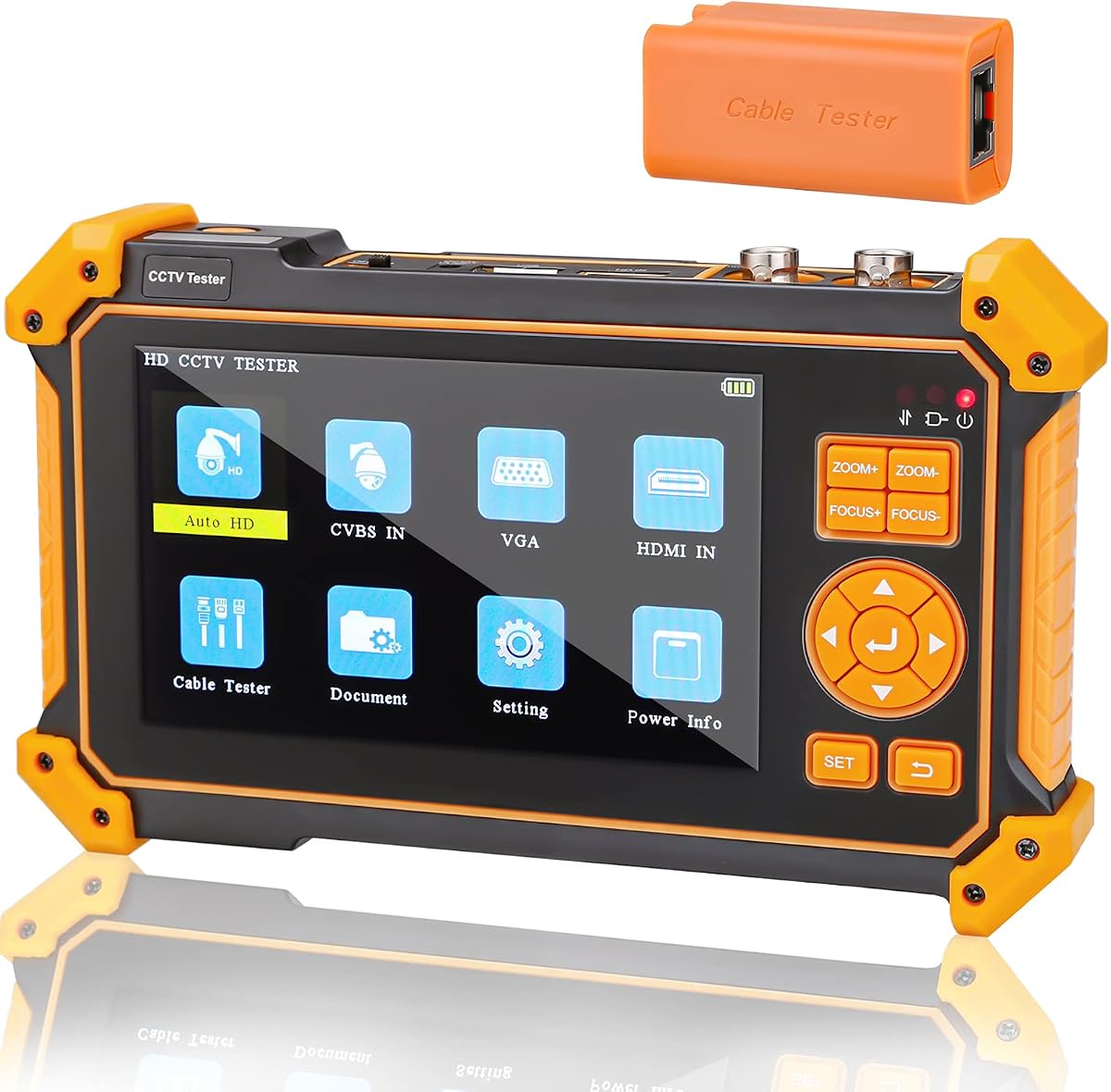
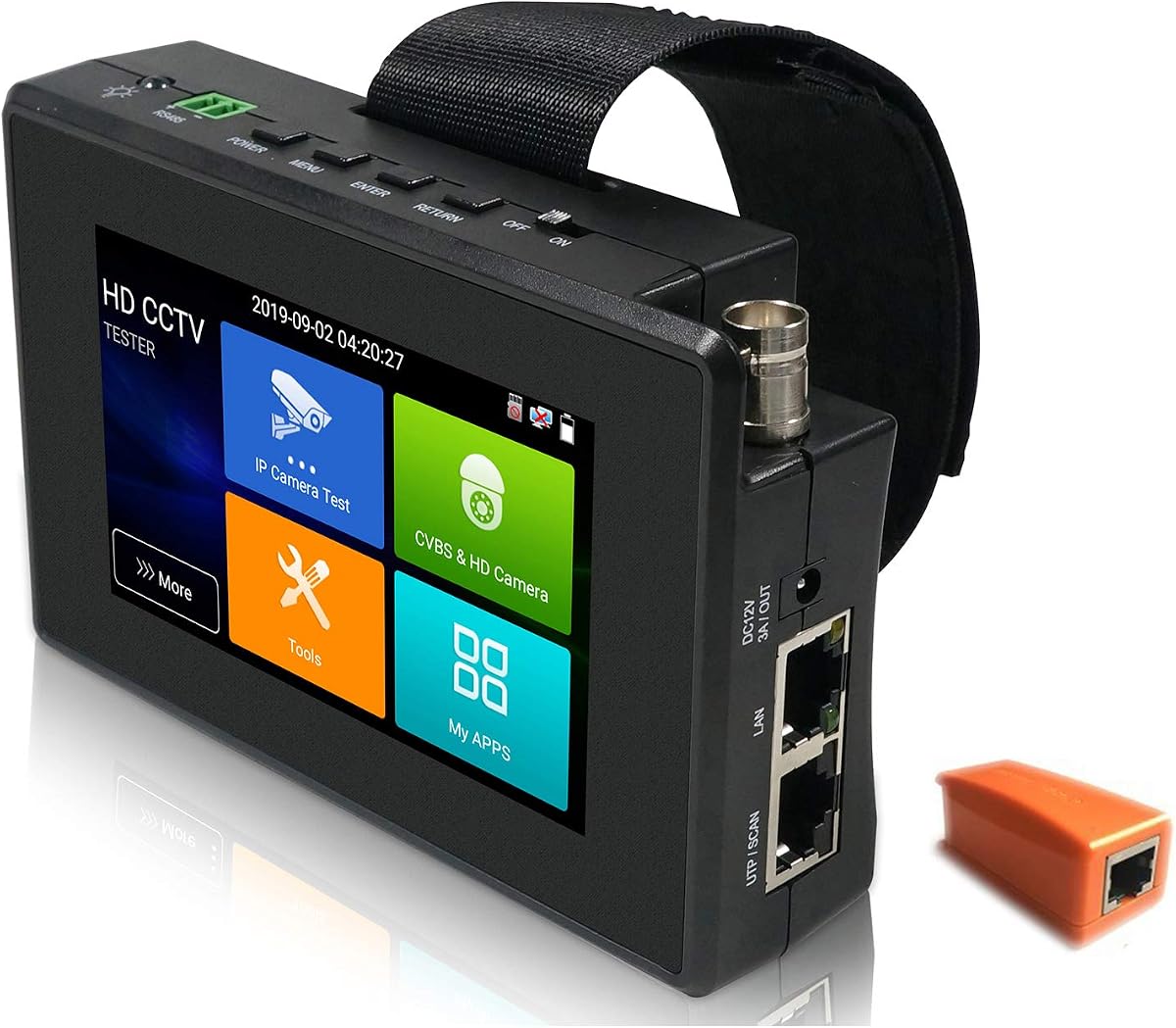
This WANLUTECH IPC Tester stands out as a powerful tool for professional installers needing advanced features. It supports high-resolution IP cameras and includes a robust set of network diagnostics and power options.
We may earn a commission when you buy through this link, at no additional cost to you.
The 8 inch touchscreen provides a clear view of video feeds and configuration menus. With 90W PoE output, it can power demanding PTZ cameras without external adapters. The SFP port adds fiber optic testing capabilities.
While the unit is feature-rich, it is heavier than simpler models. Users should ensure they handle the battery insulation paper before first use. It requires a DC15V input for optimal performance during extended testing sessions.
Installers managing complex fiber and IP networks will find this device indispensable. The batch activation tools for major brands save significant time on large projects. It is a top choice for those who need versatility.
The 90W PoE output ensures high-power devices like PTZ domes receive sufficient energy during testing without needing separate power supplies.
Built-in tools like Ping, IP scan, and trace route help quickly identify network issues before camera configuration begins.
We may earn a commission when you buy through this link, at no additional cost to you.
This model offers upgraded features suitable for high-resolution surveillance projects. It handles 8K IP cameras and includes a cable tracer to locate buried or bundled lines efficiently.
We may earn a commission when you buy through this link, at no additional cost to you.
The Auto HD app recognizes camera types automatically. This reduces manual configuration steps significantly. The 7 inch screen is sharp enough for detailed pixel inspections during installation checks.
Users must remove the battery insulation sheet before use. The device is robust but might be overkill for small residential jobs. It shines in commercial environments with mixed cable types.
Technicians needing both analog and IP capabilities in one unit should consider this. The included tracer saves extra tool purchases. It is a solid investment for growing security businesses.
The built-in tracer helps locate specific cables in cluttered junction boxes or walls, saving time on complex installations.
Support for 8K IP cameras ensures future-proof testing capabilities for the latest high-definition security systems.
We may earn a commission when you buy through this link, at no additional cost to you.
The Rsrteng tester stands out with Android 11 OS allowing app installations. This flexibility is unique among dedicated hardware testers and expands utility beyond basic video checks.
We may earn a commission when you buy through this link, at no additional cost to you.
With support for 32MP cameras and dual Ethernet ports, it handles high-throughput networks well. The IPS screen ensures color accuracy which is vital for motion detection testing.
Setup is straightforward once the battery insulation is removed. While powerful, the unit is slightly bulkier than non-Android competitors. Ensure you have access to Wi-Fi for app updates.
This device is ideal for tech-savvy installers who want customization. The ability to install specific tools or viewers adds significant value. It balances performance with modern software flexibility.
Running Android 11 allows users to install third-party apps or viewers not typically available on locked proprietary systems.
Having two Ethernet ports enables direct connection to NVRs or switches while maintaining network analysis capabilities.
We may earn a commission when you buy through this link, at no additional cost to you.
This compact tester is perfect for quick residential jobs or tight spaces. The 4 inch touchscreen offers enough clarity for verifying feeds without carrying bulky equipment.
We may earn a commission when you buy through this link, at no additional cost to you.
It supports 30W PoE which covers standard dome cameras easily. The auto discovery feature finds cameras on the network instantly. PTZ controls work smoothly via RS485 connections.
The smaller screen may limit detailed pixel checks for high-res cameras. Users needing higher power outputs might need an external injector. However, portability is a major advantage here.
For installers prioritizing speed and weight, this model is excellent. It handles most common analog and IP formats well. It is a reliable secondary tool for quick checks.
The small form factor fits easily in tool pockets, reducing the load for technicians working across multiple sites.
Auto ONVIF discovery simplifies the initial setup process for IP cameras by finding them instantly on the network.
We may earn a commission when you buy through this link, at no additional cost to you.
Triplett tools are known for durability. This tester offers a straightforward way to verify cameras without complex menus. The speed test feature is unique for checking bandwidth usage.
We may earn a commission when you buy through this link, at no additional cost to you.
The 5 inch screen provides clear visibility. It handles H.265 and 4K formats well. Power output is stable for standard camera types. It lacks some advanced network tools found in others.
Users should note the 24W PoE limit is lower than high-end models. It is best for general maintenance rather than complex fiber setups. The brand reputation adds value for commercial buyers.
This unit is suitable for general maintenance. It focuses on reliability over feature bloat. If you value brand trust and simplicity, this is a strong contender for your toolkit.
Built-in Ookla speed test allows installers to verify network speed limits before installing high-bandwidth IP cameras.
Triplett's reputation for rugged tools ensures this device can withstand daily job site use and environmental exposure.
We may earn a commission when you buy through this link, at no additional cost to you.
This model is designed primarily for analog systems. It supports 4 in 1 signals including TVI and AHD. The non-touch screen keeps it simple and responsive for technicians.
We may earn a commission when you buy through this link, at no additional cost to you.
It offers 11 hours of battery life which is excellent for long shifts. HDMI and VGA inputs make it versatile for connecting to DVRs. The included PTZ controller works reliably.
Since it does not support IP cameras, it is not a hybrid tool. Users must ensure their jobs are analog focused. It is a cost-effective solution for older infrastructure upgrades.
For technicians working on legacy systems, this unit is ideal. It handles 5MP coaxial cameras well. The battery longevity ensures you won't run out of power mid-job easily.
The 2600mAh battery provides up to 11 hours of continuous use, reducing the need for mid-day recharging.
HDMI and VGA inputs allow the device to function as a portable display for DVRs and NVRs during debugging.
We may earn a commission when you buy through this link, at no additional cost to you.
This tester includes unique video level meter features for signal quality checks. It supports 8K IP and analog cameras making it highly versatile. The TDR cable test adds significant value for installers.
We may earn a commission when you buy through this link, at no additional cost to you.
It offers a long 10 hour battery life. Android app support allows custom extensions. The screen snapshot feature helps document issues quickly. It handles high resolution feeds well.
The device is robust but heavier than compact models. The interface might take some learning for new users. Ensure you charge the battery fully before starting long projects.
Installers needing detailed cable and signal diagnostics will appreciate this. The included tools reduce the need for separate meters. It is a strong choice for professional maintenance teams.
The built-in video level meter helps detect signal degradation issues before they affect image clarity on the camera.
TDR testing helps measure cable length and identify breaks in the line without needing a separate cable tester device.
We may earn a commission when you buy through this link, at no additional cost to you.
This model offers exceptional value for analog testing needs. It includes UTP cable testing which is rare at this price point. The LED flashlight helps in dark ceilings during installation.
We may earn a commission when you buy through this link, at no additional cost to you.
It supports 8MP TVI and AHD cameras effectively. The 4.3 inch screen is sufficient for checking feeds. It is lightweight enough to carry around easily for long periods.
Users should note it does not support IP cameras. If your job involves only coaxial analog setups, this is ideal. The auto recognition feature saves time configuring each camera manually.
For small businesses or contractors focused on analog, this is a smart buy. It covers the basics well without unnecessary costs. It is a highly rated tool for budget-conscious users.
The included UTP test function allows quick verification of Ethernet connections without needing extra tools.
Built-in LED flashlight provides immediate lighting for ceiling work or dark enclosures without needing a separate torch.
We may earn a commission when you buy through this link, at no additional cost to you.
This tester stands out for supporting SDI formats alongside standard analog. It is a solid choice for broadcast or specialized security setups. The HDMI input adds versatility for DVR debugging.
We may earn a commission when you buy through this link, at no additional cost to you.
It includes a UTP cable tester for basic network checks. The 3200mAh battery provides 6 hours of operation. It is lightweight and comes with a strap for easy carrying.
The non-touch interface is simple but limits modern interaction. Users should verify if SDI is needed for their specific projects. It offers strong value for mixed analog signal environments.
Installers requiring SDI support will find this useful. It covers most coaxial types in one unit. For basic maintenance of older systems, it performs well without high costs.
Support for SDI cameras makes this unit suitable for specialized security or broadcasting installations using SDI signals.
The included strap and lightweight design allow technicians to move freely between locations without heavy tool loads.
We may earn a commission when you buy through this link, at no additional cost to you.
This hybrid tester handles both IP and analog feeds well. The screen rotation feature is a unique usability improvement for cable connection. It supports 4K IP cameras effectively for modern needs.
We may earn a commission when you buy through this link, at no additional cost to you.
It includes a 25.5W PoE output which suits most cameras. The customizable interface helps users personalize the layout. It fits in pockets easily due to the compact design.
The screen is small for detailed work but functional. Power output is enough for standard setups. It is a solid choice for general contractors needing dual functionality in one device.
For installers needing a balanced tool for mixed jobs, this is recommended. It avoids carrying separate devices. It is a reliable hybrid solution for typical security tasks.
180-degree screen rotation allows easier cable connections from the bottom without flipping the entire device around.
The customizable interface allows users to arrange icons and backgrounds to fit personal workflow preferences.
We may earn a commission when you buy through this link, at no additional cost to you.
Choosing the right CCTV test monitor depends on your installation needs and budget. Consider the types of cameras you test and the features required for efficient on-site work.
Ensure the monitor supports the camera types you use most. Some models support only analog signals while others handle IP and hybrid formats. Check for support of formats like TVI CVI AHD and 4K.
A versatile monitor saves you from buying multiple tools. Always verify if it handles the specific resolution and protocols used in your projects.
Power over Ethernet output allows you to power cameras during testing without external adapters. Look for models offering at least 30W for standard units. Higher power like 90W is needed for PTZ cameras.
Without adequate PoE output you may carry extra power supplies. This adds weight and complexity to your job setup.
Cable testing functions help detect faults quickly. Look for TDR or UTP testers included in the device. This reduces the need for separate tools on site.
Integrated testing saves time and improves efficiency. Verify the test distance matches your project needs.
A larger screen provides better visibility for detailed work. Touchscreens offer intuitive navigation compared to buttons. Consider portability versus display clarity when choosing size.
Smaller screens are lighter but harder to read. Ensure the resolution is high enough for clear video feeds.
Battery duration determines how long you can work without recharging. Look for models lasting at least 6 hours. Long life reduces downtime during shifts.
Consider removable batteries if available for extended jobs. Always check charging time before purchase.
IP tools like scan ping and discovery simplify network setup. These features help identify IP conflicts or connection issues. They are essential for modern IP camera installation.
Robust network tools reduce troubleshooting time. Ensure the device supports the protocols used by your cameras.
A lighter device reduces fatigue during long installations. Consider the dimensions and if it fits in your tool kit. Some units include straps for carrying.
Balance features with weight. Heavy units may offer more power but slow you down.
Prices vary significantly based on features. Higher-end models offer more tools but cost more. Choose a reputable brand for reliability and support.
Invest in a tool that fits your business needs. Sometimes a lower-cost model is sufficient for specific tasks.
Before first use, remove the battery insulation paper found inside the battery cover. This step is critical for the device to power on correctly. Failure to remove it will prevent operation.
Connect the camera to the appropriate input port. Use BNC for analog or LAN for IP. Check the display for video feed. Adjust resolution settings if the image appears distorted.
Store the device in a dry place away from extreme temperatures. Keep the screen clean with a soft cloth. Avoid dropping the unit to prevent internal damage to components.
A CCTV test monitor is used to verify camera functionality during installation and maintenance. It helps technicians check video quality and power and network connectivity directly at the camera location.
Many modern monitors support IP cameras. However some budget models may only handle analog signals. Always check the product description to ensure IP compatibility before buying.
Most monitors have built-in batteries for portable use. They can also be powered by DC inputs for continuous operation on site without draining the battery.
PoE output stands for Power over Ethernet. It allows the monitor to send power and data to IP cameras through a single cable. This simplifies testing by removing the need for separate power adapters.
Yes many models are designed to be portable. They often come with straps or fit in tool kits. Weight varies so check specifications if portability is a priority.
Some Android-based monitors allow app updates via Wi-Fi. Others may require manual updates through manufacturer tools. Check the user manual for specific steps related to your model.
First check that the camera is connected properly and powered. Verify the input settings on the monitor. If the issue persists test with a known working camera to isolate the problem.
Some advanced models support video recording via SD cards. Others are purely for viewing. Verify recording capabilities in the product specifications before relying on it for documentation.
We reviewed ten top models ranging from budget-friendly analog tools to advanced IP testers. The top picks include powerful hybrid options and compact units suited for specific needs.
Prioritize compatibility and power output when selecting a device. Ensure it supports the formats you use most to avoid future limitations. A versatile tool saves time and money.
Remember to verify current pricing and stock as details change. Choose the model that best matches your daily workflow. Investing in a reliable monitor improves installation efficiency significantly.