
Thermaltake Pure 20
4.5Editor score
High airflow design
Affordable pricing
Anti-vibration mounting
Choosing the right cooling solution is essential for maintaining optimal system performance and longevity. 200mm case fans offer a significant advantage over smaller sizes by moving more air with less noise. This guide explores the best options available to ensure your build stays cool.
We evaluated ten leading models based on airflow, static pressure, noise output, and build quality. Each product was analyzed for its unique features and suitability for different case configurations. Our goal is to provide clear insights for making an informed decision.
Each pick highlights specific strengths and ideal use cases for various user needs. Prices and availability may change over time so always verify current details before purchasing. We aim to keep this information accurate and helpful for your next upgrade.
4.5Editor score
4.8Editor score

4.6Editor score
As an Amazon Associate we earn from qualifying purchases.
The following table provides a side-by-side comparison of all ten selected models. It highlights key specifications and unique features to help you quickly identify the best fit for your specific cooling needs and budget constraints.


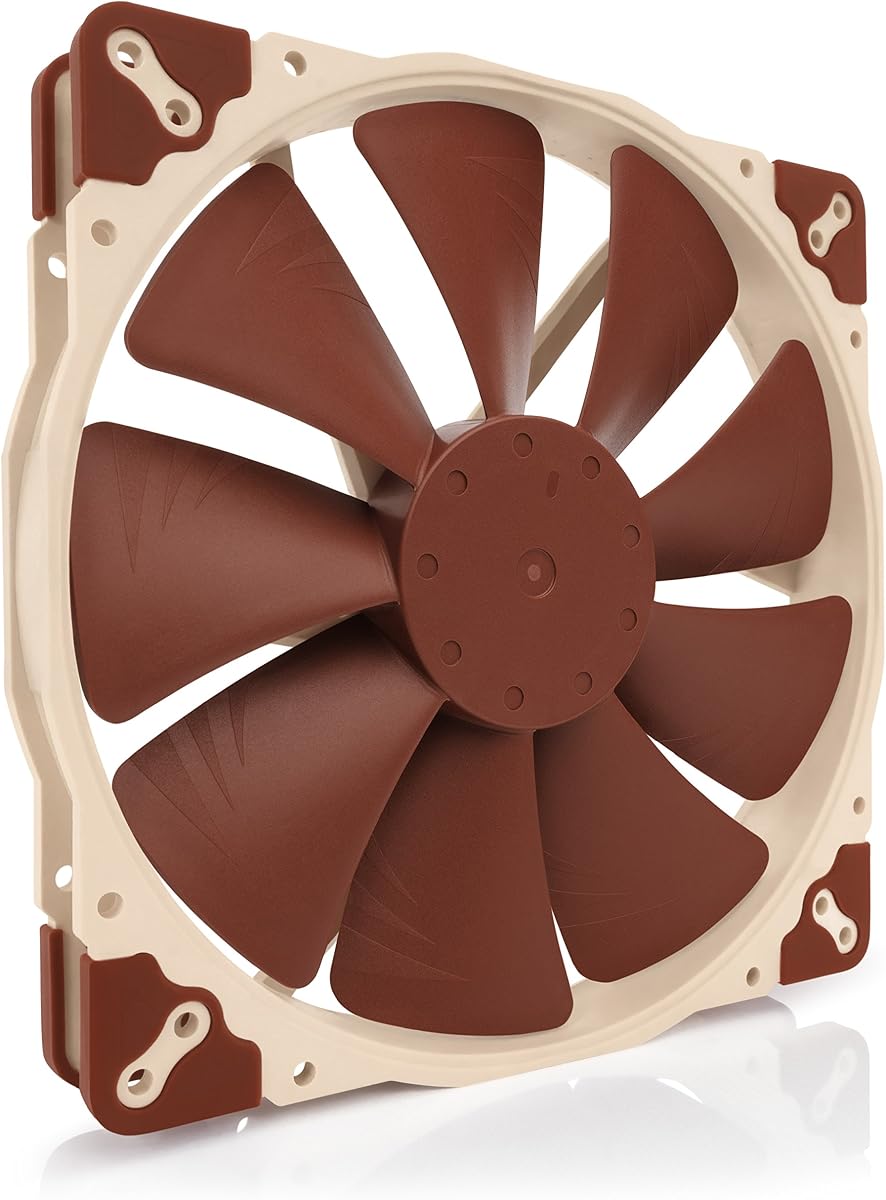
This fan stands out as a top choice for those prioritizing silence and reliability. It boasts a high rating and delivers exceptional cooling with minimal noise. The design focuses on advanced acoustic optimization for a truly quiet experience.
We may earn a commission when you buy through this link, at no additional cost to you.
Its Flow Acceleration Channels and optimized frame reduce turbulence effectively. The 4-pin PWM allows precise speed control via motherboard headers. You get multiple mounting options ensuring it fits various chassis layouts easily.
While the cost is higher than average the longevity justifies the investment. The included LNA adaptor lets you fine tune speeds for extreme silence. It lacks RGB but appeals to users focused purely on thermal performance.
Ideal for quiet builds needing large airflow without disturbance. This model offers peace of mind with over 150k hours lifespan. It remains a benchmark for high performance and low noise standards.
Advanced acoustic optimization reduces noise while maintaining high airflow.
Three sets of mounting holes ensure broad compatibility with many cases.
We may earn a commission when you buy through this link, at no additional cost to you.
This edition offers the same legendary performance in an all-black package. It appeals to users wanting a cohesive look without sacrificing cooling power. The chromax.swap feature adds unique customization potential for anti-vibration pads.
We may earn a commission when you buy through this link, at no additional cost to you.
You get swappable pads in multiple colors to match your build theme. The fan maintains low noise with PWM speed control and a 800 RPM limit. Flow Acceleration Channels ensure efficient airflow with minimal turbulence.
The higher price reflects the premium build quality and customization options. It fits standard mounting holes ensuring compatibility with most 200mm slots. Lack of LEDs keeps focus on performance rather than visual effects.
Perfect for dark themed builds needing top tier cooling. The ability to swap pad colors adds a personal touch rare in this segment. It balances aesthetics and silence effectively for discerning users.
Swappable anti-vibration pads allow you to match your build color scheme.
Automatic speed control ensures efficient cooling with minimal noise output.
We may earn a commission when you buy through this link, at no additional cost to you.
This model delivers solid airflow performance at a very accessible price. It is designed for users needing efficient cooling without spending much. The 30mm thickness provides better pressure and airflow capacity.
We may earn a commission when you buy through this link, at no additional cost to you.
Anti-vibration mounting helps reduce noise during operation effectively. The shaved frame simplifies installation especially with Thermaltake chassis. It offers a balanced mix of style and efficiency for standard builds.
Sleeve bearings offer decent life but may wear faster than premium types. Noise levels are acceptable but not as refined as top tier fans. Overall it remains a strong value choice for budget builds.
Ideal for entry-level or budget conscious PC builders. It provides reliable cooling and fits well in most standard cases. Consider it if maximizing airflow per dollar is your priority.
Blade design focuses airflow to create a torrent without excess noise.
Shaved frame allows easier installation on compatible chassis models.
We may earn a commission when you buy through this link, at no additional cost to you.
This fan offers strong airflow numbers with reliable hydraulic bearing tech. It is designed to complement the CT lineup for a cohesive build look. The daisy chain connectors simplify wiring for multiple fans.
We may earn a commission when you buy through this link, at no additional cost to you.
Optimized nine blades push significant air while managing static pressure well. Hydraulic bearings provide silent operation over time without oil leakage issues. It fits standard mounts allowing easy replacement or upgrade.
At max speed noise increases slightly but remains acceptable. The PWM control helps balance performance and silence efficiently. It is a solid choice for mid-range users needing airflow without premium costs.
Great for users wanting a matching CT system aesthetic. The daisy chain feature reduces cable clutter effectively. Choose this for reliable cooling with modern connectivity options.
Connect multiple fans quickly without needing extra power cables.
Hydraulic design ensures silent and reliable long term operation.
We may earn a commission when you buy through this link, at no additional cost to you.
This fan combines high cooling efficiency with stunning RGB Gen2 lighting. The frosted blades enhance light dispersion creating a vibrant uniform effect. It suits users who value aesthetics alongside thermal performance.
We may earn a commission when you buy through this link, at no additional cost to you.
Air balance blades and hybrid frame optimize stability and airflow. Dynamic PWM allows adjusting speed between zero and 800 RPM as needed. Two-tier sealing protects internal parts from dust and oil leaks.
Anti-resonance mounting minimizes noise ensuring quieter performance overall. You need a compatible controller for full lighting customization. The build quality ensures longevity and consistent operation.
Ideal for gamers needing visual flair with strong cooling. The hybrid frame reduces vibration noise significantly. Choose this for a balanced mix of style and function.
Frosted blade design creates a vibrant and customizable luminous effect.
Two-tier sealing mechanism prevents dust ingress and oil leakage.
We may earn a commission when you buy through this link, at no additional cost to you.
This model provides classic Noctua performance with a simple 3-pin connection. It targets users preferring straightforward setup without advanced PWM control. The LNA adaptor offers flexibility to tune speed manually.
We may earn a commission when you buy through this link, at no additional cost to you.
Flow Acceleration Channels maintain efficiency despite lacking PWM logic. It delivers excellent airflow with very low noise levels. Mounting options include multiple hole sets for broad compatibility.
Fixed speeds may limit control on some motherboards. However the included adaptor allows fine tuning for near silent ops. Quality remains high ensuring decades of reliable service.
Perfect for older systems or simplified builds. It avoids complex wiring while keeping cooling high. Choose this if you value simplicity and quiet operation.
3-pin Molex connector ensures wide compatibility with older headers.
Low-Noise Adaptor allows manual adjustment to lower speeds.
We may earn a commission when you buy through this link, at no additional cost to you.
This fan brings 5V PWM compatibility for specific power needs. It supports USB power adaptor for running on devices with USB ports. OmniJoin adaptor allows connection to proprietary fan headers.
We may earn a commission when you buy through this link, at no additional cost to you.
Flow Acceleration Channels ensure high airflow with low noise. It maintains Noctua standards for reliability and acoustic optimization. Multiple hole sets fit a wide range of case types.
Requires specific voltage handling so check your power system. USB power option adds versatility for non-standard setups. It is a niche choice for specialized cooling needs.
Ideal for builders with unique power requirements. The USB capability expands installation possibilities beyond standard headers. Choose this for specialized use cases needing flexibility.
USB power adaptor lets fan run on USB host ports or power banks.
OmniJoin adaptor set connects to proprietary fan headers easily.
We may earn a commission when you buy through this link, at no additional cost to you.
This fan supports major RGB ecosystems like Aura and Mystic Light. Its hybrid blade design balances static pressure without sacrificing airflow. Smart sensor stops motor automatically if jammed for safety.
We may earn a commission when you buy through this link, at no additional cost to you.
Noise reduction technology absorbs sound for quiet performance. It offers reliable cooling with effective lighting control. The design focuses on intake efficiency for case airflow.
You need separate controller for RGB effects adding cost. CFM is moderate compared to dedicated high airflow models. Still a solid choice for colorful builds needing protection.
Great for RGB enthusiasts wanting safety features. Smart sensor adds peace of mind against jams. Choose this for balanced color and airflow performance.
Certified compatible with major brands for unified lighting control.
Jam protection automatically stops motor to prevent damage.
We may earn a commission when you buy through this link, at no additional cost to you.
This fan offers 34 LEDs for bright uniform lighting. It syncs with motherboard ARGB for consistent color effects. Hydraulic bearing ensures silent operation with low friction and leakage.
We may earn a commission when you buy through this link, at no additional cost to you.
Delivers 95 CFM airflow for efficient cooling. PWM control allows speed adjustment between 400 and 1000 RPM. Installation is simple with included standard connectors and cables.
No explicit rating yet but specs promise reliability. The translucent blades diffuse light beautifully. It fits standard mounts for easy upgrade paths.
Ideal for budget RGB builds needing high light count. Sync capabilities integrate well with existing setups. Choose this for cost effective lighting and cooling.
34 LEDs create bright uniform glow with optimized airflow.
5V 3pin ARGB sync allows direct control via software.
We may earn a commission when you buy through this link, at no additional cost to you.
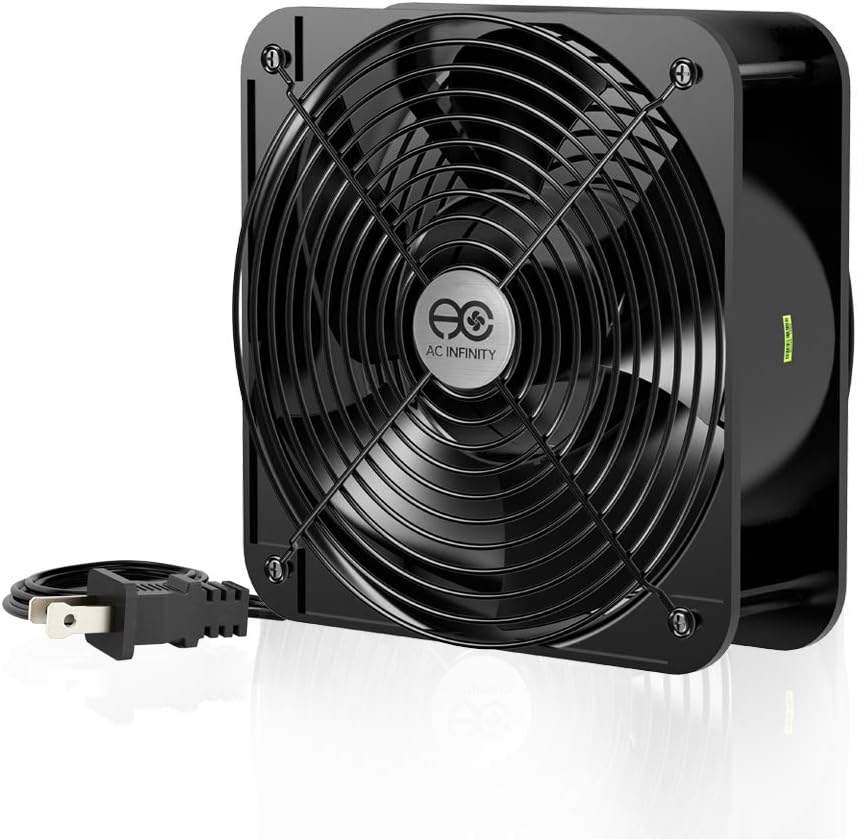
This industrial fan delivers massive airflow for high heat loads. It uses 120V AC power for robust cooling projects. Dual-ball bearings provide long lifespan and flexible orientation.
We may earn a commission when you buy through this link, at no additional cost to you.
Aluminum construction ensures durability in demanding environments. Includes guards and mounting hardware for safe use. The design allows laying flat or standing upright easily.
Noise levels reach 65 dBA at 3200 RPM. It is too loud for standard quiet cases but excellent for server racks. High speed maximizes air movement effectively.
Ideal for industrial or server cooling applications. Avoid for standard PC cases needing quiet. Choose this for raw cooling power in dedicated spaces.
Maximized airflow ensures cooling for demanding ventilation projects.
Includes guards and screws for versatile flat or upright use.
We may earn a commission when you buy through this link, at no additional cost to you.
Selecting the right fan involves balancing cooling needs with noise constraints and case space.
Airflow measures volume while static pressure measures force needed for restrictions. High airflow suits open cases but high pressure is better for radiators or filters.
Choose high airflow for vents and high pressure for blocked spaces.
Noise output varies widely by bearing type and speed. Look for dB ratings under 25 for quiet builds or up to 35 for loud setups.
Prioritize lower dB values if silence matters more than peak cooling.
Sleeve bearings are cheaper but wear faster. Hydraulic and dual-ball bearings offer better longevity and stability for long-term use.
Opt for hydraulic or ball bearings for reliability.
PWM fans allow automatic speed control while FLX or Molex may require manual settings. USB or 5V options add versatility for specialized power setups.
Pick PWM for automated control and 5V for flexible power.
Check your case's hole patterns as 200mm fans vary by 154 to 180mm spacing. Ensure the fan fits without needing adapters.
Verify mounting holes before purchase to avoid installation issues.
RGB adds visual flair but requires controllers and sync capability. No-light models focus purely on cooling and often cost less.
Decide if aesthetics justify extra cost and setup complexity.
Prices range from budget to premium. Higher cost usually means better bearings and quieter motors but not always more airflow.
Set a budget and prioritize features that match your needs.
Thickness affects airflow and pressure. Standard is 25 to 30mm but 60mm exists for industrial use. Ensure space in front for mounting.
Measure case clearance before buying to fit the thickness properly.
Install the fan ensuring correct airflow direction for intake or exhaust. Secure mounting screws tightly and connect power cables to headers.
Clean dust periodically to prevent clogging and performance loss. Use compressed air to blow out blades and frame safely.
Monitor speeds via software to balance cooling and noise. Update drivers if using RGB control for best sync.
Yes, a 200mm fan generally moves more air with less noise. It reduces the need for multiple smaller fans making it efficient for quiet cooling.
Check your case manual for fan slot sizes. Most full tower and mid-towers support 200mm but some compact cases only take 120mm fans.
PWM fans adjust speed via 4-pin header while Molex uses 3-pin for fixed speeds. PWM allows automatic temperature control for better management.
They usually consume similar power to 120mm fans but run slower. The larger blades move more air with less RPM keeping power draw stable.
Expect between 18 and 30 decibels for standard units. Premium models stay near 18 dB for silence while cheaper ones may exceed 25 dB.
Yes, many models support RGB with 5V 3-pin connectors. Ensure your motherboard supports ARGB for synchronization and control via software.
Dual-ball and magnetic levitation bearings offer the longest life. Sleeve bearings wear faster but are acceptable for standard budget setups.
Use compressed air to blow dust from blades and cage. Hold blades steady to prevent spin damage and avoid harsh chemicals on electronics.
Our top picks offer reliable performance for most cooling needs. The Noctua models lead in silence while Thermaltake and others provide budget friendly options.
Focus on airflow needs and noise tolerance to find your ideal fan. Ensure compatibility with your case and motherboard before purchasing.
Always check current prices and availability since they can change. This guide helps narrow choices to match your specific cooling goals.