
Dell SE2426HG
4.7Editor score
240Hz Refresh Rate
0.5ms Response Time
AMD FreeSync Premium
Finding the right display is crucial for ranked play. A 240Hz monitor for competitive Valorant delivers ultra smooth motion and reduces blur during rapid flicks and enemy tracking.
We evaluated ten leading models based on response time, refresh rate accuracy, panel technology, and ergonomic features. Each entry offers detailed specs and real world performance insights for FPS gamers.
Every pick highlights key strengths and potential trade offs. Prices vary by retailer and time so check current listings before buying. These selections represent the best options available in November 2026.
4.7Editor score
4.5Editor score

4.6Editor score
As an Amazon Associate we earn from qualifying purchases.
This table provides a side by side overview of all ten models. It highlights key specs like resolution, panel type, response time, and connectivity to help you compare quickly.


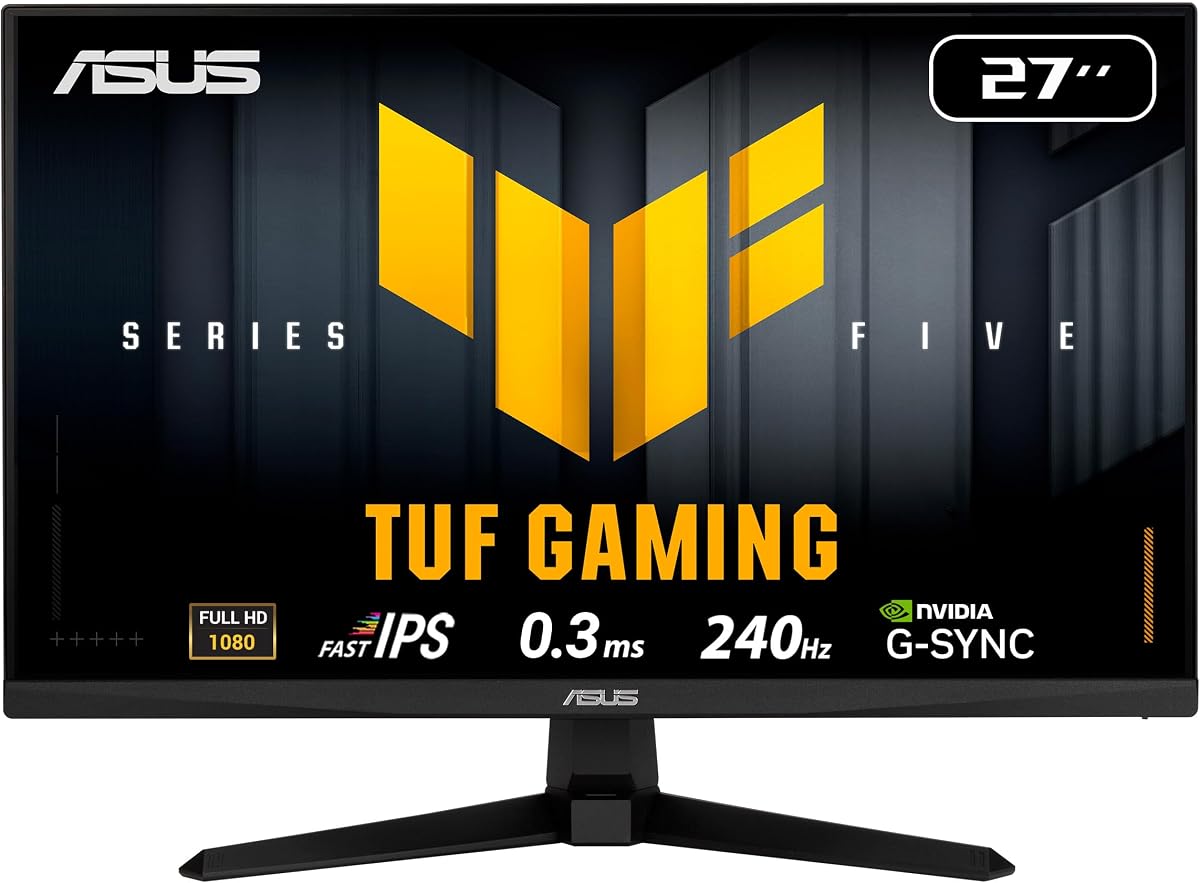
The ASUS TUF VG279QM5A stands out as a top choice for competitive Valorant players seeking speed and clarity. With a 4.5 user rating and a reputation for reliability, this monitor delivers smooth visuals essential for high level play. Its Fast IPS technology ensures vibrant colors without sacrificing the quick refresh rates needed for tracking fast moving targets.
We may earn a commission when you buy through this link, at no additional cost to you.
Key strengths include the ultra-fast 0.3ms minimum response time which minimizes ghosting during rapid flicks. The ELMB SYNC technology allows variable refresh rates and motion blur reduction to work together, eliminating both tearing and blur simultaneously. Additionally, the 240Hz refresh rate ensures that every frame is rendered with minimal input lag providing a responsive experience critical for ranked matches.
While the panel exhibits some IPS glow in dark scenes which is common for this technology the trade off is acceptable given the performance benefits. The stand offers tilt and height adjustment but lacks pivot which might limit vertical setups. These factors do not significantly impact gameplay but are worth noting for users with specific ergonomic needs.
This monitor is ideal for players who prioritize motion clarity and adaptive sync support over resolution. If you need a reliable 240Hz display that balances color accuracy with speed, the VG279QM5A is a strong recommendation. It fits well in most setups and provides the consistent performance required to climb in competitive modes.
Fast IPS panels deliver better color reproduction than traditional TN screens while maintaining response times under one millisecond.
This feature combines motion blur reduction with variable refresh rates to ensure clear visuals without screen tearing.
We may earn a commission when you buy through this link, at no additional cost to you.
The Dell SE2426HG offers exceptional value for budget conscious gamers. It boasts a 4.7 user rating, indicating strong satisfaction among owners who appreciate its smooth performance and build quality. This monitor provides a genuine 240Hz refresh rate on an IPS panel, making it one of the most affordable ways to enter high refresh gaming.
We may earn a commission when you buy through this link, at no additional cost to you.
Its Fast IPS panel delivers excellent color accuracy and wide viewing angles, which are rare at this price. The 0.5ms response time ensures fluid motion during intense firefights, while FreeSync Premium eliminates tearing without adding input lag. The TÜV certified eye comfort features help reduce strain during long sessions, a critical factor for daily use.
Limitations include a stand that only tilts, restricting ergonomic flexibility compared to higher tier models. It also lacks a USB hub or audio output, which may require additional adapters for peripherals. These omissions are typical for entry level gaming monitors and do not detract from the core performance.
Buyers seeking a reliable 240Hz screen without spending a fortune will find this model ideal. It is perfect for students or those upgrading from lower refresh rates who want a straightforward setup. The combination of speed color, and comfort makes it a standout budget pick.
This monitor delivers premium features like IPS and 240Hz at a price point usually reserved for basic models.
Built-in low blue light and flicker-free tech certified by TÜV helps protect eyes during extended gameplay.
We may earn a commission when you buy through this link, at no additional cost to you.
The AOC Q27G41ZE represents the premium end of the 240Hz market with its QHD resolution and overclocked refresh rate. With a 4.6 rating, users praise its clarity and responsiveness. The extra pixels provide sharper edges for spotting enemies while maintaining the smooth motion required for fast paced shooters.
We may earn a commission when you buy through this link, at no additional cost to you.
Its key advantage is the 0.3ms MPRT response time, which delivers some of the clearest motion in the class. The panel supports overclocking up to 260Hz, pushing performance further when your GPU can handle it. Adaptive-Sync ensures compatibility with both NVIDIA and AMD cards, while the high brightness enhances visibility in vibrant scenes.
To drive 1440p at 240Hz in Valorant you need a powerful graphics card which may limit its appeal for budget builds. The price is also higher than FHD alternatives, which might be unnecessary for players prioritizing frame rates over sharpness. However, for enthusiasts this extra quality justifies the investment.
This monitor is best for those who want the ultimate balance of resolution and speed. If you aim to maximize detail without sacrificing refresh rates, the Q27G41ZE is a top contender. Its robust feature set and performance make it a worthy upgrade for serious competitive players.
The 1440p resolution offers sharper detail and larger hitboxes compared to standard 1080p displays.
Overclocking to 260Hz provides a slight edge in refresh rates for systems capable of supporting it.
We may earn a commission when you buy through this link, at no additional cost to you.
The SANSUI 24.5 Inch offers flexible refresh rate options including a 300Hz mode for those with capable hardware. It has earned a 4.5 user rating based on its consistent performance and bright panel. This monitor delivers a fast IPS experience with vibrant colors suitable for identifying targets quickly in dark corners.
We may earn a commission when you buy through this link, at no additional cost to you.
Its standout feature is the ability to overclock to 300Hz which provides extra smoothness when the system supports it. The 120% sRGB coverage ensures colors are vivid and accurate. Connectivity includes both HDMI 2.0 and DP 1.4, allowing users to choose the best cable for their setup without buying extras.
The brand is less established than major competitors so warranty support and long term durability may vary. The stand provides basic tilt adjustment which might not satisfy users needing height or swivel adjustments. These factors are worth considering if you plan to use the monitor for many years.
This model suits gamers looking for high refresh options at a reasonable cost. If you want the potential for 300Hz without paying a premium, this is a strong option. It balances performance and affordability well for budget friendly competitive setups.
Users can choose between 240Hz and 300Hz depending on their PC performance and preferences.
With 120% sRGB coverage, this monitor provides rich visuals that make enemy models stand out.
We may earn a commission when you buy through this link, at no additional cost to you.
The Amzfast 24 Curved offers a unique curved VA panel experience at a competitive price. Its 1500R curvature wraps around the field of view which some players find helps with tracking peripheral movement. The ultra-slim base saves desk space and allows for easier placement of peripherals like keyboards.
We may earn a commission when you buy through this link, at no additional cost to you.
Key features include a 240Hz refresh rate and 1ms MPRT response time. The VA panel provides deep blacks and high contrast which improves visibility in dark game areas. A 5-way joystick simplifies navigation through OSD menus, allowing quick adjustments to game settings during breaks.
Since user ratings are not yet available performance feedback from this model is limited. VA panels can sometimes suffer from slower pixel transitions compared to IPS which might cause minor motion blur in fast scenarios. Buyers should test settings carefully to minimize this effect.
This monitor is a good fit for those preferring curved screens and high contrast over motion clarity. It is ideal for tight desk setups where space is limited. If you want an affordable 240Hz curved option this unit delivers solid value.
The 1500R curve provides a more immersive experience that can aid peripheral awareness in games.
VA panels deliver deeper blacks which helps distinguish details in shadowed areas of maps.
We may earn a commission when you buy through this link, at no additional cost to you.
The ASUS TUF VG279QM5A is a well-rounded model designed for both gaming and content tasks. Its 4.5 rating reflects reliable performance and strong color reproduction. The Fast IPS panel ensures quick response times while maintaining vivid and accurate colors essential for visual clarity.
We may earn a commission when you buy through this link, at no additional cost to you.
Notable strengths include AI enhanced features that can optimize display settings based on the content. DisplayWidget Center allows convenient software control over OSD settings without using physical buttons. Additionally, the offer for Adobe Creative Cloud provides extra value for users who edit content alongside gaming.
The stand is sturdy but relatively heavy which might make moving it difficult. Some bundles may not include all necessary cables so checking the package contents is recommended. These are minor inconveniences that do not impact the core gaming performance of the unit.
This monitor fits users seeking versatility beyond just competitive play. If you want a display that performs well in both games and creative apps the VG279QM5A is a smart choice. It offers comprehensive features and solid build quality.
Designed for gaming and content creation, this monitor balances speed with color accuracy effectively.
DisplayWidget Center streamlines settings changes through a simple interface on your PC desktop.
We may earn a commission when you buy through this link, at no additional cost to you.
The MSI MAG 274CF X24 has earned an impressive 4.8 user rating for its smooth performance. It uses a VA panel to deliver rich contrast and deep blacks while supporting 240Hz refresh rates. This makes it a strong option for players who enjoy dark game scenes without sacrificing motion clarity.
We may earn a commission when you buy through this link, at no additional cost to you.
Its AI Vision technology brightens dark areas and saturates colors to reveal hidden details. This feature helps in spotting enemies in shadows which is crucial for competitive play. The monitor also supports HDR readiness and offers multiple ports including VGA for compatibility with older systems.
VA panels sometimes exhibit slower gray-to-gray transitions which can lead to slight ghosting in motion. Users should adjust settings to balance motion clarity with contrast. The stand only tilts which may require an external arm for better positioning.
This model is great for players who value contrast and dark detail in their games. It is a reliable choice for those looking for a high rating monitor with strong visual enhancements. Ensure your system is set up correctly to optimize response performance.
This tech highlights details in dark zones helping you detect enemies in shadows.
VA technology ensures deep blacks which makes vibrant colors pop against dark backgrounds.
We may earn a commission when you buy through this link, at no additional cost to you.
The AOC 27G51Z offers a flexible experience with overclocking capabilities up to 260Hz. With a 4.6 rating users appreciate its balanced performance and design. The IPS panel ensures wide viewing angles and consistent colors while delivering the smooth motion needed for FPS games.
We may earn a commission when you buy through this link, at no additional cost to you.
Key benefits include G-SYNC compatibility which allows tearing free gameplay with NVIDIA GPUs. Its low power usage in Eco Mode helps reduce energy costs during long sessions. The frameless design provides a clean aesthetic and supports easy multi-monitor setups for broader views.
Overclocking performance can depend on individual units so users should test stability before pushing limits. The stand supports tilt but not height or pivot which may limit ergonomic customization. These factors are standard for this class and do not hinder core gaming performance.
Ideal for users who want flexibility in refresh rates and solid color accuracy. This monitor fits well in setups where efficiency and design matter. It is a strong choice for those upgrading to 240Hz with room to grow.
Pushing the refresh rate to 260Hz adds extra smoothness for supported systems.
Low power modes help maintain efficiency without affecting visual quality during play.
We may earn a commission when you buy through this link, at no additional cost to you.
The SANSUI 24 Curved combines immersion with speed in a compact package. It has earned a 4.4 rating for its consistent performance and value. The 1500R curve provides a natural field of view that many FPS players find comfortable for aiming.
We may earn a commission when you buy through this link, at no additional cost to you.
Its VA panel delivers a 3000:1 contrast ratio which ensures deep blacks and vibrant colors. Game modes and shadow boost presets help tailor the image for specific game types. Additionally, lifetime technical support offers peace of mind for buyers concerned about longevity.
Motion blur can be more noticeable on VA panels compared to IPS especially in rapid scenes. Adjusting settings to prioritize response can help mitigate this. The stand is basic with tilt only which may not suit all desk configurations.
This monitor is a good fit for gamers who prioritize immersion and contrast. It works well for those seeking a smaller footprint without sacrificing refresh speed. If you prefer curved displays this unit offers a compelling experience.
The 1500R curve reduces eye strain and keeps the screen centered in your vision.
Presets optimize color and brightness for specific genres to enhance visibility.
We may earn a commission when you buy through this link, at no additional cost to you.
The ASUS TUF VG249QML5A offers a compact 24 inch option with premium features. It has a 4.4 rating reflecting solid performance and build quality. The size is ideal for players who sit close to the screen and want quick access without head movement.
We may earn a commission when you buy through this link, at no additional cost to you.
Stand-out features include a height adjustable stand which allows full ergonomic control. The Fast IPS panel delivers sharp images with minimal motion blur when ELMB SYNC is enabled. Color accuracy is strong with 99% sRGB coverage making it suitable for content too.
At 24 inches some players may find the screen smaller than preferred for immersive setups. The price is higher than non-adjustable options which might not suit strict budgets. However, the added ergonomics and speed justify the cost for many users.
This monitor suits players prioritizing ergonomics and responsiveness in a smaller footprint. It is perfect for shared desks or limited spaces. If you value adjustability and clarity this model is a smart investment.
The height adjustable stand lets you position the screen for optimal comfort during long sessions.
ELMB SYNC helps eliminate ghosting to keep fast motion clear and crisp.
We may earn a commission when you buy through this link, at no additional cost to you.
Selecting the right monitor requires balancing several technical aspects. This guide outlines the key factors to consider for optimal performance.
A 240Hz refresh rate ensures the display updates 240 times per second which is vital for smooth motion in fast shooters. Valorant can push high frame rates so matching your GPU output to the monitor prevents wasted performance. Look for monitors with stable refresh rates that do not drop significantly under load.
Prioritize models that support 240Hz consistently without compromising quality.
Response time measures how quickly a pixel changes color. Lower values like 0.3ms or 0.5ms reduce ghosting and blur during rapid movement. This is critical for tracking enemies and maintaining accurate crosshair placement. Check reviews for real-world blur performance since marketing specs can vary.
Choose the lowest response time possible to keep motion clear.
IPS panels offer excellent colors and viewing angles while VA panels provide higher contrast and deeper blacks. TN panels are fast but lack color quality. For Valorant IPS is often preferred for color accuracy. Consider your priority between color fidelity and contrast.
Select IPS for balanced performance or VA for deeper blacks in dark scenes.
Adaptive sync technologies like G-SYNC or FreeSync prevent screen tearing by syncing the monitor to the GPU. Ensure the monitor supports the specific sync type compatible with your graphics card. This reduces lag and ensures smooth visuals even during frame rate dips.
Verify sync compatibility to avoid tearing and maintain stability.
A monitor stand should allow tilt height swivel and pivot adjustments for comfortable viewing. Poor ergonomics can cause strain during long sessions. Look for VESA mounts if the stand is insufficient. A sturdy base ensures stability during intense gameplay.
Invest in a stand with full adjustment for long term comfort.
High bandwidth ports like DisplayPort 1.4 are required for 240Hz at 1080p. HDMI may not always support top refresh rates. Check the cable inputs to ensure your PC can run at full speed. Extra ports like USB hubs add convenience for peripherals.
Ensure your chosen port supports the target refresh rate at your resolution.
1080p is standard for competitive Valorant due to its lower demand on hardware. 1440p offers more detail but requires a stronger GPU. 24 to 27 inch sizes are common for this resolution. Choose based on your hardware capacity and desk space.
Match resolution to your GPU performance to avoid bottlenecks.
Good color accuracy helps distinguish enemy models and map details. Look for high sRGB coverage like 99%. This ensures visuals remain vibrant and true to life. Accurate colors can indirectly aid gameplay by reducing eye strain.
Prioritize sRGB coverage for better visual clarity and accuracy.
Set the refresh rate to maximum in your system display settings and ensure the correct cable is used. Use DisplayPort for best bandwidth and enable variable refresh rate options in your GPU control panel.
Adjust brightness and contrast to your environment using the OSD menu. Use game modes like FPS or Valorant presets to optimize visibility without manually calibrating settings every time.
Clean the screen gently with a microfiber cloth to avoid scratches. Avoid placing the monitor in direct sunlight which can increase glare and cause heat buildup over time.
Yes, 240Hz provides smoother motion and reduces input lag which helps in tracking and flicking. It allows you to react faster to movements compared to lower refresh rates. This can lead to improved accuracy and better performance in ranked matches.
To fully utilize 240Hz you need a GPU capable of pushing that many frames in Valorant. Modern GPUs like NVIDIA RTX or AMD RX series handle this well. If your GPU cannot reach 240fps you may not notice the full benefit.
IPS offers better colors and viewing angles while TN has slightly faster response. For Valorant IPS is generally preferred for its balance of performance and visual quality. Modern IPS panels are fast enough for competitive play.
HDMI 2.0 supports 240Hz at 1080p on some monitors but DisplayPort is safer. Check your monitor specs to confirm supported inputs. Using DisplayPort ensures you get the full refresh rate without limitations.
24 to 25 inches is ideal for 1080p as it keeps the whole screen within your field of view. Larger screens may require too much head movement. This size balances immersion with competitive advantages.
Enable motion blur reduction features like ELMB or strobing if available. Adjust response time settings to the fastest option without introducing ghosting. Keep the game at stable high frame rates to minimize blur.
Curved monitors provide immersion but may distort straight lines which can affect aim. For competitive play flat screens are preferred for accuracy. Curved options are better for single-player experiences.
Higher resolutions like 1440p offer sharpness but demand more GPU power. For pure competitive performance 1080p ensures higher frame rates. Choose based on your GPU capability and preference for detail.
We highlighted ten top models ranging from budget picks to premium options. Each offers unique strengths whether you prioritize color accuracy motion clarity or ergonomics. The ASUS TUF VG279QM5A stands out as a versatile choice for most players.
Consider your GPU capability and desk space when selecting. Prioritize 240Hz consistency and response time over extra features you may not use. Balancing these factors ensures you get the performance needed to compete.
Prices change frequently so verify current listings before buying. Check for deals or bundle offers to maximize value. With the right monitor you can enhance your gameplay and enjoy smoother experiences.