
EurekaMind Voice Recorder
4.4Editor score
Unlimited transcription on starter plan
Credit card sized ultra-slim design
Smart AI summary with speaker recognition
This guide compares the best AI lapel devices for recording, transcribing, and summarizing conversations with advanced features for professionals and travelers.
AI lapel devices are transforming how professionals capture and manage conversations. These smart wearables record audio, transcribe speech, and generate summaries instantly. Choosing the right device depends on your specific workflow and privacy needs.
We evaluated ten top models based on audio quality, transcription accuracy, battery life, and ease of use. Our analysis focuses on real-world performance for meetings, interviews, and daily note-taking tasks across different scenarios.
Each pick highlights key strengths and ideal use cases to help you decide. Product availability and pricing can change frequently, so check current listings before purchasing. We update this guide regularly to reflect the latest technology.
4.4Editor score

4.5Editor score

4.8Editor score
This table provides a quick side-by-side overview of the key specifications and capabilities across all ten selected AI lapel devices to help you compare features at a glance.




The Plaud Note Pro stands out as the leading choice for professionals needing a reliable AI lapel device. It combines high-quality audio capture with intelligent transcription and summarization capabilities for seamless productivity.
We may earn a commission when you buy through this link, at no additional cost to you.
Its multimodal input allows you to enrich recordings with photos and notes during sessions. The AI directional audio minimizes noise ensuring clear voice capture even in busy environments.
While it offers extensive features, full access to advanced tools requires a subscription plan. The price reflects the premium build and comprehensive capabilities offered across its app ecosystem.
Choose this device if you need a professional-grade recorder with strong privacy and cross-platform support. It is ideal for executives and consultants handling sensitive daily conversations.
Capture photos and notes alongside audio to enrich context and improve summary accuracy.
Built with ISO and SOC compliance to ensure data security for sensitive information.
We may earn a commission when you buy through this link, at no additional cost to you.
Pocket is a sleek option designed for iPhone users who want effortless note-taking. Its MagSafe compatibility allows for secure hands-free recording without needing extra clips or mounts.
We may earn a commission when you buy through this link, at no additional cost to you.
The device delivers solid performance with a battery lasting up to four days. It turns recordings into clear summaries with action items automatically after sessions.
Some advanced tools are optional and require an additional subscription. The core features are straightforward which suits users who prefer simplicity over complex options.
This recorder is perfect for daily users who need quick capture and easy organization. It fits well into mobile workflows for on-the-go productivity.
Attaches securely to iPhone for convenient hands-free recording during meetings.
Provides up to four days of power for travel and daily use.
We may earn a commission when you buy through this link, at no additional cost to you.
The Plaud NotePin S offers flexible wearing options ideal for discreet recording. It supports over a hundred languages making it suitable for global teams and travelers.
We may earn a commission when you buy through this link, at no additional cost to you.
You can store up to 64GB of audio locally ensuring privacy when offline. The lightweight design with multiple accessories lets you adapt it to any workflow.
Access to advanced templates requires a plan upgrade which is a common model. The hardware itself is solid and comfortable for all-day wear on a lapel.
Buy this if you need a versatile wearable for meetings in various languages. It balances discretion with power for professional environments.
Includes accessories for pin, clip, necklace, or wristband wear options.
Stores audio locally up to 64GB for privacy and offline access.
We may earn a commission when you buy through this link, at no additional cost to you.
EurekaMind offers incredible value with unlimited transcription included in its starter plan. It is a compact device designed to slide into pockets or adhere to phones magnetically.
We may earn a commission when you buy through this link, at no additional cost to you.
The built-in Ask AI feature allows you to search the web for insights alongside recordings. Speaker recognition helps organize conversations by identifying different voices automatically.
While it lacks some premium build features it covers the essentials well. The subscription model is flexible allowing upgrades only when you need advanced tools.
This is the best choice for budget-conscious users needing core AI features. It is excellent for students and freelancers on a tight budget.
Includes unlimited transcription on starter plan for everyday use.
Ask AI to search the web for deeper insights beyond your audio.
We may earn a commission when you buy through this link, at no additional cost to you.
Comulytic Note Pro is designed for professionals needing high accuracy transcription across languages. It claims 98% accuracy and supports over a hundred languages including a real-time translator mode.
We may earn a commission when you buy through this link, at no additional cost to you.
You get free transcription forever with the starter plan which is rare in this market. It also offers industry-specific templates for sectors like real estate or legal work.
Advanced tools like deep dive analysis require a premium subscription. The device itself is slim with a glass display for easy status checks.
Choose this if you need specialized industry insights without hidden costs. It is strong for bilingual professionals and international clients.
Includes templates for insurance, legal, and real estate sectors.
Free starter plan includes unlimited transcription and basic summaries.
We may earn a commission when you buy through this link, at no additional cost to you.
Comu Action Pro excels at turning conversations into ready-to-use documents automatically. It uses an adaptive six-mic setup to capture audio clearly in complex environments.
We may earn a commission when you buy through this link, at no additional cost to you.
The standout feature is the ability to create editable slides and emails without prompts. With 70 hours of battery life it supports extended usage periods without charging.
It is more expensive but delivers strong results for busy executives. The MagSafe compatibility ensures it stays secure on your iPhone during meetings.
This is the top premium choice for high-volume users needing automation. It saves significant time by reducing manual follow-up work.
Turns conversations into editable slides and emails without prompts.
Offers over 70 hours of recording on a single charge.
We may earn a commission when you buy through this link, at no additional cost to you.
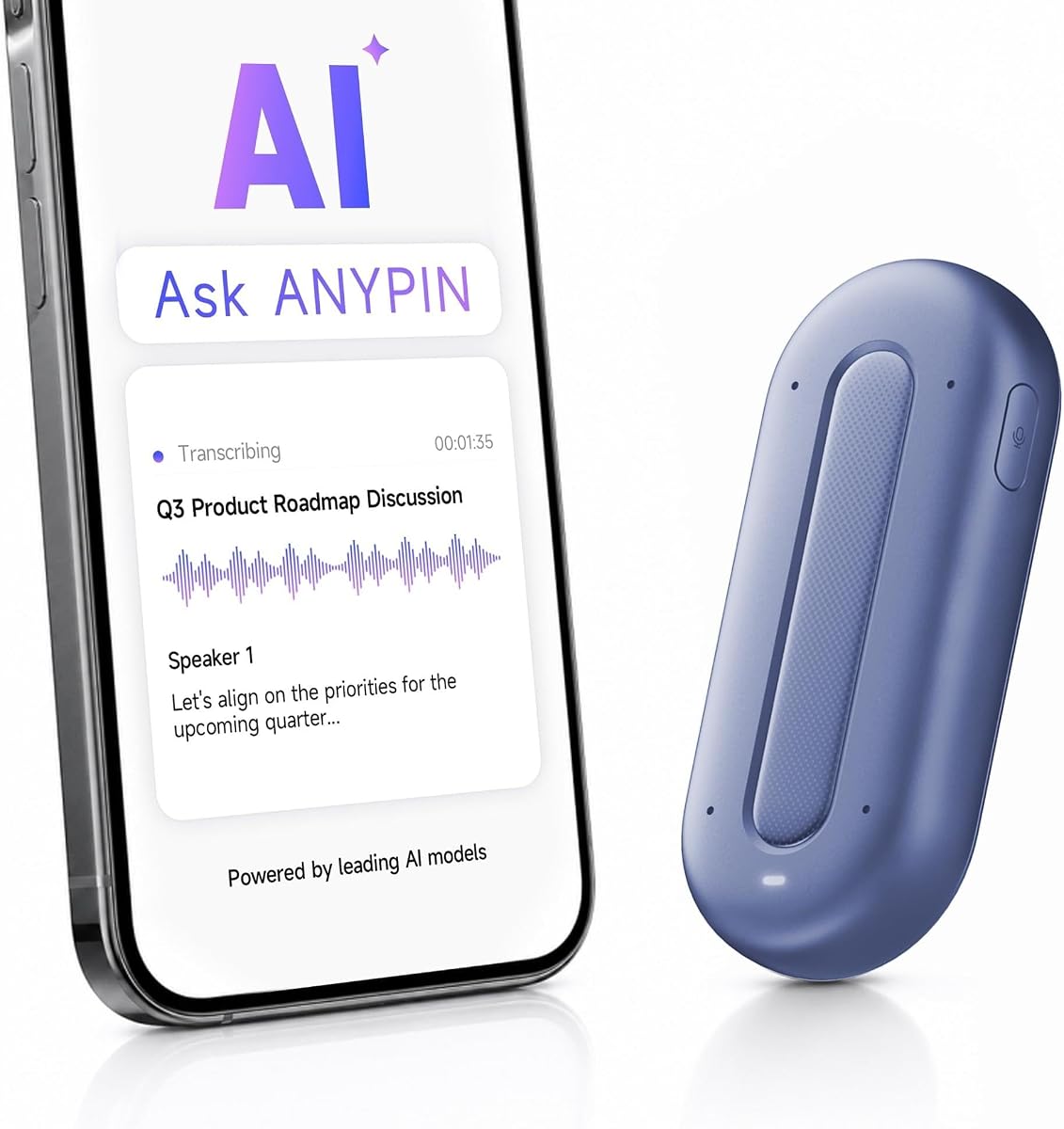
ANYPIN Note Pod P1 provides one year of unlimited transcription with strong privacy controls. It supports over 120 languages and allows offline storage of up to 64GB.
We may earn a commission when you buy through this link, at no additional cost to you.
Recordings stay encrypted on-device and sync via Wi-Fi for privacy. It includes features like geo-fenced private zones to avoid accidental recording.
The rating reflects user experience inconsistencies compared to competitors. However it offers solid core features for those valuing offline security.
Select this if you need a year of free transcription and local control. It is a viable option for privacy-focused professionals.
Stores up to 64GB locally for privacy before syncing.
Use geo-fenced zones to avoid recording in private areas.
We may earn a commission when you buy through this link, at no additional cost to you.
Z01 PRO acts as a dedicated AI companion with focus on language translation. It supports 102 languages and includes an HD touch screen for offline interaction.
We may earn a commission when you buy through this link, at no additional cost to you.
All processing happens locally on the device for privacy. The screen allows customization with your own images for a personal touch.
Translation features require an internet connection which limits offline use for that specific function. It works well as a smart assistant beyond just recording.
This is ideal for travelers and those needing frequent language assistance. It balances utility with style as a wearable badge.
Supports 102 languages for communication across borders.
Upload your own photos to create unique wallpapers.
We may earn a commission when you buy through this link, at no additional cost to you.
Z02 combines recording and translation in a compact wearable format. It features tools for meeting minutes and mind maps with speaker recognition for clarity.
We may earn a commission when you buy through this link, at no additional cost to you.
The device allows customization with video wallpapers and voice-controlled reminders. It is designed for easy control with simple gestures.
While it scores highly the app ecosystem may be smaller than others. It remains a solid choice for those needing translation and recording.
Buy this for its versatility and ease of use in bilingual settings. It suits learners and travelers needing quick assistance.
Includes mind map organization and meeting minutes features.
Use simple gestures to record or wake the AI chatbot.
We may earn a commission when you buy through this link, at no additional cost to you.
SYNCO AI Mini Wireless is built specifically for Android USB-C content creators. It delivers clear voice capture with AI noise reduction for noisy environments.
We may earn a commission when you buy through this link, at no additional cost to you.
Voice leveling ensures consistent sound levels even when you move around. The app provides summaries without requiring any monthly subscriptions.
It is restricted to Android devices which limits broader compatibility. The price point makes it accessible for creators on a budget.
Choose this if you use Android phones and need simple AI tools. It is a great entry-level option for mobile video.
Designed specifically for USB-C Android phones and tablets.
Automatically balances voice volume when you move.
We may earn a commission when you buy through this link, at no additional cost to you.
Selecting the right AI lapel device requires evaluating several technical and practical factors to match your workflow.
Look for devices with high accuracy rates and support for multiple languages to ensure reliable text output.
Prioritize models that offer real-time transcription or fast sync to minimize delays in your workflow.
Check the rated recording hours to ensure the device lasts through your typical meetings or events.
Select a model with at least 20 hours of use for all-day reliability without recharging.
Devices with multiple microphones and noise cancellation perform better in busy environments.
Aim for triple or quad-mic setups to capture clear speech even from a distance.
Verify compliance standards like SOC 2 or GDPR to protect sensitive conversations.
Choose options with local encryption or offline storage to maintain data control.
Ensure the device works with your phone system whether iOS or Android.
Check for MagSafe or USB-C support depending on your preferred connection method.
Some devices charge monthly fees for advanced features while others include basic tools free.
Review the long-term costs to decide if a free starter plan fits your budget.
Consider how the device attaches to your clothing or phone for comfort during use.
Opt for lightweight designs with magnetic or clip options for hands-free convenience.
A user-friendly companion app is essential for organizing and searching your recordings.
Look for features like speaker recognition and export options to improve productivity.
Start by connecting the device to your phone via Bluetooth or USB-C following the app instructions to ensure setup.
For best results attach the device securely to your collar or phone to maintain audio distance and avoid muffled sound.
Regularly update the companion app and charge the device to preserve battery health and access new features.
Many AI lapel devices support direct call recording modes that capture audio automatically. However some devices require manual modes or external connection due to OS restrictions. Check the product specs to confirm call capture capability.
Most devices can record audio offline using local storage. However AI transcription and summarization usually require an internet connection to process data. Some models offer offline transcription but with limited language support.
Many devices include basic transcription and summarization in their free starter plans. Advanced features like deep analysis or unlimited hours often require a premium subscription. Review pricing tiers before purchasing.
Top models use end-to-end encryption and comply with standards like SOC 2 and GDPR. Data can stay on-device or be synced via secure channels. Verify compliance features if handling sensitive info.
Most AI lapel devices support over 100 languages for transcription and translation. Some models include specialized industry templates for better accuracy. Check language lists to ensure your needs are covered.
Yes most devices allow exporting transcripts as text or PDF files through their apps. Some support direct integration with cloud services like Google Drive or Slack. Check export options in the settings.
We recommend the Plaud Note Pro for overall performance and the Comu Action Pro for premium automation needs. The EurekaMind offers the best value for budget-conscious users needing core AI features.
Prioritize battery life and microphone quality to ensure reliability during important sessions. Privacy compliance is critical for professionals handling confidential data.
Always check current prices and reviews before buying as models evolve quickly. We update this guide to reflect the latest tools and performance results.