
Tapo 1080P Indoor Security Camera
4.4Editor score
Solar charging capability
Local and cloud storage
IP65 weather resistant
This expert guide compares the top Airbnb security camera options for hosts seeking reliable monitoring, privacy compliance, and seamless guest experience
Security cameras for short-term rentals require a delicate balance between safety and guest privacy. Choosing the right device ensures hosts can monitor entrances without violating trust or local laws. Proper placement and clear communication are just as vital as the hardware itself.
We evaluated ten leading security cameras based on resolution, battery life, storage options, and smart detection features. Each model was assessed for ease of installation and compatibility with major smart home ecosystems. Our goal is to help you find a system that protects your property discreetly.
Each pick below highlights specific strengths suited for different rental scenarios. You will find options ranging from budget-friendly indoor units to robust outdoor systems. Prices and availability change frequently, so verify current details before purchasing to ensure you get the best value today.
4.4Editor score

4.7Editor score

4.5Editor score
The following table provides a side-by-side comparison of all ten top-rated security cameras. It highlights key specifications like resolution, storage type, power source, and smart features to help you quickly identify the model that fits your specific hosting needs and property layout.




The Ring Indoor Cam stands out as the top choice for Airbnb hosts needing reliable indoor monitoring. With a rating of 4.7 stars, it delivers crisp 1080p HD video and essential smart features. Its manual privacy cover is a crucial selling point for maintaining guest trust in rental spaces.
We may earn a commission when you buy through this link, at no additional cost to you.
Key strengths include Advanced Pre-Roll which records a few seconds before motion is detected, ensuring you don't miss the start of an event. The camera supports color night vision and two-way audio, allowing you to communicate with guests or delivery personnel remotely. It also integrates deeply with Alexa, enabling voice commands for live view or announcements.
Trade-offs exist primarily around power and storage. The camera must remain plugged in, limiting where it can be placed compared to battery options. Additionally, advanced features like person detection and extended video history require a Ring Protect subscription. However, these are standard industry practices for cloud-based systems.
This model is ideal for hosts who prioritize ease of use and integration with existing smart home ecosystems. It works well in living rooms, kitchens, or hallways where discreet monitoring is needed. For those already using Ring devices, this camera expands your system seamlessly without adding complex new apps or hubs.
The manual privacy cover physically blocks the lens when guests need privacy. This transparent feature helps hosts maintain ethical standards and comply with local short-term rental regulations regarding surveillance.
Advanced Pre-Roll ensures you see what led up to a motion event. This is particularly useful for identifying package deliveries or understanding guest interactions in common areas before an alert triggers.
We may earn a commission when you buy through this link, at no additional cost to you.
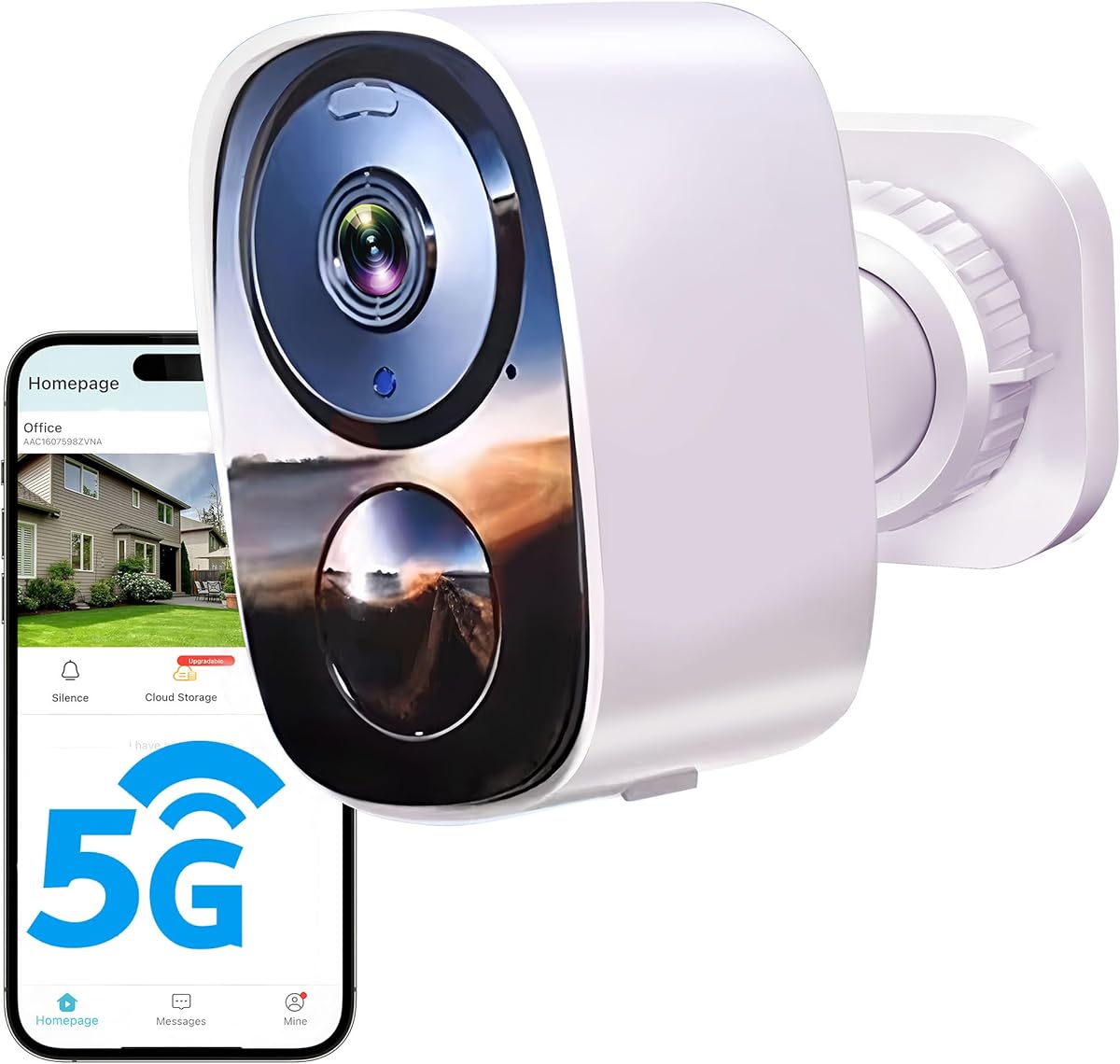
The Tapo C100 offers incredible value for hosts seeking an affordable yet capable security solution. Rated 4.4 stars, this camera supports both indoor and outdoor use thanks to its IP65 weather resistance. It features a solar panel option that significantly reduces the need for frequent charging.
We may earn a commission when you buy through this link, at no additional cost to you.
Its versatility shines in flexible storage choices. You can store footage locally on a microSD card up to 512GB or opt for a cloud subscription. This dual approach allows hosts to manage costs while ensuring footage is saved. The camera also includes full-color night vision with spotlights for clear visibility in dark areas.
While it excels in budget and versatility, the solar charging depends on adequate sunlight exposure, which might limit placement in shaded areas. The 1080P resolution is standard but lacks the ultra-sharp detail of higher-end 2K or 4K models. However, for general monitoring it remains highly effective.
Ideal for hosts needing multiple cameras without breaking the bank, this model works well for entryways or patios. Its simple installation and reliable connectivity make it a solid choice for expanding a security system across a larger property where cost efficiency is paramount.
The included solar panel allows for extended operation without constant access to power outlets. This makes it perfect for remote locations like garden sheds or distant entryways where running cables is difficult.
You can set specific activity zones to monitor only areas of interest. This reduces false alerts from passing cars or pets and ensures you receive notifications when actual motion occurs in your target zones.
We may earn a commission when you buy through this link, at no additional cost to you.
The eufy Security E30 represents a premium option for hosts who demand maximum detail and flexibility. With a 4.5-star rating, it delivers 4K resolution which ensures faces and license plates are clearly identifiable. Its 360-degree pan and tilt coverage allows one camera to replace multiple fixed units.
We may earn a commission when you buy through this link, at no additional cost to you.
A major advantage is the lack of mandatory subscription fees. Footage is stored locally on an SD card, saving money over time. The camera uses on-device AI to distinguish between humans, pets, and sounds like crying, providing smart alerts without requiring cloud processing. It also supports HomeKit and Google Assistant.
The higher price point reflects its advanced capabilities and may be overkill for small rental units. Additionally, being primarily designed for indoor use limits outdoor application unless paired with weatherproof accessories. However, for high-value properties where clarity is paramount, the investment pays off.
This model is best for luxury rentals or larger homes where comprehensive coverage is needed. It suits hosts who want to avoid recurring cloud costs and prefer storing data locally for privacy. The detailed video quality ensures that any incident is documented with maximum clarity.
The 4K resolution provides four times the detail of standard 1080p video. This level of clarity is crucial for identifying individuals or details in a property during an incident without needing to zoom in and lose quality.
Storing footage locally means you have full control over your data and no monthly fees for basic functionality. This is a significant long-term savings for hosts managing multiple properties and wanting to keep operational costs low.
We may earn a commission when you buy through this link, at no additional cost to you.
The Aerzosty Window Camera offers a unique solution for hosts needing quick and non-invasive mounting. It arrives in a two-pack, making it convenient for covering multiple entry points. The 2K 3MP resolution provides clear visuals even in low-light conditions with its advanced color night vision technology.
We may earn a commission when you buy through this link, at no additional cost to you.
Installation is incredibly simple thanks to the magnetic window mount that requires no drilling. This is ideal for rented properties or temporary setups where permanent fixtures are not allowed. The camera connects via dual-band WiFi 6 ensuring a stable connection for live streaming and alerts.
While the lack of a provided rating makes it hard to gauge user satisfaction precisely, the feature set is robust. You will need to purchase a microSD card separately for local storage which adds to the initial cost. However, the convenience of setup and clear video quality remain strong advantages.
This camera is perfect for hosts managing multiple units who need rapid deployment. It works well on front windows to monitor package deliveries or street activity. The included two-way audio allows you to communicate with visitors without opening the door, adding a layer of security and convenience.
The magnetic mount allows you to attach the camera securely to a window pane without tools. This is essential for maintaining the integrity of walls and windows in rentals where damage deposits are a concern.
Support for both 5GHz and 2.4GHz WiFi helps avoid congestion and lag. This ensures smoother video feeds and faster response times when checking in on your property remotely.
We may earn a commission when you buy through this link, at no additional cost to you.
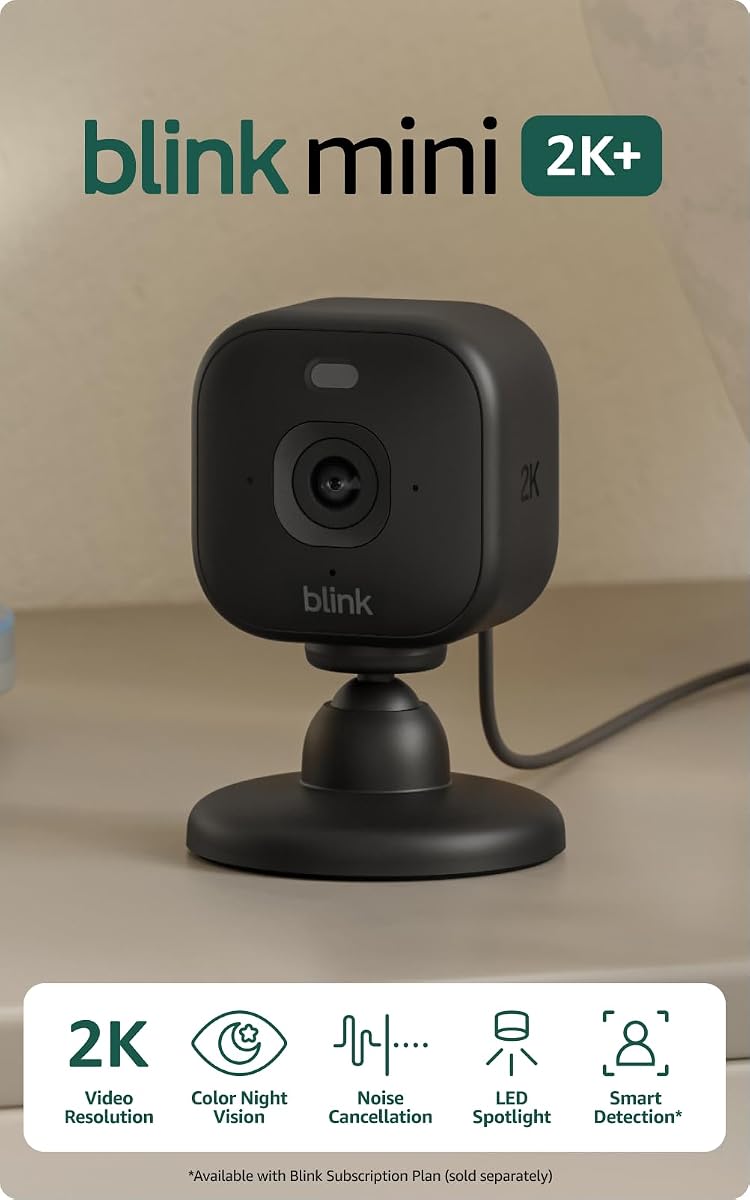
The Blink Mini 2K+ delivers impressive detail in a small form factor. Rated 4.4 stars, it is designed primarily for indoor use but offers 2K resolution which is sharper than standard HD. This makes it excellent for monitoring common areas where visual clarity is key.
We may earn a commission when you buy through this link, at no additional cost to you.
One of its standout features is the enhanced audio with noise cancellation. This allows for clearer conversations via two-way talk which is useful when interacting with guests or service providers. It also supports smart detection like person and vehicle detection to reduce false alerts from pets or moving shadows.
The requirement for a plug-in power source limits its placement to areas near outlets. Without a battery option, you cannot place it in remote corners without running extension cords. However, for fixed indoor spots like a hallway or living room, this provides a stable and uninterrupted power supply.
Ideal for hosts wanting to expand their indoor coverage with high quality visuals, this camera is a solid choice. It works well with Alexa devices for hands-free control. The compact design ensures it does not obstruct decor while providing reliable security monitoring.
Noise cancellation technology filters out background hums or static. This ensures that voices are clear during two-way communication which is critical for resolving guest issues remotely without confusion.
The up to 4x zoom allows you to get a closer look at specific areas of interest. This is useful for verifying details in a large room without needing to physically move the camera to a new spot.
We may earn a commission when you buy through this link, at no additional cost to you.
This four-pack system offers comprehensive coverage for larger properties or multi-unit rentals. With 2K Ultra HD video, it captures detailed footage day and night. The battery-powered design means you can place cameras anywhere without worrying about power outlets or wiring.
We may earn a commission when you buy through this link, at no additional cost to you.
The system supports dual storage options allowing you to choose between local microSD cards or encrypted cloud storage. This flexibility helps hosts manage costs and data security. Smart AI PIR motion detection ensures alerts are sent only when relevant activity occurs reducing unnecessary notifications.
Limitations include dependence on 2.4GHz WiFi which can be slower than dual-band options in congested areas. You will also need to recharge batteries periodically which requires access to the camera. Despite this, the ease of installation and wide coverage make it a strong contender.
Hosts needing to monitor multiple entry points like driveways, backyards, and side gates will benefit from this kit. It provides a holistic security solution at a reasonable price point. The weatherproof design ensures durability against rain and snow for outdoor use.
With standby times lasting up to six months, you avoid frequent charging cycles. This is achieved through intelligent power-saving modes and efficient motion detection that only wakes the camera when necessary.
Multiple users can access the live feeds securely. This allows co-hosts or property managers to monitor the property without needing separate accounts or complex sharing setups.
We may earn a commission when you buy through this link, at no additional cost to you.
This model stands out for offering free cloud storage without mandatory subscription fees. Rated 4.3 stars, it provides 2K UHD resolution and a robust set of smart features. The inclusion of a spotlight and siren acts as a strong deterrent against potential intruders.
We may earn a commission when you buy through this link, at no additional cost to you.
Dual-band WiFi support ensures you can connect to 5GHz for faster speeds or 2.4GHz for better range. This flexibility improves connection stability in areas with crowded networks. The camera also supports AI motion detection which reduces false alerts from environmental changes.
While the free cloud storage is attractive, HD quality recordings may require paid plans depending on the specific terms. Battery life can vary significantly based on how often motion is detected which is standard for wireless cameras. Overall it offers a balanced feature set for the price.
It is well-suited for hosts who want cloud access without recurring costs. The built-in siren and spotlight add active security layers that passively recording cameras lack. This makes it a versatile choice for high-traffic areas or entryways where visibility is a key security factor.
The combination of a bright spotlight and loud siren can stop unwanted visitors before they escalate. This active response feature adds a layer of protection that goes beyond simple recording and monitoring.
Dual-band support helps maintain a reliable connection even when the network is busy. This ensures that alerts and live view are delivered promptly without lag or disconnection issues.
We may earn a commission when you buy through this link, at no additional cost to you.
The Blink Outdoor 4 boasts an impressive two-year battery life on a single charge. Rated 4.1 stars, it offers reliable outdoor monitoring with 1080p HD clarity. The inclusion of a Sync Module Core simplifies setup and centralizes control for up to three cameras.
We may earn a commission when you buy through this link, at no additional cost to you.
Enhanced motion detection provides faster alerts to your smartphone. You can also opt for person detection via an optional subscription plan to filter out irrelevant movement. The camera supports two-way talk allowing you to communicate remotely with guests or visitors.
Local storage is not included with the Sync Module Core meaning you will rely on cloud storage which requires a subscription for extended video history. This can add to the long-term cost. However the battery efficiency and simple installation are significant advantages for hassle-free security.
This system is ideal for hosts managing outdoor spaces like patios, driveways, or side entrances. The long battery life minimizes maintenance effort. It is particularly effective for those who already use the Blink ecosystem for other devices like doorbells or alarms.
Advanced power management allows the camera to operate for up to two years. This reduces the frequency of battery changes which is critical for cameras mounted high or in remote areas.
The included Sync Module Core connects all cameras to your WiFi network. This ensures stable performance and centralized management of your multi-camera setup.
We may earn a commission when you buy through this link, at no additional cost to you.
The eufy C31 two-pack offers flexibility for hosts needing both indoor and outdoor monitoring. With an IP66 waterproof rating, it withstands rain and dust making it reliable outside. Its 360-degree pan and tilt allows a single camera to cover an entire room or yard.
We may earn a commission when you buy through this link, at no additional cost to you.
PureColor night vision ensures footage remains in color even in low light without harsh spotlights. This helps in identifying details like faces or clothing colors at night. You can store footage locally on a microSD card avoiding monthly subscription fees entirely.
The camera requires a HomeBase Mini or 3 for extended 24/7 recording which is sold separately. This adds to the initial setup cost. However the dual external antennas ensure a strong WiFi connection even at a distance which is useful for larger properties.
This model is excellent for comprehensive property coverage without recurring costs. It is suitable for garages, patios, and living rooms alike. Hosts who value privacy and local data storage will appreciate the absence of mandatory cloud subscriptions.
PureColor technology uses a large aperture to capture more light for color night vision. This means you get a natural look at your property at night which can help in identifying details that infrared black and white might miss.
The 360-degree coverage means one camera can monitor a whole space. This reduces the number of devices needed to secure an area which simplifies your setup and lowers overall costs.
We may earn a commission when you buy through this link, at no additional cost to you.
The Ring Outdoor Cam is a versatile choice for hosts deeply integrated into the Alexa ecosystem. Rated 4.5 stars, it provides reliable weather-resistant monitoring with color night vision. You can easily mount it anywhere using its versatile bracket for a customized view.
We may earn a commission when you buy through this link, at no additional cost to you.
It supports live view through the Ring app allowing you to check in anytime. The two-way talk feature enables clear communication with guests or delivery drivers. Integration with Echo Show devices allows you to see camera feeds on smart displays for convenient monitoring.
Advanced features like smart alerts and video history require a Ring Protect subscription. Also the battery is rechargeable but will need periodic attention depending on usage. Despite these requirements the camera offers solid performance and reliable connectivity for outdoor areas.
This camera is best for hosts who want seamless voice control and existing smart home integration. It works well for porches, backyards, or driveways. The color night vision adds valuable detail to night-time footage which is essential for identifying visitors or potential intruders.
Alexa integration allows you to ask your Echo device to show you a specific camera feed. This hands-free monitoring is convenient when cooking or managing other tasks while keeping an eye on the property.
Color night vision provides clearer visual details than standard infrared. This helps you see what a person is wearing or the color of a vehicle which can be crucial information during an incident.
We may earn a commission when you buy through this link, at no additional cost to you.
Selecting the right security camera for an Airbnb requires balancing technical capabilities with legal and ethical considerations. This guide covers the essential factors to ensure you choose a device that protects your property while respecting guest privacy.
Always check local laws and platform rules regarding surveillance. Generally cameras should not be placed in private areas like bedrooms or bathrooms. Visible cameras in common areas like entrances or living rooms are often acceptable but require clear disclosure to guests in the listing.
Prioritize cameras with privacy features such as manual covers or physical shutters. These allow you to disable recording when guests are present in common spaces ensuring trust and compliance with ethical hosting standards.
Higher resolution like 2K or 4K ensures that faces and license plates are identifiable. For entryways and high-risk areas, investing in better clarity pays off when verifying incidents. Standard 1080p may suffice for general indoor monitoring where identification is less critical.
Consider the lighting conditions of your property. Cameras with good low-light performance or color night vision reduce blind spots at night. This ensures you capture usable footage even in poorly lit hallways or driveways.
Decide between plug-in and battery-powered options based on your property layout. Plug-in cameras are ideal for indoor spots near outlets while battery models offer flexibility for outdoor areas. Look for models with solar charging to reduce maintenance frequency.
Check the battery specifications carefully. Some cameras last months on a single charge while others need weekly changes. Ensure the power source aligns with your ability to perform maintenance without disrupting guest stays.
Storage can be local via microSD cards or cloud-based via subscriptions. Local storage avoids monthly fees but risks data loss if the card is damaged. Cloud storage offers better security but adds ongoing costs. Weigh these factors based on your budget and data needs.
Some models offer hybrid solutions allowing both local and cloud options. This flexibility lets you record continuously locally while keeping critical clips in the cloud for quick access. Always check if the card is included or sold separately.
Advanced AI detection helps reduce false alerts from wind or pets. Look for person vehicle or pet detection features that filter relevant activity. This saves battery life and ensures you only check notifications when something truly matters.
Check if these features require a subscription. Some basic detection works out of the box while advanced person recognition may need a paid plan. Ensure the functionality matches your needs without forcing unnecessary upgrades.
A stable WiFi connection is critical for live view and alerts. Dual-band WiFi support helps avoid congestion in busy neighborhoods. Ensure your property has strong signal strength where you plan to install cameras to prevent disconnections.
Consider cameras with external antennas if your router is far away. Better signal reception ensures footage is uploaded reliably and live view is smooth. This is particularly important for outdoor cameras placed at the edge of your property.
Look for cameras that require minimal tools to install. Peel-and-stick mounts or magnetic bases make setup easy without damaging walls. This is important for temporary rentals where you cannot make permanent changes to the property.
Choose a system that offers clear instructions and intuitive app interfaces. Complex setups can lead to errors in configuration. Simple installation ensures you can quickly deploy cameras and get them online before a guest arrives.
If you use smart speakers or hubs choose cameras that work with them. Alexa and Google Assistant integration allows for voice commands and routine automation. This adds convenience to your security management.
Integration can also extend to other devices like smart locks. Ensuring your camera works with your existing ecosystem creates a cohesive security setup. Check compatibility lists before buying to avoid conflicts with your current hardware.
Install cameras in high-traffic areas like entrances and hallways while avoiding private spaces like bedrooms. Ensure all guests are informed about surveillance in the listing description to maintain transparency and trust. This practice helps prevent misunderstandings and complies with platform policies.
Regularly check your cameras to ensure they remain online and functioning. Test the live view and two-way audio to confirm connectivity. Update firmware whenever possible to keep features secure and up to date. This proactive maintenance prevents issues before they impact security.
Store footage securely and review it periodically to ensure settings are optimal. If using SD cards check them for damage and rotate them if needed. For cloud users ensure your subscription is active to avoid losing access to historical data.
Laws vary by location but generally cameras are allowed in public areas like entrances and living rooms. They are prohibited in private spaces like bathrooms and bedrooms. Always disclose cameras in your listing and obtain consent if required by local regulations.
Not all cameras require a subscription. Many models allow local storage via microSD cards for free recording. However advanced features like extended cloud storage and person detection often require a paid plan for full functionality.
Guests should not be able to disable cameras in common areas. Most devices require admin access via an app to change settings. However guests may choose to wear masks or hats to obscure their identity which cameras cannot prevent.
It is recommended to keep footage for at least 30 days to cover potential incidents. This aligns with standard cloud storage retention periods. For local storage ensure your card has enough capacity to retain video for a similar duration.
Most cameras store footage locally until the connection is restored. If using cloud storage only clips recorded online will be uploaded. Ensure your camera supports local SD card storage as a backup during outages.
Place cameras at eye level and avoid high-contrast areas like bright windows which can obscure faces. Aim for a clear view of entry points and common areas without capturing neighboring properties to maintain privacy and compliance.
We reviewed ten top-rated cameras that balance performance with ease of use. The Ring Indoor Cam leads as the overall choice for its privacy cover and smart features. The Tapo C100 and eufy E30 offer great value and premium options respectively.
When choosing prioritize cameras that respect guest privacy while providing reliable security. Features like local storage and battery life can save money and hassle over time. Select a model that fits your property size and technical needs effectively.
Remember to check current prices and availability before purchasing. Technology and offers change frequently so verify the latest deals on Amazon. With the right setup you can ensure a safe and secure environment for both your property and your guests.