
Thermalright TL-C14C-S X3
4.7Editor score
High airflow 75.8CFM
Silent operation under 27dB
3-pack value bundle
Discover the top ARGB 140mm fans for 2026. We compare cooling performance, noise levels, lighting sync, and value to help you choose the right case cooler.
Choosing the right ARGB 140mm fan can transform your PC build. These components balance cooling power with stunning visual effects. A good fan moves air efficiently while keeping noise low and lights vibrant.
We evaluated ten top models based on airflow, static pressure, bearing type, and RGB compatibility. Each product offers unique features like reverse airflow or magnetic daisy-chaining. Our goal is to highlight value and performance.
Each pick shows real specs and user feedback to guide your decision. Prices fluctuate often so check current listings before buying. This guide helps you find the perfect match for your specific case and cooling needs.
4.7Editor score

4.8Editor score

4.6Editor score
This side-by-side comparison covers all ten models ranked by performance and value. We highlight key specs like airflow, speed range, and lighting options. Use this table to quickly identify which fan fits your specific build requirements.
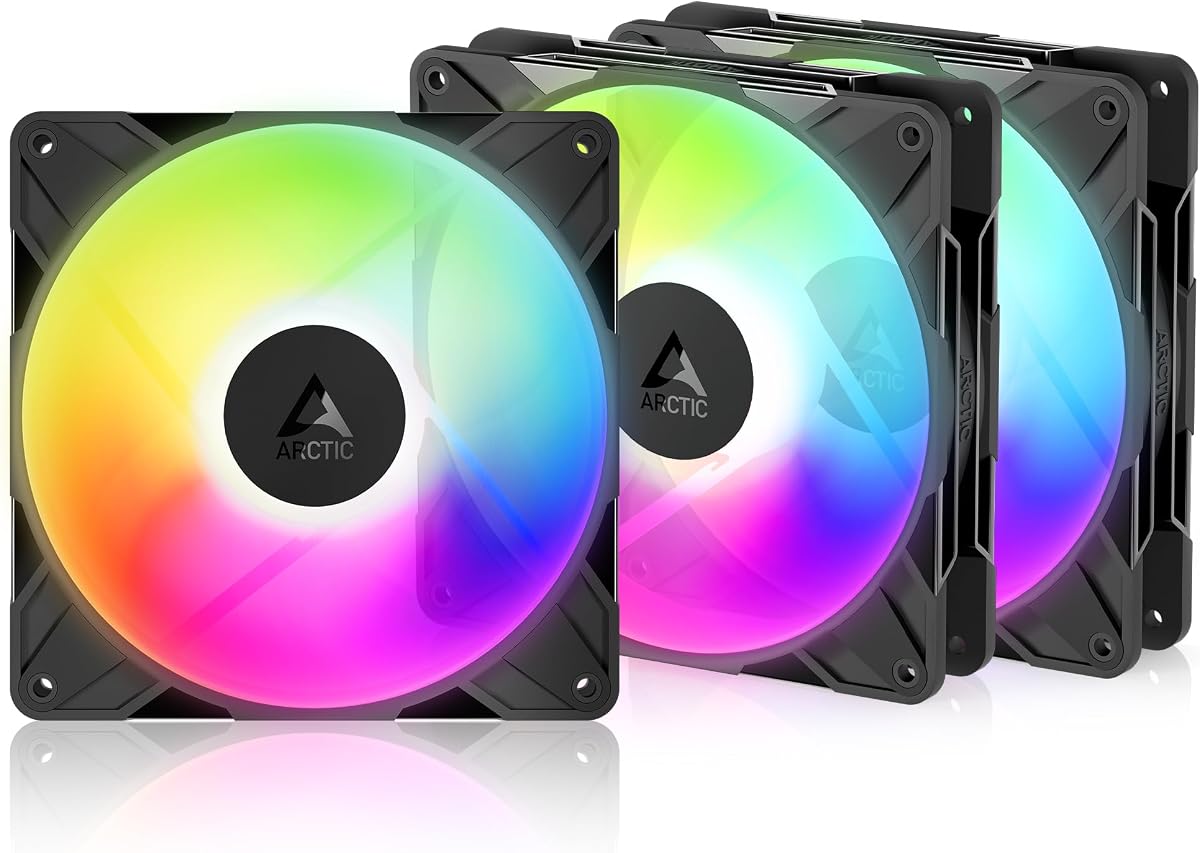


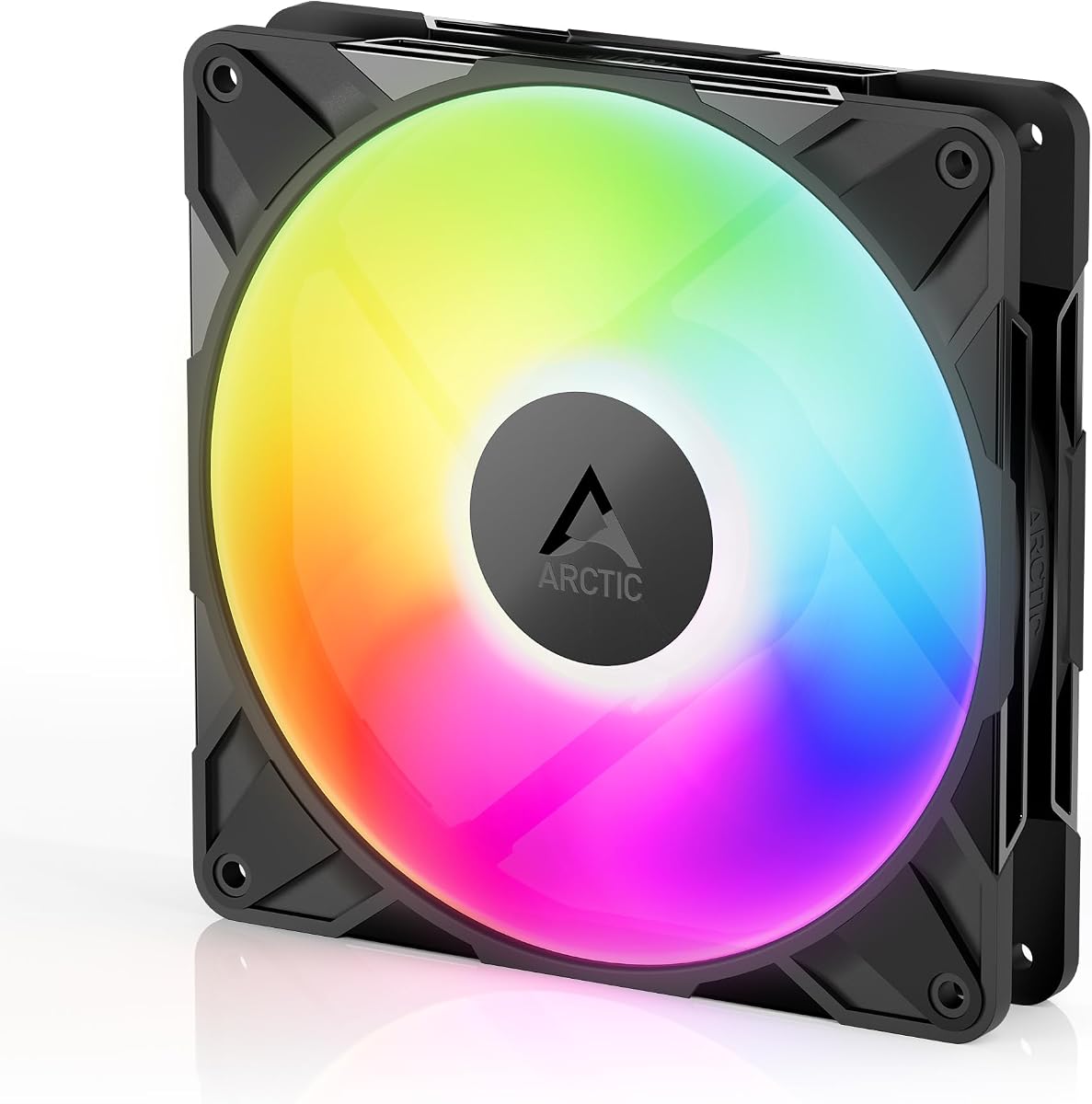


This three-pack from Thermalright delivers exceptional value for builders needing multiple fans. It holds a 4.7 rating and provides reliable S-FDB bearings. The soft ARGB lighting reflects well through the blades for a pleasing look.
We may earn a commission when you buy through this link, at no additional cost to you.
It offers 75.8CFM airflow and stays quiet at 26.4dBA. The automatic speed control via 4PIN PWM adapts to your motherboard temperature. This makes it versatile for radiators and rear exhaust slots alike.
The airflow is lower than premium models but sufficient for standard cases. You get three units so you can fully outfit a build. The insulation and material quality ensure durability over long periods.
If you need reliable cooling and lighting without overspending this set is ideal. It balances cost with performance well. Check current listings to confirm availability and bundle pricing before purchase.
The fan delivers strong airflow suitable for general case cooling and radiator support.
Noise stays low even at maximum speed ensuring a quiet workspace during intense use.
We may earn a commission when you buy through this link, at no additional cost to you.
CORSAIR offers a dual pack with advanced features for high-end builds. It includes a Magnetic Dome bearing for smooth long-term operation. The lighting is bright and customizable via standard motherboard headers.
We may earn a commission when you buy through this link, at no additional cost to you.
Airflow reaches 95.5CFM with AirGuide technology directing air precisely. Static pressure is high at 3.46mm H2O making it excellent for radiators. The daisy-chain connection reduces clutter significantly inside the case.
The dual pack offers flexibility for front intake or rear exhaust setups. It is louder than some budget fans but performance justifies the cost. You gain superior control and aesthetics with this choice.
Consider this if you want top-tier airflow and clean cable management. It pairs well with CORSAIR ecosystems but works with any standard header. Verify motherboard compatibility before installing for best results.
Daisy-chain capability means fewer cables needed to control multiple fans at once.
Anti-vortex vanes push air directly where cooling is needed most for efficiency.
We may earn a commission when you buy through this link, at no additional cost to you.
This three-pack is perfect for cases with glass fronts. It draws air from the back to hide cables and fans from view. The rating is 4.6 with proven performance across many builds.
We may earn a commission when you buy through this link, at no additional cost to you.
Speeds range from 400 to 2650 RPM via PWM control. High static pressure penetrates dense filters or radiators easily. The Y cable splitter manages connections though it adds some wire volume.
The design prioritizes aesthetics without sacrificing cooling efficiency. It is smooth running due to automatic balancing. The bearings ensure longevity and reduced noise over time.
Use this for modern builds where cable management matters. It solves visibility issues while maintaining strong cooling. Check case compatibility to ensure reverse airflow matches your intake plan.
Draws air from back side improving visuals on glass fronted PC cases.
Efficiently penetrates radiators and panels ensuring reliable cooling under resistance.
We may earn a commission when you buy through this link, at no additional cost to you.
Thermaltake brings innovation with magnetic connections for easy daisy-chaining. It includes nine addressable LEDs for vibrant lighting effects. The three-pack ensures you can outfit multiple zones easily.
We may earn a commission when you buy through this link, at no additional cost to you.
The new MagForce 2.0 design reduces cable clutter significantly. You can control fans via one cable to the motherboard. This simplifies routing and improves airflow in tight spaces.
Bearings are optimized for silent reliable operation over time. The mounting system reduces vibration to keep noise low. This balance makes it suitable for both gaming and workstations.
Ideal for users wanting easy setup and bright lighting. The magnetic system is unique but check stability before finalizing. Verify sync support with your motherboard for best lighting results.
Provides reliable silent operation reducing mechanical friction and noise output.
Embedded mounts minimize vibration transmission for a quieter system overall.
We may earn a commission when you buy through this link, at no additional cost to you.
This fan offers strong airflow with an impressive lifespan. It features hydraulic bearings that minimize friction and oil evaporation. The infinity mirror effect creates a striking visual display.
We may earn a commission when you buy through this link, at no additional cost to you.
Speeds up to 2000RPM allow aggressive cooling when needed. It syncs well with Aura RGB Fusion and Mystic Light systems. The noise range is wide allowing control via PWM profiles.
Daisy-chain limits exist but support up to three fans safely. The wear-resistant design ensures long-term stability without replacements. This makes it a practical choice for daily use.
Consider this for high airflow without high price tags. It integrates smoothly into common RGB ecosystems. Ensure you plan your daisy-chain layout before installation for best flow.
Hydraulic bearings ensure 50000 hour life reducing need for frequent replacements.
Visual effect adds depth and color variety to your PC case interior.
We may earn a commission when you buy through this link, at no additional cost to you.
This halo fan stands out with its unique Duo-Ring lighting system. It holds the highest rating in our list with 4.8 stars. The hybrid blades address both static pressure and airflow needs.
We may earn a commission when you buy through this link, at no additional cost to you.
It features noise reduction technology and sound absorbing materials. This ensures longer lifespan and quieter operation than standard fans. PWM speed control adjusts dynamically between 650 and 1500 RPM.
An ARGB header extender is included for added flexibility. It works well with major sync systems like Mystic Light and Aura. The design fits both liquid and air cooler scenarios.
This is the top pick for most builders seeking balance. It delivers great visuals and cooling without major compromises. Check current listings to verify stock and bundle options for best price.
24 individually controlled LEDs create stunning visual effects around fan rings.
Design tackles resistance in radiators and chassis while boosting overall airflow.
We may earn a commission when you buy through this link, at no additional cost to you.
This model offers extreme speeds up to 3000RPM. It is built for high performance cooling where noise is less priority. The bearings ensure smooth running even at those high levels.
We may earn a commission when you buy through this link, at no additional cost to you.
Redesigned blades balance performance with low noise at lower speeds. The precise manufacturing reduces gaps and vibrations effectively. It stops completely at less than 5 percent PWM duty cycle.
Ideal for cases needing maximum cooling power quickly. The self-lubricating bearing minimizes noise during normal operation. It penetrates dense radiators easily due to high static pressure.
Use this when you need raw cooling power above all. The speed range is wider than most other fans available. Ensure your case has good airflow to handle the output.
Efficient even with resistance penetrates dense radiators and mesh structures.
Self-lubricating design minimizes noise and extends service life significantly.
We may earn a commission when you buy through this link, at no additional cost to you.
This black three-pack focuses on silence and cooling efficiency. It lacks RGB but offers strong performance for CPU coolers. The 7-blade design reduces noise while maintaining airflow.
We may earn a commission when you buy through this link, at no additional cost to you.
Cable length is generous at 55CM for flexible routing. It supports series control with PWM to adjust speed automatically. Mounting includes soft feet to minimize vibration transfer.
Heat dissipation is optimized for maximum cooling with low noise. Materials used are durable and insulated against heat. This makes it great for quiet workstation builds.
Pick this if you value silence over lighting effects. The airflow is consistent across the pack. Verify mounting compatibility with your cooler or case for best fit.
Silent blade design and speed enable high cooling with low noise.
Suitable for CPU coolers taking away heat from case and CPU.
We may earn a commission when you buy through this link, at no additional cost to you.
This single unit earns a 4.9 rating for excellence. It draws air from the back for glass front aesthetics. The performance is reliable with precise manufacturing and balancing.
We may earn a commission when you buy through this link, at no additional cost to you.
It stops at less than 5 percent PWM for true zero RPM. This saves energy and noise during low load times. The bearing reduces noise ensuring quiet efficient cooling.
The rotor design optimizes balance of performance and low noise. It is ideal for cases with glass fronts where fans are visible. The static pressure penetrates filters effectively.
Buy this if you need just one reverse fan for a build. It matches other ARCTIC fans well for consistency. Ensure you plan your cable routing before starting.
Ideal for glass fronted designs where conventional fans spoil appearance.
Efficient even with resistance penetrates dense radiators and mesh structures.
We may earn a commission when you buy through this link, at no additional cost to you.
This single fan is the most affordable entry to RGB. It features atomizing blades for soft lighting effects. It includes S-FDB bearings for reliability and long service life.
We may earn a commission when you buy through this link, at no additional cost to you.
Noise stays low while cooling is effective for general cases. It supports 17 light modes managed through motherboard ports. PWM control adjusts speed to temperature automatically.
The cooling performance is good for case airflow and coolers. It matches coolers and cases perfectly for a unified look. Soft silicone feet reduce vibration impact on case walls.
Ideal for small budgets needing just one RGB fan. It is effective at heat dissipation and silent operation. Check availability and pricing before purchasing to confirm value.
High-brightness LED atomizing fan blade reflects light softly for better looks.
Optimized size and design ensure high air flow with low noise levels.
We may earn a commission when you buy through this link, at no additional cost to you.
Selecting the right fan involves looking at more than just lights. We break down the most critical factors to consider for cooling performance and aesthetics.
Airflow measured in CFM indicates how much air the fan moves. Static pressure in mm H2O shows ability to push air through resistance like radiators or filters. High CFM is better for open cases while high static pressure suits radiators.
Choose high CFM for general intake or exhaust and high static pressure for radiators to ensure efficient cooling.
PWM connectors allow the motherboard to adjust fan speed based on temperature. This reduces noise when the system is idle. Ensure the fan supports 4-pin PWM to get full control.
Look for 4-pin PWM connectors to get dynamic speed adjustments and reduced noise levels.
Fans use either 3-pin 5V ARGB or 2-pin 12V RGB. Make sure your motherboard supports the specific connector type. Synchronization software is often needed to control color and effects.
Confirm motherboard compatibility for 5V ARGB to ensure correct lighting sync with your system.
Some fans offer daisy-chain connections to reduce cable clutter. Magnetic or traditional connectors can simplify setups. Ensure you have enough ports on your motherboard.
Prioritize fans with daisy-chain connections to reduce cable clutter and simplify routing.
Bearing types like Fluid Dynamic or Hydraulic determine longevity and noise. Fluid Dynamic bearings are smooth and quiet for long periods. Check the rated lifespan in hours.
Opt for Fluid Dynamic or Hydraulic bearings to ensure quiet operation and long service life.
140mm fans are standard but check case dimensions. Thickness usually 25mm may vary. Ensure clearance for cables or components near mounting locations.
Verify case dimensions and clearance to ensure the fan fits without obstruction.
Noise is measured in dB. Lower is better for quiet environments. Look for noise reduction features like rubber mounts.
Check decibel ratings to ensure the fan runs quietly during normal use.
Buying packs can lower cost per fan. Consider if you need 2 or 3 units for your case. Single units are fine for replacement.
Choose packs for multiple cases to save money and get consistent lighting.
Install fans by aligning arrows on the frame to show airflow direction. Ensure intake fans push air in and exhaust fans pull air out to maintain positive pressure.
Connect the 4-pin PWM to your motherboard CPU_OPTIM or SYS_FAN header. Connect the 3-pin ARGB to the ARGB header for lighting control via software.
Dust buildup can reduce cooling over time. Clean blades periodically with compressed air to maintain performance and reduce noise from vibration.
ARGB fans use 3-pin 5V digital addressing allowing individual LED control. RGB fans use 2-pin 12V with fixed lighting patterns. ARGB offers more color customization and sync options.
Not always. Many connect directly to motherboard headers. Some kits include a hub or controller for extra fans beyond available headers. Check if your motherboard supports ARGB natively.
Look for a 3-pin header labeled ARGB or ADD_GEN. Check motherboard manual for supported voltage and pin layout. Ensure BIOS settings allow lighting control if needed.
No. 140mm fans are wider and taller. You need specific 140mm mounting points in your case to fit them correctly. Trying to force them may damage the case or fan.
Daisy-chaining connects multiple fans in a series using one cable. This reduces clutter and simplifies wiring. Ensure your motherboard has enough current for all connected fans.
Yes for glass cases. They hide cables and fans on the intake side. They look cleaner but cost slightly more. Ensure your case design supports the airflow direction.
Use rubber mounts to reduce vibration. Lower fan speed via PWM in BIOS. Ensure cables are secured to avoid blade contact. Replace worn bearings if noise increases.
We highlighted top picks like the Cooler Master Halo for overall balance and Thermalright for budget savings. Each option brings unique strengths to your PC build depending on needs.
Prioritize airflow and noise levels over aesthetics if cooling is your main goal. If visuals matter most choose ARGB fans with strong software sync support for the best results.
Always check current prices and availability before purchasing. Bundles often offer better value than single units so compare options carefully to maximize your budget.