
ASUS Vivobook 16
4.8Editor score
13th Gen Intel Core i7
16GB RAM 1TB Storage
16-inch FHD Plus Display
This guide compares the top 10 ASUS Business Laptop models for 2026, evaluating performance, security, portability, and value to help professionals choose the
Choosing the right ASUS Business Laptop requires careful consideration of performance needs, portability requirements, and security features. Professionals need devices that can handle demanding workloads while maintaining reliability throughout the workday.
We evaluated ten top models based on processor power, memory capacity, display quality, and enterprise-grade security protocols. Our analysis focuses on real-world business scenarios including video conferencing, multitasking, and data protection.
Each selection highlights unique strengths for different workflows and budgets. Remember that specifications and availability can change, so verify current details before purchasing to ensure you get the exact configuration you need.
4.8Editor score

5.0Editor score

The following comparison table breaks down key specifications across all ten models to help you quickly identify the best fit for your specific business requirements and workflow demands.


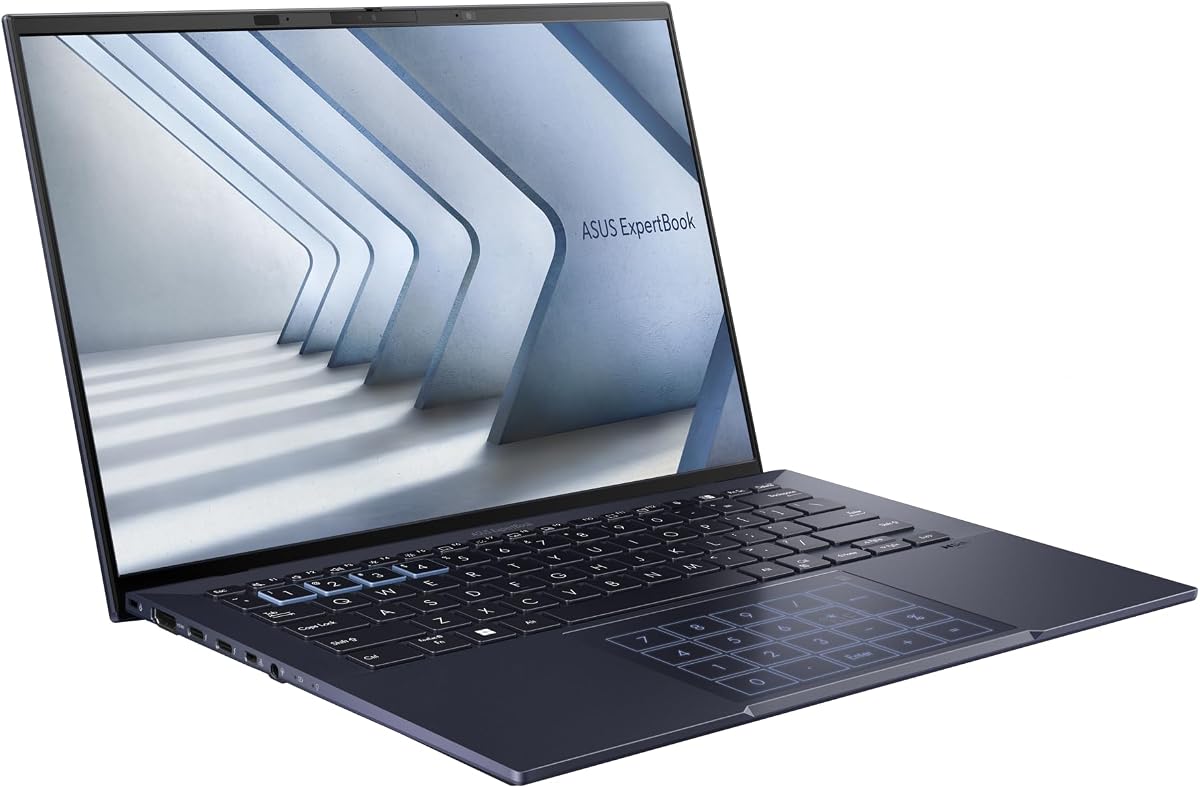


The ASUS ExpertBook B9 OLED stands out as the premier choice for business professionals who value portability without sacrificing visual quality. With a perfect five-star rating from verified buyers, this model delivers exceptional performance in a remarkably lightweight chassis.
We may earn a commission when you buy through this link, at no additional cost to you.
At just 2.18 pounds, this laptop is engineered for frequent travelers and remote workers who need premium computing power on the go. The OLED screen provides vivid colors and deep blacks, making it ideal for presentations and detailed document review during client meetings.
While the price reflects its premium build quality and OLED display, the investment pays off through improved productivity and reduced physical strain during long work sessions. The lightweight design means less fatigue when carrying the device between office locations or while traveling.
This laptop is ideal for executives, consultants, and mobile professionals who prioritize portability and display quality above all else. For those who need a reliable machine that looks professional and performs exceptionally well in business settings, this model is the top recommendation.
The 2.18-pound weight makes this the worlds lightest 14-inch OLED business laptop, perfect for daily commuting and frequent travel.
The OLED display delivers stunning contrast and color accuracy, enhancing both professional presentations and media consumption.
We may earn a commission when you buy through this link, at no additional cost to you.
The ASUS Vivobook 16 Business Laptop delivers impressive value for small businesses and professionals seeking powerful performance at an accessible price point. With a 4.8-star rating, users consistently praise its ability to handle demanding workflows smoothly.
We may earn a commission when you buy through this link, at no additional cost to you.
Powered by a 13th Gen Intel Core i7 processor with 10 cores and 12 threads, this laptop excels at multitasking between applications, browser tabs, and virtual meetings. The included 16GB RAM ensures you can run multiple programs simultaneously without slowdowns or system lag during critical work hours.
The bundle includes additional value with a 6-in-1 USB-C docking station and a 500GB external drive, extending both connectivity and storage options beyond the base 512GB SSD. This makes it especially suitable for teams needing flexible workspace configurations without purchasing extra peripherals separately.
This model is perfect for startups, freelancers, and budget-conscious enterprises needing reliable business-grade computing. With Windows 11 Pro included for enhanced security and management features, it offers professional capabilities without the premium price tag of higher-end business laptops.
The 10-Core Intel i7 processor provides high-end performance typically reserved for more expensive business machines at a competitive cost.
Included accessories like the USB-C hub and external drive provide immediate productivity enhancement right out of the box.
We may earn a commission when you buy through this link, at no additional cost to you.
The ASUS ExpertBook B3 represents the pinnacle of business computing with enterprise-grade specifications designed for power users and IT departments. Its AI-powered architecture and massive storage capacity make it suitable for data-intensive professional applications requiring reliable sustained performance.
We may earn a commission when you buy through this link, at no additional cost to you.
Featuring an Intel Core Ultra 5 processor with a built-in AI Boost NPU, this laptop accelerates AI workloads for tasks like intelligent conference optimization and real-time translation. The 32GB RAM and 2TB SSD provide ample resources for heavy multitasking and large file storage across multiple projects.
Military-grade MIL-STD-810H certification ensures the device can withstand daily transport and workplace wear, while the 25% recycled plastic construction meets sustainability goals. The extensive port selection including Thunderbolt 4 eliminates the need for dongles in office or conference room environments.
This laptop is ideal for large corporations, data analysts, and IT administrators who require top-tier security and performance. With TPM 2.0 firmware security and Windows Secured-core PC support, it protects confidential business data against unauthorized access throughout the device lifecycle.
Built-in AI Boost NPU handles intelligent workloads like conference optimization and real-time processing for enhanced productivity.
TPM 2.0 and Secured-core PC support provide robust data protection required for handling sensitive business information.
We may earn a commission when you buy through this link, at no additional cost to you.
The ASUS Vivobook Laptop Business Computer 2025 delivers strong performance for professionals who need high RAM capacity without premium pricing. With 24GB RAM, it handles browser-heavy workflows, virtual machines, and resource-intensive applications with ease for demanding business use cases.
We may earn a commission when you buy through this link, at no additional cost to you.
The bundled lifetime Microsoft Office Professional Plus license saves ongoing subscription costs for businesses needing Word, Excel, and PowerPoint. Additionally, the integrated privacy shield slides over the webcam for instant privacy during sensitive meetings or remote work sessions.
Users appreciate the comprehensive accessory bundle including the USB-C hub and 500GB external drive for immediate expansion. The 512GB NVMe SSD offers fast boot times and application loading, while the external drive provides backup capacity for important business documents.
This model suits freelancers, educators, and small business owners needing reliable computing with included productivity software. The privacy shield and Pro features add professional security elements at a competitive price point for budget-conscious professionals.
24GB DDR4 RAM ensures smooth multitasking across browser tabs, applications, and background processes without performance degradation.
Lifetime Microsoft Office Professional Plus license provides essential productivity tools without recurring subscription fees.
We may earn a commission when you buy through this link, at no additional cost to you.
The ASUS ExpertBook B1 is engineered for continuous operation without thermal throttling through its ExpertCool optimized thermal system. This ensures stable performance during extended work sessions, making it suitable for environments where the laptop runs for hours without interruption.
We may earn a commission when you buy through this link, at no additional cost to you.
With 32GB RAM and 1TB SSD storage, this model supports heavy workloads including virtualization, database management, and creative applications. The 15.6-inch anti-glare display provides comfortable viewing for long-hour document reading and video conferencing without eye strain or reflections.
The full I/O port selection including dual USB-C and HDMI eliminates the need for adapters in office settings. Military-grade durability ensures reliability in complex mobile business scenarios, protecting the device during daily transport and workplace wear.
This laptop is ideal for business users requiring consistent performance throughout the day without overheating concerns. For professionals who need enterprise-grade security and thermal stability at a reasonable price, the ExpertBook B1 offers exceptional value.
ExpertCool thermal management prevents overheating during prolonged business operation, maintaining steady performance for extended periods.
Complete I/O port selection enables direct connection to external monitors, storage devices, and network equipment without adapters.
We may earn a commission when you buy through this link, at no additional cost to you.
The ASUS ExpertBook BLACK 14 combines a stunning 2.8K OLED display with professional-grade computing power for visually demanding work. The HDR capability and narrow bezel design provide immersive visuals that enhance both presentations and detailed content creation tasks.
We may earn a commission when you buy through this link, at no additional cost to you.
With Intel Core i7-1355U processor and 16GB RAM, this laptop balances performance and portability effectively. The magnesium-lithium alloy chassis offers exceptional durability while maintaining a remarkably light 2.18-pound form factor for daily commuting.
The 1TB PCIe NVMe SSD ensures fast file access and application loading for professionals managing large document libraries. Windows 11 Pro provides essential business features like enhanced privacy controls and seamless compatibility with enterprise software.
This model suits creative professionals and executives who prioritize display quality alongside mobility. For those needing a lightweight machine with superior visual fidelity for client presentations, the OLED screen delivers a premium experience that justifies the investment.
The 2.8K OLED HDR display provides stunning contrast and color accuracy for visually demanding professional work.
At 2.18 pounds, the magnesium-lithium alloy chassis offers durability without adding unnecessary weight to daily carry.
We may earn a commission when you buy through this link, at no additional cost to you.
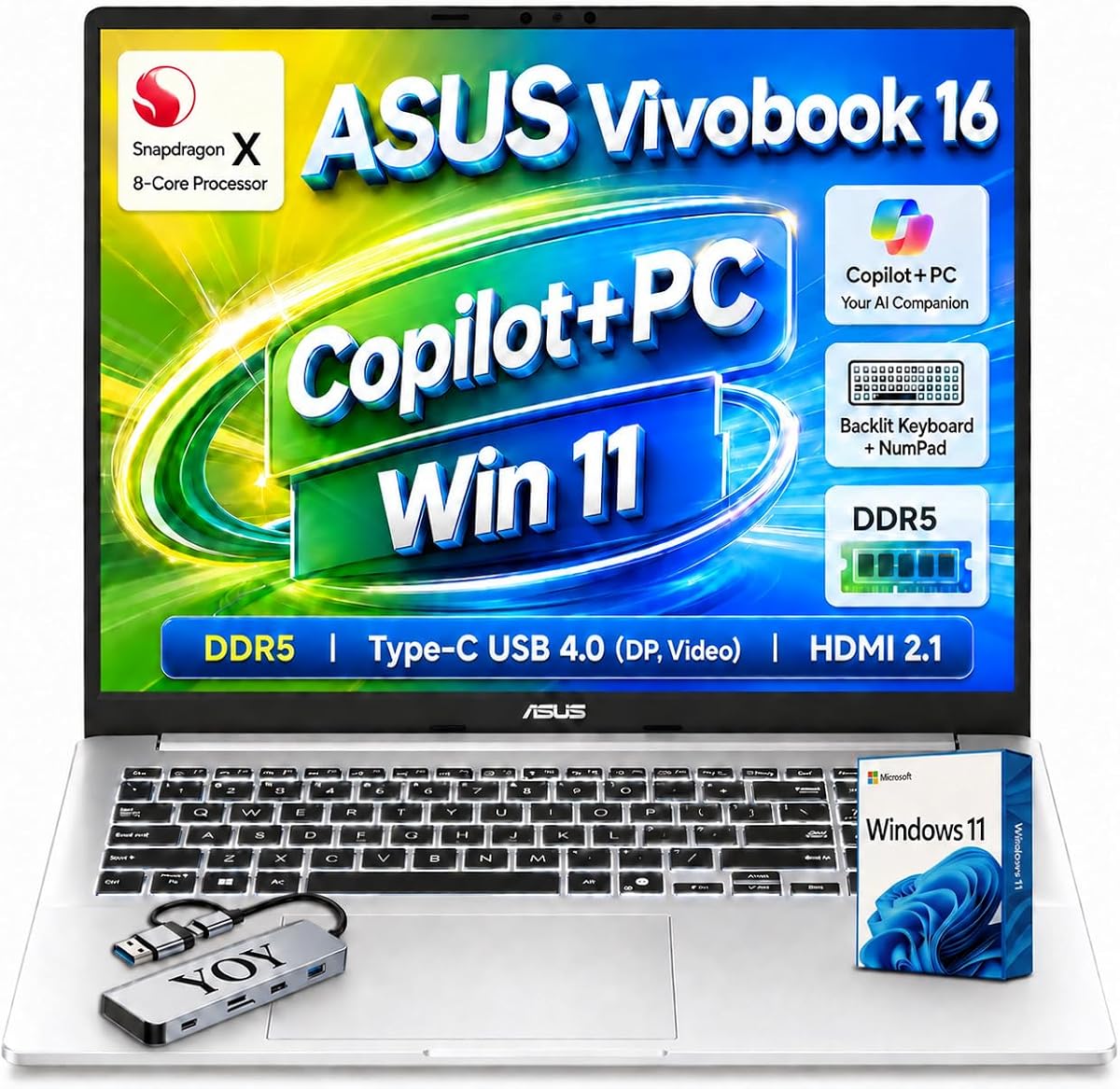
The ASUS Vivobook 16 Snapdragon represents the next generation of AI-powered Copilot+ PC laptops with specialized hardware for intelligent workloads. The Qualcomm Hexagon NPU delivers 45 TOPS of AI performance for compatible tasks like real-time translation and background blur.
We may earn a commission when you buy through this link, at no additional cost to you.
Featuring Snapdragon X X1 26 100 processor with 8 cores, this laptop offers up to 50% faster multi-core performance compared to 13th Gen Intel Core i7 alternatives. The 16GB LPDDR5X memory and 1TB Gen 4 SSD provide responsive multitasking and quick application loading.
Windows Hello with Full HD IR camera enables convenient facial sign-in for enhanced security. The USB4 ports support multi-monitor connectivity for expanded workspace, while Wi-Fi 6E ensures stable wireless connections in busy office environments.
This laptop is perfect for forward-thinking professionals who want next-generation AI capabilities. For users needing enhanced productivity features and strong battery efficiency without sacrificing performance, the Snapdragon architecture delivers exceptional value.
Qualcomm Hexagon NPU delivers 45 TOPS for AI workloads, enabling intelligent features like real-time translation and background blur.
USB4 ports support multi-monitor setup and power delivery, while Wi-Fi 6E ensures stable wireless performance in office.
We may earn a commission when you buy through this link, at no additional cost to you.
The ASUS Vivobook 16 with AMD Ryzen 7 7730U delivers outstanding value with a perfect five-star rating from verified buyers. The Zen 3 generation processor provides reliable performance for multitasking while maintaining excellent power efficiency for extended mobile work.
We may earn a commission when you buy through this link, at no additional cost to you.
With 16GB DDR4 RAM and 1TB PCIe NVMe SSD, this laptop handles daily business applications smoothly. The 16-inch IPS WUXGA display offers a spacious 1920×1200 resolution for comfortable viewing of spreadsheets and documents without vertical scrolling.
The included portable USB hub expands connectivity options immediately, and the backlit keyboard supports comfortable typing in various lighting conditions. Wi-Fi 6E and Bluetooth 5.3 ensure reliable wireless connections for presentations and remote collaboration.
This model is ideal for small business owners and professionals needing reliable AMD performance at an accessible price. For users who prefer AMD architecture and need a spacious display for productivity without premium pricing, it delivers strong results.
The Ryzen 7 7730U delivers reliable performance for daily business tasks while maintaining excellent power efficiency for mobile use.
The 16-inch 1920×1200 resolution offers vertical workspace ideal for spreadsheets, documents, and detailed content review.
We may earn a commission when you buy through this link, at no additional cost to you.
The ASUS Vivobook 16 Upgrade provides pre-configured improvements for users seeking enhanced performance without technical effort. Professionally upgraded by GreatPriceTech, this model ensures hardware and software enhancements are applied correctly for optimal functionality.
We may earn a commission when you buy through this link, at no additional cost to you.
With the same powerful Ryzen 7 7730U processor and 16GB RAM as other models, it delivers consistent performance for business workflows. The fingerprint sensor adds convenient biometric security for accessing your device quickly without entering passwords each time.
The 1TB PCIe NVMe SSD provides fast boot times and application loading for professional use. A portable USB hub is included to expand connectivity options immediately upon receiving the device for work environments.
This option suits users who want a pre-upgraded laptop ready for business use immediately. For those needing reliable AMD performance with added security features and connectivity enhancements without configuration effort, it offers practical value.
Professionally upgraded hardware and software ensures optimal performance without requiring technical expertise from the buyer.
The fingerprint sensor provides convenient biometric security for quick access without entering passwords each time.
We may earn a commission when you buy through this link, at no additional cost to you.
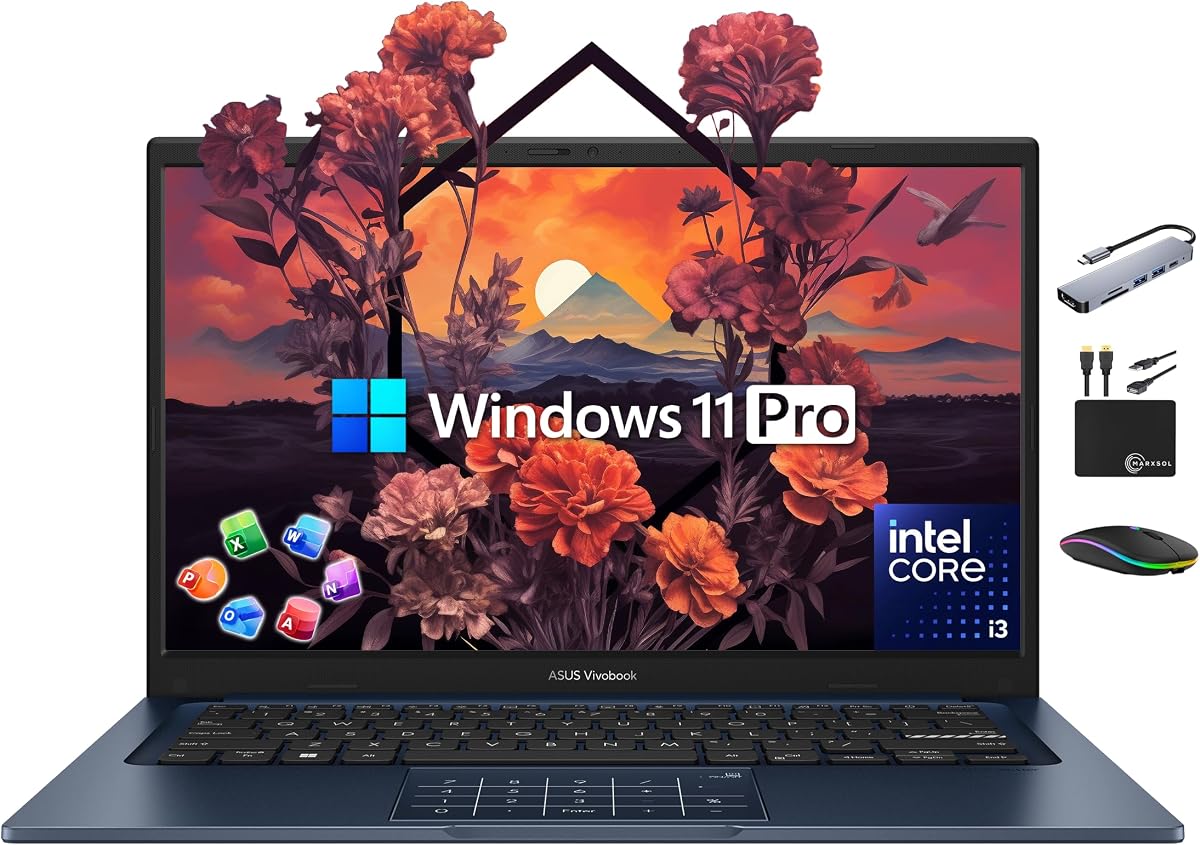
The ASUS Vivobook Laptop 2025 Ultra offers an affordable entry point for business computing without sacrificing essential professional features. With 24GB RAM, it handles everyday multitasking smoothly even with its entry-level Intel i3 processor for basic business workflows.
We may earn a commission when you buy through this link, at no additional cost to you.
The included lifetime Microsoft Office 2024 Professional Plus license saves ongoing subscription costs for small businesses and freelancers. Windows 11 Pro provides necessary security features including hardware-based encryption and malware protection for handling business documents securely.
The accessory bundle includes a USB-C docking hub and 500GB external drive for immediate connectivity and storage expansion. This model suits users with moderate computing needs who require professional operating system features at an accessible price point.
This laptop is perfect for students, administrative staff, and startups needing basic business capabilities. For those prioritizing included software licenses and essential Pro features over raw processing power, it delivers practical value for everyday office work.
Lifetime Microsoft Office 2024 Professional Plus license provides essential productivity tools without recurring subscription expenses.
Windows 11 Pro includes essential business security and management features at an affordable entry-level price point.
We may earn a commission when you buy through this link, at no additional cost to you.
Selecting the right business laptop depends on your specific workflow requirements and performance expectations. This guide breaks down key factors to consider before making your final decision.
The processor determines how quickly your laptop handles applications and multitasking. For business workloads involving multiple browser tabs, video calls, and office applications, look for at least 10-core Intel processors or Ryzen 7 equivalents to ensure smooth performance without lag during busy periods.
Prioritize Core 7 or Ultra 5 processors for AI-enhanced productivity features that optimize workflows automatically. Lower-tier processors may struggle with demanding workloads but work well for basic administrative tasks.
Memory capacity directly affects how many programs you can run simultaneously without slowdowns. Business professionals typically need 16GB as minimum, while power users handling virtualization or heavy data processing benefit from 32GB or more to maintain responsiveness.
Models with 24GB or 32GB RAM provide exceptional multitasking capabilities for running multiple applications and browser tabs simultaneously without performance degradation during critical work hours.
Solid state drives deliver faster boot times and application loading compared to traditional hard drives. Look for NVMe PCIe SSDs for optimal speed, with at least 512GB capacity for business documents and applications to prevent storage limitations over time.
Consider models offering expandable storage through external drives or additional slots for growing business needs. Large internal SSDs reduce reliance on cloud services for accessing important files regularly.
Screen size and resolution impact comfort during long working hours. 16-inch displays offer more vertical space for spreadsheets and documents, while OLED panels provide superior color accuracy for presentations and visual work.
Anti-glare coatings are essential for reducing eye strain during extended use. Higher refresh rates improve cursor responsiveness and scrolling smoothness during document editing tasks.
Business laptops require robust security protocols to protect confidential data. Look for TPM 2.0 chips, Windows Secured-core PC support, and biometric authentication like fingerprint readers or facial recognition for secure device access.
Hardware-based encryption and privacy shutters for webcams add essential protection layers. Models with Windows 11 Pro include enhanced management tools for enterprise environments.
Military-grade MIL-STD-810H certification ensures laptops can withstand daily transport and workplace wear. This is particularly important for mobile professionals who frequently commute or travel with their devices.
Robust chassis construction extends device lifespan and protects internal components from physical stress. Look for magnesium-alloy or reinforced plastic builds for professional reliability.
Comprehensive I/O ports eliminate the need for dongles and adapters in office settings. USB-C with Thunderbolt support enables fast data transfer and multi-monitor connectivity for expanded workspace setups.
Ensure your model includes HDMI, USB-A, and audio jacks for compatibility with existing peripherals. Ethernet ports provide stable network connections for critical business applications without Wi-Fi dependencies.
Windows 11 Pro offers essential business features like enhanced encryption, remote access, and centralized management tools. Home versions lack many enterprise capabilities required for professional environments.
Consider licensing requirements for your business size. Models with pre-installed Pro licenses simplify deployment and provide immediate security benefits for small teams and enterprises.
Keep your device clean by using a microfiber cloth to wipe the screen and keyboard regularly. Avoid liquid cleaners directly on the laptop and consider a protective sleeve when transporting it to prevent scratches and physical damage during commutes.
Extend battery life by adjusting screen brightness to moderate levels and disabling unused wireless connections when not needed. Use power saver mode during travel or when away from charging sources to maximize mobile work time without interruption.
Perform regular software updates to maintain security and performance. Backup important business data to external drives or cloud services regularly and enable Windows Defender or equivalent security software to protect against threats continuously.
The ASUS Vivobook 16 2026 provides excellent value with a 13th Gen Intel Core i7 processor, 16GB RAM, and included accessories. It balances performance and price effectively for businesses needing reliable computing without premium costs or subscription fees.
Business laptops include enterprise-grade security features like TPM 2.0 chips, Windows 11 Pro operating systems, and enhanced durability certifications. They also offer better warranty support and centralized management tools for IT departments managing multiple devices.
16GB is sufficient for most business tasks including spreadsheets, presentations, and video calls. Power users handling virtual machines, large datasets, or multiple applications simultaneously should consider 32GB or higher for optimal performance without slowdowns.
OLED displays provide superior contrast and color accuracy ideal for presentations and visual work. While they consume more battery, the visual benefits justify the cost for professionals prioritizing display quality during client meetings and creative tasks.
Upgradeability varies by model. Some business laptops allow RAM and SSD upgrades while others have soldered components. Check specific specifications before purchasing and prioritize models with accessible upgrade paths for long-term flexibility and cost savings.
Windows 11 Pro provides essential security and management features for business environments including encryption, remote access, and group policy controls. Home versions lack these capabilities making Pro the recommended choice for professional and enterprise use.
We have evaluated ten exceptional ASUS business laptops ranging from budget-friendly entry options to premium executive machines. The ExpertBook B9 OLED leads overall with its lightweight design and stunning display, while the Vivobook 16 2026 offers incredible value for small businesses.
Prioritize your specific needs such as portability, processing power, or security features when making your decision. Consider how you will use the device daily and which specifications will impact your productivity most during business operations and client interactions.
Prices and availability change frequently so verify current details before purchasing to ensure you get the exact configuration you need. Check the latest product specifications and warranty terms to confirm the device meets your business requirements today.