
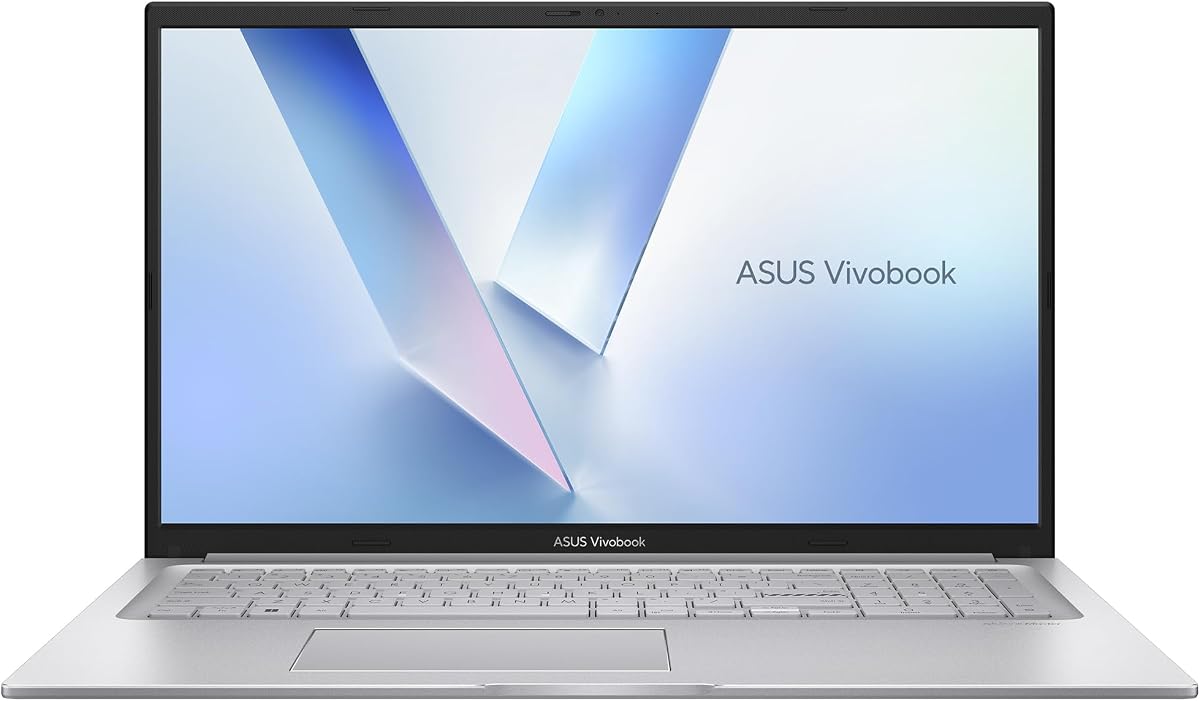
ASUS Vivobook Go 15.6 FHD Slim
4.3Editor score
AMD Ryzen 3 processor
8GB DDR5 RAM
Military grade durability
Slim NanoEdge display
Finding the right laptop involves balancing performance, portability, and price. The ASUS Vivobook lineup offers a wide range of options suitable for students, professionals, and creative users seeking reliable computing power without breaking the bank.
We have analyzed ten distinct Vivobook models based on processor speed, memory capacity, display quality, and connectivity options. Our comparison highlights how each device handles daily tasks, creative workloads, and multimedia consumption effectively.
Each pick includes detailed specifications, pros and cons, and specific use cases to guide your decision. Please note that availability and pricing can change frequently, so always check the latest details before making a purchase.
4.3Editor score

4.5Editor score

4.2Editor score
As an Amazon Associate we earn from qualifying purchases.
The following table provides a side-by-side look at the core specifications of all ten models reviewed. This helps you quickly identify which device offers the screen processing power or storage capacity for your specific workflow.






This model stands out as a powerhouse for users requiring significant computing resources. With its Intel Core i9 processor and massive 32GB RAM, it handles heavy multitasking and complex simulations with ease.
We may earn a commission when you buy through this link, at no additional cost to you.
The inclusion of a PCO Cooler in this bundle addresses thermal concerns often found in high performance laptops. This ensures the processor maintains peak frequency during intensive tasks without throttling down prematurely.
While the price reflects its premium components, the value lies in the future proofing it offers. Users who need to run AI enhanced software or video editing suites will find this configuration highly capable.
If you prioritize raw speed and storage capacity over portability, this laptop is an excellent choice. It provides a robust foundation for professional workflows that demand reliability and fast processing.
The Next Gen AI Ready status means this laptop is optimized for modern artificial intelligence tasks. You can run local models or creative software that leverages the processor capabilities effectively.
Physical privacy features like the webcam shield and fingerprint reader ensure your data remains secure. These hardware level protections are essential for professionals handling sensitive information daily.
We may earn a commission when you buy through this link, at no additional cost to you.
This model introduces the Qualcomm Snapdragon X platform, designed for efficiency and AI capabilities. It offers a unique alternative to traditional x86 processors, promising multi-day battery life for users on the move.
We may earn a commission when you buy through this link, at no additional cost to you.
The Snapdragon X chipset includes a dedicated Neural Processing Unit that accelerates AI tasks without draining the battery. This makes it ideal for tasks like background noise cancellation or intelligent image processing.
While Windows on Arm continues to improve compatibility, some legacy applications may still run in emulation mode. It is important to verify your specific software needs before switching to this architecture.
For students or professionals who prioritize battery life and portability above all else, this laptop is a compelling option. The large screen provides ample workspace while keeping the device light enough to carry easily.
The Snapdragon platform includes modern connectivity features that support seamless wireless communication. You will experience fast data transfer and reliable network connections wherever you go.
The 16 inch display offers a high resolution that makes text and images look sharp. This aspect ratio provides more vertical space for reading documents or browsing the web efficiently.
We may earn a commission when you buy through this link, at no additional cost to you.
This laptop strikes a balance between portability and performance using the Intel Core i7-1355U processor. It is designed for users who need a reliable machine for daily productivity tasks without the bulk of a workstation.
We may earn a commission when you buy through this link, at no additional cost to you.
The 16 inch WUXGA display enhances productivity with its high resolution and sharp visuals. This makes it suitable for spreadsheets, coding, or any work that benefits from seeing more content on the screen at once.
Intel Iris Xe graphics handle everyday visual tasks well but are not intended for heavy gaming or 3D rendering. If your workflow is primarily office based or web focused, this integrated solution is sufficient.
For those who travel frequently and need a dependable computer that fits easily in a bag, this model is a strong contender. It offers the speed and screen real estate needed for serious work on the go.
The Intel Core i7 processor provides a stable foundation for running multiple applications simultaneously. You can expect smooth performance during video calls and document editing sessions.
With Wi-Fi 6 and various USB ports, staying connected is simple and efficient. The inclusion of HDMI allows you to easily connect to external monitors for a dual screen setup.
We may earn a commission when you buy through this link, at no additional cost to you.
This model features a large 17.3 inch display that provides significant screen real estate for multitasking. It is an ideal choice for users who prefer a desktop replacement style experience without needing a separate monitor.
We may earn a commission when you buy through this link, at no additional cost to you.
The inclusion of a numeric keypad on the keyboard is a major plus for anyone doing data entry or financial work. Combined with the fast charging technology, you can quickly top up power between meetings.
While the larger size means it is less portable than 14 or 15 inch models, it offers a more immersive viewing experience. The military grade durability ensures that it can withstand the rigors of daily transport.
If you need a laptop that functions as a primary workspace and offers a comfortable typing experience, this is a solid option. The generous storage ensures you have plenty of room for files and media.
The ergonomic keyboard design with numeric keys helps reduce strain during long typing sessions. This makes it well suited for professionals who spend hours entering data or writing reports.
Built to meet military standards, this laptop is designed to be rugged and reliable. It offers peace of mind for users who travel frequently or work in varying environments.
We may earn a commission when you buy through this link, at no additional cost to you.
This laptop offers excellent value for users who need a reliable machine for everyday tasks without spending a fortune. The AMD Ryzen 5 processor handles web browsing, streaming, and office work with ease.
We may earn a commission when you buy through this link, at no additional cost to you.
The fast charge technology allows you to regain significant battery life in just half an hour. This is particularly useful for students or professionals who are constantly moving between locations.
AI noise canceling technology ensures that your voice comes through clearly during video calls. This feature is valuable for remote workers who need to maintain professionalism during virtual meetings.
While the 8GB RAM is sufficient for light use, it may limit heavy multitasking. If you need a budget friendly device for general computing, this model delivers on performance and battery efficiency.
Integrated AI features help isolate your voice from background noise during calls. This ensures clear communication even in busy environments like coffee shops or offices.
The slim bezels around the screen provide a modern look and more immersive viewing experience. You get a larger display area within a compact chassis design.
We may earn a commission when you buy through this link, at no additional cost to you.
As an entry level device, this laptop is perfect for basic computing tasks like web browsing and document editing. The AMD Ryzen 3 processor is efficient enough for these daily activities without draining the battery quickly.
We may earn a commission when you buy through this link, at no additional cost to you.
The slim and lightweight design makes it easy to slip into a backpack for travel. It weighs very little, making it a great companion for students or anyone who carries their laptop often.
While the storage is limited, it is suitable for users who rely heavily on cloud storage services. The DDR5 RAM ensures that the system runs smoothly even when multiple tabs are open in your browser.
This is an ideal choice for users with a strict budget who need a reliable secondary computer. The privacy features and durability add value beyond the basic specifications.
The thin profile and light weight make this one of the most portable options available. You can work comfortably on planes or trains without feeling burdened by heavy hardware.
A built-in privacy shield protects your webcam from unauthorized access when not in use. This adds an extra layer of security for online meetings and personal browsing.
We may earn a commission when you buy through this link, at no additional cost to you.
This model offers the flexibility to choose memory and storage configurations that fit your specific needs. The i9 processor ensures that even with high demands, the system remains responsive and efficient.
We may earn a commission when you buy through this link, at no additional cost to you.
The backlit keyboard with numeric keys provides convenience for typing in low light conditions. This feature is particularly useful for professionals who work late hours or travel frequently.
With Windows 11 Pro, you get additional features like BitLocker and Remote Desktop that are useful for business users. These tools enhance security and management capabilities for enterprise environments.
If you need a machine that can be scaled up to meet growing requirements, this customizable option is excellent. It bridges the gap between consumer laptops and high performance workstations.
The inclusion of Windows 11 Pro adds enterprise level features to your workflow. This makes it suitable for corporate environments where security and manageability are critical.
Customizing RAM and storage allows you to get exactly what you need without overpaying. This flexibility ensures you pay only for the capacity you will actually use.
We may earn a commission when you buy through this link, at no additional cost to you.
This compact laptop stands out because of its generous RAM and storage despite the smaller form factor. It is a great choice for users who want a portable device that can still handle multiple applications.
We may earn a commission when you buy through this link, at no additional cost to you.
The Intel i3 processor is sufficient for general tasks but may struggle with heavy workloads. However, the 24GB RAM compensates by allowing many tabs and apps to stay open without slowing down.
With 1TB of storage, you will not need to worry about running out of space quickly. This is ideal for users who keep large libraries of photos or documents directly on their device.
For those who prioritize portability and memory capacity over raw processing speed, this is a solid pick. It offers a lot of functionality in a small package that fits easily in a backpack.
The 14 inch screen allows for high portability while still being usable for productivity. You can fit it in tight spaces and carry it around all day without fatigue.
A full terabyte of storage ensures you can keep all your files locally. This removes the need for external drives or constant cloud uploads for everyday work.
We may earn a commission when you buy through this link, at no additional cost to you.
This laptop supports the new Copilot+ PC capabilities, bringing advanced AI features to the Vivobook line. It is designed for users who want to experience the next generation of Windows features.
We may earn a commission when you buy through this link, at no additional cost to you.
The 14 inch form factor makes it highly portable, perfect for students or business travelers. The FHD+ resolution ensures that text is crisp and images look vibrant on the screen.
Snapdragon X processors are known for their energy efficiency, which translates to longer battery life. You can work for extended periods without needing to hunt for a power outlet.
If you are interested in AI integrated experiences and long battery life, this model is worth considering. It brings a new level of performance efficiency to the mainstream laptop market.
The system is built to leverage AI for tasks like transcription and image processing. This can significantly speed up your workflow and make computing more intuitive.
The optimized hardware allows for all-day usage on a single charge. This reliability ensures you can work through meetings without worrying about battery depletion.
We may earn a commission when you buy through this link, at no additional cost to you.
This model features the AMD Ryzen AI 7 350 processor with an XDNA NPU, delivering high TOPS for AI workloads. It is designed for users who want cutting edge technology integrated into their daily computing.
We may earn a commission when you buy through this link, at no additional cost to you.
The 14 inch WUXGA display offers sharp visuals and a premium look that matches the Platinum Gold finish. This aesthetic appeal is complemented by the backlit keyboard for use in dark environments.
While it comes at a premium price, the advanced AI capabilities justify the cost for tech enthusiasts. It ensures your device is ready for the evolving landscape of software and AI tools.
If you want a laptop that stands out visually and technically, this is a top choice. It combines style with serious processing power for those who demand the latest innovations.
The dedicated NPU handles complex AI tasks locally for faster results. This means you can use advanced tools without relying on cloud connectivity for processing.
The unique finish and slim design give this laptop a high-end feel. It is a device that looks as impressive as it performs during professional presentations.
We may earn a commission when you buy through this link, at no additional cost to you.
Selecting the right Vivobook requires understanding your specific needs regarding performance, screen size, and budget. We break down the key factors to help you make an informed decision.
The processor is the brain of your laptop, dictating how fast it handles tasks. Models with Intel Core i9 or i7 processors are best for heavy multitasking, while i3 or AMD Ryzen 3 are suitable for light use.
Choose a processor that matches your workload to ensure smooth operation over time.
RAM determines how many applications you can run simultaneously without slowdown. 16GB is recommended for most users, while 8GB might suffice for basic tasks like web browsing.
Storage speed and capacity affect how quickly your system boots and how many files you can keep. SSDs are essential for fast performance.
Screen size impacts portability and workspace comfort. 14 inch models are great for travel, while 15 or 16 inch models offer more screen real estate for productivity.
Look for resolutions like WUXGA for sharper visuals if you work with text or media frequently.
For students and travelers, long battery life is crucial. Modern chips like Snapdragon or Ryzen U-series offer efficient power management.
Check reviews for real-world battery tests to ensure the laptop meets your daily endurance needs.
Ports are vital for connecting peripherals like mice, monitors, and drives. Ensure the model has enough USB-C, USB-A, and HDMI ports for your setup.
Wi-Fi 6 support ensures faster and more stable internet connections for modern networks.
Military grade certification indicates resistance to drops and environmental stresses. This is important if you plan to use the laptop in varied conditions.
A sturdy chassis protects your investment and extends the lifespan of the device.
A comfortable keyboard with good travel reduces typing fatigue during long sessions. Backlit keys are helpful for low-light environments.
Precision touchpads are necessary for accurate cursor control without an external mouse.
Newer models include NPUs for AI processing, offering capabilities like noise cancellation and smart features.
If you want longevity and access to modern software features, these AI-enabled models are worth considering.
To maximize battery life, adjust screen brightness and close unused apps when not in use. Modern Windows tools allow you to manage power profiles easily for different usage scenarios.
Keep the vents clean and avoid covering them during operation to prevent overheating. Using a cooling pad or hard surface can help maintain optimal temperatures during intensive tasks.
Regularly update your drivers and BIOS to ensure stability and performance. These updates often include security patches that protect your device from vulnerabilities.
Vivobook laptops are primarily designed for productivity rather than gaming. While they can handle casual games due to integrated graphics, they are not optimized for demanding AAA titles.
Some Vivobook models allow RAM upgrades, while many newer thin models have soldered memory. Always check the specific product details before purchasing to confirm upgradeability.
Yes, all the models in this guide come with Windows 11 pre-installed. This provides access to the latest features and security updates from Microsoft.
Battery life varies by model and usage, but many Vivobook laptops offer all-day battery for general tasks. Newer processors with efficient chipsets extend usage times significantly.
Not all models have a backlit keyboard. Higher-end or specific configurations often include this feature for better visibility in dim environments.
Vivobook laptops are generally more affordable and target general consumers, while Zenbook models are premium with higher build quality and features. Vivobook offers great value for everyday users.
The ASUS Vivobook lineup offers a diverse selection of laptops that cater to various needs and budgets. From the powerful i9 models to the efficient Snapdragon options, there is a device for every user.
When choosing, consider what matters most to you, whether it is raw processing power, battery life, or display quality. Prioritizing these factors will help you find the right match for your workflow.
Remember to check current availability and specific configurations before buying to ensure the device meets your expectations. The right laptop can significantly enhance your daily computing experience.