
Kasa Smart Light Bulbs Full Color Changing
4.5Editor score
16 million colors
Voice control supported
No hub required
This comprehensive guide compares the top smart bulbs for Google Home systems, evaluating connectivity, color accuracy, voice control, and app features to help
Smart lighting transforms how we interact with our homes, offering convenience and ambiance through voice commands. Selecting the right bulbs for Google Home ensures seamless integration and reliable performance across your entire living space.
We analyzed ten leading smart bulbs based on compatibility, features, and user feedback. This list highlights options that work effortlessly with Google Assistant, providing robust control without needing extra hubs or complex setups.
Each pick details key strengths, potential drawbacks, and ideal use cases for your needs. Keep in mind that product availability and pricing can change frequently, so verify current details before making your final purchase decision.
4.5Editor score

4.6Editor score

4.5Editor score
Below is a side-by-side comparison of the top ten smart bulbs compatible with Google Home. Each entry highlights core specifications to help you quickly identify the best fit for your lighting needs and existing smart home setup.



The Govee Smart Light Bulb stands out as a top contender for Google Home users seeking vibrant lighting. With a high rating and robust feature set, it delivers consistent performance for everyday and special occasion needs.
We may earn a commission when you buy through this link, at no additional cost to you.
Its 16 million color options allow for deep customization, while the music sync feature adds an immersive layer for entertainment. Group control lets you manage multiple bulbs simultaneously, making it ideal for whole-room setups.
While it requires microphone permissions for music sync and lacks physical dimmer support, these are minor trade-offs for the versatility offered. Most users find the app intuitive and the voice integration reliable during daily use.
If you want a balance of affordability, color range, and smart features without a hub, this bulb is a strong recommendation. It fits well into existing Google Home ecosystems and scales easily as your smart home grows.
With 16 million DIY colors and preset scenes, you can tailor lighting to match any mood or event perfectly.
Simple voice commands let you turn bulbs on or off, adjust brightness, and change colors instantly via Google Assistant.
We may earn a commission when you buy through this link, at no additional cost to you.
Kasa Smart Light Bulbs offer exceptional value for Google Home users on a budget. Their high rating reflects consistent performance, easy setup, and dependable connectivity for daily lighting control tasks.
We may earn a commission when you buy through this link, at no additional cost to you.
You get full color changing capabilities and adjustable white temperatures, ranging from warm to cool tones. Energy monitoring helps track usage while remote control ensures you can manage lights from anywhere using your phone.
These bulbs rely on 2.4GHz WiFi, which can be restrictive for some modern routers, but it ensures stable connection in most homes. The lack of advanced scene variety compared to premium brands is the main compromise here.
For those seeking cost-effective smart lighting with solid core features, Kasa delivers without compromising on brightness or compatibility. It's a practical choice for first-time smart home adopters or bulk installations.
Kasa bulbs provide full color and white tunability at an accessible price point ideal for expanding your setup.
Use the free Kasa app to dim, schedule, or change colors from anywhere, ensuring lights match your needs.
We may earn a commission when you buy through this link, at no additional cost to you.
Linkind Smart Light Bulbs deliver a versatile experience for Google Home enthusiasts, especially those interested in dynamic lighting effects. The inclusion of music sync and extensive scenes makes it stand out among mid-range options.
We may earn a commission when you buy through this link, at no additional cost to you.
Using the AiDot app, you can control colors and white tones with high fidelity. The dual WiFi and Bluetooth connection ensures you stay connected even if your network fluctuates, providing reliable access when needed most.
While setup requires both Wi-Fi and Bluetooth and may feel slightly involved, the offline control capabilities justify the effort. The high color rendering index ensures decor and objects look natural under various lighting conditions.
If you value creative lighting possibilities and robust connectivity, Linkind offers a compelling package. It suits families who want adaptable lighting for parties, work, or relaxation without spending premium prices.
The bulb changes colors and brightness with beats detected by your phone, creating engaging party atmospheres.
Bluetooth backup keeps lights accessible locally even when WiFi goes down, preventing control issues.
We may earn a commission when you buy through this link, at no additional cost to you.
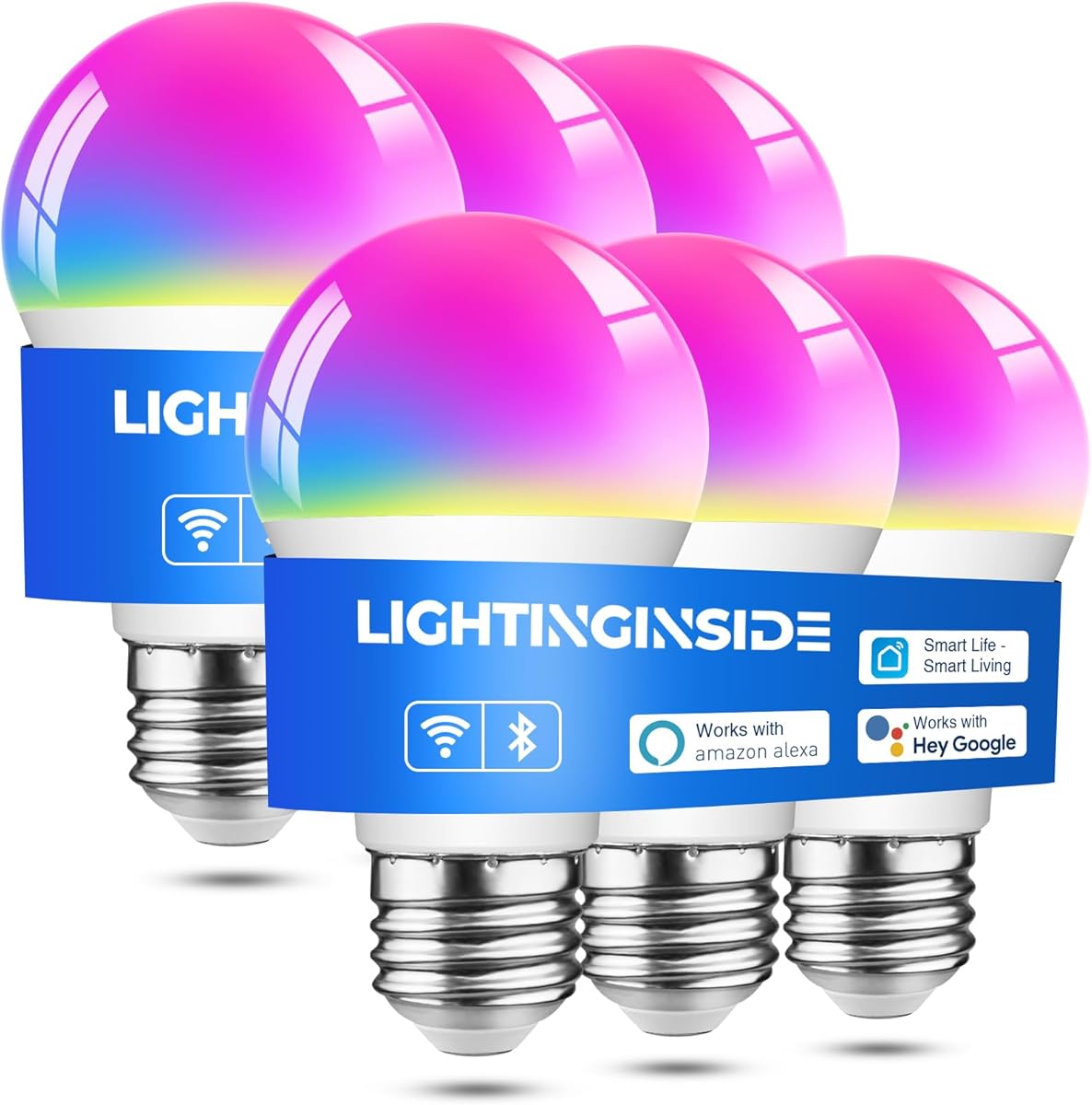
Lightinginside Smart Light Bulbs provide an excellent solution for outfitting multiple rooms at once. Their six-pack format offers significant value while maintaining compatibility with Google Home through the SmartLife ecosystem.
We may earn a commission when you buy through this link, at no additional cost to you.
The upgraded dual-channel chip speeds up setup and ensures reliable pairing. Even if internet access is lost, local control via BLE keeps your lights functional, which is crucial for uninterrupted daily routines.
Some users may need to configure both Wi-Fi and BLE initially, but the trade-off is consistent performance. The tunable white and RGB options provide enough variety for most general lighting needs without extra hardware.
For large households or renters needing many bulbs quickly, Lightinginside balances cost and features well. It is particularly suitable for those already using the SmartLife platform or wanting broad smart home support.
Buying a six-pack lets you light entire floors or multiple rooms cost effectively with consistent performance.
Even without internet, Bluetooth keeps bulbs accessible for basic control and automation tasks at home.
We may earn a commission when you buy through this link, at no additional cost to you.
DAYBETTER A19 Smart Bulbs bring practical automation and mood setting to Google Home users without complex hubs. Their dedicated app allows for deep customization and scene creation tailored to specific daily needs.
We may earn a commission when you buy through this link, at no additional cost to you.
Features like scheduling and music sync help automate routines and entertain guests effortlessly. The mix of RGB and tunable white gives enough range for most indoor tasks while maintaining energy efficiency.
Since it relies solely on the DayBetter app, switching platforms later can be limiting. Also, physical dimmer switches aren't compatible, so adjustments happen through voice or the app interface.
If you prefer an app-controlled bulb with strong scene capabilities and don't mind a proprietary system, DAYBETTER works well. It suits users seeking affordable smart lighting with flexible automation options.
Set timers and schedules to have bulbs adjust automatically for mornings, evenings, and vacations.
Select from built-in scenes or create custom ones to match holidays, dinners, or relaxation times.
We may earn a commission when you buy through this link, at no additional cost to you.
Philips Hue Essential Smart Bulbs represent a premium choice for Google Home users seeking top-tier reliability and ecosystem depth. Their reputation for quality and seamless integration makes them ideal for those prioritizing performance.
We may earn a commission when you buy through this link, at no additional cost to you.
You get smooth dimming and a library of expert-designed light scenes that elevate ambiance easily. While the core features work without a bridge, expanding to security or content syncing unlocks even more potential.
The higher price point is justified by long-term reliability and broader third-party support. However, basic users might find the essential features sufficient without needing the full Hue ecosystem or extra hardware.
If you invest in a high-quality lighting system and plan to grow it over time, Philips Hue remains a benchmark. It delivers consistent results, robust controls, and future-proof compatibility for smart homes.
Access a packed library of lighting scenes designed by Hue experts to suit any mood or activity.
Add a Hue Bridge to unlock advanced automation, security features, and content syncing with media.
We may earn a commission when you buy through this link, at no additional cost to you.
Linkind Smart Light Bulbs focused on tunable white offer precise color rendering, making them perfect for tasks requiring accurate light. Their high CRI ensures furniture and decor look natural under any brightness level.
We may earn a commission when you buy through this link, at no additional cost to you.
With offline Bluetooth support, you can control bulbs even if the internet is down. The smooth dimming and energy-saving design provide comfort and efficiency, while group control simplifies management across spaces.
Since this model lacks RGB color, it suits those prioritizing white light quality over color variety. The trade-off is worth it for settings like kitchens, reading areas, or workspaces where clarity matters most.
For users who value true color representation and reliable local control, these bulbs are an excellent choice. They combine quality lighting with smart convenience without needing extra hardware for basic use.
High CRI restores 90 percent of true colors, ideal for detailed tasks and accurate decor lighting.
Automated schedules and efficient LED design reduce electricity waste significantly compared to standard bulbs.
We may earn a commission when you buy through this link, at no additional cost to you.
OREiN Matter Smart Light Bulbs embrace the latest Matter protocol, ensuring broader compatibility and smoother setup across smart home systems. This makes them a forward-looking option for Google Home users building a connected network.
We may earn a commission when you buy through this link, at no additional cost to you.
You can pair via QR codes and control through multiple apps simultaneously, offering flexibility. Security is enhanced with standard cryptographic algorithms, while the rich color range supports various lighting moods and activities.
The reliance on 2.4GHz WiFi and emerging standard might cause minor connectivity quirks until mature, but future updates should address these. The multi-platform interoperability remains a strong advantage for mixed device households.
If you want a bulb that plays well with all major smart home ecosystems and prioritizes security, OREiN is worth considering. It provides modern features in a practical package suited for evolving setups.
Matter support ensures compatibility across platforms and simplifies setup for mixed smart home environments.
Standard security protocols protect data, while local network stability keeps control reliable even offline.
We may earn a commission when you buy through this link, at no additional cost to you.
Linkind Matter Smart Light Bulbs simplify multi-platform control for Google Home users by supporting direct hub integration and app management. They bring powerful smart features without requiring extra infrastructure for basic functionality.
We may earn a commission when you buy through this link, at no additional cost to you.
With 16 million colors and preset scenes, you get ample customization for any occasion. The high lumen output and quality LED design ensure bright, efficient lighting that performs well in living rooms or bedrooms.
Compatibility with Matter means you can easily integrate with Apple Home or Alexa alongside Google Home. While physical dimmers aren't supported, voice and app controls provide seamless alternatives for brightness adjustments.
For households using multiple smart home systems, Linkind Matter bulbs offer unmatched flexibility. They deliver strong performance and future-proof connectivity, making them a smart long-term lighting investment.
Eliminate app switching by integrating all devices into one control system via Matter certified hubs.
Save up to 85 percent electricity while maintaining high brightness for everyday illumination needs.
We may earn a commission when you buy through this link, at no additional cost to you.
Kasa Smart Light Bulbs in soft white are ideal for those seeking warm, ambient lighting without color distractions. Their high rating and proven reliability make them a trusted choice for Google Home users.
We may earn a commission when you buy through this link, at no additional cost to you.
The CRI of 90 or higher ensures true color representation, which is useful for tasks like makeup or food prep. Energy monitoring helps track usage while dimmable ranges adapt to relaxation or focus needs effortlessly.
While color changing isn't available, the focus on quality white light suits traditional lighting preferences. For spaces needing warm tones and precise control, this model delivers without requiring extra apps or hardware.
If your priority is warm, high-fidelity lighting with strong brand backing, these bulbs fit perfectly. They offer practical smart features for everyday routines while maintaining excellent visual comfort across your home.
High CRI guarantees objects look natural under the light, improving visual comfort and task performance.
Monitor real-time energy usage via the app to drive down consumption without sacrificing lighting quality.
We may earn a commission when you buy through this link, at no additional cost to you.
Choosing the right smart bulb requires understanding key factors that affect performance and compatibility. Below are essential considerations to guide your decision for Google Home integration.
Smart bulbs typically connect via Wi-Fi or Bluetooth. Wi-Fi models offer remote access, while Bluetooth allows local control without internet. Some use Matter for broader compatibility across smart home systems.
Look for bulbs that support 2.4GHz networks as most rely on this band. Ensure your router settings align to avoid pairing issues during setup.
Verify that the bulb explicitly supports Google Home. Most modern options also work with Alexa, but checking for Google Assistant ensures seamless voice command integration for your setup.
Bulbs requiring app linking before voice control may add steps. Prefer models allowing direct integration to streamline daily use and reduce friction in your routines.
Determine if you need RGB color options or tunable white. RGB offers vibrant customization, while warm to cool white suits tasks requiring focus or relaxation. Brightness measured in lumens affects room illumination levels.
Aim for at least 800 lumens for standard rooms. Color rendering index (CRI) above 90 ensures true colors, which is vital for areas like kitchens or workspaces.
Many bulbs operate without a hub, using direct Wi-Fi for control. Others, like some premium lines, may need a bridge for advanced features like automation or third-party app integration.
Consider your existing smart home infrastructure. If you plan to expand, a hub-based system may offer more flexibility but adds initial cost and setup complexity.
The companion app dictates user experience. Look for intuitive interfaces with features like scheduling, scenes, and energy tracking. Some brands use third-party platforms like SmartLife for unified control.
Check if the app allows grouping and routines. A well-designed app enhances convenience and ensures you can manage all bulbs efficiently from a single device.
Most smart bulbs support app-based dimming but may not work with physical dimmer switches. Check if the bulb is dimmable and what range it offers for brightness customization.
Voice commands usually control brightness too. If you rely on dimmer switches, ensure compatibility or be ready to remove them for stable operation.
Smart bulbs consume significantly less power than traditional incandescent ones. Features like energy monitoring let you track usage and adjust schedules for optimal savings.
Look for ENERGY STAR certification if available. Long lifespans also reduce replacement costs and contribute to sustainability over time.
Prices vary by brand and feature set. Multi-packs often reduce cost per unit, making them ideal for whole-home installations. Balance upfront cost with reliability and long-term support.
Premium brands may cost more but offer better ecosystem support. Budget options can work well if core features like connectivity and color meet your needs.
To set up, install the bulb in an E26 socket and power it on. Download the corresponding app, connect to your Wi-Fi network, and follow the pairing prompts. Once linked, enable Google Assistant integration in the app.
Use voice commands to control lights. Ask Google Assistant to turn bulbs on or off, adjust brightness, or change colors. You can also create routines in the Google Home app to automate lighting schedules.
For maintenance, avoid using physical dimmer switches and keep firmware updated via the app. If connectivity drops, reboot your router or reset the bulb. Clean the surface gently with a dry cloth to maintain performance.
Most smart bulbs need Wi-Fi for remote access and voice control. However, some models offer Bluetooth or local control options that function without internet after initial setup. Always check product specs for offline capabilities.
Generally, smart bulbs are not compatible with physical dimmer switches. Using them can cause flickering or damage. Instead, adjust brightness through the app or voice commands for safe operation.
Almost all smart bulbs work on 2.4GHz networks. Ensure your router is set to broadcast this frequency or has a separate SSID for 2.4GHz. Some models do not support 5GHz bands for connectivity.
Many bulbs connect directly via Wi-Fi without needing a hub. Premium systems may require a bridge for advanced automation but basic voice control often works without extra hardware. Verify each product's requirements.
Use the companion app to group bulbs by room or function. Once grouped, you can control all lights in that group with one command in Google Home. This simplifies managing whole areas efficiently.
Depends on the bulb model. Some lose remote access but allow local control via Bluetooth. Others stop functioning until the network returns. Check if offline control is supported before purchasing.
The top picks offer a range of options from budget-friendly to premium, each integrating smoothly with Google Home. Whether you need color variety, music sync, or accurate white light, there is a bulb for every need.
Prioritize connectivity, color fidelity, and ecosystem support when choosing. Look for models with strong app support and reliable voice control to ensure a seamless smart home experience over time.
Remember to verify current pricing and availability before purchasing. Product details can change, so check the latest specs and user feedback to confirm the best fit for your setup.