
Asgolion Printer Table
3.9Editor score
Compact 15 inch design
Smooth rolling casters
Sturdy metal frame
This guide compares the best cheap printer tables for home offices, focusing on durability, storage, mobility, and value without exceeding a limited budget.
Finding a cheap printer table does not mean sacrificing quality or functionality for your workspace. A good stand should offer sturdy support, smart storage solutions, and easy mobility to fit your specific needs seamlessly.
We compared ten top-rated models based on build quality, dimensions, storage options, and user feedback to find the most reliable options. Each product was evaluated for stability, ease of assembly, and overall value proposition for buyers.
Each pick highlights unique features and ideal use cases to help you decide quickly. Keep in mind that availability and specific details may change, so always verify current information before making your final purchase decision today.
3.9Editor score
4.5Editor score
4.4Editor score
This side-by-side comparison outlines the key specifications and unique features of each model to help you make an informed decision based on your workspace requirements.





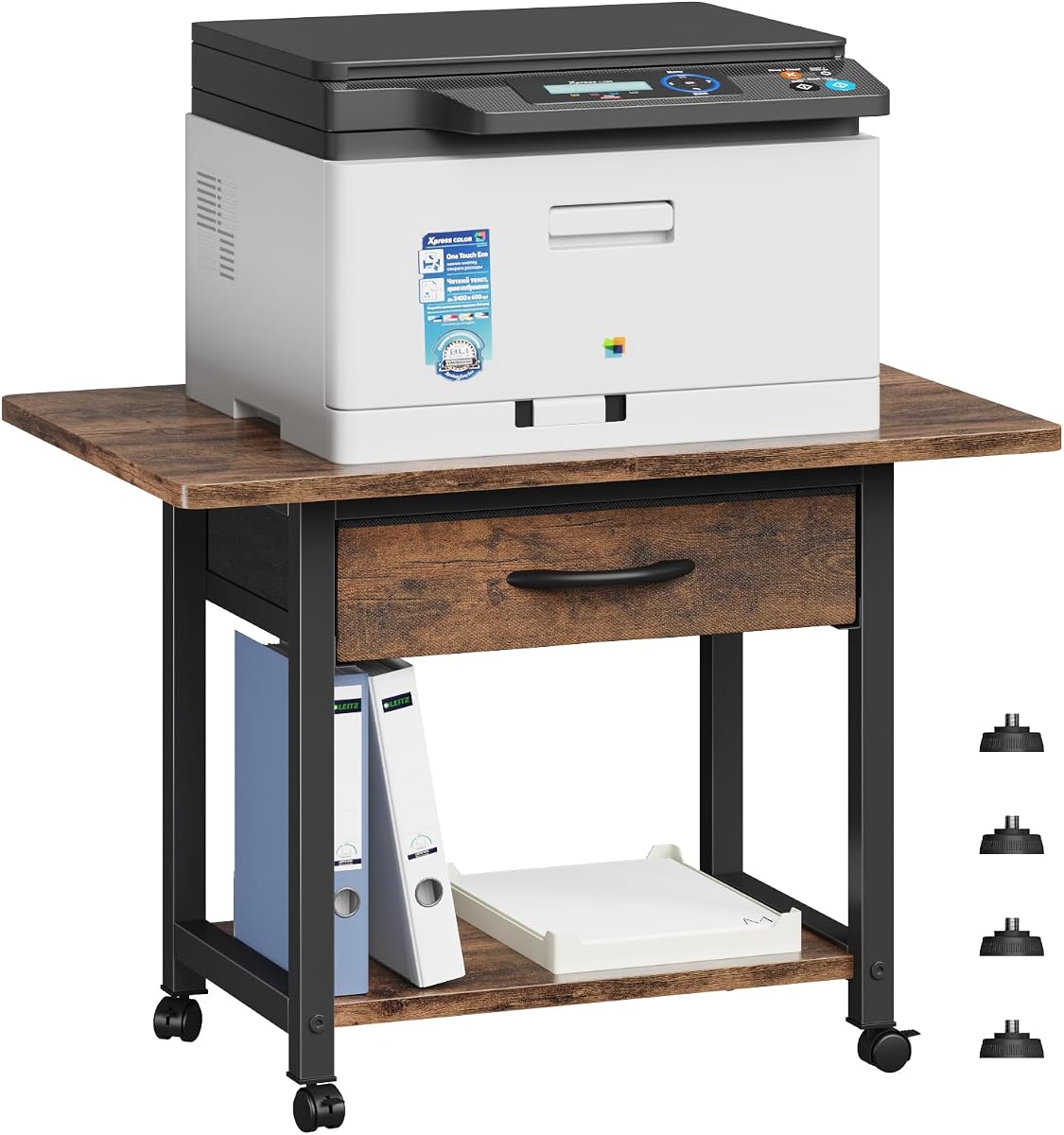
The YAOHUOO 22×15 Printer Stand stands out as a versatile solution for organizing office equipment while saving valuable desk space. It offers a generous top surface combined with smart storage options that appeal to users needing both stability and flexibility in their workspace setup.
We may earn a commission when you buy through this link, at no additional cost to you.
Its standout feature is the hidden storage drawer, which provides a secure spot for ink cartridges and pens, keeping them accessible yet out of sight. The 2-tier open shelf below accommodates paper stacks and folders efficiently. The industrial-grade metal frame supports up to 88 pounds per shelf, ensuring durability even with heavy printers. The 360-degree swivel casters with two brakes allow seamless mobility, making it easy to move the unit between rooms or lock it securely in place.
While the assembly process is straightforward with pre-drilled parts, some users might find the drawer size limited for larger items like multiple boxes of paper. Additionally, the design focuses on functionality over aesthetic variety, which may not suit all interior styles. However, these trade-offs are minimal compared to the practical benefits it offers.
This stand is ideal for home office workers, students, or anyone looking for a mobile yet sturdy printer station. Its combination of mobility, storage, and load capacity makes it a top recommendation for those seeking a reliable and affordable organization solution.
The 2-tier design effectively uses vertical space, freeing up your desk for daily tasks while keeping essential printing supplies organized and within easy reach.
Lockable wheels provide the best of both worlds, allowing you to reposition the cart when needed while ensuring it stays firmly in place during operation.
We may earn a commission when you buy through this link, at no additional cost to you.
The HUANUO Printer Stand is designed specifically for those who need to fit a printer cart under a desk without sacrificing organization features. Its compact height and thoughtful cable management make it a practical choice for tight office environments where space is at a premium.
We may earn a commission when you buy through this link, at no additional cost to you.
One of its key strengths is the integrated cable management system, which helps keep cords tidy and prevents tangling. The storage drawer includes dividers, allowing for neat organization of small accessories like USB drives or paperclips. The bottom shelf provides additional room for reference books or paper reams. Assembly is notably easy, requiring no tools and utilizing a stackable design that simplifies the setup process.
However, its weight capacity is lower than some competitors, supporting up to 38.5 pounds, which may be limiting for very heavy industrial printers. The smaller top surface might also restrict space for multiple devices. These constraints are acceptable if you are using a standard home printer and prioritize ease of use over heavy-duty capacity.
This model is perfect for home offices, dorm rooms, or small apartments where minimizing footprint is essential. Its focus on cable management and compact design makes it a smart choice for maintaining a clean and clutter-free workspace.
Integrated cable management prevents clutter and reduces tripping hazards, ensuring your workspace remains safe and organized while you work efficiently.
The low profile and compact dimensions ensure it fits neatly under most desks, making it ideal for users with limited floor space available.
We may earn a commission when you buy through this link, at no additional cost to you.
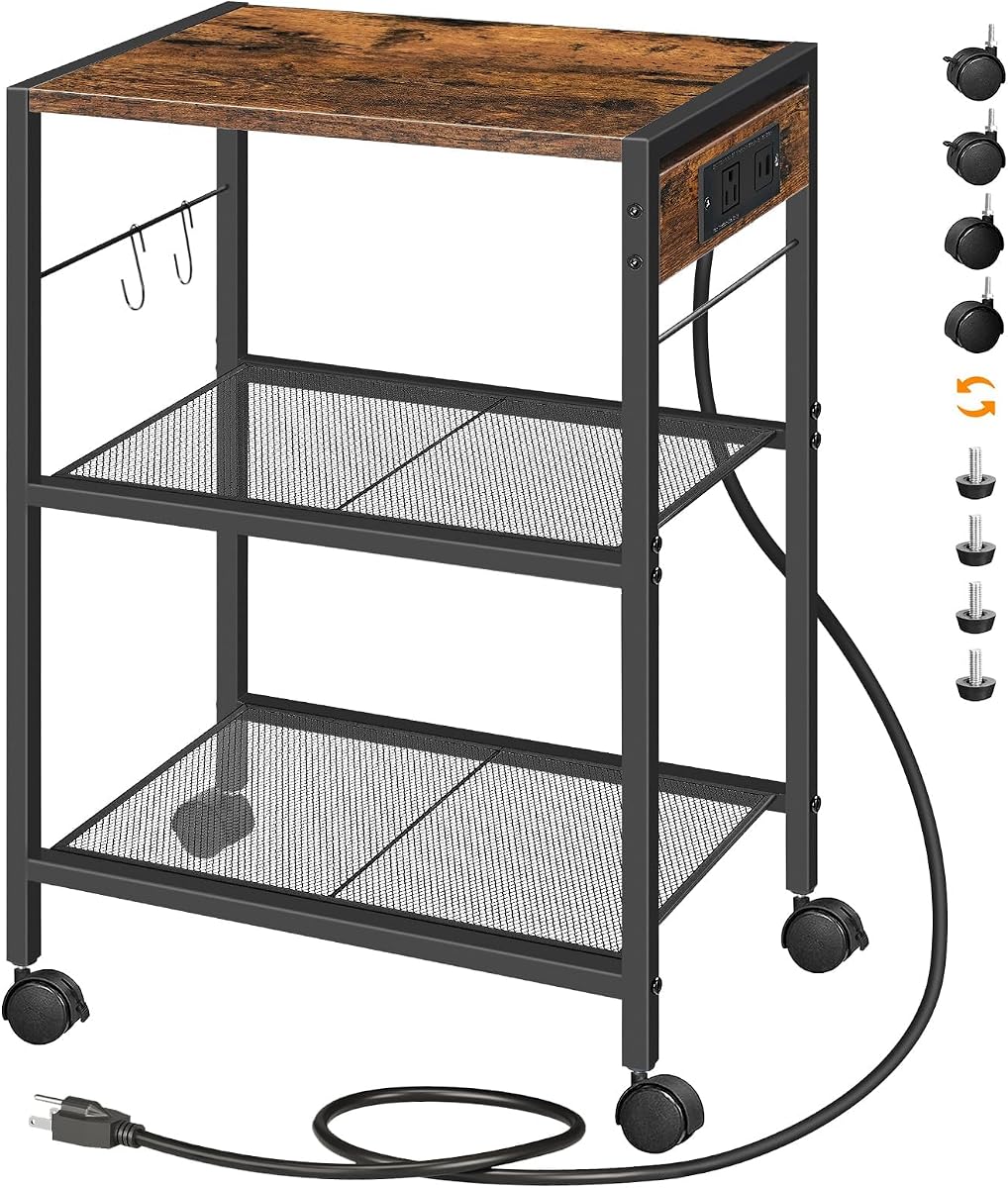
The HOOBRO Industrial Printer Stand offers a unique combination of storage and power management, making it a highly functional addition to modern workspaces. It addresses the common issue of finding nearby power outlets by integrating them directly into the stand design.
We may earn a commission when you buy through this link, at no additional cost to you.
Its standout feature is the built-in charging station, which includes a standard outlet and four USB ports. This allows you to power the printer and charge devices simultaneously without extra extension cords. The 3-tier structure uses metal mesh racks that are sturdy enough for office supplies while maintaining an industrial aesthetic. You can choose between casters for mobility or adjustable feet for stability on uneven floors.
One potential downside is that the mesh shelves might not support very small items that could slip through, though this is rare for standard office equipment. Assembly is generally straightforward with numbered parts, but slight variations in instruction clarity have been noted by some users. Despite these minor points, the utility of the power integration outweighs the drawbacks.
This stand is best suited for users who need quick access to power and USB connectivity. Its durable construction and versatile configuration options make it a great choice for offices, living rooms, or kitchens where functionality meets style.
Built-in outlets and USB ports eliminate the need for extra adapters, keeping your devices powered up and ready for use without cluttering your desk.
The combination of metal mesh and composite materials provides long-lasting stability and a stylish look that complements contemporary and rustic decor alike.
We may earn a commission when you buy through this link, at no additional cost to you.
The Asgolion Printer Table is a practical choice for those seeking a simple and affordable solution for printer storage. It focuses on essential functions like mobility and basic storage, making it accessible for users on a tight budget.
We may earn a commission when you buy through this link, at no additional cost to you.
Its compact 15 by 11 inch top fits easily under desks or in small corners. The rolling wheels allow for easy movement, and the sturdy metal frame ensures it does not wobble under typical office loads. The smooth MDF surface is easy to wipe clean, which is helpful for maintenance. It can be used as a printer stand, bedside table, or kitchen shelf, offering versatility beyond just printing tasks.
While it offers great value, its weight capacity is lower compared to heavier duty models, and it lacks advanced features like drawers or power outlets. Some users might find the design too basic for their needs. However, for light-duty use and minimal setup, it remains a solid and reliable option.
This table is ideal for students or home users who need a basic, portable stand. Its low cost and multi-functional design make it a smart pick for anyone prioritizing affordability and simplicity.
At a very competitive price point, it delivers essential support and mobility for standard home printers without unnecessary added costs or complex features.
Beyond printers, this stand works well as a side table or storage unit, allowing you to adapt it to different rooms and uses over time.
We may earn a commission when you buy through this link, at no additional cost to you.
The VENNQD Large Printer Stand is built to handle larger printers and provide ample storage with its spacious design. It combines a wide top surface with fabric drawers that add a soft touch to the industrial build.
We may earn a commission when you buy through this link, at no additional cost to you.
Measuring 23.6 by 15.7 inches, the top platform accommodates big printers and scanners comfortably. The 2-tier open shelves and pull-out fabric drawers offer organized storage for paper and accessories. Its steel-wood construction supports up to 70 pounds per tier, ensuring stability with heavy loads. Water-resistant surfaces make cleaning easy, and it includes both adjustable feet and casters for flexible placement.
The fabric drawers might collect dust over time and are not as easy to clean as hard plastic. Additionally, at 17.6 inches tall, it may not slide under very low desks. These issues are minor for users with larger spaces or standard desk heights.
This stand is perfect for offices with bulky equipment needing extra room. Its balance of capacity, storage, and durability makes it a strong contender for those needing a robust printer station.
The spacious top ensures that large-format printers and scanners fit securely, eliminating the risk of overhang or instability during high-volume printing tasks.
Fabric drawers provide a soft, organized space for smaller items, blending practicality with a touch of style that complements various office designs.
We may earn a commission when you buy through this link, at no additional cost to you.
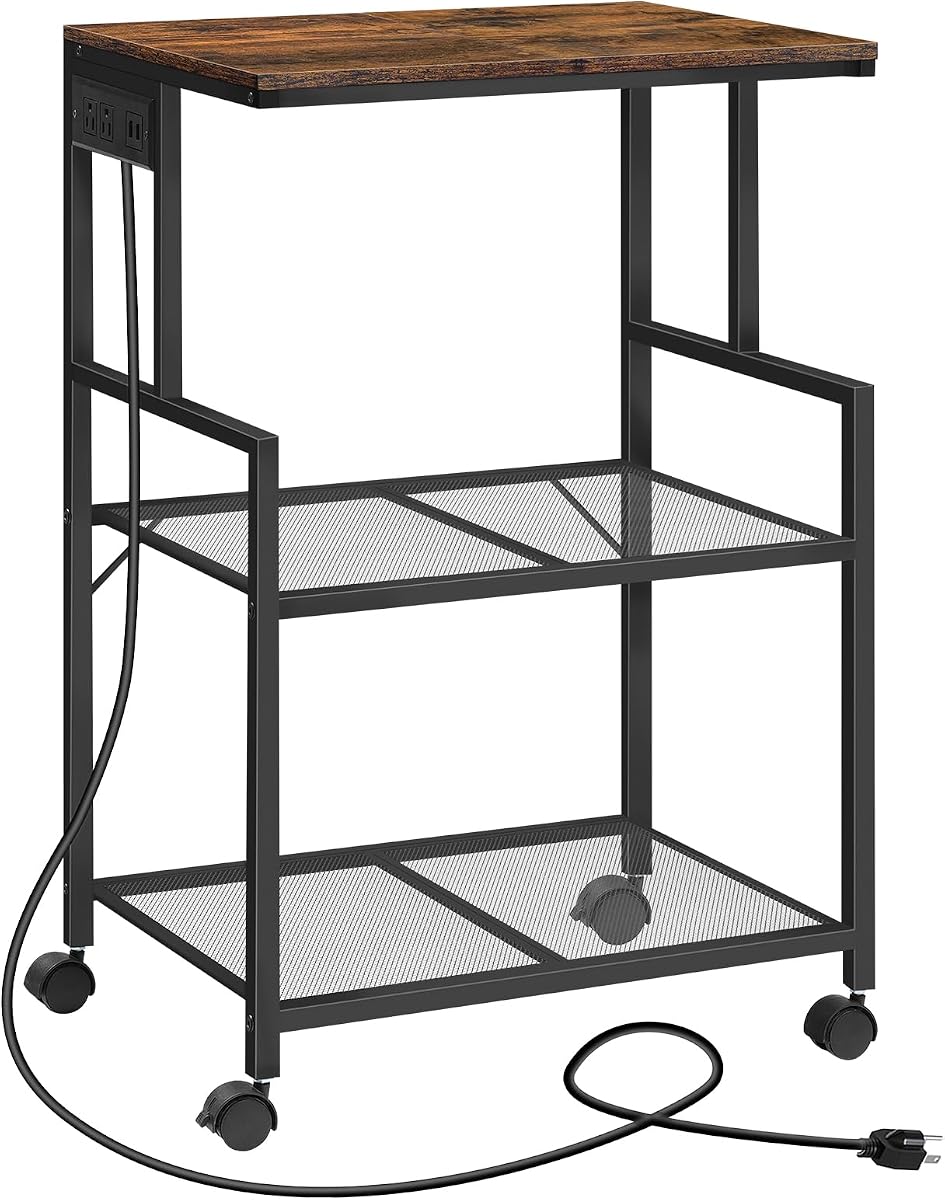
The MAHANCRIS Mobile Printer Stand is engineered for robust use, featuring safety elements like an anti-tip device and high load capacity. It is suited for environments where stability and heavy equipment are common.
We may earn a commission when you buy through this link, at no additional cost to you.
With a top that supports up to 44 pounds and mesh shelves for extra storage, it handles substantial loads. The power strip beneath the top panel provides outlets and USB ports for device connectivity. The anti-tip device enhances safety during use. The 32.1 inch height is taller than average, which might not fit under standard desks.
The height may limit under-desk usage, but it works well as a standalone unit. Assembly may require more effort than simpler models. These factors are acceptable for users prioritizing safety and strength over compact size.
This stand is ideal for commercial settings or heavy home office use. Its safety features and durable build make it a reliable choice for demanding environments.
The anti-tip device adds an extra layer of security, preventing accidental tipping and ensuring safe operation even with heavy loads on the shelves.
Standing taller than standard desks, it serves as a dedicated unit, keeping your printer elevated for ergonomic access without crowding your work surface.
We may earn a commission when you buy through this link, at no additional cost to you.
The Gewudraw Printer Stand offers an impressive weight capacity of up to 120 pounds, making it one of the sturdiest options available for heavy printers. Its adjustable feet ensure stability on uneven floors while protecting your furniture.
We may earn a commission when you buy through this link, at no additional cost to you.
The compact size fits easily on countertops or under desks. The steel frame and MDF board are built to last, and the adjustable feet prevent scratches on the floor. Assembly is quick, taking about 10 minutes. However, the height is quite low at 11.88 inches, limiting under-desk sliding.
The low profile may not work for all desk setups, but its durability compensates. This stand is perfect for users with heavy printers needing a stable, scratch-protecting base.
The non-scratch adjustable feet ensure your floor stays pristine while providing the necessary stability for heavy equipment on varied surfaces.
With a massive weight capacity, this stand offers peace of mind that even heavy industrial printers will remain securely supported during daily use.
We may earn a commission when you buy through this link, at no additional cost to you.
The CHOEZON 23.6 Printer Stand offers a wide surface area, perfect for large printers and extra accessories. Its X-cross side support adds significant stability for daily use.
We may earn a commission when you buy through this link, at no additional cost to you.
The top supports up to 88 pounds, ensuring heavy printers stay secure. The design includes both wheels and adjustable feet for flexible placement. The wide top accommodates various devices comfortably. However, it lacks built-in drawers, so you might need to add external storage.
This stand is ideal for users needing a spacious work surface without sacrificing strength. The stability and large top make it a reliable choice for busy office spaces.
A 23.6-inch top provides ample room for printers and related accessories, reducing clutter and improving workflow efficiency in any office setting.
The X-cross design on the sides adds extra rigidity to the frame, ensuring the stand remains steady even when loaded with heavy printing equipment.
We may earn a commission when you buy through this link, at no additional cost to you.
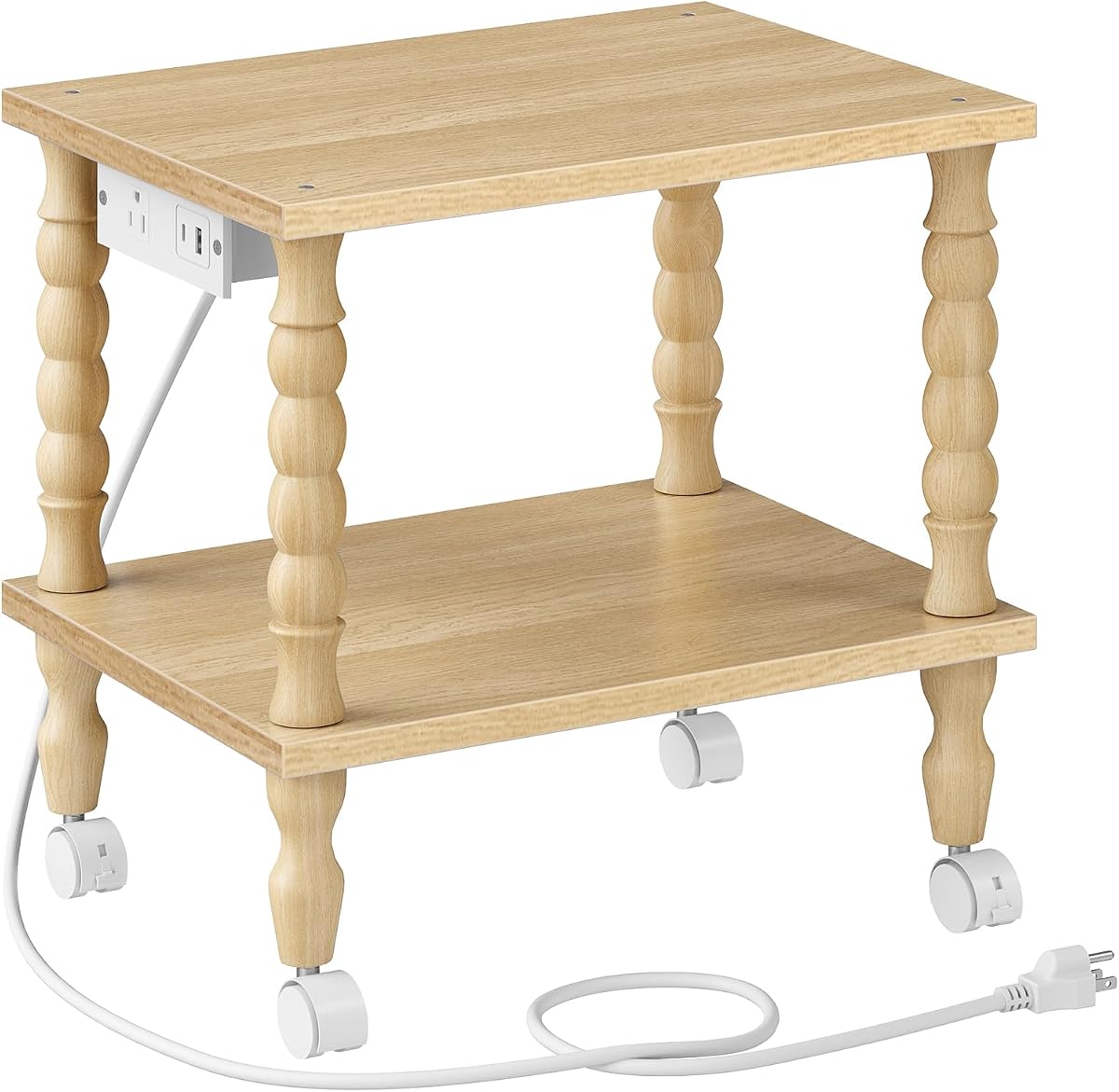
The HOOBRO 2-Tier Printer Stand features elegant solid wood legs and integrated charging ports, blending style with functionality. It is a great option for those who value aesthetics in their workspace.
We may earn a commission when you buy through this link, at no additional cost to you.
Made from solid rubberwood with a rustic finish, it complements modern and vintage decor. The 2-tier design supports up to 44 pounds per tier. Built-in outlets and USB ports reduce cable clutter. Assembly is straightforward with labeled parts. However, wood legs may need more care than metal ones.
This stand is perfect for home offices needing style and utility. Its charging features and classic design make it a standout pick for aesthetically conscious users.
Solid wood legs give the stand a timeless look that enhances the aesthetic of your room while providing reliable structural support for your devices.
With built-in outlets and USB ports, this stand keeps your devices charged and connected without the need for additional power strips or messy cables.
We may earn a commission when you buy through this link, at no additional cost to you.
The VASAGLE 2-Tier Printer Stand is a reliable and sturdy option for home offices. Its industrial design and high weight capacity make it suitable for everyday printing tasks.
We may earn a commission when you buy through this link, at no additional cost to you.
Supporting up to 99 pounds on the top shelf, it accommodates heavy printers easily. The metal frame and particleboard provide durability. Locking wheels keep it stable when needed. Assembly includes an Allen key for convenience. It lacks deep drawers, but offers ample open shelf space.
This stand is ideal for users needing a strong and simple solution. Its reliability and high capacity make it a solid choice for consistent office use.
Built to last with quality materials, this stand ensures consistent performance and durability over time for all your regular office needs.
Open shelving provides quick access to your supplies without the need for drawers, keeping essential items visible and easy to grab when needed.
We may earn a commission when you buy through this link, at no additional cost to you.
Choosing the right cheap printer table involves considering several key factors that match your specific needs and workspace constraints.
Ensure the table fits under your desk or in your designated area by checking width, depth, and height specifications carefully before purchasing.
Always verify your space dimensions and compare them to the product measurements to avoid issues with fit.
Check the maximum load each shelf can support to ensure it can safely hold your printer and any additional items like paper stacks.
Look for tables with sufficient weight capacity for your specific printer model to prevent structural failure.
Decide whether you need wheels for easy movement or fixed feet for stability depending on how often you plan to relocate the printer.
Choose models with lockable casters if you need the flexibility to move the stand but keep it fixed in place during use.
Assess whether you need drawers, shelves, or cable management to keep your workspace organized and clutter-free.
Select options with built-in storage solutions like fabric drawers or dividers to maximize efficiency and accessibility.
Consider materials like MDF, particleboard, or metal frames for durability and longevity in daily office conditions.
Higher quality materials ensure the table withstands regular use without wobbling or wearing out quickly.
Look for models that are easy to assemble with pre-drilled holes and included tools to save time and effort during setup.
Simple assembly processes reduce frustration and ensure the stand is ready for use quickly.
Pick a design that complements your room's decor to maintain a cohesive look in your home or office environment.
Choose finishes and styles that match your existing furniture to enhance the overall visual appeal of your workspace.
Consider extras like built-in power outlets or USB ports for convenience if you need to charge devices alongside your printer.
Features like adjustable feet or leveling systems help ensure stability on uneven surfaces.
Place the printer table on a flat and stable surface to ensure it remains secure during operation. If using wheels, lock them before placing heavy printers on top to prevent accidental movement.
Clean the surfaces regularly with a soft, damp cloth to remove dust and spills. Avoid using harsh chemicals that might damage the finish or material integrity.
Periodically check all screws and joints to ensure the table remains sturdy. Tighten any loose parts promptly to maintain stability and safety over time.
Measure your desk's under-space width, depth, and height carefully before buying. Typically, models under 16 inches wide and 16 inches tall fit most standard desks. Verify the product's dimensions match your measurements to ensure proper fit.
Yes, many affordable models support up to 88 pounds or more per shelf. Look for metal frames and high weight capacity ratings to ensure safety and durability with heavy laser printers.
Locking wheels offer the best of both worlds by allowing movement when needed but securing the stand during use. Fixed feet provide maximum stability if you never plan to move the stand.
Follow the instruction manual step-by-step and organize parts beforehand. Most models require no tools or include simple tools for easy assembly in about 15 minutes.
Some models include USB ports and AC outlets built into the stand for convenience. Check product features to find one with integrated power if you need charging options.
Metal frames combined with high-quality MDF or particleboard offer the best balance of strength and affordability. These materials resist wear and tear better than cheaper alternatives.
Choose tables with rubberized feet or non-scratch pads. If using wheels, ensure they are smooth-rolling casters to prevent scuffing on hard floors.
Choosing the right cheap printer table balances cost, functionality, and durability to suit your unique workspace needs. Our top picks offer excellent value across different requirements from mobility to integrated charging options.
Prioritize features like weight capacity, storage, and ease of assembly to find a model that enhances your productivity without compromising on quality or budget.
Always verify current availability and product specifications before purchasing since details may change over time. Investing in a reliable table ensures your workspace remains organized and efficient for years to come.