
Dell Latitude 3550
4.0Editor score
Affordable entry-level business option
Ultra 7 processor performance
Integrated fingerprint reader
Choosing the right business laptop requires balancing power, portability, and reliability. Dell Latitude laptops have long been a staple for professionals who need dependable machines for daily tasks, complex workflows, and travel. The latest models feature advanced processors, improved battery life, and enhanced security features designed to meet modern enterprise demands.
We have analyzed ten top-rated Dell Latitude laptops to help you find the perfect match for your needs. Our comparison covers a range of screen sizes, processor tiers, and memory configurations. Each product was evaluated based on its specifications, user ratings, and real-world usability for business environments and remote work scenarios.
Each pick in this guide highlights specific strengths such as portability, processing power, or display quality. We provide detailed reviews to help you understand how each model performs under various conditions. Keep in mind that specifications and availability can change, so verify the latest details before making your final purchase decision.
4.0Editor score

5.0Editor score

5.0Editor score
As an Amazon Associate we earn from qualifying purchases.
The following table provides a side-by-side overview of all ten selected Dell Latitude laptops. It highlights key specifications including processor type, memory capacity, storage size, and screen dimensions to help you quickly identify the model that best fits your specific workflow requirements and portability needs.



The Dell Pro 16 PC16250 stands out as the top recommendation for professionals seeking a balance of power and mobility. It holds a perfect rating based on user feedback regarding its reliability and performance capabilities in demanding work environments.
We may earn a commission when you buy through this link, at no additional cost to you.
Its Intel Core 5 processor combined with DDR5 memory ensures smooth multitasking even with heavy enterprise applications. The large screen real estate supports productivity workflows involving multiple windows or detailed data visualization without sacrificing portability.
While the price point is higher than entry-level models, the build quality and feature set justify the investment for those who rely on their laptop daily. The MIL-STD 810H certification provides peace of mind regarding physical durability during transit.
This model is ideal for users who need a primary workstation that can travel effectively without compromising on screen quality or processing speed. We recommend it for business leaders and engineers who prioritize sustained performance over basic computing tasks.
The high-capacity battery ensures you can work through long meetings without hunting for a power outlet, keeping productivity uninterrupted during travel.
Connect up to three external monitors via Thunderbolt 4 and HDMI to create a powerful desktop-like setup while maintaining a slim laptop form factor.
We may earn a commission when you buy through this link, at no additional cost to you.
The Dell Latitude 5520 offers significant hardware advantages for users who prioritize memory and storage over the latest processor speeds. Its rating reflects satisfaction with the performance delivered for everyday business tasks and file management.
We may earn a commission when you buy through this link, at no additional cost to you.
With 32GB of RAM and a 1TB SSD, this machine handles large datasets and multiple applications without slowdown. It is particularly suitable for teams that need robust specs at a competitive cost point without requiring cutting-edge AI features.
The main trade-off is the screen resolution and the age of the CPU compared to newer models. However, for internal business use where external display is less critical, the raw compute power remains highly effective for productivity.
We suggest this option for organizations refurbishing fleets or individuals looking for maximum resources per dollar. It suits data analysts and administrators who need space for virtual machines or large local repositories.
The generous RAM capacity allows for running multiple virtual environments or heavy productivity suites simultaneously without performance degradation.
The 1TB NVMe SSD provides rapid access to large media files and databases, reducing wait times when accessing local project archives.
We may earn a commission when you buy through this link, at no additional cost to you.
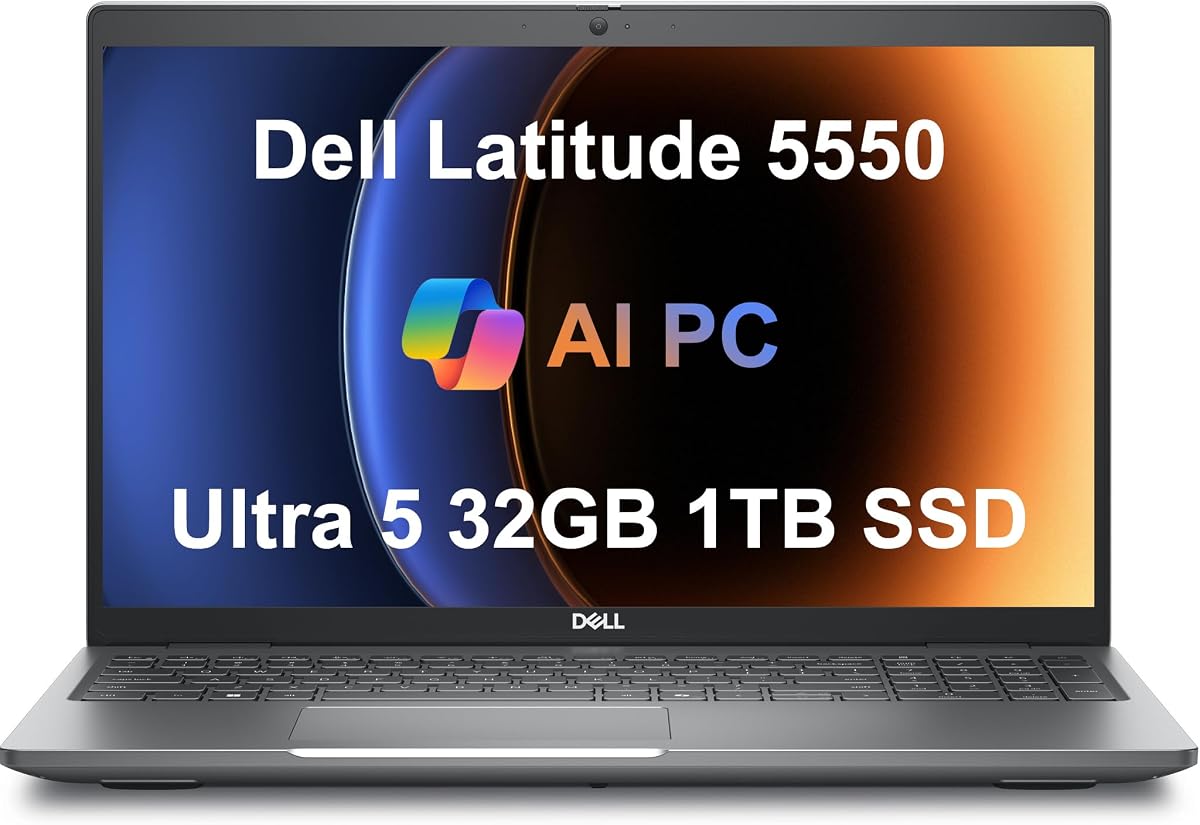
The Dell Latitude 5550 brings the latest Intel Ultra technology to a professional chassis. It has earned solid reviews for its efficient performance and ability to handle modern AI-enhanced applications smoothly.
We may earn a commission when you buy through this link, at no additional cost to you.
The 32GB of DDR5 memory ensures that the system remains responsive even under heavy multitasking loads. This model is designed to replace older business machines with a more efficient, thermally managed design that supports longer battery life.
Users should note that while performance is strong, the screen brightness and viewing angles are standard for this class. It is not the brightest device for outdoor use but performs well in typical office lighting conditions.
This laptop is best suited for professionals who want the latest features without the premium cost of top-tier models. It works well for designers and developers who need consistent performance for coding or content creation.
The latest Ultra processor architecture delivers better power efficiency than previous generations, extending battery life during intensive workloads.
Separate system and storage drives help organize data efficiently and can improve overall system stability during heavy file operations.
We may earn a commission when you buy through this link, at no additional cost to you.
The Dell Latitude 5450 is a premium option for those needing maximum power in a compact chassis. Its rating highlights user appreciation for the display quality and the responsiveness of the Ultra 7 processor.
We may earn a commission when you buy through this link, at no additional cost to you.
The 100% sRGB coverage on the 14-inch display makes it suitable for visual work where color accuracy matters. Combined with the high-speed connectivity options, it serves as an excellent hub for creative professionals and executives.
Despite its small footprint, it does not compromise on memory or storage, offering 32GB of RAM and 1TB of storage. This ensures that users do not face limitations when managing large files or running memory-intensive software.
We recommend this model for frequent travelers who need a laptop that feels like a desktop replacement. It is particularly useful for field consultants who require high fidelity screens and fast data transfer capabilities.
The IPS panel with full sRGB support ensures that images and documents are rendered with consistent and vibrant colors for precise work.
ExpressCharge technology allows the battery to reach a high percentage quickly, reducing downtime during short breaks or travel layovers.
We may earn a commission when you buy through this link, at no additional cost to you.
The Dell Pro 16 Next-Gen focuses on providing a reliable workhorse with a large screen for standard business tasks. Users appreciate the aspect ratio and the clear visuals it offers for spreadsheets and document editing.
We may earn a commission when you buy through this link, at no additional cost to you.
The Intel i5 processor paired with 16GB of DDR5 RAM provides a smooth experience for general productivity. It avoids the complexity of higher-end models while still meeting the demands of modern enterprise software applications.
Connectivity is well-handled with WiFi 6E ensuring fast wireless speeds in congested office environments. This laptop is designed to be a no-fuss machine that works out of the box with minimal configuration.
We suggest this laptop for students or entry-level professionals who need a sturdy device without breaking the budget. It handles web conferencing and cloud work effectively without significant thermal throttling issues.
WiFi 6E offers faster download speeds and reduced latency when connecting to corporate networks or high-density public hotspots.
The 16-inch display with FHD+ resolution provides ample space for viewing multiple document windows side by side comfortably.
We may earn a commission when you buy through this link, at no additional cost to you.
The Dell Latitude 5350 is highly rated for its portability and efficiency in daily business use. It offers an impressive weight profile that makes it easy to carry in a backpack without adding bulk.
We may earn a commission when you buy through this link, at no additional cost to you.
Performance remains capable for a 13-inch device thanks to the efficient Ultra 5 processor. It handles email, web browsing, and video conferencing with ease, making it a reliable tool for sales and travel teams.
Battery life is a standout feature ensuring that the device lasts through a full day of meetings without needing a charge. This reliability is crucial for professionals who spend significant time away from a desk.
We recommend this laptop for mobile workers who prioritize weight and battery over screen size. It is an excellent secondary laptop for executives who need a device for travel alongside a larger desktop system.
Weighing significantly less than typical business laptops, this model reduces strain during daily commutes and business trips.
AI-driven studio effects filter out background noise during calls, ensuring clear communication even in noisy environments.
We may earn a commission when you buy through this link, at no additional cost to you.
The Dell Latitude 5350 Touchscreen represents the top of the range for business laptops in this selection. It combines high-end hardware with interactive display features that enhance usability for presentations and detailed design work.
We may earn a commission when you buy through this link, at no additional cost to you.
The Intel Core Ultra 7 processor delivers exceptional speed for demanding applications. Users have rated it highly for its responsiveness and the smooth experience provided by the generous 32GB of RAM.
While the price is higher than standard models, the added value of the touchscreen and premium build quality justifies the cost for those who need versatility. It allows for natural interaction with content that traditional keyboards cannot replicate.
This device is ideal for creative professionals and executives who require a premium experience and advanced capabilities. We recommend it for users who value innovation and are willing to invest in the latest technology.
The touchscreen allows for intuitive navigation and quick annotations during meetings, making presentations more engaging and interactive.
Built-in AI accelerators improve application performance and enable features like natural language processing for productivity tools.
We may earn a commission when you buy through this link, at no additional cost to you.
The Dell Latitude 5550 AI offers a balanced configuration for users who need solid performance in a standard 15-inch format. It provides a reliable foundation for business tasks with good thermal management and stability.
We may earn a commission when you buy through this link, at no additional cost to you.
The processor selection ensures that the machine can handle modern software efficiently. It is well suited for office environments where consistent performance is more important than cutting-edge experimental features.
The design prioritizes usability and connectivity with standard ports that avoid the need for dongles. This makes it a practical choice for IT departments deploying machines to general staff members.
We recommend this laptop for general business use where reliability and standard specs are key. It serves well for daily office work, presentations, and collaborative document editing.
The chassis is built to withstand daily office use while maintaining a quiet operation suitable for open office environments.
Included RJ45 Ethernet and USB-A ports ensure compatibility with legacy peripherals without needing extra adapters.
We may earn a commission when you buy through this link, at no additional cost to you.
The Dell Latitude 3550 delivers impressive performance for its price point, making it the best budget choice in our list. It balances high-end specs like the Ultra 7 processor with a cost-effective design.
We may earn a commission when you buy through this link, at no additional cost to you.
Users get a large 1TB SSD which is rare at this price level. This means there is plenty of space for files and applications without needing to rely heavily on cloud storage.
While the build is not as premium as higher-end models, the functionality remains strong for daily tasks. It is an excellent entry point for businesses looking to equip staff with capable machines.
We recommend this laptop for students and startups that need value without sacrificing core performance. It handles typical office workflows and browsing with ease while keeping costs manageable.
The built-in fingerprint reader provides quick and secure access to the system without needing to type passwords constantly.
The generous SSD capacity ensures you can store large datasets locally, which is essential for offline work scenarios.
We may earn a commission when you buy through this link, at no additional cost to you.
The Dell Latitude 3450 is designed for basic business needs with a focus on simplicity and portability. It offers a compact form factor that is easy to manage for daily commuting and office work.
We may earn a commission when you buy through this link, at no additional cost to you.
The i3 processor is efficient for lighter tasks such as email and web browsing. While not the fastest option available, it remains responsive enough for standard administrative duties.
Security features like the fingerprint reader add value to an entry-level device. This ensures that even basic models maintain a level of protection suitable for corporate environments.
We suggest this laptop for users with straightforward computing requirements and budget constraints. It is well suited for reception staff or basic administrative roles where heavy performance is not needed.
The 14-inch size strikes a balance between screen usability and bag space, making it easy to slip into a backpack.
Hardware-based fingerprint authentication ensures secure logins without requiring extra software or complex setup procedures.
We may earn a commission when you buy through this link, at no additional cost to you.
Selecting the right Dell Latitude involves evaluating several key factors that affect performance and usability. This guide breaks down the most important considerations to help you make an informed decision.
The processor determines how fast your laptop handles tasks. Modern Dell Latitudes offer Intel Core Ultra or i-series chips. Choose higher tier processors for heavy workloads like video editing or complex calculations.
Prioritize the latest generation CPUs for better efficiency and future-proofing of your investment.
RAM is crucial for multitasking. Aim for at least 16GB for smooth operation with multiple applications open. SSDs provide fast boot times and file access.
Ensure you have enough storage for your files. 512GB is a good standard but 1TB offers more peace of mind for large datasets.
Screen size and resolution impact how comfortable your work is. Larger screens like 16 inches offer more space while 13 inches are more portable. Look for IPS panels for better color accuracy.
Consider brightness levels if you work in varied lighting. Higher nits ratings ensure visibility in bright environments.
For mobile professionals battery life is a deciding factor. Look for models that advertise all-day battery life. ExpressCharge technologies help reduce downtime.
Check user reviews for real-world battery performance. Specifications often differ from actual usage in busy office scenarios.
Ensure the laptop has enough ports for your peripherals. Thunderbolt 4 supports fast data transfer and docking. Ethernet ports are vital for stable network connections.
Verify wireless standards like WiFi 6E for optimal speed. This reduces lag during video calls and cloud syncing.
Business laptops often meet military standards for durability. MIL-STD 810H certification indicates resistance to shocks and temperature changes.
A rugged build reduces wear and tear over time. This is essential for devices that travel frequently.
Biometric login options like fingerprint readers and IR cameras add layers of security. Windows 11 Pro offers enterprise-grade protection features.
Hardware-level security is vital for protecting sensitive business data. Ensure the model supports these essential safeguards.
Balance your needs with your budget. Higher specs come at a premium but may not be necessary for basic tasks.
Consider refurbished or renewed options if cost is a factor. These often offer significant savings with reliable performance.
To maintain optimal performance keep your laptop clean and dry. Regularly dust the vents to prevent overheating. Use a soft cloth to clean the screen and keyboard gently.
Update your software regularly to ensure security and efficiency. Install the latest drivers from the Dell website. This helps avoid compatibility issues with peripherals.
Manage your battery by avoiding extreme temperatures. Do not leave the device in hot cars or direct sunlight. These habits will extend the lifespan of your hardware.
The 3000 series is designed for entry-level business use with basic specs. The 5000 series offers better performance and build quality for standard professionals. The 7000 series is for premium needs.
Many newer Latitude models have soldered RAM so upgrades are not possible. Always check the specific technical specifications before buying. Some older models do allow upgrades for extra flexibility.
Models with Ultra processors like the 5350 generally offer excellent battery life. The specific duration depends on usage and settings. Look for models with ExpressCharge support for faster top-ups.
Yes models with high-resolution displays and 32GB RAM are suitable. The 5450 offers color-accurate screens for creative work. Ensure the GPU matches your rendering needs.
Most new units come with a one-year limited warranty. Some listings include extended support options for hardware issues. Check the seller details for specific terms on upgrades.
Most modern models support 4K output via HDMI or Thunderbolt. Some entry-level units may have limitations on bandwidth. Verify the port specs to ensure compatibility with your display.
We have reviewed ten diverse options ranging from portable 13-inch models to powerful 16-inch workstations. Each choice brings unique strengths whether it is raw power or travel-friendly design.
Consider your primary use case when selecting a model. If you need mobility prioritize the 5350. For heavy multitasking look to the 5550 or 5450 series.
Always check current availability and specifications before purchasing. Prices and stock levels change frequently so verify details on the retailer site.