
Dell Optiplex 9020 Desktop Computer PC
3.6Editor score
Intel Quad-Core i5 Processor
8GB DDR3 RAM Memory
20 in Monitor Included
Discover the top desktop computers for kids in 2026. We compare performance, durability, and features to help you find the perfect computer for your child.
Finding the right desktop computer for kids involves balancing performance with durability and ease of use. Young users need systems that handle educational tasks and creative projects without lagging or crashing during important moments.
We compared ten reliable desktop options based on processor speed, memory capacity, storage type, and overall build quality. Our analysis focuses on how well each system supports learning, gaming, and daily digital activities for children.
Each pick highlights specific strengths like fast boot times, ample storage for school files, and kid-friendly accessories. Prices may fluctuate due to market conditions so check current listings before purchasing to secure the best deal available today.
3.6Editor score

4.5Editor score

4.3Editor score
This side-by-side comparison shows key specs for every desktop computer listed. Use it to quickly identify which system offers the best value for your specific needs and budget requirements.




The Dell Optiplex 9020 offers a budget-friendly entry into desktop computing for children. Rated at 3.6 stars, this renewed system provides essential performance for schoolwork and light entertainment without breaking the bank.
We may earn a commission when you buy through this link, at no additional cost to you.
Its Intel Quad-Core i5 processor handles multiple browser tabs and educational software with ease. The 8GB of RAM ensures smooth multitasking when kids switch between homework and creative tools.
While the 500GB HDD storage is adequate for documents and photos, it may lag compared to solid-state drives during boot times. However, the included 20-inch monitor makes this a complete ready-to-use solution.
Families seeking an affordable setup for elementary or middle school students should consider this option. It balances cost and functionality well for basic computing needs.
Having the monitor included saves additional setup costs and ensures compatibility out of the box.
Certified refurbished units undergo testing to confirm they work like new before shipping.
We may earn a commission when you buy through this link, at no additional cost to you.
The HP 21.5 All-in-One desktop stands out with its sleek design and high user satisfaction. With a 4.5 star rating, it delivers reliable performance for learning and creativity in a compact package.
We may earn a commission when you buy through this link, at no additional cost to you.
Its Intel N100 processor supports smooth operation for web browsing and video calls. The anti-glare screen reduces eye strain during long study sessions which benefits focused learning.
The 8-in-1 docking hub expands connectivity options for peripherals like printers or external drives. DDR5 RAM ensures faster data access compared to older memory standards in similar systems.
Parents wanting a clean desk setup with minimal cables will appreciate this choice. Its modern features make it suitable for teens needing versatile computing power.
Merging monitor and computer reduces clutter on desks ideal for shared family spaces.
Multiple USB ports allow easy connection of cameras microphones and other accessories.
We may earn a commission when you buy through this link, at no additional cost to you.
The Lenovo 23.8 All-in-One desktop delivers premium features for demanding users. Rated at 4.3 stars, it combines speed and visual clarity to support advanced projects and multitasking.
We may earn a commission when you buy through this link, at no additional cost to you.
Its 8-core processor handles resource-intensive apps smoothly while 16GB RAM keeps workflows fluid. The 512GB SSD ensures rapid boot times and quick file access for efficient work.
The borderless display provides immersive viewing for media consumption and creative design work. Built-in HD webcam facilitates clear video communication for remote learning or family calls.
For students needing a capable system for college preparation or creative pursuits this model excels. The premium build quality justifies the investment for long-term use.
The 8-core architecture supports complex tasks without slowdown or system lag.
High-resolution anti-glare screen improves comfort during extended screen time sessions.
We may earn a commission when you buy through this link, at no additional cost to you.
The HP Elite Desktop offers strong performance specs for daily computing tasks. Rated at 3.5 stars, it provides ample memory and storage for extensive media libraries and school projects.
We may earn a commission when you buy through this link, at no additional cost to you.
With 16GB of RAM, the system manages multiple applications effectively. The 22-inch monitor delivers clear visuals for reading and browsing online educational content.
RGB lighting on peripherals adds a fun aesthetic touch that appeals to younger users. However, the HDD storage may cause slower response times compared to SSD systems.
Families prioritizing raw specs over speed might find this model suitable. It serves well for moderate use where budget and capacity matter most.
Sixteen gigabytes of RAM allow running several programs simultaneously without lag.
RGB accessories add personality to the workspace making tech more engaging.
We may earn a commission when you buy through this link, at no additional cost to you.
This Dell OptiPlex desktop features impressive storage capacity for saving large files. Rated at 3.6 stars, it combines decent processing power with enough room for media and documents.
We may earn a commission when you buy through this link, at no additional cost to you.
The 2TB HDD accommodates extensive video collections or software libraries. Combined with 16GB RAM, the system handles everyday tasks efficiently for school and home use.
While the processor is older, it remains capable for general computing. The RGB peripherals add a playful element that makes the setup feel modern and fun.
Families needing vast storage for media archives will benefit from this option. It balances legacy hardware with generous capacity well.
Two terabytes allow storing thousands of photos videos and documents easily.
RGB lighting on input devices adds visual appeal to the desktop setup.
We may earn a commission when you buy through this link, at no additional cost to you.
The HP Windows 11 Desktop offers a balanced package with SSD speed. Rated at 3.8 stars, it delivers reliable performance for daily tasks with modern connectivity.
We may earn a commission when you buy through this link, at no additional cost to you.
The 500GB SSD ensures quick boot times and responsive app launches. WiFi 6 support provides stable internet connections for online learning and streaming.
A built-in webcam simplifies video calls without extra hardware purchases. The RGB keyboard and mouse add a touch of style for personalization.
Parents wanting a ready-to-use system with essential features will appreciate this model. It combines performance and convenience well for general users.
Solid-state drive technology significantly reduces wait times for system startup.
Built-in WiFi and Bluetooth connect to peripherals without extra cables.
We may earn a commission when you buy through this link, at no additional cost to you.
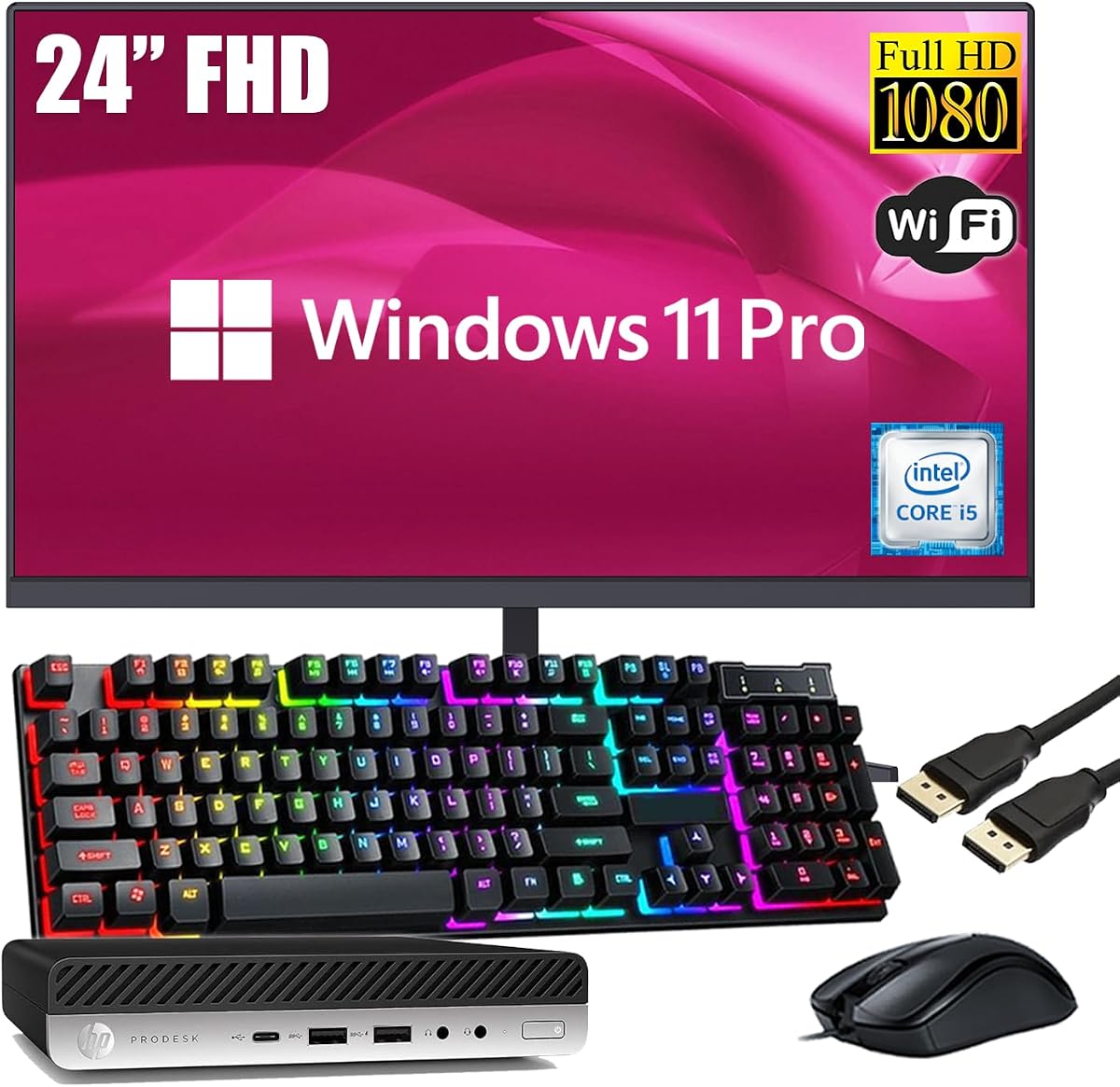
The HP ProDesk Mini desktop saves desk space while delivering solid performance. Rated at 4.2 stars, it offers reliability for focused school tasks and general computing.
We may earn a commission when you buy through this link, at no additional cost to you.
Its 256GB SSD provides quick access to files and fast system responsiveness. The compact design fits neatly in bedrooms or small home offices.
USB-C connectivity enables modern peripheral connections easily. While RAM is fixed at 8GB, it suffices for standard productivity tasks like word processing and web browsing.
Families needing a tidy setup with efficient performance will find this appealing. It balances size and function for limited desk areas.
Mini tower design minimizes footprint leaving room for books and supplies.
SSD speeds up application loading and file transfers compared to HDD.
We may earn a commission when you buy through this link, at no additional cost to you.
This Lenovo All-in-One emphasizes wireless convenience with its included peripherals. Rated at 4.2 stars, it supports seamless connectivity and smooth performance for daily tasks.
We may earn a commission when you buy through this link, at no additional cost to you.
Bluetooth 5.2 and WiFi 6 ensure stable connections for internet and devices. The 16GB RAM allows multitasking across multiple educational apps without interruption.
The anti-glare screen improves comfort during long reading sessions. Wireless input devices reduce desk clutter and improve usability for moving around.
Parents valuing modern connectivity and easy setup will prefer this choice. It works well for tech-savvy households needing flexibility.
Latest Bluetooth and WiFi versions provide reliable fast internet access.
Wireless keyboard and mouse reduce cables for cleaner workspace.
We may earn a commission when you buy through this link, at no additional cost to you.
The Dell Desktop Package serves as an entry-level option for families. Rated at 3.8 stars, it covers basic computing needs with essential hardware included.
We may earn a commission when you buy through this link, at no additional cost to you.
The 8GB RAM supports standard school applications and web browsing adequately. WiFi capability ensures access to online resources without extra hardware.
A 19-inch monitor is compact but may limit screen real estate for multitasking. The DVD drive adds utility for older media formats.
Families needing a simple first computer for basic tasks may find this useful. It prioritizes affordability over high performance.
Essential components handle word processing browsing and email efficiently.
DVD drive supports reading physical discs if needed for school.
We may earn a commission when you buy through this link, at no additional cost to you.
The Lenovo IdeaCentre offers a reliable all-in-one design for everyday use. Rated at 4.3 stars, it combines storage capacity with efficient performance for tasks.
We may earn a commission when you buy through this link, at no additional cost to you.
The 512GB SSD provides ample space and speed for documents and media. USB-C connectivity allows flexible connection to modern peripherals.
WiFi 6 ensures stable internet performance for streaming and video calls. The anti-glare display enhances comfort during extended screen time.
Parents seeking dependable performance for home office or homework will like this option. It balances practicality with user-friendly design.
512 gigabytes allows room for apps games and media files easily.
USB-C port supports fast data transfer and versatile peripheral options.
We may earn a commission when you buy through this link, at no additional cost to you.
Selecting a desktop computer for kids requires evaluating several key factors to ensure longevity and performance. This guide explains what specs matter most for educational and recreational use.
The processor determines how quickly the computer runs tasks. For kids, look for at least quad-core processors to handle multiple apps smoothly without lag during video calls or homework.
Choose a processor with modern architecture to ensure the system remains usable for several years.
Random Access Memory affects multitasking capability. Eight GB is the minimum standard but sixteen GB allows more browser tabs and programs open simultaneously without slowdown.
More RAM future-proofs the system as software requirements increase over time.
Solid-state drives offer faster boot times than traditional hard drives. Aim for at least 256GB SSD storage for responsiveness and enough space for school projects and media.
Avoid HDDs if possible since they are slower and more prone to mechanical failure.
Screen size impacts visibility for reading and creative work. A minimum of 21 inches with Full HD resolution ensures text is sharp and colors accurate for design tasks.
Anti-glare screens reduce eye strain during extended use sessions.
WiFi and Bluetooth connectivity are essential for wireless peripherals and internet access. USB ports should be sufficient for connecting flash drives, printers, or webcams.
Modern standards like USB-C provide future-proofing for new devices.
Kids may use devices more vigorously than adults so robust build quality matters. Consider systems with strong chassis design and warranty coverage for peace of mind.
Check customer reviews regarding longevity and reliability of the unit.
Ensure the computer runs Windows 11 or similar OS for educational software compatibility. Pre-installed systems reduce setup time and ensure required security features are active.
A clean OS installation without unnecessary bloatware improves performance.
Balance cost with necessary features to avoid overspending on unused specs. Entry-level models suffice for basic tasks while higher-end options suit creative or gaming needs.
Renewed units offer significant savings while maintaining performance for most uses.
Start by connecting all peripherals securely to avoid loose cable issues during use. Ensure the desktop sits on a stable surface with enough ventilation to prevent overheating.
Teach kids to shut down the system properly using the OS menu to protect data. Use power-saving settings to reduce energy consumption when the computer is not in use.
Regularly clean the keyboard and monitor with microfiber cloths to maintain hygiene. Keep liquids away from the setup and consider screen filters to reduce glare.
For most educational tasks and multitasking, 8GB of RAM is sufficient for elementary and middle school students. Older kids doing creative work or light gaming may benefit from 16GB for smoother performance.
SSD storage is highly recommended over HDDs for faster boot times and responsiveness. It prevents lag when launching school applications and improves overall user experience significantly.
Windows 11 offers child-friendly features like parental controls and secure updates making it ideal for learning environments. It supports most educational software and provides modern security features.
All-in-ones save desk space and simplify setup with fewer cables. Tower desktops offer better upgrade potential and often more power for gaming or advanced tasks if space allows.
A screen between 21 and 24 inches provides good visibility for reading and watching educational videos. Ensure it has anti-glare properties to protect eyes during long study sessions.
Certified renewed desktops undergo testing and include warranties making them reliable budget-friendly options. They perform similarly to new units while offering significant cost savings for families.
A comfortable keyboard and mouse ergonomic chair plus webcam for video calls are essential. Consider protective cases for peripherals and surge protectors for electrical safety.
The top picks highlighted in this guide offer varied options from budget renewals to premium all-in-ones. Each choice balances performance features and design to suit different family needs and spaces.
Prioritize SSD storage and sufficient RAM to ensure the computer handles future learning needs smoothly. A larger screen and good connectivity options improve daily usability for schoolwork.
Check current listings regularly as prices fluctuate based on availability and promotions. Selecting the right system early helps establish productive digital habits for growing children.