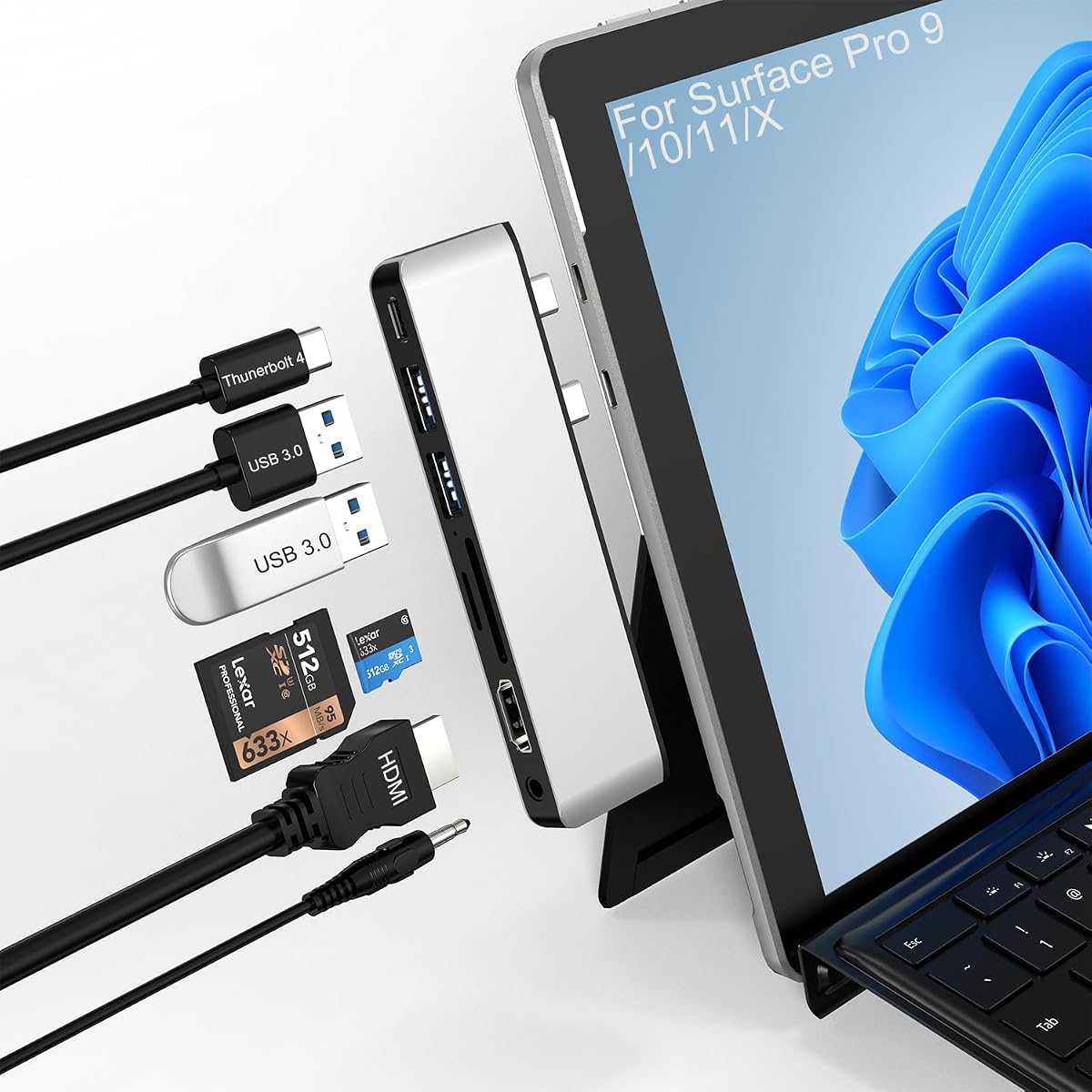
Surface Pro 11 USB Hub with 4K HDMI
4.2Editor score
Thunderbolt 4 USB-C port
Triple Display Mode support
Compact aluminum case design
This guide compares the top docking stations for Surface Pro 11 to help you find the perfect hub for connectivity, displays, and productivity.
Finding the right docking station for your Surface Pro 11 is essential for turning your tablet into a full workstation. A good hub provides multiple ports for monitors, storage, and networking while maintaining fast charging capabilities.
We evaluated ten top-rated models based on connectivity options, display support, build quality, and compatibility. Each product was analyzed against common user needs including triple display setups and fast data transfer speeds.
Every pick highlights specific strengths and ideal use cases for different workflows. Please note that product availability and specifications may change over time so always verify details before purchasing.
4.2Editor score
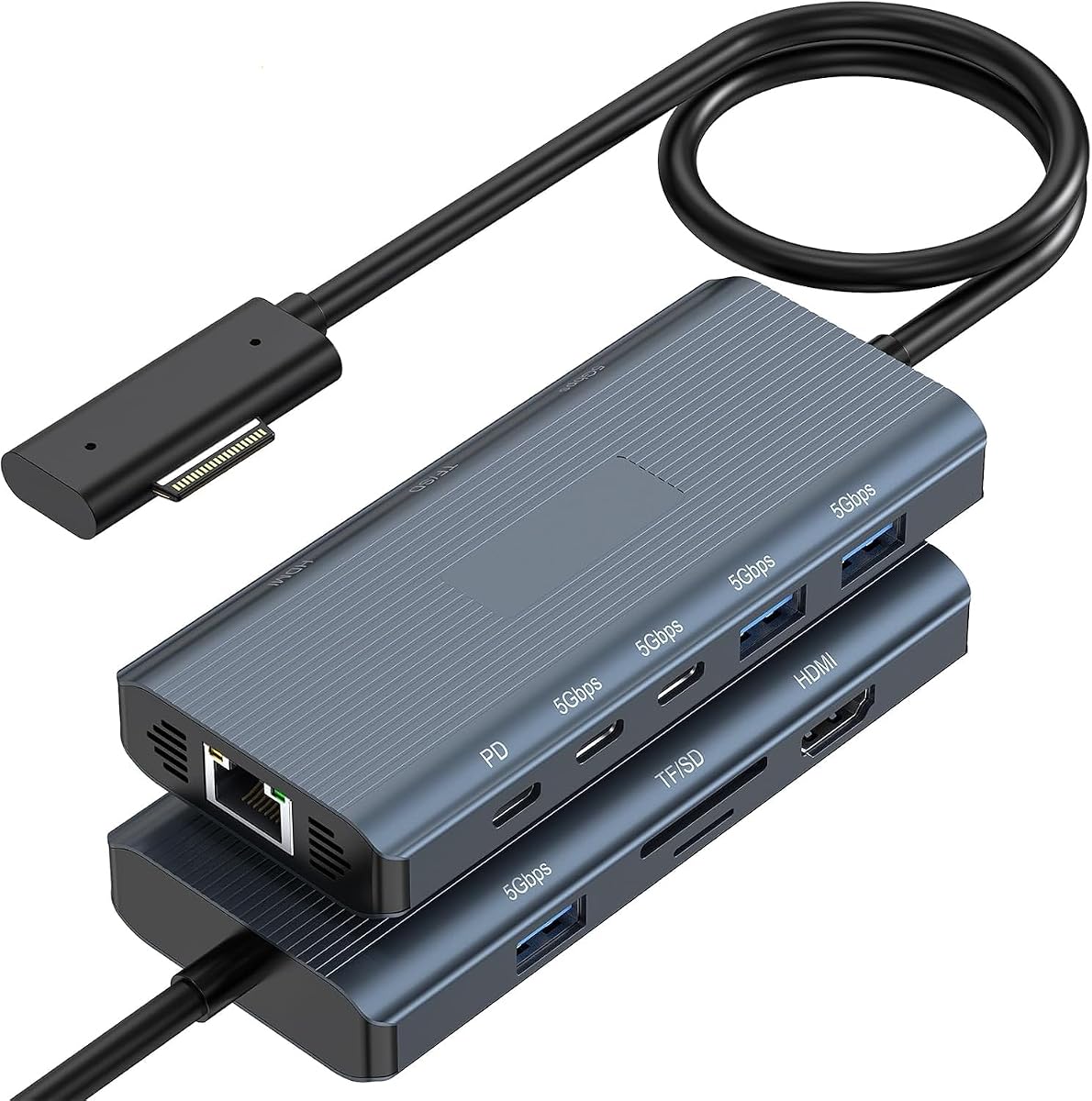
4.8Editor score

4.3Editor score
The following table offers a side-by-side comparison of all ten featured docking stations to help you quickly identify the model that best matches your specific connectivity and display requirements.



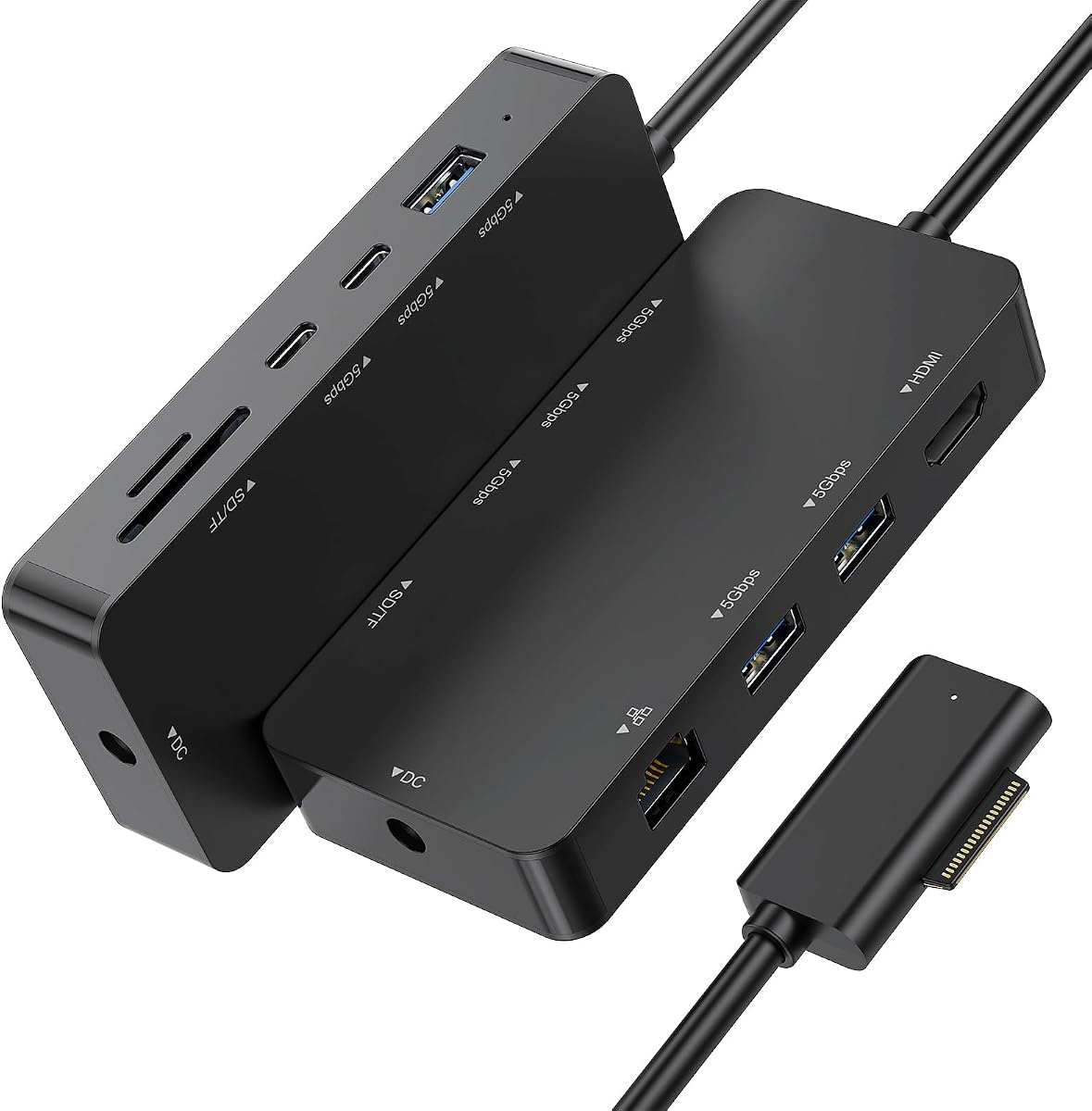
This 11-in-1 docking station earns the top spot with its comprehensive port selection and reliable performance ratings. It features four 4K@60HZ HDMI outputs and a full suite of USB ports for diverse workstation needs.
We may earn a commission when you buy through this link, at no additional cost to you.
The inclusion of a 1000Mbps Gigabit Ethernet port ensures stable network connections critical for large file transfers and streaming. Power delivery via 100W PD keeps your device charged while running multiple peripherals simultaneously.
Users must connect the included power adapter to ensure stable performance which may add desk clutter. The magnetic surface connection requires careful alignment to function correctly during daily use sessions.
This dock suits professionals needing high-resolution displays and fast networking without sacrificing USB connectivity. It is ideal for office setups where reliable wired internet and multiple monitors are essential for productivity.
The 4K@60HZ HDMI ports support resolutions up to 3840 x 2160 providing crystal clear visuals for work and entertainment.
With 100W PD Power input this hub delivers fast charging speeds while supporting high power peripherals connected via USB.
We may earn a commission when you buy through this link, at no additional cost to you.
This model focuses on maximizing screen real estate with triple display support via dual HDMI and one VGA port. It is a solid choice for users who need to spread work across multiple monitors simultaneously.
We may earn a commission when you buy through this link, at no additional cost to you.
The SD card slot supports transfer speeds up to 104MB/s which is beneficial for photographers moving RAW files quickly. The VGA port allows connection to older monitors or projectors that lack HDMI inputs.
HDMI output is capped at 30Hz which may feel less smooth for video playback or gaming scenarios. Achieving three external displays requires turning off the built-in Surface screen which can reduce overall visual workspace.
Ideal for office professionals prioritizing display count over refresh rate. It works well for spreadsheet work coding or presentations where multiple screens enhance multitasking efficiency significantly.
Supports extended or mirror modes across HDMI HDMI and VGA ports to boost productivity three times when configured correctly.
Integrated SD and TF slots allow direct access to memory cards with speeds up to 104MB/s for quick file offloading.
We may earn a commission when you buy through this link, at no additional cost to you.
This USB hub stands out for its compact size and Thunderbolt 4 connectivity which provides exceptional data transfer speeds and display flexibility. It is designed specifically for Surface Pro models to ensure perfect fit and function.
We may earn a commission when you buy through this link, at no additional cost to you.
The Thunderbolt 4 port supports up to 8K@30Hz video display combined with 40Gbps data transfer making it a powerful small device. It also includes a dedicated SD and TF card reader for easy photo access.
Using this dock requires the Surface device to be without a protective case which may limit usage for users who prioritize physical protection. HDMI output is limited to 30Hz which might not suffice for high refresh rate needs.
Best for users seeking a portable and affordable solution without compromising on data speeds. It suits travelers or students needing quick peripheral access and high resolution display support in a small package.
The USB-C Thunderbolt 4 port delivers 40Gbps data transfer and supports 8K@30Hz video output for high fidelity visuals.
Supports 100W PD charging through the Thunderbolt 4 port allowing fast charging while running connected accessories simultaneously.
We may earn a commission when you buy through this link, at no additional cost to you.
This docking station is designed for users who need three external monitors without complex cabling. It includes a 72W power adapter to keep your device charged while running heavy graphical workloads across multiple screens.
We may earn a commission when you buy through this link, at no additional cost to you.
The USB ports support transfer speeds up to 5Gbps ensuring fast file movement between external drives and the Surface device. The compact design keeps the desk clean while offering robust connectivity options for various peripherals.
Network connectivity is limited to 100Mbps which may be slower than Gigabit options for large downloads. HDMI ports cap at 30Hz so video playback might not be as smooth as higher refresh rate alternatives.
Excellent for coding spreadsheets or multitasking where screen real estate is paramount. It provides a stable and efficient connection for hybrid workers needing extended desktop space across multiple displays.
Comes with a 72W power adapter to charge the device and power connected peripherals simultaneously without battery drain issues.
Supports dual HDMI and one VGA output simultaneously allowing you to extend your workspace across three separate screens easily.
We may earn a commission when you buy through this link, at no additional cost to you.
This model is engineered for creative professionals who need rapid file transfers and multiple screen options. It features dual HDMI and VGA ports to create a multi-monitor setup ideal for editing design or presentations.
We may earn a commission when you buy through this link, at no additional cost to you.
The integrated SD/TF card slots support up to 104MB/s allowing photographers and designers to offload assets quickly without extra adapters. The 3.5mm headphone jack enables precise audio monitoring for video editing tasks.
To use three external displays you must turn off the Surface screen which reduces the total visible workspace. The Ethernet port is limited to 100Mbps which might not meet high speed networking demands.
Perfect for creative professionals needing a robust and reliable connection for heavy workloads. It eliminates bottlenecks during file transfers and ensures stable network and audio connections for multimedia workflows.
Integrated SD and TF card slots support high speed data transfer up to 104MB/s for quick access to photos and videos.
Transforms your device into a robust workstation with three external monitor support for improved multitasking efficiency.
We may earn a commission when you buy through this link, at no additional cost to you.
This premium docking station offers the highest refresh rate support with dual 4K@60Hz HDMI outputs perfect for video editing and gaming. It includes a dedicated 100W power adapter to ensure stable performance without relying on bus power.
We may earn a commission when you buy through this link, at no additional cost to you.
The inclusion of a 1000Mbps Gigabit Ethernet port provides reliable fast networking crucial for large file downloads and streaming. MST technology allows you to extend your screen across three external monitors simultaneously for massive productivity gains.
The price is higher than standard hubs which might not fit every budget. It requires an external power source which adds one more cable to your desk setup but ensures consistent power delivery.
Best suited for professionals requiring high refresh rate displays and stable networking. It delivers desktop replacement functionality with excellent video fidelity and connectivity options for demanding workflows.
Features dual 4K@60Hz HDMI outputs for breathtaking visual clarity and smooth motion for high-end multimedia tasks.
Supports 100W DC charging and 1000Mbps Gigabit Ethernet for fast charging and lag-free internet connectivity.
We may earn a commission when you buy through this link, at no additional cost to you.
This 10-in-1 dock offers a balanced set of features making it suitable for a wide range of users. It includes a 65W power supply to keep your device charged while running multiple monitors and peripherals simultaneously.
We may earn a commission when you buy through this link, at no additional cost to you.
The gigabit Ethernet port ensures stable low latency internet connections essential for video conferences and large file transfers. It supports up to three monitors via HDMI allowing for flexible workspace configurations.
The HDMI output is limited to 30Hz which is standard for productivity but may feel sluggish for video playback. Using the external adapter ensures performance but reduces portability for frequent travelers.
An excellent choice for office professionals needing reliable connectivity without extreme high refresh rates. It offers a robust set of tools for work and entertainment with strong warranty support.
The included 65W power supply provides ample power to keep your Surface running while connected to peripherals.
1000Mbps RJ45 Ethernet port guarantees stable low-latency internet for smooth video conferencing and streaming.
We may earn a commission when you buy through this link, at no additional cost to you.
This docking station offers a robust 12-in-1 port selection ideal for expanding your workspace. It supports dual HDMI and one VGA port to enable up to three screens simultaneously for enhanced multitasking.
We may earn a commission when you buy through this link, at no additional cost to you.
The USB 3.0 ports deliver up to 5Gbps transfer speeds allowing for quick file movements between external drives and the Surface. It also includes SD/TF card slots for easy access to camera memory cards.
Network speed is capped at 100Mbps which may be slower than gigabit options for large downloads. Setting up three displays requires turning off the Surface screen which reduces total visual real estate.
Great for users needing multiple screens without breaking the bank. It simplifies your workspace with plug-and-play connectivity and supports a wide range of Surface devices reliably.
Dual HDMI and one VGA port allow you to connect up to three screens for efficient multitasking and workflow management.
USB 3.0 ports and SD/TF slots provide high-speed access to external storage and memory cards without delay.
We may earn a commission when you buy through this link, at no additional cost to you.
This dock delivers high performance with a 120W power adapter ensuring your device charges fully even under heavy load. It supports triple displays with 4K@60HZ HDMI and DP for smooth visuals across screens.
We may earn a commission when you buy through this link, at no additional cost to you.
The Thunderbolt 4 port provides video output data transfer and charging all in one connection. The Gigabit Ethernet port ensures stable high-speed network access for fast downloads and streaming without latency.
Using the dock requires connecting the included power adapter which adds to the setup complexity. The number of ports can be overwhelming for simple use cases where fewer connections are needed.
Best for users needing maximum power and display refresh rates. It offers a powerful desktop replacement solution for professionals requiring high-end video and networking capabilities.
120W Power Adapter ensures your Surface charges fully in about 2.5 hours while powering all connected peripherals.
Connect up to three 4K@60Hz monitors for stunning visuals and expanded workspace ideal for video editing.
We may earn a commission when you buy through this link, at no additional cost to you.
This hub features a magnetic Surface Connect cable that allows flexible positioning without blocking ports on the device. It delivers 4K@60Hz HDMI output which provides clear and smooth video for work and media consumption.
We may earn a commission when you buy through this link, at no additional cost to you.
The Gigabit Ethernet port ensures a stable wired network connection perfect for low latency gaming and video conferencing. It includes multiple USB ports for connecting drives printers and keyboards simultaneously.
Using the dock requires connecting an external power adapter which must be plugged in for full functionality. The 50cm cable offers flexibility but may limit desk layout options for larger setups.
Ideal for users seeking easy setup and clear display support. It simplifies your workspace with secure magnetic connection and reliable wired networking for steady performance.
50cm magnetic Surface Connect cable allows flexible positioning on your desk without blocking ports on the device.
4K@60Hz HDMI support provides crisp clear visuals making it ideal for video editing and presentations.
We may earn a commission when you buy through this link, at no additional cost to you.
Selecting the right docking station requires understanding your specific connectivity needs including display requirements and power delivery.
Consider how many monitors you need to connect and their resolution requirements. Some docks support 4K@60Hz while others limit to 30Hz or offer triple display via HDMI and VGA. Ensure the dock matches your productivity needs.
Verify that the dock supports the display modes you need whether extending or mirroring screens. This is critical for multitasking across multiple windows.
A docking station with Power Delivery PD keeps your device charged while running multiple peripherals. Look for docks that support at least 65W or 100W PD to ensure stable performance without draining your battery.
Check whether the dock includes its own power adapter or if it relies on the host device to power everything. External adapters provide more stability for heavy workloads.
High-speed USB ports are essential for connecting external drives and transferring large files quickly. Look for USB 3.0 or USB-C ports that support transfer speeds up to 5Gbps or higher for efficiency.
SD and TF card slots are useful for photographers and content creators needing direct access to camera cards. Ensure the dock supports fast card reading speeds for your workflow.
A built-in Ethernet port provides a stable wired internet connection which is often more reliable than wireless. Gigabit Ethernet 1000Mbps is preferable for large file transfers and video conferencing.
Some docks only offer 100Mbps which may be sufficient for basic use but could bottleneck high-speed internet connections. Choose accordingly based on your network needs.
The physical design of the dock matters for desk space and portability. Compact aluminum designs release heat better and fit neatly on workspaces without taking up too much room.
Look for docks that use a magnetic Surface Connect cable for easy attachment and removal. This prevents wear on the device port and ensures a secure connection during use.
Ensure the docking station is explicitly compatible with Surface Pro 11 and other models you might use. Most docks listed cover a broad range including Surface Laptop and Go models.
Check specific requirements like whether the dock needs the device to be bare or if it works with cases. Some docks require a precise fit to function correctly.
Many docks include a 3.5mm audio jack for headphones or microphones which is vital for calls and media. This avoids the need for external adapters for basic audio needs.
Confirm that USB ports support both data and charging for peripherals like keyboards and mice. Some USB-C ports may be data only so check the specs carefully.
A solid warranty indicates manufacturer confidence and protects your investment. Look for warranties covering at least 12 to 24 months to ensure long-term reliability.
Responsive customer support can resolve connectivity issues quickly which is important for professional use where downtime is costly.
Start by connecting the power adapter to the docking station before attaching your Surface device. This ensures the dock has enough power to drive connected monitors and peripherals without interruption.
Plug in your displays via HDMI or VGA and USB devices such as drives and keyboards. The dock should recognize peripherals automatically since it uses plug and play technology without needing extra drivers.
To maintain optimal performance keep the dock in a well-ventilated area to prevent overheating. Regularly inspect the magnetic connector for dust and ensure the cable is not bent or stressed during daily use.
Most Surface docking stations use plug and play technology so you do not need to download extra drivers. Simply connect the dock to your device and it should automatically configure the available ports. However always check the manual for specific instructions if setup issues arise.
Yes many docking stations support connecting two or three external monitors simultaneously. Look for models with dual HDMI or HDMI plus VGA outputs to extend your workspace across multiple screens for better multitasking.
Docks with external adapters ensure enough power for running multiple displays and high-speed peripherals. Using a power supply prevents battery drain and maintains stable performance especially during video calls or large file transfers.
4K@60Hz provides smoother video motion and clearer images than 4K@30Hz. If you plan to watch videos or edit content choose a dock with 60Hz support for a better visual experience.
Some docks require the Surface device to be without a case to fit the connector properly. Others support standard cases but check the product details to ensure compatibility before purchase.
Gigabit Ethernet 1000Mbps is ideal for fast internet and file transfers while 100Mbps may be slower. If you rely on a stable wired connection for work prioritize docks with Gigabit support.
Yes many docking stations support PD Power Delivery to charge your device while running peripherals. Ensure the dock offers at least 65W to maintain your battery level during use.
Most reputable docks come with warranties ranging from 12 to 24 months. This coverage protects against manufacturing defects and ensures reliable support if technical issues arise.
These ten docking stations provide excellent connectivity options for Surface Pro 11 users with various needs. The top picks offer reliable performance for displays power and data transfer to support productive workflows.
Prioritize docks that match your specific requirements such as display refresh rates power delivery capacity and Ethernet speed. Choosing the right model ensures your device works seamlessly with external accessories.
Remember to check current availability and features before buying as specifications may change over time. Investing in a quality dock will enhance your computing experience significantly.