
Sonnet Breakaway Box 850 T5
4.5Editor score
850 Watt power supply
Triple wide GPU support
Integrated Thunderbolt dock
Variable speed cooling
Compare the top ten Egpu Enclosures for performance and compatibility. This guide reviews models from Razer, Sonnet, and Plugable to help you choose the right
External GPU enclosures transform capable laptops into powerful desktop workstations for gaming and creative tasks. These devices connect via high-speed interfaces to deliver near-desktop performance. Selecting the right enclosure requires careful attention to power supply compatibility and port availability.
This comprehensive guide evaluates ten distinct eGPU models ranging from compact units to robust full-size chassis. We analyzed bandwidth capabilities, cooling systems, and compatibility with modern Thunderbolt and USB4 standards. Each product offers unique advantages depending on your specific hardware and workflow needs.
Every recommendation highlights specific strengths and limitations to ensure you find the perfect match for your setup. Remember that component compatibility varies by operating system and laptop model. Prices and availability change frequently so verify current details before making your final purchasing decision.
4.5Editor score

4.0Editor score

3.9Editor score
The following table provides a side-by-side comparison of all ten enclosures reviewed in this guide to help you quickly identify the best match for your needs.


The Razer Core X V2 leads the pack with its adoption of Thunderbolt 5 technology and massive bandwidth capacity. It delivers excellent performance for gaming and creative workflows while maintaining a sleek and professional aesthetic. Its tool free installation makes it accessible for users of all technical levels.
We may earn a commission when you buy through this link, at no additional cost to you.
Its standout feature is the support for up to four slot wide GPUs which accommodates even the largest and most powerful graphics cards. The active cooling system ensures that your GPU stays within safe temperature limits during extended periods of heavy load. The 140W power delivery keeps your laptop charged while you work.
While the unit itself is a solid investment remember that you must purchase the graphics card and power supply separately. This adds to the overall cost but provides flexibility to choose the exact components that fit your needs. The price reflects the premium build quality and advanced connectivity options.
This enclosure is ideal for professionals and enthusiasts who need a reliable high performance eGPU that scales with their needs. If you own a Thunderbolt 5 compatible laptop this is the most future proof option available today. It transforms your notebook into a true desktop replacement effortlessly.
The 80 Gbps bandwidth ensures that data transfer bottlenecks are minimized for smoother gaming and rendering.
Easy tool-free installation lets you upgrade your GPU without needing specialized tools or complicated disassembly.
We may earn a commission when you buy through this link, at no additional cost to you.
Sonnet delivers a premium experience with this enclosure that includes an integrated Thunderbolt 5 dock for expanded connectivity. It supports triple wide graphics cards and provides a massive 850W power supply to handle even the most demanding GPU configurations. This unit is designed for users who need maximum performance and convenience.
We may earn a commission when you buy through this link, at no additional cost to you.
The built-in dock offers multiple USB ports and an Ethernet connection which reduces cable clutter on your desk. The variable speed fan ensures quiet operation while still providing enough airflow to keep high-end GPUs cool under load. It is a complete solution for creative professionals and power users.
The main drawback is the significant price tag which might be prohibitive for casual users. You also need to account for the size of the unit which is larger than standard compact enclosures. However if you need a all-in-one solution it is worth the investment.
This is the best choice for professionals who require a stable and powerful desktop-like environment from their laptop. The combination of high wattage power and extensive connectivity makes it a top tier performer in this category. It is ready for future GPU releases and demanding workflows.
Multiple downstream ports allow you to connect peripherals directly to the eGPU rather than your laptop.
The 850W supply supports next generation GPUs that require higher power envelopes than standard units.
We may earn a commission when you buy through this link, at no additional cost to you.
This compact unit offers an entry point into the world of external GPUs without breaking the bank. It supports standard ATX and SFX power supplies so you can choose based on your budget and space constraints. It is ideal for users who want to test the eGPU concept before committing to a full premium system.
We may earn a commission when you buy through this link, at no additional cost to you.
The small form factor makes it easy to pack for travel or fit into tight workspaces. It includes a second Thunderbolt port allowing you to daisy chain additional devices to maintain a clean workspace. The price point is significantly lower than full featured chassis options.
Be aware that it requires some technical knowledge to assemble and configure properly. You will need to source your own power supply and GPU which adds to the total cost and complexity. It lacks the refined build quality of more expensive models.
If you are on a strict budget or need a portable solution this is the most cost effective option available. It provides the core functionality you need to boost graphics performance without extra features you might not use. It is a great starter kit for hobbyists and students.
The small chassis fits easily into backpacks making it ideal for on the go computing needs.
Support for various power supply types allows you to choose what fits your budget best.
We may earn a commission when you buy through this link, at no additional cost to you.
This enclosure stands out by focusing specifically on secure and private AI model inference and training workflows. It allows you to run large language models locally without sending sensitive data to the cloud. This feature makes it an excellent choice for developers and businesses concerned about data privacy.
We may earn a commission when you buy through this link, at no additional cost to you.
The 80Gbps Thunderbolt 5 connection ensures that AI workloads run efficiently without bandwidth limitations. It also includes a robust 850W power supply to handle high performance NVIDIA and AMD GPUs. The design prioritizes reliability and security for professional environments.
The main limitation is that it is designed for Windows systems and does not support macOS devices. The specialized focus might be unnecessary for general gamers who do not need the privacy features. The price reflects the specialized nature of the enclosure.
For users working with sensitive data and AI models this is the most specialized and secure option. It bridges the gap between powerful local compute and strict data privacy requirements effectively. It is a smart choice for forward looking tech teams.
Sensitive prompts and data never leave your network ensuring secure handling of private information.
80Gbps speed enables faster model training and inference compared to older Thunderbolt standards.
We may earn a commission when you buy through this link, at no additional cost to you.
This kit is designed for simplicity and portability providing everything you need in one package. It comes with a 240W power supply and a custom carrying case so you can travel with it easily. The aluminum shell is durable yet light making it a great choice for commuters.
We may earn a commission when you buy through this link, at no additional cost to you.
It supports up to 85W power delivery to your laptop so you can charge while using the GPU. The compact design restricts the maximum size of the graphics card it can hold but keeps the unit portable. It is perfect for mid range gaming or moderate creative work.
The included power supply limits the maximum GPU you can use to lower wattage models. High-end desktop cards might not fit physically or electrically within this chassis constraints. It trades raw power for convenience and ease of transport.
For users who need a plug-and-play solution to take on the road this kit is ideal. It removes the guesswork of choosing a compatible power supply or case. It is a balanced option for casual users needing extra graphics power.
Power supply and case included means you can use it right out of the shipping box.
The lightweight case and included bag make transporting your graphics power safe and simple.
We may earn a commission when you buy through this link, at no additional cost to you.
This unit is specifically optimized to work with handheld gaming consoles like the ROG Ally and Claw 8. It supports high wattage power delivery modes that unlock full performance on these devices. It is a perfect match for users wanting to upgrade handheld gaming performance.
We may earn a commission when you buy through this link, at no additional cost to you.
The compact size fits well with portable setups and the flexible power options allow for different use cases. You can use DC ATX or SFX power supplies depending on your needs. It also acts as a hub with extra USB ports.
The lower bandwidth compared to Thunderbolt 5 might limit performance on the most demanding titles. It is best suited for handhelds and lightweight tasks rather than heavy desktop workstation usage. The size limits large GPU options.
For handheld gamers looking to extend battery life and improve visuals this is a specialized tool. It bridges the gap between portable convenience and desktop graphics power effectively. It is a solid investment for mobile gaming fans.
Optimized for ROG Ally and Claw devices to unlock full Turbo performance modes easily.
Extra USB ports allow you to connect controllers or drives while gaming on the go.
We may earn a commission when you buy through this link, at no additional cost to you.
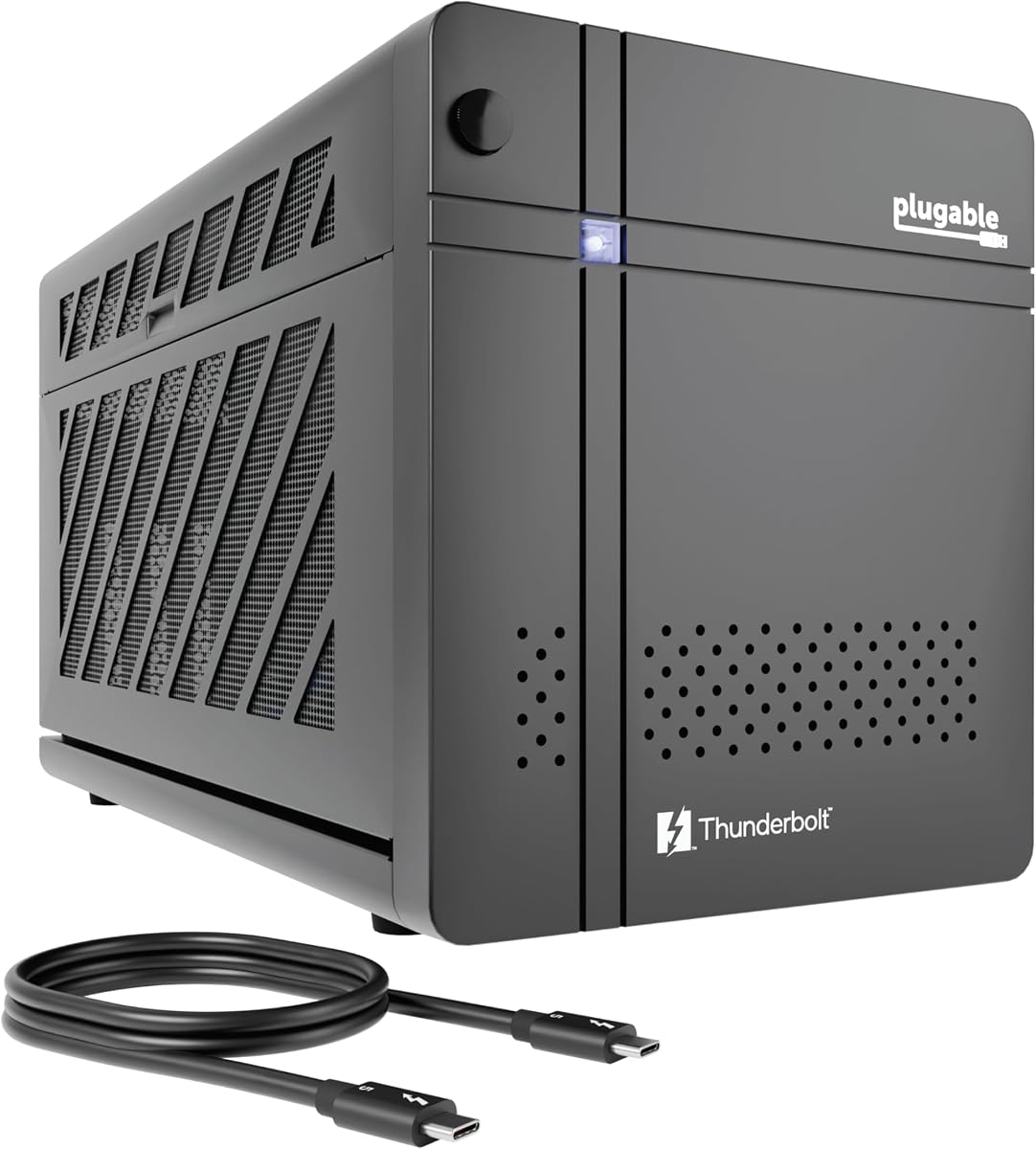
This model uses a standard ATX power supply making it easy to source replacements if needed. It features dual Thunderbolt ports so you can charge your laptop and connect to the GPU with one cable. The controller is officially certified for stable data transfer.
We may earn a commission when you buy through this link, at no additional cost to you.
The build quality is decent for the price and the dual port setup simplifies your desk layout. It supports a wide range of GPUs from RTX 50 series to AMD RX 9000 series. It is a versatile choice for custom setups.
You will need to buy the power supply separately and install it yourself which adds steps to setup. The lack of an integrated power unit means it is less portable than all-in-one kits. It is best for desktop users.
If you already have an ATX power supply or want flexibility in your power choices this is a great option. It offers reliable performance without the premium price tag of branded kits. It is ideal for custom hardware enthusiasts.
Single cable solution charges your laptop while handling all graphics data transfer neatly.
Support for standard ATX units means you can choose high quality components on your own.
We may earn a commission when you buy through this link, at no additional cost to you.
This enclosure is a reliable workhorse for Mac and Windows users with Thunderbolt 3 ports. It supports a 750W power supply which is more than enough for most current graphics cards. The design includes extra USB and Ethernet ports for expanded connectivity.
We may earn a commission when you buy through this link, at no additional cost to you.
It is a proven product that offers stability for creative workloads like video editing and rendering. The 750W capacity future proofs your setup for newer GPU releases requiring more power. It works seamlessly with many professional workflows.
The interface is Thunderbolt 3 which is slower than the newer 5 options but still functional. It is a bit bulky but offers great value for those who do not need the latest bandwidth speeds. It is not compatible with M1 Macs.
If you have a Mac or Windows laptop with TB3 this remains a solid choice for professional use. It balances performance and connectivity in a reliable package. It is a safe bet for stability and legacy support.
Works with Mac systems having TB3 ports to boost graphics performance significantly.
Ethernet and USB A ports let you connect accessories directly to the enclosure.
We may earn a commission when you buy through this link, at no additional cost to you.
This dock offers a unique hybrid approach supporting both USB4 V2 and OCuLink for maximum performance. It includes an M.2 slot for storage which keeps your workspace synchronized across devices. The re-drive booster ensures signal stability during high load tasks.
We may earn a commission when you buy through this link, at no additional cost to you.
The ability to switch between modes lets you choose between docking convenience and raw performance. It supports standard ATX and SFX power supplies which gives flexibility for your build. The dual link capability is a major advantage.
The complexity of switching modes might be confusing for casual users. You need to be careful with cable management to avoid signal issues in some setups. It requires some technical understanding to configure properly.
For users who want the best of both worlds this is a powerful and versatile tool. It is excellent for workflows that require high bandwidth and additional storage. It is a top pick for tech savvy users.
Switch between docking and pure GPU mode instantly via a hardware switch easily.
M.2 slot lets you keep large files and models directly on the dock device.
We may earn a commission when you buy through this link, at no additional cost to you.
This kit is designed for users who want a straightforward solution with everything included in the box. It comes with a 240W power supply and a carrying case for easy transport. It supports the latest Thunderbolt 4 and USB4 standards for broad compatibility.
We may earn a commission when you buy through this link, at no additional cost to you.
The aluminum shell provides good protection and keeps the unit lightweight for travel. It fits smaller GPUs perfectly and is great for mid-range performance needs. The setup process is minimal with simple cables provided.
The power limit means it cannot support high-end desktop cards with high wattage requirements. It is best for laptops needing a small boost rather than a full desktop replacement. The size restricts large GPUs.
For casual users who want to plug and play without extra steps this is a great option. It is reliable and convenient for light gaming and general tasks. It offers excellent value for simple setups.
All cables and power included so you can start using it immediately after unboxing.
Included case keeps your enclosure safe during transport and fits easily in bags.
We may earn a commission when you buy through this link, at no additional cost to you.
Selecting the right external GPU enclosure involves balancing performance needs with budget and portability. This guide breaks down the key factors to consider before making a purchase.
Check if your laptop supports Thunderbolt 5 Thunderbolt 4 or USB4. Newer interfaces like TB5 offer 80Gbps speeds which reduce performance bottlenecks significantly.
Always match the enclosure interface to your laptop capabilities for maximum performance.
Modern GPUs require significant power so ensure the PSU wattage matches your card needs. Look for at least 500W to 850W for high-end graphics cards.
Adequate wattage prevents instability and allows for future upgrades without changing the unit.
Measure the size of the GPU you intend to use against the enclosure internal space. Large cards might not fit in compact models which limits your options.
Verify dimensions to avoid buying a unit that cannot house your chosen graphics card.
Good airflow is critical to prevent throttling during long gaming or rendering sessions. Look for active fans with variable speeds that adjust to load.
Proper cooling ensures consistent performance and protects your expensive graphics card from heat.
Some enclosures include USB ports or Ethernet to act as a hub. This can reduce clutter by connecting peripherals directly to the dock.
Extra ports add convenience and reduce the load on your laptop's limited connections.
Confirm that the enclosure supports your OS like Windows or Mac. Some models have specific limitations with macOS especially newer Apple Silicon chips.
Compatibility checks prevent frustrating setup issues after purchasing the hardware.
Aluminum enclosures offer better heat dissipation and durability compared to plastic. A sturdy chassis protects your components from bumps during travel.
High quality materials extend the lifespan of your eGPU setup over time.
Determine how much you are willing to spend on the enclosure itself separate from the GPU. Budget units might save money but offer fewer features.
Balance cost with the features you actually need to get the best value for your budget.
Connect the enclosure to your laptop using the provided high speed cable and ensure it is recognized by your system. Install the necessary drivers for your GPU and the enclosure controller for optimal performance.
Allow the enclosure to rest on a flat surface with clearance around the vents to ensure proper airflow during use. Avoid placing it on soft surfaces like beds or couches that might block air intake.
Regularly check the connections for dust buildup and wipe the exterior with a dry cloth to keep the unit clean. Proper care extends the life of your hardware and maintains reliable performance.
Not all laptops support eGPUs. You need a port that supports Thunderbolt 3 4 5 or USB4 with eGPU support. Check your laptop specifications before purchasing.
You can use most standard desktop GPUs but you must verify the physical dimensions and power requirements. Compact cards fit better in smaller enclosures.
Yes especially for laptop users who need desktop level graphics performance for gaming or creative work. It offers a cost effective upgrade path.
Many enclosures support Mac with Intel chips but M1 or newer chips have limited support. Check the product details for macOS compatibility.
You typically need to install the GPU drivers. Some enclosures require specific drivers or firmware updates for best performance.
Yes especially models that support Thunderbolt 5 and high wattage power. Secure AI enclosures are available for privacy focused workflows.
There is typically a 10 to 20 percent loss compared to a desktop but it is still a huge boost over integrated graphics.
Some models are compact and come with carrying cases. Larger desktop style chassis are better for home setups than travel.
The ten products reviewed cover a wide range of needs from budget portable kits to premium high performance solutions. Each option offers unique features that can transform your laptop capabilities significantly.
Prioritize compatibility and power supply capacity to ensure a smooth experience. Consider how you will use the device and whether portability or raw power matters more.
Always verify the latest pricing and availability as these details change regularly. A quick check ensures you get the best deal on the right hardware.