
Franklin Collins English Digital Dictionary Express Edition
3.7Editor score
118000 words and phrases
500000 synonyms and antonyms
Phonetic spell correction included
This guide compares the top electronic dictionaries and thesaurus devices for students and professionals, reviewing features like offline translation and
Electronic dictionaries and thesaurus devices remain vital tools for students, professionals, and language learners who need reliable offline access to definitions. These portable gadgets offer quick lookups without draining smartphone batteries or relying on unstable internet connections during critical study sessions.
We evaluated ten leading models based on vocabulary size, translation capabilities, user interface ease, and additional learning features like grammar tools and word games. Our comparison focuses on devices that deliver consistent performance across various languages and educational needs.
Each pick below highlights specific strengths such as multi-language support, screen quality, or battery life. Prices and availability fluctuate frequently, so verify current details before purchasing to ensure you get the best value for your specific learning goals.
3.7Editor score

3.9Editor score

3.9Editor score
The following table provides a side-by-side overview of all ten devices, highlighting key specifications and unique features to help you narrow down your choices quickly.





The Franklin MDE-1200 is a dedicated English dictionary designed for students preparing for standardized tests. It holds a solid rating for its focused approach to grammar and vocabulary building, offering a straightforward interface that minimizes distractions.
We may earn a commission when you buy through this link, at no additional cost to you.
This device stands out due to its built-in English lessons, which cover irregular verbs, verb conjugation, and noun inflection. It also includes vocabulary banks specifically tailored for TOEFL, GRE, SAT, and other major exams, making it an academic powerhouse.
While the screen is smaller than modern tablets, the zoomable 3-inch display ensures text remains readable. The inclusion of word games like Hangman and word builders adds a fun element to rigorous study sessions without compromising functionality.
Ideal for high school or college students who need reliable offline access to grammar rules and synonyms. It is a practical choice for anyone prioritizing exam preparation over multi-language features.
Vocabulary banks are curated specifically for standardized tests, ensuring you study high frequency words likely to appear on exams like the GRE or SAT.
The Crossword Solver and Anagram Solver help you break down complex words and improve spelling skills through engaging puzzle solving activities.
We may earn a commission when you buy through this link, at no additional cost to you.
The Franklin Collins English Digital Express Edition is a budget-friendly option for anyone seeking to expand their vocabulary without spending a fortune. It offers a comprehensive collection of words and definitions that rival more expensive models.
We may earn a commission when you buy through this link, at no additional cost to you.
Its strongest feature is the massive thesaurus, which includes over half a million synonyms and antonyms. This depth allows users to find precise words for writing or speech, enhancing their overall language proficiency significantly.
Users will appreciate the phonetic spell correction and confusables feature, which helps master frequently misunderstood words. Additionally, utility tools like a currency converter and world clock add practical value beyond just dictionary lookups.
This device is perfect for budget-conscious writers and students who primarily need English support. It delivers essential dictionary functions reliably without requiring subscriptions or internet access.
With 500,000 synonyms and antonyms, you can easily find the perfect word to express your ideas clearly and avoid repetitive language.
Beyond language learning, the included currency and metric converters make this device useful for travelers and those dealing with international measurements.
We may earn a commission when you buy through this link, at no additional cost to you.
The Franklin MES-2400 is designed for learners who need to hear words pronounced correctly. It offers offline translation capabilities across five major languages, making it a versatile tool for travel and study.
We may earn a commission when you buy through this link, at no additional cost to you.
Its talking feature uses true native human voice recordings, which is crucial for mastering pronunciation and listening comprehension. This helps users communicate more naturally and confidently in their target language.
The device features a simple tactile keypad that focuses on learning without unnecessary distractions. It is portable and convenient, allowing students to carry it easily during commutes or while traveling abroad.
This model is ideal for language students and travelers who prioritize accurate pronunciation and offline functionality. It bridges the gap between simple dictionaries and complex smartphone apps.
Pronunciation is recorded in true native voices, ensuring you learn the correct accent and intonation for everyday phrases.
Translation works without internet, making it perfect for remote areas or places where data plans are expensive or unavailable.
We may earn a commission when you buy through this link, at no additional cost to you.
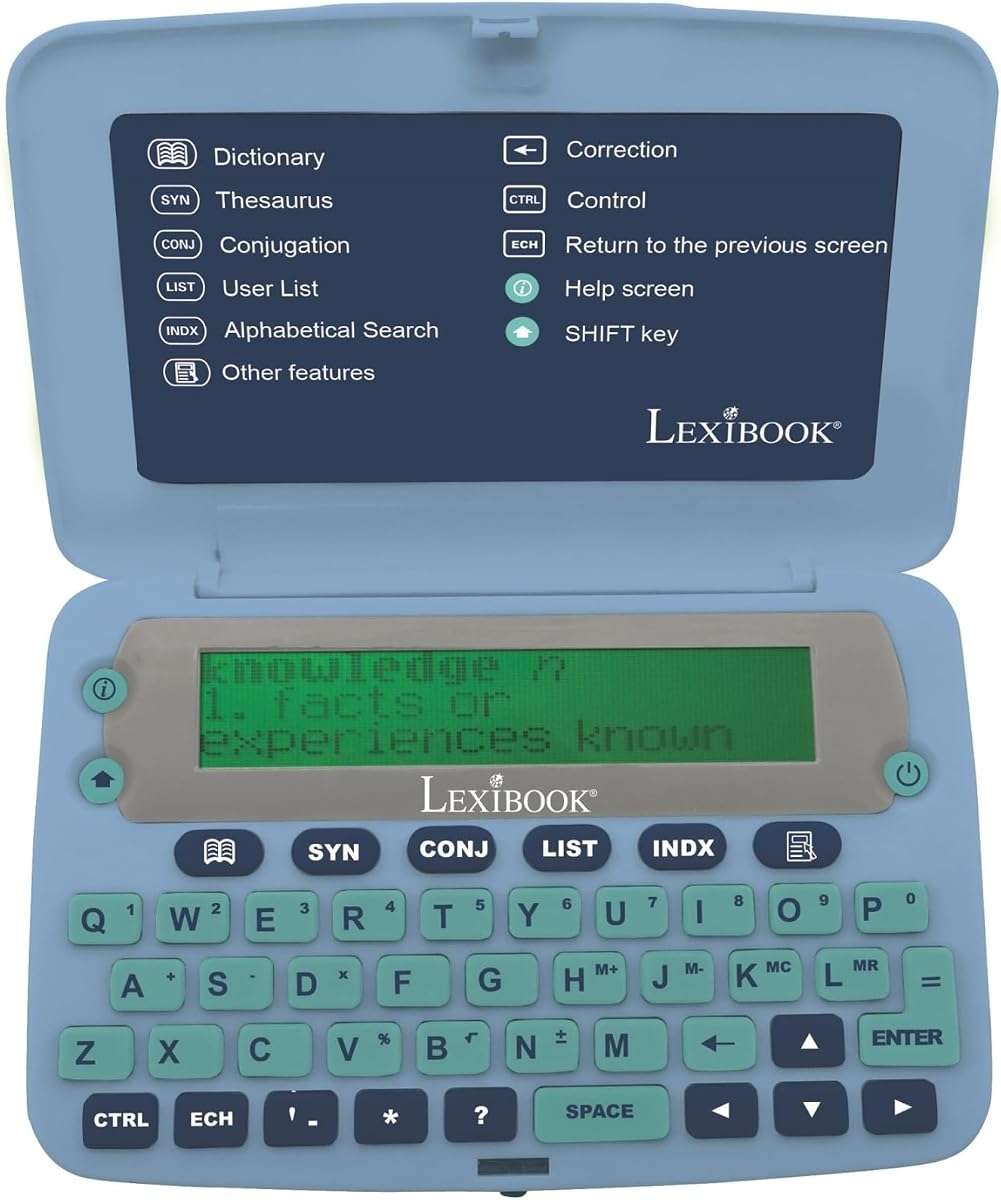
The LEXiBOOK D850EN leverages the 13th Edition of the Collins English Dictionary to provide a robust resource for English learners. It is particularly noted for its extensive verb conjugation capabilities.
We may earn a commission when you buy through this link, at no additional cost to you.
With over 7,000 verbs covering multiple tenses, this device is excellent for mastering grammar rules that often challenge students. The large 4-line screen ensures that conjugation tables are easy to read without zooming.
The inclusion of a magnifying function makes it accessible for users with visual impairments or those who prefer larger text. Additionally, utility tools like a calculator and currency converters are built in.
This dictionary is best suited for English learners who need deep grammatical insights. While it has a lower rating than some peers, its specific features for grammar make it a specialized tool.
Learn verb forms for present, past, and participle tenses easily with built-in tables for over 7,000 verbs.
The magnifying function allows you to adjust text size, ensuring comfort during long study sessions.
We may earn a commission when you buy through this link, at no additional cost to you.
The Franklin DBE-1200 is a specialized device for Spanish and English speakers. It offers over a million translations, making it one of the most robust bilingual tools available in this category.
We may earn a commission when you buy through this link, at no additional cost to you.
Users can switch between languages instantly with a single tap, ensuring seamless communication. The offline nature of the device means you never need to worry about losing signal while traveling or in classrooms.
Beyond simple translation, it includes grammatical tools for noun and verb inflection in both languages. This makes it a superior choice for students who need to understand sentence structure rather than just word swaps.
This device is perfect for Spanish learners and professionals working in bilingual environments. It provides a distraction-free environment for language acquisition without needing a smartphone.
Switch between English and Spanish modes instantly to facilitate fast communication and accurate translations.
Inflection and conjugation tools help you learn to construct sentences correctly in both languages.
We may earn a commission when you buy through this link, at no additional cost to you.
The LEXiBOOK D650EN is designed for users who need quick access to definitions without a cluttered interface. It features a clear layout that supports up to six definitions per word, ensuring depth in understanding.
We may earn a commission when you buy through this link, at no additional cost to you.
Its large ergonomic buttons make typing comfortable, even for extended periods. The inclusion of a memo-list feature allows you to save words or notes for later review directly on the device.
This device also functions as a utility tool with a built-in clock and date, along with currency converters. It is a practical everyday carry item for writers or students who prefer simplicity.
Ideal for users who want a reliable, no-fuss dictionary with essential tools. It balances vocabulary size with usability effectively.
Up to six definitions per word provide context and usage examples to help you understand nuances.
Save words or phrases to a personal list so you can review them later during study sessions.
We may earn a commission when you buy through this link, at no additional cost to you.
The Franklin MWS-1840 brings the authority of Merriam-Webster to a portable device. It is well known for its speaking function, which helps learners verify correct pronunciation instantly.
We may earn a commission when you buy through this link, at no additional cost to you.
With over 274,000 definitions and nearly 500,000 synonyms, the database is robust enough for serious writers and editors. The spelling verification list ensures you avoid common errors in your writing.
A unique feature is the Book Card slot, which allows for potential content expansion in certain configurations. This modularity adds longevity to the device compared to fixed models.
This device is excellent for auditory learners who need to hear words to remember them. It is a classic choice for professional writers needing reliable dictionary references.
Hear words pronounced out loud to ensure you are speaking correctly in public or professional settings.
A dedicated list of 83,000 words helps you verify and correct spelling errors before publishing.
We may earn a commission when you buy through this link, at no additional cost to you.
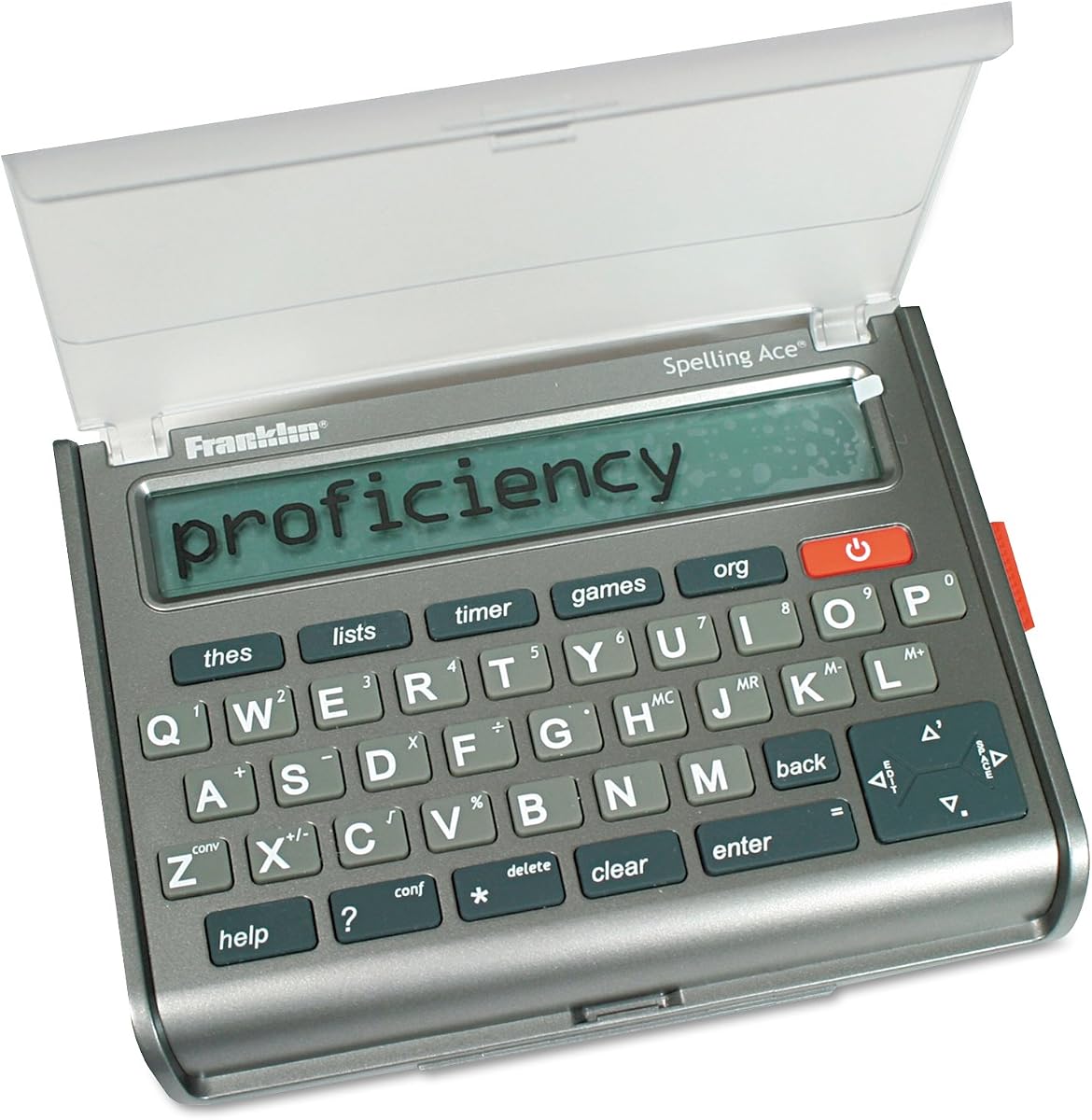
The Franklin SA-309 Spelling Ace is a high-rated device tailored for word enthusiasts and puzzle solvers. It offers tools specifically designed to help with crosswords and word games.
We may earn a commission when you buy through this link, at no additional cost to you.
Its Crossword Puzzle Solver uses a Merriam-Webster word list to generate possible words from entered letters, making it a powerful aid for daily puzzles. The Word Builder tool helps expand vocabulary by creating lists from specific letters.
The Confusables function identifies and explains common mistakes, helping users avoid embarrassing errors in writing. This feature is particularly useful for high school and college students.
Best for crossword fans and anyone looking to improve their spelling through games. Its high rating reflects satisfaction with these specialized features.
Use the built-in solver to decode complex crosswords efficiently without needing external apps.
Identify and learn words that are frequently confused, improving your overall writing accuracy.
We may earn a commission when you buy through this link, at no additional cost to you.
The Merriam-Webster BookMan represents a classic electronic pocket model for dictionary access. It is designed for portability and simplicity, making it easy to carry in a pocket.
We may earn a commission when you buy through this link, at no additional cost to you.
While it may lack some modern features found in newer models, it provides reliable access to essential definitions and thesaurus entries. The familiar branding ensures users trust the quality of the information provided.
This device is suitable for those who prefer a minimalist approach to dictionary lookups. It serves as a quick reference tool without the complexity of apps or larger devices.
Ideal for users seeking a traditional, no-frills electronic dictionary. It is best suited for casual reference rather than intensive study.
A traditional electronic format that focuses on core dictionary functions without modern bloat.
Designed to fit comfortably in a pocket, ensuring you always have a reference at hand.
We may earn a commission when you buy through this link, at no additional cost to you.
The Franklin MWD-1450 offers a unique expandability feature through its BookCard slot. This allows users to download or insert additional content, extending the utility of the device over time.
We may earn a commission when you buy through this link, at no additional cost to you.
It includes a 5-line display that provides enough screen real estate for comfortable reading. Additionally, nine learning games help reinforce vocabulary through interactive play and exercises.
This device is a solid option for users who want to customize their dictionary experience. While it is an older model, the ability to expand content makes it versatile.
Suitable for students who want a device that can grow with their learning needs. It balances basic utility with flexible content options.
Downloadable content capabilities allow you to add new word lists or resources as needed.
Nine built-in games and exercises make studying vocabulary more engaging and less tedious.
We may earn a commission when you buy through this link, at no additional cost to you.
Selecting the right electronic dictionary depends on your specific language needs, budget, and desired features. This guide breaks down the key factors to consider.
If you need to learn or translate between multiple languages, prioritize devices that offer multi-language or bilingual options. Some models focus solely on English, while others support Spanish, French, and other common languages.
Choose a device that covers your target language combinations to ensure it meets your communication or study requirements.
Many electronic dictionaries work without an internet connection, which is essential for students in classrooms or travelers in remote areas. Offline functionality ensures you can access definitions instantly without relying on data.
Verify that the device has built-in dictionaries to avoid subscription fees or dependency on Wi-Fi.
Look for a screen that offers sufficient lines for text, ideally three to five lines. Devices with magnifying functions or high contrast are better for users with visual impairments.
A larger screen reduces the need for scrolling, making long study sessions more comfortable.
Battery life is critical for portability. Some devices use standard batteries, while others use rechargeable options. Check how long the device lasts on a single charge or set of batteries.
For frequent travelers, rechargeable options or long-lasting battery performance are essential.
Advanced learners benefit from grammar tools like conjugation tables, verb inflection, and spell checkers. These features help you write more accurately and understand sentence structure.
Prioritize devices with robust grammar support if you are preparing for standardized tests.
Some devices include extras like games, crossword solvers, or utility tools like converters and clocks. While not essential for dictionary lookup, these add value for casual users.
Decide if you want extra tools or prefer a device focused purely on language learning.
Prices range from budget-friendly models to high-end bilingual devices. Compare the features offered against the cost to ensure you are getting the best value.
Consider your specific needs to avoid overpaying for features you will not use.
Some older models offer expansion cards for additional content, while newer ones rely on internal storage. If you need specific specialized dictionaries, check for expandability options.
Internal storage should be sufficient for most general users, but expansion helps specialized needs.
To get started, insert the batteries and turn on the device. Navigate the menu to select your preferred language and set up your profile if applicable.
Store the device in a dry, cool place to protect the screen and keyboard from moisture. Use the provided case to prevent scratches during transport.
Clean the screen gently with a soft cloth and avoid using chemical cleaners. Regularly update any firmware if supported by the manufacturer.
Electronic dictionaries often provide better battery life and fewer distractions than smartphones. They are also more reliable for offline use in areas with poor internet coverage.
Most standalone electronic dictionaries do not require subscriptions. They come with built-in dictionaries that you can use indefinitely without monthly fees.
Yes, many models offer bilingual or multi-language support. Check the specifications to ensure your desired languages are included.
A thesaurus feature provides synonyms and antonyms to help expand your vocabulary. It allows you to find alternative words to avoid repetition in writing.
With proper care, electronic dictionaries can last for many years. Battery life per charge varies, but many models use standard batteries that are easy to replace.
Yes, many devices include educational games and tools that make learning fun. They are ideal for students who need offline access for homework.
Choosing the right electronic dictionary depends on your language needs and budget. We highlighted the Franklin Collins for value and the MES-2400 for pronunciation.
Prioritize offline capabilities and screen readability when making your decision. Ensure the device supports your specific study or travel requirements.
Remember to check current prices before purchasing as costs may change. Verify that the device matches your language goals for the best experience.