
DARKROCK 3-Pack 120mm Black
4.6Editor score
Hydraulic bearing design
Low 32.1 dBA noise
Three fan value pack
This guide compares the top 10 exhaust fans for PC to help you choose the best cooling solution for your system based on performance and noise.
Keeping your computer cool is essential for stability and longevity. An effective exhaust fan removes hot air from your case, preventing overheating during intensive tasks like gaming or rendering.
We evaluated ten popular PC exhaust fans based on airflow, noise levels, bearing type, and user ratings. This list includes options for budget builds, silent setups, and high-performance rigs requiring robust ventilation.
Each pick highlights key specifications and ideal use cases to match your specific cooling needs. Please note that product availability and pricing can change frequently, so verify details before purchasing.
4.6Editor score

4.8Editor score

4.7Editor score
The following table provides a side-by-side comparison of all ten selected exhaust fans. Review the key specifications including size, airflow, speed, and noise to find the right match for your PC build.




The Noctua NF-P12 redux-1700 PWM stands out as the top choice for users seeking a balance of performance and silence. With a rating of 4.8 stars, it is highly regarded for its ability to push air through restrictive radiators without generating excessive noise.
We may earn a commission when you buy through this link, at no additional cost to you.
Its pressure-optimized blade design ensures that air moves efficiently even when faced with obstructions like dense heatsinks. The 4-pin PWM interface allows for automatic speed control by your motherboard, so the fan runs silently at idle and ramps up only when cooling is needed.
While the price is higher than generic alternatives, the longevity is unmatched with a rated MTTF of over 150,000 hours. The redux edition offers classic Noctua performance at a more accessible cost, making it a smart investment for long-term system health.
If you value whisper-quiet operation and reliable thermal management, this fan is the clear winner. It is ideal for quiet workstations and high-end gaming rigs where noise discipline is just as important as raw cooling power.
The fan maintains low noise levels even at higher speeds, ensuring it never disturbs your focus during work or entertainment.
Built with premium materials and advanced bearing technology, this fan is designed to last for years without performance degradation.
We may earn a commission when you buy through this link, at no additional cost to you.
The DARKROCK 3-Pack offers an incredible value proposition for builders looking to cool multiple zones of their case without breaking the bank. With a solid 4.6 rating, these fans deliver reliable airflow and accept noise levels suitable for most home environments.
We may earn a commission when you buy through this link, at no additional cost to you.
Each fan features a hydraulic bearing design that reduces friction and extends service life up to 30,000 hours. The nine-blade configuration helps maintain steady airflow while keeping vibration low thanks to the included silicone cushions.
While they lack advanced features like PWM control or RGB lighting, their simplicity makes them easy to install on standard 3-pin headers. They are perfect for secondary intake or exhaust positions where silent but efficient cooling is the priority.
For budget-conscious users who need a complete case cooling set, this pack is an excellent starting point. It provides a solid foundation for thermal management that you can upgrade later if your needs grow.
Buying three fans at once is significantly cheaper than purchasing them individually, making this a smart choice for full case setups.
At 32.1 dBA, these fans operate quietly enough that they blend into the background of daily computer usage.
We may earn a commission when you buy through this link, at no additional cost to you.
The Thermalright 5 Pack TL-C12C-S combines premium performance with striking visuals, earning it a top spot for users who want both cooling power and style. With a 4.7 rating, these fans deliver robust airflow while maintaining exceptionally low noise levels.
We may earn a commission when you buy through this link, at no additional cost to you.
The S-FDB bearing technology solves common issues like blade shaking, ensuring smooth and stable rotation even at high speeds. The 4pin PWM interface allows precise speed control, while the ARGB lighting offers up to 17 modes for customization.
While the lighting requires a compatible motherboard header, the visual impact is worth the extra setup for many enthusiasts. The bulk pack ensures you have enough fans for every intake and exhaust slot in a standard full tower case.
This is the ideal choice for those building a high-end gaming PC where aesthetics and thermals are equally important. The combination of quiet bearings and high airflow makes it a versatile performer for radiators and case ventilation.
High-brightness LED blades reflect light effectively, creating a soft and vibrant atmosphere inside your PC case.
Beyond the lights, these fans perform admirably under load, keeping components cool during demanding gaming sessions.
We may earn a commission when you buy through this link, at no additional cost to you.
This AC plug fan is a unique solution for cases that lack internal headers or need dedicated ventilation independent of the motherboard. Rated at 4.4, it allows you to simply plug it into a wall outlet or power strip for instant cooling.
We may earn a commission when you buy through this link, at no additional cost to you.
The variable speed controller gives you manual oversight over performance, letting you dial in the exact airflow you need. This flexibility is particularly useful for server cabinets, router enclosures, or specialized builds where motherboard PWM is unavailable.
The dual-ball bearing construction ensures durability over 50,000 hours, making it reliable for continuous operation. However, because it does not adjust automatically to temperature, you must manage the speed manually based on system load.
It is an excellent addition for older PCs or custom projects where standard internal fans are hard to power. The high CFM output ensures that even without automatic control, you can achieve significant cooling improvements quickly.
Supporting 110V, 120V, and 220V makes this fan usable in many different regions and environments without modification.
Installation requires no cables inside the case, reducing clutter and simplifying the build process significantly.
We may earn a commission when you buy through this link, at no additional cost to you.
As the name suggests, be quiet! focuses on acoustic comfort without sacrificing performance. The Pure Wings 3 holds a 4.7 rating, reflecting its success in moving large volumes of air while remaining virtually silent during operation.
We may earn a commission when you buy through this link, at no additional cost to you.
Its 7 optimized fan blades are specifically shaped to reduce turbulence and noise while maximizing airflow. The rifle bearing technology ensures a long lifespan of up to 80,000 hours, making it a reliable long-term choice for any system.
While it lacks aesthetic lighting features, the fan frame is optimized for use on radiators, ensuring efficient heat exchange. This makes it a favorite among silent PC builders who prioritize acoustic comfort over flashy visuals.
If your main goal is to create a whisper-quiet workstation or media center, this fan is a top contender. It delivers the performance you need to cool your components without adding unwanted noise to your environment.
The design prioritizes low minimum RPM operation, allowing the fan to be nearly silent during light computing tasks.
The frame shape reduces air resistance, ensuring that maximum cooling is delivered to liquid cooling systems.
We may earn a commission when you buy through this link, at no additional cost to you.
The X1 USB Cooling Fan is an innovative solution for cooling devices where internal mounting is not possible. With a 4.4 rating, it offers a portable way to add airflow to consoles, routers, or desktop towers via a standard USB port.
We may earn a commission when you buy through this link, at no additional cost to you.
Its 18dB noise level is incredibly quiet, quieter than most ambient library sounds, ensuring it does not interfere with media or gaming sessions. The 9-blade design provides sufficient airflow to lower device temperatures significantly in minutes.
The shock-absorbing pads protect both the fan and the surface it sits on from vibration marks. This makes it ideal for placing directly next to sensitive electronics like gaming consoles without risking damage.
Use this fan when you need quick, temporary cooling without opening your PC case. It is perfect for troubleshooting thermal throttling or adding a bit of extra breeze to a gaming console in an enclosed entertainment unit.
Since it runs on USB, you can power it from a laptop, wall adapter, or power bank, making it highly portable.
Anti-scratch pads ensure your furniture or desk stays pristine while the fan operates efficiently next to your device.
We may earn a commission when you buy through this link, at no additional cost to you.
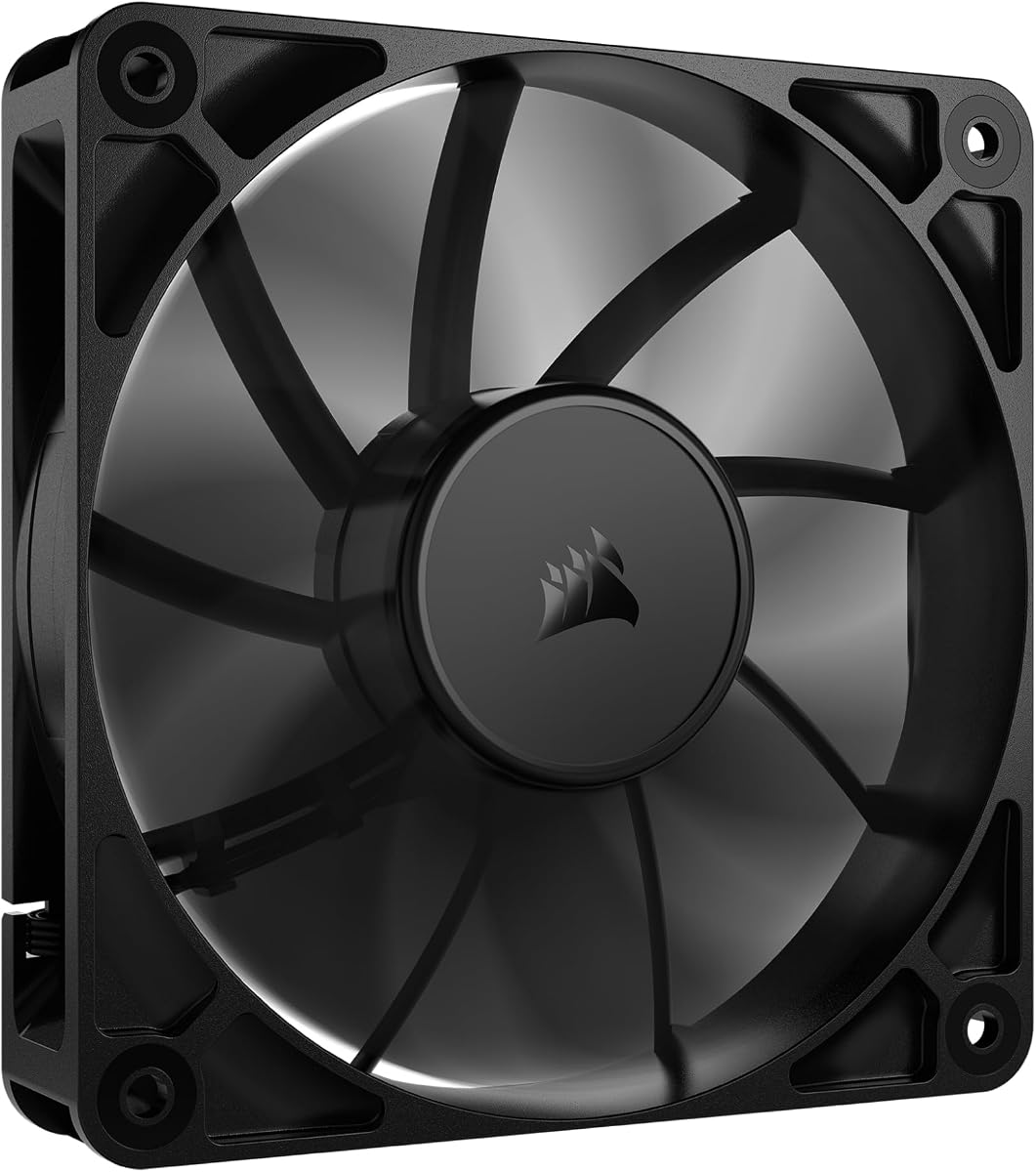
The CORSAIR RS120 simplifies cable management with its innovative daisy-chain connection, allowing you to link multiple fans to a single PWM header. Rated at 4.6, it combines ease of installation with strong cooling performance for modern builds.
We may earn a commission when you buy through this link, at no additional cost to you.
Its AirGuide technology uses anti-vortex vanes to direct airflow exactly where it is needed, such as directly onto hot components or through a radiator. This focused approach improves cooling efficiency compared to standard unguided fans.
The Magnetic Dome bearing reduces friction and noise significantly, ensuring the fan runs smoothly for a long time. With 72.8 CFM airflow, it is capable of pushing air through tight spaces like dense fin stacks effectively.
This fan is a great choice for clean builds where wire clutter is a concern. If you plan to install three or more fans on one header, this model saves time and effort while maintaining high performance standards.
By chaining fans together, you reduce the number of cables running through your case, resulting in better airflow and aesthetics.
The specialized vanes ensure air does not escape wastefully but instead hits the target component for optimal cooling.
We may earn a commission when you buy through this link, at no additional cost to you.
The Thermalright 5 Pack offers a compelling mix of features for enthusiasts looking to light up their case affordably. With a 4.7 rating, it is praised for delivering reliable cooling alongside vibrant lighting without the premium price tag.
We may earn a commission when you buy through this link, at no additional cost to you.
The S-FDB bearings provide stability and quiet operation, keeping noise levels around 25.6 dBA even under load. The ARGB lighting can be synchronized with your motherboard, giving you control over colors and effects through standard software.
This five-fan bundle is ideal for full towers that require multiple points of intake and exhaust for balanced airflow. The consistent performance across all five fans ensures that you do not have mismatched noise or cooling capabilities in your build.
For builders on a budget who still want a fully lit rig, this pack is a smart investment. It provides everything you need to maximize cooling and aesthetics in one purchase.
With five fans included, you can equip every standard 120mm slot in a full tower case for maximum cooling potential.
The ARGB support allows you to match your fan colors to your overall system theme for a cohesive look.
We may earn a commission when you buy through this link, at no additional cost to you.
Not all cases use 120mm fans, and the Kingwin 80mm Silent Fan fills that gap with reliable performance. Rated at 4.5, it is designed to keep smaller cases cool without generating annoying noise levels.
We may earn a commission when you buy through this link, at no additional cost to you.
Its optimized blade design delivers maximum airflow relative to its size, helping to reduce heat buildup in compact systems. The long life bearing ensures it remains stable and quiet over extended periods of use.
This fan is particularly useful for older cases or specialized builds like mining rigs where smaller mounting points are common. Its silent design makes it suitable for office desktops where noise must be minimized.
If you are working with a smaller chassis that requires an 80mm exhaust, this is a solid, no-fuss option. It provides consistent cooling without the complexity of PWM control or RGB lighting.
Despite its small size, the fan pushes enough air to prevent overheating in tight enclosures effectively.
The durable bearing design ensures the fan remains reliable even when running continuously in demanding environments.
We may earn a commission when you buy through this link, at no additional cost to you.
The Wathai 12038 is a powerhouse designed for applications where maximum airflow is critical. With a 4.5 rating, it offers raw cooling performance that is unmatched by standard 25mm case fans.
We may earn a commission when you buy through this link, at no additional cost to you.
Running at up to 5300 RPM, it generates 230 CFM of airflow, making it perfect for cooling mining rigs or server cabinets where heat density is high. The thicker 38mm frame allows for larger blades and more powerful motor housing.
However, this performance comes at the cost of noise, which can reach 60 dBA at full speed. If noise is a concern, you will need to manage the speed via PWM settings to keep it within acceptable limits.
This fan is ideal for industrial cooling setups or custom builds where thermal limits are extreme. If you need to move massive amounts of air and can tolerate the noise, this is a top performer.
The high CFM rating ensures that even the hottest components stay cool under intense load conditions.
Designed for heavy-duty use, this fan withstands continuous high-speed operation without failure.
We may earn a commission when you buy through this link, at no additional cost to you.
Selecting the right exhaust fan involves balancing several technical factors to ensure your PC stays cool and quiet.
Most PC cases support 120mm fans, but some older or compact models use 80mm or 140mm sizes. Measure your case mounts before buying to ensure compatibility.
Always verify your case support for the specific fan size you intend to use.
Airflow (CFM) measures how much air the fan moves, which is vital for general case ventilation. Static pressure measures the force used to push air through obstructions like radiators.
Choose high airflow for open cases and high static pressure for radiators or restrictive mounts.
Noise is measured in decibels (dBA), with lower numbers indicating quieter operation. For silent builds, look for fans rated under 30 dBA even at high speeds.
Prioritize noise reduction if you work or game in a quiet environment.
Bearing types like sleeve, ball, and fluid dynamic (FDB) affect longevity and noise. Ball bearings are durable but can be louder, while fluid dynamic bearings offer a balance of silence and longevity.
Select bearings based on your expected lifespan and noise tolerance.
PWM (Pulse Width Modulation) fans allow automatic speed adjustment based on system temperature. This ensures the fan runs quietly when idle and ramps up only when needed.
Always prefer 4-pin PWM fans over 3-pin DC fans for better control.
Many modern fans include RGB or ARGB lighting to enhance the look of your build. Ensure your motherboard supports the lighting protocol if you want synchronized colors.
Decide if aesthetics are important before paying extra for lighting features.
Some fans feature daisy-chain connectors that let you plug multiple fans into a single header. This reduces cable clutter and simplifies installation in full towers.
Consider daisy-chain options if you plan to install many fans in one case.
High-quality materials like reinforced frames and rubber mounts reduce vibration and increase durability. Look for models with long warranty periods or high MTTF ratings.
Invest in durable fans to avoid replacement costs and thermal issues down the road.
Install your exhaust fan at the rear or top of the case to push hot air out. Ensure the fan blades point outward so air flows away from internal components efficiently.
Keep the fan clean by dusting the blades and frame every few months. Accumulated dust can imbalance the fan and increase noise levels over time.
Adjust fan curves in your BIOS or software to optimize speed. Set a moderate baseline speed so the fan is never completely off but runs quietly during low loads.
Intake fans pull fresh cool air into the case, while exhaust fans push hot air out. A balanced airflow setup typically uses both to maintain positive or neutral pressure for optimal cooling.
4-pin PWM fans offer better speed control via motherboard signals. While 3-pin fans work for basic on/off control, 4-pin is recommended for silence and efficiency.
Typically one to two exhaust fans are sufficient. Most cases benefit from at least one rear exhaust fan to remove heat generated by the CPU and GPU.
Yes, you can mix brands as long as the size and voltage match. However, matching noise levels helps prevent one loud fan from standing out.
Loud noise at low speeds may indicate a bearing issue or vibration. Check that rubber mounts are installed and the fan is seated properly in the case frame.
Replace fans if they are making grinding noises or failing to spin properly. Regular replacement every three to five years ensures consistent thermal performance.
We reviewed ten exhaust fans ranging from budget-friendly options to premium silent performers. Whether you need quiet operation or maximum airflow, there is a model here to suit your specific requirements.
Prioritize factors like noise levels, airflow capacity, and bearing life when making your decision. A well-chosen fan ensures your PC remains cool and reliable for years to come.
Remember to verify current prices and availability before purchasing. Thermal needs vary by build, so always choose a fan that fits your case and cooling goals.