
SSK Portable SSD 1TB External Solid State
4.5Editor score
1050MB/s read speed
Lightweight 36.6g design
Includes USB-C and USB-A cables
This guide compares the top external SSDs for MacBook Air, evaluating speed, durability, and compatibility to help you choose the right storage solution today.
Finding the right external SSD for MacBook Air is crucial for professionals and creatives who need reliable storage on the go. A good drive offers fast transfer speeds, rugged durability, and seamless compatibility with Apple’s ecosystem without bulky adapters.
We compared ten leading portable SSDs based on real-world performance, build quality, and value. Our analysis focuses on read-write speeds, protection ratings, and features like encryption and cable options that matter most to MacBook users.
Each pick highlights key strengths and trade-offs to help you decide based on your workflow. Prices and availability change frequently, so check the current listings before purchasing to ensure you get the best deal for your needs.
4.5Editor score

4.7Editor score

4.6Editor score
This table provides a side-by-side view of all ten drives, highlighting their key specifications, speeds, and unique features so you can quickly identify the best fit for your MacBook Air setup.






The Samsung T7 Portable SSD stands out as the top choice for MacBook Air users seeking a balance of performance and portability. With a 4.7 rating from thousands of verified buyers, it delivers consistent speeds and reliable storage for daily workflows.
We may earn a commission when you buy through this link, at no additional cost to you.
Its PCIe NVMe technology enables read speeds up to 1,050MB/s and write speeds up to 1,000MB/s, making it nearly twice as fast as older models like the T5. This allows creators to edit 4K 60fps videos directly from the drive without stuttering or lag.
While the aluminum body feels premium, extended transfers can generate heat, though it remains within safe operating limits. The lack of a braided cable is minor compared to the value offered by its shock resistance and extensive device compatibility.
For photographers, videographers, and professionals who need to backup large projects quickly, the T7 is an ideal companion. Its reliability and speed make it a trusted tool for both Mac and PC users on the go.
The T7’s NVMe technology ensures you spend less time waiting for files and more time creating content on your MacBook Air.
With shock resistance up to six feet and a solid aluminum unibody, this drive withstands the rigors of daily commuting and travel.
We may earn a commission when you buy through this link, at no additional cost to you.
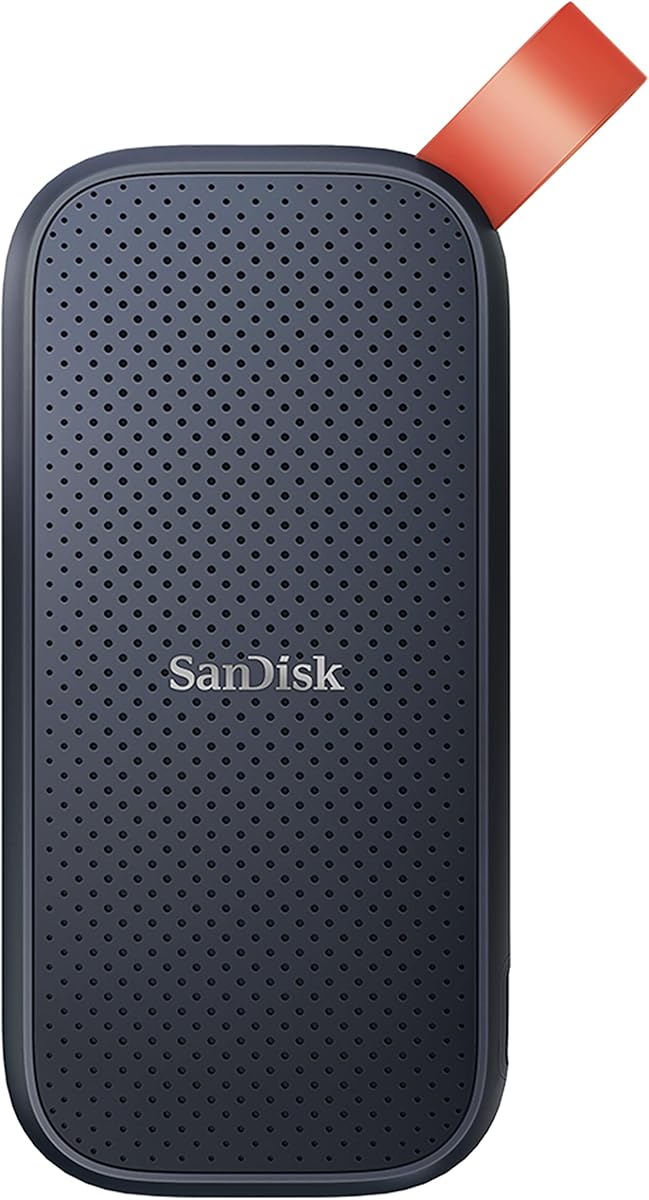
The SSK Portable SSD offers exceptional value for budget-conscious users who still need high performance. Rated 4.5 stars by customers, it provides fast transfer speeds and a lightweight design that fits easily in any pocket or bag.
We may earn a commission when you buy through this link, at no additional cost to you.
It supports read speeds up to 1,050MB/s and write speeds up to 1,000MB/s, matching many premium drives. The included USB-C and USB-A cables ensure compatibility with older devices and modern MacBooks without requiring extra adapters.
While the aluminum case helps dissipate heat, it can feel warm during long transfers. Windows users may see capacity variance due to binary calculation differences, but MacOS displays the full 1TB capacity accurately.
This drive is perfect for students, casual users, or anyone needing extra storage without breaking the bank. Its portability and speed make it a smart choice for everyday file backups and media storage.
Get top-tier performance at a fraction of the cost, making it accessible for users on a tight budget.
Both USB-C and USB-A cables are included, ensuring you can connect to any device without buying extras.
We may earn a commission when you buy through this link, at no additional cost to you.
The Samsung T9 is the ultimate choice for users demanding the fastest possible storage speeds. With a 4.6 rating, it delivers sustained read and write speeds up to 2,000MB/s, ideal for heavy-duty creative workloads and large file transfers.
We may earn a commission when you buy through this link, at no additional cost to you.
Its Dynamic Thermal Guard technology keeps the drive cool even during prolonged use, preventing slowdowns. The Magician Software provides regular firmware updates and health monitoring, ensuring long-term reliability and performance.
To achieve the top speeds, you need a host device with USB 3.2 Gen 2×2 support, which may not be present on all MacBook Air models. However, it remains backward compatible and will still perform well on standard USB-C ports.
For professional editors and designers working with massive datasets, the T9 is a worthwhile investment. Its speed and durability ensure you can move projects quickly and securely between devices.
With read speeds up to 2,000MB/s, the T9 minimizes wait times and maximizes productivity for demanding tasks.
Advanced heat control ensures consistent performance even during long editing sessions without thermal throttling.
We may earn a commission when you buy through this link, at no additional cost to you.
The Sandisk 2TB Extreme Portable SSD is designed for users who need high capacity and rugged protection. Rated 4.6 stars, it offers up to 2TB of storage in a drive built to withstand harsh environments and accidental drops.
We may earn a commission when you buy through this link, at no additional cost to you.
With IP65 water and dust resistance and three-meter drop protection, this drive is ideal for outdoor work or travel in unpredictable conditions. It also includes password protection with 256-bit AES hardware encryption to keep sensitive data secure.
The included carabiner loop allows you to attach the drive to your backpack or belt for extra security. While the device is slightly heavier due to its size and protection features, the durability trade-off is well worth it.
Adventure photographers, field researchers, and anyone storing critical data will appreciate its reliability. It combines high-speed NVMe performance with military-grade protection for peace of mind.
With IP65 rating and drop protection, this drive is built to handle water, dust, and impacts during outdoor use.
Hardware encryption ensures your files remain private and protected from unauthorized access on any device.
We may earn a commission when you buy through this link, at no additional cost to you.
The Lexar ES3 is perfect for users prioritizing sleek design and portability. Rated 4.4 stars, it features a slim 10.5mm profile that fits easily in pockets and offers read speeds up to 1,050MB/s for efficient file transfers.
We may earn a commission when you buy through this link, at no additional cost to you.
Its lightweight 42g build makes it easy to carry daily without adding bulk. Lexar DataShield software provides 256-bit AES encryption to protect sensitive files, adding a layer of security for personal and business use.
While it lacks the rugged durability of outdoor-focused drives, it is well-suited for office and home environments. The included Type-C cable ensures plug-and-play convenience with modern MacBooks and other USB-C devices.
For professionals needing a discreet and fast storage solution, the ES3 is a practical choice. It delivers reliable performance in a compact package that complements the slim MacBook Air design.
At just 10.5mm thick and 42g, this drive slips into any pocket for easy transport everywhere you go.
USB 3.2 Gen 2 speeds allow you to move files quickly and work directly from the external drive seamlessly.
We may earn a commission when you buy through this link, at no additional cost to you.
This older Sandisk model offers reliable storage at a competitive price point. Rated 4.5 stars, it provides read speeds up to 800MB/s, which is sufficient for most general file backups and media storage tasks.
We may earn a commission when you buy through this link, at no additional cost to you.
The rugged rubber hook allows you to secure the drive to belts or bags for added convenience during travel. Its compact and portable design fits easily into daily carry kits, making it a practical backup solution.
While it may not match the speeds of newer Gen 2 drives, it remains a dependable choice for casual users. The familiar Sandisk branding ensures confidence in quality and long-term reliability.
Students and casual Mac users looking for simple extra storage will find this drive meets their needs. It offers solid performance without unnecessary features or complexity.
Backed by Sandisk’s reputation, this drive offers consistent reliability for everyday file management and backups.
The included rubber hook makes it easy to attach the drive to your gear for secure and convenient transport.
We may earn a commission when you buy through this link, at no additional cost to you.
The Lexar 2TB ES3 provides ample storage for extensive media libraries and large projects. Rated 4.5 stars, it delivers read speeds up to 1,050MB/s and includes double layer graphite sheets to keep the drive cool during heavy use.
We may earn a commission when you buy through this link, at no additional cost to you.
Its drop resistance up to 2 meters ensures protection against accidental falls, while the plug-and-play compatibility works seamlessly across Mac, PC, and mobile devices. The 2-in-1 USB-C/USB-A cable adds flexibility for diverse setups.
While the 2TB size makes it slightly bulkier than smaller drives, the storage capacity justifies the added weight. It is well-suited for users who need to store high-resolution video files or backups without worrying about running out of space.
For creative professionals and data-heavy users, this drive offers a balanced mix of speed, capacity, and durability. It ensures your files are always accessible and protected.
With 2TB of capacity, you can store thousands of photos and videos without constant file management concerns.
Double layer graphite sheets conduct heat away effectively, maintaining performance during long data transfers.
We may earn a commission when you buy through this link, at no additional cost to you.
The Lexar 1TB Go is an innovative solution combining storage with a versatile USB hub. Rated 4.5 stars, it offers read speeds up to 1,050MB/s and supports Apple ProRes footage capture, ideal for video production workflows.
We may earn a commission when you buy through this link, at no additional cost to you.
Its wireless plug-and-play Type-C connector frees you from tangled cables, and the included hub provides four additional USB-C ports for expanding your connectivity. This makes it a powerful tool for connecting cameras, cards, and other peripherals.
While the hub adds a small amount of weight, the convenience outweighs the trade-off. It is specifically designed for spontaneous creativity, allowing users to set up a full workspace anywhere quickly.
Video editors and mobile professionals who need expandable ports and fast storage will appreciate its versatility. It streamlines the connection process and enhances your on-the-go productivity.
The included hub gives you extra ports to connect multiple devices without needing separate dongles or adapters.
Optimized for Apple ProRes and high-speed transfers, this drive ensures smooth capture and editing of 4K footage.
We may earn a commission when you buy through this link, at no additional cost to you.
This Sandisk Extreme PRO model delivers high-speed performance suitable for demanding workflows. Rated 4.5 stars, it features read speeds up to 2,000MB/s and a rugged forged aluminum chassis that acts as a heatsink for sustained performance.
We may earn a commission when you buy through this link, at no additional cost to you.
It includes IP65 water and dust resistance, protecting your data in harsh environments. The 256-bit AES hardware encryption ensures your files remain secure, while the carabiner loop adds convenience for on-the-go use.
While this is an older model compared to newer releases, its performance specs remain competitive. It is a reliable option for professionals who prioritize speed and durability without needing the latest connectivity features.
For users needing rapid file transfers and strong protection, this drive offers excellent value. It bridges the gap between consumer convenience and professional-grade robustness.
With read speeds up to 2,000MB/s, this drive minimizes downtime during large file transfers and editing sessions.
The IP65 rating and forged aluminum build ensure reliable operation even in dusty or wet conditions.
We may earn a commission when you buy through this link, at no additional cost to you.
The Sandisk 2TB Extreme External SSD is a highly rated storage option with a 4.8 star average. While it uses older USB 3.1 technology with speeds up to 550MB/s, its rugged build and large capacity make it suitable for general backups.
We may earn a commission when you buy through this link, at no additional cost to you.
Its shock-resistant core protects against drops and vibration, ensuring data safety during transit. The IP55 rating provides resistance to water and dust, offering reliable protection for everyday use and travel.
Although it lacks the speed of modern NVMe drives, it remains a practical choice for users who prioritize storage volume and durability over maximum transfer rates. The three-year warranty adds peace of mind for long-term use.
Students, travelers, and casual users looking for cost-effective external storage will appreciate this drive. It offers reliable performance and proven durability for everyday data management needs.
With an exceptional 4.8 rating and three-year warranty, this drive has earned trust among everyday users.
Shock resistance and IP55 rating ensure your data stays safe even during accidental drops or exposure to elements.
We may earn a commission when you buy through this link, at no additional cost to you.
Selecting the right external SSD involves considering speed, capacity, durability, and compatibility with your specific workflow.
Consider how much data you regularly store. If you work with large video projects or photo libraries, opt for at least 1TB or 2TB models. For basic documents and small backups, 500GB may suffice.
Choose a capacity that matches your future needs to avoid constant file management and upgrades later.
Look for USB 3.2 Gen 2 drives offering read speeds of at least 1,000MB/s. Faster speeds are critical if you edit video directly from the external drive or move large datasets frequently.
Prioritize high-speed models for professional work and lower speeds for casual storage needs.
If you travel frequently or work outdoors, choose a drive with IP65 water and dust resistance and drop protection ratings. Look for aluminum housings that act as heat sinks.
Select rugged models for outdoor use and standard designs for office environments.
Ensure the drive supports USB-C natively or comes with included adapters. Check if your Mac’s USB-C ports support USB 3.2 Gen 2 for maximum performance.
Confirm USB-C compatibility and cable support for plug-and-play use with your MacBook Air.
For sensitive data, choose drives with hardware encryption or software that supports 256-bit AES encryption. This protects your files if the drive is lost or stolen.
Prioritize drives with hardware encryption for business or confidential file storage.
Check if both USB-C and USB-A cables are included. This ensures compatibility with a wider range of devices and avoids buying extra adapters.
Look for bundled cables that cover both USB-C and USB-A connectors for maximum flexibility.
Compare costs against performance and features. Budget models may lack durability but offer great value for casual use, while premium models justify higher costs with speed and reliability.
Balance your budget against required performance and protection features.
Review warranty terms such as three-year coverage. Reliable brands provide firmware updates and customer support that ensure long-term drive health and usability.
Check warranty length and brand reputation before purchasing for peace of mind.
Connect the SSD to your MacBook Air using the appropriate USB-C cable. For best performance, use a USB 3.2 Gen 2 port and ensure your operating system recognizes the drive immediately.
Organize files in dedicated folders and consider using Time Machine for automatic backups. Avoid overfilling the drive to maintain optimal speed and longevity of the storage components.
Eject the drive safely before unplugging to prevent data corruption. Keep the device in a cool, dry place and avoid exposing it to extreme temperatures or direct sunlight.
Yes, all listed SSDs feature USB-C connectivity compatible with all MacBook Air models. Some older MacBooks may need adapters if they only have USB-A ports, but most modern MacBooks have native USB-C support.
No, all these SSDs are bus-powered and draw energy directly from your MacBook Air’s USB port. This means you can use them on the go without carrying extra power bricks or adapters.
Absolutely. Drives like the Samsung T7, T9, and Sandisk Extreme support fast read speeds ideal for 4K video editing directly from the SSD. Using a high-quality cable ensures smooth playback without dropped frames.
Many drives in this list, including the Samsung T7 and Sandisk Extreme, offer drop protection up to 2 meters. While they are durable, always try to handle them carefully to prevent potential internal damage.
Several models include 256-bit AES hardware encryption or software like Lexar DataShield. Enable these features to secure your data with passwords, especially if you store sensitive business or personal files.
Yes, most support USB-C connectivity for mobile devices. You may need the appropriate adapter or cable for older phones, but many drives now support direct connection to modern iPhones and Android devices for backup.
With proper care, SSDs generally last several years. Avoiding extreme heat, using safe eject practices, and not overfilling the drive helps extend their lifespan significantly beyond standard warranty periods.
Yes, most of these drives support PlayStation and Xbox consoles for game storage or media backups. Check specific console requirements for file formatting to ensure full compatibility.
Our top picks, including the Samsung T7, SSK, and T9, offer the best balance of speed, durability, and value for different user needs. Whether you prioritize performance or budget, there is an option here to match your workflow.
Focus on transfer speeds and protection features that align with how you use your MacBook Air. Professionals should prioritize NVMe performance while casual users may find sufficient value in cost-effective models.
Remember that prices and availability can change quickly. Always check the current listings before buying to ensure you get the best deal and model version for your specific requirements.