
EMEET C960 4K Webcam
4.5Editor score
Genuine 4K CMOS
PDAF auto focus
73 degree FOV
Finding the right external webcam for your Mac is essential for clear video calls and streaming. A good camera ensures you look professional and sharp during meetings on platforms like Zoom and Teams.
We compared ten top models based on resolution, audio quality, and Mac compatibility. Our list covers options from budget-friendly choices to premium 4K cameras for professionals and creators.
Each pick highlights key strengths and ideal use cases for different needs. Please note that availability and pricing may change, so check current listings before purchasing your new webcam.
4.5Editor score

4.6Editor score

4.6Editor score
As an Amazon Associate we earn from qualifying purchases.
This side-by-side comparison highlights the key specifications of each webcam to help you find the perfect match for your Mac setup and workflow needs.



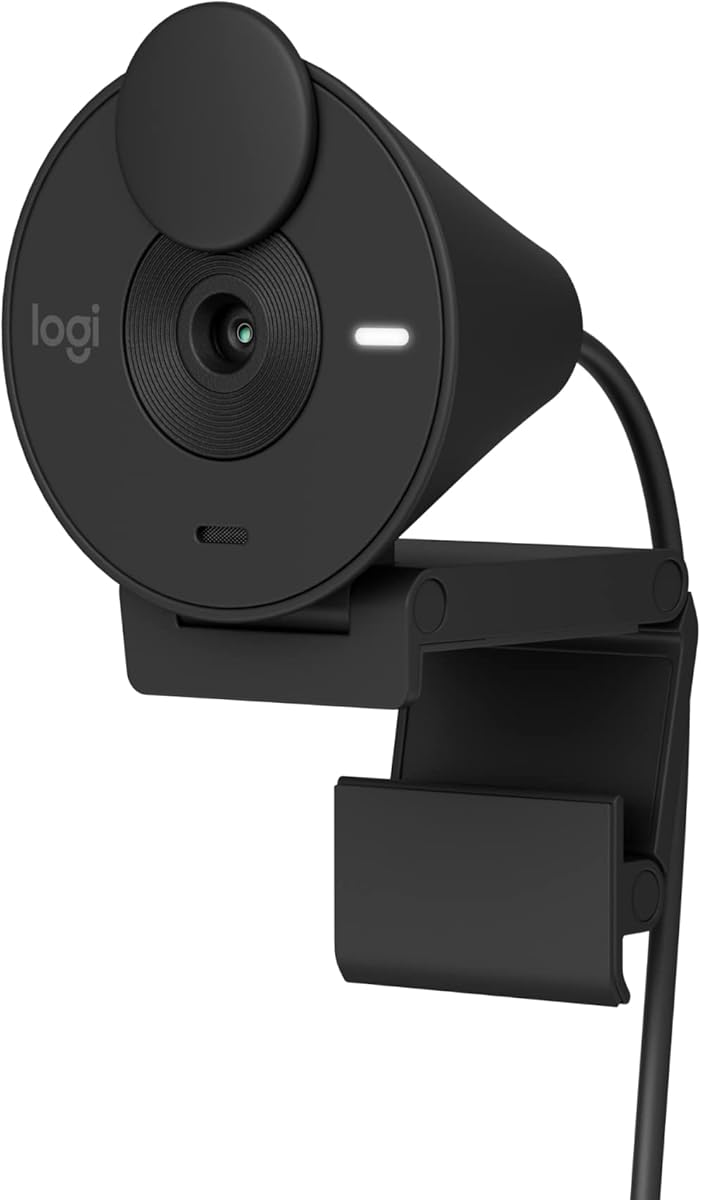


The Acer 4K Webcam stands out as the top choice for Mac users seeking professional video quality. With its 4.6 rating, it delivers sharp visuals and reliable performance for daily use.
We may earn a commission when you buy through this link, at no additional cost to you.
Its Sony 1/2 inch sensor ensures balanced and true-to-life images even in low light. The phase detection autofocus keeps you in focus during meetings without blurriness.
While the build is robust and the mics filter out noise well, you may need a USB-C adapter for older Macs. This is a small trade-off for the premium image quality.
Ideal for streamers, professionals, and creators, this webcam elevates your video calls significantly. It is the best pick if you want the highest clarity and a durable design.
The large sensor captures more light for brighter videos in dim settings.
The aluminum unibody design feels sturdy and dissipates heat effectively.
We may earn a commission when you buy through this link, at no additional cost to you.
The Anker PowerConf C200 offers a compelling 2K option for Mac users who need clarity without the highest price. It scores well for meeting quality and ease of use.
We may earn a commission when you buy through this link, at no additional cost to you.
Its AI noise cancellation ensures your voice is clear even in noisy environments. The low-light correction helps maintain visibility when your office lighting is not ideal.
You may find the resolution slightly lower than 4K models but still very detailed. The software required to change angles adds a minor step to setup.
This webcam is perfect for daily virtual meetings where reliability matters. Choose it if you want a balance of performance and cost from a trusted brand.
Dual mics with AI help isolate your voice from background distractions.
Software allows you to select viewing angles for optimal composition.
We may earn a commission when you buy through this link, at no additional cost to you.
The EMEET C960 delivers true 4K resolution at a budget-friendly price point. It is a top pick for users wanting high-quality video without spending a premium.
We may earn a commission when you buy through this link, at no additional cost to you.
Its PDAF focus technology ensures stable and clear shots during meetings. The dual microphones capture natural audio from various positions around the desk.
You must switch to 4K manually via software as it defaults to 1080p. The build is functional but lacks the premium feel of metal alternatives.
This webcam is ideal for remote work and teaching where clarity is key. It offers the best value if you want genuine 4K performance on a budget.
No drivers are needed for immediate use on Mac and other systems.
The webcam corrects lighting automatically for consistent video quality.
We may earn a commission when you buy through this link, at no additional cost to you.
The NexiGo N60 provides a reliable 1080p experience for basic video calling needs on Mac. It is an affordable choice for users who prioritize simplicity.
We may earn a commission when you buy through this link, at no additional cost to you.
Its glass lens offers crisp images within its optimal range. The built-in noise cancelling microphone helps reduce ambient sounds during calls.
It lacks advanced autofocus or low-light features found in higher-end models. You may need to ensure your lighting is adequate for the best results.
This webcam suits students or casual users needing a plug-and-play solution. It is a great pick if you want a functional camera at a low price.
The glass lens ensures sharper images compared to plastic alternatives.
A physical cover slides over the lens for security when not in use.
We may earn a commission when you buy through this link, at no additional cost to you.
The Logitech Brio 100 offers a clean and reliable webcam for Mac users. It focuses on delivering clear Full HD video with essential privacy features included.
We may earn a commission when you buy through this link, at no additional cost to you.
Its auto-light balance boosts brightness in darker environments. The built-in microphone ensures you are heard clearly during standard meetings.
You will not find advanced autofocus or streaming tools here. It is a simpler device designed for straightforward video conferencing tasks.
Choose this if you trust the Logitech brand and need a no-fuss camera. It fits well in home office setups where basic functionality is sufficient.
Made with recycled plastic to reduce environmental impact.
Works seamlessly with major video calling platforms like Zoom.
We may earn a commission when you buy through this link, at no additional cost to you.
The Logitech Brio 301 is designed with corporate needs in mind and certified for Teams. It provides a secure and consistent experience for professional meetings on Mac.
We may earn a commission when you buy through this link, at no additional cost to you.
RightLight 2 technology compensates for poor lighting conditions automatically. The mono noise reduction mic focuses on your voice over background sounds.
Audio is mono which may limit stereo immersion. The fixed lens means you rely on digital cropping for framing changes.
This model is ideal for business users needing compliance and simplicity. It ensures you look professional with minimal configuration effort.
Certified compatibility ensures reliable integration with these platforms.
Spin the privacy shutter to block the lens quickly.
We may earn a commission when you buy through this link, at no additional cost to you.
The Logitech C920e is a workhorse webcam built for business environments. It features a secure design and certification for major platforms like Teams.
We may earn a commission when you buy through this link, at no additional cost to you.
Two omnidirectional microphones capture audio clearly from up to a meter away. The autofocus ensures you remain sharp throughout your calls.
The privacy screen is attachable but not integrated like newer models. It uses a fixed field of view that may not suit wide shots.
This is a strong pick for offices needing reliable hardware. It delivers consistent performance with a focus on professional communication.
The clip fits laptops and monitors securely with versatile options.
Optics help you look good in all meeting environments.
We may earn a commission when you buy through this link, at no additional cost to you.
The Logitech C922x HD Pro is a favorite for creators needing flexible video options. It offers 1080p at 30fps or 720p at 60fps for smooth motion.
We may earn a commission when you buy through this link, at no additional cost to you.
Stereo dual mics provide rich sound for videos and calls. The XSplit VCam license allows background removal without a green screen.
It lacks a privacy shutter which is a trade-off for the software features. The build is durable but standard plastic which feels heavier.
This webcam is perfect for streamers and YouTubers on a budget. It delivers premium features that enhance your content production workflow.
Virtual camera software replaces your background without a screen.
Choose between resolution and frame rate for your needs.
We may earn a commission when you buy through this link, at no additional cost to you.
The Logitech C920S HD Pro is a classic webcam that remains reliable today. It combines Full HD resolution with a privacy shutter for security.
We may earn a commission when you buy through this link, at no additional cost to you.
HD autofocus keeps you sharp and light correction helps in varied rooms. Stereo dual mics ensure your voice is natural during calls.
While it lacks modern 4K features, it delivers consistent quality. The privacy shutter is convenient for quick access between meetings.
This is a solid choice for general home office use. It balances performance and features at a competitive price point.
The shutter lets you control exactly when the lens is active.
Recorded videos are crisp and vibrantly colored.
We may earn a commission when you buy through this link, at no additional cost to you.
This Acer 4K Webcam variant offers similar high-end specs for a premium experience. It features a Sony sensor and lightweight design for mobility.
We may earn a commission when you buy through this link, at no additional cost to you.
The PDAF autofocus ensures fast focusing without blurriness. Dual microphones filter out noise for clear communication during streaming.
It uses a USB-A connection which may limit newer Mac ports. There is no proprietary software app to adjust advanced settings.
Ideal for creators who value raw performance over features. It is a great option for high-quality streaming on Mac.
The aluminum body ensures reliable performance for long sessions.
Delivers balanced and detailed visuals for any scene.
We may earn a commission when you buy through this link, at no additional cost to you.
Choosing the right webcam involves considering resolution, audio, and compatibility with your Mac system and applications.
Resolution determines how sharp your video looks on screen. Higher resolutions like 4K offer more detail but require more bandwidth.
For most meetings 1080p is sufficient while creators may prefer 4K.
Autofocus keeps you sharp as you move during calls. PDAF offers faster focusing than standard contrast-based systems.
Prioritize models with fast autofocus if you move often.
Built-in microphones vary in clarity and noise reduction. Dual mics with noise cancellation help filter out background sounds.
Look for stereo audio or external mic support if sound is key.
Webcams with larger sensors handle dim rooms better. Software correction can also boost brightness in darker environments.
Check reviews for low-light performance if your office is dim.
Physical shutters or covers protect your lens when not in use. This adds a layer of security for your privacy.
Ensure the model has a shutter if security is a priority.
Most webcams use USB-A or USB-C. Ensure your Mac has the correct ports or adapters for connection.
Check the cable length and connector type before buying.
Materials like metal or high-quality plastic affect durability. A sturdy base prevents slipping during use.
Consider the build material if you travel frequently.
Verify that the webcam supports your specific macOS version. Many are plug and play but check requirements for software features.
Ensure it works with your preferred video calling apps.
Plug the webcam into a USB port on your Mac and allow the system to detect it. Most modern models require no additional drivers.
Adjust the camera angle so it is level with your eyes for a natural view. Ensure the lighting in front of you is even.
Clean the lens gently with a soft cloth to avoid scratches. Keep the privacy cover closed when not in use for security.
Yes most modern external webcams work with all Mac models that support USB. Ensure you have the correct connector or adapter for your device.
4K webcams offer higher resolution and more detail than 1080p models. However 1080p is sufficient for most video calls.
Most webcams are plug and play and do not require software. Advanced features may need a companion app to adjust settings.
You can improve quality by using better lighting in front of you. Look for webcams with large sensors and low light correction.
Built-in mics are generally good for basic calls. High quality webcams often have dual mics with noise cancellation for better audio.
Yes many of these webcams support streaming platforms like Twitch. Ensure your software is configured correctly for the best results.
We reviewed ten top webcams including the Acer 4K Webcam and EMEET C960 for various needs. Each offers a unique balance of performance and features.
Prioritize resolution and autofocus if you want professional clarity. Audio quality and privacy are also important factors to consider.
Always check current prices and availability before buying your new camera. The right webcam will elevate your meetings and content creation.