
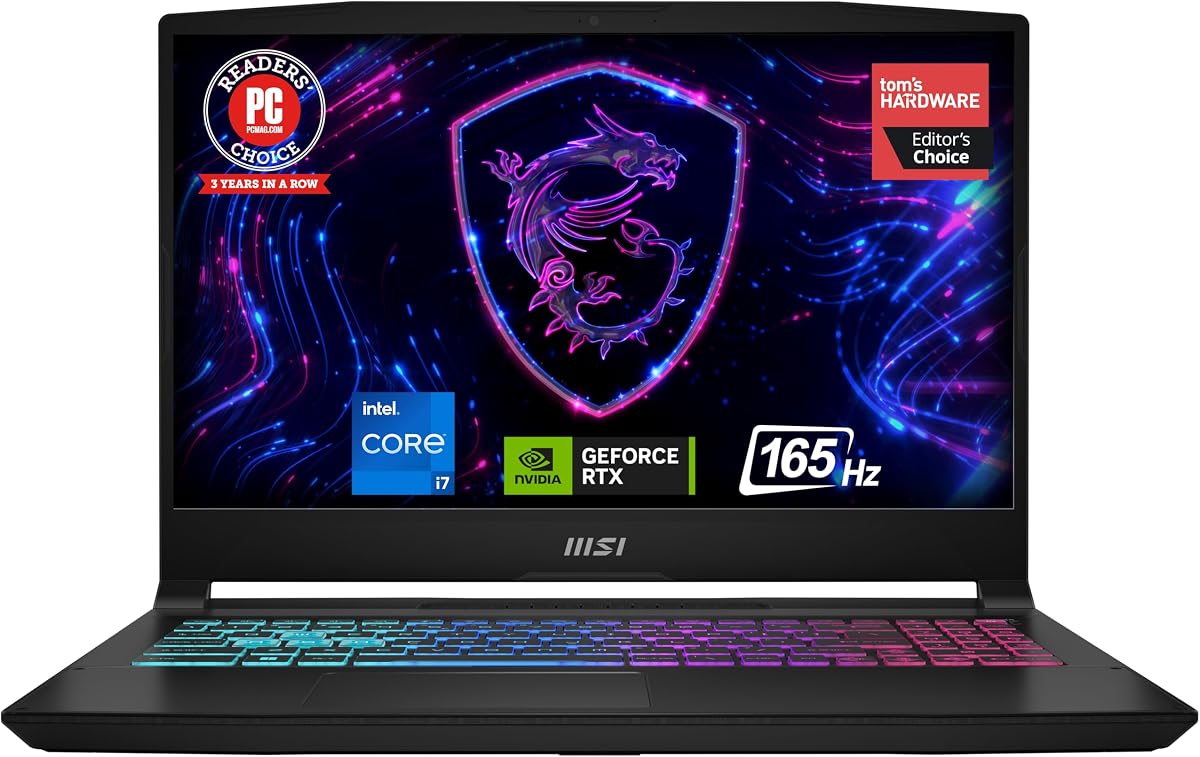
Acer Nitro V Gaming Laptop
4.6Editor score
Intel Core i7-13620H
RTX 4050 Laptop GPU
165Hz FHD IPS Display
Finding the right machine for Diablo 4 requires careful consideration of graphics power and display quality. The latest models offer impressive performance to handle intense battles and stunning visuals without compromise.
We evaluated ten top-rated gaming laptops based on processor speed, GPU capabilities, and thermal management. Each device brings unique strengths tailored to support demanding titles like Diablo 4 effectively.
Every selection highlights specific benefits and potential trade-offs to help you decide. Prices may fluctuate frequently, so checking current listings ensures you secure the best deal available today.
4.6Editor score

4.4Editor score

4.3Editor score
As an Amazon Associate we earn from qualifying purchases.
This side-by-side comparison highlights the key specifications and features of each gaming laptop to help you make an informed decision for Diablo 4.




This gaming laptop combines high performance with a visually stunning display perfect for intense gaming sessions. With a powerful Intel Core i7 processor and NVIDIA RTX 5060 graphics, it handles demanding titles smoothly.
We may earn a commission when you buy through this link, at no additional cost to you.
The ROG Intelligent Cooling system ensures thermal performance remains stable even during extended play. Features like Wi-Fi 7 and DDR5 memory further enhance responsiveness and multitasking capabilities.
While the device offers exceptional gaming performance, users may notice weight differences during travel. Battery life can vary depending on workload intensity, so keeping power nearby is recommended.
Gamers seeking a reliable machine with top-tier visuals will find this model ideal. Its balance of power and portability makes it a standout choice for modern gaming needs.
The 165Hz FHD+ display with ACR film enhances contrast and reduces glare for sharper visuals during gameplay.
Tri-fan technology and liquid metal cooling keep components cool and maintain performance under load.
We may earn a commission when you buy through this link, at no additional cost to you.
This model excels with its advanced AI capabilities and generous memory capacity. The AMD Ryzen 7 processor paired with RTX 5060 delivers smooth performance for gaming and creative tasks alike.
We may earn a commission when you buy through this link, at no additional cost to you.
The 180Hz WUXGA IPS display offers vibrant colors and fluid motion ideal for competitive play. Its DLSS technology ensures high frame rates without compromising visual quality.
Although it delivers strong performance, the Wi-Fi standard may not match newer options. The lack of additional ports could limit peripheral connectivity without external hubs.
Content creators and gamers prioritizing AI features and speed will appreciate this machine. Its robust build ensures consistent performance for demanding applications.
The RTX 5060 GPU provides 572 AI TOPS for enhanced rendering and real-time ray tracing effects.
With 32GB DDR5 RAM and 1TB Gen 4 SSD, multitasking and large game libraries are handled with ease.
We may earn a commission when you buy through this link, at no additional cost to you.
This laptop delivers impressive value for gamers seeking quality without breaking the budget. Its Intel Core i7 processor and RTX 4050 GPU provide capable performance for popular titles.
We may earn a commission when you buy through this link, at no additional cost to you.
The 165Hz FHD IPS display ensures smooth visuals and accurate colors for immersive experiences. With Thunderbolt 4 support, connecting external devices and charging becomes seamless.
While the GPU is not top-tier, it still supports DLSS 3.5 for enhanced visuals. Some users may find the keyboard less satisfying for extended typing or gaming sessions.
Budget-conscious gamers will find this model offers the necessary power for enjoyable gameplay. Its upgradeability makes it a practical long-term choice.
Cooling solutions maintain stable performance even during extended gaming marathons.
Multiple USB ports and Thunderbolt 4 ensure versatile connectivity for peripherals and displays.
We may earn a commission when you buy through this link, at no additional cost to you.
This premium laptop sets a benchmark for performance with its Intel Core Ultra 9 and RTX 5070 Ti. The ROG Nebula display delivers vivid colors and rapid refresh rates for flawless gaming.
We may earn a commission when you buy through this link, at no additional cost to you.
State-of-the-art cooling ensures peak performance without overheating during demanding sessions. Wi-Fi 7 and large storage options provide seamless connectivity and data management.
While the device excels in power, its weight and cost may be significant for casual users. Battery life may require frequent charging due to high performance demands.
Enthusiasts prioritizing raw power and visuals will find this model unmatched. Its premium features justify the investment for serious gamers.
The 240Hz 2.5K screen offers stunning clarity and responsiveness for immersive gaming.
Vapor chamber and liquid metal technology keep the system cool under intense load.
We may earn a commission when you buy through this link, at no additional cost to you.
This laptop features a large 17.3-inch screen in a surprisingly thin and light design. The Intel Core 7 and RTX 5060 GPU deliver smooth gameplay with modern visual effects.
We may earn a commission when you buy through this link, at no additional cost to you.
The 144Hz display provides fluid motion suitable for fast-paced games. Its translucent chassis adds a unique look while maintaining sturdy build quality.
While it offers excellent portability for a large screen, the refresh rate is lower than premium options. Battery life may be limited during intensive gaming sessions.
Gamers wanting a big display without sacrificing mobility will appreciate this model. Its design and performance balance make it versatile for different uses.
Shared-pipe thermal design keeps noise low and ensures efficient heat dissipation.
USB-C and Wi-Fi 6E ensure fast data transfer and stable online connectivity.
We may earn a commission when you buy through this link, at no additional cost to you.
This laptop offers excellent value with strong specs including 32GB RAM and a capable Ryzen 7 processor. The RTX 4050 GPU ensures smooth gameplay for popular titles.
We may earn a commission when you buy through this link, at no additional cost to you.
Its 144Hz IPS display provides vibrant visuals and smooth motion. The keyboard includes a numeric keypad useful for productivity tasks alongside gaming.
While the display lacks high brightness compared to premium models, it remains adequate for indoor use. Wi-Fi 6 meets most needs but may lag behind newer standards.
Users seeking a reliable machine with high RAM and good connectivity will find this appealing. It balances daily work and entertainment efficiently.
USB-C with DisplayPort and HDMI 2.1 provide flexible external display support.
DTS:X Ultra spatial audio enhances sound quality for immersive gaming and media.
We may earn a commission when you buy through this link, at no additional cost to you.
Designed for entry-level gamers, this laptop offers solid performance at a budget-friendly price. The Intel Core i5 and RTX 4050 handle casual gaming well with efficient thermals.
We may earn a commission when you buy through this link, at no additional cost to you.
Its 165Hz display ensures fluid motion for competitive titles. The 512GB SSD provides fast load times for essential applications and games.
Base memory and storage may need upgrades for heavy multitasking. Users should check upgrade potential before purchase to match specific needs.
Casual gamers needing an affordable start will find this model sufficient. With minor upgrades, it becomes more versatile for different tasks.
Affordable pricing makes modern gaming accessible for students and beginners.
Memory and storage slots allow future expansions to improve performance over time.
We may earn a commission when you buy through this link, at no additional cost to you.
This laptop uses a hybrid processor to optimize performance and power efficiency. With RTX 5050 and DLSS 4 support, it delivers smooth gameplay with enhanced visuals.
We may earn a commission when you buy through this link, at no additional cost to you.
The 180Hz WUXGA display offers crisp resolution and fluid motion. Its cooling system effectively manages heat during extended gaming sessions.
Battery life may require frequent charging during heavy use. Users should expect standard endurance for mobile gaming without constant power.
Gamers seeking balanced performance and portability will find this model appealing. Its features support both work and play efficiently.
Real-time performance tracking allows customized fan control for optimal cooling.
Thunderbolt 4 and HDMI 2.1 support fast data and high-resolution output.
We may earn a commission when you buy through this link, at no additional cost to you.
This laptop focuses on high-performance gaming with an RTX 4070 GPU. The QHD display provides sharp visuals suitable for immersive gameplay and content creation.
We may earn a commission when you buy through this link, at no additional cost to you.
Cooler Boost 5 technology ensures thermal stability during intensive tasks. The Intel Core i7 processor supports smooth multitasking alongside gaming.
Battery life may be limited during extended gaming sessions. The chassis offers solid build quality but lacks extensive customization options.
Users prioritizing graphics power and display quality will find this model appealing. It suits gamers seeking high-end performance in a compact chassis.
Advanced cooling maintains performance and reduces noise during intense gaming sessions.
The QHD display enhances detail and color accuracy for immersive experiences.
We may earn a commission when you buy through this link, at no additional cost to you.
This laptop features GiMATE, an AI assistant designed to simplify interactions and boost productivity. Its AMD Ryzen 7 and RTX 5060 offer reliable gaming performance.
We may earn a commission when you buy through this link, at no additional cost to you.
The slim 16-inch chassis fits easily into bags while maintaining effective cooling. Max-Q optimization ensures energy efficiency without sacrificing speed.
While brand recognition may be lower, features like wide hinge design enhance versatility. Display brightness may not meet outdoor lighting needs.
Users seeking intelligent features and solid performance will find this model interesting. Its design prioritizes modern computing needs effectively.
The intelligent interface adapts to user needs for personalized computing experiences.
Slim chassis and wide hinge support flexible viewing angles and easy transport.
We may earn a commission when you buy through this link, at no additional cost to you.
Choosing the right gaming laptop involves understanding several key components that directly affect your experience with demanding titles like Diablo 4.
Diablo 4 relies heavily on GPU performance to render high-quality effects and maintain stable frame rates. Look for models with at least RTX 4050 or higher to ensure smooth gameplay with visual enhancements like ray tracing enabled.
Prioritize GPUs that support the latest AI technologies for better performance per watt and improved image quality during intense combat sequences.
A strong processor ensures that the system handles background tasks like streaming or voice communication without lagging your game. Modern Intel Core i7 or AMD Ryzen 7 processors provide sufficient power for both gaming and productivity workloads.
Consider CPUs with multiple cores to allow seamless switching between applications and maintain consistent performance over time.
A high refresh rate display reduces motion blur and improves responsiveness during fast-paced combat. Aim for at least 144Hz to enjoy fluid visuals that help track enemies and avoid attacks effectively.
Color accuracy and brightness are also important for immersion, especially in darker dungeon environments typical of Diablo 4.
Sufficient RAM is essential for smooth multitasking and loading large game assets quickly. Sixteen gigabytes is a good minimum, but thirty-two gigabytes offers extra headroom for content creation or heavy multitasking.
Fast SSD storage significantly reduces load times between zones or after in-game deaths. Aim for at least 1TB to accommodate the game and additional titles without running out of space.
Efficient cooling keeps performance consistent during extended sessions by preventing thermal throttling. Look for laptops with advanced cooling technologies like vapor chambers or multiple fans to maintain stable frame rates.
A quiet cooling system also enhances comfort, especially if you plan to use the laptop in shared spaces.
Robust connectivity ensures you can connect peripherals like headsets, controllers, or external monitors without issues. USB-C with Thunderbolt support is beneficial for fast data transfer and flexible external displays.
Wi-Fi standards also matter for online gaming stability. Modern laptops should support at least Wi-Fi 6 to reduce latency during multiplayer battles.
Gaming laptops typically have limited battery life under load, so consider where you will use your machine most. If you plan to game on the go, a lighter chassis helps reduce carrying strain.
Ensure the laptop includes a reliable power delivery system to maintain performance even when plugged in during long sessions.
Manufacturer software can help manage performance profiles and lighting customization to suit your preferences. Features like AI optimization or gaming hubs improve user experience by simplifying system management.
Choose a model with regular driver updates to maintain compatibility with new game features and security patches.
To maximize the lifespan of your gaming laptop, ensure it operates in a clean and well-ventilated environment. Avoid placing the device on soft surfaces like beds or carpets, which can block air intake vents and cause overheating.
Regularly update your graphics drivers and system software to maintain optimal performance and compatibility with the latest game features. Using manufacturer-provided tools can help manage power settings and performance modes effectively.
Maintain the physical appearance by cleaning the keyboard and screen with a microfiber cloth designed for electronics. Avoid spraying liquids directly on the device, and use compressed air periodically to clear dust from cooling vents.
For smooth gameplay, aim for at least an RTX 4050 GPU, an Intel Core i7 or AMD Ryzen 7 processor, and 16GB of RAM. A display refresh rate of 144Hz or higher enhances fluidity during combat.
Yes, modern gaming laptops have powerful CPUs and GPUs ideal for video editing and 3D rendering. Models with high memory capacity and fast storage handle large media files efficiently.
Gaming laptops generally offer three to five hours of battery life under light use. Intensive gaming tasks typically drain the battery in under two hours, so keeping it plugged in is recommended.
Sixteen gigabytes of RAM is sufficient for most gameplay scenarios. Upgrading to 32GB helps if you run background applications or perform multitasking alongside gaming.
Wi-Fi standards affect connection stability and latency. Using a laptop with Wi-Fi 6 ensures smoother online experiences with less lag during multiplayer sessions.
Absolutely, gaming laptops are fully capable of handling productivity applications like office suites and web browsing. Their performance often exceeds that of standard ultrabooks for daily use.
The selected gaming laptops provide a range of options suited for different budgets and performance needs. Each model brings unique strengths to ensure smooth gameplay and immersive visuals for Diablo 4.
Prioritize components that match your gaming style and additional tasks like streaming or content creation. Balancing performance with portability ensures you get the most value from your investment.
Always verify the latest prices and promotions before purchasing since deals can change frequently. This helps you secure the best possible value for your chosen gaming laptop today.