
ASUS GeForce GT 1030 2GB GDDR5
4.6Editor score
Passive cooling design
Low power usage
Quiet operation
Discover the top GPUs compatible with the ASUS Prime A320M K motherboard. Our guide compares performance, power needs, and features to help you upgrade.
Choosing the right graphics card for your system is crucial for smooth gaming and creative work. The ASUS Prime A320M K is a popular budget motherboard that supports various GPUs for different needs.
We analyzed ten top-rated graphics cards to find the best options for this motherboard. Our selection considers compatibility, performance, cooling, and value to ensure a reliable upgrade path for every user.
Each pick highlights specific strengths and ideal use cases. Prices and availability change frequently so check current listings before buying to secure the best deal for your budget and goals today.
4.6Editor score

4.7Editor score

4.6Editor score
This side-by-side comparison shows key specs for each graphics card option. Use this table to quickly compare memory, clock speeds, and features across the top ten picks.




The ASUS Dual RTX 3050 offers a balanced upgrade for the A320M K. It brings modern features like ray tracing and DLSS to budget builds without demanding excessive power.
We may earn a commission when you buy through this link, at no additional cost to you.
Its Ampere architecture delivers double FP32 throughput compared to older gen. The Axial-tech fan design ensures efficient cooling while staying compact enough for small cases.
While 6GB VRAM may limit ultra settings in heavy titles, 1080p performance remains solid. The dust resistance adds longevity for users in dusty environments.
Ideal for casual gamers seeking modern features. It fits perfectly with the ASUS Prime board and provides a smooth path forward for entry level PC gaming.
Ray tracing and DLSS allow for better visuals and performance in supported games even on entry level hardware.
Axial-tech fans with barrier rings increase air pressure for better thermal management in tight spaces.
We may earn a commission when you buy through this link, at no additional cost to you.
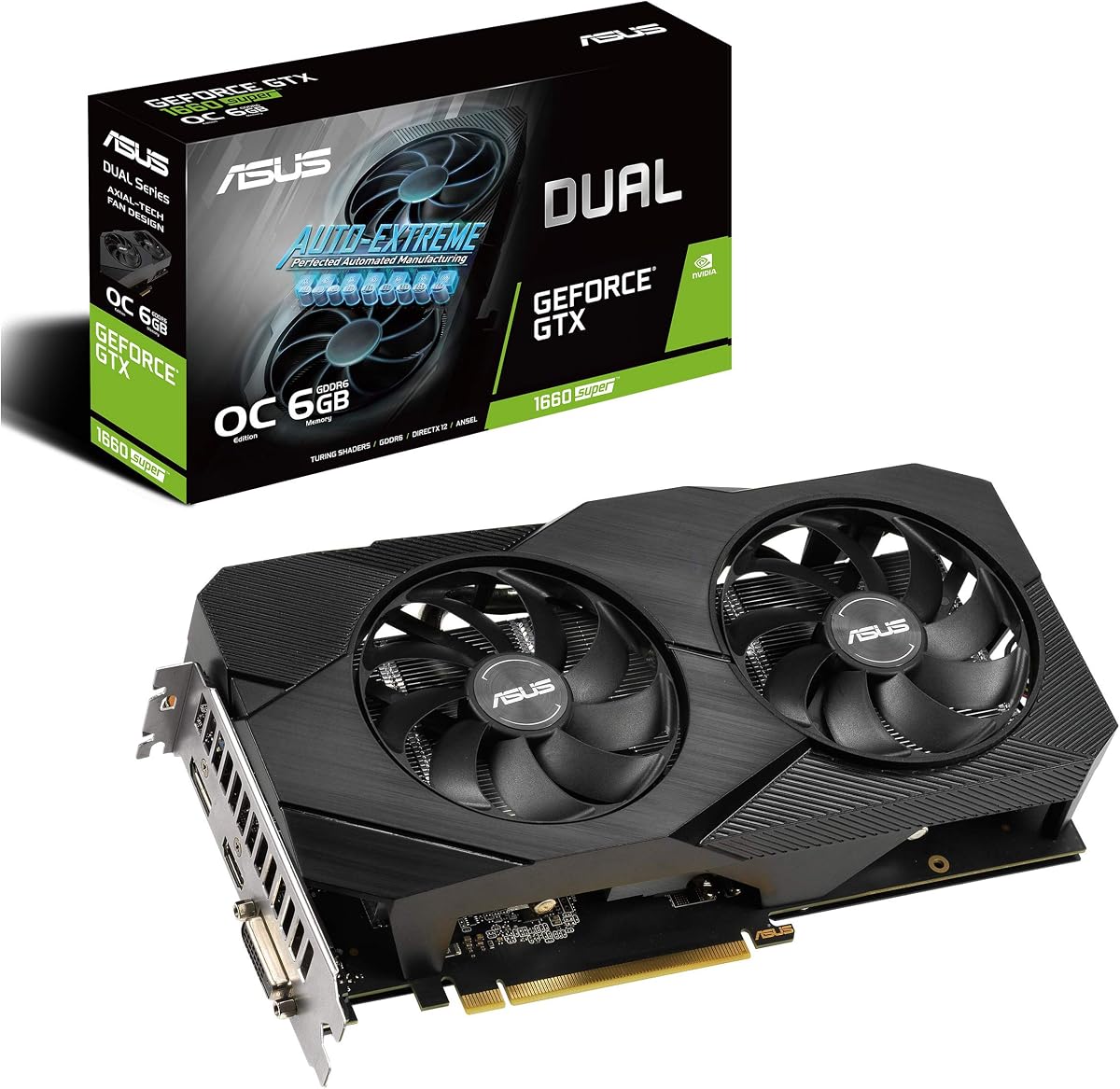
The TUF GTX 1660 Super is a workhorse for 1080p gaming. It uses NVIDIA Turing to deliver smooth framerates in popular titles with reliable thermal performance.
We may earn a commission when you buy through this link, at no additional cost to you.
TUF compatibility testing ensures it works flawlessly with TUF motherboards. Space-grade lubricant on fans means quieter operation and extended bearing life for years of use.
Without ray tracing, it lacks next-gen features but excels in traditional rasterization. The Auto-extreme process guarantees high quality components for long term stability.
Perfect for users prioritizing durability and value. It pairs well with the A320M K and supports many modern games at high settings without breaking the bank.
This card is tested to work seamlessly with TUF motherboards and chassis for system wide reliability.
Overclocked 6GB GDDR6 memory provides high bandwidth for textures and complex scenes in games.
We may earn a commission when you buy through this link, at no additional cost to you.
The Phoenix RTX 2060 brings solid performance in a short form factor. It supports VR and multiple monitors making it versatile for both gaming and productivity setups.
We may earn a commission when you buy through this link, at no additional cost to you.
Auto-extreme technology with Super Alloy Power II components ensures it runs faster and lasts longer. The Phoenix fan uses dual ball bearings for 2x lifespan.
Buying renewed offers savings but carries some risk. Ensure you understand the return policy. Performance is still competitive for 1080p gaming today.
Best for users needing a compact card. It fits in tighter spaces than many rivals and delivers strong performance for the price point.
Supports up to 4 monitors via DisplayPort HDMI and DVI for expanded workspace.
Double ball bearing fans provide superior airflow and cooling with extended lifespan.
We may earn a commission when you buy through this link, at no additional cost to you.
This renewed TUF 1660 Super keeps the same robust features but at a reduced price. It maintains the high quality Auto-extreme manufacturing standard.
We may earn a commission when you buy through this link, at no additional cost to you.
Space-grade lubricant brings durability to quieter sleeve bearing designs. TUF compatibility testing ensures it works with TUF components flawlessly.
While renewed it comes with Amazon Renewed Guarantee for refunds or replacements. This makes it a safe bet for budget conscious gamers.
Ideal for saving money without sacrificing core performance. It remains a top choice for entry level 1080p gaming on a budget.
Renewed products are inspected tested and come with a replacement or refund guarantee if not satisfied.
TUF Gaming components undergo compatibility testing for reliability and seamless integration with TUF systems.
We may earn a commission when you buy through this link, at no additional cost to you.
The Evo Edition features a dual-fan design that balances cooling and size. It is VR ready for those interested in virtual reality experiences.
We may earn a commission when you buy through this link, at no additional cost to you.
This renewed unit is professionally inspected to work and look like new. It includes a guarantee for peace of mind when buying pre-owned.
Dual fans provide extra airflow compared to single fan models. This helps keep temperatures low during extended gaming sessions.
Great for budget VR or high refresh gaming. It offers strong value for those needing reliable cooling without spending premium prices.
This card meets the requirements for most VR headsets making it accessible for virtual reality users.
Two fans provide balanced cooling performance for consistent temperatures during load.
We may earn a commission when you buy through this link, at no additional cost to you.
The Phoenix 1660 Super uses a specialized double-ball bearing fan for quiet cooling. It supports up to 3 monitors for flexible display options.
We may earn a commission when you buy through this link, at no additional cost to you.
Auto-extreme technology delivers reliability with aerospace grade Super Alloy Power II. This helps the card run faster and last longer than reference designs.
While it lacks newer features the performance remains solid for 1080p gaming. The 3 year warranty adds value for long term ownership.
Recommended for quiet home builds. The short size fits tight cases and the bearing design ensures low noise over time.
Connect up to three displays via HDMI DisplayPort and DVI ports for productivity or gaming.
Aerospace grade components improve efficiency and thermal tolerance for longer card life.
We may earn a commission when you buy through this link, at no additional cost to you.
This Evo Edition features dual fans for doubled airflow and quieter gameplay. It is VR ready for modern virtual reality experiences.
We may earn a commission when you buy through this link, at no additional cost to you.
Auto-extreme technology ensures premium quality using aerospace grade components. It runs 15% faster than reference cards due to better power delivery.
The 3 year warranty adds confidence for new purchases. High customer ratings suggest strong reliability for most users.
Perfect for those wanting low noise. The dual fans ensure temperatures stay low even during extended gaming sessions.
Dual-fan cooling provides doubled airflow for up to 3 times quieter operation.
Auto-extreme technology and Super Alloy Power components deliver 15% faster speeds.
We may earn a commission when you buy through this link, at no additional cost to you.
The RTX 3060 V2 brings premium performance with 12GB memory. It handles high resolution rendering and modern ray tracing with ease.
We may earn a commission when you buy through this link, at no additional cost to you.
Axial-tech fans increase downward air pressure for efficient cooling. Dual ball bearings ensure the fans last twice as long as sleeve bearings.
Digital max resolution supports up to 8K displays making it future proof for monitors. The protective backplate adds structural rigidity.
Recommended for users needing high frame rates and VRAM. It is a strong upgrade for those planning high resolution gaming.
Digital max resolution supports 7680 x 4320 for 8K display compatibility.
Fans feature a smaller hub and barrier ring to increase air pressure and cooling efficiency.
We may earn a commission when you buy through this link, at no additional cost to you.
The GT 1030 is the most affordable pick with passive cooling. It fits perfectly in low profile cases and runs silently.
We may earn a commission when you buy through this link, at no additional cost to you.
Its Pascal architecture supports DX12 on Windows 10. The heatsink design ensures quiet operation ideal for multimedia PCs.
Performance is limited to basic gaming but adequate for casual titles. It is best for office systems or very tight budgets.
Ideal for entry level builds needing display output. It requires no extra power connectors and fits most small cases.
Exclusive heatsink design ensures quiet HTPC operation without any noise.
Designed for low power systems and often needs no extra power cable.
We may earn a commission when you buy through this link, at no additional cost to you.
The GTX 970 offers strong legacy performance with 4GB memory. It uses DirectCU II technology for silent gaming at cooler temps.
We may earn a commission when you buy through this link, at no additional cost to you.
0dB fan technology stops fans when idle for silence. It supports HDMI 2.0 and has a robust 6-phase power design.
Renewed units are inspected to work and look like new. Performance is still good for older games at 1080p.
Best for very tight budgets or legacy systems. It provides more memory than some newer budget cards for basic gaming.
DirectCU II and 0dB fan tech allow silent gaming when the card is idle.
Gigantic 4GB 7010 MHz GDDR5 memory with 256-bit interface for high bandwidth.
We may earn a commission when you buy through this link, at no additional cost to you.
Selecting the right GPU depends on your budget desired performance and power supply capacity. This guide covers the main factors to consider.
The ASUS Prime A320M K uses PCIe 3.0 which works with most modern GPUs. Newer cards are backward compatible so they will fit in the slot.
Ensure the physical slot is free and your power supply has the required connectors for the card you choose.
Check the recommended PSU wattage for each card. Higher end cards like the 3060 need more power than budget ones like the GT 1030.
Always verify your PSU has enough wattage and connectors to avoid system instability or damage.
Measure your case to ensure the card fits length and height wise. Some cards like the Phoenix are shorter for small cases.
2-slot designs are common but verify clearance if you have other large components installed.
VRAM is important for high resolution textures. 6GB is a good balance for 1080p gaming while 12GB is better for higher resolutions.
Lower VRAM may cause stuttering in modern games so choose based on your intended resolution.
Determine your performance goals. Entry level cards are fine for casual games while midrange offers high settings for competitive titles.
Higher tiers provide longevity and support for newer features like ray tracing and DLSS.
Set a clear budget before choosing. Renewed options can save money but new ones offer warranty peace of mind.
Balance cost with long term value to avoid needing an upgrade too soon.
Better cooling ensures stable performance and quieter operation. Look for fan bearings like dual ball or sleeve for durability.
Axial-tech or TUF designs often outperform reference coolers in thermal efficiency.
Check the warranty period included with the card. Some models come with 3 year support for added safety.
Renewed items usually have shorter guarantees so factor this into your decision.
Before installing power down and unplug your system. Ground yourself to avoid static discharge before handling components.
Insert the card firmly into the PCIe slot and secure it with screws. Connect any necessary power cables from your PSU.
Install the latest drivers from NVIDIA to ensure compatibility with your motherboard and system.
The best GPU depends on your needs. The ASUS RTX 3050 offers great balance for modern gaming. For budget builds the GT 1030 is suitable. For high performance the RTX 3060 leads the list.
Some cards like the GT 1030 do not require extra power. Others like the 3060 need 8-pin or 6-pin connectors. Check your power supply before purchasing.
The ASUS Prime A320M K supports PCIe 3.0. Modern GPUs are backward compatible so they will work fine even though the slot is not the newest version.
Yes renewed GPUs are inspected and tested to work. Amazon Renewed includes a guarantee for refunds or replacements if you are not satisfied with the product.
For 1080p gaming 6GB of VRAM is usually sufficient. Modern games may benefit from more but 6GB handles most titles well at this resolution.
The motherboard itself does not limit ray tracing. If you install a GPU with RTX features like the 3050 you can use ray tracing in supported games.
The 3060 generally recommends at least 650W. Always check your current PSU's capacity and efficiency to ensure stable performance under load.
Yes many of these cards offer good performance for video editing and rendering. The 3060 provides high VRAM which is beneficial for creative tasks.
Our top picks include the RTX 3050 for overall performance and the GT 1030 for budget builds. The RTX 3060 stands out for premium needs.
Prioritize power supply compatibility and case size before buying. These factors determine if the card fits properly without extra modifications.
Remember that prices change regularly. Check current listings to confirm availability and secure the best deal for your specific system today.