
1080P60 HDMI Video Encoder H.265/H.264 Live Streaming Encoder
4.0Editor score
Palm-sized form factor design
Browser-based setup without software
Supports major streaming protocols
This guide compares the top ten H265 H264 HDMI Iptv Encoders to help you find the best model for your streaming needs.
H265 H264 HDMI Iptv Encoders transform video signals into streams you can broadcast online. These devices are essential for broadcasters and businesses seeking reliable high quality video delivery without complex setups.
We evaluated ten top models based on encoding efficiency, protocol support, and ease of use. Our comparison covers features like resolution handling, network compatibility, and customization options to ensure you find the right fit.
Each pick highlights key strengths and ideal use cases for different users. Prices and availability may change over time so please verify details directly with the retailer before making your final purchase decision today.
4.0Editor score

4.5Editor score

5.0Editor score
The following table provides a side-by-side overview of the ten encoders evaluated in this guide. Use these specs to quickly compare resolution support, protocol compatibility, and additional features across each model.

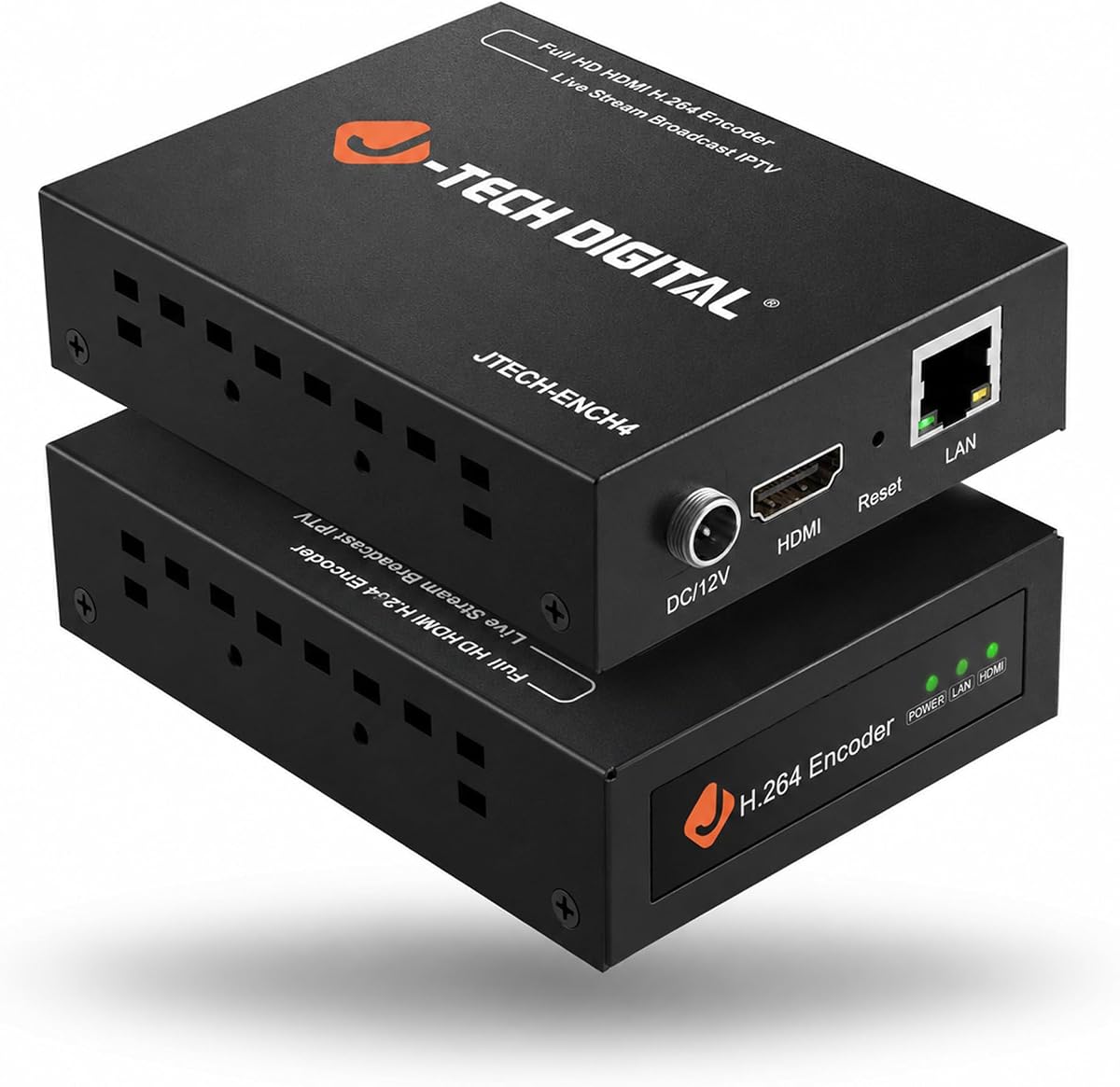


This encoder stands out for its robust support of H.265 and H.264 codecs alongside impressive 4K capabilities. It delivers smooth high-quality video streams suitable for professional broadcast environments and content creators.
We may earn a commission when you buy through this link, at no additional cost to you.
It supports multiple streaming protocols and can output up to four different streams simultaneously. The customizable settings allow you to tailor resolutions, frame rates, and bitrates to match specific server requirements or platform rules.
While it offers excellent performance, it does require careful attention during initial setup to ensure optimal network stability. Some users may find the feature set overwhelming if they only need basic streaming functionality.
It is best suited for users who demand high video quality and flexibility across platforms. With its reliable transmission and comprehensive protocol support this model is a top choice for professional streaming setups.
The encoder supports 4K UHD input and output ensuring crisp visuals for high-end content delivery. This is ideal for events or broadcasts where image fidelity is paramount for viewer engagement.
With support for RTSP RTMP HLS and more this device adapts to various streaming workflows. You can push content to multiple platforms simultaneously without needing separate hardware for each destination.
We may earn a commission when you buy through this link, at no additional cost to you.
This unit offers similar high-end features to the first pick with a strong focus on H.265 efficiency. It provides a reliable way to encode 4K content for distribution across multiple platforms without complex software.
We may earn a commission when you buy through this link, at no additional cost to you.
Users benefit from support for many streaming protocols including SRT and WebRTC which are crucial for secure or low latency delivery. The intuitive interface simplifies configuration for most common streaming tasks.
The device may require some networking knowledge to optimize settings for best results on varied networks. Additionally the physical port selection is minimal which could limit expansion in larger AV systems.
It is an excellent choice for those wanting professional features without excessive complexity. Its balance of performance and usability makes it a strong contender for both corporate and personal streaming needs.
The H.265 chip enables high quality video with reduced bandwidth usage. This efficiency helps maintain clarity even on networks with limited capacity or fluctuating speeds.
You can broadcast to several services at once using one device. This saves time and hardware costs while ensuring consistent content reaches all your target audiences simultaneously.
We may earn a commission when you buy through this link, at no additional cost to you.
This encoder is notable for accepting 4K 60Hz input while delivering 1080P output making it ideal for upscaling or downscaling workflows. It supports a wide range of protocols and offers remote control via web interface.
We may earn a commission when you buy through this link, at no additional cost to you.
Users appreciate the flexibility to manage streams from any browser without installing software. The detailed settings allow for fine tuning of video parameters to suit specific bandwidth or quality requirements.
The output is limited to 1080P which may be a drawback if you need full 4K output. Also the interface can feel cluttered for first-time users unfamiliar with streaming terminology or protocols.
It is a solid choice for users needing robust input handling without paying for full 4K output. For many applications the balance of features and cost makes it a very practical option today.
Support for 4K 60Hz input ensures compatibility with modern sources. This allows you to capture high fidelity signals even if you only need to output at standard HD resolutions.
Control the device from any computer using a web browser. This flexibility simplifies troubleshooting and adjustments during live streams or scheduled broadcasts without physical access.
We may earn a commission when you buy through this link, at no additional cost to you.
This compact encoder delivers 1080P60 streams with hardware H.265/H.264 encoding at a very accessible price point. Its browser-based setup means you can configure it without installing drivers or specialized software.
We may earn a commission when you buy through this link, at no additional cost to you.
The small form factor makes it ideal for portable setups or tight spaces behind displays. It also includes OSD features and audio inputs which are rarely found in units at this price tier.
The protocol selection is somewhat limited compared to higher-end models which may restrict advanced use cases. Also the 1080P output cap means it is not suitable for true 4K workflows.
It is perfect for beginners or those needing a simple reliable streaming box for events or monitoring. Its ease of use and compact size make it a top pick for budget-conscious users.
No software installation is required as configuration happens via a web browser. This reduces setup time and avoids OS compatibility issues on different computers or systems.
Its tiny size allows it to fit in almost any location without hassle. You can easily pack it for on the go events or use it in space-constrained installations.
We may earn a commission when you buy through this link, at no additional cost to you.
This encoder allows you to output two separate streams per HDMI input which is valuable for multi-cam or multi-platform workflows. It supports a wide array of protocols and offers extensive customization options.
We may earn a commission when you buy through this link, at no additional cost to you.
You can add logos and text overlays directly to the stream and adjust resolution and bitrate on the fly. This flexibility helps tailor the output to different audiences or network conditions.
The price is higher than basic units which may not suit casual users. Also the advanced settings might require a learning curve to fully utilize all capabilities effectively without confusion.
It is best for users who need parallel streams for different purposes without extra hardware. The flexibility it provides justifies the cost for broadcast and professional event production teams.
Generate two unique streams from one source for redundancy or different audiences. This allows you to send one feed for live viewing and another for recording simultaneously.
Add logos and text directly to the video stream using the encoder. This helps reinforce branding without needing to mix graphics in external software or hardware.
We may earn a commission when you buy through this link, at no additional cost to you.
This device focuses on delivering reliable 1080P at 60fps streams with strong protocol support. It is a good fit for users who want smooth motion without needing ultra-high resolution outputs.
We may earn a commission when you buy through this link, at no additional cost to you.
It supports many common streaming protocols and handles HDCP decryption for protected content. The interface is straightforward making it easy to get a stream running quickly.
The lack of 4K support means it is not suitable for high-end video sources. Also it lacks advanced customization features found in more expensive models which may limit specific workflow needs.
It is ideal for users who prioritize smooth HD video and stability. Its balance of features and simplicity makes it a practical choice for most standard live streaming tasks.
The 60fps output ensures fluid video for sports or action content. This high frame rate helps reduce motion blur and delivers a more engaging viewing experience.
HDCP 1.4 decryption allows you to stream protected HDMI sources easily. This feature removes barriers when encoding content from consumer electronics or gaming consoles.
We may earn a commission when you buy through this link, at no additional cost to you.
This encoder stands out with Power over Ethernet support allowing simplified installation with a single cable. It handles 4K input and includes audio inputs for better synchronization of sound and video.
We may earn a commission when you buy through this link, at no additional cost to you.
The device also supports OSD and logo overlays for branding and has robust protocol compatibility. It is well-suited for professional AV setups where clean cabling and signal quality matter.
To use PoE you will need a compatible network switch which adds to the total cost. Also like many in this tier the output is limited to 1080P rather than true 4K.
It is a great choice for installers and businesses needing easy deployment. The PoE feature reduces clutter and simplifies maintenance making it a strong pick for fixed installations.
Power and data travel over a single Ethernet cable for easier setup. This reduces cable clutter and simplifies placement in ceilings or behind walls.
Analog audio input allows you to mix sound from external sources. This ensures synchronized audio and video when the HDMI source lacks built-in sound.
We may earn a commission when you buy through this link, at no additional cost to you.
This encoder provides a wide range of protocols including WebRTC and SRT for secure or low latency streaming. It handles 4K input and output with reliable performance across typical streaming scenarios.
We may earn a commission when you buy through this link, at no additional cost to you.
It is designed for flexibility with HDCP decryption and multiple output options. Users can customize streams to fit different platform requirements or network constraints easily.
The interface can feel complex for those not familiar with streaming protocols. The higher cost may also be a barrier for casual users who do not need all the supported features.
It is best for users who require specific protocol support like WebRTC or SRT. The versatility it offers makes it a solid tool for professional streaming environments and specialized applications.
Includes WebRTC and SRT for secure or low latency delivery. These protocols are essential for applications requiring real-time interaction or protected content transmission.
Full support for 4K input and output ensures high fidelity streams. This allows you to deliver premium quality video content to platforms that support it.
We may earn a commission when you buy through this link, at no additional cost to you.
This encoder is extremely portable and supports cloud-based control for remote management. It allows real-time OSD editing and can be powered via USB making it ideal for mobile streaming.
We may earn a commission when you buy through this link, at no additional cost to you.
Its tiny size and low power draw help it fit into tight spaces without needing extra adapters. This makes it perfect for field work or situations where quick deployment is needed.
It relies on cloud services which means you need internet access for full management. Also the raw encoding power is limited to 1080P60 which may not suit all high-end needs.
It is a great choice for on-the-go broadcasters or small events. The cloud control and portability make it stand out for users who prioritize flexibility over raw power.
Manage the encoder remotely via cloud services from anywhere. This allows you to adjust settings without needing physical access to the device during a broadcast.
Supports power from HDMI ports or USB for flexible setups. This eliminates the need for extra power bricks and simplifies travel for mobile streaming events.
We may earn a commission when you buy through this link, at no additional cost to you.
This encoder is built for true 4K output with dual stream support and robust control options. Its high ratings reflect excellent reliability and performance for demanding streaming environments.
We may earn a commission when you buy through this link, at no additional cost to you.
It includes both a web UI and Telnet access for advanced control from anywhere on the network. This level of access ensures flexibility for enterprise or specialized broadcast setups.
The higher price and setup complexity may not suit casual users. Also the limited frame rate at 4K means it is not for high frame rate content but it is ideal for quality over speed.
It is best for users who need true 4K delivery and enterprise control. The reliability and features it offers make it a top choice for professional and high-end streaming needs.
Delivers 3840x2160p resolution for highest video quality. This ensures your content looks premium on platforms and displays that support ultra HD resolutions.
Web UI and Telnet allow remote management and automation. This provides the flexibility needed for large or distributed streaming infrastructure setups.
We may earn a commission when you buy through this link, at no additional cost to you.
Selecting the right encoder requires balancing resolution support protocol compatibility and ease of use. Below are key factors to consider before making a purchase.
Check whether the encoder handles the resolution of your source signal and desired output. Some models accept 4K input but only output at 1080P while others support full 4K end to end.
Choose a unit that matches your video quality requirements to avoid unnecessary limitations or extra costs for higher fidelity.
Ensure the encoder supports the streaming protocols your server or platform requires. Common options include RTMP RTSP HLS SRT and WebRTC for diverse streaming needs.
Having broad protocol support gives you flexibility to switch platforms or integrate with different delivery systems without new hardware.
Look for an intuitive setup process whether through a web interface software or simple configuration tools. A user friendly design reduces time to launch your stream.
Avoid models with overly complex menus if you need quick deployment for events or routine broadcasts.
Confirm that the device supports embedded HDMI audio or offers external audio inputs. This helps ensure synchronized sound and video especially when using external mixers.
Good audio handling is essential for professional results and viewer satisfaction.
Consider encoders that offer remote access via web or Telnet for easier management during broadcasts. This is helpful if the device is installed in hard to reach locations.
Remote control saves time and allows quick adjustments without physical access to the unit.
Check warranty terms and availability of technical support from the manufacturer. Reliable support helps resolve issues quickly and keeps your streaming operations running smoothly.
A solid warranty provides peace of mind especially for professional or business use.
If you need text overlays or logos on your stream choose a model with OSD capabilities. This helps branding without extra graphics software or hardware.
Built-in branding features simplify workflows and help establish your identity with viewers.
Consider whether the encoder supports standard power or Power over Ethernet for easier installation. PoE simplifies cabling and reduces power adapters in fixed setups.
Choose a power method that matches your deployment environment and cabling availability.
Start by connecting your HDMI source to the encoder input and the encoder output to a network. Use an Ethernet cable to link the device to your router or switch.
Access the encoder settings through the provided web interface or software. Configure your desired resolution protocol and bitrate to match your streaming platform.
Regularly update firmware and check cables for damage to maintain stable performance. Keep the device in a ventilated area to prevent overheating during long streaming sessions.
H.265 offers better compression efficiency allowing smaller file sizes at the same quality. It requires more processing power but saves bandwidth and storage compared to H.264.
Many encoders support simultaneous output to multiple platforms using different protocols. This lets you broadcast to YouTube Facebook and others with a single device.
Most modern encoders use a web interface that runs in any browser. This means you can manage settings from any computer or mobile device without installing software.
Choose an encoder with HDCP decryption support to bypass protection. This ensures you can stream protected content without signal loss or errors.
Access the encoder settings via its web interface or software and look for a firmware update section. Download the latest file from the manufacturer and follow the provided instructions.
Network speed depends on your desired bitrate and resolution. For 1080P streams aim for at least 5 Mbps upload while 4K may require 15 Mbps or more.
Our top picks cover a range of needs from budget-friendly options to premium 4K solutions. Each model offers strong features tailored for different streaming scenarios and technical demands.
When choosing prioritize the resolution protocol support and ease of use that match your workflow. These factors will ensure reliable performance and flexibility for your content delivery.
Remember to verify current specs and availability with the seller as details can change. This ensures you get the most up to date experience for your streaming projects.