This guide compares the best HDMI dummy plugs for headless setups, remote desktop, mining, and streaming to help you choose the right EDID emulator today.
As an Amazon Associate we earn from qualifying purchases. We may earn a commission when you buy through links on this page, at no additional cost to you. Read our affiliate disclosure.As an Amazon Associate we earn from qualifying purchases.Purchases through our links may earn us a commission, at no extra cost to you. Read our affiliate disclosure.
HDMI dummy plugs are essential tools for users who need to run headless systems without a physical monitor attached. These small adapters trick the graphics card into detecting a display, enabling GPU acceleration for tasks like remote desktop access, video rendering, and cryptocurrency mining. Selecting the right model ensures stable performance and avoids compatibility issues with your specific hardware.
We evaluated ten top-rated HDMI dummy plugs based on resolution support, build quality, and compatibility across Windows, macOS, and Linux systems. Our analysis focuses on models that deliver consistent virtual display output without requiring drivers or external power. Each product was assessed for its ability to maintain high refresh rates and support HDR features where applicable.
Every pick in this list highlights key strengths and trade-offs to help you find the perfect solution for your setup. Whether you need a budget-friendly option or a premium model with advanced features, our reviews cover the essentials. Prices and availability can change, so check current listings before making your final purchase decision.
Top 3 Picks for Best HDMI Dummy Plug
Best Budget
4 Pack HDMI Dummy Plug 4K HDR, Virtual Monitor EDID Emulator 4K@60Hz 2K@60Hz 1080P@120Hz, Virtual Monitor Emulator, HDMI Headless Adapter for Remote PC, Laptop, with Windows Mac OSX Linux
Here is a side-by-side comparison of all ten HDMI dummy plugs reviewed in this guide. Each entry lists key specifications and links to product details to help you compare features quickly.
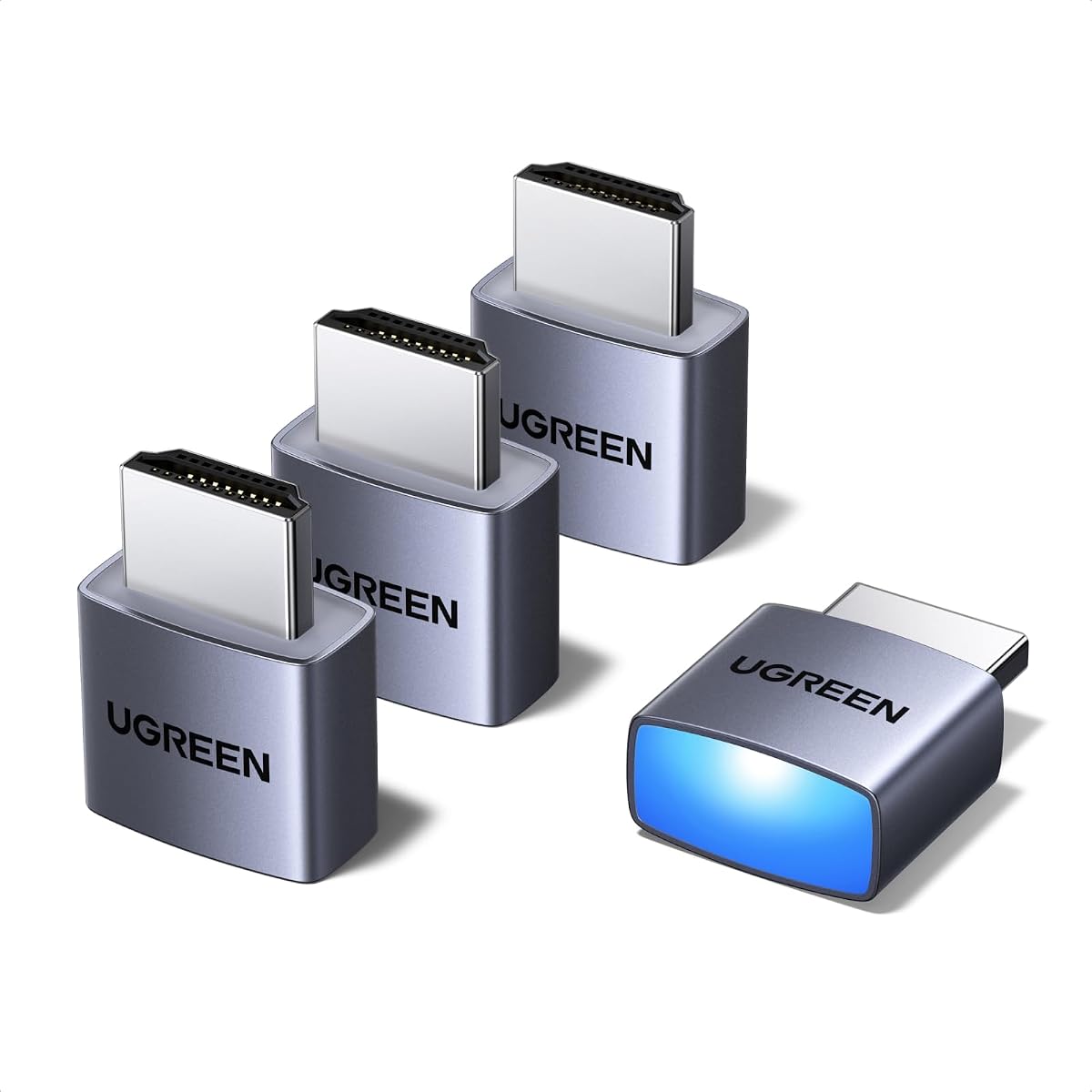
The UGREEN 4 Pack HDMI Dummy Plug stands out as a top choice for users seeking high performance and reliability. With a 4.6-star rating, it delivers true 4K@60Hz HDR capabilities that keep your GPU active for demanding tasks like video editing and remote desktop operations. Its sturdy aluminum shell ensures heat dissipation during intensive use, making it ideal for server farms or home labs.
Pros
Supports 4K@60Hz HDR
Durable aluminum shell
Compatible with major OS
Status LED indicator
Four-pack value
Cons
Price higher than basic models
We may earn a commission when you buy through this link, at no additional cost to you.
This model excels in compatibility, working seamlessly with Windows, Mac, and Linux systems. The plug-and-play design means no drivers or software installation is required. You can simply connect it to your HDMI port and start using virtual displays for applications like RustDesk, TeamViewer, or Moonlight. The integrated LED provides immediate feedback on connection status.
While the price point is higher than some budget options, the four-pack value and robust build quality justify the investment. The only minor trade-off is that it may cost more than basic 1080p adapters, but the performance gains make it worthwhile for professionals.
Choose this if you need a reliable solution for high-resolution headless setups or multiple workstations. It is perfect for streamers, developers, and IT admins who demand stable virtual display performance without physical monitors.
High-Resolution Performance
The UGREEN adapter supports 4K Ultra HD at 60Hz, ensuring smooth visuals for remote desktop and gaming streaming tasks.
Durable Construction
Built with a heat-dissipating aluminum shell, this plug prevents overheating during long computing sessions.
This 4 Pack HDMI Dummy Plug offers exceptional value with a 4.8-star rating and 4K@60Hz HDR support. It provides a lag-free virtual monitor for remote desktop operations and intensive game development. The industrial-grade aluminum armor resists overheating, ensuring stability for tasks like cryptocurrency mining and automated trading stations.
Pros
Excellent 4.8-star rating
Delivers 4K@60Hz HDR
Industrial-grade aluminum armor
Universal cross-platform support
No drivers or software needed
Cons
Limited warranty information
We may earn a commission when you buy through this link, at no additional cost to you.
Setup is effortless with zero drivers or external power required. It works flawlessly with NVIDIA, AMD, and Intel GPUs across Windows, macOS, and Linux. The built-in status LED gives real-time connection verification. This makes it perfect for multi-screen trading setups and cloud gaming servers.
While warranty details are less prominent, the high rating suggests reliability. The trade-off is minimal compared to the cost savings of a four-pack. It remains a top choice for users needing dependable virtual displays without breaking the bank.
Buy this for budget-friendly multi-machine deployments. It suits students, hobbyists, and small businesses looking for quality virtual display solutions at an affordable price.
Cost-Effective Solution
Get multiple units at a low cost while maintaining high performance for your headless setups.
Robust Build Quality
Industrial-grade aluminum armor ensures longevity and heat resistance during continuous use.
DTech HDMI Dummy Plug 4K Display Emulator Compatible with Windows Mac OSX Linux (fit-Headless, 3 Pack)
4K up to 4096×2160
Gold-plated HDMI interface
Compact low-profile design
No external power needed
The DTech HDMI Dummy Plug offers a reliable solution for enabling GPU tasks on headless systems. With support for 4K up to 4096×2160, it unlocks the full potential of your graphics card for mining and rendering. The gold-plated HDMI interface ensures stable digital signal transmission without interference.
Pros
Supports 4K up to 4096×2160
Gold-plated connector ensures stable signal
Plug-and-play on major OS
Three-pack for multi-use
Compact and low-cost
Cons
Less detailed specs on refresh rates
We may earn a commission when you buy through this link, at no additional cost to you.
It is simple to use on Windows, Mac OS, and Linux without drivers. The compact design makes it ideal for SOHO and home server environments. It solves Apple OSX headless display issues efficiently. The three-pack provides value for multiple setups.
While refresh rates are not detailed, the 4K resolution support is robust for most tasks. The trade-off is less emphasis on high refresh rates compared to newer models, but it remains effective for standard headless needs.
Choose this for simple, effective headless deployments. It is suitable for server farms and remote PC setups where resolution matters more than high refresh rates.
Universal Compatibility
Works seamlessly across Windows, Mac, and Linux without requiring extra software installation.
Stable Signal Transmission
Gold-plated connectors ensure reliable digital signal for consistent performance.
This HDMI Dummy Plug Headless Ghost Emulator is designed for simplicity and compatibility. It works with any graphics card that has HDMI output and operates at 1080p@60Hz. Its ultra-compact design makes it easy to hide in any setup. No drivers or configuration are needed for plug-and-play use.
Pros
Works with any HDMI output GPU
Ultra-compact low profile
No drivers or configuration
Supports high resolution GPU tasks
Compatible with Windows OSX Linux
Cons
Only supports 1080p@60Hz
We may earn a commission when you buy through this link, at no additional cost to you.
It allows for high-resolution GPU-accelerated remote desktop tasks effectively. Compatible with Windows, OSX, and Linux, it serves as a dummy plug for GPU tasks like cryptocurrency mining. The low profile helps in maintaining a clean workspace without extra cabling.
The main limitation is its resolution support capped at 1080p. For users needing 4K or higher, this may not suffice. However, for basic tasks and budget-conscious setups, it remains a solid choice.
Buy this for straightforward headless needs without advanced resolution requirements. It is ideal for legacy systems or simple remote access configurations.
Simplicity and Compatibility
Just plug and play without drivers, working with any HDMI-compatible graphics card.
Space-Saving Design
Ultra-compact profile ensures it blends seamlessly into any workstation setup.
This 3 Pack HDMI Dummy Plug offers affordable 4K@60Hz HDR capabilities for virtual displays. It enables the GPU to create virtual screens for remote control and simulation tasks. The gold-plated interface ensures complete signal transmission and durability. It includes a two-year unconditional warranty for added peace of mind.
Pros
Supports 4K@60Hz HDR
Gold-plated HDMI interface
Two-year unconditional warranty
Low power consumption
Hot-swap ready
Cons
Rating slightly lower than top picks
We may earn a commission when you buy through this link, at no additional cost to you.
Plug-and-play functionality makes it easy to set up without drivers. It is energy-saving and environmental-friendly for headless setups. Compatible with PC Windows, Mac Mini OSX, and Linux, it supports game streaming and screen sharing. The three-pack is cost-effective for multiple servers.
While the rating is slightly lower, the warranty and specs are competitive. The trade-off is potentially less consistent performance than top brands, but it remains reliable for standard use.
Choose this for cost-effective multi-unit setups with solid warranty protection. It suits small businesses and home labs needing multiple adapters.
Warranty Assurance
Two-year unconditional warranty ensures customer support and product reliability.
Energy Efficiency
Low power consumption makes it ideal for continuous 24/7 headless operations.
This HDMI Dummy Plug 4K HDR offers high refresh rate support up to 1080p@240Hz. It creates virtual screens for remote desktop and mining tasks. The HDR brightness up to 1015 nits ensures vibrant display simulation for color-sensitive applications. Full board copper pouring enhances signal stability.
Pros
Supports up to 1080p@240Hz
HDR brightness up to 1015 nits
Full board copper pouring for stability
Aluminum shell durability
No drivers needed
Cons
Default resolution is 1080p
We may earn a commission when you buy through this link, at no additional cost to you.
The aluminum shell delivers outstanding durability and electromagnetic shielding. It works with Windows, macOS, Linux, Raspberry Pi, and Jetson Nano. Plug and play without installation. Hot-swappable with low power consumption. The five-pack offers good value for various setups.
The default resolution is 1080p, which may limit 4K workflows. However, the high refresh rates make it ideal for gaming and streaming. This trade-off suits users prioritizing frame rates over resolution.
Buy this for gaming-focused headless PCs or VR setups. It is great for cloud gaming servers requiring smooth high refresh rates.
High Refresh Rates
Supports 1080p up to 240Hz for smooth streaming and gaming.
Vibrant HDR Simulation
Peak brightness up to 1015 nits enhances color accuracy for previews.
The 4K 120Hz HDMI 2.1 Dummy Plug is designed for high-end gaming and VR setups. It enables 4K@60Hz/120Hz for smooth streaming and remote sessions. The latest technology requires low power and emits negligible heat. It works with Windows Mini OSX, and Linux for game streaming and screen sharing.
Pros
Supports 4K@120Hz
HDMI 2.1 compatible
Ideal for VR and gaming
Gold-plated connector
Low power and heat
Cons
Requires HDMI 2.1 interface support
We may earn a commission when you buy through this link, at no additional cost to you.
Gold-plated interface ensures stable digital signal. It tricks the GPU into thinking a monitor is attached to keep HBCC active. Great for headless Raspberry Pi and VNC. Compatible with Steam Link and Moonlight for 120fps streaming.
Note that HDMI 2.1 interface support is required for 120Hz. Windows 11 may limit to 4K@60Hz. However, it remains a top choice for advanced users with compatible hardware.
Choose this if you need 4K@120Hz capabilities for gaming or VR. It is perfect for headless gaming PCs accessed via Moonlight or Steam Deck.
Advanced Refresh Rate Support
Achieves 4K@120Hz for seamless high-frame-rate streaming and gaming.
Efficient Operation
Low power and heat emission ensures stable performance without overheating.
This HDMI Dummy Plug 4K HDR defaults to 1440p for higher clarity. It supports up to 1080p@240Hz and 4K@60Hz. HDR brightness up to 1015 nits ensures vivid output. Full board copper pouring enhances signal stability. The eight-pack is great for large deployments.
Pros
Default 1440p resolution
HDR brightness up to 1015 nits
Supports 1080p@240Hz
High signal stability
Eight-pack for large setups
Cons
May require manual resolution adjustment
We may earn a commission when you buy through this link, at no additional cost to you.
Compatible with Windows, macOS, Linux, Raspberry Pi, and Jetson Nano. Hot-swappable and low power consumption. Guaranteed stable operation for 24/7 tasks. The aluminum shell offers enhanced electromagnetic shielding.
Manual resolution adjustment may be needed for some apps. But the default 1440p is ideal for high-resolution workflows. This trade-off suits users prioritizing pixel density over simplicity.
Buy this for multi-station setups needing 1440p resolution. It is perfect for cloud gaming farms or professional rendering clusters.
High-Resolution Default
Defaults to 1440p for sharper visuals compared to standard 1080p adapters.
Large-Scale Deployment
Eight-pack provides excellent value for server farms and multi-workstation setups.
This HDMI Dummy Plug defaults to 2160p for true 4K resolution out of the box. It supports up to 3840×2160@60Hz and 1080p@240Hz. HDR brightness up to 1015 nits ensures vivid output for color-sensitive applications. Full board copper pouring enhances signal stability.
Pros
Default 2160p resolution
Supports up to 4K@60Hz
HDR brightness up to 1015 nits
Enhanced electromagnetic shielding
Five-pack value
Cons
Higher price point
We may earn a commission when you buy through this link, at no additional cost to you.
Compatible with Windows, macOS, Linux, Raspberry Pi, and Jetson Nano. Hot-swappable with low power consumption. The aluminum shell offers enhanced electromagnetic shielding. Guaranteed stable operation for 24/7 tasks like rendering and mining.
The higher price point reflects the premium 4K default. Users needing 4K clarity will appreciate this without manual adjustments. The trade-off is cost, but the value is high for professionals.
Choose this for workflows requiring native 4K support. It is ideal for video editors and high-fidelity streaming setups.
Native 4K Support
Defaults to 2160p for seamless 4K virtual displays without configuration.
Enhanced Shielding
Aluminum shell and copper pouring reduce interference for stable signals.
This 4K 120Hz 8K 30Hz HDMI Dummy Plug supports resolutions up to 8K@30Hz. It offers 4K@120Hz for high-refresh workflows. Gold-plated connectors ensure stable digital signal. Compatible with any discrete graphics card and major operating systems.
Pros
Supports up to 8K@30Hz
4K@120Hz capability
Gold-plated connector
Compatible with most GPUs
Works with Windows macOS Linux
Cons
Requires HDMI 2.1 support
We may earn a commission when you buy through this link, at no additional cost to you.
Ideal for game streaming, VR, and mini servers with screen sharing. Works with Steam Deck and ROG Ally for 120fps streaming. Gold-plated interface prevents corrosion. It ensures the GPU stays detected for HBCC activation in mining rigs.
Requires HDMI 2.1 interface support for 8K and 4K@120Hz. This limits use with older hardware. However, for future-proof setups, it is unmatched in resolution support.
Buy this for ultimate resolution capabilities and future-proofing. It is perfect for advanced users needing 8K support and high refresh rates.
Future-Proof Resolution
Supports up to 8K@30Hz for the highest resolution virtual displays.
High Refresh Performance
Delivers 4K@120Hz for smooth gaming and streaming experiences.
We may earn a commission when you buy through this link, at no additional cost to you.
Buying Guide – How to Choose the Best HDMI Dummy Plug
Choosing the right HDMI dummy plug depends on your specific needs for resolution, refresh rates, and compatibility.
Resolution Support
Ensure the dummy plug supports the resolution you need, whether 1080p, 4K@60Hz, or 8K. Higher resolutions are essential for professional workflows like video editing and streaming.
Check the product specs for maximum resolution support to match your GPU capabilities.
Refresh Rate Capabilities
Refresh rates like 60Hz, 120Hz, or 240Hz affect smoothness for gaming and streaming. Higher refresh rates are critical for competitive gaming and VR setups.
Look for models that support your target refresh rate to avoid input lag.
HDR Support
HDR support enhances color accuracy and brightness for content that requires vivid visuals. This is important for color-sensitive applications like video preview.
Verify HDR compatibility if you work with high dynamic range media.
Build Quality
Materials like aluminum shells and gold-plated connectors ensure durability and stable signals. Good heat dissipation prevents overheating during intensive tasks.
Choose robust models for long-term use in 24/7 environments.
OS Compatibility
Ensure the plug works with your operating system like Windows, macOS, or Linux. Some models have specific support for certain OS requirements.
Verify cross-platform support to avoid driver issues.
HDMI Version
HDMI 2.1 is required for 4K@120Hz or higher. Older HDMI versions may limit refresh rates and resolution capabilities.
Check your GPU's HDMI output version before purchasing.
Package Value
Multiple units in a pack save money for multi-station setups. Consider how many adapters you need for all your machines.
Evaluate cost per unit in multi-pack deals.
How to Use and Care for Your HDMI Dummy Plug
To use the HDMI dummy plug, simply insert it into your GPU's HDMI port. Your system will recognize it as an active display. No drivers or external power are needed for basic models.
For optimal performance, ensure your operating system settings are configured for the desired resolution. You may need to adjust display settings manually if the default resolution does not match your needs.
Keep the plug clean and free of dust to maintain signal integrity. Avoid bending the connector or exposing it to static electricity to prevent damage.
Frequently Asked Questions
Does an HDMI dummy plug damage my GPU?
No, HDMI dummy plugs are safe for GPUs when used correctly. They simulate an active monitor to keep the GPU enabled. Ensure you use a reputable brand to avoid electrical issues.
Do I need drivers for a dummy plug?
Most HDMI dummy plugs are plug-and-play and require no drivers. The system recognizes them as standard displays automatically. Some advanced models may benefit from specific drivers.
Can I use a dummy plug for gaming?
Yes, dummy plugs allow headless gaming setups via remote streaming like Steam Link. They enable the GPU to run games without a physical monitor connected.
What is the difference between HDMI 2.0 and 2.1 dummy plugs?
HDMI 2.1 supports higher refresh rates and resolutions like 4K@120Hz. HDMI 2.0 typically caps at 4K@60Hz. Choose based on your refresh rate needs.
Do dummy plugs support HDR?
Many modern HDMI dummy plugs support HDR for enhanced visuals. Check product specifications for HDR compatibility before purchase.
Can I use a dummy plug with multiple monitors?
Yes, dummy plugs can be used for additional virtual displays. They help enable GPU for multi-monitor setups without extra physical screens.
How do I change the resolution on a dummy plug?
Adjust the resolution through your operating system's display settings. Some models allow resolution switching via EDID emulation.
Final Thoughts on Choosing the Best HDMI Dummy Plug
We highlighted top picks including the UGREEN 4 Pack for performance and the 4 Pack Budget option for value. Each offers unique strengths depending on your setup needs.
Prioritize resolution, refresh rates, and compatibility with your GPU. For advanced users, HDMI 2.1 models unlock higher performance for gaming.
Always verify current prices and specifications before purchasing. Availability can vary, and checking listings ensures you get the right adapter for your needs.