
NETGEAR Nighthawk WiFi 7 Router RS90
4.3Editor score
Dual-band WiFi 7 tech
2.5 Gig WAN port
Compact and affordable design
This guide compares the top high end WiFi router models for performance and coverage to help you choose the best networking solution for your home needs.
Modern homes require robust networking solutions to handle streaming gaming and smart devices. A high end WiFi router provides the speed and reliability needed for seamless connectivity across every room in your house without interruption or lag during critical tasks.
We evaluated ten leading models based on throughput coverage area device capacity and security features. Our analysis focuses on real-world performance metrics including WiFi 7 capabilities multi-link operation and wired port speeds to ensure you get accurate information for your purchase decision.
Each pick highlights specific strengths like gaming optimization mesh compatibility or advanced security protocols. While specifications offer insight remember that actual performance depends on your internet plan and device compatibility. Prices and availability change frequently so verify details before ordering to ensure you get the latest deals.
4.3Editor score

4.3Editor score

4.3Editor score
Compare these ten models side by side to find the perfect match for your home network requirements and budget constraints while ensuring maximum coverage and speed.



The TP-Link BE6500 stands out as a leading choice for households seeking next-gen connectivity. With a solid 4.3 rating it delivers optimized performance for modern devices including the latest smartphones and laptops.
We may earn a commission when you buy through this link, at no additional cost to you.
Its Multi-Link Operation allows simultaneous data transfer across bands reducing latency significantly. The 2.5 Gbps WAN and LAN ports ensure your wired connections keep pace with high speed internet plans.
While it cannot pair with Deco mesh systems it works well with other EasyMesh routers to extend range. This trade-off is acceptable for users who prioritize raw speed and security features like Secure-by-Design.
Choose this router if you want reliable high performance without excessive complexity. It balances cutting-edge specs with user-friendly setup making it ideal for remote workers and gamers alike.
WiFi 7 features like Multi-Link Operation ensure your network adapts to congestion automatically for smoother streaming and video calls.
Built-in cybersecurity measures protect your IoT devices and family data from emerging online threats effectively.
We may earn a commission when you buy through this link, at no additional cost to you.
This model offers excellent value for those wanting to experience the benefits of the 6 GHz band without breaking the bank. It earns strong marks for its capacity to handle multiple simultaneous streams efficiently.
We may earn a commission when you buy through this link, at no additional cost to you.
The tri-band design separates traffic to reduce congestion while the dedicated 6 GHz band supports responsive gaming and video chatting. Its housing design helps dissipate heat ensuring long-term reliability even under heavy loads.
Although it lacks WiFi 7 features it still provides substantial speed improvements over older models. Users might find basic controls limiting but the core performance remains competitive for the price point.
Pick this router if you need immediate bandwidth relief and future-proofing on a budget. It is a smart entry point into high-end networking that delivers reliable results for everyday use.
OFDMA technology allows more devices to connect simultaneously without dropping speeds or causing lag spikes.
Integrated VPN options let you access your home network or devices securely from outside your home easily.
We may earn a commission when you buy through this link, at no additional cost to you.
Designed for demanding households this router uses a dedicated tri-band setup to keep up with growing smart home needs. It supports up to 2500 square feet of coverage ensuring devices stay connected across every floor.
We may earn a commission when you buy through this link, at no additional cost to you.
The 6 GHz band provides a dedicated lane for high-speed devices reducing interference significantly. Multi-Gig ready wired connections allow you to fully utilize fiber plans or high-speed cable services without bottlenecks.
While the Nighthawk App makes management easy advanced security requires a separate subscription after the trial. This is a common trade-off with branded routers that offer extensive ecosystem support and user interfaces.
Choose this option if you have a large home and need reliable high-speed distribution. Its balance of ease of use and raw performance makes it a solid contender for modern internet plans.
Support for up to 100 devices ensures your lights locks and cameras stay online without slowing down main devices.
Works seamlessly with most ISPs and requires no coax connection for easy installation with existing equipment.
We may earn a commission when you buy through this link, at no additional cost to you.
The RS700S pushes the boundaries of home networking with an impressive 19 Gbps speed rating and extensive coverage. It is built to handle the most bandwidth-hungry households with up to 200 devices connected simultaneously.
We may earn a commission when you buy through this link, at no additional cost to you.
A 10 Gig WAN port unlocks premium fiber plans allowing you to test your internet connection limits. The 12-stream design enhances reach and reliability making it suitable for multi-story or expansive living spaces.
Investment is significant but justified for users needing enterprise-level performance at home. Security features are robust though ongoing protection requires a subscription to maintain full threat prevention capabilities over time.
This router is ideal for power users with gigabit internet who demand maximum stability and speed. It delivers consistent performance even when multiple heavy tasks are happening at once across the network.
The 10 Gig port ensures your network won't become obsolete as internet speeds increase in the coming years.
MU-MIMO and OFDMA ensure every device gets adequate bandwidth without slowing down the entire network.
We may earn a commission when you buy through this link, at no additional cost to you.
This gaming-centric powerhouse offers unmatched speed with 30 Gbps total throughput and specialized traffic acceleration. It is designed for users who want the absolute best performance for competitive online gaming and heavy downloads.
We may earn a commission when you buy through this link, at no additional cost to you.
Quad-band connectivity ensures that game traffic stays separated from general household usage. Dual 10G ports provide incredible wired flexibility for servers or workstations needing massive data transfer rates.
While the price is high for most standard users the specialized features justify the cost for enthusiasts. The interface is advanced and may require time to configure but the rewards in latency reduction are significant.
Select this model if you are a serious gamer or professional needing top-tier networking. It sets a new standard for performance and delivers a premium experience worth the investment for specific use cases.
Triple-Level Game Acceleration optimizes data from your PC to the game server reducing lag and ping times.
Multiple 10G and 2.5G ports ensure your critical devices get the fastest possible wired connections.
We may earn a commission when you buy through this link, at no additional cost to you.
The RT6600ax focuses heavily on security and network management features. It supports VLAN segmentation to segregate vulnerable devices which is rare at this price point and adds a layer of safety.
We may earn a commission when you buy through this link, at no additional cost to you.
Its comprehensive VPN server solution allows for remote access and site-to-site tunneling. This makes it a favorite for tech-savvy users who manage their own security policies and want control over their traffic.
While it lacks the newest WiFi 7 specs its wired and security features are robust. Users might find the interface more complex than consumer routers but it offers powerful tools for protection.
Choose this if you prioritize safety and custom network layouts over raw wireless speed. It provides a secure foundation for your home lab or business environment effectively.
Define up to five separate networks to isolate guests or smart devices from your main trusted devices.
Built-in VPN capabilities let you access files securely from anywhere using standard protocols easily.
We may earn a commission when you buy through this link, at no additional cost to you.
This unit is positioned as a high-performance tri-band wireless router. It focuses on gaming optimization and robust connectivity standards for users needing reliable speeds throughout their property.
We may earn a commission when you buy through this link, at no additional cost to you.
The inclusion of a 2.5 Gigabit port ensures wired links match modern internet capabilities. While specific details are less publicized its brand reputation suggests strong signal strength and consistent performance.
Given the price point it competes with top-tier options but lacks clear unique features for some users. It serves well for those prioritizing brand trust and standard gaming enhancements over niche specs.
Consider this model if you prefer ASUS features and need stable high-bandwidth performance. It delivers essential high-end traits without unnecessary complexity for general household needs.
The three bands distribute traffic evenly to prevent congestion during heavy streaming or gaming sessions.
Optimized traffic handling ensures low latency for responsive online gameplay without interference.
We may earn a commission when you buy through this link, at no additional cost to you.
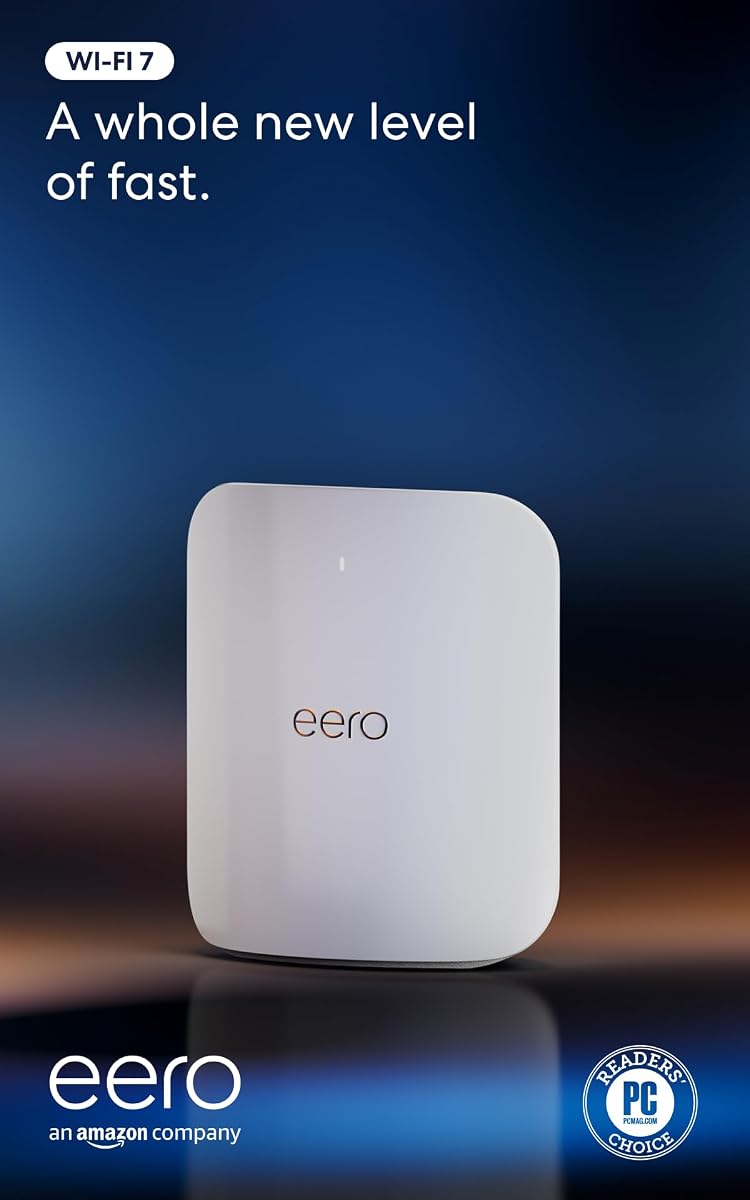
The eero Pro 7 brings next-gen mesh simplicity to the high end market. It features auto-sensing ports and supports internet plans up to 5 Gbps for a seamless setup experience.
We may earn a commission when you buy through this link, at no additional cost to you.
TrueMesh technology proactively manages connections to keep you on the optimal path. This eliminates dead spots effectively making it ideal for multi-story homes needing consistent coverage.
While it offers strong wireless performance its wired options are limited compared to traditional routers. Users relying on multiple wired connections might find this restrictive without buying additional units.
Pick this if you want a hassle-free mesh setup with modern speed standards. Its three-year warranty and support make it a reliable choice for straightforward home networks.
TrueRoam technology ensures your devices connect to the strongest signal without drops as you move around.
Works with Amazon Echo devices to simplify voice control and network management tasks easily.
We may earn a commission when you buy through this link, at no additional cost to you.
This flagship model delivers exceptional speed with 10G wired ports and fast multi-gigabit backhaul. It covers up to 2500 square feet and supports 250+ devices effectively for large homes.
We may earn a commission when you buy through this link, at no additional cost to you.
Beyond networking it acts as a smart home hub for Thread and Matter devices. This centralizes control and reduces the need for separate hubs for your lights and sensors.
The premium price reflects its advanced capabilities and ease of use. While some users may prefer more granular controls the balance of speed and simplicity is hard to beat.
Choose this if you need top-tier mesh performance and smart home integration. It sets a high bar for reliability and coverage in modern network setups.
Connect Thread and Matter devices directly reducing the need for extra hardware in your home.
Dual 10 Gigabit Ethernet ports ensure your wired devices get the fastest possible connection speeds.
We may earn a commission when you buy through this link, at no additional cost to you.
This entry-level WiFi 7 option provides a cost-effective upgrade path for smaller homes. It delivers solid 3.6 Gbps speeds and covers 2000 square feet reliably for everyday streaming and gaming.
We may earn a commission when you buy through this link, at no additional cost to you.
The 2.5 Gig WAN port allows you to benefit from multi-gig internet plans without changing your current modem. Its compact design fits neatly on a shelf without dominating your living space visually.
It handles up to 50 devices comfortably which is sufficient for average families. Users needing extensive device support may need a higher tier model for better performance.
Select this router if you want modern specs on a tight budget. It offers a practical balance of features and price for those transitioning to next-gen connectivity.
The compact form factor makes it easy to place in any room without cluttering your setup.
WiFi 7 tech ensures low latency and high capacity even in crowded network environments.
We may earn a commission when you buy through this link, at no additional cost to you.
Understanding the key factors will help you select a router that matches your internet plan and household needs effectively.
Wi-Fi 7 offers the fastest speeds and lowest latency while Wi-Fi 6E provides solid performance at a lower cost. Consider whether your devices support the latest standards before purchasing to ensure you get the most benefit.
Choose Wi-Fi 7 for future-proofing and high-performance needs or stick with Wi-Fi 6E for budget-friendly reliability.
Estimate your home's square footage to ensure the router can reach all rooms. High end routers typically cover 2000 to 3500 square feet but physical obstacles like walls can reduce this range.
Select a model with sufficient coverage to avoid dead zones in key areas of your home.
Modern households often have dozens of connected devices ranging from phones to smart home gadgets. Ensure the router supports your total device count without lagging during peak usage times.
Opt for higher capacity models if you have many users or smart home devices.
Look for routers with 2.5Gbps or 10Gbps ports if you have high-speed internet plans. These ports ensure your gaming rigs or NAS drives get the fastest possible connections without wireless bottlenecks.
Prioritize routers with multi-gig ports if you rely on wired connections for critical tasks.
Built-in security suites protect against malware and unauthorized access. Some routers include free basics while others require subscriptions for full protection like real-time scanning.
Check if the included security meets your needs before buying to avoid extra monthly costs.
If you need wider coverage consider a router that supports mesh networking. Some brands allow you to expand with compatible extenders while others require their own ecosystem.
Choose a router that aligns with your existing devices or plans for easy future expansion.
User-friendly apps simplify setup and network management. Routers with guided setup and intuitive dashboards save time and reduce frustration for non-technical users.
Opt for models with strong app support if you want to manage your network easily.
Prices vary widely based on features and performance tiers. Determine how much you can spend to balance cutting-edge specs with practical needs.
Consider long-term value by investing in a router that will last several years.
Place the router in a central elevated location away from walls and large metal objects to maximize signal distribution. Avoid placing it inside cabinets or near microwaves to prevent interference.
Regularly update the firmware to ensure you have the latest security patches and performance improvements. Most modern routers can do this automatically but verify settings in the app.
Perform periodic speed tests to check for unexpected drops and reboot the device if issues arise. This helps maintain optimal performance and clears temporary network congestion.
Yes most fiber plans require a router with multi-gigabit ports to utilize full speeds. Traditional routers may cap your connection below what you pay for. Check your modem requirements before buying.
If you have the latest devices and want future-proofing it is worth it. It offers significant latency reduction and higher throughput for demanding tasks. Otherwise Wi-Fi 6E is sufficient for most.
Single high end routers can cover up to 3500 square feet. For larger homes or complex layouts consider a mesh system with multiple units for seamless coverage everywhere.
Yes most routers work with existing modems via Ethernet. Ensure your modem is in bridge mode or supports routing to avoid conflicts with the new router setup.
Mesh networking uses multiple nodes to create a single seamless network. It eliminates dead zones and improves signal strength across larger areas effectively.
Most high end routers are universal and work with cable fiber and DSL providers. Always check your specific ISP requirements for bridge modes or special setups if needed.
Advertised speeds are theoretical maximums. Real-world results depend on distance interference and device capability. Test close to the router for best results.
Modern routers typically last five to seven years. Regular updates and proper ventilation help extend its life beyond the initial purchase date.
We have highlighted top models that balance speed coverage and security for modern homes. Whether you prioritize budget efficiency or premium features there is an option for every need.
Focus on your specific needs like gaming smart home support or large coverage to narrow down your choices. Matching features to your usage ensures you get the best value.
Remember to verify current availability and deals before purchasing. Specifications and promotions change so checking the latest updates ensures you secure the best deal.