
NOYAFA NF-488
4.5Editor score
Detects POE standards
Tests network continuity
Backlit LCD screen
This guide compares the top Inline POE Testers for network professionals, highlighting key features like voltage detection, power monitoring, and compatibility
An Inline POE Tester is essential for verifying power over Ethernet connections in modern network installations. It ensures devices receive adequate power without disrupting data flow. Choosing the right tool saves time and prevents costly equipment damage during setup.
We evaluated ten leading models based on their testing modes, display clarity, and compliance with IEEE standards. Our analysis covers budget-friendly options and professional-grade tools designed for heavy field use across various network environments.
Each pick highlights specific strengths like battery-free operation or OLED screens. Prices fluctuate frequently due to market demand and supply chain shifts. Always verify current listings before purchasing to ensure you get the best value for your needs.
4.5Editor score

4.1Editor score

4.1Editor score
The following table provides a side-by-side overview of all ten models. It highlights their core capabilities, display types, and specific testing modes to help you narrow down your selection based on technical requirements.


The TRENDnet TC-NTP1 stands out as a reliable choice for network technicians needing verified compliance. It supports 4PPoE and PoE+ standards effectively. The tool is designed for immediate use without battery installation.
We may earn a commission when you buy through this link, at no additional cost to you.
Its T-mode tests PSE devices to confirm standards and voltage output. N-mode handles non-standard passive PoE. I-mode displays voltage, amperage, and wattage for connected devices. This versatility covers most common installation scenarios.
The step button allows cycling through readouts or locking the display for monitoring. While the interface is functional, some users might prefer a more graphical display. However, the step-by-step approach ensures accurate data collection.
Choose this if you work in government sectors requiring NDAA compliance. It offers a solid balance of features and durability. The two-year manufacturer protection adds peace of mind for field professionals.
This feature ensures the tester meets federal requirements for security-conscious installations.
Instantly identify power issues on the go without needing external power sources.
We may earn a commission when you buy through this link, at no additional cost to you.
This tool offers a clear OLED display for instant power data visibility. It draws power directly from PoE or DC lines. The bright screen is easy to read in various lighting conditions.
We may earn a commission when you buy through this link, at no additional cost to you.
It supports PD Mode, Inline Mode, and DC Mode for comprehensive testing. The display shows voltage, current, and power on one page. Differentiation between standard and non-standard passive PoE is clear.
The self-powered operation means you never run out of battery mid-job. However, the reliance on a PoE source can limit use on non-powered cables. The OLED quality makes it a premium choice.
Ideal for network engineers who prioritize data clarity. The OLED display ensures you see every detail quickly. It is a strong candidate for professional installations needing precise diagnostics.
The high-contrast screen makes readings visible even in bright sunlight or dark closets.
Handles both standard IEEE and custom DC power supplies efficiently.
We may earn a commission when you buy through this link, at no additional cost to you.
The NOYAFA NF-488 is a cost-effective solution for basic cable and PoE checks. It detects POE presence and tests network continuity reliably. The backlit LCD makes it usable in dark server rooms.
We may earn a commission when you buy through this link, at no additional cost to you.
Its remote wiring function checks for open circuits and short circuits easily. The voltage test range covers 0-60V for various standards. The anti-slip casing ensures a secure grip during use.
While it lacks advanced wattage monitoring, it covers essential needs well. The loop-back feature helps diagnose switch issues quickly. It is perfect for technicians who need a secondary tester.
Choose this for budget-conscious projects where basic checks are enough. It saves time on routine wiring verification. The value it provides is unmatched for entry-level networking tasks.
Verifies wiring integrity without needing a separate continuity tester.
Lightweight and easy to carry in a tool belt or pocket.
We may earn a commission when you buy through this link, at no additional cost to you.
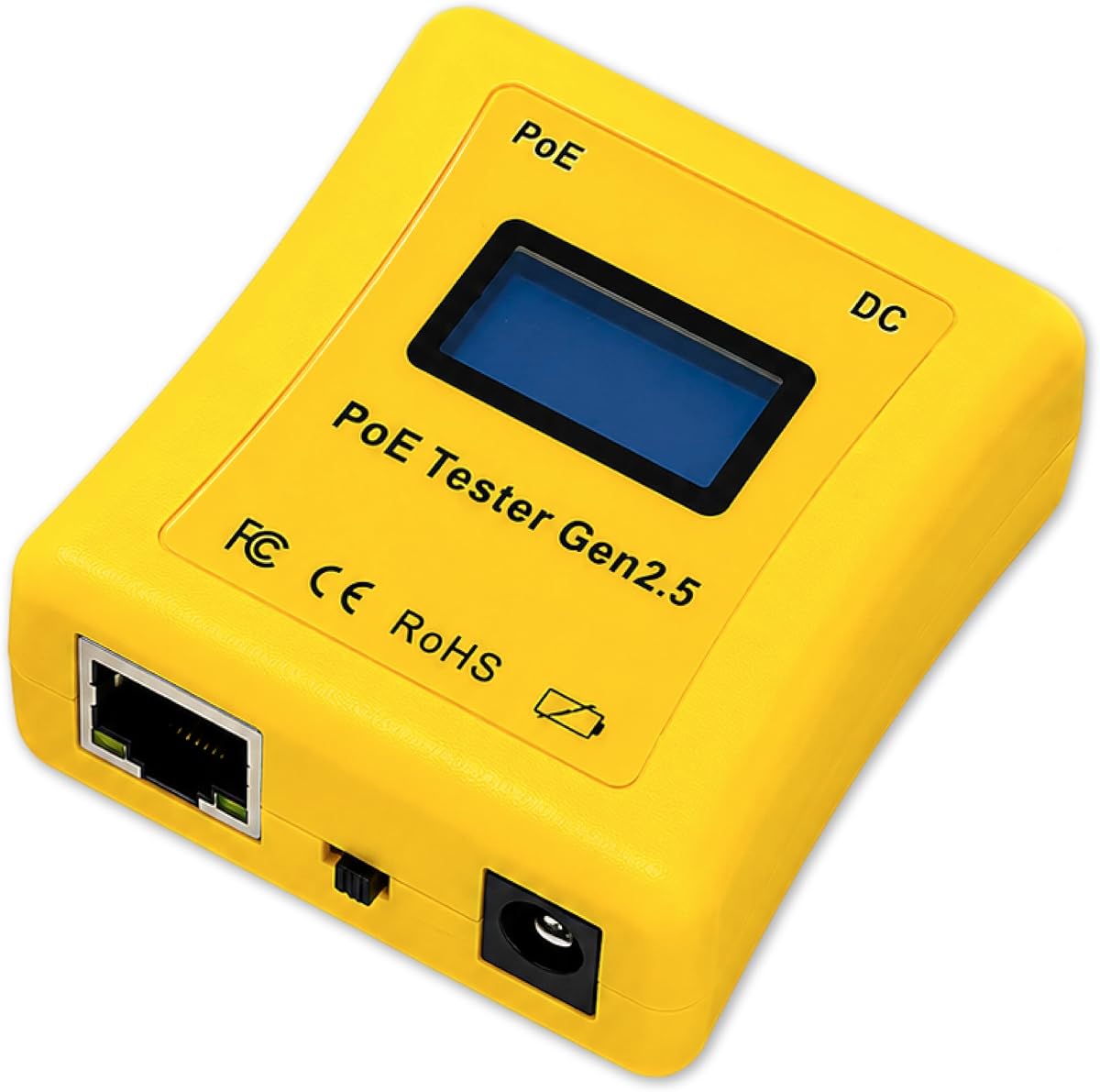
This tool eliminates guesswork by safely checking voltage before installation. It can activate any port on AF/AT/BT switches without a device attached. The new GEN2.5 design is 25% smaller and easier to hold.
We may earn a commission when you buy through this link, at no additional cost to you.
It supports both Mode A and Mode B from 20 to 56 volts. The LCD screen cycles through voltage, current, and power readings. It measures DC power supply voltages from 3.5 to 56 volts.
The ergonomic body reduces hand fatigue during long testing sessions. Some users may find the cycling display slightly slow for quick checks. However, the accuracy is reliable for field diagnostics.
Recommended for installers prioritizing comfort and device activation. The ability to simulate a powered device is unique. It ensures switches behave correctly before connecting expensive equipment.
Allows testing of switches without needing a physical device connected.
Designed to fit naturally in the hand for better control.
We may earn a commission when you buy through this link, at no additional cost to you.
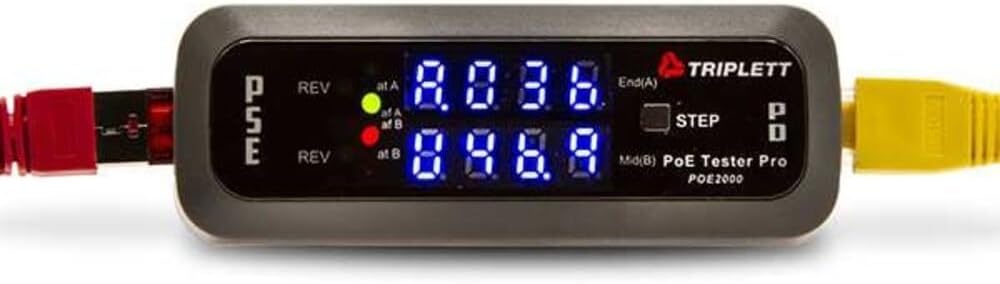
The Triplett POE2000 uses dual 7-digit LEDs to indicate power source clearly. It determines standard or non-standard passive PoE effectively. The yellow LEDs indicate reversed polarity to prevent damage.
We may earn a commission when you buy through this link, at no additional cost to you.
When used inline, the display alternates between Voltage, Current, and Power. The step button lets users select specific data to display. It distinguishes between End Span and Mid Span sources.
The numeric display is functional but less intuitive than text screens. Users might need to refer to the manual for interpretation. It is a solid tool for those preferring physical indicators.
Select this for basic polarity and source identification tasks. The visual LEDs are visible from a distance. It works well in environments where screen visibility might be an issue.
Quickly identify if power comes from Mid Span or End Span.
Visual warnings prevent connecting devices with reversed power wires.
We may earn a commission when you buy through this link, at no additional cost to you.
The POE3000 helps speed up installation and troubleshooting of PoE systems. It uses visual indicators for IEEE standards and reverse polarity. It detects PSE type, class, and power source effectively.
We may earn a commission when you buy through this link, at no additional cost to you.
The device determines standard PoE or non-standard passive PoE accurately. It alternately displays Voltage, Current, and Power with a step button. This inline monitoring helps ensure stable power delivery.
The higher price reflects its professional-grade build and specific detection needs. Lack of user reviews might cause hesitation for some buyers. However, it is a trusted name in testing tools.
Ideal for IT professionals needing robust diagnostics. The visual indicators reduce setup time. It is a reliable choice for large-scale network deployments.
Clear LEDs show compliance with specific network standards.
Real-time feedback during installation to catch issues early.
We may earn a commission when you buy through this link, at no additional cost to you.
This tool verifies PoE presence, voltage, amperage, and standards for Ethernet cables. It measures resistance and ensures continuity for Cat5 through Cat6a cables. The kit includes a cable remote and adapter.
We may earn a commission when you buy through this link, at no additional cost to you.
It is portable with an included belt clip for on-the-go use. It works without a battery when powered by PoE lines. It also includes AA batteries for testing unpowered cables.
The resistance verification ensures flawless data transmission during installation. Some users might find the battery inclusion unnecessary for PoE testing. However, it adds versatility for general cabling tasks.
Great for installers needing a complete kit in one box. The belt clip ensures the tool is always handy. It is a solid addition to any network technician's bag.
Checks for breaks or shorts in the data path directly.
Keeps your hands free while working in tight spaces.
We may earn a commission when you buy through this link, at no additional cost to you.
This tester verifies standard IEEE compliance and non-standard PoE effectively. It measures Ethernet cable lengths from 5 to 300 meters. It has a 1500mAh rechargeable battery for extended use.
We may earn a commission when you buy through this link, at no additional cost to you.
Features include port flash detection and 600m continuity testing. It works with both STP and UTP cables. The customizable auto-shutoff helps save battery life in the field.
The rechargeable battery ensures you are not searching for AA cells. The length measurement feature is a major bonus for installers. However, you must keep it charged before heading out.
Recommended for installations where cable runs need verification. The port flash feature helps locate active ports quickly. It is a comprehensive tool for modern network setups.
Helps ensure runs stay within maximum distance limits for data integrity.
Saves time and money by eliminating the need for disposable batteries.
We may earn a commission when you buy through this link, at no additional cost to you.
This model offers a DVM power panel for precise inline testing. It supports Cat5 and Cat6 cable types effectively. It combines network detection with power measurement in one unit.
We may earn a commission when you buy through this link, at no additional cost to you.
The inline testing capability ensures connections remain stable during checks. It provides detailed voltage readings for network power. It is suitable for both data and power diagnostics.
Detailed specifications are less available for this specific model. However, the inclusion of a DVM panel suggests high precision. It serves specialized needs for complex panel installations.
Choose this for rack-mounted or fixed network testing setups. The DVM integration allows for accurate readings. It is a specialized tool for specific networking scenarios.
Offers precise voltage measurement often found in multimeters.
Identifies active links while monitoring power stability.
We may earn a commission when you buy through this link, at no additional cost to you.
This version offers loop-back testing to diagnose loop issues. It tests DC current, voltage, and power consumption. It has an LED lamp for low-light environments during testing.
We may earn a commission when you buy through this link, at no additional cost to you.
The voltage detection range covers 0-60V effectively. It supports standard PoE Checker information and non-standard devices. Lifetime friendly customer service adds value for long-term use.
The LED lamp solves visibility issues in dark server rooms. While basic, it handles standard tasks reliably. The service promise helps resolve setup questions quickly.
Best for general IT support needing simple diagnostics. The lifetime service makes it a low-risk investment. It works well for basic connectivity and power checks.
Built-in lighting ensures you can see ports clearly in dark racks.
Lifetime support helps with setup and troubleshooting as needed.
We may earn a commission when you buy through this link, at no additional cost to you.
Selecting the right tool requires understanding your specific testing needs and network standards. Consider these factors to find a model that fits your workflow.
Ensure the device supports IEEE 802.3af/at/bt or specific non-standard passive PoE if needed. This guarantees it works with your switch and device types.
Always verify IEEE compatibility before buying.
Battery-free operation is convenient as it draws power directly from the PoE line. However, models with rechargeable batteries may offer more consistent performance for DC testing.
Choose based on whether you need DC support.
OLED screens offer high contrast and readability in varied lighting. Standard LCDs are often cheaper but may require external light to be seen clearly.
Prioritize display clarity for field work.
Look for RJ45 ports that handle Cat5e and Cat6 cables easily. Some units support shielded wires which is vital for industrial environments.
Confirm it handles your cable types.
Features like loop-back testing or cable length measurement add significant value for installation verification. Consider if these extras align with your job requirements.
Extra features can save time significantly.
Field tools must withstand drops and rough handling. Anti-slip casings and ergonomic designs reduce hand fatigue during long jobs.
Check build quality before purchasing.
Government projects often require NDAA compliant testers to meet strict security regulations. Check if the manufacturer certifies compliance for federal use.
Verify compliance for public sector work.
A strong warranty protects against defects and early failure. Responsive customer service ensures you get help if the device malfunctions.
Look for at least a one-year warranty.
Connect the tester between your PSE device and the powered device to check voltage and power stability.
Avoid forcing the cable connectors into the ports to prevent physical damage to the device over time.
Keep the device dry and stored in a protective case to maintain longevity in field conditions.
It is used to verify that a powered device receives the correct voltage and current from the source. It ensures data connectivity remains stable while power is delivered.
Most models do not need external batteries because they draw power from the PoE line. Some allow battery use for testing unpowered DC cables.
The tester sends a low-voltage signal to check compatibility with IEEE standards. It then identifies the specific class and voltage of the source.
Some advanced models include time-domain reflectometry to measure Ethernet cable lengths. This helps identify breaks or long runs during installation.
T-mode tests the power sourcing equipment to confirm its standards. I-mode monitors the inline voltage and wattage while the device is connected.
Yes, professional testers use controlled signals to prevent damage to switches or devices. They are designed to integrate safely into live networks.
Many Inline POE Testers now include DC Mode for non-PoE power sources. This eliminates the need for a separate multimeter in many scenarios.
A polarity warning indicates the wires are reversed which may damage your device. Use the testers visual indicators to correct wiring before plugging in equipment.
The TRENDnet TC-NTP1, PoE-T100, and NOYAFA NF-488 offer strong options across different price points.
Prioritize standards compliance and display clarity based on your daily field requirements.
Always check current product details and availability before finalizing your purchase.