
KAMRUI Hyper H2
4.5Editor score
14th Gen i5-14500HX CPU
Dual M.2 storage slots
Triple 4K display support
This guide compares the top 10 Intel Core i5 Mini PC models for performance, connectivity, and value to help you choose the perfect compact desktop.
Finding the right compact computer for your workspace can be challenging when you need power without the bulk. Intel Core i5 Mini PC options offer a balanced mix of processing speed and efficiency ideal for modern offices and homes.
We evaluated ten leading models based on processor generation, memory capacity, storage speed, and connectivity options. Each product was analyzed for its ability to handle multitasking, media playback, and professional workflows effectively.
Every pick below details key strengths and potential trade-offs to help you match a machine to your needs. Note that availability and configurations vary by seller, so verify current specs before purchasing your new system.
4.5Editor score

4.5Editor score

4.2Editor score
This side-by-side comparison highlights the distinct strengths of each Intel Core i5 Mini PC model, focusing on generation, memory, and unique connectivity features.



The ASUS NUC 13 pro stands out as the top choice for professionals needing reliable power in a small footprint. Its 13th Gen Intel Core i5-1340P processor delivers exceptional performance across multitasking and creative workflows.
We may earn a commission when you buy through this link, at no additional cost to you.
This model shines with its comprehensive connectivity, featuring two Thunderbolt 4 ports that support high-speed data and video output. The preinstalled Windows 11 Pro environment ensures business-grade security and remote management tools are ready immediately.
While the price reflects its premium build and features, users must note that RAM and SSD removal may be required for warranty service. This slight inconvenience is offset by the system's robust thermal design and expandability options.
Choose this unit if you need a future-proof workstation that supports enterprise manageability and high-speed peripheral connections. It is ideal for offices, creative studios, or any setting where reliability and performance are paramount.
The 12-core architecture balances speed and efficiency for demanding tasks without excessive power draw.
Included NUC software suite ensures continuous digital signage operation and remote PC remedy features.
We may earn a commission when you buy through this link, at no additional cost to you.
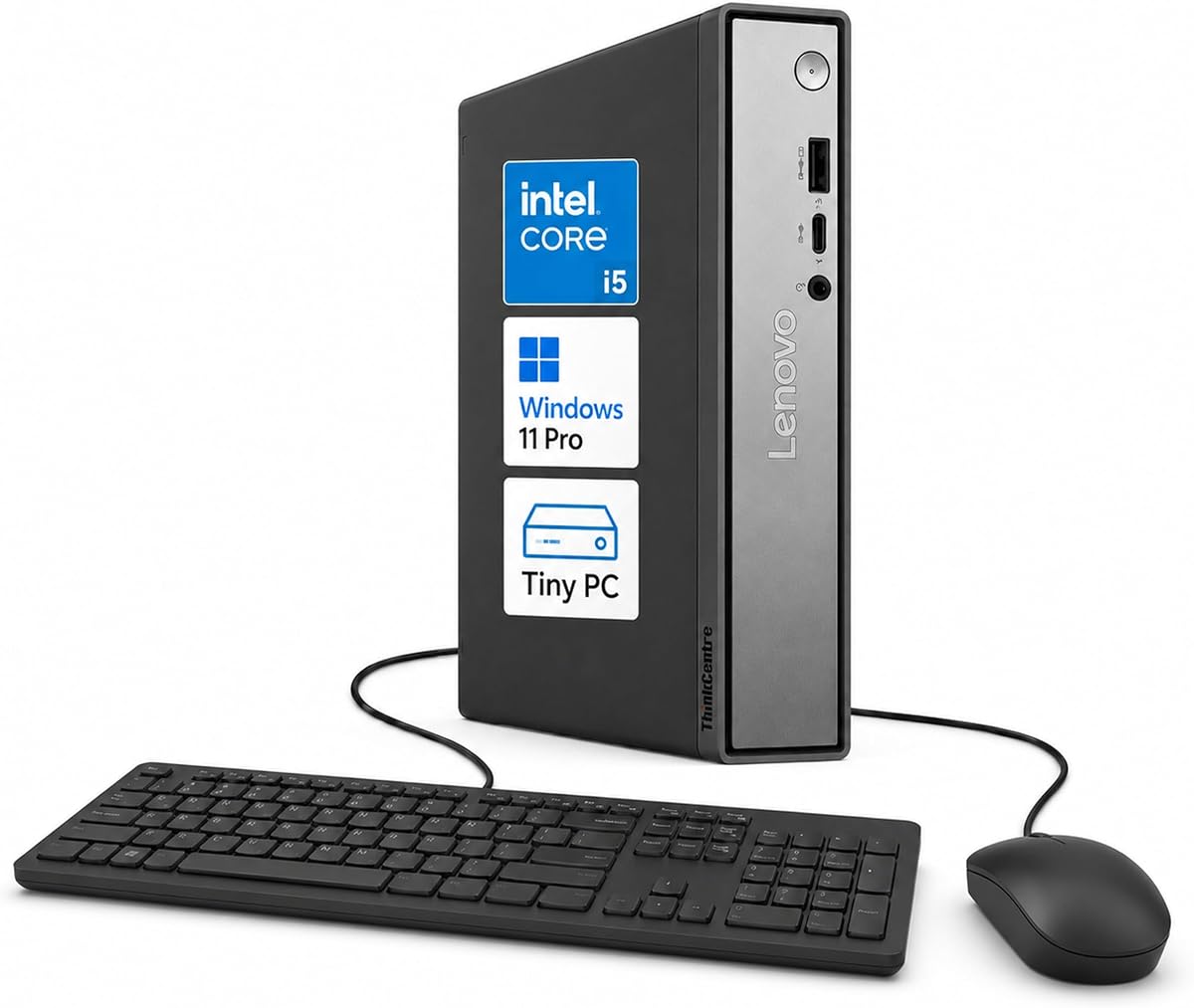
Lenovo ThinkCentre Neo 50q Gen 5 impresses with its tiny footprint and flexible display capabilities. The 1L chassis makes it perfect for crowded desks while still supporting up to three independent monitors for productivity.
We may earn a commission when you buy through this link, at no additional cost to you.
Powered by an 13th Gen Intel Core i5-13420H, this model handles daily business tasks smoothly and supports AI-assisted tools. DDR5 memory ensures quick data access and responsive multitasking across multiple applications simultaneously.
Security features like TPM 2.0 and a Kensington slot add peace of mind for business owners. While it lacks Thunderbolt 4 on some configurations, the standard USB-C and DisplayPort options cover most professional needs effectively.
Select this system for retail counters, classrooms, or shared workspaces where space efficiency is critical. It offers a reliable blend of modern performance and physical versatility for varied computing environments.
Two DisplayPort outputs and one HDMI port enable expansive multi-screen setups for trading or analysis.
Compatible with AI-assisted tools for writing, research, and task organization to boost efficiency.
We may earn a commission when you buy through this link, at no additional cost to you.
The MINISFORUM NAB5R targets advanced users needing network redundancy and extensive display connectivity. Its dual 2.5Gb Ethernet ports make it suitable for firewalls, link aggregation, or complex home lab setups.
We may earn a commission when you buy through this link, at no additional cost to you.
Windows 11 IoT Enterprise pre-installation offers long-term stability and lifecycle support ideal for industrial or specialized applications. The 12-core processor delivers strong performance for multitasking and media editing tasks seamlessly.
Support for four 4K monitors via HDMI and USB-C is rare in this price range and boosts workflow efficiency significantly. However, the IoT OS may require familiarization for users expecting standard Windows Pro features.
Choose this unit for server roles, network storage, or environments requiring multiple high-resolution screens. It balances professional-grade connectivity with consumer-friendly flexibility for tech enthusiasts.
Dual Ethernet ports allow failover or link aggregation for critical uptime and faster data transfer.
Windows 11 IoT Enterprise provides long-term support and stability for specialized software applications.
We may earn a commission when you buy through this link, at no additional cost to you.
HP Mini PC leverages a business-class Intel Q370 chipset for reliable enterprise stability and performance. It fits well into existing office environments where legacy compatibility and consistent uptime are essential requirements.
We may earn a commission when you buy through this link, at no additional cost to you.
With 16GB of DDR4 RAM and a fast NVMe SSD, boot times remain under ten seconds for quick daily productivity. Dual DisplayPort outputs support multi-monitor setups without needing additional adapters or dongles for users.
The compact design allows mounting behind monitors to free up desk space completely. While it uses an older 6-core processor, it remains sufficient for standard business applications like spreadsheets and video conferencing.
Opt for this system when integrating with existing corporate infrastructure or upgrading older workstations. It provides trusted reliability and familiar hardware features for professional IT deployments.
Q370 chipset ensures enterprise-level stability for mission-critical workflows and data analysis tasks.
Dual DisplayPort 1.2 outputs allow extended workspace across multiple screens for better productivity.
We may earn a commission when you buy through this link, at no additional cost to you.
GMKtec M3 offers exceptional value with a massive 1TB SSD pre-installed for ample file storage. This capacity eliminates the need for external drives for most users handling media libraries or large project files.
We may earn a commission when you buy through this link, at no additional cost to you.
The Intel i5-12450H processor provides adequate speed for daily tasks and creative editing like video rendering. Triple screen support via HDMI and USB-C enables effective multitasking across spreadsheets and research windows.
Connectivity includes robust 2.5Gbps LAN for faster network transfers alongside Wi-Fi 6 options. While the processor is one generation older, its balance of speed and storage makes it a cost-effective choice.
Pick this model for media enthusiasts or remote workers needing substantial local storage without extra cost. It delivers solid performance and convenient peripherals out of the box.
1TB NVMe SSD provides ample space for media libraries, documents, and applications without expansion.
Independent displays across three screens allow simultaneous viewing of charts and reference materials.
We may earn a commission when you buy through this link, at no additional cost to you.
Lenovo ThinkCentre Tiny M70q combines the latest 14th Gen architecture with DDR5 memory for top-tier performance. This model is engineered for AI-enhanced productivity and business workflows needing maximum efficiency and speed.
We may earn a commission when you buy through this link, at no additional cost to you.
The T-series processor delivers smooth multitasking while maintaining energy efficiency, reducing cooling demands. A three-year warranty provides long-term peace of mind and support for professional environments relying on consistent uptime.
Intel UHD 770 graphics handle streaming and presentations well enough for general business needs. While it may cost more, the premium build quality and future-proof specifications justify the investment for critical setups.
Select this system for high-end offices or executive workstations requiring modern standards and warranty protection. It represents the pinnacle of reliability and processing capability in the tiny PC segment.
14th Gen Intel i5-14400T offers improved instruction throughput and efficiency over previous generations.
16GB DDR5 memory ensures faster data throughput and smoother system responsiveness daily.
We may earn a commission when you buy through this link, at no additional cost to you.
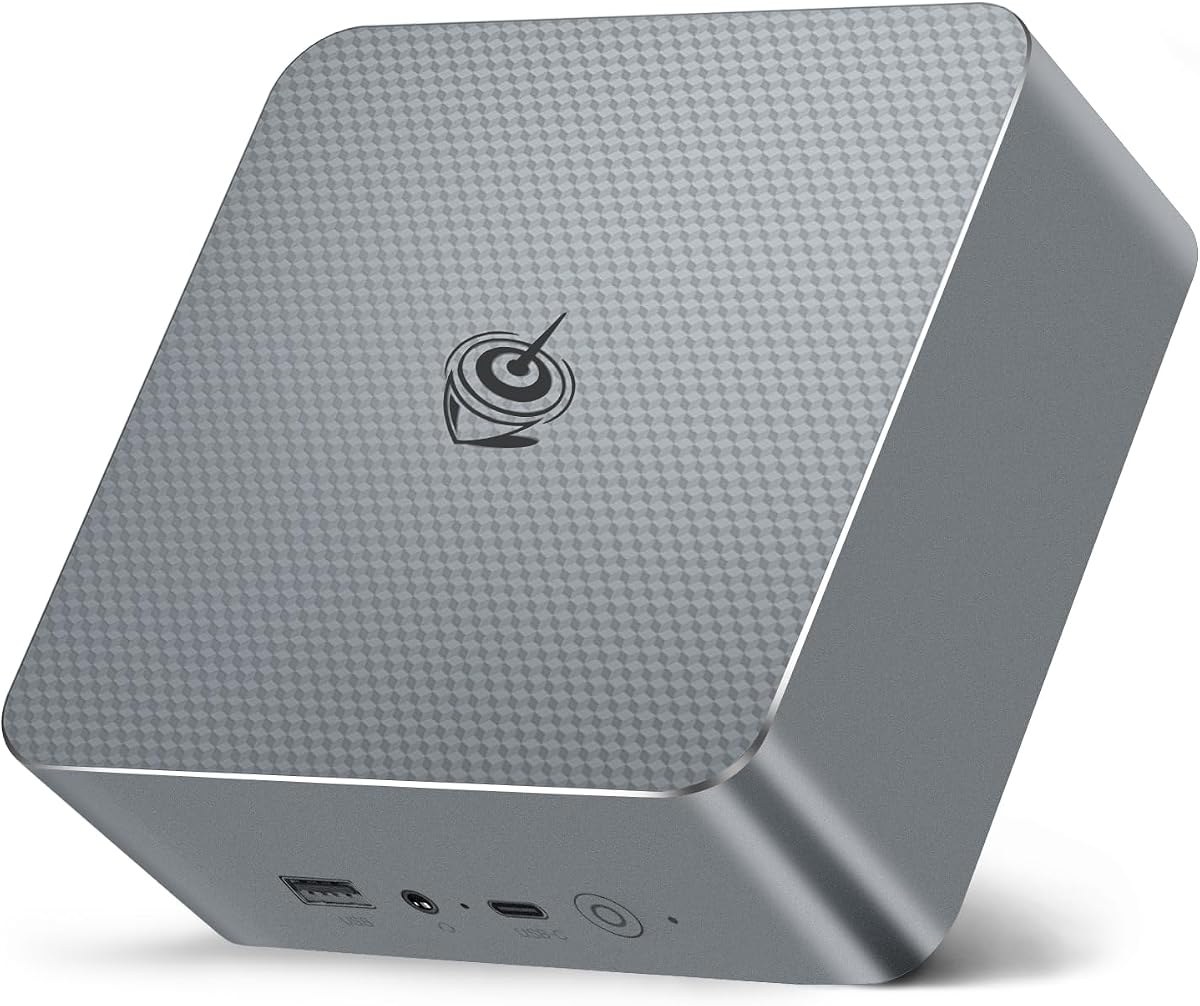
KAMRUI Hyper H2 packs impressive desktop-class performance into a compact unit at a competitive price. The 14th Gen Core i5-14500HX processor enables smooth multitasking even with heavy Excel files or code compilation.
We may earn a commission when you buy through this link, at no additional cost to you.
Its dual-fan cooling system prevents thermal throttling during sustained workloads, ensuring consistent speed. Seven USB ports and dual M.2 slots offer extensive peripheral connectivity and storage expansion options for growing needs.
While it uses DDR4 RAM, the high clock speeds mitigate bandwidth concerns for most daily tasks. Users should prioritize the system's raw compute power and thermal reliability over the latest memory tech.
Choose this budget option for coding, gaming, or demanding office work without overspending. It balances modern processor architecture with practical connectivity for power users on a budget.
The 14th Gen HX series delivers higher performance than standard mobile chips for professional tasks.
Premium dual-fan thermal system ensures stability even under 100 percent CPU load for hours.
We may earn a commission when you buy through this link, at no additional cost to you.
Intel NUC 13 Pro excels for home theater setups with support for 8K@60Hz and 4K@120Hz video playback. Its hybrid architecture ensures smooth media streaming and light creative workloads without overheating or loud fans.
We may earn a commission when you buy through this link, at no additional cost to you.
Four screens can be connected via HDMI and Thunderbolt 4, allowing versatile multitasking or creative workflows. The inclusion of built-in fan cooling maintains silence during movie nights or long work sessions.
Warranty coverage includes a three-year international guarantee, though RAM or SSD removal may be needed for claims. This model is ideal for those who value video quality and brand reliability in their entertainment center.
Select this unit for high-end media consumption or professional visual work requiring precise color and refresh rates. It delivers exceptional video performance in a small chassis for home or office use.
Support for 8K@60Hz allows ultra-high-resolution media playback for future-proof entertainment systems.
Built-in fan cooling ensures quiet operation during critical movie playback or focused work tasks.
We may earn a commission when you buy through this link, at no additional cost to you.
Beelink EQI13 simplifies desk organization with a built-in 85W power supply that eliminates external bricks. This design makes setup cleaner and reduces cable clutter in home offices or retail environments significantly.
We may earn a commission when you buy through this link, at no additional cost to you.
Its advanced cooling system keeps noise levels as low as 32dB, ensuring quiet operation during meetings or streaming. Dual 2.5G LAN ports provide reliable network redundancy or fast file sharing for connected devices.
Support for Wake-on-LAN and PXE Boot makes it suitable for lightweight server tasks like automation or backups. While lacking Thunderbolt 4, the USB-C and standard ports cover most peripheral needs for typical users.
Choose this model for clean desk setups requiring reliable uptime or remote management capabilities. It offers practical convenience and robust connectivity for both personal and business applications.
Built-in power supply design means only a single cable is needed for power and connectivity.
Wake-on-LAN and PXE Boot enable remote management and boot options for specialized network tasks.
We may earn a commission when you buy through this link, at no additional cost to you.
HP EliteDesk 800 G4 offers an affordable entry point for basic computing tasks with renewed quality assurance. Its compact chassis and dual monitor support make it a viable option for light administrative work or browsing.
We may earn a commission when you buy through this link, at no additional cost to you.
With 16GB of RAM and a 256GB SSD, boot times remain snappy for standard office apps and web browsing. Windows 11 Pro adds professional tools like remote desktop, which is rare for devices at this price.
Users should note the older processor limits high-end multitasking but remains sufficient for single-task workflows. It is best suited for low-demand environments where budget is the primary concern for buyers.
Select this unit for digital signage, kiosks, or basic employee workstations needing reliable Windows 11 functionality. It balances cost-effectiveness with essential features for minimal computing requirements.
Professionally tested and renewed units perform like new with potential minor cosmetic wear.
Ideal for digital signage, kiosks, or entry-level workstations where high performance is not critical.
We may earn a commission when you buy through this link, at no additional cost to you.
Choosing the right Intel Core i5 Mini PC requires balancing performance needs with physical constraints and connectivity options.
Newer generations like the 13th and 14th Gen offer improved hybrid architectures with performance and efficiency cores for better multitasking.
Look for processors ending in P, H, or T series depending on whether you need sustained performance or energy efficiency.
At least 16GB of RAM is recommended for smooth multitasking across multiple applications and browser tabs without slowdowns.
Check if the model has expandable slots to upgrade to 64GB later as your storage and performance needs grow.
NVMe SSDs provide rapid boot times and application launches essential for daily productivity in professional or home settings.
Prioritize models with PCIe 4.0 drives for faster file transfers and reduced latency during heavy workloads.
Ensure the device has enough USB ports including Type-C for modern peripherals, docking stations, and fast data transfer needs.
Gigabit or 2.5Gb Ethernet ports are crucial for users relying on wired connections for stability and speed.
If you use multiple monitors, verify HDMI and DisplayPort counts along with support for 4K or 8K resolutions.
Thunderbolt 4 ports offer the highest versatility for connecting multiple displays and high-speed storage simultaneously.
Active fan cooling is necessary to maintain performance under load without thermal throttling during extended usage.
Look for models with dual fans or large heatsinks if you plan on running resource-intensive software continuously.
Windows 11 Pro provides essential security features like BitLocker and remote access tools ideal for business users.
Some models may offer IoT Enterprise versions which provide stability for specialized applications like digital signage.
A minimum one-year warranty is standard, but three-year coverage offers better protection for professional or long-term use.
Check whether the warranty requires you to remove memory and storage before returning the barebone chassis.
Place your mini PC in a well-ventilated area away from walls to allow airflow through the cooling vents effectively.
Use high-quality power adapters to ensure stable voltage delivery which protects internal components over the lifespan.
Keep the firmware updated through manufacturer tools to maintain system performance and fix security vulnerabilities regularly.
Most models feature integrated Intel Iris Xe graphics which can run esports titles like League of Legends well. However, they are not designed for heavy AAA gaming due to thermal limits in compact chassis.
Many models include Windows 11 Pro pre-installed as seen in our list, offering business-grade security. Some may use Windows 11 Home depending on the specific seller configuration or version.
Most units have SO-DIMM slots allowing you to add more memory up to 64GB easily. Always check the maximum supported capacity for your specific model before purchasing additional sticks.
Yes, most models support dual or triple 4K displays using HDMI and DisplayPort or USB-C connections. Verify the exact number of ports before buying to match your monitor setup needs.
Intel Core i5 Mini PCs are energy efficient typically consuming between 15 to 65 watts under full load. This reduces electricity bills compared to traditional towers and allows for silent operation.
Yes, their low power and always-on capability make them ideal for file servers or media streaming. Look for models with multiple Ethernet ports for better network redundancy and speed.
We found the ASUS NUC 13 pro leads with hybrid performance while KAMRUI offers great value for 14th Gen speed.
Prioritize processor generation and memory capacity to ensure your system stays relevant for several years of use.
Remember to verify current stock and configurations before finalizing your purchase to match your specific needs perfectly.